Srtzero
-
Posts
207 -
Joined
-
Last visited
-
Days Won
1
Content Type
Profiles
Warranty Claims
Downloads
Forums
Store
Services
Downloads Plus Support
DOWNLOADS EXTRA
Reels
Everything posted by Srtzero
-
 Could an option be added also of editing loot tables, that it can instead use better loot for loot tables. With https://looty.cc/betterloot web configurator, it makes it super easy to edit loot tables. Would be efficient if Monument Events could use better loot.
 -
.thumb.png.bcb832e22f0a48b6833fee517e444bff.png) since this is version 4.0 .0 update, do we need to use the converter file also? Any commands we need to run to do the conversion?
since this is version 4.0 .0 update, do we need to use the converter file also? Any commands we need to run to do the conversion? -
Using oxide. I normally see this message anytime the plugin is started. So normally after server restart and I access the skills panel.
-
Hi. I receive this error in console. Not quite sure what its supposed to do. [Skills] Failed to find PlayerModifiers.Add in ItemModConsume.DoAction! [Skills] Failed to find PlayerModifiers.Add in ItemModConsume.DoAction!
-
Hello. The plugin Ui does not work, you cannot make any changes or updates. The plugin itself shows with the two default messages, but bringing up the GUI and trying to make changes does nothing. I also see messages likes this in my console. Failed to call hook 'CcmdSetAlign' on plugin 'AdvertCycler v2.0.0' (NullReferenceException: Object reference not set to an instance of an object) at Oxide.Plugins.AdvertCycler.SaveRawConfig () [0x00006] in <366149816d02463c91e32da9cb18417f>:0 at Oxide.Plugins.AdvertCycler.CcmdSetAlign (ConsoleSystem+Arg arg) [0x00086] in <366149816d02463c91e32da9cb18417f>:0 at Oxide.Plugins.AdvertCycler.DirectCallHook (System.String name, System.Object& ret, System.Object[] args) [0x00718] in <366149816d02463c91e32da9cb18417f>:0 at Oxide.Plugins.CSharpPlugin.InvokeMethod (Oxide.Core.Plugins.HookMethod method, System.Object[] args) [0x00079] in <42f9bedc659b4f4786eb778d3cd58968>:0 at Oxide.Core.Plugins.CSPlugin.OnCallHook (System.String name, System.Object[] args) [0x000de] in <15f61ddda771464d8246ebdce8ff4811>:0 at Oxide.Core.Plugins.Plugin.CallHook (System.String hook, System.Object[] args) [0x00060] in <15f61ddda771464d8246ebdce8ff4811>:0
-
(1)raFASTT(1).thumb.gif.635aa07ec3040329591c26c91f7f6480.gif) That would be awesome!!
That would be awesome!!- 61 comments
-
- 1
-

-
- #roamtasks
- #roam
- (and 12 more)
-
 What issue are you having.? Its working perfectly even after this April 2026 update.
 -
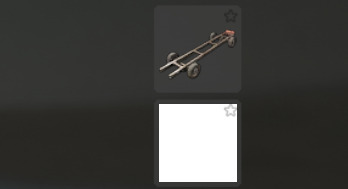
Hi. All throughout the give items menu there are many items that are showing up as white boxes, and not the picture of the item. How can I fix this? See the attached pic for example. And yes I am running the latest version of Image Library.

-
Yep. Also noticed that. Didn't even think to associate it with the latest update. However you can click and drag with the mouse.
-
 Is this for the better vanish plugin or the orginal?
 -
I have a feeling this plugin might be abandoned. Last update to it was in November 2024. So over a year without an update. On the upside I checked the original mod and it was updated just 9 hours ago. I haven't seen if that specific issue was ever fixed in the original mod.
-
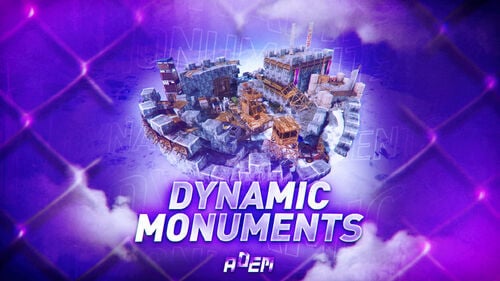 is there anyways to get these dynamic monuments to be identified by zone manager and monument watcher plugins? I am running Zone Status plugin and would like them to show up like normal monuments. Thanks and love the plugin so far. https://umod.org/plugins/zone-manager
 -
I can confirm its working now as normal. The countdown timer is counting. Thanks for the quick support and fix. Love this plugin.
- 61 comments
-
- 1
-

-
- #roamtasks
- #roam
- (and 12 more)
-
.thumb.png.ac72dca13c4e30a2d2181ddd2b0fdc0a.png) Would it be possible to ever support BetterLoot plugin also? https://umod.org/plugins/better-loot
Would it be possible to ever support BetterLoot plugin also? https://umod.org/plugins/better-loot -
So maybe some can help me. When a roam is started, it shows the gui with the time remaining and progress. However the time never seems to countdown. I have literally not started a 30 min task and it stayed on screen without the time counting down way past 30 min. Is there something I need to configure?
-
 Is there a way to hide the rewards countdown window completely for players?
 -
 Thank you
 -
What is the chat command to bring up the main menu? I did not see anything on the details page.
-
Hello. Just wanted to report that there is spelling mistake when you click on the social media icons and it brings up the window to scan the QR code. It says "Scan the QRcode uding" I believe it should say "using" and not "uding"..
-
 Where can I get the NPC Image shown in the screenshots? It would like that one instead of the current one that is in the config.
 -
So is there a way to change when the menu shows up? I would like it to always show when a player joins, and not just the first time. Also how can I edit the color scheme to match my rust server colors? And lastly is it possible to hide the social media icons we don't use? I only have discord and youtube. I would like to hide the TikTok and Instagram icons completely.
-
So changing those values did not do anything. However using the command did work and I can adjust and rescale. Question. I used the console command global.movepanel. That changes it for all players, correct?