Srtzero
-
Posts
205 -
Joined
-
Last visited
-
Days Won
1
Content Type
Profiles
Warranty Claims
Downloads
Forums
Store
Services
Downloads Plus Support
DOWNLOADS EXTRA
Reels
Everything posted by Srtzero
-
Never mind. Its not your plugin. I completely forgot that I run RoamingNPCs plugin and the they also create buried stashes. Ive traced it to that plugin. Sorry for the false alarm. I'll send this to the correct developer. Thanks for the support either way.
-
Hi. I keep getting these red text console error every few seconds during the event: NullReferenceException: Object reference not set to an instance of an object BuriedItem.Create (Item item, UnityEngine.Vector3 worldPosition, System.Int64 expiryTime) (at <23ac6fbad35c4ad3bae94988511cc39e>:0) BuriedItems.Register (Item item, UnityEngine.Vector3 worldPosition) (at <23ac6fbad35c4ad3bae94988511cc39e>:0) DroppedItemContainer.BuryLeftoverItems () (at <23ac6fbad35c4ad3bae94988511cc39e>:0) DroppedItemContainer.RemoveMe () (at <23ac6fbad35c4ad3bae94988511cc39e>:0) UnityEngine.Debug:LogException(Exception) DroppedItemContainer:RemoveMe() InvokeHandlerBase`1:DoTick() InvokeHandlerBase`1:LateUpdate() Is there anyway to fix this?
-
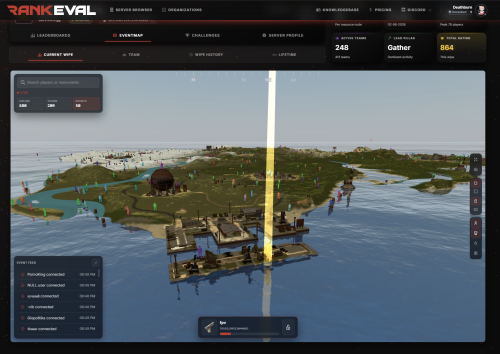 RankEval has been a fantastic addition to my community. The titles and challenges are well thought out and give players real goals to work toward, and having all-time stats tracked is a huge plus for keeping people engaged long-term. I love how configurable it is — I was able to match it to my community's theme without any hassle. The web integration is the standout feature for me: being able to pull the data straight onto my own website makes everything feel polished and connected. Highly recommend it to anyone looking to add depth and progression for their player community.
-
- 1
-

-
- #statistics
- #rankings
- (and 6 more)
-
 I've been using Galium Anticheat for my Rust server and it's been excellent. The detection is reliable and the feature set is genuinely impressive — the Autopilot anti-cheat runs in the background and catches cheaters without constant babysitting, and the new AI Moderation has been a great addition for keeping the community clean. What really sets Galium apart, though, is the level of support: the team is responsive, knowledgeable, and actually cares about getting things sorted. There constantly accepting feedback and introducing new features or fixes. If you run a Rust server and want a set-and-forget anticheat that actually delivers, Galium is well worth it.
- 2 comments
-
- 1
-
-
- #anticheat
- #moderation
- (and 15 more)
-
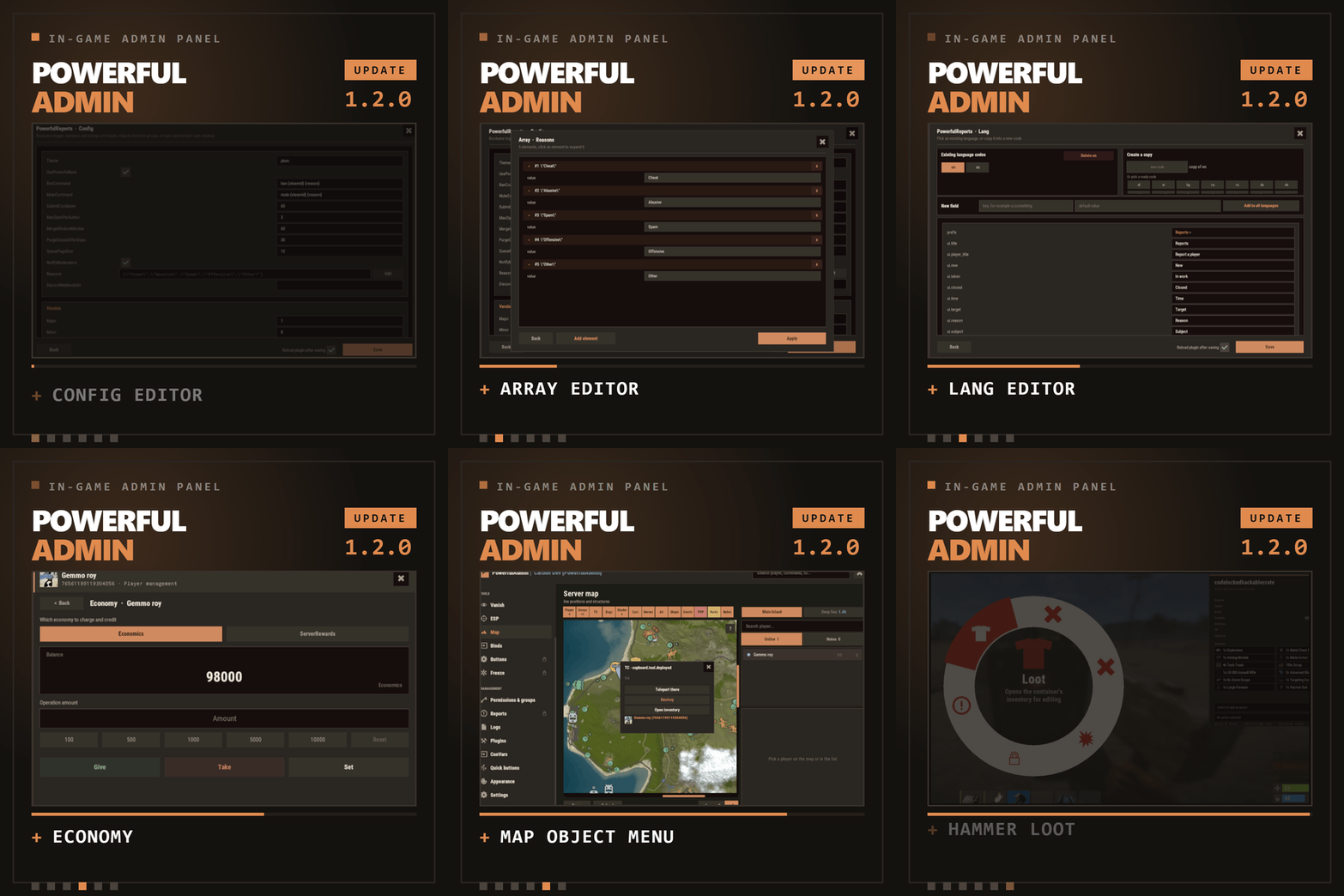 Delivers as promised! Beautiful UI with a few custom color themes. Navigation is very easy, and toggles and buttons are where you would naturally find them. Having console built in is a great feature, and saves me from constantly having to alt tab out of the game. There are no difficult navigations to use any of the features. It has a ton of admin features built in, and I have been able to remove over 6 seperate plugins because of Powerful Admin. What's even better is the plugin developer is open to feedback and suggestions, and is very responsive. He is already working on the next version based on improvement feedback suggestions. I would have no issues on recommending this plugin for any admins looking for an all in one admin tool.
- 14 comments
-
- 1
-
-
- #admin
- #adminpanel
- (and 14 more)
-
OK. Just did and TC upgrades now compiles. Thanks. Didnt know there was a June hotfix update.
-
Just downloaded the latest copy 1.2.0 and received this error message now: Command> c.load TCUpgrades Requested 'TCUpgrades' for compilation Failed compiling 'TCUpgrades.cs': 1. Argument 1 may not be passed with the 'ref' keyword [CS1615] (TCUpgrades 54 line 3010)
-
I will try version 1.1.13. But Im not sure what you mean by old config of the TCUpgrades. I dont have a config since It wont compile. I downloaded version 1.1.14 and placed it on a new server. I never had it before.
-
1.1.14
-
Even restarting the server did nothing. Still the same compile error.
-
Getting this error: Failed compiling 'TCUpgrades.cs': 1. Argument 1 may not be passed with the 'ref' keyword [CS1615] (TCUpgrades 54 line 2867)
-
 Hey check your inbox. He provide me the link awhile ago. I send it to you now.
 -
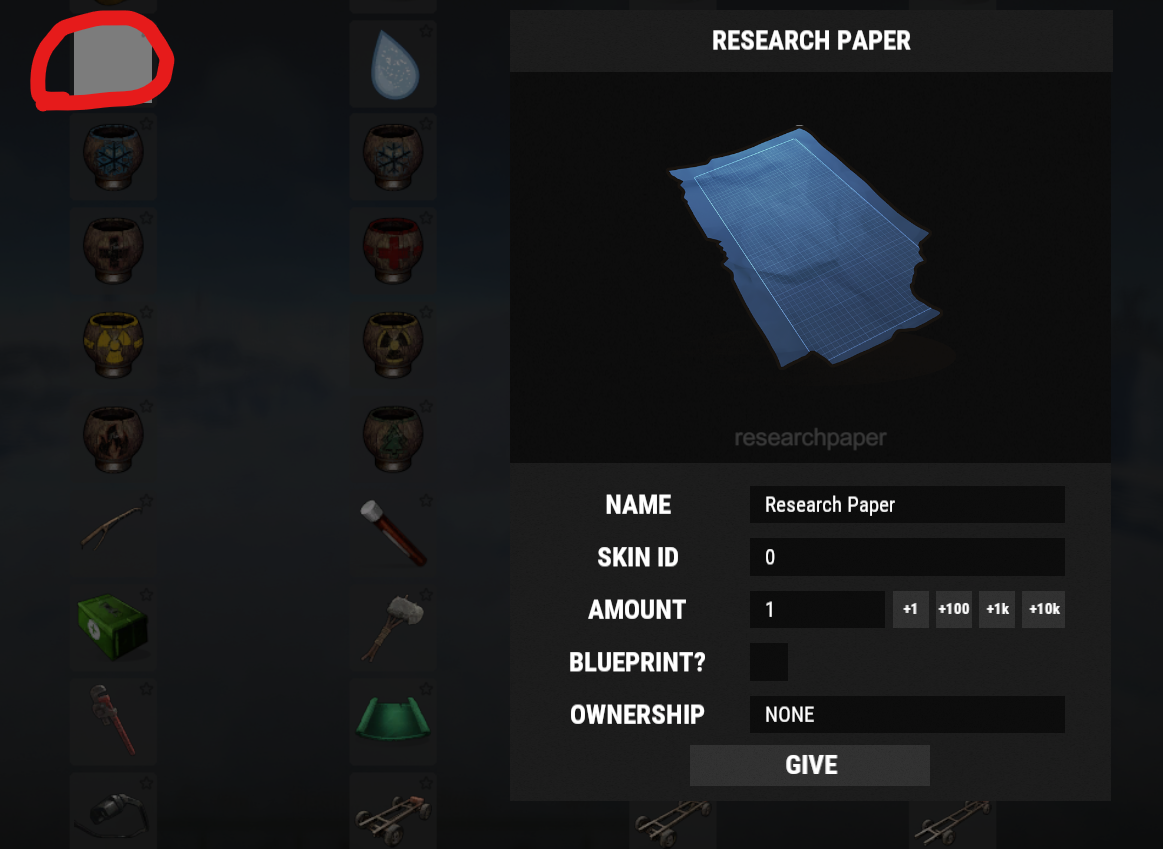
And not to be complaining or whining because I honestly really do love your admin panel plugin but maybe having those icons as direct images with the plugin. I know a few other plugins that provide they own icons the plugin references. For instance the "vehicle.chassis" has an icon at https://www.corrosionhour.com/?s=vehicle.chassis. Maybe something to look into for all those ones that show a white box. And hey if you say its not worth your time to look into it that's fine. Its not like it breaks the plugin or anything. Its just for me its super distracting to have these white boxes, breaks my concentration when I am looking for an item in the list. But again that's just my own personal annoyance. Either way thanks for the great plugin and the support.
-
For example. Research paper. See attached screenshot.

-
Ok. Thanks for the clarification. But why then when you select it, an image shows in the larger window. So they have a normal size image, but not an icon size?.
-
That was fast. Thanks for the support and quick fix.
-
Hi having a small issue with custom rewards and Ui Notification selector. Currently when I try to add a custom award item, it just kicks me back out the rewards selection instead of offering a window to enter the short name and skinID. Then with the UI notification style selector, the different UI profiles are incorrect. When you select one and hit show preview, they are not showing the profile style you have selected. And lastly as a suggestion, we need more flexibility on setting skip wipe days. Currently it skips whatever day you select, but it skips that day every week. It would be nice to have more granular control, like every two weeks on day X, every three weeks or monthly to fit the forced Thursday wipes from facepunch. Just examples. Thanks for the support.
-
.thumb.gif.88b2fe972bac57e852c9e4e25f40c4ae.gif) Would love to use this. So if I used this instead of Notify plugin, how would we get this to work with other plugins? Would we have to go and beg each plugin author to add support for it, or is there a way for us to bridge the plugins to work with NCP?
Would love to use this. So if I used this instead of Notify plugin, how would we get this to work with other plugins? Would we have to go and beg each plugin author to add support for it, or is there a way for us to bridge the plugins to work with NCP? -
So I am completely stumped now. I have turned off everything. Only running as vanilla server and its still showing me steamID on certain items. I notice its mainly weapons and tools. Not so much on items. I am very confused now. So I guess we can rule out Total Control. Although before when I was testing, as long as I had TC unloaded i didnt get items with my SteamID and when I turned it back on, SteamID would show up again. So scratching my head. But I guess we can close this ticket as resolved. Thanks for all the help.
-
I do have Better Chat. Maybe it has something to do with setting ownerID from server. I'll disable everything else and check with only TC. But so far it only happens when I turn on TC. While I had it off waiting for an update it wasn't doing it. Once I turned TC back on with the update it started showing the steamID again. I'll ask my other players and see if they also see their steamID or just their name in the green bar. Thanks for trying to help me figure this out so far.
-
So your right, even on vanilla servers, there are items which show your name. But only the name. Unfortunately on my server when I enable TC it still shows items that have green bar with the steamID.
-
I disabled IQ sorter while using the updated Total Control. Still happened. So not sure its related to IQ Sorter. I'll try on some vanilla servers and see if I still get my STEAMID. I'll report back.
-
Might have spoken to soon. Just looted an item that gave the green bar with name and STEAMID again. I will say its way less frequent. I would say out of my whole loot inventory and filling up my inventory its the only item. So that about 1 out of 24.