
About APRemove
The APRemove plugin enhances the standard system for removing and rotating building blocks in Rust using a hammer.
It allows players with the appropriate permissions to remove and rotate building elements with personalized time limits.
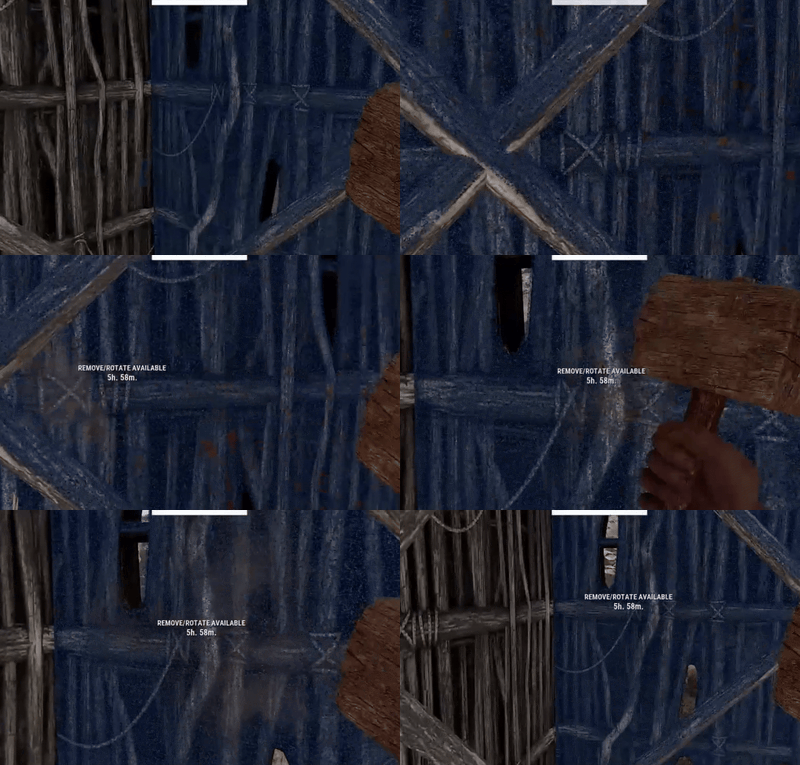
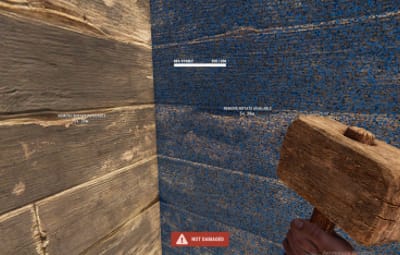
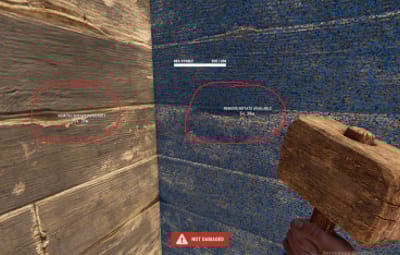
Additionally, the plugin adds a visual display at the hammer strike location, showing the remaining time for interaction.
Аnd now adds a handy sticky grade upgrade mode.
Plugin Features:
- Personalized label display for each user based on their permissions.
- Multi-language support (e.g., English and Russian) for the interface.
- Removal of foreign objects if the player is authorized in the cupboard
- Configurable time limits for object removal.
- Automatic cleanup and data saving for building blocks.
- Support for colored text labels.
- Sticky upgrade
Sticky upgrade
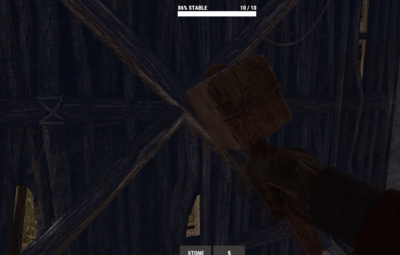
Pick a material and skin once in the normal upgrade wheel — for a while you can left-click blocks with your hammer and they’ll upgrade to that level without opening the wheel again. Resources are spent the same as in vanilla. If the mode is off, upgrades work the usual way through the radial menu.
command
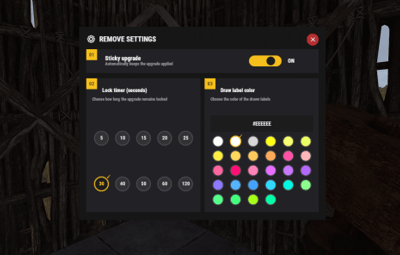
/remove - Opens your personal settings menu. There you can:
- turn sticky upgrade on or off;
- choose how long the selected material stays active (5, 10, 20, 30 seconds, etc.);
- pick the color of on-screen hints when removing or upgrading.
HUD above the hotbar
While the mode is active, a small panel above your belt shows the locked material and the time left.
Configuration:
-
{
  "Active label display time (seconds)": 10,
  "Allow removal of foreign objects with cupboard authorization": true,
  "Chat command for personal settings UI": "remove",
  "Cleanup and save interval for building blocks (seconds)": 600,
  "Data save interval (seconds)": 30,
  "Display frequency interval (seconds)": 10,
  "Object removal time limit after expiration (seconds)": 21600,
  "Permissions list for object removal - Time (seconds)": {
    "apremove.gold": 172800,
    "apremove.prem": 86400,
    "apremove.vip": 54000
  },
  "Sticky grade upgrade settings": {
    "Ddraw color palette": [
      "#FFFFFF",
      "#EEEEEE",
      "#CCCCCC",
      "#FFD700",
      "#FFF066",
      "#FFFF55",
      "#FFCC33",
      "#FFAA44",
      "#FF9944",
      "#FF7744",
      "#FF5555",
      "#FFB6C1",
      "#FF69B4",
      "#FF1493",
      "#FF85C8",
      "#E879F9",
      "#CC88FF",
      "#BB77FF",
      "#9988FF",
      "#66BBFF",
      "#55AAFF",
      "#44DDFF",
      "#00E5D0",
      "#90EE90",
      "#66FF99",
      "#55FF88",
      "#ADFF2F",
      "#00FFAA"
    ],
    "Default ddraw color": "#FFFFFF",
    "Default timer (seconds)": 20,
    "Enabled by default": true,
    "Show sticky HUD": true,
    "Sticky HUD offset X (px)": -9,
    "Sticky HUD offset Y (px)": 0,
    "Timer presets (seconds)": [
      5,
      10,
      15,
      20,
      25,
      30,
      40,
      50,
      60,
      120
    ]
  },
  "Text color": "#FFFFFF",
  "Version": {
    "Major": 1,
    "Minor": 0,
    "Patch": 0
  }
}
- The plugin’s configuration options include:
- ActiveLabelTime: Active label display time (in seconds).
- AllowAuthorizedRemove: Allow removal of foreign objects with cupboard authorization.
- PermissionTimes: A list of permissions and their respective removal time limits.
- SaveInterval: Data save interval (in seconds).
- DisplayFrequency: Display frequency interval (seconds)
-
CleanUpInterval: Cleanup and save interval for building blocks (seconds)
- You can change the configuration language in the APRemove.cs file // | Line: 16, Pos: 506
-
private string currentLanguage = "en"; // en or ru - The configuration supports localization, providing convenience for users in different languages.
- Permissions:
-
apremove.gold
apremove.prem
apremove.vip
apremove.use
apremove.admin