
Wrecks
-
Posts
957 -
Joined
-
Days Won
15
Content Type
Profiles
Warranty Claims
Downloads
Forums
Store
Support
DOWNLOADS EXTRA
Services
Everything posted by Wrecks
-
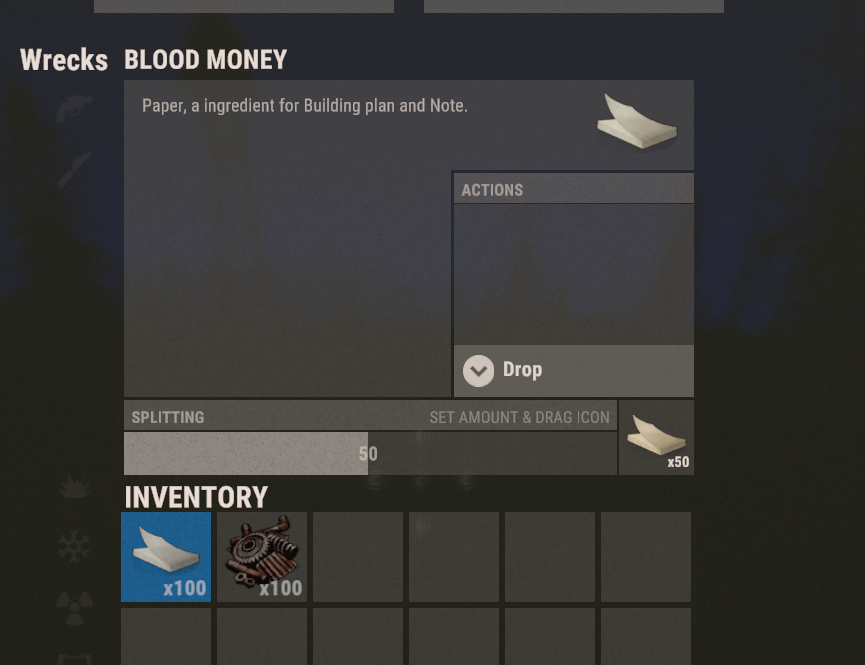
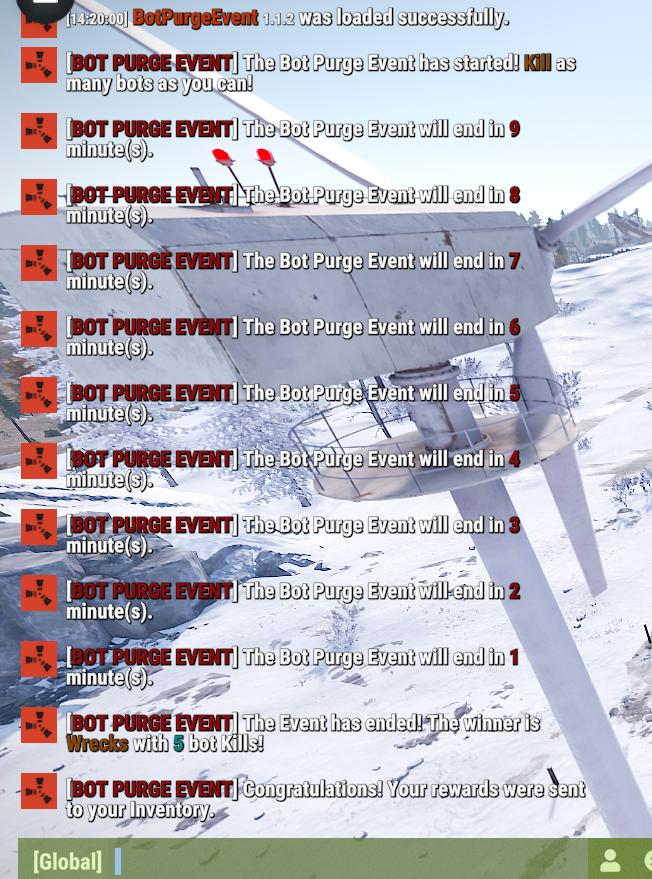
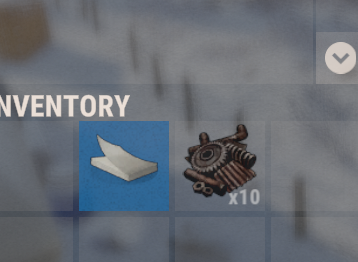
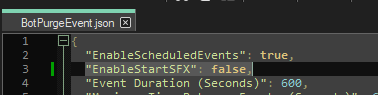
It should be counting down this way, I installed a clean version on test. default config gets sent to inventory. now im testing headshot sfx disabled again And that works too. Any issues im glad to try to help you resolve. And adding features thats cool too, but i wouldn't say that those are missing it can be a work in progress.

-
.thumb.gif.d1f513672828f4b8d6350d4c3a66e8ef.gif) Event duration definitely works it counts down the minutes until end in chat, I’ll double check again though. Event rewards hand out you’ll have to send me your config and I’ll take a look. there is a config option to disable SFX in last build. I never advertised a leaderboard panel. But that is in the plans. and it isn’t set to announce what the winner won, just who won and how many kills they got to win.
Event duration definitely works it counts down the minutes until end in chat, I’ll double check again though. Event rewards hand out you’ll have to send me your config and I’ll take a look. there is a config option to disable SFX in last build. I never advertised a leaderboard panel. But that is in the plans. and it isn’t set to announce what the winner won, just who won and how many kills they got to win. -
You can also message me here, with what you’re looking for, true pve compat and all that
-
For sure get at me on discord so you can give me more details wrecksonthebeat
-
Changed Status from Pending to Not a Bug Changed Fixed In to 1.1.1
-
I can add a config option
-
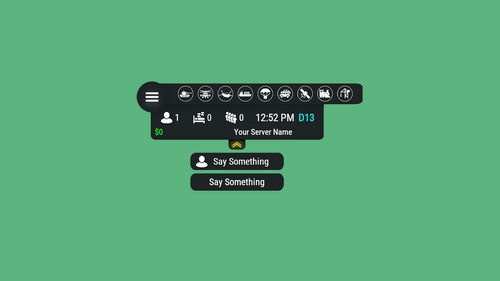 This looks great! The alternatives had their time and now this frees up the screen of alot of clutter! Get it, your players will appreciate it. Setup is a breeze too.
- 601 comments
-
- 1
-

-
- #hud
- #interface
- (and 6 more)
-
Changed Status from Pending to No Response Changed Fixed In to 1.0.0
-
 its /animalkills and /botkills And yeah im looking for alternatives. Will def look at scoreboard implementation.
 -
Yea most likely config needs deletion, sorry for the inconvenience if you need anything and i dont answer here im usually on discord. wrecksonthebeat
-
looks like a config error, delete config, but give me a sec im uploading a new one that squashed some event scheduling bugs. remember this last update added a config option. toggling the scheduled events in case you use an event scheduler that can run commands for you
-
I just pasted it, works fine, may be stability
-
Did you ever get it working? @original4d
-
Version 2.0.5
374 downloads
Supports Economics & Server Rewards You can use either or, both at the same time if needed, or both set to false. The Event Challenge your players and have them compete for the most amount of NPC/Bot kills for the duration of the event. The highest scoring player will earn the loot and bragging rights. Features Headshot "Crunch" Lets your players know its time to take out some bots. Leaderboard tracker, counts kills of your top players, and also counts down the time. (Kill counter sits on right side of compass.) Tie breaker implemented to randomly decide a winner, on delay for Dramatics At the end the winner will receive whatever loot you specified in the table. (Skinning and Custom names in config) And now you can reward them Economics balance or Server Rewards Points. The Winner will now be logged Via Discord and state if it was a tie breaker or an uncontested win. Commands /Purge - Manually Starts the event /PurgeEnd - Manually End These commands may vary due to what you set in config. Start and end can be executed from Rcon HUD USERS HUD CONFIG ADDITION Your color and Icon taste may differ. Feel free to Change it. , { "Hook OnEventStart": "OnBotPurgeEventStart", "Hook OnEventStop": "OnBotPurgeEventEnd", "Name": "BotPurgeEvent", "Active color": "#f02020", "Icon": "https://cdn.discordapp.com/attachments/1131387423838961747/1149341840391278642/BOTPURGEEVENTICON.png", "Color": "#A020F0", "Enable": true } HUD .cs File Custom Events ADDITION private void OnBotPurgeEventStart() => OnEventTouch(System.Reflection.MethodBase.GetCurrentMethod().Name); private void OnBotPurgeEventEnd() => OnEventTouch(System.Reflection.MethodBase.GetCurrentMethod().Name); RUNNING COMMANDS Use {id} to target your player who won. Config ex. { "Leaderboard Options": { "Enable Leaderboard UI?": true, "Leaderboard UI Anchor Min": "0.5 1", "Leaderboard UI Anchor Max": "0.5 1", "Leaderboard UI Offset Min": "250 -150", "Leaderboard UI Offset Max": "450 0", "Leaderboard UI Font": "permanentmarker.ttf" }, "Event Options": { "Enable Scheduled Events?": true, "Purge Command": "purge", "Purge End Command": "purgeend", "Min Random Event Interval in Seconds": 3600, "Max Random Event Interval in Seconds": 7200, "Minimum Players to Start Event": 2, "Event Duration in Seconds": 600, "Enable Start FX?": true, "Enable Chat Countdown?": true, "Chat Countdown Interval in Minutes": 5, "Webhook URL (Leave blank to disable)": "" }, "Reward Options": { "Enable Winner Commands?": true, "Winner Commands": [ "inventory.giveto {id} rifle.ak 1", "inventory.giveto {id} paper 10" ], "Enable Economic Payout?": true, "Economic Payout Amount": 100.0, "Enable Server Rewards Payout?": true, "Server Rewards Payout Amount": 100, "Enable Winner Items?": true, "Min Items to Give": 1, "Max Items to Give": 2, "Winner Items": [ { "Shortname": "blood", "SkinID": 0, "Probability (0-1)": 0.8, "Custom Name": "", "Minimum Amount": 10, "Maximum Amount": 20 }, { "Shortname": "bleach", "SkinID": 0, "Probability (0-1)": 0.2, "Custom Name": "", "Minimum Amount": 1, "Maximum Amount": 3 } ] } } Lang ex. { "EventActive": "[<color=#880808>BOT PURGE EVENT</color>] \nThe Bot Purge Event has started! <color=#884808>Kill</color> as many bots as you can!", "EventAlreadyRunning": "[<color=#880808>BOT PURGE EVENT</color>] \nThe Event is already running.", "EventNotRunning": "[<color=#880808>BOT PURGE EVENT</color>] \nThe Event is not currently running.", "NoPermissionStart": "[<color=#880808>BOT PURGE EVENT</color>] \nYou don't have permission to start the Bot Purge Event.", "NoPermissionEnd": "[<color=#880808>BOT PURGE EVENT</color>] \nYou don't have permission to end the Bot Purge Event.", "ManuallyEnded": "[<color=#880808>BOT PURGE EVENT</color>] \nThe Event was manually Ended.", "NoParticipants": "[<color=#880808>BOT PURGE EVENT</color>] \nThe Event has ended! Unfortunately, no one participated.", "CountdownText": "[<color=#880808>BOT PURGE EVENT</color>] \nThe Bot Purge Event will end in <color=#880808>{0}</color> minute(s).", "WinnerAnnounce": "{0}", "TieMessage": "[<color=#880808>BOT PURGE EVENT</color>] \nThe Bot Purge Event has ended! There was a tie among <color=#880808>{0}</color> players with <color=#880808>{1}</color> kills.", "TieWinnerMessage": "[<color=#880808>BOT PURGE EVENT</color>]\nThe winner was randomly selected: <color=#880808>{0}</color> with <color=#880808>{1}</color> kills!\n", "HasEnded": "[<color=#880808>BOT PURGE EVENT</color>] \nThe Bot Purge Event has ended!", "EndMessage": "[<color=#880808>BOT PURGE EVENT</color>]\n\nBot Purge Rewards\n\nThe Winner is <color=#880888>{0}</color> with <color=#884808>{1}</color> kill(s)!", "RewardMessage": "\n<color=#880848>{0}</color> <color=#888808>x</color> <color=#088848>{1}</color>", "EconomicRewardMessage": "\n<color=#880888>{0}</color> received <color=#bb9b65>$</color><color=#85bb65>{1}</color>!", "PlayerEarnedMessage": "\n<color=#880888>{0}</color> earned:\n{1}", "ServerRewardsMessage": "\n<color=#880888>{0}</color> also received <color=#85bb65>{1}</color><color=#bb9b65> RP</color>!" } Thank you! Any questions or suggestions feel free to reach out, thank you for viewing - Wrecks$15.00 -
Version 2.0.0
251 downloads
Supports Economics & Server Rewards You can use either or, both at the same time if needed, or both set to false. The Event I couldn't just let the animals roam free after Bot Purge. Get out the scopes for any animal you see! Challenge your players and have them compete for the most amount of Wildlife kills for the duration of the event. The highest scoring player will earn the loot and bragging rights. Features A wolf howl lets your players know its time to go hunting. Leaderboard tracker, counts kills of your top players, and also counts down the time. (Kill counter sits on the left side of compass.) Tie breaker implemented to randomly decide a winner, on delay for Dramatics At the end the winner will receive whatever loot you specified in the table. (Skinning and Custom names in config) Discord Logs the winner if enabled in config. Commands /Erad - Manually Starts the event /EradEnd - Manually End Requires EradicationEvent.Admin Permission Start and end can be executed from Rcon HUD USERS HUD CONFIG ADDITION Your color and Icon taste may differ. Feel free to Change it. , { "Hook OnEventStart": "OnEradEventStart", "Hook OnEventStop": "OnEradEventEnd", "Name": "EradEvent", "Active color": "#32CD32", "Icon": "https://media.discordapp.net/attachments/1131387423838961747/1150272933370019870/ERADICATIONEVENTICON.png", "Color": "#A020F0", "Enable": true } HUD .cs File Custom Events ADDITION private void OnEradEventStart() => OnEventTouch(System.Reflection.MethodBase.GetCurrentMethod().Name); private void OnEradEventEnd() => OnEventTouch(System.Reflection.MethodBase.GetCurrentMethod().Name); RUNNING COMMANDS Use {id} to target your player who won. Config ex. { "Leaderboard Options": { "Enable Leaderboard UI?": true, "Leaderboard UI Anchor Min": "0.5 1", "Leaderboard UI Anchor Max": "0.5 1", "Leaderboard UI Offset Min": "-450 -150", "Leaderboard UI Offset Max": "-250 0", "Leaderboard UI Font": "permanentmarker.ttf" }, "Event Options": { "Enable Scheduled Events?": true, "Erad Start Command": "erad", "Erad End Command": "eradend", "Min Random Event Interval in Seconds": 3600, "Max Random Event Interval in Seconds": 7200, "Notify Before Event Starts at this many Seconds Until Start": 60, "Minimum Players to Start Event": 2, "Event Duration in Seconds": 600, "Enable Start FX?": true, "Enable Chat Countdown?": true, "Chat Countdown Interval in Minutes": 5, "Webhook URL (Leave blank to disable)": "" }, "Reward Options": { "Enable Winner Commands?": true, "Winner Commands": [ "inventory.giveto {id} rifle.ak 1", "inventory.giveto {id} paper 10" ], "Enable Economic Payout?": true, "Economic Payout Amount": 100, "Enable Server Rewards Payout?": true, "Server Rewards Payout Amount": 100, "Enable Winner Items?": true, "Min Items to Give": 1, "Max Items to Give": 2, "Winner Items": [ { "Shortname": "blood", "SkinID": 0, "Probability (0-1)": 0.8, "Custom Name": "", "Minimum Amount": 10, "Maximum Amount": 20 }, { "Shortname": "bleach", "SkinID": 0, "Probability (0-1)": 0.2, "Custom Name": "", "Minimum Amount": 1, "Maximum Amount": 3 } ] } } { "EventActive": "[<color=#32CD32>ERADICATION EVENT</color>] \nThe Eradication Event has started! <color=#8032cd>Kill</color> as much Wildlife as you can!", "AboutToStart": "[<color=#32CD32>ERADICATION EVENT</color>] \nThe Eradication Event is about to start in <color=#32CD32>{0}</color>!", "EventAlreadyRunning": "[<color=#32CD32>ERADICATION EVENT</color>] \nThe Event is already running.", "EventNotRunning": "[<color=#32CD32>ERADICATION EVENT</color>] \nThe Event is not currently running.", "NoPermissionStart": "[<color=#32CD32>ERADICATION EVENT</color>] \nYou don't have permission to start the Eradication Event.", "NoPermissionEnd": "[<color=#32CD32>ERADICATION EVENT</color>] \nYou don't have permission to end the Eradication Event.", "ManuallyEnded": "[<color=#32CD32>ERADICATION EVENT</color>] \nThe Event was manually Ended.", "NoParticipants": "[<color=#32CD32>ERADICATION EVENT</color>] \nThe Event has ended! Unfortunately, no one participated.", "Countdown": "[<color=#32CD32>ERADICATION EVENT</color>] \nThe Eradication Event will end in <color=#32CD32>{0}</color>.", "WinnerAnnounce": "{0}", "TieMessage": "[<color=#32CD32>ERADICATION EVENT</color>] \nThe Eradication Event has ended! There was a tie among <color=#32CD32>{0}</color> players with <color=#32CD32>{1}</color> kills.", "TieWinnerMessage": "[<color=#32CD32>ERADICATION EVENT</color>]\nThe winner was randomly selected: <color=#32CD32>{0}</color> with <color=#32CD32>{1}</color> kills!\n", "HasEnded": "[<color=#32CD32>ERADICATION EVENT</color>] \nThe Eradication Event has ended!", "EndMessage": "[<color=#32CD32>ERADICATION EVENT</color>]\n\nEradication Event Rewards\n\nThe Winner is <color=#32CD32>{0}</color> with <color=#8032cd>{1}</color> kill(s)!", "RewardMessage": "\n<color=#880848>{0}</color> <color=#888808>x</color> <color=#088848>{1}</color>", "EconomicRewardMessage": "\n<color=#32CD32>{0}</color> received <color=#bb9b65>$</color><color=#85bb65>{1}</color>!", "ServerRewardsMessage": "\n<color=#32CD32>{0}</color> also received <color=#85bb65>{1}</color><color=#bb9b65> RP</color>!", "PlayerEarnedMessage": "\n<color=#32CD32>{0}</color> earned:\n{1}" }$15.00 -
is it collapsing on paste? may be a stability issue
-
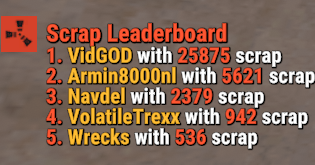
https://github.com/Wrecks830/rustplugin-scraponomics Got permission from the author of Scraponomics to fork, I was able to add leaderboard functionality to it and get the result you were looking for, Will add more features to it later, Enjoy! Can add me on discord if you need help. Discord - wrecksonthebeat
-
-
.thumb.gif.4ff9cb1aa0de0193422f68273dcc5ae4.gif)
Version 1.0.0
57 downloads
Create as many "VIP" Packages as you need for your community, reward the most loyal players, and new ones as well. Customizable loot table for items to be claimed on a daily cooldown in minutes, supports decimals, ex. 0.5 = 30 mins. Discord Webhook Logging will notify you what package the user is claiming. Players are notified on schedule if they are cooled down and can claim. THIS IS A COMPLETE REWRITE AND UPGRADE OF SIMPLE VIP, FOR THIS REASON SIMPLE VIP IS NO LONGER SUPPORTED. Commands /clearpackages - Clears all data /(packageclaimcommand) - Is what you set in config for the player to use to claim, you can make as many as you want to. Users must have the matching permission. Permissions ADMIN - Allows usage of the Clear Function Example Config. { "Discord Webhook URL": "", "Clear Data On Wipe?": true, "Packages": [ { "Package Name": "<color=yellow>VIP</color>", "Permission Name": "vip", "Command To Claim": "vip", "Cooldown In Hours": 0.5, "Claim Effect Path": "assets/prefabs/misc/easter/painted eggs/effects/eggpickup.prefab", "Items": [ { "Shortname": "rifle.ak", "Skin": 0, "Custom Name": "", "Amount": 1 }, { "Shortname": "metal.facemask", "Skin": 0, "Custom Name": "", "Amount": 1 } ] }, { "Package Name": "<color=red>Legend</color>", "Permission Name": "legend", "Command To Claim": "legend", "Cooldown In Hours": 12, "Claim Effect Path": "assets/prefabs/misc/easter/painted eggs/effects/eggpickup.prefab", "Items": [ { "Shortname": "supply.signal", "Skin": 0, "Custom Name": "", "Amount": 1 }, { "Shortname": "rifle.bolt", "Skin": 0, "Custom Name": "", "Amount": 1 } ] } ] } { "PackageDoesNotExist": "[<color=yellow>VIP PACKAGES</color>] This package does not exist.", "CannotClaim": "[<color=yellow>VIP PACKAGES</color>] You do not have permission to claim this package.", "NotEnoughInventory": "[<color=yellow>VIP PACKAGES</color>] You do not have enough inventory space to claim this package. You need <color=green>{0}</color> inventory slots.", "PackageReady": "[<color=yellow>VIP PACKAGES</color>] Your {0} package is ready to claim using the /<color=blue>{1}</color> command!", "CooldownRemaining": "[<color=yellow>VIP PACKAGES</color>] You must wait {0} before claiming this package again." }$10.00 -
Version 1.0.1
649 downloads
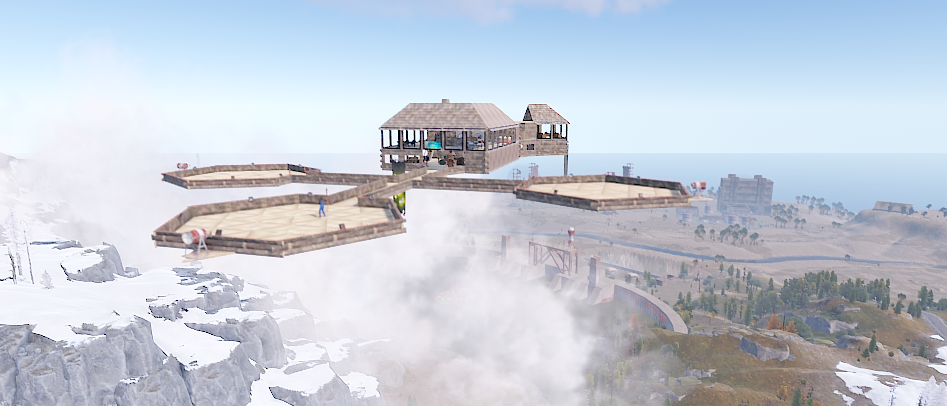
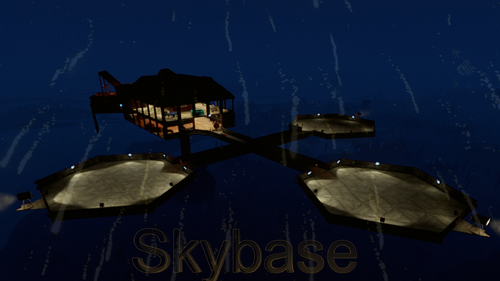
Skybase is a building our server has used for a few years and figured we should share it and maybe your community can make use for it as well. Features: Slot Machines Poker Tables Admin / Hotel Rooms Vending Machines Heli Landing Zones Speaker / Radio Setup Mixing Table Fridge Computer Station Crafting Setup Smelting Zone Hangout Spots with a view. How we use it: Set a zone with Zone Manager, Set flags for No Stability, Decay Etc if needed and have the building within Radius. Skybase is pasted with CopyPaste I use the command /Paste SkybaseFinal Height 200 I also set a command /skybase to let players teleport here It can be pasted on water as well. Thank you for Viewing! Any issues or suggestions are welcome! Courtesy of ꧁༺ † 𝓨𝓪𝓶𝓲 𝓷𝓸 𝓣𝓮𝓷𝓡𝔂𝓾𝓾 † ༻꧂ x Wrecks RIP my friend... ꧁༺ † 𝓨𝓪𝓶𝓲 𝓷𝓸 𝓣𝓮𝓷𝓡𝔂𝓾𝓾 † ༻꧂Free- 16 comments
-
- 4
-

-
-
- #copypaste
- #community
- (and 1 more)
-
 You have to set it up
 -
 Got this and sub wars bundle, players are complaining about getting split from their teams after and locked out of some stuff if the players team mates arent online to team up again. Is the plugin supposed to rejoin them or is this just how it is.