
-
Posts
123 -
Joined
-
Last visited
Content Type
Profiles
Warranty Claims
Downloads
Forums
Store
Services
Downloads Plus Support
DOWNLOADS EXTRA
Everything posted by codeboy
-
Version 1.0.0
2 downloads
PowerfulBans is a complete, database-backed ban system for Rust. It runs perfectly on its own (chat and console commands, login enforcement, and its own SQLite or MySQL database), and when you also run PowerfulAdmin it adds a full in-game ban management panel. >>> No dependency required. Install PowerfulAdmin only if you want the UI. Why PowerfulBans? Works on its own. Commands, enforcement and storage all work with no other plugin installed. PowerfulAdmin is optional and only adds the in-game panel. Your own database. Bans live in SQLite (zero setup) or MySQL/MariaDB, ready to share across your whole server network. One banlist for your network. Point every server at the same MySQL database and a ban on one server applies on all of them, instantly. A real in-game panel. Search, page, ban, extend and unban from a polished UI that follows your PowerfulAdmin theme (requires PowerfulAdmin). Steam-aware. Optional VAC/Game ban checks and auto-kick using your own Steam Web API key. Safe by design. If the database is unreachable, bans are blocked with a clear message instead of silently failing, and a broken connection is reported on startup. The in-game panel (requires PowerfulAdmin) A dedicated Bans section in the Tools category: Live ban list with search (by name or SteamID) and pagination. Each entry shows the name, SteamID, reason, who issued it, and a clean live remaining-time countdown (e.g. "9d 1h 10m" or "permanent"). One-click Extend and Unban (with a confirmation step). A Ban dialog with: - a searchable, paged player picker showing online status, VAC/Game ban flags and Rust hours; - reason templates plus a free-text reason and a staff-only comment; - duration presets (1h, 6h, 1d, 7d, 30d, permanent) or a custom duration like `1d12h`. A Ban action right in the player popup, anywhere in the panel. Theme-aware: colors, fonts and switches follow your active theme. Every action is written to PowerfulAdmin's Logs. Database and multi-server SQLite (default): nothing to configure, the database file is created automatically. Perfect for a single server. MySQL / MariaDB: share one banlist across many servers. Each server can carry its own name in the shared data. Switch storage and migrate your data right from the Settings page, with row-count verification that reports a clear error if anything goes wrong. Prefer the console? Migrate without the UI from the server console: pb.migrate <sqlite|mysql> Bans are checked directly against the database on every login (no stale cache), so cross-server bans take effect immediately. Steam integration (optional) Set your Steam Web API key in the PowerfulBans config (or from the Settings page)and PowerfulBans can: show VAC / Game ban status on the player picker; automatically kick players who have a recent VAC/Game ban, with a configurable threshold in days. This works with or without PowerfulAdmin. Rust playtime on the picker is shownwhen PowerfulAdmin is present. Steam results are cached in the plugin's own database and refreshed automatically, respecting Steam's rate limits. Commands Chat: /ban <name|steamid> [duration] [reason] /unban <name|steamid> /baninfo <name|steamid> /ban help - show all commands Console / RCON: pb.ban <name|steamid> [duration] [reason] pb.unban <name|steamid> pb.info <name|steamid> pb.list [page] - paged active ban list pb.migrate <sqlite|mysql> - migrate storage to another backend (server console only) Duration examples: "30m", "2h", "7d", "1d12h". Empty or "0" = permanent. Permissions powerfulbans.ban - Ban and extend bans powerfulbans.unban - Unban powerfulbans.view - Open the Bans section and use /baninfo --- Configuration { "Storage": "Sqlite", "MySql": { "Host": "127.0.0.1", "Port": 3306, "Database": "powerfulbans", "User": "root", "Password": "" }, "ServerName": "Main #1", "BroadcastBans": true, "AppealUrl": "https://discord.gg/...", "KickRecentSteamBan": false, "RecentSteamBanDays": 30, "SteamApiKey": "" } You can also change storage, credentials, the Steam API key and these options live from the Settings page when PowerfulAdmin is installed. Installation Drop PowerfulBans.cs into your plugins folder (Carbon: carbon/plugins/, Oxide: oxide/plugins/). The plugin loads and creates its SQLite database automatically. No setup is required to start banning. Grant the permissions above to your staff groups. (Optional) For a shared/network banlist, open the config, set Storage to MySql, fill in your credentials, and reload the plugin. (Optional) For Steam VAC/Game checks, put your Steam Web API key into SteamApiKey in the config (or the Settings page). (Optional) Install PowerfulAdmin to get the in-game ban panel and Rust playtime. Done. Use the commands above, or open the Bans section in the panel (Tools category) if PowerfulAdmin is installed. Requirements For MySQL storage: MySQL 8.0+ (recommended) or MariaDB 10.2+. Localization Fully localizable. English and Russian are included out of the box, and every message lives in the language files so you can translate or reword anything for your community. API$12.99 -
Changed Status from Work in Progress to Not a Bug Changed Fixed In from Next Version to 2.0.4
-
Excellent! Enjoy using my plugin, thanks for the feedback. If you have any questions, please write here or to my Discord. I'd also appreciate your feedback on your experience using the plugin and any suggestions for improvement! Best regards, codeboy
-
That's it, I understand what the problem is. This config is from an old plugin with the same name. Move config file to another location or delete it, and then reload it using the c.reload KillFeed command. Everything will be fine. I'm waiting for feedback
-
Hmm. Can you send me a config file? Its looks like configuration is corrupted or generated not correctly
-
Changed Status from Pending to Work in Progress Changed Fixed In to Next Version

-
Hi! Can you please tell me with what weapon you killed and who? If it is possible to upload a video, it can speed up the fix. I'm getting to it now
-
- 49 comments
-
- 1
-
-
Version 1.0.2
12 downloads
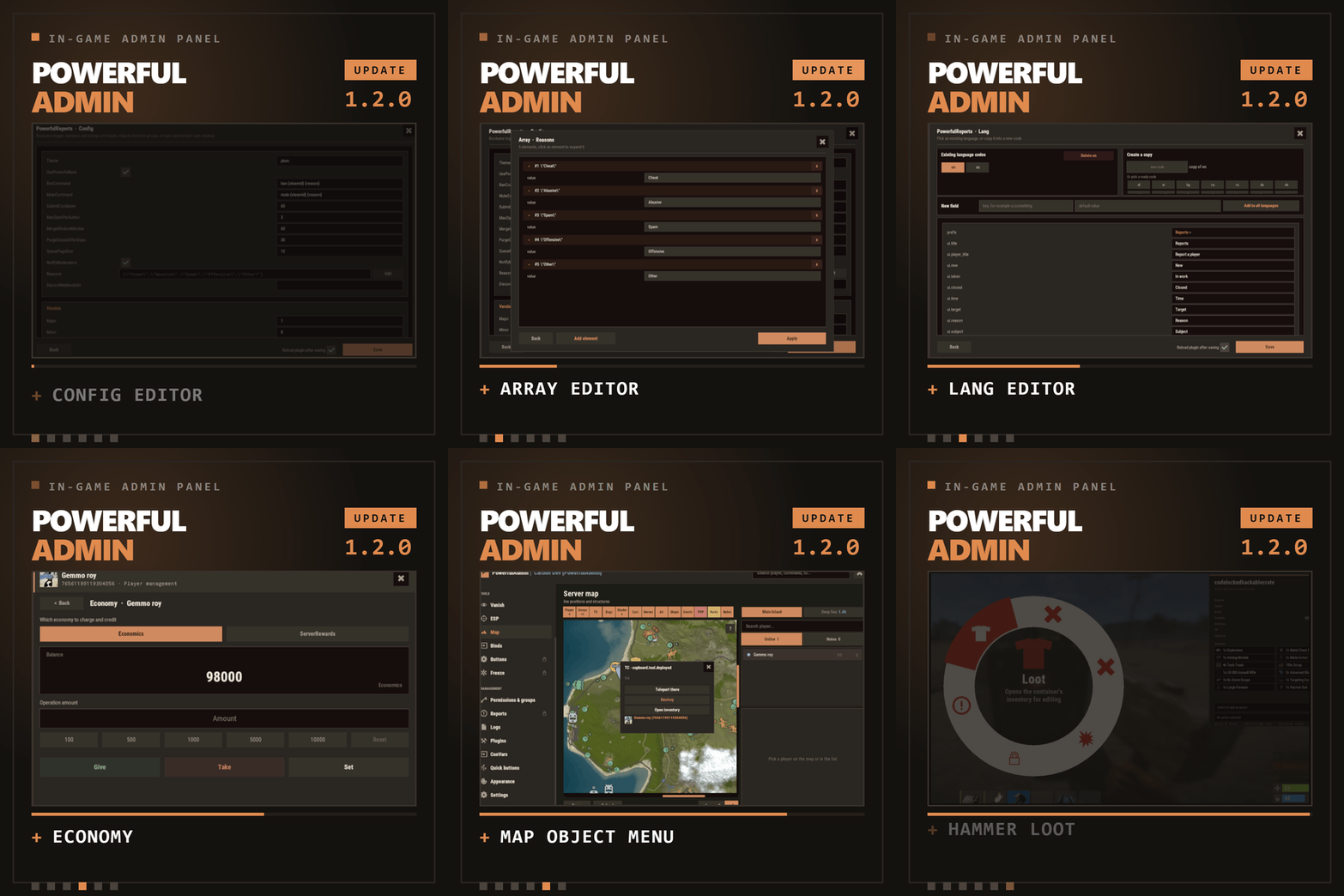
The complete in-game admin control center for Rust - every moderation tool your team needs. In one beautiful CUI panel. Stop alt-tabbing to RCON. Stop memorizing console commands. Stop juggling five different plugins. PowerfulAdmin puts your entire server - players, permissions, plugins, console, ConVars, ESP, Vanish and more - behind a single, fast, gorgeous in-game interface that any admin can master in minutes. >>> Open it with one command: /padmin. Everything else is point-and-click. Why PowerfulAdmin? All-in-one. Player management, ESP, Vanish, live console, permissions, plugin control, ConVar editing and Discord - no more plugin soup. Beautiful & fast. A modern, hand-crafted CUI with three themes, smooth partial updates (no jarring full-screen redraws), and an interface that feels like a real desktop app. Built for real moderation. Heal, kill, strip, teleport, mute, spectate, give items, edit blueprints, tweak metabolism, manage inventories - online and offline players. Permission-gated to the bone. Fourteen granular permissions let you hand juniors exactly what they need and nothing more. Scales with you. SQLite out of the box, one-click migration to MySQL for multi-server networks, or plain JSON if you prefer files. Discord-ready. Webhooks, a full bot with slash commands, a two-way chat bridge and role-based authorization - all optional, all configurable in-game. Localized. Ships with full English and Russian; every string lives in language files, so any locale is a translation away. Feature Tour 1. Dashboard Your server at a glance, updated live: Online / max players, sleepers, admins online, new players today Server FPS, entity count, and join queue / joining counters One-tap quick toggles: Vanish, ESP, Godmode, Noclip A built-in live console feed so you always see what's happening 2. Player Management A searchable, paginated roster of online, offline (sleepers) and banned players. Each row has instant actions, and the full management card does it all: Heal: Set / max / add / subtract HP Kill: Instantly kill the target Strip: Clear the player's inventory Teleport: To me · To player · To coordinates · To line-of-sight Mute: Timed or permanent, with reason templates and notify options Kick: With reason, comment and notification routing Inventory: View and edit a player's main / wear / belt Spectate: Jump into a live spectate camera (press R to exit) Give: Full item picker - categories, search, favorites, custom items, skins, a cart, and blueprints Blueprints: Unlock or reset blueprints per item, on a visual blueprint board Modifiers: Apply metabolism modifiers with custom duration and value Vitals: Live HP / metabolism editor that respects each stat's real min / max Permissions: Grant per-user permissions and manage their groups Offline players are fully supported - teleport to a sleeper, mute, heal, strip, edit their body and more. Rich player stats card: SteamID, live status (Online / Sleeping / Dead / Wounded / Offline), total playtime, current session, total Rust hours (via Steam API), groups, first/last seen, and IP - with a dedicated permission so only trusted staff can reveal it. Inspect Tool Walk up to anyone in the world, look at them, and act instantly: E - open their inventory Right Mouse Button (RMB) - open their full management card A clean on-screen hint shows you exactly which key does what. ESP A powerful, server-side admin ESP rendered through the engine's debug draw, visible only to permitted admins: - Players & sleepers with name, HP and held item - World entities: loot, boxes, tool cupboards, sleeping bags, traps, stashes, dropped bags, NPCs, turrets and vehicles - Adjustable radius, box/text opacity, and distance readouts - Color-coded enemy / team / admin, plus tagging of vanished admins Vanish True invisibility done right: Removed from networking, colliders and entity queries Optional silhouette with a configurable color so other admins can still spot you Full damage and targeting immunity Optional auto-vanish on connect Live Console Real-time server console inside the panel Category tabs: All · Chat · Commands · Connections · Errors Search, word-wrap, and export to file Run commands inline A draggable floating mini-console widget you can keep on-screen while you work Permissions Manager Browse every permission on the server, grouped by owning plugin Toggle permissions per user or per group Create and delete groups with parent inheritance Fast search across thousands of permissions Logs In-panel activity log: joins, leaves, chat, commands, admin actions and errors Filter by category Persisted to your chosen storage backend with configurable caps Plugin Control See every loaded and unloaded plugin with title, author and version Load / unload / reload with a click ConVar Editor Browse and edit server ConVars by category Paginated and searchable tune your server without touching the console Storage & Settings Storage backends: SQLite (default, zero-config), MySQL (perfect for multi-server networks), or JSON files One-click live migration between backends your data follows you Security: lock PowerfulAdmin permissions, enable/disable the console, set log and ESP object caps, define reason templates Steam API key for Rust playtime lookups (cached and stored in your backend) All configurable in-game, no file editing required Discord Integration (optional) Webhook and/or Bot delivery pick per channel Notifications for bans/kicks, chat, admin actions and plugin errors, each to its own channel Two-way chat bridge (Discord ↔ in-game) Slash commands: /online, /players, /kick, /mute, /chatbridge with autocomplete Role-based authorization so only the right Discord roles can moderate Configurable bot presence / activity status Themes & Localization Three polished themes Rust, Midnight, Plum selectable per admin Full English and Russian included; every label is translatable via language files Performance PowerfulAdmin is engineered to be light: Object pooling and reused buffers to minimize allocations Partial UI updates only the element that changed repaints, never the whole panel Cached state signatures and debounced saves ESP and inspect run on tuned intervals Permissions powerfuladmin.use - Base access - open the panel powerfuladmin.players - Player management page & actions powerfuladmin.esp - ESP page & overlay powerfuladmin.vanish - Vanish powerfuladmin.godmode - Godmode quick toggle powerfuladmin.noclip - Noclip quick toggle powerfuladmin.console - Live console page powerfuladmin.perms - Permissions manager powerfuladmin.logs - Logs page powerfuladmin.plugins - Plugin control powerfuladmin.convars - ConVar editor powerfuladmin.settings - Settings, storage & Discord powerfuladmin.viewip - Reveal player IP addresses powerfuladmin.candisablevitals - Edit player vitals/metabolism powerfuladmin.countableondashboard - Counts toward the "admins online" stat > Tip: there is a one-time console helper pa.setup <steamid/name> that grants the full PowerfulAdmin permission set to a player so you can get started instantly. Commands /padmin - (Chat) Open the admin panel pa.setup <steamid/name> - (Console) Grant the full permission set to a player (one-time) Everything else happens inside the panel no commands to memorize. Requirements & Compatibility Storage: SQLite or JSON work with zero setup; MySQL is optional for networks. Discord & Steam API: entirely optional the plugin runs perfectly without them. Quick Start Drop the plugin into your scripts folder; it loads and creates a clean config automatically. Run pa.setup <your name or steamid> once to give yourself full access. Type /padmin in-game. (Optional) Open Settings to switch to MySQL, connect Discord, or add your Steam API key. That's it you're running. FAQ Q: Do I need MySQL or a database server? A: No. SQLite is the default and needs zero configuration. MySQL is there only if you run multiple servers and want shared data. Q: How do admins open the panel? A: With the /padmin chat command, provided they have at least the powerfuladmin.use permission. Q: How do I give my staff access? A: Grant the permissions above (per user or per group) right inside the Permissions page, or use pa.setup for a quick full grant. Q: Is Discord required? A: No, it's completely optional. Everything in the panel works without Discord. When you do want it, set it up entirely in-game. Q: Will it lag my server? A: It's built for performance object pooling, partial UI redraws, debounced saves and tuned update intervals keep the footprint small. Q: Can players abuse it? A: No. Every page and action is gated behind its own permission, and you can even lock the plugin's own permissions so they can't be edited. Q: Is the ESP a "cheat"? A: It's a server-side admin tool rendered through the engine's debug draw and only shown to admins with the ESP permission there is no client-side mod involved. Q: Can I manage offline players? A: Yes. You can teleport to, mute, heal, strip and otherwise manage a player's sleeping body. Actions that genuinely need a live connection (like kick) are disabled while they're offline. Q: Can I move from SQLite to MySQL later? A: Absolutely there's a one-click live migration in Settings that moves your data between backends. Q: Is it multi-language? A: It ships with full English and Russian, and every string is in language files, so adding a new language is just a translation. Q: Can I change how it looks? A: Yes choose from the Rust, Midnight and Plum themes. Q: Do I need a Steam API key? A: Only if you want the "total Rust hours" stat on player cards. Everything else works without one. Q: What about bans and player freezes? A: Ban and Freeze are reserved for an upcoming DLC add-on and currently appear as placeholders. All other moderation tools are fully included. Roadmap Bans DLC full ban management (timed/permanent, templates, history) Freezes DLC freeze/unfreeze players in place Continuous polish, more themes, and additional languages API PowerfulAdmin administer your Rust server the way it should be: fast, visual, and powerful.$40.00-
- #admin
- #adminpanel
- (and 14 more)
-
- 49 comments
-
Changed Status from Pending to Work in Progress Changed Fixed In to Next Version

-
Hi! Any errors in console?
-
Changed Status from Work in Progress to Fixed
-
Changed Status from Pending to Work in Progress Changed Fixed In to 2.0.1
-
Hello! Download v2.0.1 and delete previous lang files (/oxide/lang/KillFeed folder).
-
Changed Status from Pending to Fixed Changed Fixed In to 2.0.0
-
Changed Status from Pending to Closed
-
Version 1.0.1
6 downloads
Tired of running across the map just to recycle a few items? ExtendedRecycler is here to revolutionize how you handle scrap in Rust! Forget the limitations of fixed recyclers. Our plugin gives you three ways to recycle, putting the power right in your hands - and lets server owners shape the entire recycling economy and control access! Your Recycling Arsenal: The Virtual Recycler: Type /vrec, and a recycling menu appears instantly - no need to move. Perfect for quick cleanups or when you’re on the go! The Placeable Recycler: Build your own dedicated recycling station anywhere in your base. A permanent solution for your main base. The Pockets Recycler: Find them as rare loot or get one from an admin. Take this portable unit with you on raids or expeditions! Power for Server Owners: Tune and Control Adjust recycling speed: Make it lightning‑fast for casual servers or slow and strategic for hardcore survival. Control resource yield: Increase the loot for new players or tighten the screws for a more challenging experience. Manage access: Use the permission system (extendedrecycler.PERMISSION) to grant or restrict access to the Virtual Recycler. Reward loyal players, VIPs, or clan members! Why ExtendedRecycler? Convenience: Recycle anywhere, anytime. Strategy: Choose the right recycler for the job. Flexibility: Adapt to any situation - from base defense to long‑range exploration. Control: Shape the gameplay experience to match your server’s vision. Get Started: Players: Just type /vrec to open your Virtual Recycler (if you have the required permission). Admins: Use er.give {{userid}} {{key}} {{type}} in console to equip your players with the tools they need! Check configuration - CLICK Upgrade your Rust experience with ExtendedRecycler - where recycling meets innovation!$10.00-
- #recycler
- #custom recycler
- (and 3 more)
-
- 49 comments
-
- 1
-
-
- 49 comments
-
- 1
-
-
- 49 comments
-
- 1
-
-
- 15 comments
-
- 1
-
-
- #cui
- #cui editor
-
(and 2 more)
Tagged with:
-
Hi! You can find all images on main page of plugin. Also i send you it here: https://drive.google.com/file/d/1yeNVRefhhB4AN7_4DMjgEdWb9szwHTvu/view?pli=1 Upload this folder to data folder of your server