Jump to content

codeboy

Creator
  • Posts

    139
  • Joined

  • Last visited

Everything posted by codeboy

  1. Thanks for feedback! Update is ready for download, sorry for crash
  2. Changed Status from Pending to Fixed Changed Fixed In to 1.1.7
  3. Version 1.0.0

    27 downloads

    PowerfulWhitelist is a whitelist for Rust. It works on its own through chat andconsole commands with login enforcement, and if you also run PowerfulAdmin itadds an in-game management panel. >>> No dependencies required. Install PowerfulAdmin only if you want the UI. Works on its own. Commands, enforcement and storage run with no other plugin installed. PowerfulAdmin is optional and only adds the in-game panel. Three storage backends. Keep the list in a JSON file, a local SQLite database, or MySQL/MariaDB to share it across several servers. Instant rejection at the connect screen. Players who are not whitelisted are rejected during login (`CanUserLogin`), so they never spawn in. The list is held in memory, so the check is instant and there is no "join then kick" flash. Shared list across servers. Point every server at the same MySQL database and additions and removals show up on all of them. Two independent on/off switches. Right on the Whitelist page: a This server switch (local) and an In database switch (shared across every server on the same database). The whitelist enforces if either one is on. Auto-reconnect. If the database is briefly unreachable at boot, the plugin keeps retrying and starts enforcing as soon as it connects. In-game panel. Search, add and remove from a UI that follows your PowerfulAdmin theme (requires PowerfulAdmin). Admin options. Server owners and moderators can be let through automatically, there is a bypass permission, and you can optionally kick non-listed players the moment the whitelist starts enforcing. A dedicated Whitelist section in the Tools category: A status banner with two switches, This server (local on/off) and In database (shared on/off, shown when a database backend is used), plus an Enforce button to kick everyone not on the list. The whitelist is active if either switch is on. The whitelist with search (by name or SteamID) and pagination. Each entry shows the player avatar, name, SteamID, who added it and when. One-click Remove with a confirmation step. An + Add dialog with: 1. a SteamID input with live validation (green when valid, red when not); 2. a searchable, paged player picker that shows online status and hides players who are already whitelisted; 3. an avatar and name preview before you confirm. A whitelist status row in the player popup card (Listed / Allowed / Not listed). Colors, fonts and switches follow your active theme. Every action is written to PowerfulAdmin's Logs. JSON (default): a plain data file, nothing to configure. Good for a single server. SQLite: a local database file, created automatically. MySQL / MariaDB: share one whitelist across many servers. Switch backends and migrate your data from the Settings page (your current list is copied into the new backend), or check your MySQL connection first with the built-in Test connection button. With MySQL, each server refreshes the list on a short interval, so an addition or removal made on one server shows up on the others. The Whitelist page has two separate switches: This server (local, per-server) and In database (shared). Flip the database switch on one server and the whole network starts enforcing. The whitelist is active whenever either switch is on. /whitelist add <name|steamid> - add a player /whitelist remove <name|steamid> - remove a player /whitelist list [page] - list whitelisted players /whitelist on | off - enable / disable the whitelist (this server) /whitelist enforce - kick everyone not on the list /whitelist status - show state and count /whitelist help - show all commands >>> /wl ... - short alias for /whitelist pwl add <name|steamid> pwl remove <name|steamid> pwl list [page] pwl on | pwl off pwl enforce pwl status pwl help powerfulwhitelist.view - Open the Whitelist section and read the list powerfulwhitelist.manage - Add, remove, toggle on/off and enforce powerfulwhitelist.bypass - Always allowed to connect, even when not listed A default config is generated on first load (PowerfulWhitelist.json { "Enabled": false, "AllowAdmins": true, "KickOnEnable": true, "ServerName": "", "InfoUrl": "", "Storage": "Json", "SyncInterval": 60, "MySql": { "Host": "127.0.0.1", "Port": 3306, "Database": "powerfulwhitelist", "User": "root", "Password": "" } } The shared database on/off state (the In database switch on the panel) is stored in the database, not in this config. Storage, MySQL credentials and these options can also be changed live from the Settings page when PowerfulAdmin is installed. Drop PowerfulWhitelist.cs into your plugins folder (Carbon: carbon/plugins/, Oxide: oxide/plugins/). The plugin loads and uses a JSON data file by default. No setup is required to start whitelisting. Grant the permissions above to your staff groups. Add yourself and your players (/whitelist add <name|steamid>), then turn it on (/whitelist on). (Optional) For a shared/network whitelist, open the config (or the Settings page), set Storage to MySql, fill in your credentials, and apply. (Optional) Install PowerfulAdmin to get the in-game whitelist panel. For MySQL storage: MySQL 8.0+ or MariaDB 10.2+ (recommended). PowerfulAdmin is optional, needed only for the in-game panel. English and Russian are included out of the box. Every message lives in the language files, so you can translate or reword anything for your community.
    Free
  4. codeboy

    KillFeed

    Hi! I uploaded patch for this, thanks for feedback!
  5. codeboy

    NPC images not displaying

    Changed Status from Work in Progress to Fixed
  6. codeboy

    NPC images not displaying

    Changed Status from Pending to Work in Progress Changed Fixed In to 2.1.2
  7. codeboy

    NPC images not displaying

    Hi! Send please your config and screenshots of problem in my dm
  8. codeboy

    Theme Not Working

    Changed Status from Work in Progress to Fixed
  9. codeboy

    Tunnel Dweller

    Changed Status from Work in Progress to Fixed
  10. Version 1.0.1

    8 downloads

    PowerfulFreeze lets your staff freeze a player on the spot in one of three styles, with per-freeze modifiers and an optional Freeze Gun. It works on its own through chat and console commands, and if you also run PowerfulAdmin it adds an in-game panel for managing freezes. >>> No dependency required. Install PowerfulAdmin only if you want the UI. Why PowerfulFreeze? Works on its own. Commands and enforcement need no other plugin. PowerfulAdmin is optional and only adds the panel. Three freeze modes. A frozen loading screen, an in-world position lock, or an invisible chair. Pick whichever fits the situation. Per-freeze modifiers. Invulnerability, no-deal-damage, vanish, keep-alive, mute, hide-from-map and item lock, each toggled on its own. A Freeze Gun. Give moderators a weapon that freezes whoever they hit, with an in-hand menu to change duration and mode while holding it. Timed or permanent. Any duration like 30m, 2h, 1d12h, or leave it permanent. Frozen players see a countdown. An in-game panel. Search, page, freeze, extend and unfreeze from a UI that matches your PowerfulAdmin theme (needs PowerfulAdmin). Survives reconnects and restarts. Freezes are saved and re-applied when the player returns or the server reboots. Freeze modes Screen. The target gets a full-screen frozen overlay showing the reason and the time left. There is nothing to play through. Position Lock. The player stays in the world and can look around, but is snapped back the moment they try to move. Useful when you want to talk to someone and keep them in place. Mount. The target is seated on an invisible chair and cannot get off. Modifiers Each freeze can carry any combination of these, set from the panel or applied by default from the config: No take damage - the frozen player cannot be hurt. No deal damage - the frozen player cannot hurt anyone. Vanish - the player is hidden from everyone except staff with the see-vanish permission. No death - keeps the player alive by stopping bleeding, cold and radiation from killing them. Mute - blocks the player's chat and voice. Hide from map - removes the player from their team for the duration, so they drop off the team map. Lock items - the player cannot move or drop items. The Freeze Gun Give moderators a weapon that freezes on hit Configurable item, skin and name (default: a marked revolver called "Freeze Gun"). Freezes any player it hits for the gun's current duration and mode. Press reload while holding it to open an in-hand menu and change the duration or mode. Optional infinite ammo and no condition loss, so it does not run dry or break. Optional auto-removal from players who do not have the permission. Hand it out with /freezegun (or pf.gun.give). The in-game panel (requires PowerfulAdmin) A Freeze section in the Tools category: A freeze list with search by name or SteamID, and pagination. Each entry shows the name, SteamID, mode and the time left (or "permanent"). A detail view with the reason, who set it, the mode, the date, a live countdown, quick +/- time buttons and modifier toggles. One-click Unfreeze with a confirmation step. Freeze composer: a searchable, paged player picker, reason templates and a free-text reason, duration presets or a custom value, mode selection and modifier toggles. A Freeze action in the player popup, anywhere in the panel. It follows your active theme. Every action is written to PowerfulAdmin's Logs. Commands Chat: /freeze <name|steamid> [duration] [mode] [reason] /unfreeze <name|steamid> /freezeinfo <name|steamid> /freezegun - give yourself the freeze gun /freeze help - show all commands Console / RCON: pf.freeze <name|steamid> [duration] [mode] [reason] pf.unfreeze <name|steamid> pf.info <name|steamid> pf.list [page] - paged active freeze list pf.ui - open the in-game panel (in-game player only) pf.gun.give - give yourself the freeze gun Duration examples: 30m, 2h, 7d, 1d12h. Empty or 0 means permanent. Mode keywords: screen, world / pos / lock (position lock), mount / chair (invisible chair). Leave it out to use the default mode. Permissions powerfulfreeze.freeze - Freeze, extend, and edit modifiers powerfulfreeze.unfreeze - Unfreeze powerfulfreeze.view - Open the Freeze section and view freeze info powerfulfreeze.gun - Receive and use the Freeze Gun powerfulfreeze.seevanishforfreezed - See players frozen with the Vanish modifier Configuration { "DefaultMode": "LoadingScreen", "BroadcastFreezes": true, "NotifyFrozen": true, "ServerName": "", "DefaultFlags": "NoDeath", "GunEnabled": true, "GunItem": "pistol.revolver", "GunDefaultDuration": "5m", "GunBlockDamage": true, "GunSkin": 0, "GunName": "Freeze Gun", "GunInfiniteAmmo": true, "GunRemoveUnpermitted": true } DefaultMode - mode used when none is given: `LoadingScreen`, `PositionLock` or `Mount`. DefaultFlags - modifiers put on a new freeze by default (combine with commas, e.g. `NoDeath, Mute`). BroadcastFreezes / NotifyFrozen - announce freezes to everyone / notify the frozen player. GunEnabled / GunItem / GunSkin / GunName - the Freeze Gun's behavior and appearance. GunDefaultDuration / GunBlockDamage - the gun's starting duration, and whether its shots deal no real damage. GunInfiniteAmmo - never run out of ammo or lose condition. GunRemoveUnpermitted - take the gun away from players without the gun permission. When PowerfulAdmin is installed, most of these can also be changed from the Settings page without editing the file. Installation Drop PowerfulFreeze.cs into your plugins folder (Carbon: carbon/plugins/, Oxide: oxide/plugins/). The plugin loads and generates its config. There is nothing else to set up before you can freeze someone. Grant the permissions above to your staff groups. (Optional) Install PowerfulAdmin to get the in-game freeze panel. Use the commands above, or open the Freeze section in the panel (Tools category) if PowerfulAdmin is installed. Localization English and Russian ship with the plugin. Every message lives in the language files, so you can translate or reword anything for your community. Questions or bug reports? Reach out on our Discord.
    $12.99
  11. codeboy

    Tunnel Dweller

    Changed Status from Pending to Work in Progress Changed Fixed In to Next Version

  12. codeboy

    Tunnel Dweller

    Hi! Yes, I have plans to make more avatars and names for victims
  13. codeboy

    Theme Not Working

    Changed Status from Pending to Work in Progress Changed Fixed In to Next Version
  14. codeboy

    Theme Not Working

    Hi! It goes back after save also? Any errors in console?
  15. Version 1.0.0

    5 downloads

    PowerfulBans is a complete, database-backed ban system for Rust. It runs perfectly on its own (chat and console commands, login enforcement, and its own SQLite or MySQL database), and when you also run PowerfulAdmin it adds a full in-game ban management panel. >>> No dependency required. Install PowerfulAdmin only if you want the UI. Why PowerfulBans? Works on its own. Commands, enforcement and storage all work with no other plugin installed. PowerfulAdmin is optional and only adds the in-game panel. Your own database. Bans live in SQLite (zero setup) or MySQL/MariaDB, ready to share across your whole server network. One banlist for your network. Point every server at the same MySQL database and a ban on one server applies on all of them, instantly. A real in-game panel. Search, page, ban, extend and unban from a polished UI that follows your PowerfulAdmin theme (requires PowerfulAdmin). Steam-aware. Optional VAC/Game ban checks and auto-kick using your own Steam Web API key. Safe by design. If the database is unreachable, bans are blocked with a clear message instead of silently failing, and a broken connection is reported on startup. The in-game panel (requires PowerfulAdmin) A dedicated Bans section in the Tools category: Live ban list with search (by name or SteamID) and pagination. Each entry shows the name, SteamID, reason, who issued it, and a clean live remaining-time countdown (e.g. "9d 1h 10m" or "permanent"). One-click Extend and Unban (with a confirmation step). A Ban dialog with: - a searchable, paged player picker showing online status, VAC/Game ban flags and Rust hours; - reason templates plus a free-text reason and a staff-only comment; - duration presets (1h, 6h, 1d, 7d, 30d, permanent) or a custom duration like `1d12h`. A Ban action right in the player popup, anywhere in the panel. Theme-aware: colors, fonts and switches follow your active theme. Every action is written to PowerfulAdmin's Logs. Database and multi-server SQLite (default): nothing to configure, the database file is created automatically. Perfect for a single server. MySQL / MariaDB: share one banlist across many servers. Each server can carry its own name in the shared data. Switch storage and migrate your data right from the Settings page, with row-count verification that reports a clear error if anything goes wrong. Prefer the console? Migrate without the UI from the server console: pb.migrate <sqlite|mysql> Bans are checked directly against the database on every login (no stale cache), so cross-server bans take effect immediately. Steam integration (optional) Set your Steam Web API key in the PowerfulBans config (or from the Settings page)and PowerfulBans can: show VAC / Game ban status on the player picker; automatically kick players who have a recent VAC/Game ban, with a configurable threshold in days. This works with or without PowerfulAdmin. Rust playtime on the picker is shownwhen PowerfulAdmin is present. Steam results are cached in the plugin's own database and refreshed automatically, respecting Steam's rate limits. Commands Chat: /ban <name|steamid> [duration] [reason] /unban <name|steamid> /baninfo <name|steamid> /ban help - show all commands Console / RCON: pb.ban <name|steamid> [duration] [reason] pb.unban <name|steamid> pb.info <name|steamid> pb.list [page] - paged active ban list pb.migrate <sqlite|mysql> - migrate storage to another backend (server console only) Duration examples: "30m", "2h", "7d", "1d12h". Empty or "0" = permanent. Permissions powerfulbans.ban - Ban and extend bans powerfulbans.unban - Unban powerfulbans.view - Open the Bans section and use /baninfo --- Configuration { "Storage": "Sqlite", "MySql": { "Host": "127.0.0.1", "Port": 3306, "Database": "powerfulbans", "User": "root", "Password": "" }, "ServerName": "Main #1", "BroadcastBans": true, "AppealUrl": "https://discord.gg/...", "KickRecentSteamBan": false, "RecentSteamBanDays": 30, "SteamApiKey": "" } You can also change storage, credentials, the Steam API key and these options live from the Settings page when PowerfulAdmin is installed. Installation Drop PowerfulBans.cs into your plugins folder (Carbon: carbon/plugins/, Oxide: oxide/plugins/). The plugin loads and creates its SQLite database automatically. No setup is required to start banning. Grant the permissions above to your staff groups. (Optional) For a shared/network banlist, open the config, set Storage to MySql, fill in your credentials, and reload the plugin. (Optional) For Steam VAC/Game checks, put your Steam Web API key into SteamApiKey in the config (or the Settings page). (Optional) Install PowerfulAdmin to get the in-game ban panel and Rust playtime. Done. Use the commands above, or open the Bans section in the panel (Tools category) if PowerfulAdmin is installed. Requirements For MySQL storage: MySQL 8.0+ (recommended) or MariaDB 10.2+. Localization Fully localizable. English and Russian are included out of the box, and every message lives in the language files so you can translate or reword anything for your community. API
    $12.99
  16. codeboy

    Null Reference

    Changed Status from Work in Progress to Not a Bug Changed Fixed In from Next Version to 2.0.4
  17. codeboy

    Null Reference

    Excellent! Enjoy using my plugin, thanks for the feedback. If you have any questions, please write here or to my Discord. I'd also appreciate your feedback on your experience using the plugin and any suggestions for improvement! Best regards, codeboy
  18. codeboy

    Null Reference

    That's it, I understand what the problem is. This config is from an old plugin with the same name. Move config file to another location or delete it, and then reload it using the c.reload KillFeed command. Everything will be fine. I'm waiting for feedback
  19. codeboy

    Null Reference

    Hmm. Can you send me a config file? Its looks like configuration is corrupted or generated not correctly
  20. codeboy

    Null Reference

    Changed Status from Pending to Work in Progress Changed Fixed In to Next Version
  21. codeboy

    Null Reference

    Hi! Can you please tell me with what weapon you killed and who? If it is possible to upload a video, it can speed up the fix. I'm getting to it now
  22. codeboy

    KillFeed

    Hi. No, this functionality isn't available at the moment. I will add this to next update
  23. Version 1.0.4

    30 downloads

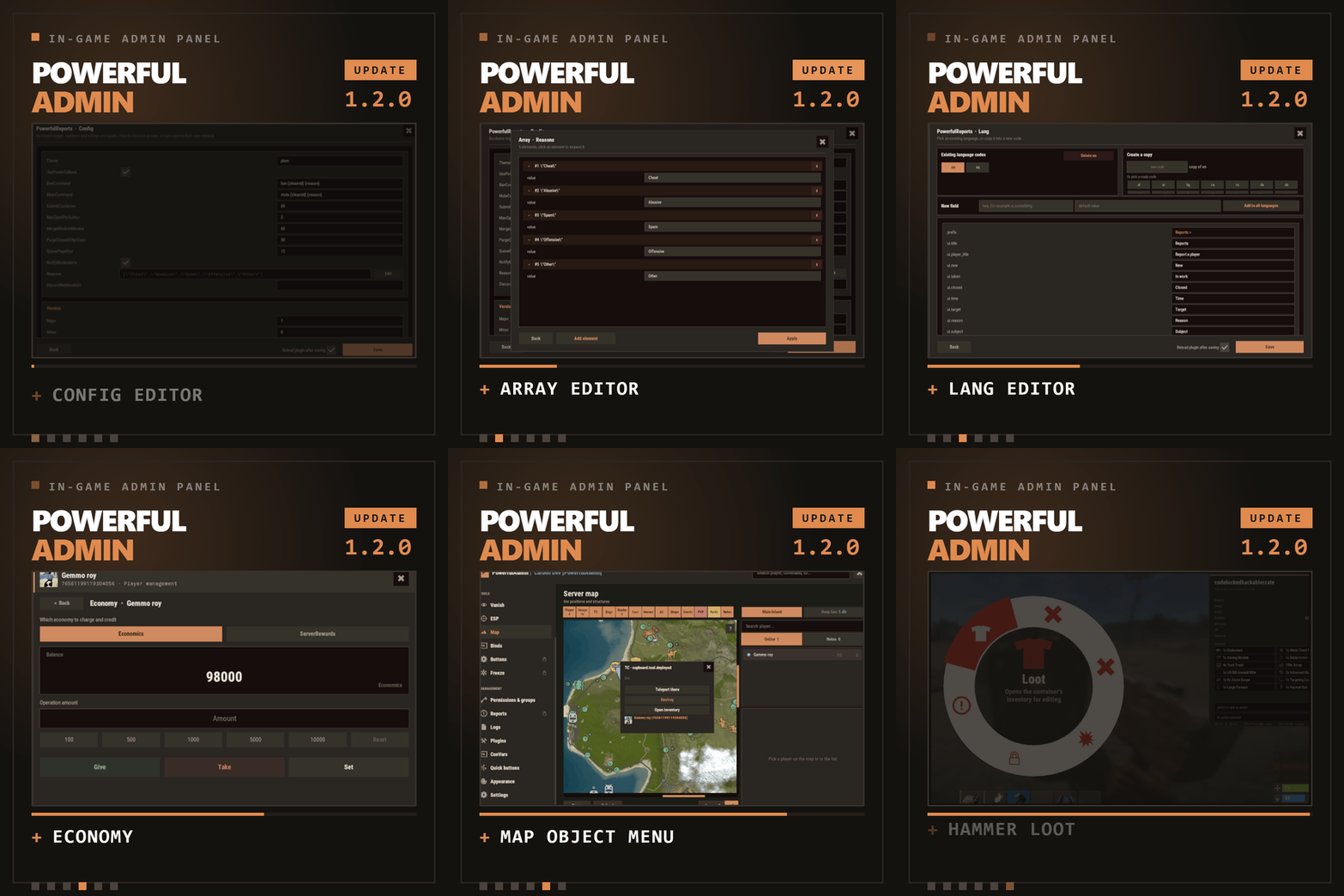
    The complete in-game admin control center for Rust - every moderation tool your team needs. In one beautiful CUI panel. Stop alt-tabbing to RCON. Stop memorizing console commands. Stop juggling five different plugins. PowerfulAdmin puts your entire server - players, permissions, plugins, console, ConVars, ESP, Vanish and more - behind a single, fast, gorgeous in-game interface that any admin can master in minutes. >>> Open it with one command: /padmin. Everything else is point-and-click. Check the video demonstration - https://youtube.com/watch?v=94WqSINqTO4 All-in-one. Player management, ESP, Vanish, live console, permissions, plugin control, ConVar editing and Discord - no more plugin soup. Beautiful & fast. A modern, hand-crafted CUI with three themes, smooth partial updates (no jarring full-screen redraws), and an interface that feels like a real desktop app. Built for real moderation. Heal, kill, strip, teleport, mute, spectate, give items, edit blueprints, tweak metabolism, manage inventories - online and offline players. Permission-gated to the bone. Fourteen granular permissions let you hand juniors exactly what they need and nothing more. Scales with you. SQLite out of the box, one-click migration to MySQL for multi-server networks, or plain JSON if you prefer files. Discord-ready. Webhooks, a full bot with slash commands, a two-way chat bridge and role-based authorization - all optional, all configurable in-game. Localized. Ships with full English and Russian; every string lives in language files, so any locale is a translation away. Your server at a glance, updated live: Online / max players, sleepers, admins online, new players today Server FPS, entity count, and join queue / joining counters One-tap quick toggles: Vanish, ESP, Godmode, Noclip A built-in live console feed so you always see what's happening A searchable, paginated roster of online, offline (sleepers) and banned players. Each row has instant actions, and the full management card does it all: Heal: Set / max / add / subtract HP Kill: Instantly kill the target Strip: Clear the player's inventory Teleport: To me · To player · To coordinates · To line-of-sight Mute: Timed or permanent, with reason templates and notify options Kick: With reason, comment and notification routing Inventory: View and edit a player's main / wear / belt Spectate: Jump into a live spectate camera (press R to exit) Give: Full item picker - categories, search, favorites, custom items, skins, a cart, and blueprints Blueprints: Unlock or reset blueprints per item, on a visual blueprint board Modifiers: Apply metabolism modifiers with custom duration and value Vitals: Live HP / metabolism editor that respects each stat's real min / max Permissions: Grant per-user permissions and manage their groups Offline players are fully supported - teleport to a sleeper, mute, heal, strip, edit their body and more. Rich player stats card: SteamID, live status (Online / Sleeping / Dead / Wounded / Offline), total playtime, current session, total Rust hours (via Steam API), groups, first/last seen, and IP - with a dedicated permission so only trusted staff can reveal it. Walk up to anyone in the world, look at them, and act instantly: E - open their inventory Right Mouse Button (RMB) - open their full management card A clean on-screen hint shows you exactly which key does what. A powerful, server-side admin ESP rendered through the engine's debug draw, visible only to permitted admins: - Players & sleepers with name, HP and held item - World entities: loot, boxes, tool cupboards, sleeping bags, traps, stashes, dropped bags, NPCs, turrets and vehicles - Adjustable radius, box/text opacity, and distance readouts - Color-coded enemy / team / admin, plus tagging of vanished admins True invisibility done right: Removed from networking, colliders and entity queries Optional silhouette with a configurable color so other admins can still spot you Full damage and targeting immunity Optional auto-vanish on connect Real-time server console inside the panel Category tabs: All · Chat · Commands · Connections · Errors Search, word-wrap, and export to file Run commands inline A draggable floating mini-console widget you can keep on-screen while you work Browse every permission on the server, grouped by owning plugin Toggle permissions per user or per group Create and delete groups with parent inheritance Fast search across thousands of permissions In-panel activity log: joins, leaves, chat, commands, admin actions and errors Filter by category Persisted to your chosen storage backend with configurable caps See every loaded and unloaded plugin with title, author and version Load / unload / reload with a click Browse and edit server ConVars by category Paginated and searchable tune your server without touching the console Storage backends: SQLite (default, zero-config), MySQL (perfect for multi-server networks), or JSON files One-click live migration between backends your data follows you Security: lock PowerfulAdmin permissions, enable/disable the console, set log and ESP object caps, define reason templates Steam API key for Rust playtime lookups (cached and stored in your backend) All configurable in-game, no file editing required Webhook and/or Bot delivery pick per channel Notifications for bans/kicks, chat, admin actions and plugin errors, each to its own channel Two-way chat bridge (Discord ↔ in-game) Slash commands: /online, /players, /kick, /mute, /chatbridge with autocomplete Role-based authorization so only the right Discord roles can moderate Configurable bot presence / activity status Three polished themes Rust, Midnight, Plum selectable per admin Full English and Russian included; every label is translatable via language files PowerfulAdmin is engineered to be light: Object pooling and reused buffers to minimize allocations Partial UI updates only the element that changed repaints, never the whole panel Cached state signatures and debounced saves ESP and inspect run on tuned intervals powerfuladmin.use - Base access - open the panel powerfuladmin.players - Player management page & actions powerfuladmin.esp - ESP page & overlay powerfuladmin.vanish - Vanish powerfuladmin.godmode - Godmode quick toggle powerfuladmin.noclip - Noclip quick toggle powerfuladmin.console - Live console page powerfuladmin.perms - Permissions manager powerfuladmin.logs - Logs page powerfuladmin.plugins - Plugin control powerfuladmin.convars - ConVar editor powerfuladmin.settings - Settings, storage & Discord powerfuladmin.viewip - Reveal player IP addresses powerfuladmin.candisablevitals - Edit player vitals/metabolism powerfuladmin.countableondashboard - Counts toward the "admins online" stat > Tip: there is a one-time console helper pa.setup <steamid/name> that grants the full PowerfulAdmin permission set to a player so you can get started instantly. /padmin - (Chat) Open the admin panel pa.setup <steamid/name> - (Console) Grant the full permission set to a player (one-time) Everything else happens inside the panel no commands to memorize. Storage: SQLite or JSON work with zero setup; MySQL is optional for networks. Discord & Steam API: entirely optional the plugin runs perfectly without them. Drop the plugin into your scripts folder; it loads and creates a clean config automatically. Run pa.setup <your name or steamid> once to give yourself full access. Type /padmin in-game. (Optional) Open Settings to switch to MySQL, connect Discord, or add your Steam API key. That's it you're running. Q: Do I need MySQL or a database server? A: No. SQLite is the default and needs zero configuration. MySQL is there only if you run multiple servers and want shared data. Q: How do admins open the panel? A: With the /padmin chat command, provided they have at least the powerfuladmin.use permission. Q: How do I give my staff access? A: Grant the permissions above (per user or per group) right inside the Permissions page, or use pa.setup for a quick full grant. Q: Is Discord required? A: No, it's completely optional. Everything in the panel works without Discord. When you do want it, set it up entirely in-game. Q: Will it lag my server? A: It's built for performance object pooling, partial UI redraws, debounced saves and tuned update intervals keep the footprint small. Q: Can players abuse it? A: No. Every page and action is gated behind its own permission, and you can even lock the plugin's own permissions so they can't be edited. Q: Is the ESP a "cheat"? A: It's a server-side admin tool rendered through the engine's debug draw and only shown to admins with the ESP permission there is no client-side mod involved. Q: Can I manage offline players? A: Yes. You can teleport to, mute, heal, strip and otherwise manage a player's sleeping body. Actions that genuinely need a live connection (like kick) are disabled while they're offline. Q: Can I move from SQLite to MySQL later? A: Absolutely there's a one-click live migration in Settings that moves your data between backends. Q: Is it multi-language? A: It ships with full English and Russian, and every string is in language files, so adding a new language is just a translation. Q: Can I change how it looks? A: Yes choose from the Rust, Midnight and Plum themes. Q: Do I need a Steam API key? A: Only if you want the "total Rust hours" stat on player cards. Everything else works without one. Q: What about bans and player freezes? A: Ban and Freeze are reserved for an upcoming DLC add-on and currently appear as placeholders. All other moderation tools are fully included. Bans DLC full ban management (timed/permanent, templates, history) - COMPLETED Freezes DLC freeze/unfreeze players in place Continuous polish, more themes, and additional languages PowerfulAdmin administer your Rust server the way it should be: fast, visual, and powerful.
    $40.00

About Us

Codefling is the largest marketplace for plugins, maps, tools, and more, making it easy for customers to discover new content and for creators to monetize their work.

Downloads
2.7m
Total downloads
Customers
11.6k
Customers served
Files Sold
165.2k
Total sales
Payments
3.6m
Processed total
×
×
  • Create New...

Important Information

We have placed cookies on your device to help make this website better. You can adjust your cookie settings, otherwise we'll assume you're okay to continue.