

BetterDeadThanZed
-
Posts
1,313 -
Joined
-
Last visited
-
Days Won
2
Content Type
Profiles
Warranty Claims
Downloads
Forums
Store
Services
Downloads Plus Support
DOWNLOADS EXTRA
Reels
Everything posted by BetterDeadThanZed
-
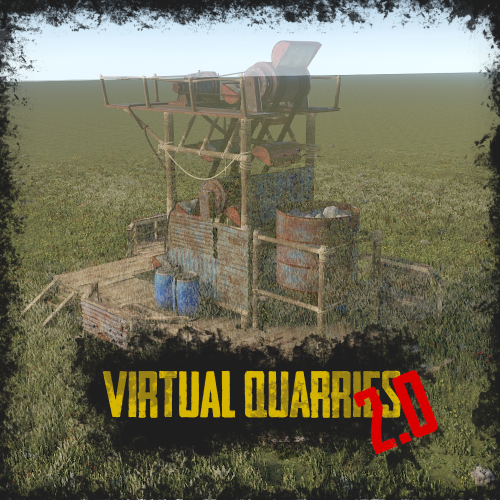 I see the place in the config to switch to Economics but how do you set how much in economics it costs to upgrade?
 -
I just downloaded this for the first time, after getting the update notification and my carpet is inivisble.
-

Loot missing from raidexpert10
BetterDeadThanZed replied to BetterDeadThanZed's Support Report in Support
It's also happening with raidexpert7 so I don't think it's specific to the bases, but to the plugin itself. -
I had a player tell me that when he throws a survey charge, in case he wants to place a physical quarry or pumpjack, that they stopped exploding when I added this. Does this plugin affect that?
-
Awesome. I have purchased it. I'll get it set up tomorrow, as it's late for me.
-
I had a player tell me he was doing a raidable base and when destroying the boxes in the base, most had no loot dropped. I checked the logs and determined it was raidexpert10. I have not modified the files and no one else reported this issue previously although the base has spawned 10 times in the last week. Is there a bug in Raidable Bases or is there a problem with this specific base?
-
I've been told by a couple of players that if you remove an indoor furnace and try to place it again, it becomes an outdoor furnace, not able to be placed inside again.
-
Do you know when this update will be available?
-
Yup. That's exactly my suggestion. If you can add that, I will absolutely buy this plugin!
-
Right now I have survey charges, quarries and pumpjacks in my /shop (economics). Players can get 25 survey charges for free and the quarries and pumpjacks each cost 1000 economics coins. They get a physical inventory item to place. I am wondering, would it be possible to add a requirement (optional for server owners) for a player to have a specific item (defined in the config) in their possession to place one of these? The idea is I'd still have them buy the quarry or pumpjack from the /shop, then when they use the virtual quarry, the physical quarry or pump jack in their inventory would be used up. Other admins might just want to use scrap or some other item(s). Is that something that can be done?
-
I checked my config and I have this: "SamSite Range (350.0 = Rust default)": 75.0, I have confirmed that I am being engaged at 100m. Is this a bug or just the way it works?
-
This is a support ticket on the Cobalt Laboratory plugin....
-
If the map affected the player threat, the other non-cobalt event helicopters would act the same. It's only the helicopter from this event that will go off and attack players as per normal vanilla behavior after hanging out at the event for about 5 minutes. The plugin I previously mentioned changes the attack heli behavior to only attack a hostile player. I do not have the airfield parameter enabled. I've disabled the spawning of the heli so it's not a huge concern of mine right now, but I wanted to make it known that this might be an issue.
-
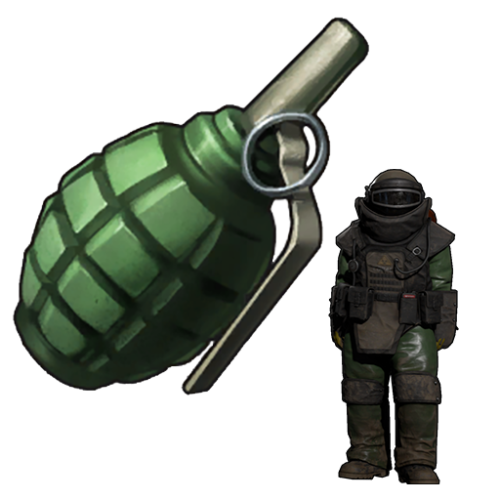 OMG! This is so awesome! I'll be having fun abusing players that misbehave!
 -
I don't think you understand. What I'm saying is that possibly the Patrol helicopter rework is affecting the helicopter called in on this plugin. I've had several reports from players that the helicopter will come in on your plugin and stay in the area for about 5 minutes (maybe less?) and then it leaves the area. After it's left the area, several players have been attacked by it under conditions that they'd be attacked by the vanilla helicopter.
-
 There used to be a free trade plugin that no longer works. One thing that interested me about that one was that the items you wanted to trade would be put into a box. This prevented the issue of people using the trade plugin to protect items in a virtual "ether" where other players couldn't get them. If this plugin added something like that, I would certainly buy it.
 -
I really want to use this plugin (I did pay for it afterall) so I deleted the data folder and reloaded the plugin, then reworked the stack limits. Everything was fine. After my server's daily restart this morning, all the stack limits were back to vanilla. I checked the data folder and it appears they reverted back to vanilla settings when the server restarted. I opened the /stacks menu and confirmed that everything is back to vanilla levels. I opened the data files and sure enough, everything was back to vanilla.
-
There's nothing to send you a video of. I really don't know how else to explain it and a video won't help. I reverted back to the old plugin I used, which was free. I will test this on my test server again, but on my live server, it worked until the server did it's daily restart, then I had the results I explained above.
-
I updated to the newest version and all was well until after my daily server restart this morning. It stopped working properly again. This time, it seemed that some items I checked had increased stacks compared to vanilla when I opened the UI, but I could not stack to those values. If I edited the stacks in the UI again, it would work.
-
I've been told by several players that the helicopter called in by this has a tendancy to go off and target players that aren't part of the event. I have the Patrol helicopter rework plugin also on my server if that makes a difference.
-
1.2.6 errors and Levels do not apply to large furnace
BetterDeadThanZed replied to Pickeee's Support Report in Support
Using 1.2.7 and I saw this in my console a moment ago: 10/28 10:39:24 | Failed to call hook 'OnOvenToggle' on plugin 'FurnaceLevels v1.2.8' (ArgumentOutOfRangeException: Index was out of range. Must be non-negative and less than the size of the collection. Parameter name: index) at System.ThrowHelper.ThrowArgumentOutOfRangeException (System.ExceptionArgument argument, System.ExceptionResource resource) [0x00029] in <eae584ce26bc40229c1b1aa476bfa589>:0 at System.ThrowHelper.ThrowArgumentOutOfRangeException () [0x00000] in <eae584ce26bc40229c1b1aa476bfa589>:0 at Oxide.Plugins.FurnaceLevels+FurnaceUpgrades.StartCooking () [0x000a8] in <1025a67eaae94f38b6e66118c76c9cdb>:0 at Oxide.Plugins.FurnaceLevels.OnOvenToggle (StorageContainer oven, BasePlayer player) [0x0006e] in <1025a67eaae94f38b6e66118c76c9cdb>:0 at Oxide.Plugins.FurnaceLevels.DirectCallHook (System.String name, System.Object& ret, System.Object[] args) [0x003c9] in <1025a67eaae94f38b6e66118c76c9cdb>:0 at Oxide.Plugins.CSharpPlugin.InvokeMethod (Oxide.Core.Plugins.HookMethod method, System.Object[] args) [0x00079] in <60c318df79ed41688ea59335e48d61ad>:0 at Oxide.Core.Plugins.CSPlugin.OnCallHook (System.String name, System.Object[] args) [0x000d8] in <9882f28dc2204b4dba514a9ad18f5042>:0 at Oxide.Core.Plugins.Plugin.CallHook (System.String hook, System.Object[] args) [0x00060] in <9882f28dc2204b4dba514a9ad18f5042>:0 I don't know the circumstances around what happened when that error occured. I just saw it in the console. -
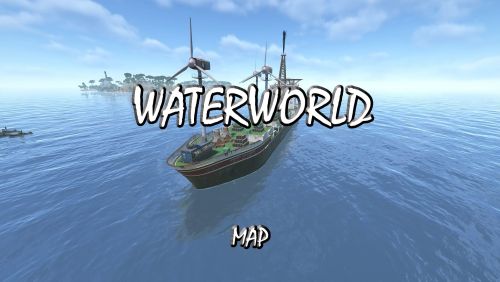 How big is the map?
 -
There is no action that happens before the stacking stops working. They log in and it's not working or sometimes players will be on the server and it works fine at first, then they go to unstack/restack an item and it's not working. Sometimes reloading the plugin via console fixes it, but not always. I even set an schedule on RustAdmin.com to sent a reload command every 15 minutes but that didn't help the situation. Maybe the plugin needs some debugging added to it so a log is created. I paid for this plugin and would prefer to use it instead of the free plugin I was using, but I can't use it right now.
-
I don't think that's possible. I just have players that log in and find they are back to vanilla stacks for all items. I issue the "plugins" command in the console and Stacks is loaded. I've had to resort back to using Stack Size Controller until this can be fixed. I bought this plugin because of it's UI and the ease at which I could modify stacks but apparently it's just not working.
-
Ok, just had a player tell me the stacks aren't working again, and this is after I removed the Stack Size Controller plugin that I accidentally still had on the server. I removed the auto reload for the plugin but maybe I'll add that again.
