
HighOnTek
-
Posts
428 -
Joined
-
Last visited
Content Type
Profiles
Warranty Claims
Downloads
Forums
Store
Services
Downloads Plus Support
DOWNLOADS EXTRA
Everything posted by HighOnTek
-
Would appear today's force wipe caused some compile issues.
-
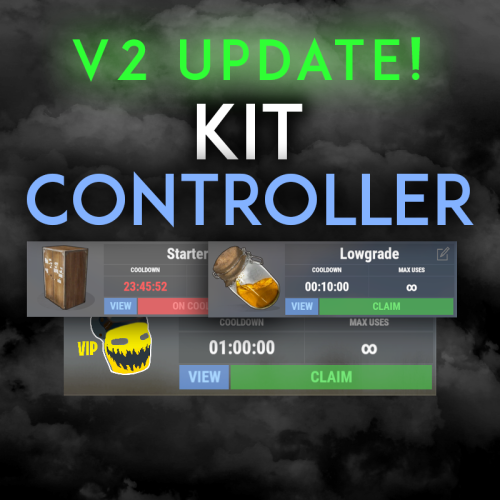 @shady14u I sent you an update version of KitController via message with the necessary fixes for today's force wipe. Was multiple areas needing fixing.
 -
Fixed mine so it at least compiles while we wait for a permanent solution / updated version. BEFORE textLine = textLine.Replace("{playerName}", player.displayName) .Replace("{playerId}", player.UserIDString) .Replace("{playerPing}", player.AsIPlayer().Ping.ToString()) .Replace("{playerCulture}", player.AsIPlayer().Language.TwoLetterISOLanguageName) .Replace("{playerIP}", player.net.connection.ipaddress) .Replace("{playerHealth}", player.health.ToString("F0")); AFTER (WORKS) textLine = textLine.Replace("{playerName}", player.displayName) .Replace("{playerId}", player.UserIDString) .Replace("{playerPing}", player.net?.connection?.GetAveragePing()?.ToString() ?? "0") .Replace("{playerCulture}", "en") .Replace("{playerIP}", player.net.connection.ipaddress) .Replace("{playerHealth}", player.health.ToString("F0"));
-
Running today's latest version, there are issues. Error while compiling WelcomeController: 'BasePlayer' does not contain a definition for 'AsIPlayer' and no accessible extension method 'AsIPlayer' accepting a first argument of type 'BasePlayer' could be found (are you missing a using directive or an assembly reference?) | Line: 53, Pos: 49
-
 Not that I'm aware of, but that aside ... even though Skinner is decent performance wise, it's going to take awhile for that many skins to load for any player wanting to use them. lol
 -
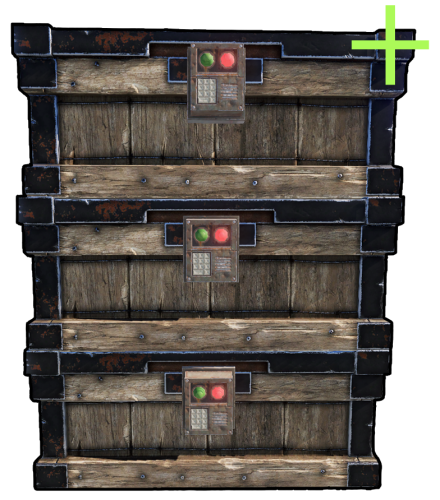 Yes Zef, its possible... try this, just change the #'s to what you want. { "Building privilege required": true, "Blacklisted Skins": [ 2618923347 ], "Permissions & their amount of stacked chests lmits": { "cheststacks.use": { "Chest type limits": { "SmallBox": 10, "LargeBox": 10 } }, "cheststacks.vip": { "Chest type limits": { "SmallBox": 15, "LargeBox": 15 } }, "cheststacks.vip2": { "Chest type limits": { "SmallBox": 25, "LargeBox": 20 } }, "cheststacks.vip3": { "Chest type limits": { "SmallBox": 40, "LargeBox": 30 } } }, "Supported box prefab offsets": { "assets/prefabs/deployable/woodenbox/woodbox_deployed.prefab": { "x": 0.0, "y": 0.57, "z": 0.0 }, "assets/prefabs/deployable/large wood storage/box.wooden.large.prefab": { "x": 0.0, "y": 0.75, "z": 0.0 }, "assets/prefabs/deployable/large wood storage/skins/medieval_large_wood_box/medieval.box.wooden.large.prefab": { "x": 0.0, "y": 0.76, "z": 0.0 }, "assets/prefabs/deployable/large wood storage/skins/abyss_dlc_large_wood_box/abyss_dlc_storage_vertical/abyss_barrel_vertical.prefab": { "x": 0.0, "y": 1.2, "z": 0.0 }, "assets/prefabs/deployable/large wood storage/skins/abyss_dlc_large_wood_box/abyss_dlc_storage_horizontal/abyss_barrel_horizontal.prefab": { "x": 0.0, "y": 0.9, "z": 0.0 }, "assets/prefabs/deployable/large wood storage/skins/jungle_dlc_large_wood_box/jungle_dlc_storage_horizontal/wicker_barrel.prefab": { "x": 0.0, "y": 0.8, "z": 0.0 }, "assets/prefabs/deployable/large wood storage/skins/warhammer_dlc_large_wood_box/krieg_storage_vertical/krieg_storage_vertical.prefab": { "x": 0.0, "y": 1.25, "z": 0.0 }, "assets/prefabs/misc/decor_dlc/storagebarrel/storage_barrel_b.prefab": { "x": 0.0, "y": 1.3, "z": 0.0 }, "assets/prefabs/misc/decor_dlc/storagebarrel/storage_barrel_c.prefab": { "x": 0.0, "y": 0.9, "z": 0.0 } }, "Supported prefab path offsets": { "assets/prefabs/deployable/large wood storage/skins/component_storage_boxes_dlc": { "x": 0.0, "y": 0.76, "z": 0.0 } } }
 -
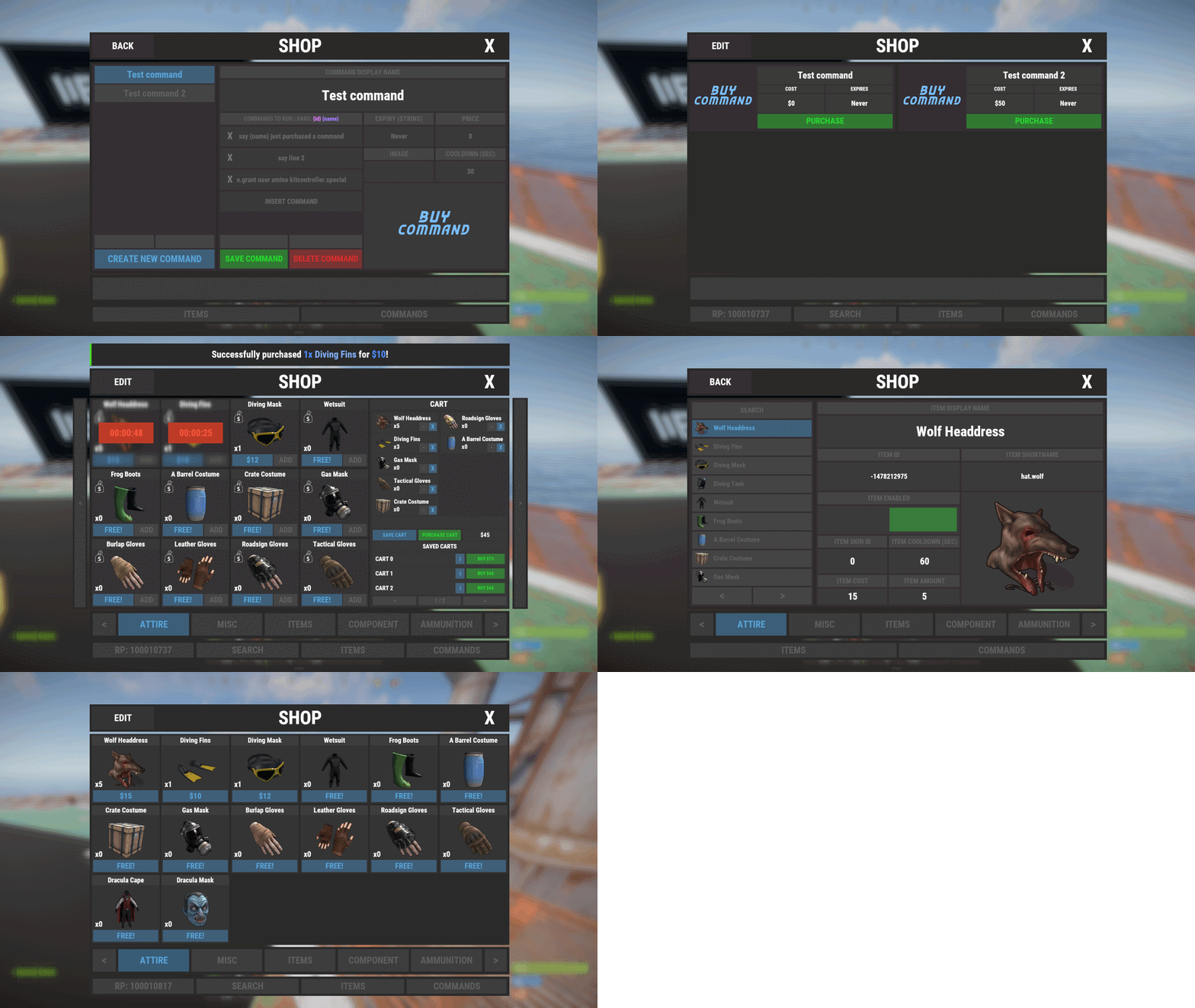 Applied the latest version today for Force Wipe and shop basically emptied ... needs to be setup again. Happened on all my servers, so not isolated. Just a heads up for anyone else, make a backup first if you need reference. lol
 -
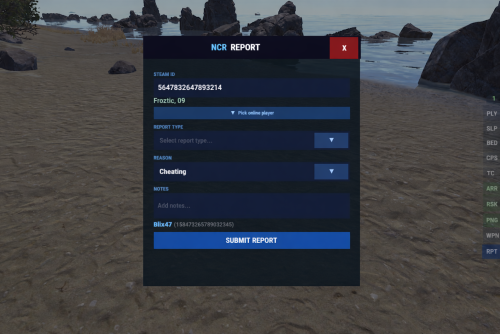 Been using nexuscheatradar now for the last couple weeks, have had few discussions with the author / developer and he's a chill dude, knows his stuff and has put a lot of time and effort into providing the community a cost efficient, up-to-date anti-cheat solution that doesn't cost an arm & leg, or focused on residual payments like some of the other so called premiums. This anti-cheat covers a lot for the money paid, it truly does ... and has only gotten better the last couple weeks. He listens, he's engaged, he takes feedback, and actually spends time trying to implement them if they make sense. I went from running a combination of anti-cheat options that covered everything I wanted, down to a single plugin. It does not appear to be a resource hog, I haven't had any issues with performance. I ran it on a 2-3 of my servers, and will be rolling it out now on the remaining servers this week with confidence. I am honored to leave you your first review @WinterChild84 aka Nexus84, I hope others opt to giving this a chance as well... you did good man, and I appreciate your continued support in providing a solid, affordable solution in the Rust Community.
 -
 @The_KiiiingI was able to replicate the issue as well, once you complete the Large Oil Red card, after killing all the scientists of course... few GHOST NPC / scientists spawn. They don't do anything, but they're unkillable. The issue I think appears to be caused by the plugin interfering with the normal death process of the newer oil rig scientist NPCs introduced in recent Rust updates. When these scientists die, the plugin’s loot-handling logic partially bypasses Rust’s built-in cleanup and death sequence, which leaves the game thinking the NPC is dead while parts of the entity are still active. When the oil rig tries to repopulate scientists afterward, this mismatch creates “ghost” scientists that look normal but do not take damage. The fix is to stop the plugin from overriding the death handling for oil rig scientists and instead let Rust handle their death and cleanup normally while the plugin should only modify the loot afterward. This preserves the game’s internal NPC state and prevents the unkillable respawn issue. I applied the below, seems to have resolved the issue for me. Will leave it to you though to vet how effective this is... as its your plugin. ################ #CODE EDIT 1 ################ [Hook] object OnCorpseApplyLoot2(ScientistNPC2 npc2, LootableCorpse corpse, State_Dead stateInstance) { if (!CanPopulateCorpseHook(corpse)) { return null; } var config = manager.GetConfig(npc2); if (config == null || !config.Enabled) { return null; } if (config.Id.Key == "npc_oilrig" || config.Id.Key == "npc_oilrig_large") { return null; } LootManager.PopulateCorpse2(corpse, config, stateInstance); return true; } ################ #CODE EDIT 2 ################ public static bool Hook(State_Dead instance, BaseEntity owner, LootableCorpse corpse) { // true = skip, false = continue if (owner is ScientistNPC2 npc && corpse != null && Instance != null) { var config = Instance.manager?.GetConfig(npc); if (config != null && (config.Id.Key == "npc_oilrig" || config.Id.Key == "npc_oilrig_large")) { return false; } return Instance.OnCorpseApplyLoot2(npc, corpse, instance) != null; } return false; }
- 1,154 comments
-
- 3
-

-
- #loot
- #customloot
- (and 13 more)
-
yeah I would agree Steam API key validation is a lower priority for sure, I should have really double checked it so that's on me 100%. lol Would the attached work for you? Nexus Steam API key validation Code.cs
-
Just a heads up, I used another Steam API key and it works now, so that was definitely the issue. Bad or Incorrect API maybe ... that being said, for future versions might be worthwhile showing a console error if it doesn't like the API ... or something. Probably super low odds of it happening to anyone else, as I'm always the lucky one for the one offs... but still be pro-active approach to save you a support ticket or two like this one. lol Thanks I will test this plugin and let you know how it goes. If all works out good, be more than happy to leave you your first review and recommendation.
-
Is that because the aggregation layer is being treated like its part of detection instead of part of reporting?
-
I will try again tomorrow, with a different API Key, its possible I made error with it. I did have one, but I pulled from notes... not from Steam so, could be on me. I'll let you know how it goes tomorrow.
-
The profile is public, its a test account... I double checked the steam profile just to be sure.
-
Also, unrelated ... but you should consider changing the below; if (e.DaysSinceLastBan > 0 && e.DaysSinceLastBan <= config.Steam.WarnIfLastBanWithinDays) { risk += 20; reasons.Add("recent ban"); } To something like... int totalBans = e.VacBans + e.GameBans; if (totalBans > 0 && e.DaysSinceLastBan >= 0 && e.DaysSinceLastBan <= config.Steam.WarnIfLastBanWithinDays) { risk += 20; reasons.Add("recent ban"); } Right now, a same-day ban (DaysSinceLastBan = 0) is ignored. With the change same-day bans count as recent, but only when there is at least one VAC or game ban. This should eliminate false positives on clean accounts with 0 / 0.
-
I've noticed that the Join Intelligence is only giving me (Partial Steam Data) ... I see player name, player SteamID but does not pull account age, profile, or Steam Summary.
-
This looks interesting, I will give this plugin a shot. The following timer fields are declared but do not appear to be actively used... this intentional? riskDecayTimer riskAutosaveTimer radarTimer espTimer entityCacheTimer
-
Wood burning went back to Vanilla? Compiles now ok, smelting speeds seem to be working again, but wood is burning super slow, which means charcoal production is super slow again.
-
@The_Kiiiing Looks like Facepunch isn't releasing the Naval update today... so still ok to apply this update?
- 1,154 comments
-
- 1
-
-
- #loot
- #customloot
- (and 13 more)
-
.thumb.gif.774dbbaa85111a8c439dc398e3f0b014.gif) What error you getting in console, and is this your first time running this map or you were running it find prior to today's force wipe update?
What error you getting in console, and is this your first time running this map or you were running it find prior to today's force wipe update? -
If I should have done this in Discussion area let me know... and my apologies. It's not an issue I have, but a feature request that I think would be a great addition if possible. Plugin the way it is, great ... wouldn't change any of the existing options, I would just like to see a new one. Which is scalable raid protection. If enabled via config, it would display in the TC Protection TAB " 20%, 40%, 60%, 80%, 100%" ... as buttons. Player picks one and it uses scrap in TC to provide that level. If player changes it to say 100% then it would obviously cost a lot more ... so scrap requirement would need to scale up as well. This makes it so players while they're broke can still apply something like 20% for however much time that provides and as they grind and accumulate more scrap they can up the % level ... costing more, forcing them to grind harder etc. Thinking it's just a great way for players to work they're way up to 100% ... however, maybe in config give server owners ability to remove the 100% option if they don't want 100% to be available. What you think?
-
Did you by chance fix the issue at Outpost ... it is possible to build within the safezone near outpost, making it a nuisance. Players can't raid when attempting to at close range, and those who built cannot defend. lol ... but even when players raid from afar, they cannot loot.
-
 @Shemov Has this map been updated to reflect the latest changes, like Jungle Biome?
 -
Tested couple other custom maps, they worked without issue... no weird prefab errors or text in map. Would love to use Kong: Skull Island again but had to switch to Synecdoche for now. Hope you can get it fixed soon
-
I see what you mean. I reloaded the plugin and get similar results. [BetterNpc] Plugin loading progress at 49% [BetterNpc] Plugin loading progress at 56% NullReferenceException: Object reference not set to an instance of an object Stops there...