


-
Posts
2,179 -
Joined
-
Last visited
-
Days Won
25
Content Type
Profiles
Warranty Claims
Downloads
Forums
Store
Services
Downloads Plus Support
DOWNLOADS EXTRA
Reels
Everything posted by Scalbox
-

The UI is showing the wrong amount and question on campers
Scalbox replied to TheRustingDead's Support Report in Support
Plugin updated, version 1.1.2 1) Added: Ability to create new groups and/or modify existing groups 2) Added: Possibility to exclude beds placed in campers from the bed limit count -
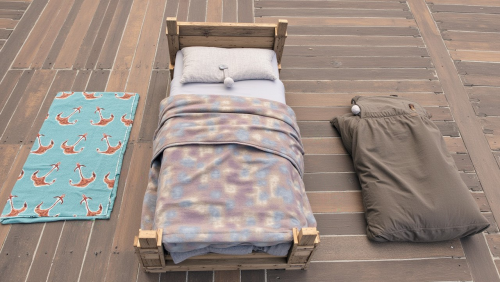 Plugin updated, version 1.1.2 1) Added: Ability to create new groups and/or modify existing groups 2) Added: Possibility to exclude beds placed in campers from the bed limit count
- 53 comments
-
- 1
-

-
- #beach towel
- #beachtowel
- (and 25 more)
-
There will be an update coming soon that allows you to change the name of the groups and add more
- 53 comments
-
- 2
-
-
- #beach towel
- #beachtowel
- (and 25 more)
-
you can't change the names of the groups, they must be default vip1 vip2 vip3. There will be an update coming soon that allows you to change the name of the groups and add more
-
Changed Status from No Response to Fixed Changed Fixed In to 1.1.9
-
Changed Status from Pending to No Response
-
The UI is showing the wrong amount and question on campers
Scalbox replied to TheRustingDead's Support Report in Support
I have to see if it's possible, I have to do some tests -
The UI is showing the wrong amount and question on campers
Scalbox replied to TheRustingDead's Support Report in Support
the last number can't be changed, in this case the value from the convar is taken. To solve it you can set the bed limits convar to 0, but at the moment there is no way to change the bottom number, it is handled by the rust client -
 Enable automatic closing of .....
 -
you must enable autoclosing in the config file. at least 1 of these
-
send your config file
-
hi you can decide the minimum and maximum, from the configuration "Minimum Closing Delay Time. (Default: 10 seconds)": 10, "Maximum Closing Delay Time. (Default: 60 seconds)": 60, "Default Closing Delay Time. (Default: 30 seconds)": 30
-
Is this an addition you think you'll add one day or not?
-
Last question, really this time. is there a way to multiply all items 2x, instead of me talking about each prefab, npc, etc?
-
one last question, is the loot of the various prefabs basically vanilla loot? Does it correspond to the basic vanilla loot of rust?
-
ok I think I understand how to do it, select all the elements and then I put the 2x multiplier right?
-
Hi is there a way to multiply all loot 2x? Instead of doing it item by item, a way to set all vanilla loot 2x, like you do for example for the stack where I set the multiplier. Thanks
-
Plugin updated, version 1.1.1 Adeed field: "Disable Bag Gifting. Default false": false
- 53 comments
-
- 1
-

-
- #beach towel
- #beachtowel
- (and 25 more)
-
For me it is not a problem to add this option in the plugin, it is a quick change to make, if you need it let me know and I will update the plugin
-
So the best thing is that players, in the rust settings, change the setting to not receive beds from other players or receive them only from clan members. This problem occurs both with the plugin and without the plugin. it is a rust mechanism. In any case if you want I can put a setting in the plugin, where you can decide if players can assign beds or not, so you decide and you can block the assign of beds
-
And in any case the player can see the various beds from the map, he can delete it by clicking the bed from the map and free up 1 space again
-
the player in the rust settings can decide whether or not to allow other players to assign beds to him. If he disables it, no one can assign beds to him
-
The same basic mechanism that Rust uses
-
If you gift your bed to someone else, it does not count towards the player's limit, but will count towards the player's limit who receives the bed.