Tage2
-
Posts
299 -
Joined
-
Last visited
-
Days Won
2
Content Type
Profiles
Warranty Claims
Downloads
Forums
Store
Services
Downloads Plus Support
DOWNLOADS EXTRA
Reels
Everything posted by Tage2
-
Staff using f1 can't spawn anything in the electrical category. Those aren't DLC or blocked items. Very strange?
-
Yup, what he said
-
 Gas Station Event does not compile after the update, it needs fixing
- 92 comments
-
- 1
-

-
- #gas station
- #crates
- (and 20 more)
-
Failed to call hook 'OnServerInitialized' on plugin 'BossMonster v2.2.1' (NullReferenceException: Object reference not set to an instance of an object) at Oxide.Plugins.BossMonster.OnServerInitialized () [0x000c5] in <76d104b5d9ac435b88e6810d5b5a8cc5>:0 at Oxide.Plugins.BossMonster.DirectCallHook (System.String name, System.Object& ret, System.Object[] args) [0x006fa] in <76d104b5d9ac435b88e6810d5b5a8cc5>:0 at Oxide.Plugins.CSharpPlugin.InvokeMethod (Oxide.Core.Plugins.HookMethod method, System.Object[] args) [0x00079] in <42f9bedc659b4f4786eb778d3cd58968>:0 at Oxide.Core.Plugins.CSPlugin.OnCallHook (System.String name, System.Object[] args) [0x000de] in <15f61ddda771464d8246ebdce8ff4811>:0 at (wrapper dynamic-method) MonoMod.Utils.DynamicMethodDefinition.Oxide.Core.Plugins.Plugin.CallHook_Patch0(Oxide.Core.Plugins.Plugin,string,object[]) That's what is says. The plugin seems to load, but it throws that error and no bosses spawn.
-
 Does this display team members if there are more than 8 members?
 -
Since wipe day, and the plugin update, karuza vehicles are deploying as boxes. The native Rust vehicles (sedan) deploy fine. Your plugin is very widely used -- I hope you can find a quick and easy fix for this
-
 Does this come with premade (generic) quests, or the quests only there once we make them?
 -
Players reporting the auto-collect for dung isn't working. Very useful feature, I hope you can update this soon, and thank you very much for making it!
-
seconded, really need a fix, everyone uses skinner and everyone is griping about not being able to skin things
-
Folks really love the loot we put in the static lootable items. I hope it's not too long or too hard to update.
-
167 Skinner - Failed to compile: 'SprayCan' does not contain a definition for 'SetFlag' and no accessible extension method 'SetFlag' accepting a first argument of type 'SprayCan' could be found (are you missing a using directive or an assembly reference?) | Line: 2827, Pos: 26
-
seconding this. Will not compile
-
169 StaticLootables - Failed to compile: Cannot implicitly convert type 'System.Func<Item, int, bool>' to 'System.Func<BasePlayer, Item, int, bool>' | Line: 1828, Pos: 33 Gives that error
-
Yeah, did the update and it's still not working
-
It's not happening to all players, but it is happening to some. They buy a traincar using vehicle buy and they get kicked out of Rust (with a navmesh error statement showing in the console). I noticed it wasn't update for August, I think it might need to be.
-
Happening to anyone using it. Am using latest version from July 2.
-
Every time anyone uses the /skin command, they crash out of the game. It appears there needs to be an update from the facepunch stuff on wipe day.
-
Figured it out, and thank you, this is an absolute LIFE SAVER in setting up dungeon events! Is there a way to make a donation, this is worth supporting
-
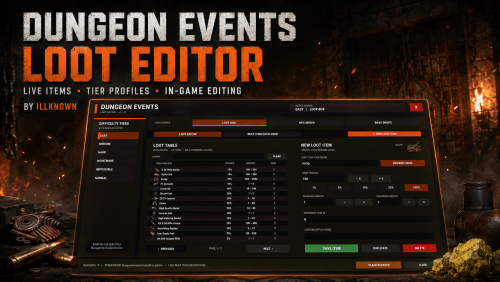 Gonna sound dumb, but, can someone tell me the command to type in-game to launch this editor???
- 5 comments
-
- 1
-
-
- #loot
- #dungeon events
- (and 4 more)
-
tried looking thorugh the cs and jsons, i must be blind. What are the commands to launch the editor in-game?? I'd like to get this setup, you making an in-game editor for dungeon events is brilliant and helpful.
-
Can't find the commands in the overview page?
-
 Am I understanding this properly? Right now, the plugin generates a portal, which players enter, and that takes them to the dungeons. The dungeons themselves are spawned ... where, exactly? up in the sky? Trying to get a grip on this before we purchase. I had asked about fixed spawn points which would apply IF the dungeons spawn at ground level (like raidable bases does). If it's elsewhere (like up in the sky), not at ground level on the map, for instance, then I wouldn't care about the custom spawn points. How hard is it to set up custom loot? We use Better Loot, for instance, right now. Is it entirely just edit the jsons?
 -
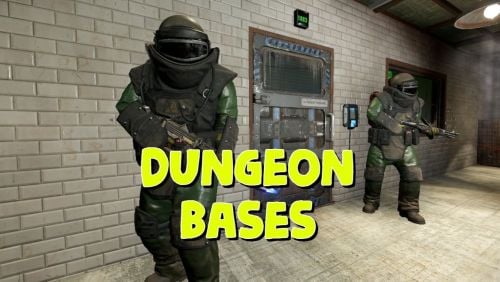 Can I preset locations for the dungeon entrances to spawn -- as in, we have a set of islands for raidable bases t o spawn on, to keep them from being all over the map. Is that doable with this plugin?
 -
We use fixed islands to spawn raid bases -- can we set the spawn points for these dungeons like that, in fixed areas, so they aren't just spawning wherever around the map?