About Auto Codelock
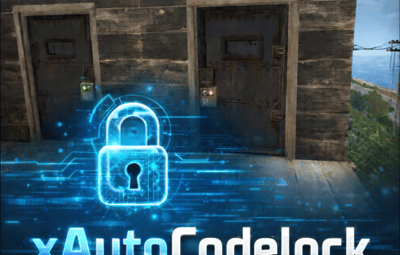
xAutoCodelock
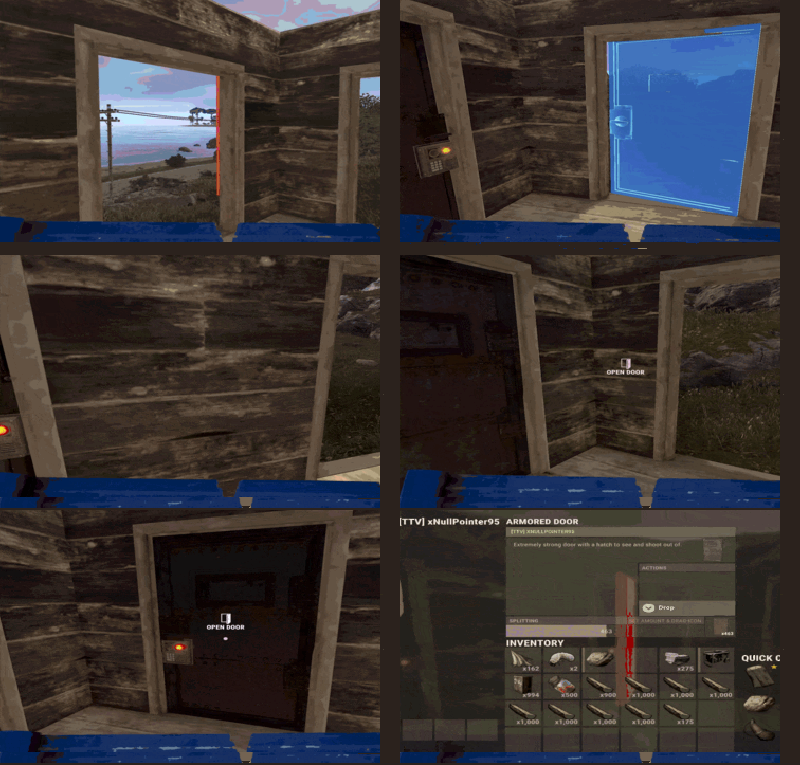
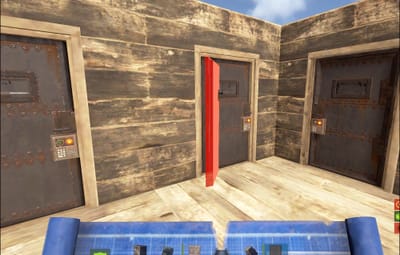
xAutoCodelock enhances the building experience by intelligently automating one of the most repetitive tasks in Rust - managing code locks. By automatically placing, configuring, and securing locks using each player’s personal PIN, the plugin removes friction without altering the core gameplay balance.
Players can focus on building, defending, and progressing, while their base security is handled smoothly in the background.
 Features
 Automatic Code Lock Placement (Configurable)
- Automatically places a code lock when players build deployables with lock slots (Door etc.).
- Toggle if code lock item is required or not
 Personal Auto PIN System
- Players set a 4-digit PIN once - All future locks use it automatically.
 Auto Lock Newly Placed Locks (Configurable)
- Newly created locks are instantly locked for security.
 Tool Cupboard Requirement (Configurable)
- Can require building privilege before automation triggers.
 Team Access Control (Configurable)
- Option to allow or require team members to enter codes.
 Permission based usage (Configurable)
- Control who can use auto codelock via permissions.
 Admin Inspect Command
- Admins can check player PIN status and if player has permission to use xAutoCodelock.
 Persistent PIN Storage
- Player PINs saved across restarts.
 Optional Wipe Reset
- Automatically clears PIN data on map wipe if enabled.
 Plugin Preview
 Player Commands
/xpin 1234     → Set your auto PIN
/xpin remove   → Remove saved PIN
/xpin          → Show current PIN
Admin Command
/xpin check <player name or steamid>
 Permissions
xautocodelock.use - Required to use '/xpin' command
xautocodelock.admin - Required for the '/xpin check' command
 Config
{
  "CommandSetPin": "xpin",
  "RequirePermission": true,
  "PermissionUse": "xautocodelock.use",
  "PermissionAdminInspect": "xautocodelock.admin",
  "AutoLockNewCodeLocks": true,
  "AutoPlaceCodeLocks": true,
  "AutoGenerateCodeIfNotSet": true,
  "RequireCodelockItem": true,
  "RequireToolCupboard": true,
  "RequireCodeForTeamMembers": true,
  "ResetDataOnWipe": false
}
 Language
{
  "NoPermission": "You don't have permission to use this command.",
  "CommandUsage": "Usage: /{0} 1234 or /{0} remove\n» Current PIN: {1}",
  "PinNotSet": "NOT SET",
  "PinRemoved": "Auto PIN removed.\n» New code locks will no longer be configured automatically.",
  "NoSavedPin": "You don't have a saved auto PIN.",
  "NoSavedPinAutoGenerateDisabled": "You don't have a saved auto PIN.\n» Set one with /{0} 1234.",
  "InvalidPin": "PIN must be exactly 4 digits (0000 - 9999).",
  "PinSet": "Auto PIN set.\n» Newly placed code locks will be automatically locked with your PIN.",
  "PinAutoGenerated": "No auto PIN was set, so one was generated for you: {0}\n» Use /{1} <pin> to change it.",
  "InspectUsage": "Usage: /{0} check <player name or steamid>",
  "InspectPlayerNotFound": "Player not found: {0}",
  "InspectMultiplePlayers": "Multiple players matched: {0}. Use full name or SteamID.",
  "InspectSummary": "Inspect: {0} ({1})\nSaved PIN: {2}\nHasPermission: {3}"
}




![More information about "Automatic Plugin Release/Update Notifier [Discord]"](https://codefling.com/cdn-cgi/image/width=285,height=285,quality=80,fit=cover,format=webp/https://codefling.com/uploads/monthly_2026_05/plugin_psd.thumb.png.9f7e3b7f17f5eb44b54090c7a8820870.png)