
Vinni_TV_'s Wishlist
-
![More information about "Dynamic Monuments [Christmas Bundle]"](https://codefling.com/cdn-cgi/image/width=285,height=275,quality=80,fit=cover,format=webp/https://codefling.com/uploads/monthly_2026_08/adem_prev_monument.thumb.jpg.876ee63403435c87fee1684a85195ac7.jpg)
$34.99
Dynamic Monuments [Christmas Bundle]
‼️Note: This is an add-on, not a standalone plugin. It requires the Dynamic Monuments plugin to be installed (sold separately).
Christmas is a themed add-on for DynamicMonuments that allows you to quickly and beautifully decorate any server map for the winter holidays.
With this addon, you can bring a festive Christmas atmosphere to every corner of the map — from large monuments to the smallest details.
❄️ Separate Monuments:
These monuments are fully independent and can be spawned anywhere:
Gingerbread Castle Snow Igloo Village New Year Barge Santa’s Wagon x2
🎄Customizations of Default Monuments:
These are decorative Christmas-themed upgrades for standard Rust monuments.
They will only spawn if the corresponding default monument exists on your map:
Santa’s Mail Station Frozen Supermarket Wonder Ice Rink Gingerbread Gas Station Gift Warehouse New Year Lighthouse
🎁Player-placeable Monuments:
These monuments can be given to players as skinned items.
Players can then place the monument anywhere on the map where building is allowed.
Gingerbread Castle Snow Igloo Village New Year Barge Santa’s Mail Station
⚙️ Installation Instructions
Make sure you have the latest version of the Dynamic Monuments plugin installed Move the contents of the data/DynamicMonuments folder from the archive you downloaded into the oxide/data/DynamicMonuments folder on your server Reload the plugin
Check out the rest of my work: Adem's Codefling Library
Join the Mad Mappers Discord!
-

$49.99
Dynamic Monuments
DynamicMonuments is a groundbreaking plugin for Rust servers that breathes new life into your maps!
Say goodbye to tedious manual map editing or relying on RustEdit.
With just a few clicks, your server will be transformed, featuring 18 unique monuments that blend seamlessly into any environment.
Key Features:
Dynamic Spawning:
- Monuments can spawn randomly during wipes or with each server restart (optional)
- Customize spawn frequency and zones through the plugin's configuration
- A variety of monument complexities, ranging from cozy hideouts to sprawling fortresses
18 Unique Monuments:
- Water Monuments
- Coastal Monuments
- River Monuments
- Roadside Monuments
- Modifications for Standard Monuments: (Metro entrances, power line towers, substations, quarries, and more).
Personalization:
- Give players personal monuments
Versatility:
- Compatible with both custom and procedural maps.
- Automatically adapts to terrain, water, and roads.
- No RustEdit required! Everything is managed through the plugin's configuration.
Giving a monument to a player
9 out of 18 monuments can be given to players for personal placement.
The dynamic monument is represented as a flare with a unique skin, which can be given to players in any way, such as through an in-game store.
To spawn the monument, the player must hold the flare and find a suitable location, receiving instructions in the chat and notifications.
Once placed, the monument is locked to the player, and only they can loot it.
Chat commands (admin only)
/killmonument - destroys the DynamicMonument you're looking at /replacecrate NewCratePresetName - replaces the crate you're looking at on the location with NewCratePresetName /spawnmonument PresetName - spawns a monument in a random position /spawnmonumentmypos PresetName - spawns the monument in your position /killallmonuments - destroys all DynamicMonuments on the server /respawnmonuments - forcibly launches automatic respawn of DynamicMonuments /givemonument PresetName - give the monument to yourself /addprefabspawnpoint PresetName — adds a crate or static NPC spawn point to a monument at your current position (only for Static Npc and crates) /removemonumententity command — removes entity spawn point you're looking at. (only for StaticNpc/crates/Entities for respawn) Console commands (RCON only)
spawnmonument PresetName - spawns a monument in a random position killallmonuments - destroys all DynamicMonuments on the server respawnmonuments - forcibly launches automatic respawn of DynamicMonuments givemonument PresetName userID - give the DynamicMonument to the player Plugin Config
en – example of plugin configuration in English ru – example of plugin configuration in Russian
Check out the rest of my work: Adem's Codefling Library
You can reach out to me in Discord: Adem's Discord Profile
Join the Mad Mappers Discord!
-
$17.00
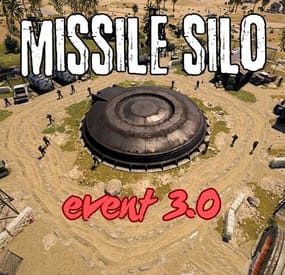
Missile Silo Event
This plugin spawns a tank, lots of turrets, lots of NPCs, and locked crates on the Missile Silo monument
Supports the PveMode plugin!
Chat and console commands:
- siloeventstart
- siloeventstop
Before you upgrade from 2.1.5 to 3.0, delete the old config file!!
Contact:
Discord: https://discord.gg/C5CehdJMdK
Test Rust server: 213.181.206.21:27194
Hooks:
void OnMissileSiloEventStart();
void OnMissileSiloEventStop();
Config:
{ "Version": { "Major": 3, "Minor": 0, "Patch": 0 }, "Automatic event start": true, "Minimum time for event start": 3600.0, "Maximum time for event start": 7200.0, "Duration of the event": 2800.0, "Warning messages before event start": 300.0, "Warning messages before event end": 300.0, "Chat icon": 0, "Locked crate hack time": 900.0, "Disable BetterNpc plugin npc's for the duration of the event?": false, "Spawn NpcSpawn Scientist?(Required: NpcSpawn plugin!)": true, "Spawn BotReSpawn Scientist?(Required: BotReSpawn plugin!)": false, "BotReSpawn profil name:": "", "BotReSpawn Npc's number": 10, "Spawn the helicopter?": true, "Messages setting": { "Message before the event starts.": "Everyone be careful, the <color=#ff0000>Missile Silo Event</color> is about to start.", "Warning message before the event stop.": "The <color=#ff0000>Missile Silo Event</color> will end soon!!", "Message when someone event owner": "Someone has become the owner of <color=#ff0000>Missile Silo Event</color>.", "Start message": "<color=#ff0000>Missile Silo Event</color> has started!!", "Stop message": "<color=#ff0000>Missile Silo Event</color> end!", "Map marker name": "Missile Silo Event", "Map marker radius": 0.6, "Color": { "r": 1.0, "g": 0.0, "b": 0.0 } }, "Bradley setting": { "Bradley health": 1000.0, "Number of crate to spawn when the bradley dies": 3, "Number of Npc spawning from Bradely": 3 }, "AutoTurret setting": { "Health": 300.0, "Weapon ShortName": "rifle.ak", "Ammo ShortName": "ammo.rifle", "Number of ammo": 5000 }, "List of lootable crates": [ { "Prefab": "assets/bundled/prefabs/radtown/crate_elite.prefab", "Position": "(-18.234, 0.775, -17.476)", "Rotation": "(0, 0, 0)", "Use custom loot?": false, "CustomLoot": { "Minimum items": 1, "Maximum items": 1, "Use minimum - maxium?": false, "List of items": [ { "ShortName": "xmas.present.small", "Minimum": 3, "Maximum": 6, "Chance": 100.0, "Give blueprint?": false, "SkinID": 0, "Displayname": "" } ] } }, { "Prefab": "assets/prefabs/npc/patrol helicopter/heli_crate.prefab", "Position": "(-21.696, 0.775, -17.690)", "Rotation": "(0, 90, 0)", "Use custom loot?": false, "CustomLoot": { "Minimum items": 1, "Maximum items": 1, "Use minimum - maxium?": false, "List of items": [ { "ShortName": "xmas.present.small", "Minimum": 3, "Maximum": 6, "Chance": 100.0, "Give blueprint?": false, "SkinID": 0, "Displayname": "" } ] } }, { "Prefab": "assets/prefabs/npc/m2bradley/bradley_crate.prefab", "Position": "(13.769, 0.775, 24.758)", "Rotation": "(0, 90, 0)", "Use custom loot?": false, "CustomLoot": { "Minimum items": 1, "Maximum items": 1, "Use minimum - maxium?": false, "List of items": [ { "ShortName": "xmas.present.small", "Minimum": 3, "Maximum": 6, "Chance": 100.0, "Give blueprint?": false, "SkinID": 0, "Displayname": "" } ] } }, { "Prefab": "assets/bundled/prefabs/radtown/crate_elite.prefab", "Position": "(10.544, 0.775, 33.744)", "Rotation": "(0, 0, 0)", "Use custom loot?": false, "CustomLoot": { "Minimum items": 1, "Maximum items": 1, "Use minimum - maxium?": false, "List of items": [ { "ShortName": "xmas.present.small", "Minimum": 3, "Maximum": 6, "Chance": 100.0, "Give blueprint?": false, "SkinID": 0, "Displayname": "" } ] } }, { "Prefab": "assets/prefabs/deployable/chinooklockedcrate/codelockedhackablecrate.prefab", "Position": "(-19.577, 0.775, -24.315)", "Rotation": "(0, 0, 0)", "Use custom loot?": false, "CustomLoot": { "Minimum items": 1, "Maximum items": 1, "Use minimum - maxium?": false, "List of items": [ { "ShortName": "xmas.present.small", "Minimum": 3, "Maximum": 6, "Chance": 100.0, "Give blueprint?": false, "SkinID": 0, "Displayname": "" } ] } }, { "Prefab": "assets/prefabs/deployable/chinooklockedcrate/codelockedhackablecrate.prefab", "Position": "(11.290, 0.775, 27.339)", "Rotation": "(0, 180, 0)", "Use custom loot?": false, "CustomLoot": { "Minimum items": 1, "Maximum items": 1, "Use minimum - maxium?": false, "List of items": [ { "ShortName": "xmas.present.small", "Minimum": 3, "Maximum": 6, "Chance": 100.0, "Give blueprint?": false, "SkinID": 0, "Displayname": "" } ] } }, { "Prefab": "assets/prefabs/deployable/chinooklockedcrate/codelockedhackablecrate.prefab", "Position": "(-23.975, 0.775, -26.082)", "Rotation": "(0, 270, 0)", "Use custom loot?": false, "CustomLoot": { "Minimum items": 1, "Maximum items": 1, "Use minimum - maxium?": false, "List of items": [ { "ShortName": "xmas.present.small", "Minimum": 3, "Maximum": 6, "Chance": 100.0, "Give blueprint?": false, "SkinID": 0, "Displayname": "" } ] } }, { "Prefab": "assets/prefabs/deployable/chinooklockedcrate/codelockedhackablecrate.prefab", "Position": "(16.124, 0.775, 33.195)", "Rotation": "(0, 270, 0)", "Use custom loot?": false, "CustomLoot": { "Minimum items": 1, "Maximum items": 1, "Use minimum - maxium?": false, "List of items": [ { "ShortName": "xmas.present.small", "Minimum": 3, "Maximum": 6, "Chance": 100.0, "Give blueprint?": false, "SkinID": 0, "Displayname": "" } ] } } ], "Ground Npcs settings outside": { "Minimum": 12, "Maximum": 15, "List of position": [ "(-12.489, 0.355, 6.207)", "(-13.954, 0.355, -5.113)", "(-11.014, 0.355, -12.386)", "(6.459, 0.252, -13.555)", "(16.419, 0.355, -4.378)", "(14.382, 0.264, 7.947)", "(4.066, 0.355, 14.653)" ], "NPCs setting": { "Name": "Silo Guard", "Health": 250.0, "Roam Range": 30.0, "Chase Range": 30.0, "Attack Range Multiplier": 1.5, "Sense Range": 60.0, "Target Memory Duration [sec.]": 60.0, "Scale damage": 0.8, "Aim Cone Scale": 1.5, "Detect the target only in the NPC's viewing vision cone? [true/false]": false, "Vision Cone": 135.0, "Speed": 7.5, "Disable radio effects? [true/false]": false, "Is this a stationary NPC? [true/false]": false, "Use custom loot?": false, "CustomLoot": { "Minimum items": 1, "Maximum items": 1, "Use minimum - maxium?": false, "List of items": [ { "ShortName": "xmas.present.small", "Minimum": 3, "Maximum": 6, "Chance": 100.0, "Give blueprint?": false, "SkinID": 0, "Displayname": "" } ] }, "Wear items": [ { "ShortName": "hazmatsuit_scientist_nvgm", "SkinID (0 - default)": 0 } ], "Belt items": [ { "ShortName": "rifle.lr300", "Amount": 1, "SkinID (0 - default)": 0, "Mods": [ "weapon.mod.flashlight" ], "Ammo": "" }, { "ShortName": "syringe.medical", "Amount": 2, "SkinID (0 - default)": 0, "Mods": [], "Ammo": "" } ] } }, "PVE Mode Setting (only for users PveMode plugin)": { "Use PveMode plugin?": false, "Required damage to the event owner": 500.0, "The event is a right of ownership, to obtain it you need damage multiplier.": { "Npc": 1.0, "Bradley": 1.0 }, "Non owner can loot the crates?": false, "Non owner can loot the Npc's?": false, "Non owner can damage Npc's?": false, "Non owner can be attacked by Npc's?": false, "Non owner, can you enter the event zone?": false, "Allow a player who has an active cooldown of the Event Owner to enter the event zone?": true, "The time that the Event Owner may not be inside the event zone.": 300, "The time until the event owner can return to the event zone.": 60, "Block the RestoreUponDeath plugin in the event zone.": true, "After all this time, an event owner can be an event owner again.": 86400.0, "Darkening the sphere.": 15 } }
-
$6.99
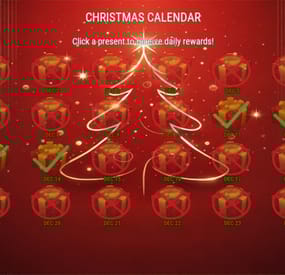
Christmas Calendar
Allow players to claim daily Christmas Calendar presents during December. Fully configurable loot table and UI.
Commands
/xmas, /christmas => Opens the calendar
Permissions
christmascalendar.wipe => Permission to run the "xmascalendar.wipe” console command
christmascalendar.admin => Permission to claim gifts unlimited amount of times and bypass date checks. Useful for testing setup.
General
Configure how many days prior to today can be claimed (default 1: only today’s gift)
Configure how many days of december the plugin should run (default: 1st to 24th december)
Fully configurable loot table:
Create different drops with a different % drop chance
Each drop can contain multiple items and/or commands
Adjust how many drops a player can receive per day (random between 1-2 for example, or just always 1)
Fully customizable UI - you can:
Change the background
Change the image for locked, unlocked and already claimed gifts
Adjust the size of and how many gifts should be displayed per row
Support
If you have any questions before deciding to purchase, need help setting it up or want more features added, feel free to contact me here or here:
Discord: mvrb
Mvrb's Plugins (Fastest support): https://discord.gg/tSgCUW86kJ
Default Plugin Config:
ChristmasCalendar.mp4- #christmas
- #christmascalendar
- (and 2 more)
-
$39.99
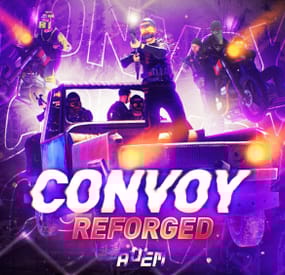
Convoy
Set your server apart with a roaming mobile event that has nearly endless configuration options! Configure the loot truck as well as the Convoy of protection vehicles ranging from sedans, module cars, Bradley tanks, motorbikes, vendor trucks, to a patrol helicopter! The plugin runs on custom and procedural generated maps, can use custom routes or let the plugin find a random route based on your configuration.
You can make yours an aggressive or a peaceful Convoy, who shoots first? You can set all kinds of parameters regarding the many pieces of the event, how to beat it, whether destroying the loot truck destroys the loot or not for example. There are many compatible plugins like TruePVE, GUIAnnouncements, Notify, DiscordMessages, and RustCord to name a few. The plugin has a built in UI that will give you important information about the event as you are inside it's zone. Check the map to see the location of the event as a marker and even see the timer on the event! All of the ground vehicles are driven and filled with NPCs. Every vehicle, the NPCs, and the loot as well as all timers can be configured to suit your server. A PvP zone can be created within the event area for those of you who use TruePVE to control damage on your servers. The limits are nearly endless!
If you have some players on your server that you want to really send everything you have at, this is the plugin for you. Watch players crap their pants when they first encounter a full Convoy with multiple tanks and a Patrol Heli all attacking at once. Sit back and delight in their fear as all of the vehicles empty their occupants and NPCs swarm them mercilessly!
Required Dependency (must install this free plugin)
NpcSpawn – link is included and can be found in the ReadMe file included with download
Chat commands (admin only)
/convoystart - launches the event using a random preset based on your configuration /convoystart PresetName - add the name of a preset from the configuration to launch a specific preset /convoystop - stops the event /convoyroadblock - the event will not be held on the road where you are standing (clear the Blocked roads section of config when you change maps) /convoypathstart - stand at starting point and enter command to start recording a custom route /convoypathsave RoutePresetName - to save a custom route (enter anything you'd like in place of RoutePresetName) multiple routes can be added to one route preset, one will be selected at random in this case /convoypathcancel - to reset the route
Console commands (RCON only)
convoystart - launches the event using a random preset based on your configuration convoystart PresetName - add the name of a preset from the configuration to launch a specific preset convoystop - stops the event
Plugin Config
en – example of plugin configuration in English ru – example of plugin configuration in Russian
API
bool IsConvoyVehicle(BaseEntity entity) bool IsConvoyCrate(BaseEntity crate) bool IsConvoyHeli(BaseHelicopter baseHelicopter) bool IsConvoyNpc(ScientistNPC scientistNPC) Hooks
void OnConvoyStart() - яalled when a convoy appears void OnConvoyStop() - яalled when a convoy disappears void OnPlayerEnterConvoy(BasePlayer player) - яalled when a player enters the event area void OnPlayerExitConvoy(BasePlayer player) - яalled when the player leaves the event area void OnConvoyEventWin(ulong userId) - called at the end of the event and informs about its winner void OnConvoyStartMoving(Vector3 convoyPosition) void OnConvoyStopMoving(Vector3 convoyPosition) void OnConvoyAttacked(BasePlayer player, Vector3 convoyPosition)
Check out the rest of my work: Adem's Codefling Library
You can reach out to me in Discord: Adem's Discord Profile
Thanks to Jbird for writing, translation, & support: Jbird's Discord Profile
Join the Mad Mappers Discord!