
Tomtom's Wishlist
-
$40.00
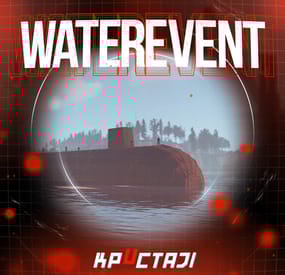
Water Event
A new event includes a lot of game mechanics
Description
The event starts with a warning in the chat: a submarine will soon be passed near the island.
A submarine will appear on the water when the time is up.
There are 4 floors in the submarine. 2 floors are over the water and 2 floors are under the water.
It is possible to get into the submarine on absolutely any transport. There are 4 outside entrances, 4 underwater entrances, and 2 submarine entrances (added in the Underwater Update).
There are about 50 NPCs outside the boat and two upper floors.
There are about 120 crates of items, rooms with blue and red doors, locked crates, recyclers, workbenches in the submarine (it is possible to set up in the configuration).
There are also 4 cameras on the submarine that you can connect to (Submarine1, Submarine2, Submarine3, Submarine4).
The number and location of all NPCs and crates can be changed in the plugin configuration. It is also possible to change the dropdown items in them.
It is necessary to blow up the doors on the submarine with explosives to get to the crates (it is possible to set up the amount of damage to the doors in the configuration).
When an event appears, a marker will display on the map (configurable in the configuration file).
It is possible to set up in the configuration the PVP zone for those who use the TruePVE plugin.
A timer with a countdown to the Event end and the number of crates and NPCs will display for all players in the Event zone.
The conditions for the completing event are the end of the timer or the end of the loot crates.
The submarine will disappear at the end of the event.
It is possible to set up an automatic event appear on the map. All timers can be set up in the configuration.
It is possible to lower the FPS on the server due to the large number of entities during the submarine appearance or the end of the event!
Dependencies Required
NpcSpawn
Dependencies (optional, not required)
True PVE PveMode GUI Announcements Notify Discord Messages AlphaLoot CustomLoot NTeleportation Economics Server Rewards IQEconomic Kits
Chat commands (only for administrators)
/waterstart - start the event
/waterstop - end the event
/waterpos - determining the position and rotation coordinates for changing the location of NPCs and crates.It should write in the configuration (Attention! The event must be started, the current position of the administrator in relation to the submarine is read)
Console commands (RCON only)
waterstart - start the event
waterstop - end the event
Plugin Config
en - example of plugin configuration in English ru - example of plugin configuration in Russian
Hooks
void OnWaterEventStart(HashSet<BaseEntity> entities, Vector3 position, float radius) – called when the event starts
void OnWaterEventEnd() – called when the event ends
void OnWaterEventWinner(ulong winnerId) – called at the end of the event, where the winnerId is the player who did more actions to complete the event
My Discord: KpucTaJl#8923
Join the Mad Mappers Discord here!
Check out more of my work here!
The submarine is designed by Jtedal
-
$32.99
Metropolis
By Silent Creations in Maps
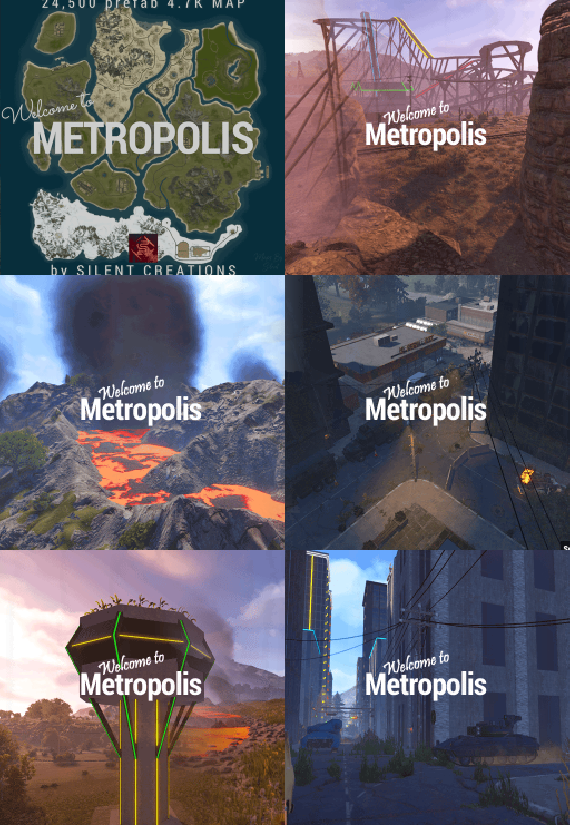
🌃 Metropolis: Where Concrete Meets Carnage
Dive into Metropolis, a densely packed, abandoned city map where danger lurks on every street corner and the highest loot awaits the bold. This 4700-sized environment transforms the survival sandbox into an intense urban battleground, perfect for players craving high-stakes PVP and intricate exploration.
The heart of the map is the vast Metropolis itself—an urban labyrinth heavily patrolled by two formidable Bradleys and overseen by airborne Scientists. Navigate the city's depths to find multiple puzzle rooms (2 Red, 1 Blue, 2 Green) and unlock the abundant loot scattered throughout its concrete canyons.
Custom Safe Zone: New Haven Outpost
This once-abandoned locale has been meticulously re-energized by a team of Cobalt scientists, providing the starting population with an abundance of supplies and services. This monument retains all the essential features of the original Outpost—and delivers much more:
Striking Architecture: The central compound is now secured by large, custom glass walls, creating a visually stunning and unique aesthetic. Custom Water Features: A tranquil, custom-built lake and an elegant fountain enhance the environment. Functional water catchers are installed, providing players with a reliable source of hydration. Expanded Services: A custom Air Wolf vendor has been integrated for convenient helicopter purchases. High-Stakes Casino: An all-new, dedicated casino allows players to safely gamble their riches, adding a fun and high-risk activity to the safe zone. Ample Safe Loot: Players can safely gather a generous amount of loot scattered throughout the outpost.
Thrills and Exploration
Experience the map's unique flair with a custom-built, fully working rollercoaster that is plug-in controlled to spawn a vehicle for your player with the press of a button! Explore intricate infrastructure including underground train tunnels, underground roads, and custom bridges, as well as two Heli Towers offering verticality to the fight.
💧 Water Treatment & Sewer Branch Reimagined
Welcome to the New Sewer Treatment Plant, a monument that takes the best features of both Water Treatment Plant and Sewer Branch to create one incredible, high-value loot location. This massive, abandoned facility is loaded with features and rewards.
Cobalt's Control: Don't be fooled by the ruin; Cobalt Scientists still maintain control over the facility's sewer drains. Underground Puzzles: Navigate two new, exclusive puzzles deep within the piping, featuring a dedicated Blue and Green keycard room. Lurking Danger: Keep your guard up—a scientist or two may still be lurking in the shadows, guarding their subterranean assets.
Map Prefabs Count: 24,493 | Map Size: 4700
Monument List
Custom Monuments and Prefabs
Metropolis New Haven Outpost Murder Farm The Roller Coaster Sewage Treatment Plant 19 custom build locations Underground Train Tunnels Underground Roads Custom Bridges 2x Heli Towers Mod Room For Staff Facepunch Monuments
Bandit Camp Missile Silo Apartment Complex Launch Site Artic Research Stone, Hqm, & Sulfer Quarry Rad Town Power Plant Airfield Trainyard Jungle Ziggurat 2x Mining Outpost Large Harbor Small Harbor 3x Oxums gas Station 2x lighthouse Supermarket Large Barn Ranch Military Tunnel Missile Silo Ferry Terminal Giant Excavator Abandoned Cabins Large Fishing Village 2x Small Fishing Village Large Oil Rig Small Oil Rig 2x WaterWell For any Assistance or questions Please contact me on Discord @ https://discord.gg/THf6dGN8eW
Acknowledgements
Shoutout to Substrata for helping with making the plugin for the rollercoaster.
Shoutout to MrLiquid and the Luffy Map Testing team for their help polishing this map.
Shoutout to Milky for help with making the video.
- #rust
- #rust edit
- (and 13 more)
-

$30.00$20.00Abandoned Bases
Allows bases to become raidable when all players in a base become inactive.
Compatible with TruePVE and NextGenPVE servers. This plugin is not compatible with servers that have server.pve set true. It is possible to implement this, but I see no reason to do so as TruePVE provides the same protection and more.
Abandoned Bases checks each building on the server in order to determine which bases are inactive. Bases become inactive when all players authorized on the tool cupboard have been offline for the configured amount of days. When a base becomes inactive there are one of two outcomes.
1.) It will be immediately destroyed if it does not meet the configured minimum requirements.
2) It will become raidable for a configurable period of time, and when the time expires the base will be destroyed.
Each zone has a map marker, allows PVP and is surrounded by a dome that protects it from being attacked from the outside. Players who zone hop will be flagged with a PVP delay where they can still be attacked for a configurable amount of time.
Command /sar - requires abandonedbases.convert permission and converts a base into an abandoned base - this can be used on any base that you are authorized to and will cause the base to be destroyed when the timer expires
Command /sab - starts a manual check for each building on the server in order to determine which bases are inactive (requires abandonedbases.admin permission)
Command /sar radius - requires abandonedbases.convert permission and converts a base into an abandoned base and uses the specified radius for the dome / zone radius. Min and max radius are configurable.
Command /sar cancel - requires abandonedbases.convert and abandonedbases.convert.cancel permissions - completely cancels an event (destroys map marker and dome, disables PVP and prevents base from being despawned) effectively allowing the base to be taken over
Command /sar claim - requires abandonedbases.convert and abandonedbases.convert.claim permissions and converts a finished abandoned base into a claimed base that can be taken over by players
"Loot Required (SAR)"
"Foundations Required (SAR)"
"Walls Required (SAR)"
These options should be set realistically so that players cannot exploit the /sar command. I recommend Loot Required 100, Foundations Required 10, Walls Required 10 at minimum Command /sar purge - converts all bases on the server into abandoned bases for purge day (requires abandonedbases.convert, abandonedbases.admin and abandonedbases.purgeday permissions)
This is a two part command that requires you type /sab afterwards to begin. Requires abandonedbases.purgeday, abandonedbases.convert, and abandonedbases.admin permissions. Announcements are muted during purge to prevent spam. Time To Wait Between Spawns (15) will delay how quickly every base is converted Permissions (ADMINS REQUIRE PERMISSIONS TOO)
abandonedbases.convert - required to use /sar command
abandonedbases.convert.free - converting is free for users that have this permission
abandonedbases.convert.claim - required to use /sar claim command
abandonedbases.purgeday - required to use /sar purge command
abandonedbases.admin - required to use /sab and purge commands
abandonedbases.notices - users with this command can see event-opened notices from the plugin
abandonedbases.attack - lets players hunt bases and convert them by attacking if they're abandoned
abandonedbases.attack.time - shows players how much time is left before a base becomes abandoned when they attack it
abandonedbases.attack.lastseen - required to see the last time the player was online when attacking a base
Auto-add abandonedbases.immune to configuration if one does not exist already (lifetime set to "none")
- abandonedbases.immune will not be automatically added if the configuration contains a different immunity permission already
- abandonedbases.immune will give the user immunity to any base they've built at or are authed at from becoming abandoned
- abandonedbases.exclude does not provide immunity and is explicitly intended for the plugin to ignore the player only
- abandonedbases.exclude is intended for admins, mods, staff or helpers to be able to freely make repairs or auth at bases without interfering with the abandoned timer
abandonedbases.exclude:
excludes the user from being checked as an authorized user to a TC this permission should not be used to exempt users - exempt users with immunity by assigning them a permission from a role that has the lifetime set to "none" example roles that includes permission abandonedbases.immune and lifetime set to "none" to properly exempt a user or group by granting abandonedbases.immune to a user or group:
"Purge Settings": [ { "Permission": "abandonedbases.immune", "Lifetime (Days)": "none" }, { "Permission": "abandonedbases.vip", "Lifetime (Days)": "7" }, { "Permission": "abandonedbases.veteran", "Lifetime (Days)": "5" }, { "Permission": "abandonedbases.basic", "Lifetime (Days)": "3" } ], Purge Settings
Permission - The permission to use with this setting Lifetime (Days) - The amount of time in days before a base is considered abandoned. Set to none to not consider players with this permission as inactive. Conversions Before Destroying Base (1) - The amount of times a base can become abandoned before it is finally destroyed when the Despawn Timer expires. Comes with 3 configured permissions and lifetime days by default Abandoned Settings
Blacklisted Commands (command1, command2, command3) - Commands players are not allowed using at a raid or marked with PVP delay Marker Name (Minutes) (Abandoned Player Base [{time}m]) - Text shown on map marker for minutes Marker Name (Seconds) (Abandoned Player Base [{time}s]) - Text shown on map marker for seconds Foundations Required (4) - Minimum amount of foundations required to become raidable Walls Required (3) - Minimum amount of walls required to become raidable Sphere Amount (10) - Increase to darken the dome, or decrease to brighten it Sphere Radius (50) - How big the dome is in meters Use Dynamic Sphere Radius (false) - Allow the dome to detect the best dome size Max Dynamic Radius (75.0) - How maximum size of the dynamic radius Min Custom Sphere Radius - The minimum radius allowed when using /sar <radius> Max Custom Sphere Radius - The maximum radius allowed when using /sar <radius> PVP Delay (15.0) - The amount of time in seconds that players can take damage after leaving the dome Despawn Timer (1800.0) - The amount of time in seconds that players have to finish the raid Reset Despawn Timer When Base Is Attacked (true) - When enabled this will reset the above despawn timer back to 1800 seconds by default Do Not Destroy Base When Despawn Timer Expires (false) - Use this to override and prevent a base from being destroyed when Despawn Timer expires Backpacks Can Be Opened (true) - When enabled players will be allowed to open their backpacks while inside of the dome Backpacks Can Be Looted By Anyone (false) - Bypass PreventLooting plugin and allow backpacks to be lootable if enabled Corpses Can Be Looted By Anyone (true) - Bypass PreventLooting plugin and allow backpacks to be lootable if enabled Allow PVP (true) - Allows PVP while inside of the dome, and when flagged with a PVP delay Seconds Until Despawn After Looting (600) Seconds Until Despawn After Looting Resets When Damaged (true) Cancel Automated Events If Abandoned Owner Comes Online (false) Message Raiders When Event Ends During Automated Cancellation (true) Change Marker Color On First Entity Destroyed (true) Cooldown Between Conversions (3600) - Time required between each manual conversion of a base using /sar Cooldown Between Events (3600) - Time between each event - prevents looting, damage and using /sar claim Cooldown Between Cancel (3600) - Time the player must wait to use /sar cancel Cooldown Between Conversions Ignored During Purge (true) Cooldown Between Cancel Ignored During Purge (true) Cooldown Between Events Ignored During Purge (true) Prevent Hogging Ignored During Purge (false) Run Once On Server Startup (false) - Check for abandoned bases immediately after server startup is complete Run Every X Seconds (0.0) - The time in seconds to check for each building on the server in order to determine which bases are inactive Kill Inactive Sleepers (false) - When enabled players with a permission from purge settings will be executed when they are offline for the configured amount of lifetime days Let Players Kill Abandoned Sleepers (false) - Allows players to kill anyone sleeping inside of an abandoned base rather than the server killing them automatically Economics/ServerRewards Cost To Manually Convert (0 = disabled) - Used with /sar command to convert any base into an abandoned base Use Map Marker (true) Require Event Be Finished Before It Can Be Canceled (true) Various auto turret settings
Hooks (implemented in 2.1.4, updated in 2.2.5)
participants - anyone that has actively participated (excludes admin if configured, and those in noclip or vanish) - this should not contain null elements
participantIds - contains the userid of all participants - this list is better as anyone offline and dead will be included in this but not in the participants list because they would be null!
intruders - anyone currently inside of the event (does not exclude anyone) - this should not contain null elements
intruderIds - contains the userid of everyone inside of the event (does not exclude anyone) - this list is better as anyone offline and dead will be included in the list but not in the intruders list because they would be null!
void OnBaseSkipped(Vector3 v, ulong userid, HashSet<ulong> owners, string reason, BuildingManager.Building building) { } void OnTugboatSkipped(Vector3 v, ulong userid, HashSet<ulong> owners, string reason, BaseEntity entity) { } void OnShelterSkipped(Vector3 v, ulong userid, HashSet<ulong> owners, string reason, BaseEntity entity) { } void OnAbandonedBaseStarted(Vector3 center, float radius, bool AllowPVP, List<BasePlayer> intruders, List<ulong> intruderIds, List<BaseEntity> entities, List<BuildingPrivlidge> privs, bool canDropBackpack, bool automatedEvent, bool attackEvent, Guid guid) { } void OnAbandonedBaseEnded(Vector3 center, float radius, bool AllowPVP, List<BasePlayer> participants, List<ulong> participantIds, List<BaseEntity> entities, List<BuildingPrivlidge> privs, bool canDropBackpack, bool automatedEvent, bool attackEvent, Guid guid) { } void OnAbandonedBaseTurretsInitialized(List<AutoTurret> turrets,Vector3 center, float radius, bool AllowPVP, ulong raiderId, bool CanDropBackpack, List<BaseEntity> entities, List<BuildingPrivlidge> privs, bool canDropBackpack, bool automatedEvent, bool attackEvent, Guid guid) { } void OnRaidableDespawnUpdate(Vector3 center, float radius, bool AllowPVP, ulong raiderId, DateTime DespawnDateTime, List<BasePlayer> intruders, List<ulong> intruderIds, List<BaseEntity> entities, List<BuildingPrivlidge> privs, bool canDropBackpack, bool automatedEvent, bool attackEvent, Guid guid) { } void OnPlayerEnteredAbandonedBase(BasePlayer player, Vector3 center, float radius, bool AllowPVP, List<BasePlayer> intruders, List<ulong> intruderIds, List<BaseEntity> entities, List<BuildingPrivlidge> privs, bool canDropBackpack, bool automatedEvent, bool attackEvent, Guid guid) { } void OnPlayerExitAbandonedBase(BasePlayer player, Vector3 center, float radius, bool AllowPVP, List<BasePlayer> intruders, List<ulong> intruderIds, List<BaseEntity> entities, List<BuildingPrivlidge> privs, bool canDropBackpack, bool automatedEvent, bool attackEvent, Guid guid) { } void OnAbandonedBaseCompleted(Vector3 center, float radius, bool AllowPVP, List<BasePlayer> intruders, List<ulong> intruderIds, List<BaseEntity> entities, List<BuildingPrivlidge> privs, bool canDropBackpack, bool automatedEvent, bool attackEvent, Guid guid) { } void OnAbandonedBaseClaimed(BasePlayer player, Vector3 center, float radius, bool AllowPVP, List<BasePlayer> participants, List<ulong> participantIds, List<BaseEntity> entities, List<BuildingPrivlidge> privs, bool canDropBackpack, bool automatedEvent, bool attackEvent, Guid guid) { } void OnAbandonedBaseClaimFailed(BasePlayer player, Vector3 center, float radius, bool AllowPVP, List<BasePlayer> participants, List<ulong> participantIds, List<BaseEntity> entities, List<BuildingPrivlidge> privs, bool canDropBackpack, bool automatedEvent, bool attackEvent, Guid guid) { } object OnBlockRaidableBasesTeleport(BasePlayer player, Vector3 to) => null; // return true to allow the blocked teleport, return a string to block with your message instead void OnAbandonedBasePrivilegeDestroyed(Vector3 center, float radius, bool AllowPVP, List<BasePlayer> intruders, List<ulong> intruderIds, List<BaseEntity> entities, List<BuildingPrivlidge> privs, bool canDropBackpack, bool automatedEvent, bool attackEvent, BuildingPrivlidge priv, bool areCupboardsTaken, Guid guid) { } void OnPlayerPvpDelayStart(BasePlayer player, ulong userid, Vector3 eventPos, float radius, List<BasePlayer> intruders, List<ulong> intruderIds, List<BaseEntity> entities, List<BuildingPrivlidge> privs, bool canDropBackpack, bool automatedEvent, bool attackEvent, Guid guid) { } void OnPlayerPvpDelayExpiredII(BasePlayer player, ulong userid, Vector3 eventPos, float radius, List<BasePlayer> intruders, List<ulong> intruderIds, List<BaseEntity> entities, List<BuildingPrivlidge> privs, bool canDropBackpack, bool automatedEvent, bool attackEvent, Guid guid) { } void OnPlayerPvpDelayReset(BasePlayer player, ulong userid, Vector3 eventPos, float radius, List<BasePlayer> intruders, List<ulong> intruderIds, List<BaseEntity> entities, List<BuildingPrivlidge> privs, bool canDropBackpack, bool automatedEvent, bool attackEvent, Guid guid) { } void OnAbandonedBaseDespawned(Vector3 eventPos, float radius, bool allowPVP, List<BasePlayer> intruders, List<ulong> intruderIds, List<BaseEntity> entities, Guid guid) { } object OnProcessPlayerEntity(BaseEntity entity, HitInfo info) => null; // cancel to prevent the plugin from handling this entity, though it can still be an event entity already in some cases void OnAbandonedBaseDespawn(List<BaseEntity> entities) { } // only called when a base is not eligible to convert void OnAbandonedBaseDespawn(Vector3 center, float radius, bool AllowPVP, List<BasePlayer> intruders, List<ulong> intruderIds, List<BaseEntity> entities, List<BuildingPrivlidge> privs, bool canDropBackpack, bool automatedEvent, bool attackEvent, Guid guid) { } void OnAbandonedBaseStart(Vector3 center, float radius, bool allowPVP, List<BasePlayer> intruders, List<ulong> intruders, List<ulong> intruderIds, List<BaseEntity> entities, bool canDropBackpack, bool automatedEvent, bool attackEvent, Guid guid) Added OnEntityEnteredAbandonedBase(BaseEntity entity, Vector3 center, float radius, bool allowPVP, List<BasePlayer> intruders, List<ulong> intruderIds, List<BaseEntity> entities, List<BuildingPrivlidge> privs, bool canDropBackpack, bool automatedEvent, Guid guid) Convert Bases and/or Claim Bases
Credits:
misticos for giving permission to use some of his code 🙂- #rust
- #rust plugin
- (and 6 more)
-

$8.99
Oxide Cleaner | Keep your system clean
## 🧩 Description
Finds **orphaned files** in `oxide/config/`, `oxide/data/`, and `oxide/lang/` based on the installed/loaded plugins and provides a sleek **in-game CUI** for selecting and deleting them.
## ⚙️ Features
- **Matching logic (plugin detection)**
- Reads plugin base names from `oxide/plugins` (`*.cs`) **and** from the oxide runtime (loaded plugins).
- Base names `Admin` and `CorePlugin` are always treated as present.
- **Scan areas**
- **config:** Top-level `*.json` **and** top-level folders whose **base name** does not correspond to a plugin.
- **data:** Top-level files (except `*.data`/`*.db`) **and** top-level folders without a plugin match.
- **lang:** `lang/<LOCALE>/*.json` whose base name does not correspond to a plugin.
- **UI (CUI)**
- Three columns: **CONFIG**, **DATA**, **LANG** with count, file size, and checkboxes.
- **Select All** for CONFIG/DATA, **language sections can be expanded/collapsed** for LANG.
- Delete button shows number of selections; after deletion, automatic rescan.
- **Secure deletion**
- Deletes only within the `oxide/` root (path is validated).
- Supports files **and** folders (recursively).
- **Backup**
- You have the option to decide whether you want to back up individual files..
> **Note:** `*.data` and `*.db` in the **data** root are **not** listed as orphaned (are skipped). This protects runtime databases.
---
## 💬 Commands
### In-Game (Chat)
- `/oxidecleaner` — Opens the UI (requires permission).
### Server console
- `oxidecleaner.scan` — Shows number/size of hits.
- `oxidecleaner.delete “<relativePath>|<relativePath>|...”`
Example:
`oxidecleaner.delete “config/Old.json|data/OldFolder|lang/en/Old.json”`
Deletes the specified relative paths under `oxide/`.
---
## 🔐 Permissions
- `oxidecleaner.admin` — required for all functions (chat/UI).
---
# load, run, enjoy 💖