
Tikomatura's Wishlist
-
$20.00
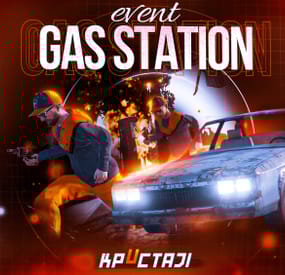
Gas Station Event
In a tense multiplayer event, players are thrust into a violent dispute between two warring gangs, witnessing a high-speed chase and explosive confrontation at Oxum's Gas Station, and then choosing sides or taking all the spoils for themselves, while customization options offer control over NPC settings, loot rooms, and crate contents
Description
The event begins with a message in chat that there has been a dispute between to warring gangs. One gang has taken members from their rivals hostage. A car chase ensues chase where the rival gang is coming to save or avenge their own!
The chase comes to an explosive end at Oxum's Gas Station when the car being pursued crashes into the gas pumps! This is the beginning of the event for your players. Both gangs jump out of their vehicles and a shootout immediately ensues! When a player decides to approach, they will have a few choices.
Will they take up arms with the ruthless gang willing to do anything? Will they stand beside the more honorable outlaws? Or will they simply kill both gangs and take all of the loot? The choice, is theirs!
If the player decides to kill the first gang, the second gang will give the player access to their loot room, a bunker inside the basement of the auto repair shop, as a sign of gratitude.
If the player decides to kill the second gang, then the first gang will give access to their hidden stash in the restroom inside the station, to show their appreciation.
If the player decides to just wipe both gangs out, well then they deserve all of the loot! And regardless of what team the player decides to destroy, the chasing vehicle is always left unattended at the end of the event. The player can grab this as a thank you for cleaning up the servers streets! It's a junker but you can take it for parts, drive to Junkyard to scrap it, or just use it to get home quick and take the parts you want from it.
The configuration file has many customization options, including NPC settings, their numbers, and you can fully customize the loot rooms, the crates and their loot for the event.
Dependencies (optional, not required)
True PVE PveMode GUI Announcements Notify Discord Messages AlphaLoot CustomLoot NTeleportation Economics Server Rewards IQEconomic Kits
Chat commands (only for administrators)
/gsstart - start the event
/gsstop - end the event
Console commands (RCON only)
gsstart - start the event
gsstop - end the event
Plugin Config
en - example of plugin configuration in English ru - example of plugin configuration in Russian
Hooks
void OnGasStationEventStart() – called when the event starts
void OnGasStationEventEnd() – called when the event ends
void OnGasStationEventWinner(ulong winnerId) – called at the end of the event, where the winnerId is the player who did more actions to complete the event
My Discord: KpucTaJl#8923
Join the Mad Mappers Discord here!
Check out more of my work here!
- #gas station
- #crates
- (and 20 more)
-

$35.00
Arctic Base Event
An event for the Arctic Research Base monument with a plot to rescue both a scientist and a pilot that have been captured by the security group who has been ordered to capture and deal with the attempted sabotage on the Arctic Base
Description
Welcome to a frosty new adventure in the more recently added Arctic Research Base to so many of our islands! This monument will now have an event with a storyline requiring you and your friends to rescue the Pilot, and the Scientist from their captivity by the Arctic Base security service. You don't want to know what will happen to these two if you don't save them!
Our new event begins with a notification (if enabled by default) for players to know that a sabotage is about to take place on the island. There is a plot to come collect biological samples from the burned corpse of one of the recently discovered NPCs, class: Sledge.
The players will soon find out that the sabotage has failed and that two of our team have been taken captive by the Artic Research security team! Players will need to free them both from this no prisoners no hostages situation, and protect the scientist while he finishes his portion of the mission.
Once the Scientist or Pilot are released, snowmobiles will arrive bringing NPCs, tasked simply with killing the Scientist so he will not be able to carry out his task of reverse engineering a way to continue to combat everything they throw at us!
Once the Scientist has completed his task, and the Pilot has been released and has prepped the escape helicopter, their evacuation can take place. The will get into their minicopter and begin their departure. Before you leave and as thanks, the Pilot is going to open up a warehouse full of supplies for you!
Once you reach this point in the event, there are several options with different amounts of loot within the stash. If you are able to protect the Scientist, and they are able to evacuate with the pilot, then we can better find things of value on comms with the team as they leave and the looting will be most efficient!
Be ready, this minicopter is an actual piece of... well it's Rusty! Let the pilot have some extra time if needed to make sure it is running smoothly before they take off. Here and now the security team will send everything they have at you and your friends. Protect the group from the attacks!
In the configuration for the plugin you can change timers, NPC settings and numbers, snowmobile and crate numbers, the Scientists health, and the loot tables! As always the configurations are extensive and the creativity is in your hands to customize this plugin to your liking.
Can you and your friends help make sure this sabotage takes place, and these rebels make it off the island?
Dependencies (optional, not required)
True PVE PveMode GUI Announcements Notify Discord Messages AlphaLoot CustomLoot NTeleportation Economics Server Rewards IQEconomic Kits
Chat commands (only for administrators)
/abstart - start the event
/abstop - end the event
Console commands (RCON only)
abstart - start the event
abstop - end the event
Plugin Config
en - example of plugin configuration in English ru - example of plugin configuration in Russian
Hooks
void OnArcticBaseEventStart() – called when the event starts
void OnArcticBaseEventEnd() – called when the event ends
void OnArcticBaseEventWinner(ulong winnerId) – called at the end of the event, where the winnerId is the player who did more actions to complete the event
My Discord: KpucTaJl#8923
Join the Mad Mappers Discord here!
Check out more of my work here!
- #arctic research base
- #ch47
- (and 21 more)
-

$35.00
Ferry Terminal Event
Want to spice up the Ferry Terminal location on your map? Look no further! Captors have taken hostages and are going to execute them if they cannot enslave them. Liberate the hostages while waves of backup arrive Johnny Blaze style on their motorcycles. They will be relentless and merciless. It's recommended that you bring a friend or two for this one!
Description
The event will begin with a notification that captors have taken hostages and will be trying to take them away to enslave them from the Ferry Terminal monument.
First you will want to dispatch as many of the enemies on site as possible without alerting them of your intent or presence. Once you are ready though, alarms will be sounded and they will attempt to call for backup.
Once the backup begins coming on motorcycle they will continue to send units to keep you from liberating the hostages, or execute them as opposed to letting you get them to freedom!
Each hostage will have a small radius and a configurable countdown will begin as you work on releasing them from their shackles. Once freed you will still need to escort them to a ferry nearby, and they will thank you by opening a hackable crate for you.
There are indicators that help highlight important event items such as the hostages. The configuration file gives plenty of options to customize the event, from NPCs, timers, rewards, and plenty of other options like integration with plugins you already own, in game UI, and more!
Dependencies (optional, not required)
True PVE Pve Mode GUI Announcements Notify Discord Messages Alpha Loot Custom Loot NTeleportation Economics Server Rewards IQEconomic XPerience Kits Better Npc Monument Owner
Chat commands (only for administrators)
/ftstart - start the event
/ftstop - end the event
/ftpos - determining the position coordinates for changing the location of NPCs and crates. It should write in the configuration (Attention! The event must be started, the current position of the administrator in relation to the monument is read)
Console commands (RCON only)
ftstart - start the event
ftstop - end the event
Plugin Config
en - example of plugin configuration in English ru - example of plugin configuration in Russian
Hooks
void OnFerryTerminalEventStart(Vector3 pos, float radius) – called when the event starts
void OnFerryTerminalEventEnd() – called when the event ends
void OnFerryTerminalEventWinner(ulong winnerId) – called at the end of the event, where the winnerId is the player who did more actions to complete the event
My Discord: kpuctajl
Join the Mad Mappers Discord here!
Check out more of my work here!
- #ferry terminal
- #ch47
- (and 25 more)
-

$20.00
Supermarket Event
A new event that takes place at the Supermarket monument, made for beginners on your server
Description
The event begins with a message in the chat that soon a merchant who sells valuable cargo will arrive at a Supermarket on your island. The merchant and their guards with trained dogs appear around the supermarket.
Players then have the opportunity to rob the Merchant in order to get all the Supermarket loot for themselves. As soon as the players begin to attack the Merchant, an armored helicopter arrives there with additional security and a Debt Collector. The Debt Collector enters the Supermarket and begins the process of collecting his loot and the Merchant for evacuation. If the player manages to kill all the guards outside the supermarket before the end of this process, then he can enter and loot.
There are several more guards, the Merchant and the Debt Collector waiting for the player. The Merchant and the Debt Collector need to be eliminated to get the most valuable loot that they wanted to evacuate. There are also several loot crates inside the Supermarket to be looted. If the Merchant and or the Debt Collector survive, they will fly away in the armored helicopter and the player will not receive the juicy loot they were dealing.
In the plugin configuration, it is possible to configure all timers, the guards outside the supermarket, inside the Supermarket, Debt Collector guards, and guard dogs patrolling outside the Supermarket. The Merchant and Debt Collector can also be configured as well. A list of all the loot crates inside the supermarket, map marker, event icons on the players screen, and more are all able to be adjusted in the config file.
Dependencies (optional, not required)
True PVE PveMode GUI Announcements Notify Discord Messages AlphaLoot CustomLoot NTeleportation Economics Server Rewards IQEconomic XPerience Kits Better Npc Monument Owner
Chat commands (only for administrators)
/supermarketstart - start the event
/supermarketstop - end the event
Console commands (RCON only)
supermarketstart - start the event
supermarketstop - end the event
Plugin Config
en - example of plugin configuration in English ru - example of plugin configuration in Russian
Hooks
void OnSupermarketEventStart(Vector3 pos, float radius) – called when the event starts
void OnSupermarketEventEnd() – called when the event ends
void OnSupermarketEventWinner(ulong winnerId) – called at the end of the event, where the winnerId is the player who did more actions to complete the event
My Discord: kpuctajl
Join the Mad Mappers Discord here!
Check out more of my work here!
- #supermarket
- #crates
- (and 20 more)
-
$29.99
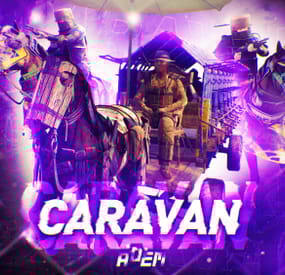
Caravan
This plugin will add Caravans to your server that will attempt to transport valuable loot along the roads. Carriages are used to transport goods along the roads as configured, pulled by Horses. These convoys are accompanied by NPCs, Riders, and Balloons! By default, the plugin comes with 3 different caravan presets.
The easiest caravan will be fun for early wipe and allows some basic loot for low effort Caravan raids. In order to rob the most difficult caravan, players will need to be tactical about their ambush and it will be much more challenging! The road selection system can make the Caravan less predictable as the NPCs try to find a safe route.
The Caravan can traverse any road type, including good old country dirty roads. You can set up timers for each preset in the config file, to keep the more difficult Caravan from showing up until later in a wipe!
Riders
These can be very dangerous opponents! Unlike regular NPCs, they will quickly close the gap continually shooting at the players as they ride! Riders can be especially effective using short ranged weapons, they are deadly with a shotgun!
Balloons
These are mobile sniper towers on which several NPCs can be placed. In the config, armor can be added to the balloon, greatly increasing the protection for the Caravan snipers.When the caravan stops, Balloons will start moving around randomly, making it more difficult for players to hide! After defeating all of the snipers, Balloons will fall to the ground and explode.
Required Dependency (must install this free plugin)
NpcSpawn – link is included and can be found in the ReadMe file included with download
Chat commands (admin only)
/caravanstart - launches the event using a random preset based on your configuration /caravanstart PresetName - add the name of a preset from the configuration to launch a specific preset /caravanstop - stops the event /caravanroadblock - the event will not be held on the road where you are standing (clear the Blocked roads section of config when you change maps) /caravanpathstart - stand at starting point and enter command to start recording a custom route /caravanpathsave RoutePresetName - to save a custom route (enter anything you'd like in place of RoutePresetName) /caravanpathcancel - to reset the route
Console commands (RCON only)
caravanstart - launches the event using a random preset based on your configuration caravanstart PresetName - add the name of a preset from the configuration to launch a specific preset caravanstop - stops the event
Plugin Config
en – example of plugin configuration in English ru – example of plugin configuration in Russian
Hooks
void OnCaravanStart() - Сalled when a caravan appears void OnCaravanStop() - Сalled when a caravan disappears void OnCaravanStartMoving(Vector3 position) - Called when the caravan starts moving void OnCaravanStopMoving(Vector3 position) - Called when the caravan stops moving void OnCaravanEventWin(ulong userId)
Check out the rest of my work: Adem's Codefling Library
You can reach out to me in Discord: Adem's Discord Profile
Thanks to Jbird for writing, translation, & support: Jbird's Discord Profile
Join the Mad Mappers Discord!