
SuperKitten's Wishlist
-
$8.50
Graves
By Krungh Crow in Plugins
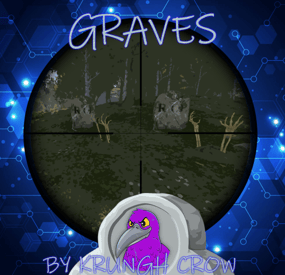
When killing scarecrows ,scientists ,animals or players they have a set chance to spawn a collectable grave (Halloween event).
Features :
Supports Scarecrows ,Scientists ,Animals and players (any normal surface npc) Set spawn chance through cfg which spawns a random grave (Halloween event) when the npc is killed. This is a remake of the first ever plugin I made years ago . Random Collectable Graves : stone iron sulfur wood bones (Halloween grave piles). Graves can spawn on any surface location a npc could walk and spawn on. Graves can spawn inside buildings/caves/tunnels/sewers/underwater labs. Set grave pile prefabs from a list. Permissions :
graves.canfind : To be able to trigger killing surface npc. graves.canfindanimal : To be able to trigger killing animals. graves.canfindplayer : To be able to trigger player kills or suicides. Configuration :
set the chance between 0 and 1.
{ "Show Chat messages": true, "Grave prefabs": [ "assets/bundled/prefabs/autospawn/collectable/stone/halloween/halloween-stone-collectable.prefab", "assets/bundled/prefabs/autospawn/collectable/stone/halloween/halloween-bone-collectable.prefab", "assets/bundled/prefabs/autospawn/collectable/stone/halloween/halloween-metal-collectable.prefab", "assets/bundled/prefabs/autospawn/collectable/stone/halloween/halloween-wood-collectable.prefab", "assets/bundled/prefabs/autospawn/collectable/stone/halloween/halloween-sulfur-collectible.prefab" ], "Spawn Chance (0 - 1)": { "Scientist": 0.2, "Scarecrow": 0.2, "Player": 0.1, "Bear": 0.2, "Boar": 0.2, "Chicken": 0.2, "Wild Horse": 0.2, "Stag": 0.2, "Wolf": 0.2 } } Localisation :
English language file included to use a different language just make a new file in the language folder.
{ "Graves": "You killed <color=#4A95CC>{0}</color> leaving a unmarked grave!", "GravesAnimal": "You killed a <color=#4A95CC>{0}</color> leaving a unmarked grave!", "AnimalBear": "Bear", "AnimalBoar": "Boar", "AnimalChicken": "Chicken", "AnimalHorse": "Horse", "AnimalStag": "Stag", "AnimalWolf": "Wolf" }
-

$20.00$12.40Scrap Keeper
Do your players have Excess scrap with nothing to use it on?
Help players get rid of it and competing / working together with Scrap Keeper.
Scrap Keeper is an NPC that has a UI for depositing and viewing the top scrap contributors for the wipe.
When the Top Spot has been taken, players will be notified who the new leader is.
The plugin also has broadcasts at your interval, and can send the info to discord, on wipe, discord can be notified who contributed the top amount if you would like to gift that player a special perk next wipe.
The Scrap Keeper can be spawned at a monument of your choice dynamically, or spawned on your position.
Players can also work together to complete threshold rewards.
Set a goal at 10k Scrap - and grant all players that have contributed towards the goal a command.
Set as many goals as you like.
The UI panel is customizable, use my existing PNG and create your own on top of it to make it your own.
Permissions
ScrapKeeper.use
ScrapKeeper.admin
Commands
/SK - SPAWNS A SCRAP KEEPER AT YOUR POSITION
/SKREMOVE - REMOVES THAT SCRAP KEEPER YOU ARE LOOKING AT
/SKWIPE - WIPES DATA
/SCRAPANNOUNCE - TRIGGERS THE TOP ANNOUNCEMENT MANUALLY
VIDEO
CONFIG
{ "Dynamic Spawn Of The NPC Enabled?": false, "Dynamic Spawn Points (Relative to Monument)": [ { "x": -8.34, "y": 1.45, "z": 24.75 } ], "Dynamic Spawn Rotation Correction": 90, "Enable Threshold Rewards?": false, "Minimum Required Scrap to Receive Rewards": 500, "Threshold Rewards": [ { "Threshold": 1000000, "Description": "Chad Reward", "Commands": [ "say Another command goes here", "say Yet another command" ] }, { "Threshold": 5000000, "Description": "GigaChad Reward", "Commands": [ "say Another command goes here", "say Yet another command" ] }, { "Threshold": 10000000, "Description": "Unreal Reward", "Commands": [ "say Another command goes here", "say Yet another command" ] } ], "Winner Rewards": [ "say {id} was the Scrap Keeper Winner!" ], "Enable Runner Up Rewards?": false, "Runner Up Rewards": [ { "Position": 2, "Commands": [ "grant a permission here", "grant more here target with {id}" ] }, { "Position": 3, "Commands": [ "grant a permission here", "grant more here {id}" ] } ], "Enable Prize Message On Announce?": false, "Leaderboard Panel ImageURL": "https://www.dropbox.com/scl/fi/40iy1y1rne2neiv1hxyr2/scrapleaderboard-1.png?rlkey=aw4bsumws8n271rohofft7dud&st=0de3xomk&dl=1", "Deposit Panel ImageURL": "https://www.dropbox.com/scl/fi/9opxevktd5wevkgo57nuk/ScrapConfirmation.png?rlkey=n55xkhow7v2logpmxxvdhy0g8&st=8unvusxu&dl=1", "Discord Webhook URL": "INSERT_WEBHOOK_URL", "NPC Clothing Options": [ { "Shortname": "metal.plate.torso", "Skin": 3280605481 }, { "Shortname": "metal.facemask", "Skin": 3280621382 }, { "Shortname": "shoes.boots", "Skin": 2830476912 }, { "Shortname": "hoodie", "Skin": 3223886138 }, { "Shortname": "pants", "Skin": 3223902740 }, { "Shortname": "gloweyes", "Skin": 0 } ], "Max Characters in Name to Display in Leaderboard": 10, "Dynamic Spawn at this Monument (Requires your Position Input to be set to match Monument if Changing from Default.)": "assets/bundled/prefabs/autospawn/monument/medium/compound.prefab", "Announce Scrap Leaderboard To Chat Every x Seconds (0 To Disable)": 600, "Prize Message": "<color=#FF5733>Scrap Keeper</color>\n\nContribute <color=#FF5733>Scrap</color> to the <color=#FF5733>Scrap Keeper</color> by the <color=yellow>Quest Room</color>, This Wipes Prize, $10 Steam Gift Card for Skins(or Alt Item)." }
Lang
{ "NoScrap": "<color=#FF5733>Scrap Keeper</color> \n\nYou have no <color=#FF5733>Scrap</color> to Deposit...", "ScrapDeposit": "<color=#FF5733>Scrap Keeper</color>\n\nYou have deposited <color=#33ffbd>{0}</color> <color=#FF5733>Scrap</color>.\n\nFor a Total value of <color=#33ffbd>{1}</color> <color=#FF5733>Scrap</color> contributed this Wipe.", "CurrentRank": "<color=#FF5733>Scrap Keeper</color>\n\nYour Current Ranking on The <color=#FF5733>Scrap Leaderboard</color> is: <color=#33ffbd>{0}</color>", "ScrapWiped": "<color=#FF5733>Scrap Keeper</color>\n\nScrap Contributions Wiped.", "PlayerRankAndTotal": "<color=#FF5733>Scrap Keeper</color>\n\nYour current rank on the <color=#FF5733>Scrap</color> Leaderboard is: <color=#33ffbd>{0}</color> \nYou have contributed a total of <color=#33ffbd>{1}</color> <color=#FF5733>Scrap</color>.", "NoScrapContributed": "<color=#FF5733>Scrap Keeper</color>\n\nYou have not contributed any <color=#FF5733>Scrap</color> yet.", "ThresholdRewardClaimed": "[<color=orange>Scrap Keeper</color>] \nThreshold Reward Claimed: <color=orange>{0}</color>. \n<color=orange>Scrap</color> Contributed For Reward: <color=orange>{1}</color>. \nTotal Accumulated <color=orange>Scrap</color>: <color=orange>{2}</color>", "UnclaimedThresholdReward": "[<color=orange>Scrap Keeper</color>] \nUnclaimed Threshold Reward: <color=orange>{0}</color>. \nAmount of <color=orange>Scrap</color> needed: <color=orange>{1}</color>", "NewTopLeader": "<color=#FF5733>Scrap Keeper</color> {0} has just taken the <color=#33ff33>#1</color> spot on the <color=#FF5733>Scrap Leaderboard</color>!", "WeCantTalk": "<color=#FF5733>Scrap Keeper</color> \n\nYou don't have Permission to Deposit <color=#FF5733>Scrap</color>." }
Thank you to @Luuxen for the help testing.
- #scrap
- #leaderboard
- (and 3 more)
-
$24.99$15.00Death Modifier
Still using those old Restore Upon Death & Metabolism plugins? Well with death modifier you won't need those!
For a price $ players can auto revive right where they left off inventory an all! Included with unlimited permissions, blacklist system, container limits, currency support & more!
NOTES:
1. This plugin as of 1.2.0 now supports carbon.
2. Does not work while in vanish.
3. Does not work with the plugin on umod called Corpse Location
4. Toggling god mode on while at death screen will break the plugin for you.
Features
* Black List & Black list chat command for ban / unban of items. * Permission support ( requires a perm to use ). * Specified Containers via perms. * Charge Economics & Economics debt or Server-Rewards RP. * Respawns player at same location they died at. * Ability to control Metabolism on respawn. * Ability to allow players to set there own bed/bag spawn points. * If you don't have a permission it doesn't apply to you. * Currency response msg to player if it fails. * Help/info command. * If multiple permissions assigned it will default to first one in the config list they have. * You can create as many permissions as you want simply copy / paste the examples in the config to make more & edit. * Toggle on/off modes for players. * Capable of saving everything, including backpacks etc. Commands
Note: Running these commands bans & unbans everything in your whole inventory ( wear, belt, main ) /bl ban perm perm2 etc ( Specify which perms are allowed to bypass the item ban ) Admin Perm Needed. ( deathmodifier.admin ) /bl unban ( Removes all banned items in your inventory ) Admin Perm Needed. ( deathmodifier.admin ) /di ( Shows the players what their current permission settings are in chat ) /dt ( allows players to toggle off or on the auto revive system ) Note: This will reset to being on when you re-connect back to the server or reload the plugin or do a reboot.
Config
{ "Sets black-list command": [ "dmbl", "bl" ], "Sets help-info command": [ "deathinfo", "di" ], "Sets toggle command": [ "deathtoggle", "dt" ], "Kill Corpse when player uses a Death Modifier Respawn Option": true, "Sets how long until player's corpse De-Spawns, Default 300f (5-min), this affects how long they can AFK at death screen to use there respawn options.": 300.0, "Permissions": { "vip": { "Respawn Settings": { "Random Respawn or Spawn at Death Location, true = random": false, "Seconds for how long after respawn until you can take damage, 0 = disabled": 0, "Sets Respawn with death modifier cooldown in seconds, 0 = disabled": 0 }, "Sets allowed containers, Main = 0 | Belt = 1 | Wear = 2 | All = 3": [ 3 ], "Currency Settings": { "Sets default currency, 0 = disabled, 1 = Economics, 2 = ServerRewards": 0, "Sets price": 15.0, "Sets Increment penalty to apply only when they purchase a revive instead of adding for each death.": false, "Sets Increment penalty for quick repeated use, 0 = disabled": 5.0, "Resets Cost Increment after x seconds, 0 = disabled": 1800 }, "Sets Respawned Metabolism Level's": { "Enable Metabolism Modifications": true, "Sets Current Health: 0 = Random Health Level": 0.0, "Sets Max Health Level": 100.0, "Sets Current Water Hydration Level": 250.0, "Sets Max Water Hydration Level": 250.0, "Sets Current Hunger Level": 500.0, "Sets Max Hunger Level": 500.0 }, "Sets Allowed Respawn Options": { "SleepingBag": true, "Bed": false, "BeachTowel": false, "Camper": true }, "No Respawn Cool Downs": { "SleepingBag": true, "Bed": false, "BeachTowel": false, "Camper": false } }, "basic": { "Respawn Settings": { "Random Respawn or Spawn at Death Location, true = random": false, "Seconds for how long after respawn until you can take damage, 0 = disabled": 0, "Sets Respawn with death modifier cooldown in seconds, 0 = disabled": 0 }, "Sets allowed containers, Main = 0 | Belt = 1 | Wear = 2 | All = 3": [ 0, 2 ], "Currency Settings": { "Sets default currency, 0 = disabled, 1 = Economics, 2 = ServerRewards": 0, "Sets price": 15.0, "Sets Increment penalty to apply only when they purchase a revive instead of adding for each death.": false, "Sets Increment penalty for quick repeated use, 0 = disabled": 5.0, "Resets Cost Increment after x seconds, 0 = disabled": 1800 }, "Sets Respawned Metabolism Level's": { "Enable Metabolism Modifications": true, "Sets Current Health: 0 = Random Health Level": 0.0, "Sets Max Health Level": 100.0, "Sets Current Water Hydration Level": 250.0, "Sets Max Water Hydration Level": 250.0, "Sets Current Hunger Level": 500.0, "Sets Max Hunger Level": 500.0 }, "Sets Allowed Respawn Options": { "SleepingBag": false, "Bed": false, "BeachTowel": false, "Camper": false }, "No Respawn Cool Downs": { "SleepingBag": false, "Bed": false, "BeachTowel": false, "Camper": false } } }, "Black Listed Items with Skins and Permission bypass, use Commands to setup & update": {} }