
PistOffBastd's Wishlist
-
$30.00$25.50Water Patrol
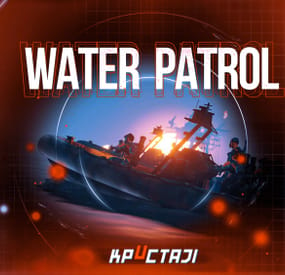
A plugin that spawns in NPC controlled RHIBS which act as stationary patrols in the ocean and along the coastline waiting and looking for players. Once engaged, players have the choice to attack them for loot or flee for their lives!
Description
This plugin will spawn RHIBs with NPCs on your server that will act as stationary patrols, they will remain in place and search for players that enter their sight, at which point they will pursue the player.
The player has the option of escaping the patrol, or they can fight the NPCs and if successful and victorious, you can take the loot they hold in their boat!
Should the player have a base on the beach, or decide to hide inside anywhere near the waters edge, the NPCs will not hesitate to pull out their rocket launchers and go to work trying to raid their defensive positions!
In the configuration for the plugin you can create several patrol presets, each having their own population on the map. Adjust also the amount of NPCs in the boat, their clothing and weapons, all of their parameters for difficulty and challenge, as well as adjust and customize the loot table for each preset, including custom spawn locations for the stationary patrols.
The best map for the plugin to work is a map with a lot of sea. I can recommend the maps of the Mad Mappers team developers.:
Land Of Enmity Arhipelago
Dependencies Required
NpcSpawn
Plugin Config
en - example of plugin configuration in English ru - example of plugin configuration in Russian
My Discord: KpucTaJl#8923
Join the Mad Mappers Discord here!
Check out more of my work here!
- #boat
- #facepunch
- (and 15 more)
-
$30.00$25.50Junkyard Event
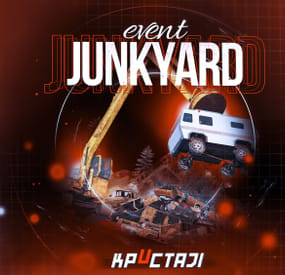
This event automatically takes place in the Junkyard location if on the map
Finally, the crane in Junkyard will have a true meaning and be fun again!
Description
The event begins with a notification in the chat that soon scavengers will arrive at Junkyard, who will have a rest there. Next, NPCs appear in the location, whose presets you can configure in the plugin configuration. A message appears in the chat that the scavengers hid a signal grenade in one of the broken cars at the landfill to call for supplies. The player needs to kill all the NPCs and find the rusted car in which the grenade is hidden.
In order to find and activate the signal grenade, use a crane to load rusted cars into a shredder for recycling, it's bound to be in one of them! The number of rusted cars in the landfill is regulated by the value in the configuration. The required car is selected at random from the group. The player needs to recycle the rusted cars one by one until he finds the one in which the signal grenade is located in! After the player recycles the broken car, a plane will fly to the Junkyard location, on board of which there will be a truck with supplies. The plane will drop this truck and it will land in Junkyard via parachute. Once it lands, guards will come out of the truck and guard it. But the truck is closed, it cannot be opened. The player needs to kill these guards to get access to the truck. In order for the player to get access to the crates and the loot within, they need to recycle the truck by using the crane and placing it into the shredder! Next, the crates will travel along the conveyor belt of the shredder and the player will be able to open them. You can configure all the crates, their number and the loot in them, all in the plugin configuration.
Dependencies Required
NpcSpawn
Dependencies (optional, not required)
True PVE PveMode GUI Announcements Notify Discord Messages AlphaLoot CustomLoot NTeleportation Economics Server Rewards IQEconomic Kits
Chat commands (only for administrators)
/jstart - start the event
/jstop - end the event
/jpos - determining the position and rotation coordinates for changing the location of NPCs. It should write in the configuration (Attention! The event must be started, the current position of the administrator in relation to the Junkyard is read)
Console commands (RCON only)
jstart - start the event
jstop - end the event
Plugin Config
en - example of plugin configuration in English ru - example of plugin configuration in Russian
Hooks
void OnJunkyardEventStart() – called when the event starts
void OnJunkyardEventEnd() – called when the event ends
void OnJunkyardEventWinner(ulong winnerId) – called at the end of the event, where the winnerId is the player who did more actions to complete the event
My Discord: KpucTaJl#8923
Join the Mad Mappers Discord here!
Check out more of my work here!
- #broken cars
- #cargoplane
- (and 26 more)
-
$40.00$34.00Water Event
A new event includes a lot of game mechanics
Description
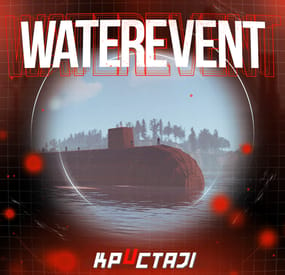
The event starts with a warning in the chat: a submarine will soon be passed near the island.
A submarine will appear on the water when the time is up.
There are 4 floors in the submarine. 2 floors are over the water and 2 floors are under the water.
It is possible to get into the submarine on absolutely any transport. There are 4 outside entrances, 4 underwater entrances, and 2 submarine entrances (added in the Underwater Update).
There are about 50 NPCs outside the boat and two upper floors.
There are about 120 crates of items, rooms with blue and red doors, locked crates, recyclers, workbenches in the submarine (it is possible to set up in the configuration).
There are also 4 cameras on the submarine that you can connect to (Submarine1, Submarine2, Submarine3, Submarine4).
The number and location of all NPCs and crates can be changed in the plugin configuration. It is also possible to change the dropdown items in them.
It is necessary to blow up the doors on the submarine with explosives to get to the crates (it is possible to set up the amount of damage to the doors in the configuration).
When an event appears, a marker will display on the map (configurable in the configuration file).
It is possible to set up in the configuration the PVP zone for those who use the TruePVE plugin.
A timer with a countdown to the Event end and the number of crates and NPCs will display for all players in the Event zone.
The conditions for the completing event are the end of the timer or the end of the loot crates.
The submarine will disappear at the end of the event.
It is possible to set up an automatic event appear on the map. All timers can be set up in the configuration.
It is possible to lower the FPS on the server due to the large number of entities during the submarine appearance or the end of the event!
Dependencies Required
NpcSpawn
Dependencies (optional, not required)
True PVE PveMode GUI Announcements Notify Discord Messages AlphaLoot CustomLoot NTeleportation Economics Server Rewards IQEconomic Kits
Chat commands (only for administrators)
/waterstart - start the event
/waterstop - end the event
/waterpos - determining the position and rotation coordinates for changing the location of NPCs and crates.It should write in the configuration (Attention! The event must be started, the current position of the administrator in relation to the submarine is read)
Console commands (RCON only)
waterstart - start the event
waterstop - end the event
Plugin Config
en - example of plugin configuration in English ru - example of plugin configuration in Russian
Hooks
void OnWaterEventStart(HashSet<BaseEntity> entities, Vector3 position, float radius) – called when the event starts
void OnWaterEventEnd() – called when the event ends
void OnWaterEventWinner(ulong winnerId) – called at the end of the event, where the winnerId is the player who did more actions to complete the event
My Discord: KpucTaJl#8923
Join the Mad Mappers Discord here!
Check out more of my work here!
The submarine is designed by Jtedal
-
$24.99
Heavy Cargo Ship Event
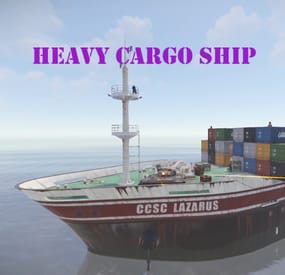
Heavy Cargo Ship Event is a configurable plugin that allows for a new type of random event. Randomly a message will appear letting players know that there's an incoming heavy cargo ship.
The ship is equipped with extra scientists, auto turrets, and a Bradley. Players must try to board the ship and kill the scientists in the lower decks to find the code to disable the auto turrets OR destroy all the turrets. If the code is found, it can be entered into the code lock in the lower decks to disable the turrets. Once the turrets are dealt with, players must defeat the Bradley. This can be a real challenge while on a moving ship. Finally, once the Bradley is defeated, players can collect all the loot. That's if someone else doesn't get to it first!
This is a great event to add to your server to give it a little more variety. It can be a fun PVP zone or a PVE event for non PVP servers.
EASY OPTIONAL SETUP - NO SETUP REQUIRED
You can simply drop the plugin in as-is and it will start the random event every 1 to 2 hours OR you can modify the config to change how often it should occur and/or how long until the Heavy Cargo Ship comes.
Configuration
"How many hackable loot crates should spawn.": 4,
"If this is true auto turrets will target and kill NPCs as well as players on the cargo ship.": false,
"If this is true it will spawn auto turrets on the cargo ship.": true,
"If this is true it will spawn the APC Bradley on the cargo ship.": true,
"Maximum time between events(minutes):": 180,
"Minimum number of players before event will start": 4,
"Minimum time between events(minutes):": 60,
"Set this to true if you want to use the custom loot table in this config. If it's false, it will use your server default.": false,
"Should the event start automatically(false if you only want manually start with HeavyCargoStart command": true
Admin Only Commands
/HeavyCargoStart
/HeavyCargoStop
Hooks
void HeavyCargoShipEventStarted()
void HeavyCargoShipEventStopped()
Discord: cahnu
-

$16.00
XDChinookEvent
ChinookEvent is a fresh take on the Chinook Event. Auto-action "Special cargo"
The essence of the event - The event is triggered once at a certain time (specified in the config), a label with a description appears on the map. Then the Chinook salmon arrives at the landing site (a random mark on the map) and remains in place for a certain time, after which it drops a special cargo and flies away. In a special download, you can completely customize your loot! Also add a custom element.
- Unable to build in the event area
- All messages are displayed in the chat.
- Full plugin configuration in config
- Ability to create NPCs that will protect the cargo
/chinook salmon spawn position - Adds a custom chinook salmon spawn position (admin)
/chinook call - Calling chinook prematurely (for administrator)
{ "Event Settings": { "Time before the start of the event (Minimum in seconds)": 3000, "Time before the start of the event (Maximum in seconds)": 7200, "Time until the event is deleted if no one opens the box (Seconds)": 900, "The time until the event is deleted after the box is unlocked": 300, "Chinook flight altitude": 240.0, "Block radius of buildings during the event": 65, "Minimum number of players to start an event": 20, "Use custom positions?": false, "Custom positions (/ chinook addspawnpoint)": [] }, "Setting up a PVP zone (TruePve) and a dome": { "Create a PVP zone within the radius of the event? (Requires TruePVE)": false, "Radius of the PVP zone": 20, "Do you use a dome ?": false, "Transparency of the dome (the smaller the number, the more transparent it is. The values should be no more than 5)": 3 }, "Configuring display on maps": { "Mark the event on the G card (Requires FREE https://umod.org/plugins/marker-manager)": false, "Text for map G": "Chinook EVENT", "Marker color (without #)": "f3ecad", "Outline color (without #)": "ff3535" }, "Settings a locked crate": { "Time to unlock the Crates [sec.]": 900.0, "Reset timeout": 60, "Adjusting the smoothness / speed of the drawer descent": 0.7, "Which loot table should the plugin use? (0 - default; 1 - own; 2 - AlphaLoot; 3 - EcoLootUI;": 0, "Own loot table (if the loot table type is 1)": { "Minimum numbers of items": 0, "Maximum numbers of items": 0, "Use minimum and maximum values? [true/false]": false, "List of items": [ { "ShortName": "pistol.python", "Minimum": 1, "Maximum": 1, "Chance [0.0-100.0]": 60.0, "Is this a blueprint? [true/false]": false, "SkinID (0 - default)": 0, "Name (empty - default)": "", "Multiply the amount of the item by the number of days since the beginning of the wipe (on the 3rd day, the loot will be 3 times more)": false }, { "ShortName": "multiplegrenadelauncher", "Minimum": 1, "Maximum": 1, "Chance [0.0-100.0]": 15.0, "Is this a blueprint? [true/false]": false, "SkinID (0 - default)": 0, "Name (empty - default)": "", "Multiply the amount of the item by the number of days since the beginning of the wipe (on the 3rd day, the loot will be 3 times more)": false }, { "ShortName": "sulfur", "Minimum": 500, "Maximum": 800, "Chance [0.0-100.0]": 40.0, "Is this a blueprint? [true/false]": false, "SkinID (0 - default)": 0, "Name (empty - default)": "", "Multiply the amount of the item by the number of days since the beginning of the wipe (on the 3rd day, the loot will be 3 times more)": false }, { "ShortName": "wall.external.high.ice", "Minimum": 1, "Maximum": 5, "Chance [0.0-100.0]": 75.0, "Is this a blueprint? [true/false]": false, "SkinID (0 - default)": 0, "Name (empty - default)": "", "Multiply the amount of the item by the number of days since the beginning of the wipe (on the 3rd day, the loot will be 3 times more)": false } ] }, "Turn on the alarm when breaking into a locked box ?": true }, "NPCs setting": [ { "Minimum": 3, "Maximum": 7, "NPCs setting": { "Name": "Cobalt Defense", "Health": 230.0, "Roam Range": 35.0, "Chase Range": 10.0, "Attack Range Multiplier": 3.0, "Sense Range": 50.0, "Target Memory Duration [sec.]": 40.0, "Scale damage": 2.0, "Aim Cone Scale": 1.0, "Detect the target only in the NPC's viewing vision cone? [true/false]": false, "Vision Cone": 135.0, "Speed": 8.0, "Disable radio effects? [true/false]": false, "Is this a stationary NPC? [true/false]": false, "Remove a corpse after death? (it is recommended to use the true value to improve performance) [true/false]": false, "Wear items": [ { "ShortName": "hazmatsuit_scientist_peacekeeper", "SkinID (0 - default)": 1121447954 } ], "Belt items": [ { "ShortName": "pistol.semiauto", "Amount": 1, "SkinID (0 - default)": 1557105240, "Mods": [] }, { "ShortName": "syringe.medical", "Amount": 10, "SkinID (0 - default)": 0, "Mods": [] } ], "Kit": "" }, "Which loot table should the plugin use? (0 - default; 1 - own; 2 - AlphaLoot;": 1, "Own loot table (if the loot table type is 1)": { "Minimum numbers of items": 1, "Maximum numbers of items": 1, "Use minimum and maximum values? [true/false]": true, "List of items": [ { "ShortName": "scrap", "Minimum": 5, "Maximum": 10, "Chance [0.0-100.0]": 50.0, "Is this a blueprint? [true/false]": false, "SkinID (0 - default)": 0, "Name (empty - default)": "", "Multiply the amount of the item by the number of days since the beginning of the wipe (on the 3rd day, the loot will be 3 times more)": false }, { "ShortName": "supply.signal", "Minimum": 1, "Maximum": 1, "Chance [0.0-100.0]": 20.0, "Is this a blueprint? [true/false]": false, "SkinID (0 - default)": 0, "Name (empty - default)": "", "Multiply the amount of the item by the number of days since the beginning of the wipe (on the 3rd day, the loot will be 3 times more)": false }, { "ShortName": "syringe.medical", "Minimum": 1, "Maximum": 2, "Chance [0.0-100.0]": 70.0, "Is this a blueprint? [true/false]": false, "SkinID (0 - default)": 0, "Name (empty - default)": "", "Multiply the amount of the item by the number of days since the beginning of the wipe (on the 3rd day, the loot will be 3 times more)": false } ] } } ], "Reward in the form of a team to the player who 1 opened the cargo": { "List of commands that are executed in the console (%STEAMID% - the player who looted the box)": [], "Messages that the player will receive (Here you can write about what the player received)": "" }, "Setting up the selection of positions for spawn (For experienced users)": { "Allow spawn on the roads ?": true, "Allow spawn on rivers ?": true, "Radius of monument detection": 40.0, "Detection radius of the tool cupboard (Building Block)": 90.0 } } Sorry for the video in Russian😉
- #chinook
- #autoivent
- (and 6 more)