
Lady Mia's Wishlist
-

$20.00$15.00Ferry Terminal Event
By Yac Vaguer in Plugins
Ferry Terminal Event: Unveiling the Secrets of the Abandoned Terminal. Embark on a thrilling adventure at the Rust Ferry Terminal, where mysteries await and danger lurks around every corner! The Ferry Terminal Event introduces a pulse-pounding experience that will challenge even the most seasoned survivors.
🚨 Drone Surveillance: As you step foot onto the desolate terminal, beware of the watchful eyes of the drones overhead. These mechanical sentinels are programmed to detect any intruders, summoning reinforcements at the first sign of trouble. Keep your wits about you, for the patrols will not hesitate to confront trespassers.
🔍 The Crazy Bio Scientist's Lair: Deep within the heart of the main building lies the lair of the enigmatic Crazy Bio Scientist. Accompanied by his legion of undead minions, he guards the precious loot hidden within. Prepare to face hordes of zombies as you navigate through the treacherous corridors, braving the unknown in search of valuable treasures.
🎯 Snipers in the Shadows: Beware the sharp eyes of the snipers perched atop the monument, their rifles trained on any who dare to challenge their domain. Navigate with caution, for a wrong step could lead to a deadly encounter with these expert marksmen.
🛡️ Guardian Patrols: Throughout the monument, vigilant guards stand watch, ever ready to defend their territory. Approach with caution, for these hardened soldiers will not hesitate to engage intruders in combat. Work together with your fellow survivors to overcome their defenses and claim victory.
💰 Hidden Treasures: Amidst the chaos and danger, opportunities for riches abound. Search high and low for loot-filled trucks and locked crates, each promising valuable rewards for those brave enough to claim them. But beware: activating certain crates may trigger the arrival of reinforcements, adding an extra layer of challenge to your quest.
🔓 Unlock the Secrets: Embark on a thrilling puzzle ladder challenge to unlock the secrets hidden within the monument. Solve intricate puzzles and overcome daunting obstacles as you ascend to new heights, uncovering the truth behind the abandoned terminal.
Dare to embark on the Ferry Terminal Event, where danger and adventure await at every turn. Gather your allies, hone your skills, and prepare for an unforgettable journey into the heart of Rust's most mysterious monument!
🛠️ Fully Customizable Plugin Configuration
Dive into the heart of the action with our fully customizable Ferry Terminal Event plugin! With a robust array of features, you have the power to tailor every aspect of the event to suit your server's unique gameplay experience.
Customizable Crate Locations
Choose the placement and quantity of military crates, elite crates, and hackable locked crates to strategically scatter across the Ferry Terminal monument. Use the /ftpos command to effortlessly retrieve coordinates for precise crate placement, ensuring a diverse and engaging looting experience for all players.
Tailored NPC Encounters
Craft bespoke NPC encounters to challenge and thrill your players. From selecting different NPC loadouts and skins to adjusting firepower and NPC numbers, the possibilities are endless. Create immersive scenarios that test your players' skills and teamwork, guaranteeing adrenaline-pumping action at every turn.
Upcoming Features for Endless Possibilities
Stay tuned for exciting new features on the horizon! Soon, you'll have the option to introduce radiation zones, deploy Bradleys, install SAM sites, and unleash fixed explosions throughout the event. With each addition, your sandbox of possibilities expands, offering boundless opportunities for adventure and exploration.
With the Ferry Terminal Event plugin, the only limit is your imagination. Craft the ultimate Rust experience for your players, and watch as they embark on unforgettable journeys into the heart of the unknown.
Backlog (within the next 2 weeks)
[] Allow radiation
Chat Commands
/ftestart // Activate the event
/ftestop // Stop the event
/ftepos // Return in the chat and in the console the current coords you can use this in the config file in the Spawn points
/fte.admin
/ftestats // any player can check their own lifetime stats. Admins with FerryTerminalEvent.admin can also do /ftestats PlayerName
to look up someone else.
/ftetop // opens a full-screen leaderboard showing the top 20 players, ranked by total rewards. All stat categories are visible in
columns. Close button in the top right.
Console Commands
ftestart // Activate the event
ftestop // Stop the event
Hooks
OnFerryTerminalEventStarted // The Event started
OnFerryTerminalEventEnded // The Event finished
Permissions
FerryTerminalEvent.admin This will allow you to run all the commands
- #ferry terminal
- #pvp/pve
- (and 9 more)
-
$35.00
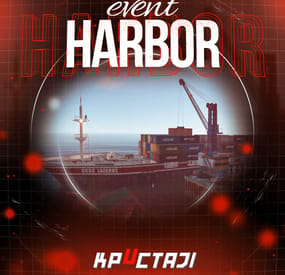
Harbor Event
Creates a unique event at the Harbor monument for players to participate in for rewards. Players must battle numerous NPCs and APCs to access the puzzle to open the loot room!
Description
This event started off as a warning on the chatbox about the ships coming soon to dock in Port, loaded with precious cargo. After the period has passed, a ship appears in one of the locations at Harbour that are accessible from the map, where the crane loads the container.
The loading area is protected by one Tank and 7 NPCs by default. The container door is locked, you must push a button from inside the cranes cockpit to open the door. Inside the container, there is a default security camera, locked box, 2 DMS, 2 Elite, and 2 Military boxes.
The locations and loot from all crates/NPCs can be configured within configurations, and unwanted crates/NPCs added or removed. Also, ships will generate the default ship loot, e.g. The config file allows to modify tank as well as loot inside of the ship.
When the event occurs, the map displays the markers (configured in the config file). All players that are inside the event area will have a timer counting down the amount of time until the event ends.
Dependencies Required
NpcSpawn
Dependencies (optional, not required)
True PVE PveMode GUI Announcements Notify Discord Messages AlphaLoot CustomLoot NTeleportation HeliControl Economics Server Rewards IQEconomic Kits
Chat commands (only for administrators)
/harborstart – starting of the event
/harborstop – ending of the event
/harborpos – determining the position and rotation coordinates for changing the location of NPCs and crates.It should write in the configuration (Attention! The event must be started, the current position of the administrator in relation to the cargoship is read)
Console commands (RCON only)
harborstart – starting of the event
harborstop – ending of the event
Plugin Config
en - example of plugin configuration in English ru - example of plugin configuration in Russian
Hooks
void OnHarborEventStart() – called when the event starts
void OnHarborEventEnd() – called when the event ends
void OnHarborEventWinner(ulong winnerId) – called at the end of the event, where the winnerId is the player who did more actions to complete the event
My Discord: KpucTaJl#8923
Join the Mad Mappers Discord here!
Check out more of my work here!
-

$9.99
Movement Speed
By imthenewguy in Plugins
Movement speed is a plugin that allows servers to create permission based speed increases for running and swimming.
Server owners can create as many custom permission levels as they desire, and permissions are split between swimming and running, allowing for a lot of flexibility.
The plugin allows for multiple speed boost permissions to be applied, and will select the highest speed modifier where applicable.
This plugin will work great with:
Skill Tree: This plugin can be used to create a new permission based skill inside of the Skill Tree, and supports leveling up. Cooking: A new recipe can be created that will give the player a temporary skill buff when consumed. Epic Loot: Add the speed value as part of a set bonus to provide players with faster swimming or running when wearing a set of equipment.
Permission:
movementspeed.admin - allows user of commands.
Commands
msdisablerun <steam id> - forces the players run speed to be disabled. msdisableswim <steam id> - forces the players swim speed to be disabled. msenablerun <steam id> - re-enables the run speed. msenableswim <steam id> - re-enables the swim speed. togglerun - Turns run speed on/off for the command user. toggleswim - Turns swim speed on/off for the command user.
Config integration examples
Cooking
"energy drink": { "enabled": true, "shortname": "fish.cooked", "skin": 3348991998, "description": "Pretty sure I can hear colors and taste time right now... anyone else vibrating?", "duration": 120, "buffs": { "Permission": 1.0 }, "Commands to run when the player consumes the food [key = command, value = description]": { "o.grant user {id} MovementSpeed.run.5": "Increases your movement speed by 100%." }, "Commands to run when the food buff expires": [ "o.revoke user {id} MovementSpeed.run.5" ], "persistThroughDeath": false, "cookTime": 15.0, "useCooldown": 0.0, "permissionToCook": null, "dropWeight": 100, "allowDefaultEffects": false, "Effect settings": { "Effect to run when the player consumes the meal": "assets/prefabs/clothes/halloween.scarecrow/effects/soul_release_effect.prefab", "Should the effect run server side?": true, "Max distance heard [0 = no limit]": 20.0 }, "Ingredients for meal": { "sugar": 5, "pineapple": 1, "red berry": 2, "blue berry": 2 } },
Skill Tree - Swim speed
"Olympic Swimmer": { "Permission required to show this node": null, "Minimum prestige required to unlock this node": 0, "Skill required to unlock node [Requires max level]": null, "Skill that if unlocked, will prevent this node from unlocking": null, "enabled": true, "max_level": 5, "tier": 3, "value_per_buff": 1.0, "buff_info": { "Key": "Permission", "Value": "Permission" }, "icon_url": "https://www.dropbox.com/s/6blc3eiarm07rku/cooking%20tree%20example.v1.png?dl=1", "skin": 3349007497, "permissions": { "description": "This node provides you with <color=#42f105>20%</color> faster swim speed per level.", "perms": { "1": { "perms_list": { "MovementSpeed.swim.2": "Swim speed - <color=#61e500>+20%</color>" } }, "2": { "perms_list": { "MovementSpeed.swim.3": "Swim speed - <color=#61e500>+40%</color>" } }, "3": { "perms_list": { "MovementSpeed.swim.4": "Swim speed - <color=#61e500>+60%</color>" } }, "4": { "perms_list": { "MovementSpeed.swim.5": "Swim speed - <color=#61e500>+80%</color>" } }, "5": { "perms_list": { "MovementSpeed.swim.6": "Swim speed - <color=#61e500>+100%</color>" } } } } },
Skill Tree - Run Speed
"Athletic": { "Permission required to show this node": null, "Minimum prestige required to unlock this node": 0, "Skill required to unlock node [Requires max level]": null, "Skill that if unlocked, will prevent this node from unlocking": null, "enabled": true, "max_level": 4, "tier": 2, "value_per_buff": 1.0, "buff_info": { "Key": "Permission", "Value": "Permission" }, "icon_url": "https://www.dropbox.com/s/6blc3eiarm07rku/cooking%20tree%20example.v1.png?dl=1", "skin": 3349007405, "permissions": { "description": "This node provides you with <color=#42f105>20%</color> faster run speed per level.", "perms": { "1": { "perms_list": { "MovementSpeed.run.2": "Run speed - <color=#61e500>+20%</color>" } }, "2": { "perms_list": { "MovementSpeed.run.3": "Run speed - <color=#61e500>+40%</color>" } }, "3": { "perms_list": { "MovementSpeed.run.4": "Run speed - <color=#61e500>+60%</color>" } }, "4": { "perms_list": { "MovementSpeed.run.5": "Run speed - <color=#61e500>+80%</color>" } } } } },
API
AddRunSpeedBoost(BasePlayer player, string plugin, float modifier, float duration, bool forceOverwrite) AddSwimSpeedBoost(BasePlayer player, string plugin, float modifier, float duration, bool forceOverwrite) RemoveRunSpeed(BasePlayer player, string plugin) RemoveSwimSpeed(BasePlayer player, string plugin)
-

$9.99
Auto Chicken Coop
════════════════════════════════════════════════════
AUTOCHICKENCOOP
Full Industrial Automation for Chicken Coops
by romzar.games
════════════════════════════════════════════════════
DESCRIPTION
-----------
AutoChickenCoop transforms chicken coops into fully automated industrial
production units! Automatically attach storage adaptors and fluid splitters to
chicken coops, enabling complete integration with Rust's industrial system.
Features automatic water transfer, egg hatching, chicken breeding optimization,
and advanced chicken protection systems.
✅ COMPATIBLE WITH BOTH OXIDE/uMOD AND CARBON FRAMEWORKS
KEY FEATURES
------------
✓ Automatic Storage Adaptor Attachment
- Automatically attaches industrial storage adaptor to every chicken coop
- Connect conveyors directly to collect eggs and feathers
- Full industrial automation integration
- No player interaction required - completely automatic
✓ Automatic Fluid Splitter System
- Fluid splitter automatically attached to every coop
- Automatic water transfer from connected industrial sources
- Smart IO chain detection for water sources
- Configurable transfer rates based on IO setup
- Never manually fill water again!
✓ Auto-Hatch System
- Automatically hatches eggs when chicken count is below max
- Configurable max chickens per coop
- Perfect for automated breeding farms
✓ Chicken Love & Sunlight Control
- Force max love (100%) for constant breeding readiness
- Force max sunlight (100%) for optimal health
- Separate permissions for love and sunlight control
- Works on all chickens in automated coops
- Automatic attribute updates
✓ Advanced Chicken Protection
- Protect chickens from unauthorized damage
- Only owner and team/clan/friends can damage chickens
- Integrates with: Friends API, Clans, BetterTeams
- Configurable protection options
- Perfect for PvE servers
✓ Group-Based Limits System
- Configure different coop limits per permission group
- Perfect for VIP tiers and donation rewards
- Unlimited permission available for admins/special players
- Players get helpful upgrade messages when limit reached
- Data persistence - limits maintained across restarts
✓ Smart Water Transfer System
- Automatic detection of water in connected IO chains
- Supports multiple water sources (tanks, pumps, etc.)
- Transfer rate based on IO configuration
- Prevents water duplication and exploits
- Efficient batch processing for multiple coops
✓ Fully Configurable
- Adjust adaptor and splitter position/rotation
- Configure auto-hatch settings (max chickens, interval)
- Configure love/sunlight update intervals
- Configure chicken protection rules
- Fine-tune all aspects to match your server
✓ Admin Management Tools
- Reset command to reposition all adaptors/splitters
- Debug command for water transfer troubleshooting
- Check water status for specific coops/splitters
- Limit check command for players
- Comprehensive logging
✓ Automatic Cleanup & Optimization
- Removes adaptors/splitters when coops are destroyed
- No orphaned entities
- Automatic cleanup of old data (30 days)
- Dirty bit tracking for efficient saves
- Randomized auto-save to reduce I/O spikes
✓ Data Persistence
- Per-player data files for optimal performance
- Tracks all coops, adaptors, splitters, and chickens
- Automatic save on server save, player disconnect, and interval
- Backup system for corrupted data
- Clean and optimized performance
INSTALLATION
------------
1. Upload AutoChickenCoop.cs to oxide/plugins/
2. The plugin will auto-generate its config file on first load
3. Grant permissions to players/groups (see PERMISSIONS section)
4. Reload the plugin if needed: o.reload AutoChickenCoop
PERMISSIONS
-----------
autochickencoop.use
- Required for players to have automated chicken coops
- Without this permission, coops work normally (no automation)
autochickencoop.love.max
- Forces 100% love on all chickens in automated coops
- Ensures constant breeding readiness
- Updates automatically at configured interval
autochickencoop.autohatch
- Enables automatic egg hatching in chicken coops
- Automatically moves eggs to hatching slot
- Maintains configured max chicken count
autochickencoop.sunlight
- Forces 100% sunlight on all chickens in automated coops
- Ensures optimal health regardless of actual sunlight
- Perfect for indoor farms
autochickencoop.unlimited
- Bypass all chicken coop limits
- Perfect for admins or special players
- No maximum coop count
autochickencoop.admin
- Required to use admin commands
- For server administrators only
autochickencoop.{group}
- Group-specific limits configured in config file
- Examples: autochickencoop.default, autochickencoop.vip,
autochickencoop.premium
- Players get the highest limit from all their group permissions
PERMISSION EXAMPLES
-------------------
Grant to all players with basic automation (3 coops):
o.grant group default autochickencoop.use
o.grant group default autochickencoop.default
Grant VIP with auto-hatch and more coops (6 coops):
o.grant group vip autochickencoop.use
o.grant group vip autochickencoop.vip
o.grant group vip autochickencoop.autohatch
Grant premium with full automation (12 coops):
o.grant group premium autochickencoop.use
o.grant group premium autochickencoop.premium
o.grant group premium autochickencoop.autohatch
o.grant group premium autochickencoop.love.max
o.grant group premium autochickencoop.sunlight
Grant unlimited coops to admins:
o.grant group admin autochickencoop.use
o.grant group admin autochickencoop.unlimited
o.grant group admin autochickencoop.autohatch
o.grant group admin autochickencoop.love.max
o.grant group admin autochickencoop.sunlight
Grant admin permissions:
o.grant group admin autochickencoop.admin
COMMANDS
--------
/chickencoop.limit (Chat)
- Check your current chicken coop limit and usage
- Shows how many automated coops you have vs your limit
- Available to all players with .use permission
- Example output: "Automated Chicken Coops: 2/6"
/autochickencoop.reset (Chat) or autochickencoop.reset (Console)
- Requires: autochickencoop.admin permission
- Removes all old adaptors/splitters and recreates them
- Useful when adjusting position/rotation or limits in config
- Shows statistics: coops found, adaptors removed, splitters removed,
entities created
- Respects player limits when recreating automation
/chickencoop.debug (Chat) - Admin Only
- Requires: autochickencoop.admin permission
- Shows comprehensive water transfer debug information
- Displays total coops/chickens tracked
- Shows coops with water, splitter configs, active splitters
- Shows water transfer timer status
- Perfect for troubleshooting water issues
/chickencoop.checkwater (Chat) - Admin Only
- Requires: autochickencoop.admin permission
- Look at a chicken coop or fluid splitter
- Shows detailed water status for that specific entity
- Displays water amount, transfer calculations, IO connections
- Shows water source chain and transfer rates
- Best tool for diagnosing individual coop issues
CONFIGURATION
-------------
File Location: oxide/config/AutoChickenCoop.json
Default Configuration:
{
"Enabled": true,
"StorageAdaptorPosition": {
"x": -0.5,
"y": 1.45,
"z": -1.0
},
"StorageAdaptorRotation": {
"x": -15.0,
"y": 0.0,
"z": 0.0
},
"FluidSplitterPosition": {
"x": 0.1,
"y": 0.9,
"z": -1.0
},
"FluidSplitterRotation": {
"x": 0.0,
"y": 90.0,
"z": 0.0
},
"LoveSystem": {
"UpdateInterval": 30.0,
"ForceUpdateOnPet": true
},
"AutoHatch": {
"Enabled": true,
"MaxChickens": 4,
"CheckInterval": 30.0
},
"ChickenProtection": {
"Enabled": true,
"OnlyOwnerAndTeamCanDamage": true,
"CheckFriends": true,
"CheckClans": true,
"CheckBetterTeams": true
},
"GroupLimits": {
"default": 3,
"vip": 6,
"premium": 12
}
}
Configuration Options:
- Enabled: Set to false to disable the plugin without unloading
- StorageAdaptorPosition: Position offset relative to the coop (X, Y, Z)
* Default values position adaptor on upper back of coop
* Adjust to match your server's aesthetic preferences
- StorageAdaptorRotation: Rotation of the adaptor in degrees (X, Y, Z)
* Default: -15° pitch for proper alignment
- FluidSplitterPosition: Position offset relative to the coop (X, Y, Z)
* Default values position splitter on side of coop
* Must be positioned to allow IO connections
- FluidSplitterRotation: Rotation of the splitter in degrees (X, Y, Z)
* Default: 90° yaw for proper IO orientation
- LoveSystem:
* UpdateInterval: Seconds between love/sunlight updates (default: 30)
* ForceUpdateOnPet: Force update when chicken is pet (default: true)
- AutoHatch:
* Enabled: Enable/disable auto-hatch system (default: true)
* MaxChickens: Maximum chickens per coop before stop hatching (default: 4)
* CheckInterval: Seconds between auto-hatch checks (default: 30)
- ChickenProtection:
* Enabled: Enable/disable chicken protection (default: true)
* OnlyOwnerAndTeamCanDamage: Only owner/team can damage (default: true)
* CheckFriends: Check Friends API (default: true)
* CheckClans: Check Clans plugin (default: true)
* CheckBetterTeams: Check BetterTeams plugin (default: true)
- GroupLimits: Dictionary of group names and their coop limits
* "default": 3 = Players with autochickencoop.default get 3 coops
* "vip": 6 = Players with autochickencoop.vip get 6 coops
* "premium": 12 = Players with autochickencoop.premium get 12 coops
* Add as many custom groups as you want
* Players with multiple group permissions get the highest limit
* Permissions are automatically registered from this config
HOW IT WORKS
------------
1. Player with 'use' permission places a chicken coop
2. Plugin checks if player has reached their group limit
3. If within limit, plugin automatically attaches:
- Storage adaptor (for eggs/feathers collection)
- Fluid splitter (for automatic water supply)
4. If limit reached, player receives message with upgrade information
5. Player connects industrial components:
- Water source (tank, pump) to fluid splitter INPUT
- Conveyors to storage adaptor OUTPUT for egg/feather collection
6. Water automatically transfers to coop every 10 seconds
7. If auto-hatch enabled and player has permission:
- Eggs automatically move from storage to hatching slot
- System maintains max chicken count
8. If love.max permission: Chickens always at 100% love (breeding ready)
9. If sunlight permission: Chickens always at 100% sunlight (healthy)
10. Chicken protection prevents unauthorized damage
11. When coop destroyed, all automation removed and count updated
12. Player data saved persistently across server restarts
CHICKEN PROTECTION SYSTEM
-------------------------
Advanced protection prevents unauthorized damage:
Protection Levels:
1. Owner: Always allowed to damage their own chickens
2. Team: Rust team members allowed (if OnlyOwnerAndTeamCanDamage = true)
3. Friends: Friends API integration (if CheckFriends = true)
4. Clans: Clans plugin integration (if CheckClans = true)
5. BetterTeams: BetterTeams plugin integration (if CheckBetterTeams = true)
How It Works:
- OnEntityTakeDamage hook intercepts all chicken damage
- Checks if chicken is in an automated coop (has parent coop)
- Gets coop owner ID
- Checks if attacker is authorized (owner/team/friend/clan)
- Blocks damage if unauthorized
- Returns null (allows damage) if authorized
Configuration:
- Enabled: Turn entire protection system on/off
- OnlyOwnerAndTeamCanDamage: Core protection toggle
- CheckFriends/Clans/BetterTeams: Individual integration toggles
- Disable specific integrations if you don't have those plugins
ADMIN WORKFLOW
--------------
Initial Setup:
1. Configure GroupLimits in config file for your server tiers
2. Configure auto-hatch settings (max chickens, interval)
3. Configure love/sunlight update intervals
4. Configure chicken protection rules
5. Adjust adaptor/splitter positions if needed
Permission Setup:
6. Grant 'use' permission and group limit permissions to players/groups
7. Grant auto-hatch permission to VIP+ tiers
8. Grant love.max and sunlight to premium tiers
9. Grant 'unlimited' permission to admins or special players
10. Grant 'admin' permission to administrators
Maintenance:
11. Use /autochickencoop.reset command to apply config changes
12. Use /chickencoop.debug to monitor water transfer system
13. Use /chickencoop.checkwater to diagnose specific coops
14. Monitor player limits and upgrade requests
15. Enjoy players' creative automated chicken farms within balanced limits!
PERFORMANCE
-----------
• Lightweight and optimized
• Efficient per-player data file system
• Batch processing for entity initialization
• Safe to use on high-population servers
COMPATIBILITY
-------------
• Works with vanilla Rust
• Compatible with all industrial system items
• Integrates with: Friends API, Clans, BetterTeams
• No conflicts with other plugins
• Standalone - no dependencies required (friends/clans optional)
• Works with building plugins (CopyPaste, etc.)
• ✅ Oxide/uMod Framework - Fully Compatible
• ✅ Carbon Framework - Fully Compatible
• Single plugin file works on both frameworks automatically
TROUBLESHOOTING
---------------
Q: Adaptors/splitters aren't appearing on coops
A: Check that players have the 'autochickencoop.use' permission
Q: Multiple adaptors on one coop
A: Use /autochickencoop.reset command to clean up and recreate
Q: Want to change adaptor/splitter position
A: Edit the config file, reload plugin, then use /autochickencoop.reset
Q: Water isn't transferring to coops
A: Use /chickencoop.checkwater while looking at coop to diagnose
Verify IO connections from water source to fluid splitter
Check that water source has water in it
Ensure fluid splitter is properly connected
Q: Eggs aren't auto-hatching
A: Verify player has autochickencoop.autohatch permission
Check that coop has eggs in slot 3
Verify chicken count is below MaxChickens config value
Check AutoHatch.Enabled = true in config
Q: Chickens not at max love/sunlight
A: Verify player has autochickencoop.love.max and/or autochickencoop.sunlight
Check LoveSystem.UpdateInterval in config (default: 30s)
Wait for next update cycle
Q: Players without permission have automation
A: Existing coops keep automation. Remove permission and use
/autochickencoop.reset
Q: Chickens being damaged by other players
A: Enable ChickenProtection in config
Verify OnlyOwnerAndTeamCanDamage = true
Check that protection integrations are enabled
Q: Player can't place more coops
A: They've reached their group limit. Check with /chickencoop.limit
Grant them a higher tier permission or .unlimited permission
Q: How do I change a player's limit?
A: Grant them the permission for a higher tier group:
o.grant user PlayerName autochickencoop.vip
Q: Player data not saving
A: Check oxide/data/AutoChickenCoop/ folder exists and has write permissions
Data saves automatically when coops are placed/destroyed
Check server console for error messages
Q: Want to reset all player data
A: Delete files in oxide/data/AutoChickenCoop/ folder and use
/autochickencoop.reset
Q: How to add custom group limits?
A: Edit config file GroupLimits section, add your group and limit:
"elite": 20
Then grant permission: o.grant group elite autochickencoop.elite
Q: Water transfer rate too slow/fast
A: Transfer rate is calculated based on IO chain configuration
Add more pumps or tanks to increase rate (10 per pump/tank)
Maximum rate is 100 water per 10 seconds
Use /chickencoop.checkwater to see current transfer calculations
Q: Auto-hatch too fast/slow
A: Adjust AutoHatch.CheckInterval in config
Lower value = checks more often (faster response)
Higher value = checks less often (lower CPU usage)
Default: 30 seconds is balanced
Q: Love/Sunlight updates not frequent enough
A: Adjust LoveSystem.UpdateInterval in config
Lower value = updates more often
Higher value = updates less often (lower CPU usage)
Default: 30 seconds is balanced
SUPPORT
-------
For support, questions, or feature requests, please contact:
Discord: romzar
LICENSE
-------
This plugin is provided for use on Rust game servers.
Redistribution or resale of this plugin is prohibited.
© 2025 romzar.games - All rights reserved.
══════════════════════════════════════════════════════
Thank you for using AutoChickenCoop!
Build the ultimate automated chicken farm on your server!
══════════════════════════════════════════════════════
- #industrial
- #automation
- (and 12 more)
-
$15.00
BoatControl
Rust / Server Plugins
BoatControl
Modular Boat ManagementRust Plugin
Take the helm. Control the ship. Command the cannons.
Bring navigation, cannons, lighting and boat management together in a clear interface at the helm. Manage sails and engines, upgrade performance, repair the boat and customize its setup with permission-controlled features.
Helm controls
Navigation, anchors and lighting
Cannon crew
Aim, reload and fire from the helm
Boat progression
Upgrades, repairs and customization
01 / Video demos
See BoatControl in action
Video demo
Watch on YouTube
Video Update 1.0.0
Watch on YouTube
02 / Helm & navigation
One interface for the whole boat
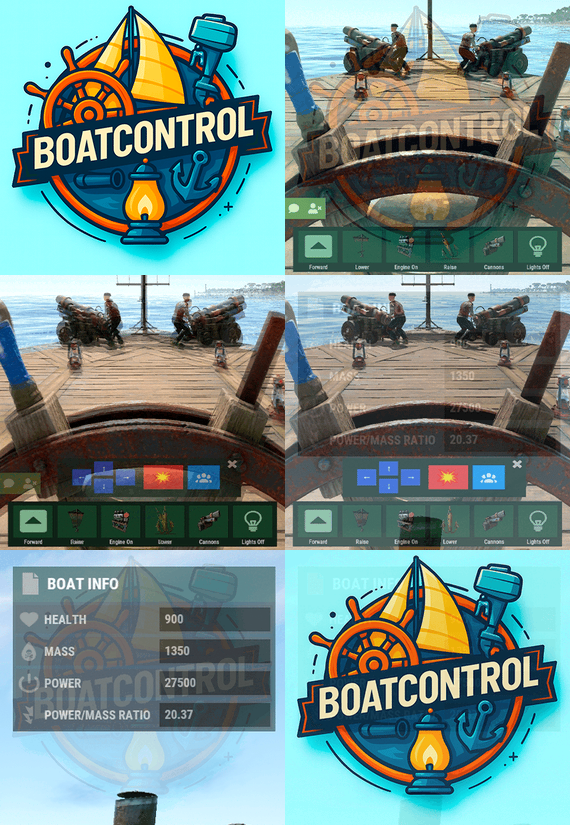
The control interface appears when a player with boatcontrol.use mounts a modular boat’s steering wheel.
BoatControl helm control bar
Raise or lower the sails and anchors. Start or stop the engines. Switch between forward and reverse navigation; engines and sails adjust accordingly. Use W and S to change direction when keyboard direction control is enabled. Hold R to open the boat’s radial menu when enabled, and release it to close the menu. Live boat information
Display boat health, mass, power, power-to-mass ratio and speed in knots. Players can unlock and move the information window; its saved position is retained. Administrators can configure window colors, dimensions and placement, or disable the information window.
Boat information and controls while steering
03 / Cannons & crew
Coordinate your fire from the helm
Reload cannons using cannon ammunition from the player’s inventory. A separate permission bypasses ammunition costs. Fire through the interface or left mouse click when enabled. Configure the firing cooldown, or bypass it through a permission. Aim cannons in configurable angle steps and select numbered crew groups to control which crew-operated cannons are targeted. Assign or remove NPC cannon crew through the interface. Configure crew names, health, outfits and skins, maximum crewed cannons, toggle cooldown and whether corpses are created. Configure whether cannons need a mounted operator before remote aiming and firing. Cannon control and crew interface
boatcontrol.cannonuse controls access to BoatControl’s cannon interface. It does not disable manual, vanilla cannon use. Assign ammunition and cooldown bypasses carefully. 04 / Lighting
Switch the boat’s lights together
Toggle configured torches, lanterns, candle sets, jack-o’-lanterns and Chinese lanterns together from the boat controls. Configure supported item shortnames, the toggle cooldown and whether lights require fuel.
Boat lighting controlled from the helm
Optional fuel-free lighting applies to supported lights. It does not make boat engines operate without fuel. 05 / Boat editing
Edit away from a fixed boat-building area
Grant boatcontrol.edit to access boat editing from the controls. Configure a damage cooldown before editing and block editing inside safe zones when desired. Editing also requires a Boat Building Station item in the player inventory, a boat moving at no more than 2 m/s, and no other active station owned by that player.
Boat editing through BoatControl
Safe-zone restriction for boat editing
Larger building stations
Major update — new features in 1.2.0, with station resizing available from 1.2.3.
Scale the boat-building station created by the edit option with Building Station Scale. This supports a larger construction area for custom boat builds.
Expanded boat-building station
For larger ships, adjust the game block-count limit separately if needed. Set a limit of 500 blocks with the following server variable:
playerboat.maxblockcount 500 Safe-zone anchor protection
Optionally prevent anchor activation inside safe zones.
Anchor restriction inside safe zones
Safe-zone anchor protection example
06 / Authorization
See who can access the boat
Open the list of authorized players from the helm. Grant the separate deleteauth permission to allow authorized users to revoke individual authorizations.
Boat authorized-player list
07 / Sail configuration
Upgrade thrust and customize sail size
View all sails installed on the boat, including their health. Use configurable upgrade levels to change thrust. Starting with version 1.2.3, sail upgrades can also increase or decrease sail size according to your configured scale multiplier.
Sail configuration and health
Sail upgrade levels and costs
Additional sail upgrade interface example
Sails with different configured size multipliers
Define the number of upgrade levels, display names and costs. Select resources, ServerRewards points or Economics money as the upgrade currency. 08 / Engine configuration
Manage fuel, health and engine upgrades
View installed engines with their health and current fuel. Refuel them from the player’s inventory through the refueling menu. Configure upgrade levels that improve engine power and reduce fuel consumption through an efficiency multiplier.
Engine configuration and refueling
Engine upgrade levels and costs
Choose resources, ServerRewards points or Economics money for upgrade costs. Engine and sail upgrade levels are saved in the plugin’s data, and boatcontrol.upgrade.nocost can waive upgrade charges.
Upgrades modify power and thrust, and the plugin adjusts boat drag for upgraded propulsion. Final speed still depends on the game’s boat physics; power multipliers do not guarantee an equal multiplier to maximum speed. 09 / Automatic repairs
Repair using materials from the player’s inventory
Configure repair costs per block/component and a cooldown after recent damage. Set repair frequency through permission profiles; a larger interval repairs more slowly. Repairs stop if new damage is received, the player runs out of materials or the player disconnects. Grant boatcontrol.repair.nocost to waive repair materials. Automatic boat repair system
Boat health differs from ordinary building health. The repair system simulates repair points according to lost health, so the repair sound may come from a different point than the damaged component.
10 / Wallpaper & impact physics
Customize the interior and naval combat
BetterTC wallpapers
With BetterTC 1.6.2 or later installed, BoatControl provides access to its automatic boat wallpaper placement interface. Grant boatcontrol.wallpaper to make this feature available.
Automatic boat wallpaper placement through BetterTC
Cannon impact physics
Enable configurable force on boats hit by cannon damage. Adjust the impact force and enable diagnostic logging when needed.
11 / Permissions & access
Choose what each player can control
Permission Purpose boatcontrol.use Enable BoatControl when mounting the helm. boatcontrol.edit Access boat editing away from a fixed building area, subject to configured restrictions. boatcontrol.bypassAmmo Bypass cannon ammunition consumption. boatcontrol.bypasscannoncooldown Fire cannons without the configured cooldown. boatcontrol.cannonuse Access the cannon control interface; manual vanilla use remains available. boatcontrol.authlist View authorized players. boatcontrol.deleteauth Revoke individual boat authorizations. boatcontrol.sailconfig Open the sail configuration menu. boatcontrol.sailupgrade Upgrade sails using the configured levels. boatcontrol.engineconfig Open the engine configuration and refueling menus. boatcontrol.engineupgrade Upgrade engines using the configured levels. boatcontrol.upgrade.nocost Waive engine and sail upgrade costs. boatcontrol.wallpaper Access boat wallpapers through BetterTC 1.6.2 or later. boatcontrol.repair Access automatic boat repairs. boatcontrol.repair.nocost Repair without consuming materials. boatcontrol.vip Example profile in the repair-frequency configuration; configurable, not a boat speed-limit permission. Additional repair-frequency profile names are registered from the configuration. They adjust repair intervals, not the boat’s maximum speed.
Normal use is through the CUI and keyboard controls; no chat command is required. The plugin also registers console actions used by its interface.
Utility console action Purpose boatcontrol.resetuiposition Player console: reset your saved information-window position. boatcontrol.clearorphancrew Console: remove orphaned cannon crew. 12 / Requirements & configuration
Configure the controls for your server
Rust server using Oxide or Carbon. On Oxide, install ImageLibrary; Carbon uses its built-in Image Module. Install BetterTC 1.6.2 or later for automatic wallpapers. Install ServerRewards or Economics only when using their upgrade currencies. Optional Notify or UINotify integration supplies configured notifications; chat alerts are also configurable. Configure keyboard controls, cannon aiming and cooldowns, crew behavior, supported lights, impact physics, GUI, safe-zone restrictions, repairs, station scale and upgrade levels. The example below uses the supplied costs and profiles, with current keys and sail-scale options from BoatControl 1.2.5. It is an example, not a replacement for the configuration generated by your installed version. 13 / Configuration example
Controls, costs and upgrade profiles
{ "Enable WASD Direction": true, "Enable Cannon Fire Key (Left Mouse Button)": true, "Cannon Aim Step (degrees per click)": 5.0, "Cannon Fire Cooldown": 5.0, "Cannon Crew": { "Enable": true, "Names": [ "Seaman", "Deckhand", "Bosun", "Gunner", "Quartermaster", "Navigator", "Sailor", "Crewman", "Mate", "Boatswain", "Cannoneer", "Buccaneer", "Mariner", "Sea Dog", "Old Salt" ], "Health": 100.0, "MaxCannons": 0, "Wear": { "burlap.shirt": 1380044819, "burlap.trousers": 1380047706, "burlap.shoes": 2215057317, "hat.boonie": 965553937 }, "RequireOperate": true, "ToggleCrewCooldown": 30.0, "NoCorpse": true }, "Lights": { "Light Toggle Cooldown": 1.0, "Require Fuel For Lights": false, "Light Items (shortnames)": [ "tunalight", "lantern", "torchholder", "largecandles", "smallcandles", "jackolantern.angry", "jackolantern.happy", "chineselantern", "chineselanternwhite" ] }, "Impact Force Physics": { "Enable Impact Physics": true, "Impact Force (default: 100, range: 50-500)": 100.0, "Enable Debug Logging": false }, "Alert Chat": true, "Alert Notify Plugin": false, "Notify: select what notification type to be used": { "error": 0, "info": 0 }, "Color Prefix Chat": "#f74d31", "GUI": { "GUI Windows Belt": { "BG Color Primary": "0.10 0.15 0.10 1", "BG Color Secundary": "0.2 0.30 0.2 0.80", "Button Active Color": "0.2 0.6 0.2 0.80", "Button Inactive Color": "0.2 0.30 0.2 0.80", "OffsetMin": "-200 15", "OffsetMax": "181 79", "AnchorMin": "0.5 0", "AnchorMax": "0.5 0" }, "GUI Windows Info": { "BG Color Primary": "0.10 0.10 0.10 0.8", "BG Color Secundary": "0.2 0.30 0.2 0.80", "Button Active Color": "0.2 0.6 0.2 0.80", "Button Inactive Color": "0.2 0.30 0.2 0.80", "OffsetMin": "-115 -100", "OffsetMax": "115 100", "AnchorMin": "0.902 0.8104", "AnchorMax": "0.902 0.8104" }, "GUI Windows Cannons Menu": { "BG Color Primary": "0.10 0.15 0.10 1", "BG Color Secundary": "0.2 0.30 0.2 0.80", "Button Active Color": "0.2 0.6 0.2 0.80", "Button Inactive Color": "0.2 0.30 0.2 0.80", "OffsetMin": "-140 85", "OffsetMax": "140 185", "AnchorMin": "0.5 0", "AnchorMax": "0.5 0" } }, "Show Info Window": true, "Boat Edit Damage Cooldown (seconds)": 30.0, "Block Anchor in Safe Zone": true, "Block Boat Edit in Safe Zone": true, "Config Version": "1.2.5", "Repair Cooldown After Recent Damage (seconds)": 30.0, "Cooldown Frequency Repair (larger number is slower)": { "boatcontrol.use": 2.0, "boatcontrol.vip": 1.0 }, "Repair Costs (ItemShortName: Amount per block/component)": { "lowgradefuel": 4, "wood": 75 }, "Engine Upgrades": { "Enable Engine Upgrades": true, "Upgrade Levels": [ { "Level": 1, "Display Name": "Tier 1", "Fuel Efficiency Multiplier (1.0 = normal, 0.5 = half fuel consumption)": 0.9, "Power Multiplier (1.0 = normal, 2.0 = double power)": 2.0, "Upgrade Cost": { "Resource Costs (ItemShortName: Amount)": { "scrap": 100, "lowgradefuel": 50 }, "ServerRewards Points": 0, "Economics Money": 0.0 } }, { "Level": 2, "Display Name": "Tier 2", "Fuel Efficiency Multiplier (1.0 = normal, 0.5 = half fuel consumption)": 0.8, "Power Multiplier (1.0 = normal, 2.0 = double power)": 4.0, "Upgrade Cost": { "Resource Costs (ItemShortName: Amount)": { "scrap": 250, "lowgradefuel": 100, "metal.fragments": 300 }, "ServerRewards Points": 0, "Economics Money": 0.0 } }, { "Level": 3, "Display Name": "Tier 3", "Fuel Efficiency Multiplier (1.0 = normal, 0.5 = half fuel consumption)": 0.65, "Power Multiplier (1.0 = normal, 2.0 = double power)": 8.0, "Upgrade Cost": { "Resource Costs (ItemShortName: Amount)": { "scrap": 500, "lowgradefuel": 200, "metal.fragments": 500, "metal.refined": 25 }, "ServerRewards Points": 0, "Economics Money": 0.0 } }, { "Level": 4, "Display Name": "Tier 4", "Fuel Efficiency Multiplier (1.0 = normal, 0.5 = half fuel consumption)": 0.65, "Power Multiplier (1.0 = normal, 2.0 = double power)": 16.0, "Upgrade Cost": { "Resource Costs (ItemShortName: Amount)": { "scrap": 1000, "lowgradefuel": 300, "metal.fragments": 1500, "metal.refined": 100 }, "ServerRewards Points": 0, "Economics Money": 0.0 } } ], "Currency Type (Resources, ServerRewards, Economics)": "Resources" }, "Sail Upgrades": { "Enable Sail Upgrades": true, "Upgrade Levels": [ { "Level": 1, "Display Name": "Tier 1", "Thrust Multiplier (1.0 = normal, 2.0 = double thrust)": 1.5, "Upgrade Cost": { "Resource Costs (ItemShortName: Amount)": { "scrap": 75, "cloth": 100 }, "ServerRewards Points": 10, "Economics Money": 0.0 }, "Scale Multiplier (1.0 = normal size, 1.5 = 50% bigger)": 1.2 }, { "Level": 2, "Display Name": "Tier 2", "Thrust Multiplier (1.0 = normal, 2.0 = double thrust)": 2.0, "Upgrade Cost": { "Resource Costs (ItemShortName: Amount)": { "scrap": 150, "cloth": 200, "leather": 50 }, "ServerRewards Points": 15, "Economics Money": 0.0 }, "Scale Multiplier (1.0 = normal size, 1.5 = 50% bigger)": 1.4 }, { "Level": 3, "Display Name": "Tier 3", "Thrust Multiplier (1.0 = normal, 2.0 = double thrust)": 2.5, "Upgrade Cost": { "Resource Costs (ItemShortName: Amount)": { "scrap": 300, "cloth": 300, "leather": 100, "metal.fragments": 200 }, "ServerRewards Points": 20, "Economics Money": 0.0 }, "Scale Multiplier (1.0 = normal size, 1.5 = 50% bigger)": 1.6 }, { "Level": 4, "Display Name": "Tier 4", "Thrust Multiplier (1.0 = normal, 2.0 = double thrust)": 3.0, "Upgrade Cost": { "Resource Costs (ItemShortName: Amount)": { "scrap": 600, "cloth": 500, "leather": 200, "metal.fragments": 500 }, "ServerRewards Points": 30, "Economics Money": 0.0 }, "Scale Multiplier (1.0 = normal size, 1.5 = 50% bigger)": 1.8 } ], "Currency Type (Resources, ServerRewards, Economics)": "ServerRewards" }, "Enable Boat Pie Menu Key (R)": true, "Building Station Scale (1.0 = normal, 2.0 = double size)": 1.0 } 14 / Current limitations
Plan your boat setup around the game
Engine efficiency is configurable; engines still require fuel. The plugin does not provide a supported increase to the maximum number of engines or sails. Larger construction stations are supported; the game’s separate block-count setting still applies. Final speed depends on boat physics and the installed game version. 15 / Try it & support
Try the setup and share your ideas
You can try the plugin on the RustSpain Staging test server when it is online. It is a test server, so availability is not guaranteed.
connect staging.rustspain.com For questions, suggestions or assistance, contact ninco90 on Discord. Feature suggestions are also welcome in the product discussion.
- #boat
- #controller
- (and 8 more)