

Kleementin
-
Posts
715 -
Joined
-
Last visited
-
Days Won
5
Content Type
Profiles
Warranty Claims
Downloads
Forums
Store
Services
Downloads Plus Support
DOWNLOADS EXTRA
Reels
Everything posted by Kleementin
-
 That's all I needed to know. Thank you.
 -
Any news to this? Cause I would like to buy this for the next wipe but need to know if it will work with Raid Time Manager.
-
Well, why would I ask him if I wanna find out if your plugin will work properly on my server?! I think it's logical to ask you. Yes, I own the Raid Time Manager plugin and use it.
-
 I can't say exactly when that started to happen but i guess it was maybe like 3-4 months ago. I once wrote you on your Discord because of that. Maybe it helps if you can find out when that was. I have no test server or anything so I cannot test it alone.
 -
Would be great to find out cause Raid Time Manager is the no.1 tool for setting raid times and more and more servers use it. I cannot tell wether npc's can do harm to bases due to the plugin. Would be great if you would contact the developer and discuss that.
-
Also, does this work with Raid Time Manager? Meaning are the bots able to do base damage when base damage is turned off by the Raid Time Manager plugin?
-
How is it prevented that players do not throw those flares on other players bases to make the npcs attack them?
-
 Would be great.
 -
I'm not looking for doing more work as I already have with that server. That's why I always keep an eye on automatic events where I don't have to do anything for each wipe. But thx.
-
I guess the problem is that the convoy won't use a road til its end on maps with no ring road. It always just drives from one monument to another instead of using the whole road till the end. In this case for example the convoy only goes from Water Treatment to Satelliite or from Satellite to Power Plant but never just turns right/left to go the whole way. This should be changed.
-
,
-
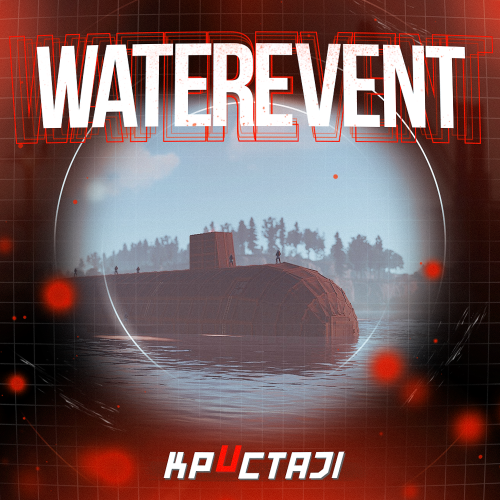
I unloaded MovableCCTV and AutoCCTVStations, the only plugins I have regarding cameras but still the Harbor event cam won't show a picture. This used to work normally even with those 2 plugins installed. but one day it wasn't working anymore. Other cameras in monuments and other events like Cargo Train do work as intended. So, I think it's something on your end that needs to be fixed. So, I hear the sounds but have this picture:
-
The convoy could be improved the way it chooses roads. It uses the same 2 roads over and over again.
-
 Can you add options to disable global chat messages when players do any actions like using cards, opening crates or so during the event? I would only like to have the event start and end message in the global chat.
 -
 Can you add options to disable global chat messages when players do any actions during the event? I would only like to have the event start and end message in the global chat.
- 49 comments
-
- 1
-

-
- #broken cars
- #cargoplane
- (and 26 more)
-
Something broke the cameras. One can hear sounds when using the computer but no picture. Could this because of AutoCCTVStations plugin? Can you fix this?
-
Can you add options to disable chat messages when players do something during the event like opening the locked door and everything? I would only like to have the event start and end message.
-
Can you add options to disable chat messages when players attack the convoy or open the crate? I would only like to have the event start and end message.
-

Make it possible to attach ziplines to monuments/powerlines and stuff
Kleementin replied to Kleementin's Support Report in Support
Ok. Just wanted to ask. Would have been a nice thing to connect these. Thank you anyway. Maybe you can change the landing point more towards the end of the zipline, as I mentioned in another thread here. It's always hard to make the ziplines work without having to place 2 unnecessary floors. -
Make it possible to attach ziplines to monuments/powerlines and stuff
Kleementin replied to Kleementin's Support Report in Support
I would think one can just climb on the pylon and put it there as usual. -
Make it possible to attach ziplines to monuments/powerlines and stuff
Kleementin replied to Kleementin's Support Report in Support
I have no idea how to do this unfournately. I am not a developer. -
-min.thumb.png.22162946864f964b81b41c0190f39857.png) I have to ask again. Is there really no chance the plugin can be changed so that one lands nearer to the zipline's end instead of 2 floors away? Works with powerline ziplines on the map too. One lands really close to the zipline's end instead of falling down the pylon.
I have to ask again. Is there really no chance the plugin can be changed so that one lands nearer to the zipline's end instead of 2 floors away? Works with powerline ziplines on the map too. One lands really close to the zipline's end instead of falling down the pylon. -
 So does work with Kits plugin and Auto Kits? I read a thread here where players don't get their stuff back due to that.
 -
Make it possible to attach ziplines to monuments/powerlines and stuff
Kleementin posted A Support Report in Support
Can you give us an option that allows us to attach ziplines to things in the world where we normally cannot build? Would be fun to be able to establish ziplines to monuments or powerlines to make a connection to those ingame ziplines. -
I would like how much wood the campfire consumes cause by now, cause of that plugin I guess, it consumes thousands of wood in minutes. There's no such option in the plugin yet, right? Can you add it?

