
Jump to content

ZEODE

Creator Pro
  • Posts

    2,100
  • Joined

  • Last visited

  • Days Won

    17

Everything posted by ZEODE

  1. ZEODE

    Heli Signals

    Please familiarise yourself with the config, the option you need to change and make sure to set false is: You have not set the permission, the chat message literally tells you the issue
  2. ZEODE

    EMP Grenades

    Make sure they have the permission and that you have buy enabled in the config.
  3. ZEODE

    Heli Signals

    Using this option: ""Announcements Also go to Global Chat (false = Player/Team Only)": false" If the Team options are disabled, and the above option is false, it will only go to the player who called. If team options are enabled, with above set to false it will go to the player who called and their team. With the above set to true, it will go to global chat. I will see about adding options to separate the announcements in the future.
  4. ZEODE

    Bradley Drops

    It’s working fine since the issue was identified and fixed. If you still have stacking issues open a support thread with your config file and I’m pretty sure I can identify the issue
  5. ZEODE

    Heli Signals

    Firstly, if you are writing about Bradley Drops, please don't write here on the Heli Signals plugin page. Secondly, if you have a support request, open a support thread in the proper support section for Bradley Drops, not on the discussion page.
  6. ZEODE

    Heli Signals

    What are you talking about? It's working fine. Also, maybe consider the way you talk to people.
  7. ZEODE

    Personal Marketplace

    It's working fine, if its not for you then another plugin must be conflicting and giving you this weirdly skinned box. If you require further support, please open a thread in the support section. This is not the place for it.
  8. ZEODE

    Heli Signals

    In future, please use the support section for support issues. This is not the place for it. The reason you are seeing this issue is because you have profiles in the config with duplicate skin ID's. Each profile MUST have its own unique skin ID. You must fix this then reload the plugin and it will be fine.
  9. ZEODE

    Bradley Drops

    You don't need to restart the server, it is only information and wont hurt anything. If it bothers you can install the plugin below and run the command "clearnullsave". This will clear null entries from the save file. I will try and have a proper update out later on to fix this.
  10. ZEODE

    Bradley Drops

    Yes, its annoying but harmless spam. I will fix it in the upcoming new release. For now you can ignore it. It doesn't have a performance impact or affect anything else.
  11. ZEODE

    Heli Signals

    Please don’t do that, it’s not helpful to clog the discussion page up with huge copy pastes. If you have a support issue please use the proper support section. Also check the support section first to see if someone has already reported the same issue. If you have to copy paste a lot of info, then enclose it within a code block/quote box.
  12. ZEODE

    Heli Signals

    There are loot options, or you can use an external plugin. Both options are already available. So I am unsure what you are asking.
  13. ZEODE

    EMP Grenades

    Version 1.0.3

    102 downloads

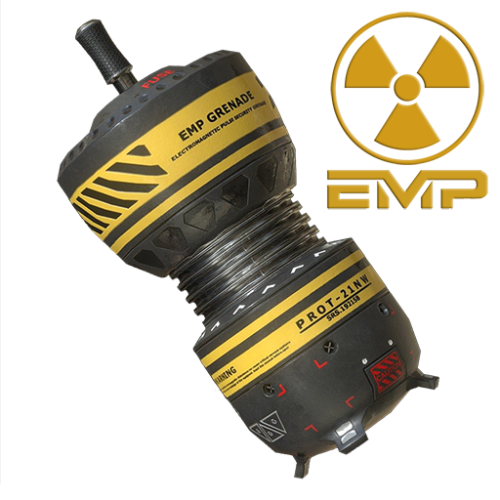
    This plugin allows players with permission to buy and use EMP Grenades, which emit an electromagnetic pulse when they detonate, and will disable electronic entities within the blast radius for a certain amount of time. There are many entities which it is effective against which is configurable within the plugin config file. For example, auto turrets, switches, batteries, electric generators, SAM sites, search lights, computer desk, CCTV cameras and more. The plugin uses a custom skinned Flashbang grenade item within the game. There are cooldown options, as well as a lot of other options in the configuration file. Very easy to set up and players will love it. It adds a whole new approach to raiding and base defence considerations. NOTE: Once a EMP Grenades detonates, any disabled entities will not be affected by further grenades until they recover. Then they can be affected again by other grenades. Only electronic devices which are turned on at the time of detonation will be affected, aside from computer stations, which are always affected. See a video demonstration here: Default Item Skin: 3340157360 Permissions: empgrenades.admin (required for clear and give commands) empgrenades.use empgrenades.buy empgrenades.bypasscooldown Commands (Prefix with / for in chat): empgive <PlayerName/SteamID> <amount> empbuy <amount> empclear (clear all player cooldowns) empclear <PlayerName/SteamID> If you have any issues, please join my Discord for help: https://discord.gg/jnyg3FvDnc Default Config: { "General Options": { "Chat Prefix": "<color=orange>[EMP Grenades]</color>", "Use Chat Prefix": true, "Custom Chat Icon (Default = 0)": 0, "Use This Plugin to Control Stacking/Combining of EMP Grenade Items": true, "Player Cooldown Time (seconds)": 300, "VIP/Custom Cooldowns (seconds)": { "empgrenades.example1": 240.0, "empgrenades.example2": 180.0, "empgrenades.example3": 120.0 } }, "Purchasing Options": { "Enable purchasing via chat or F1 console command": false, "Player Buy Command (Chat or F1 Console)": "empbuy", "Purchasing Currency (ServerRewards|Economics|Custom)": "Custom", "Currency Unit Displayed e.g: RP | $ (Not Used for Custom Currency)": "RP", "Cost Per EMP Grenade": 500, "Custom Currency": [ { "ShortName": "scrap", "SkinID": 0, "Display Name": "Scrap" } ] }, "Grenade Options": { "Skin ID": 3340157360, "Display Name": "EMP Grenade", "Grenades Stick on Impact": false, "Grenades Explode On Impact": false, "Grenade Fuse Length in Seconds (Default = 3)": 3.0, "Grenade Emits Repeating Beep Sound When Thrown": true, "Prefab Path For Beep Sound": "assets/prefabs/locks/keypad/effects/lock.code.lock.prefab", "Delay Between Beep Sounds (Seconds)": 0.5, "Velocity Modifier For Thrown Grenade (1 = Default)": 1.0, "Effective Blast Radius in Meters": 20.0, "EMP Blast Recovery Time": 60.0 }, "IO Entity Options": { "AutoTurret": true, "SAM Site": true, "Smart Switch": true, "Electric Switch": true, "PTZ CCTV Camers": true, "RF Broadcaster": true, "RF Receiver": true, "Smart Alarm": true, "Electric Generators": true, "Electric Bastteries": true, "Computer Station": true, "Search Light": true, "Seismic Sensor": true, "Laser Detector": true, "HBHF Sensor": true, "Tesla Coil": true }, "Version Number": { "Major": 1, "Minor": 0, "Patch": 1 } } API: The following hook is available to use in your plugins to check custom grenades to avoid conflict with your plugins: object IsEmpGrenade(ulong skinID) // returns true if is a EMP Grenade, otherwise returns null
    $4.99
  14. Version 1.1.2

    37 downloads

    This plugin allows users with permission to throw a custom grenade, which when it explodes, teleports the player to its location. The time between throwing the grenade and teleporting to it can be configured to whatever times you like. You can have as many different grenades as you want, all with different fuse lengths if you would like. In the config file, you can control whether players can use while mounted, while building blocked and also set a maximum range (meters) which they work. It's a lot of fun, and players will find all sorts of fun ways to use them to their advantage. For example, imagine setting the fuse length (if allowed in the config) to several minutes, then dropping it on the floor of your base before going out for a roam or farm and then after fuse time expires, you instantly teleport back to the safety of your base. Or, if allowed within building blocked zones, players could use them to exploit weaknesses in other players bases, any open windows or roof access could quite literally now become a portal into their base! The possibilities are endless, only limited by your players imagination (and your configuration! :D) Teleport Grenade SkinID: 3338854123 Permissions: teleportgrenades.admin (to use give & clear cooldown commands) teleportgrenades.buy (to use /tpgbuy command) teleportgrenades.bypasscooldown teleportgrenades.use Default Commands (Prefix with / for chat command): tpgbuy <FuseLength> <Amount> (Buy a TP Grenade - requires buy perm) tpggive <PlayerName> <Amount> <FuseLength> (Give a TP Grenade - requires admin perm) tpgclearcd <Playername> (Clear cooldown for a player - requires admin perm) tpgclearcd (Clears all cooldowns - requires admin perm) tpgfuse <FuseLength> (Change the fuse length of the item you are holding) How it works: Server owners can place TP Grenades in their loot tables using the smoke grenade item (ItemID: 1263920163) and the SkinID above, then they must use a custom name. By default, the plugin issues grenades using the name "Teleport Grenade", but the way this plugin works, players can choose to buy TP Grenades with whatever fuse length they want. For example, if a player wants a 3 second fuse, they purchase using the command "tpgbuy 3". The item which appears in their inventory will be called "Teleport Grenade (3 sec)". The display name is IMPORTANT, since the plugin uses the value within the brackets to determine the fuse length. If server owners are placing these items in the loot table, they must consider this and use the same naming format, with the time within brackets exactly as above. If server owners want to issue grenades to players with a command, they can do so using the syntax "tpggive PlayerName Amount FuseLength" Players Can Set The Fuse Length of a Held Teleport Grenade item: Simply set the active item in the hot bar to the grenade you want to se, then use the SetFuse command, "tpgfuse" by default. e.g. "tpgfuse 3" sets a 3 second fuse etc. If you have any issues, please join my Discord for help: https://discord.gg/jnyg3FvDnc Help: FuseLength must be in seconds. tpgclearcd clears all players cooldowns tpgclearcd PlayerName clears cooldown for that player only Default Config: { "General Options": { "Chat Prefix": "<color=orange>[Teleport Grenades]</color>", "Use Chat Prefix": true, "Custom Chat Icon (Default = 0)": 0, "Use This Plugin to Control Stacking/Combining of TP Grenade Items": true, "Use NoEscape to Prevent TP Grenade Use": true, "Player Cooldown Time (seconds)": 600, "VIP/Custom Cooldowns (seconds)": { "teleportgrenades.example1": 480.0, "teleportgrenades.example2": 360.0, "teleportgrenades.example3": 240.0 } }, "Purchasing Options": { "Enable purchasing via chat or F1 console command": false, "Player Buy Command (Chat or F1 Console)": "tpgbuy", "Purchasing Currency (ServerRewards|Economics|Custom)": "Custom", "Currency Unit Displayed e.g: RP | $ (Not Used for Custom Currency)": "RP", "Cost Per Teleport Grenade": 500, "Custom Currency": [ { "ShortName": "scrap", "SkinID": 0, "Display Name": "Scrap" } ] }, "Grenade Options": { "Skin ID": 3338854123, "Display Name": "Teleport Grenade", "Set Fuse Command (Chat or F1 Console)": "tpgfuse", "Allow Use in Building Blocked Zone": false, "Allow Use While Mounted": false, "Dud if Thrown While Mounted or Building Blocked (false = Refunded)": false, "Maximum Fuse Length Allowed (Seconds)": 30, "Grenade Emits Repeating Beep Sound When Armed": true, "Prefab Path to Use For Beeping Sound": "assets/prefabs/locks/keypad/effects/lock.code.lock.prefab", "Delay Between Beep Sounds (Seconds)": 1.0, "Velocity Modifier For Thrown Grenade (0 = Default)": 1.0, "Maximum Range (meters) That TP Grenade Will Work (0 = Unlimited)": 0.0, "Teleport Appear Effect (Prefab Path)": "assets/prefabs/missions/portal/proceduraldungeon/effects/appear.prefab", "Teleport Disappear Effect (Prefab Path)": "assets/prefabs/missions/portal/proceduraldungeon/effects/disappear.prefab" }, "Version Number": { "Major": 1, "Minor": 1, "Patch": 1 } } API: The following hook is available to use in your plugins to check custom Smoke Grenades to avoid conflict with your plugins: object IsTpGrenade(ulong skinID) // returns true if is a TP Grenade, otherwise returns null Call it directly without referencing the plugin: if (Interface.CallHook("IsTpGrenade", skinID) != null) return true; // Is a TP Grenade Or reference my plugin and call like this: [PluginReference] Plugin TeleportGrenades; if (TeleportGrenades.CallHook("IsTpGrenade", skinID) != null) return true; // Is TP Grenade
    $4.99
  15. ZEODE

    Bradley Drops

    No need, it will be fixed there too soon. You can use any loot plugin with this plugin. Just don’t enable my plugins loot table and then let CustomLoot handle Bradley crates. The options you require are in the config, check it out.
  16. ZEODE

    Bradley Drops

    FYI all: Work on the next Bradley Drops update is at the stage where it is nearly ready for testing after adding most of the same features as is in Heli Signals. Once this is done and working as it should, the harder job of re-writing the AI code will be next. This will also need testing before release as the next update. A list of things already completed: Added: SkillTree support Added: XPerience support Added: Custom reward item option Added: New drop method using Hot Air Balloon instead of the now missing parachute prefab (this is fun, wait and see!) Added: Better control over where the signal is thrown, monument support etc. Fixed: OnEntityTakeDamage NRE console spam ToDo: Add: Option to target players who hide in vehicles Add: Additional Signal skins for Multi drops, wave drops, Expert and Nightmare etc Add: Configurable options for Bradley Scientists Add: Better config options to handle Bradley going into water (depth before destroyed etc) Add: Multi and Wave support (started) Fix: Compatibility with Deployable Nature placed entities Re-Write AI to (hopefully) make Bradley re-path if stuck, hunt players who hide/damage it etc (if possible)
  17. ZEODE

    Heli Signals

    There is a list of skins I have made on the plugin page, if you need a different skin you will need to create one.
  18. ZEODE

    Heli Signals

    You can add as many profiles as you like and config it however you want. Just copy and paste one of the existing profiles in the config and edit it however you want. Job done.
  19. ZEODE

    Heli Signals

    This is not the place for support, please open a support thread and give as much information as possible about when and how often etc this error occurs. Posting a console error with no context or any other details is mostly useless.
  20. ZEODE

    Bradley Drops

    It looks like you might be mixing up Item ID and Skin ID. If the config is asking for item ID, this is not skin ID. Check the help documentation on the page for your shop plugin.
  21. ZEODE

    Bradley Drops

    To prevent a bradley dropping on a base this is a function of the plugin. Move away from your base and call it. Check the config for ways to change the distance etc to your needs.

About Us

Codefling is the largest marketplace for plugins, maps, tools, and more, making it easy for customers to discover new content and for creators to monetize their work.

Downloads
2.4m
Total downloads
Customers
10.9k
Customers served
Files Sold
156.7k
Marketplace sales
Payments
3.4m
Processed total
×
×
  • Create New...

Important Information

We have placed cookies on your device to help make this website better. You can adjust your cookie settings, otherwise we'll assume you're okay to continue.