
-
Posts
134 -
Joined
-
Last visited
Content Type
Profiles
Warranty Claims
Downloads
Forums
Store
Services
Downloads Plus Support
DOWNLOADS EXTRA
Reels
Everything posted by RustyCMD
-
 Working on an update for that!
 -
 I will also add a config option to disable the grid location being announced
 -
hey ive already added a way for you to do that, go to your server files, go to Oxide\Lang\en\OfflineRaidAnnouncer.json There you can edit the messages these are the default ones { "RaidMessageOwnerAndRaider": "{0} is being raided while offline at grid <color=red>{1}</color> by {2}!", "RaidMessageOwner": "{0} is being raided while offline at grid <color=red>{1}</color>!", "RaidMessageRaider": "A base is being raided while the owner is offline at grid <color=red>{1}</color> by {2}!", "RaidMessage": "A base is being raided while the owner is offline at grid <color=red>{1}</color>!" }
-
Added :DD { "IncludeOwnerName": true, "IncludeRaiderName": true, "WipeDataOnWipe": false }
-
i sure can
-

Version 2.8.0
129 downloads
Personal Heli Give your players the power to summon their own personal patrol helicopter! This plugin lets players call in a customizable helicopter with tiered permissions, configurable costs (Scrap, Economics, ServerRewards), and advanced privacy controls (Owner, Team, Friends, Clan, PVE, Public). Features include: Multiple helicopter tiers with unique cooldowns, health, speed, and costs In-game UI for easy heli requests and status Announcements in chat and Discord (optional) Full support for Economics, ServerRewards, Friends, and Clans plugins Advanced privacy: restrict who your heli can attack or protect Admin override and full configuration support Perfect for VIP perks, events, or just adding a new layer of fun and strategy to your Rust server! personalheli.use.default personalheli.use.vip personalheli.admin$9.99 -
Hi kokobeware, im currently running this plugin and raidable bases on my server, and i can safely say it does not announce an offline raid, when a player is raiding a raidable base, because it is not player owned.
-
i can attepmt it, not sure tho ill try
-
Version 1.1.0
86 downloads
A powerful plugin, That allows players with the permissions for certain guns, to shoot with a never-ending stream of bullets, Showcase Below$4.99 -
^
-
 Hi yes, i can add CCTV
- 3 comments
-
- 1
-

-
- #tool cupboard
- #explosives
- (and 3 more)
-
Changed Status from Pending to Closed Changed Fixed In to 1.1.2
-
Are there any error logs?
-
Version 1.2.0
83 downloads
A simple plugin that reverts the recent update on blocking Sulfur, Sulfur Ore, Diesel Fuel, Gun Powder, Targeting Computers, and Explosives$4.99 -
Im making one aswell, i thought i was quite weird why they did it aswell
-
Version 3.8.0
234 downloads
OFFLINE RAID ANNOUNCER ══════════════════════ Never miss a raid again. Whether your players are online watching it unfold or logging back in to discover what happened while they were away, Offline Raid Announcer keeps everyone informed, engaged, and coming back for more. ▌ WHY SERVER OWNERS LOVE IT Offline raids are the most frustrating experience in Rust — and the most common reason players quit. This plugin transforms that frustration into engagement by giving raid victims real-time alerts, detailed statistics, and a clear picture of what happened to their base. Players who feel informed stick around. Players who log in to a silent, looted base often don't. ▌ KEY FEATURES ► SMART OFFLINE RAID DETECTION Automatically identifies raids on offline and recently offline players, with a configurable grace period so players who just logged off still get their base protected by the alert system. ► INTELLIGENT FILTERING Twig structures are ignored to eliminate false positives from soft-side bashing. A configurable raid threshold prevents alerts from single-door breaks. If any of the owner's teammates are online, the announcement is suppressed — no spam during active defenses. ► REAL-TIME NOTIFICATIONS Online players, teammates, and admins get instant alerts the moment a raid kicks off. Two independent cooldowns (standard and MLRS-specific) keep things clean during heavy raid sessions. ► DEDICATED MLRS VOLLEY HANDLING A separate, configurable cooldown specifically for MLRS rockets prevents notification floods when an entire volley lands on the same base. ► CATCH-UP ALERTS ON RECONNECT Players who were offline during the attack get a full summary the moment they log back in — including grid, raider name, and a multi-raid summary if they were hit more than once. ► TEAM-AWARE SYSTEM Notifies the raider's teammates as well, keeping group raids coordinated and giving the raider's crew a heads-up that one of their own is mid-raid. ► LIVE MAP MARKERS Drops a visible red radius marker at the raid location for the configured duration, so allies can rally to defend or investigate. ► PERSISTENT RAID STATISTICS Tracks every raid event per player. /raidinfo shows total raids, last raid time and grid, the most frequent raider against you, and the most-destroyed entity type. Admins can look up any player's stats. ► DISCORD INTEGRATION (TWO WAYS) Works with the popular DiscordMessages plugin if you have it installed, or sends rich, fielded embeds directly via webhook with no dependencies. Color-coded, properly formatted, ready for clan channels or admin logs. ► CARBON & OXIDE COMPATIBLE Auto-detects the framework on startup and uses the correct data handling for each, with built-in fallbacks. No special build required. ► ZONEMANAGER SUPPORT Exclude safe zones, event arenas, or PvE regions from raid detection. ► FULL LOCALISATION SUPPORT Every player-facing message is registered in the language file and ready for translation. ► WIPE-FRIENDLY Optional automatic data clearing on server wipe keeps stats fresh each cycle. ▌ COMMANDS /raidinfo View your own raid statistics Permission: offlineraidannouncer.stats /raidinfo [player] View statistics for another player Permission: offlineraidannouncer.admin /raidstats Alias for /raidinfo Permission: same as /raidinfo /ofra.clear Clear all stored raid data Permission: offlineraidannouncer.admin ▌ PERMISSIONS offlineraidannouncer.receive Receive raid notifications (automatically granted to the default group) offlineraidannouncer.bypasscooldown Bypass notification cooldowns offlineraidannouncer.stats View raid statistics offlineraidannouncer.admin Full administrative access ▌ CONFIGURATION Every aspect of the plugin is fully configurable. The keys below match what you'll see when you open the config file. Notification Cooldown (seconds) ............... 600 Cooldown before a player can trigger another raid notification for the same base Include Owner Name ............................ true Include the base owner's name in alerts Include Raider Name ........................... true Include the raider's name in alerts Wipe Data On Wipe ............................. false Clear stored data when the server wipes Notify Raiders Team ........................... true Alert the raider's teammates that they're raiding Save Raid Statistics .......................... true Track and store per-player raid statistics Notify Offline On Reconnect ................... true Send a summary to victims when they log back in Recently Offline Time (seconds) ............... 300 How long after disconnect a player still counts as "recently offline" Use Discord Webhook ........................... false Send raid alerts to a Discord webhook Discord Webhook URL ........................... (your URL) Your Discord webhook URL Excluded Zones ................................ [] Zone names to exclude from detection (requires ZoneManager) Raid Threshold ................................ 3 Minimum raid events on the same base (within roughly 10 minutes) before triggering an alert Show Map Marker ............................... true Display a map marker at the raid location Map Marker Duration (seconds) ................. 300 How long the map marker stays visible Admin Only Notifications ...................... false Restrict in-game notifications to admins only MLRS Volley Cooldown (seconds) ................ 15 Dedicated cooldown for MLRS rocket impacts on the same base Monitored Entities ............................ (see below) Entity types tracked for raid detection Default monitored entities: BuildingBlock, Door, StorageContainer, ExternalWall, Lock, Trap, Barricade, SleepingBag, Turret, Furnace, Workbench, ToolCupboard, VendingMachine, SamSite, Embrasure, WindowBars, HighExternalGate ▌ DISCORD SETUP Get raid alerts pushed straight to your Discord server in three steps: 1. Create a webhook in your Discord server settings (Server Settings → Integrations → Webhooks) 2. Set "Use Discord Webhook" to true in the plugin config 3. Paste your webhook URL into "Discord Webhook URL" Every detected offline raid will then appear in your chosen Discord channel as a properly formatted embed with owner, grid, raider, and timestamp fields. If you also have the DiscordMessages plugin installed, the plugin will automatically use it instead. ▌ DEPENDENCIES Optional: • ZoneManager — required only for zone-based exclusions • DiscordMessages — used automatically if installed; otherwise the plugin sends webhooks directly ▌ COMPATIBILITY Works on both Oxide and Carbon. The plugin auto-detects your framework on load. ▌ SUPPORT Questions, feedback, or feature requests? Drop a message in the support thread and I'll get back to you quickly.$9.99 -
 Good Images Would Buy Again, 100% Recomend if you need Ranks Images. and you dont have the time to make em yourself!
 -
 Hey i added your suggestion thanks for the feedback :D, any bugs open a support ticket please or add me on discord: rustycmd
 -
I can get this done
-
Hello, @WizzIt automatically starts as to the interval you get it start in the config "EventIntervalMinutes": 15 And as to removing the /guess not currently a feature but may be added in the future
-
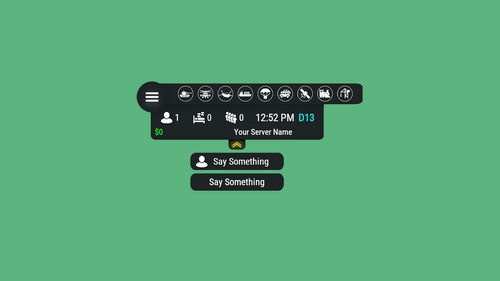 i just changed fixed the plugin my self by hosting the images and copying discord urls in the .cs file
 -
ok @ToxicRustIm working on adding the specified features right now ill lyk when its done
-
yes i could add all these to a list if youd like
-
Version 3.2.6
209 downloads
V2 Update Features Automatic Events: Events run at configurable intervals Simple Gameplay: Players just type their guess directly in chat Prize System: Winners claim customizable rewards Sound Effects: Special sounds for winning and claiming prizes Leaderboard: Track and display top winners Admin Controls: Manually start events Commands Guessing: Just type a number in chat when event is active /claim: Claim your prizes if you won the previous event /startevent: Admins can manually start an event /leaderboard: View the top winners /eventstatus: Check if an event is active and see details Configuration The plugin is highly customizable with the following options: { "PrizeCommands": [ "inventory.give {player.id} wood 100" ], "GuessRangeMin": 0, "GuessRangeMax": 10, "EventIntervalMinutes": 15, "EventDurationMinutes": 10, "CorrectGuessSound": "assets/prefabs/misc/halloween/lootbag/effects/gold_open.prefab", "ClaimPrizeSound": "assets/prefabs/misc/xmas/presents/effects/unwrap.prefab", "SteamApiKey": "", "ClaimCommand": "claim" } Multiple Prize Example: You can configure multiple prizes to be awarded to winners: { "PrizeCommands": [ "inventory.give {player.id} wood 100", "inventory.give {player.id} stone 75", "inventory.give {player.id} metal.fragments 50", "inventory.give {player.id} scrap 25" ], "GuessRangeMin": 0, "GuessRangeMax": 10, "EventIntervalMinutes": 15, "EventDurationMinutes": 10, "CorrectGuessSound": "assets/prefabs/misc/halloween/lootbag/effects/gold_open.prefab", "ClaimPrizeSound": "assets/prefabs/misc/xmas/presents/effects/unwrap.prefab", "SteamApiKey": "", "ClaimCommand": "claim" }$6.99 -

Version 1.6.0
70 downloads
Yet another very simple plugin, but hey we all start somewhere, players with the permssion, giveairdrop.spawn can use the command "/spawnairdrop" by default it has a cooldown of 5 minutes New Update: Instead of giving the player an airdrop signal, now it spawns an airdrop prefab 100 units above the player, Added a notify message for the player to look up, this message can be configurated The notify message can also have its colour configurated, the default is white.$2.99