


-
Posts
1,522 -
Joined
-
Last visited
-
Days Won
43
Content Type
Profiles
Warranty Claims
Downloads
Forums
Store
Services
Downloads Plus Support
DOWNLOADS EXTRA
Reels
Everything posted by Krungh Crow
-
 yes that is possible with scaling damage will be added in one of the future updates allong with eco/SR rewards support
- 241 comments
-
- 1
-

-
- #bradley
- #krunghcrow
- (and 4 more)
-
 yeah my Admin made them i love it
 -
 this should be fixed in v1.0.2
 -
 ye somehow huntsman has to be reloaded the ID´s are not catching
 -
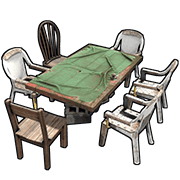
just add `cardtable` as item in the shop its a Rust Item so it can be placed in shop
- 18 comments
-
- 2
-
-
- #fun
- #krunghcrow
- (and 7 more)
-
thats the native rust AI. To add a whole MonoBehaviour for the animals To BackToTheWild is a bit mutch
-
 ooh nice idea so a new profile like a Boss bear with a min req of HP and Strength ? same for wolf since they Alpha predators
 -
Changed Status from Work in Progress to Closed Changed Fixed In to 1.0.7
-

Same issue, not compatible with alpha loot
Krungh Crow replied to Perilous_Outlaw's Support Report in Support
Changed Status from Pending to Closed -
Changed Status from Pending to Closed
-
Changed Status from Pending to Closed
-
Changed Status from Not a Bug to Closed
-
Changed Status from Pending to Closed
-
Best to ask for a support ticket on alphaloot and ask for a true false setting on for example (Change Bradley apc crate spawn amount) or whatever he might find suitable. This should be a simple patch on his end Temp fix can be this (Alphaloot 3.1.7) private void OnEntitySpawned(BradleyAPC bradleyApc) { if (bradleyApc != null) bradleyApc.maxCratesToSpawn = configData.BradleyCrates; } blank it out using /* and */ (around line 76 in the plugin) /* private void OnEntitySpawned(BradleyAPC bradleyApc) { if (bradleyApc != null) bradleyApc.maxCratesToSpawn = configData.BradleyCrates; } */
-
bradley._maxHealth bradley.health Inside the MonumentBradley plugin search for the lines containing this and change it with // so the line is not used //bradley._maxHealth //bradley.health and maybe ask for a support request on his plugin to be able to disable or enable crate spawns and HP
-
"Bradley Loot": { "Change Values": false, "Bradley Max crates after kill": 4 }, Change Values when set to false will not alter the amount of crates spawning through bradleyGuards The Umod version most likely does not have that in the plugin Inside Bazz3l Bradleyguards plugin find the following line bradley.maxCratesToSpawn = _config.APCCrates; and change that into //bradley.maxCratesToSpawn = _config.APCCrates; so it will not change the amount of crates spawning (to avoid overriding eachothers settings)
-
Noted
-
Same issue, not compatible with alpha loot
Krungh Crow replied to Perilous_Outlaw's Support Report in Support
I have it but never used it ill do some tests over the weekend . Temp fix added on the other alphalootsupport requests -
If possible disable hp settings in monumentbradley
-
Changed Status from Pending to Not a Bug
-
Native spawns only. This changes the hp and crates on drop in tiers only for now
-
Version 2.0.6
8,453 downloads
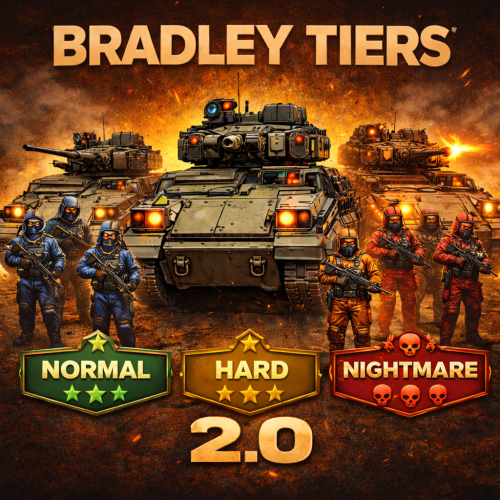
Features : Complete rewrite (v2.0.0) Spawns Configurable tiered bradleys Easy configuration and setup Can add or remove tiers (v2.0.0) BradleyGuards and BradleyOptions will disable their HP and Cratedrop settings automaticly (Krungh Crow versions). Spawn and Kill Messages Option to make a vanilla bradley spawn instead of a Tiered one at random. Set a extra reward in the form of Economics or ServerRewards Reworked Tiered loot systems v2.0.0 Message cooldownsystem. New API for other developers is made available (v2.0.0) Support for AlphaLoot (v2.0.0) Support for UINotify & Notify / GUIAnnouncements /QueuedPopups Support for Economics, ServerRewards, SKillTree and XPerience, Permissions : bradleytiers.use : To be able to use the /bt info chatcommand. bradleytiers.admin : To spawn tiered bradleys. Commands : /bt info : Displays the available tiers on the server (v2.0.0). /bt spawn <Tier> : Admin permission is needed. Consolecommands : bt.spawn <steamId> <tiername> : Spawns a tiered bradley around the players location API : object CanUpdateToBradleyTier(BradleyAPC bradley) void OnBradleyTiersSpawned(BradleyAPC apc , string tierName) void OnTieredBradleyDeath(BradleyAPC bradley , HitInfo info , string tierName) object IsTieredBradley(BradleyAPC bradley) string GetBradleyTier(BradleyAPC bradley) ulong GetBradleyPurchaserId(BradleyAPC bradley) bool IsPurchasedBradley(BradleyAPC bradley) Dictionary<NetworkableId , ulong> GetAllPurchasedBradleys() Dictionary<string , object> GetBradleyTierData() void OnBradleyTierPurchased(player , bradley , tier.Name) Example best API usage for CanUpdateToBradleyTier : // store your bradley before the spawning private readonly HashSet<BradleyAPC> _invasionBradleyRefs = new HashSet<BradleyAPC>(); // your method of after spawning private readonly HashSet<ulong> _invasionBradleys = new HashSet<ulong>(); // Inside your method BEFORE !!! your spawning private YourMethod() { //.... code var brad = GameManager.server.CreateEntity(BRADLEY_PREFAB , finalPos , Quaternion.identity , true) as BradleyAPC; //.... code _invasionBradleyRefs.Add(brad); brad.Spawn(); //.... rest of your code to set variables if (brad.net != null) { _invasionBradleys.Add(brad.net.ID.Value); } } // Place this inside your plugin code. private object CanUpdateToBradleyTier(BradleyAPC bradley) { if (bradley == null) return null; if (_invasionBradleyRefs.Contains(bradley)) return false; if (bradley.net != null && _invasionBradleys.Contains(bradley.net.ID.Value)) return false; return null; } Configuration : Want a certain item to spawn as a blue print just add .bp behind its shortname ! Example of custom items like the ExtendedRecycler plugins recycler item. Language API : { "BradleyInitiate": "Careful! This is a {tierName} Bradley APC!", "InvalidInput": "<color=red>Please enter a valid command!</color>", "Info": "<color=green>Bradley Tiers v{0}</color>\nWe have the following Tiers :\n", "KillNotification": "<color=orange>{0}</color> Destroyed a {1} BradleyApc", "NoPermission": "<color=green>You do not have permission to use that command!</color>", "SpawnMessage": "A {0} Bradley has spawned around {1}", "KillRewardMain": "You destroyed a {0} BradleyApc and received: {1}", "RewardEcon": "<color=green>${0} Economics</color>", "RewardSR": "<color=orange>{0} RP</color>", "RewardSeparator": " , ", "NoRewards": "no extra rewards.", "NoRoadPoint": "<color=red>No valid road point found within range.</color>", "BuyUsageHeader": "<color=orange>How to spawn a Bradley:</color>", "BuyUsageLine": "/bt buy {0}", "SpawnHeader": "Spawn a Bradley on the nearest road <color=orange>(Admin permission)</color>\n", "SpawnCommands": "/bt spawn {0}", "ConfigNotLoaded": "<color=red>Config not loaded. Check server console for errors.</color>", "RewardSkillPoints": "<color=orange>{0} skill points</color>", "RewardXperience": "<color=orange>{0} exp</color>" }Free- 241 comments
- 13 reviews
-
- 13
-

-
-
- #bradley
- #krunghcrow
- (and 4 more)
-
Ye if not reloaded chickenbow it uses the native ids not the ones from mono ?
-
if (animal is Chicken) { if (ChickenBow != null && ChickenBow.Call<bool>("IsSpawnedChicken",animal.net.ID) == true) { BlockSpawn = true; } else { BlockSpawn = false; } } if (BlockSpawn) { Puts($"{info.InitiatorPlayer.displayName} shot down a ChickenBow Chicken and a HuntsMan was skipped"); return; } had to do it diffrently and added this under my variables bool BlockSpawn; uploading the Huntsman patch now and make sure to reload ChickenBow too
-
cheers releasing updates for backtothewild and huntsman later today