
CaptainNebulous
-
Posts
130 -
Joined
-
Last visited
Content Type
Profiles
Warranty Claims
Downloads
Forums
Store
Services
Downloads Plus Support
DOWNLOADS EXTRA
Reels
Everything posted by CaptainNebulous
-
Thanks for the quick response! Unfortunately I'd consider this sort of high priority but I understand that it may take time to fix. Also of note is the collider blocks Bradley so at times to some players Bradley appears to be unable to move, but the player can't shoot through the collider either XD So it is currently the status of "borderline" removing the plugin until fixed.
-
 Just picked this up but now I'm having a problem. Posted in the support section.
 -
After much testing and hours spent I still am having this issue. So far I haven't been able to use the plugin. Note that for now I was only going to use the MySQL/In-Game UI part of it not the web site
-
Just bought and installed this. I get the following message in console [Oxide] 15:51 [Error] MySql handle raised an exception in 'BetterStatistics v1.0.17' plugin (MySqlException: PROCEDURE christopher7_betterstatistics.createTable does not exist) at MySql.Data.MySqlClient.MySqlCommand.EndExecuteReader (System.IAsyncResult result) [0x00022] in <8d7380b3d3cf4bd8be324c584f371b44>:0 at (wrapper remoting-invoke-with-check) MySql.Data.MySqlClient.MySqlCommand.EndExecuteReader(System.IAsyncResult) at Oxide.Core.MySql.Libraries.MySql+MySqlQuery.Handle () [0x0010e] in <021a1dba6a754e42a6cc7771fdfee190>:0 [Oxide] 15:51 [Error] MySql handle raised an exception in 'BetterStatistics v1.0.17' plugin (MySqlException: PROCEDURE christopher7_betterstatistics.createTable does not exist) at MySql.Data.MySqlClient.MySqlCommand.EndExecuteReader (System.IAsyncResult result) [0x00022] in <8d7380b3d3cf4bd8be324c584f371b44>:0 at (wrapper remoting-invoke-with-check) MySql.Data.MySqlClient.MySqlCommand.EndExecuteReader(System.IAsyncResult) at Oxide.Core.MySql.Libraries.MySql+MySqlQuery.Handle () [0x0010e] in <021a1dba6a754e42a6cc7771fdfee190>:0 [Oxide] 15:51 [Error] MySql handle raised an exception (MySqlException: Table 'christopher7_betterstatistics.main_stats_wipe' doesn't exist) at MySql.Data.MySqlClient.MySqlCommand.EndExecuteReader (System.IAsyncResult result) [0x00022] in <8d7380b3d3cf4bd8be324c584f371b44>:0 at (wrapper remoting-invoke-with-check) MySql.Data.MySqlClient.MySqlCommand.EndExecuteReader(System.IAsyncResult) at Oxide.Core.MySql.Libraries.MySql+MySqlQuery.Handle () [0x0010e] in <021a1dba6a754e42a6cc7771fdfee190>:0 [Oxide] 15:51 [Error] MySql command callback raised an exception (NullReferenceException: Object reference not set to an instance of an object) at Oxide.Plugins.BetterStatistics+<Startup>c__Iterator0.<>m__0 (System.Collections.Generic.List`1[T] list) [0x00010] in <73a3a7c7e5e042b485e5a9a0040649e2>:0 at Oxide.Core.MySql.Libraries.MySql+MySqlQuery+<>c__DisplayClass24_0.<Handle>b__0 () [0x0005d] in <021a1dba6a754e42a6cc7771fdfee190>:0
-
Hello. Have confirmed through testing and further confirmed via player reports that there is some sort of rendering issue that happens with the large meteors. There are instances where some players can see their nodes and others can't - however the collider can still be there for the player who can't see them. That's really the problem is players running into a giant invisible collider. And the way I use this plugin on my server is only for the large meteors so it can be an issue hehe. Would love if this could get fixed.
-
Would like to see an option added to this where it does not create event spawn points where players can spawn
-
Not the biggest of deals but I noticed at some point this wipe the plugin stopped tracking Plants Gathered on my server. Really have no idea why or how. It happened without me changing anything in the plugin.
-
Hey so I am not sure what I am doing wrong but I had all the desired bases in the copypaste folder, configured the profiles properly from what I could tell, configured the "difficulty" loot profiles, configured the main config file. But no matter what I do it tells me the profile isn't configured. Any common mistakes or overlooks that cause this?
-
 Edit #2 - After removing the plugin, electric furnaces work properly again
 -
Edit - From gathering player feedback, it seems that on occasion it works correctly but 2 out of 3 times approximately the furnace malfunctions in the exact way as the other post shows in his video.
-
Hey man. Figured I'd let you that electric furnaces do the same thing on my server when using this plugin. After reading his bug report I went to check with a new electric furnace and it does it to me too.
-
 So after some testing I've concluded this plugin won't populate the elite crates with space cards if you are using Alpha Loot. I understand that's a different site so I don't really expect a fix. Just thought I'd let you know.
 -
Something I've noticed, unless I have overlooked it.... is the Lighthouse hasn't gotten much love from the plugin community. I'd love to see a cool event made involving this monument. What say you?
-
Hey I've tried twice to format template #4 for my server but the plugin won't compile. Works fine with template #1. Could you check my config for me? Checks out in json formatter other than a few minor issues (which came with the plugin) that also exist in Template #1.... which works fine. Whenever I load this config in the plugin fails to compile Config : { "Main Settings": { "Open when player joins": true, "Open once per wipe": false, "Open at tab": 1, "Block movement when browsing panel": true, "Enable text tags": true, "Server Title": "<size=65>SERVER<b>Perseverance 2X Solo | Duo | Bi-Weekly | Modded | Events</b></size>", "Server Logo": "https://i.imgur.com/WV5zOSi.png", "Selected button color": "0.757 0.259 0.161 1.00", "Base Command": "info", "Additional Commands": { "rules": 2, "help": 3 } }, "Text Tabs": [ { "Name": "<size=22>HOME</size>", "Icon": "", "Font Size": 12, "Font Color": "1 1 1 1", "Font Outline Color": "0 0 0 1", "Font Outline Thickness": "0.5", "Font": "robotocondensed-bold.ttf", "Text Background Image": "", "Text Alignment": 3, "Text Lines": [ [ "<size=45><color=#c14229>PERSEVERANCE</color> 2X Solo | Duo | Bi-Weekly | Modded | Events</size> ", "<size=25>WIPE SCHEDULE <color=#c142299f>MAP 2 WEEKS, BP 3 MONTHS</color> @ <color=#c142299f>Thursday 3:00PM EDT or at Update Time/Force Wipe</color> (CET)</size>", "<size=25>RATES <color=#c142299f>2X GATHER, 2X SCRAP</color></size> ", "<size=25>GROUP LIMIT <color=#c142299f>MAX 2</color></size>", "<size=25>MAPSIZE <color=#c142299f>4000</color></size> ", "\n", "\n", "<size=15>Server is located in Chicago, IL USA. Time zone used for reference is New York Time (EDT/EST). Blueprints are wiped every 3 months. Feel free to browse our infomation panel to find out more about the server. If you have more questions, please join our discord and we will happy to help you.</size>" ] ], "Addon (plugin name)": "" }, { "Name": "<size=22>RULES</size>", "Icon": "", "Font Size": 12, "Font Color": "1 1 1 1", "Font Outline Color": "0 0 0 1", "Font Outline Thickness": "0.5", "Font": "robotocondensed-regular.ttf", "Text Background Image": "", "Text Alignment": 4, "Text Lines": [ [ "<size=45><color=#c14229>Rules</color></size>", "", "<size=18>No racist or homophobic slurs or purposeful hate speech</size>", "<size=18>Solo and Duo only. No trying to get around it allowed</size>", "<size=18>Respect all staff members, we are here to help</size>", "<size=18>Confirmed cheating will result in a permenant ban, no exceptions</size>", "<size=18>No pornographic images or images of extreme real world violence on signs or in discord</size>", "<size=18>No impersonating server staff</size>", "<size=18>No advertising</size>", "<size=18>No VAC Banned Accounts</size>", "<size=18>Always use F7 to report cheaters before anything else</size>", "<size=18>Do not attempt to add staff members as friends on any platform to discuss server matters. We will take care of everything from our Discord and in the server. This rule obviously is void if the staff member wants to be friends</size>", "", "" ] ], "Addon (plugin name)": "" }, { "Name": "<size=22>WIPE CYCLE</size>", "Icon": "", "Font Size": 12, "Font Color": "1 1 1 1", "Font Outline Color": "0 0 0 1", "Font Outline Thickness": "0.5", "Font": "robotocondensed-regular.ttf", "Text Background Image": "https://rustplugins.net/products/welcomepanellite/1/richtext.png", "Text Alignment": 3, "Text Lines": [ [ "<size=45><color=#c14229><b>Detailed Wipe Info</b></color></size>", "Map wipes will be bi-weekly (every 2 weeks on Thursday) or when forced. Blueprints will wipe every 3 months, on a cycle that begins from January to March and so on. Non-forced wipes will always be around 3PM EDT. Forced wipes will be whenever game update is released, so those could be earlier or later. Map size will be selected based on server population. This means certain monuments, especially trainyard, will not be on every map. However I make a strong attempt to make sure as many monuments are included as possible. Rankings will be wiped every map wipe. I plan on having monthly rankings and BP wipe rankings in the future" ] ], "Addon (plugin name)": "" }, { "Name": "<size=22>SUPPORT</size>", "Icon": "", "Font Size": 12, "Font Color": "1 1 1 1", "Font Outline Color": "0 0 0 1", "Font Outline Thickness": "0.5", "Font": "robotocondensed-regular.ttf", "Text Background Image": "https://rustplugins.net/products/welcomepanellite/1/enableaddons.png", "Text Alignment": 0, "Text Lines": [ [ "<size=45><color=#c14229><b>For additional info and support</b></color></size>", "Suspicious Players : Push F7 and send a report, then alert server staff in discord by opening a ticket", "Other feedback/problems/bugs/etc : Enter our discord and then open a ticket in the support channel", "Staff : CaptainNebulous(ServerOwner)", "Discord : https://discord.io/Perseverance" ] ], "Addon (plugin name)": "" }, { "Name": "<size=22>PLUGIN LIST</size>", "Icon": "", "Font Size": 12, "Font Color": "1 1 1 1", "Font Outline Color": "0 0 0 1", "Font Outline Thickness": "0.5", "Font": "robotocondensed-regular.ttf", "Text Background Image": "", "Text Alignment": 3, "Text Lines": [ [ "Better Chat, Clans (mainly for clan tags), Dangerous Treasures, Death History, Dynamic Wire Colors, Everlight, Group Limiter, Extra Car Lifts, Magic Panel (minimalistic), Extra Recyclers (at monuments), Ganja, Junkyard Event, Meteors, Plane Crash Event, Player Ranks, Playtime Tracker, Private Messages, Sign Artist, Simple Furnace Splitter, SkinBox, Sputnik, Vehicle Decay Protection, Claim Vehicle, Vehicle Storage, Zombie Hordes" ] ], "Addon (plugin name)": "" }, { "Name": "<size=19> COMMANDS</size>", "Icon": "https://rustplugins.net/products/welcomepanellite/4/shop_button.png", "Font Size": 12, "Font Color": "1 1 1 1", "Font Outline Color": "0 0 0 1", "Font Outline Thickness": "0.5", "Font": "robotocondensed-regular.ttf", "Text Background Image": "https://rustplugins.net/products/welcomepanellite/1/multiplepages.png", "Text Alignment": 0, "Text Lines": [ [ "<size=45><color=#c14229><b>Page 1</b></color></size>", "", "/dtd - Tells you information about the current or pending Dangerous Treasures event, and places event location on your screen for 30 seconds", "", "/deaths - Check the location of your recent deaths", "", "/pr - To see current player rankings and titles in a nice GUI", "", "/playtime - To view your own playtime, /playtime top - To view the top 30 most active players, AFK time is detected and will not count", "", "/info - To re-open this welcome menu", "", "/vclaim - To claim your vehicle to decrease decay inside and near tc", "", "/vunclaim - To unclaim a vehicle", "", "/pm name message, /r to reply to most recent sender", "", "/vclaim - To claim a vehicle and protect it from decay also prevents a despawning bug from one of the plugins, /vunclaim - To unclaim a vehicle. You may only claim one vehicle per hour", "", "/Info - to re-open the welcome info panel." ], "<size=45><color=#c14229><b>Page 2</b></color></size>", "/sil url - Download the image from the url to the server and display it on the sign you are currently looking at. /silt message fontsize color: hex value bgcolor: hex value. - Downloads a generated image with the given text and optional fontsize, color, bgcolor to be displayed on the sign you are currently looking at. /sili - Adds currently held item icon to sign or frame. Use /sili default to add that items default skin. Note that un-approved workshop skins will upload the first image in the workshop preview.", "", "/skinbox - Type this command with the item you want to skin in your hotbar. This will open the inventory menu. Drag the item into the right side inventory and skinning options will appear in the right side inventory for you to drag back out. /sd - To skin a deployed item you are looking at", "", "/wipe - Tells you when the next wipe is", "", "/clanhelp - Displays help, /clan create tagname - Create a new clan, /clan join tagname - Join a clan if you have a invite, Clan Member Commands, /clan leave- Leave you current clan, /c message - Send a message to all clan members, /clan invite partialname - Invite a player to join your clan, /clan invite cancel partialname/ID - Cancel a pending invite, /clan kick partialname/ID - Kick a player from your clan, /clan promote partialname/ID - Promote a clan member to clan moderator, /clan demote partialname/ID - Demote a clan moderator to clan member, /clan disband - Disband your clan", "", "/mp on or /mp - off to turn the additional UI on or off" ] ], "Addon (plugin name)": "" }, { "Name": "<size=19> DISCORD</size>", "Icon": "https://rustplugins.net/products/welcomepanellite/4/discord_button.png", "Font Size": 12, "Font Color": "1 1 1 1", "Font Outline Color": "0 0 0 1", "Font Outline Thickness": "1", "Font": "robotocondensed-regular.ttf", "Text Background Image": "", "Text Alignment": 4, "Text Lines": [ [ "<size=25>discord.io//<color=#c14229><b><size=22>PERSEVERANCE</size></b></color></size>", "You'll find all the latest server info and support in the Discord." ] ], "Addon (plugin name)": "" } ], "Base Ui Elements": { "background": { "Color": "0.114 0.110 0.102 0.993", "Material": "assets/content/ui/uibackgroundblur-ingamemenu.mat", "Image": "", "Anchor Min": "0 0", "Anchor Max": "1 1", "Offset Min": "0 0", "Offset Max": "0 0", "Fade": 0.2, "Text (not for panels)": null, "Text Alignment (not for panels)": 4, "Text Font (not for panels)": null }, "offset_container": { "Color": "0 0 0 0", "Material": "assets/icons/iconmaterial.mat", "Image": "https://rustplugins.net/products/welcomepanellite/4/background_preview.jpg", "Anchor Min": "0.5 0.5", "Anchor Max": "0.5 0.5", "Offset Min": "-680 -360", "Offset Max": "680 360", "Fade": 0.2, "Text (not for panels)": null, "Text Alignment (not for panels)": 4, "Text Font (not for panels)": null }, "main": { "Color": "0 0 0 0", "Material": "assets/icons/iconmaterial.mat", "Image": "", "Anchor Min": "0.22 0", "Anchor Max": "1 1", "Offset Min": "0 0", "Offset Max": "0 0", "Fade": 0.2, "Text (not for panels)": null, "Text Alignment (not for panels)": 4, "Text Font (not for panels)": null }, "side": { "Color": "0 0 0 0", "Material": "assets/icons/iconmaterial.mat", "Image": "", "Anchor Min": "0 0", "Anchor Max": "0.22 1", "Offset Min": "0 0", "Offset Max": "0 0", "Fade": 0.1, "Text (not for panels)": null, "Text Alignment (not for panels)": 4, "Text Font (not for panels)": null }, "content": { "Color": "0 0 0 0.0", "Material": "assets/icons/iconmaterial.mat", "Image": "", "Anchor Min": "0.42 0.095", "Anchor Max": "0.94 0.748", "Offset Min": "0 0", "Offset Max": "0 0", "Fade": 0.0, "Text (not for panels)": null, "Text Alignment (not for panels)": 4, "Text Font (not for panels)": null }, "title": { "Color": "0 0 0 0", "Material": "assets/icons/iconmaterial.mat", "Image": "", "Anchor Min": "0.104 0.849", "Anchor Max": "0.453 0.955", "Offset Min": "0 0", "Offset Max": "0 0", "Fade": 0.2, "Text (not for panels)": null, "Text Alignment (not for panels)": 3, "Text Font (not for panels)": "robotocondensed-regular.ttf" }, "logo": { "Color": "0 0 0 0", "Material": "assets/icons/iconmaterial.mat", "Image": null, "Anchor Min": "0.040 0.859", "Anchor Max": "0.089 0.946", "Offset Min": "0 0", "Offset Max": "0 0", "Fade": 0.2, "Text (not for panels)": null, "Text Alignment (not for panels)": 4, "Text Font (not for panels)": null }, "close_button": { "Color": "0 0 0 0.3", "Material": "assets/content/ui/uibackgroundblur-ingamemenu.mat", "Image": "", "Anchor Min": "0.479 0.008", "Anchor Max": "0.621 0.088", "Offset Min": "0 0", "Offset Max": "0 0", "Fade": 0.2, "Text (not for panels)": "CLOSE", "Text Alignment (not for panels)": 4, "Text Font (not for panels)": "robotocondensed-bold.ttf" }, "next_button": { "Color": "0 0 0 0.4", "Material": "assets/icons/iconmaterial.mat", "Image": "https://rustplugins.net/products/welcomepanellite/1/next.png", "Anchor Min": "0.97 0.005", "Anchor Max": "1 0.053", "Offset Min": "0 0", "Offset Max": "0 0", "Fade": 0.0, "Text (not for panels)": "", "Text Alignment (not for panels)": 4, "Text Font (not for panels)": "robotocondensed-bold.ttf" }, "back_button": { "Color": "0 0 0 0.4", "Material": "assets/icons/iconmaterial.mat", "Image": "https://rustplugins.net/products/welcomepanellite/1/back.png", "Anchor Min": "0.935 0.005", "Anchor Max": "0.965 0.053", "Offset Min": "0 0", "Offset Max": "0 0", "Fade": 0.0, "Text (not for panels)": "", "Text Alignment (not for panels)": 4, "Text Font (not for panels)": "robotocondensed-bold.ttf" } }, "Tab Buttons": [ { "Color": "0 0 0 0", "Text Alignment": 4, "Text Font": "robotocondensed-bold.ttf", "Anchor Min": "0.4345 0.88", "Anchor Max": "0.5195 0.938", "Material": "assets/icons/iconmaterial.mat" }, { "Color": "0 0 0 0", "Text Alignment": 4, "Text Font": "robotocondensed-bold.ttf", "Anchor Min": "0.5195 0.875", "Anchor Max": "0.6245 0.942", "Material": "assets/icons/iconmaterial.mat" }, { "Color": "0 0 0 0", "Text Alignment": 4, "Text Font": "robotocondensed-bold.ttf", "Anchor Min": "0.6245 0.875", "Anchor Max": "0.7295 0.942", "Material": "assets/icons/iconmaterial.mat" }, { "Color": "0 0 0 0", "Text Alignment": 4, "Text Font": "robotocondensed-bold.ttf", "Anchor Min": "0.7295 0.875", "Anchor Max": "0.8395 0.942", "Material": "assets/icons/iconmaterial.mat" }, { "Color": "0 0 0 0", "Text Alignment": 4, "Text Font": "robotocondensed-bold.ttf", "Anchor Min": "0.8395 0.875", "Anchor Max": "0.9395 0.942", "Material": "assets/icons/iconmaterial.mat" }, { "Color": "0 0 0 0", "Text Alignment": 4, "Text Font": "robotocondensed-bold.ttf", "Anchor Min": "0.041 0.103", "Anchor Max": "0.183 0.179", "Material": "assets/icons/iconmaterial.mat" }, { "Color": "0 0 0 0", "Text Alignment": 4, "Text Font": "robotocondensed-bold.ttf", "Anchor Min": "0.201 0.103", "Anchor Max": "0.343 0.179", "Material": "assets/icons/iconmaterial.mat" } ] } Console Error : [Oxide] 10:21 [Error] WelcomePanel v3.2.2: Failed to load config file (is the config file corrupt?) (JsonToken EndArray is not valid for closing JsonType Object. Path '['Text Tabs'][5]', line 173, position 7.) [Oxide] 10:21 [Warning] [WelcomePanel] Configuration file is not valid, this is usually user error. Please before asking developer for help make sure you validate your json file at https://jsonformatter.curiousconcept.com/ But I check the line it says and I see nothing wrong? "/skinbox - Type this command with the item you want to skin in your hotbar. This will open the inventory menu. Drag the item into the right side inventory and skinning options will appear in the right side inventory for you to drag back out. /sd - To skin a deployed item you are looking at", "", "/wipe - Tells you when the next wipe is", "", "/clanhelp - Displays help, /clan create tagname - Create a new clan, /clan join tagname - Join a clan if you have a invite, Clan Member Commands, /clan leave- Leave you current clan, /c message - Send a message to all clan members, /clan invite partialname - Invite a player to join your clan, /clan invite cancel partialname/ID - Cancel a pending invite, /clan kick partialname/ID - Kick a player from your clan, /clan promote partialname/ID - Promote a clan member to clan moderator, /clan demote partialname/ID - Demote a clan moderator to clan member, /clan disband - Disband your clan", "", "/mp on or /mp - off to turn the additional UI on or off" ] ], <---- Line 173 "Addon (plugin name)": "" }, { "Name": "<size=19> DISCORD</size>", "Icon": "https://rustplugins.net/products/welcomepanellite/4/discord_button.png", "Font Size": 12, "Font Color": "1 1 1 1", "Font Outline Color": "0 0 0 1", "Font Outline Thickness": "1",
-
There's an automated timer in the config
-
I'm new to messing around with mySQL (I've been using SQL Lite for years) and was wondering.... does this need more than 1 SQL database? I get a free one with my host. But I was thinking by the looks of the config it might need 3?
-
Honestly this is the best functioning furnace splitter. I've tried em all. Wish I could go back and add this to my review.
-
Question/Suggestion : Meteor Despawn Timer
CaptainNebulous replied to CaptainNebulous's Support Report in Support
I use the command on a timer to spawn for now because there is no way to make it spawn the max amount of meteors with no players online, so maybe that's why. But in that case yeah they just keep building up it seems. -
Was wondering if I can just add more types of weed in the config or if it doesn't work that way? Getting close to that 4/20 btw
-
Question : How long do the meteor ore nodes last? Particularly the large ones... before they despawn? Suggestion : Add a way to configure meteor despawn timer
-
 An excellent plugin with some cool customization for the meteors and it works without flaw. Only thing I'd add is config to force meteor spawn locations to avoid roads, monuments, water, trees, etc if we want to.
 -
Will this still add the space card to the loot table even though I have a timed command to load a loot table using AlphaLoot after server start?
-
Would love to see these two events added to the Magic Panel
-
 No worries. This is definitely one of the most tedious things to contend with in regards to configuring a plugin.
 -
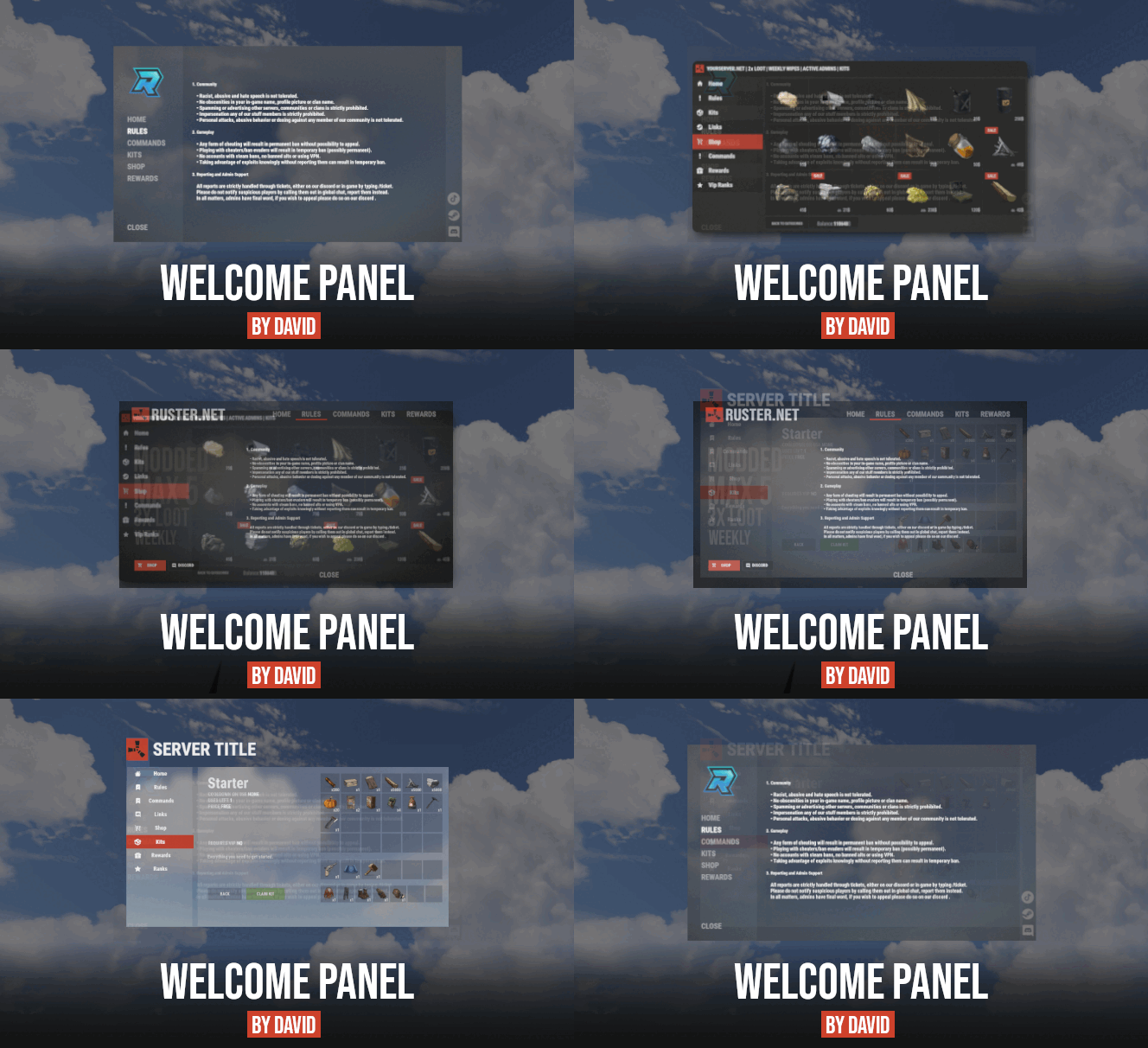
I understand your frustration mate. My personal crash course on UI positioning a couple of years ago was a rough learning curve. However, this is pretty much how UI needs to be done in plugin form. The plugin makes it about as simple as it can be while still having all its individual parts. As far as I know there really isn't a way to just make a click-and-drag or in-game method of customizing the UI in a way that one might consider more ideal. One thing to know is for positions, x y and z all begin at 0 and end at 1.0. 0 is completely on one side of the screen and 1.0 is completely on the other. Anchoring I never got too much into but padding is essentially the same concept as indentation away from the edge. So far I left all that stuff default in this plugin and simply redid and formatted the text parts. I'd suggest getting used to that first and then toying around with the locations of the elements and whatnot. Best way to test a lot of this stuff is to see the difference between a setting of 0.0 and 0.5 and 1.0. Throwing in a 0.75 or 0.25 is good to test too.
