Jump to content

Welcome Panel 4.3.8

$16.99

   (81 reviews)
Message added by David,

CUSTOMER SUPPORT 
To report issues with plugin or simply get in touch with me, please use support section on site or create ticket on my discord

On-site Support
 Discord Support    
 

Please allow at least 24 hours for response on site tickets as we all live in different time zones.  Not available during weekends.

15 Screenshots
  • 588.4k
  • 17.6k
  • 25.57 kB
  • Update details
    v4.3.8
    Released
    Download size25.57 kB
    Total versions10
    Time between versions 28 days
    Typical update pace About every 218 days
    Freshness 48 days ago

About This File


support.png.fd9f9032ab9fed1d838c01b9a56e4128.png

Site
In case you having issues with plugin feel free to open support ticket on site here. I will usually respond within 24 hours not including weekends.


Discord
I'm also available  at my discord server where I provide support for my customers. You can also find small community here and get answers for your questions. Invite link here.


Documentation
To find out what can be customized within config file please refer to full plugin documentation here. Any questions prior to purchasing  forward into DM here or into ticket at my discord.

templates.png.a1e41d08ce6cefb1584a71e8ee23b2dc.png
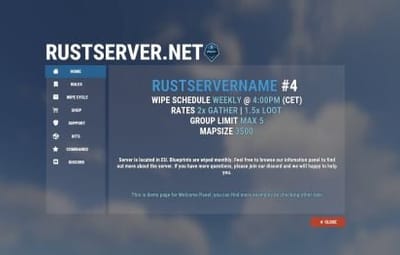
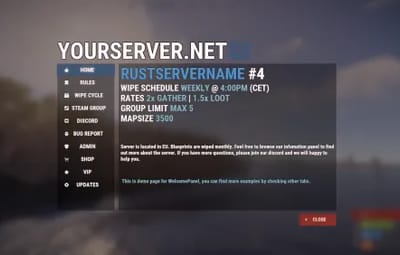
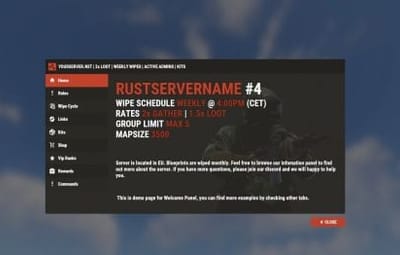
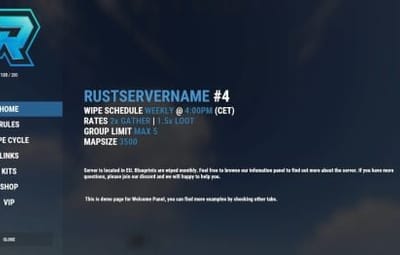
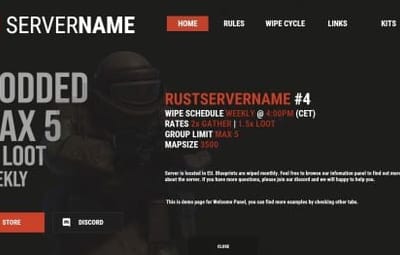
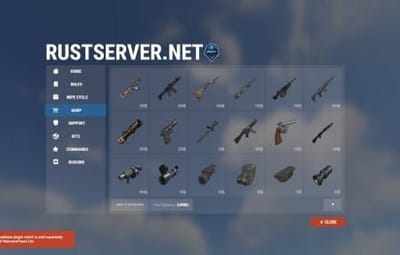
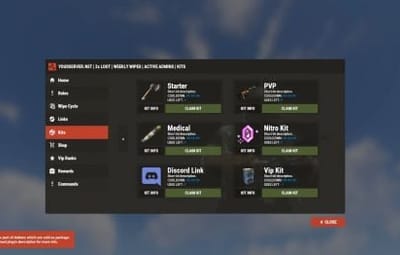
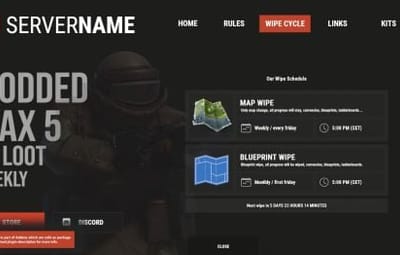
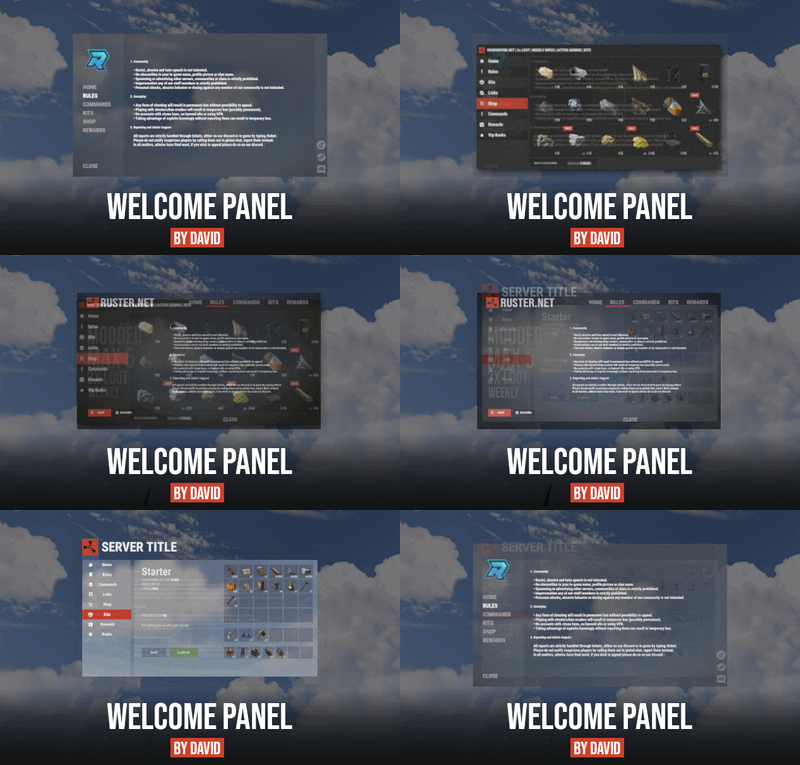
Default configs available as template with plugin.

default config

number 2 number 3 number 4


showcase.png.d4ae4197194a6c0714560c942753e589.png

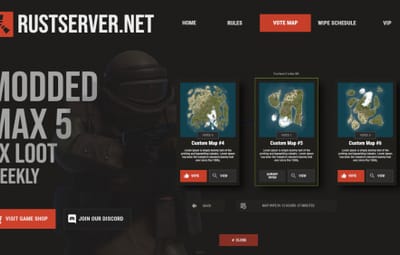
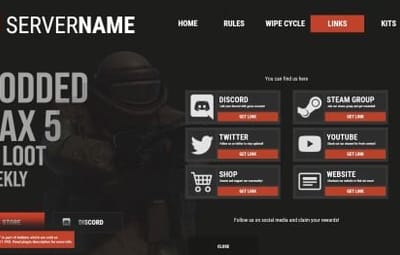
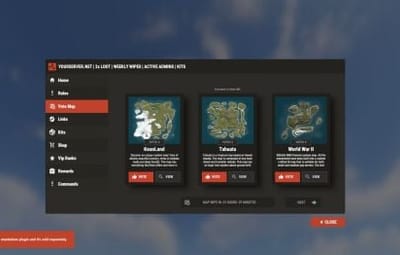
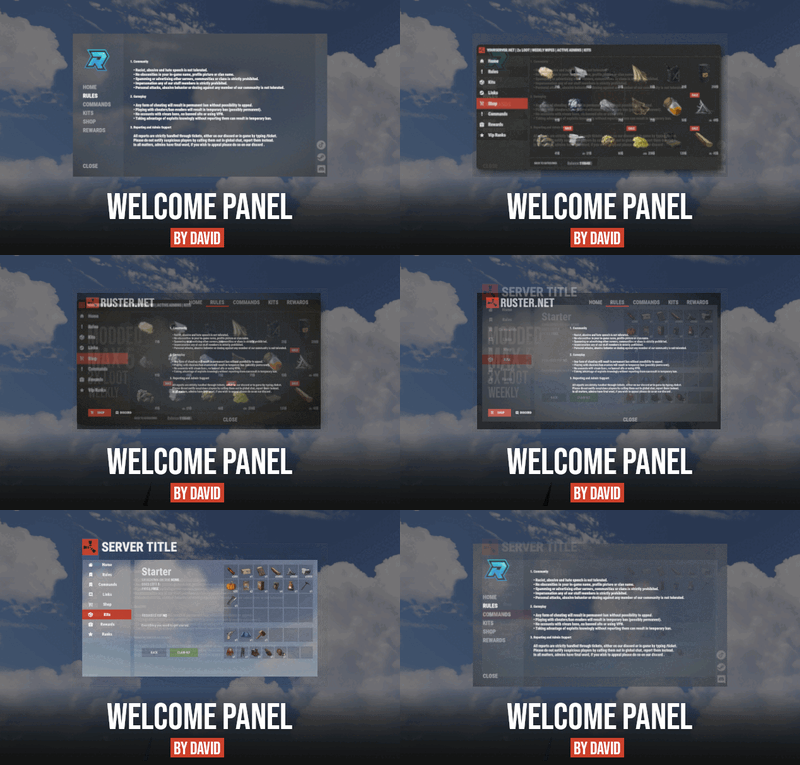
Screenshots bellow showcasing configurations created by customers. These are not available with the plugin but I decided to post them here since it's good demonstration of how customizable this plugin is.

 
preview2.thumb.jpg.29480f43e43b0702817ba9757d73a900.jpg
BOOBLEJ
2.thumb.jpg.81dcb1aa8c32ad35b9e6f7255d67b06d.jpg
Tide
3.thumb.jpg.3a70aaa58e4729cbb4232a26b9fa6222.jpg
Neighigh

1.jpg.df9ab8792c1dc275771b277c63d31863.jpg
Paul

4.thumb.jpg.27c27f42ed5624c29a1aaa0127cf8a1e.jpg
Leunal17

2_customertemplate.png.8f037ab1115dbed4c4df90fefb7bc4ab.png
BOOBLEJ


FAQ.png.bee7989aeebc95acf65711a371fdf44f

  • How to start using plugin?
    Simply drop WelcomePanelLite.cs file into your plugin folder. After successfully loading plugin you can use default command /info in game. Configuration is handled in config file (oxide/config/WelcomePanelLite.json).
     
  • How hard is to get this plugin all set up?
    It's fairly simple. Plugin comes with default configuration which showcases everything you need to know regarding text, styling and changing images.  
     
  • How hard it is to customize your own layout?
    When it comes to changing color or images it's simple, any inexperienced user can do it however if you want to customize positions of UI or add extra tab buttons, it requires understanding of "ui anchors". Anchors are not that complicated but it takes hour or two to fully understand it. For more info check  documentation.
     
  • Can I add multiple pages into WelcomePanel?
    Yes, you can add unlimited amount of pages.
     
  • Can I add images into WelcomePanel?
    Yes, you can add image to any panel and you can set background for each tab
     
  • What image sizes I should use?
    This is different for each panel across different templates. Basically images parented to any panel are stretched to its size. Best approach is to take screenshot of the panel and try to fit image size into that prior to uploading it.  
     
  • How to add addons?
    Each text tab has addon option at bottom, just type in plugin name. List of available addons can be found at the top of the plugin description, listed as "Works with".


Edited by David


What's New in Version 4.3.8   See changelog

Released

forced wipe patch 


License

Copyright © 2022 David
WelcomePanel can not be copied, edited and/or (re)distributed without the express permission of David.
Permission is granted ONLY for personal use, for your own rust server.


Plugin is sold as it is with option to configure data and config files.
You have no rights on source code part of the product.


Quote

End-User License Agreement (EULA) of Welcome Panel


This End-User License Agreement ("EULA") is a legal agreement between you and David. This EULA agreement
governs your acquisition and use of our WelcomePanel plugin ("Software") directly from David.

Please read this EULA agreement carefully before downloading and using the WelcomePanel plugin.
It provides a license to use the WelcomePanel and contains warranty information and liability disclaimers.

If you are entering into this EULA agreement on behalf of a company or other legal entity, you represent that you have the authority
to bind such entity and its affiliates to these terms and conditions. If you do not have such authority or if you do not agree with the
terms and conditions of this EULA agreement, DO NOT purchase or download the Software.

This EULA agreement shall apply only to the Software supplied by David herewith regardless of whether other software is referred
to or described herein. The terms also apply to any David updates, supplements, Internet-based services, and support services for the Software,
unless other terms accompany those items on delivery. If so, those terms apply.


License Grant

David hereby grants you a personal, non-transferable, non-exclusive license to use the WelcomePanel software on your devices in
accordance with the terms of this EULA agreement. You are permitted to load the WelcomePanel on your personal server owned by you.

You are not permitted to:

  • Edit, alter, modify, adapt, translate or otherwise change the whole or any part of the Software nor permit the whole or any part
    of the Software to be combined with or become incorporated in any other software, nor decompile, disassemble or reverse
    engineer the Software or attempt to do any such things.
  • Reproduce, copy, distribute, resell or otherwise use the Software for any commercial purpose
  • Allow any third party to use the Software on behalf of or for the benefit of any third party
  • Use the Software in any way which breaches any applicable local, national or international law
  • use the Software for any purpose that David considers is a breach of this EULA agreement


Intellectual Property and Ownership

David shall at all times retain ownership of the Software as originally downloaded by you and all subsequent downloads of the Software by you. The Software (and the copyright, and other intellectual property rights of whatever nature in the Software, including any modifications made thereto) are and shall remain the property of David .


Termination

This EULA agreement is effective from the date you first use the Software and shall continue until terminated. You may terminate it at any time upon written notice to David .It will also terminate immediately if you fail to comply with any term of this EULA agreement. Upon such termination, the licenses granted by this EULA agreement will immediately terminate and you agree to stop all access and use of the Software. The provisions that by their nature continue and survive will survive any termination of this EULA agreement.


Carbon Compatible

Yes

Hide About Header

No
  • Like 29
  • Sad 4
  • Love 20

User Feedback

This area is for discussion and questions. Please use the support area for reporting issues or getting help.

Recommended Comments


Island Chronicles

Posted

On 6/1/2022 at 8:49 PM, David said:

I actually made it but kept it private. Currently working  on new WelcomePanel version which should also include creating own buttons for each page.

If you've already done it with the permissions, can you release that with the next update?

Creating your own buttons also sounds very interesting.

Zienem

Posted (edited)

Getting an error when I load the plugin shown below:


Not sure what the issue is, it does that and then loads the plugin but I cant use /wp_edit or any command. Error below


Edited by Zienem
David

Posted (edited)

1 minute ago, Zienem said:

Getting an error when I load the plugin shown in attachment "Reload.Load"

Please use support section if you have any issues with plugin

Edited by David
Zienem

Posted (edited)

2 minutes ago, David said:

Please use support section if you have any issues with plugin

Understood my bad, its already listed there sorry. Been posting on Lone.Design lately so I left it here out of instinct haha

Edited by Zienem
Katze

Posted

hey,

had to redo image library and now i cant download the welcomepanel icons and templates. says your page is down, will u turn it back on?

ty :)

David

Posted

10 minutes ago, Katze said:

hey,

had to redo image library and now i cant download the welcomepanel icons and templates. says your page is down, will u turn it back on?

ty :)

My provider had issues so site was down for 1 hour. Should be fine now but regardless what you should really do is host images yourself.

  • Like 1
Katze

Posted

2 minutes ago, David said:

My provider had issues so site was down for 1 hour. Should be fine now but regardless what you should really do is host images yourself.

Thank you, yea im looking forward doing that myself. 🙂

  • Like 1
Copeman

Posted

how can i move the close button to the location i marked in the screenshot

Screenshot 2022-06-12 141339.png

Zienem

Posted

53 minutes ago, Copeman said:

how can i move the close button to the location i marked in the screenshot

Screenshot 2022-06-12 141339.png

use /wp_edit, and click the close button

Copeman

Posted

i did that but it seems to be broken? when i use wasd i just move around in game

  • Like 1
Kieta Maximus

Posted

On 6/12/2022 at 5:49 PM, Copeman said:

i did that but it seems to be broken? when i use wasd i just move around in game

I just move in-game as well, instructions in-game unclear if WSAD is suppose to do something or not.  I can make the button bigger or smaller by clicking the mouse buttons but that is the extent of it.

RustGGOwners

Posted

Can I change the text aling for each text line?


David

Posted

20 hours ago, RustGGOwners said:

Can I change the text aling for each text line?

Not possible, text align property gets applied on whole text element. 

Hawkhill

Posted

How do i remove the icons from the buttons?
I see in the description that i can do it in the CuiData.json file, but i have no clue how.

Gamebundle

Posted (edited)

Hey there

Would it be possible to have a way to put infos in Tables ? 
I would really love being able to "sort" all my informations a bit better here's a pic of how i do it atm :

image.thumb.png.ff9c63622308e10e8dcf96baa4008644.png


And i would prefer to have them cleanely seperated so it would look a bit better like for example having all "- RP :XX" in a straight line so it would make them a bit more readable "like this" :

image.thumb.png.4b4c4c4617e020149ff1c6c342d9d7b6.png

Same for the tabs maybe ?
image.thumb.png.00ce6f2f1cb56b5b80e1486bb8f30e73.png

It just looks really uneven that way 


Edited by Gamebundle
David

Posted

9 hours ago, Hawkhill said:

How do i remove the icons from the buttons?
I see in the description that i can do it in the CuiData.json file, but i have no clue how.

in oxde/data/WelcomePanel/cuiData.json when you scroll down lower, you will find configuration for each button, just leave image links empty.

David

Posted (edited)

9 hours ago, Gamebundle said:

Hey there

Would it be possible to have a way to put infos in Tables ? 
I would really love being able to "sort" all my informations a bit better here's a pic of how i do it atm :

Natively there is no way to create tables inside text element. It would require some custom built system which is bit overkill for public plugin. Best solution for you would be to create image with text and paste it in there.
Regarding to alignment inside buttons, there is option in config for that Button Settings -> Text Align Inside Button  but you will still end up using empty spaces in text to align it properly since it does not account for icons.

Edited by David
Gamebundle

Posted

12 minutes ago, David said:

Natively there is no way to create tables inside text element. It would require some custom built system which is bit overkill for public plugin. Best solution for you would be to create image with text and paste it in there.
Regarding to alignment inside buttons, there is option in config for that Button Settings -> Text Align Inside Button  but you will still end up using empty spaces in text to align it properly since it does not account for icons.

Thanks for your input, i'll try to deal with it as i can 🙂


Hawkhill

Posted

"menuBtn1": {
    "anchorMin": null,
    "anchorMax": null,
    "color": null,
    "material": null,
    "image": null,
    "fade": 0.0
  },
  "menuBtn2": {
    "anchorMin": null,
    "anchorMax": null,
    "color": null,
    "material": null,
    "image": null,
    "fade": 0.0
  },
  "menuBtn3": {
    "anchorMin": null,
    "anchorMax": null,
    "color": null,
    "material": null,
    "image": null,
    "fade": 0.0
  },
  "menuBtn4": {
    "anchorMin": null,
    "anchorMax": null,
    "color": null,
    "material": null,
    "image": null,
    "fade": 0.0

This is how the CuiData.json looked like when i posted the question...... but when i checked again after i read your reply, it was different and contained the icon links as you said.....
Dunno why this happend.... haha...
Thanks for the help mate!

Deathshades

Posted

On 6/15/2022 at 8:17 PM, Kieta Maximus said:

I just move in-game as well, instructions in-game unclear if WSAD is suppose to do something or not.  I can make the button bigger or smaller by clicking the mouse buttons but that is the extent of it.

i getting same it does nothing but bring it up and dont let me move any thing at all

Sveervoox

Posted (edited)

Bumping the above WASD questions as well --- it appears to not work. Just move around in game. 

Hoping for some help. Thank you.

For others looking, it appears the WASD does work --- it's just not explained and the video is a bit deceiving. You click W once, and it will expand in the direction, then you shrink it again. Repeat. Think of pulling and shrinking, not moving. 

Edited by Sveervoox
David

Posted

3 minutes ago, Sveervoox said:

Bumping the above WASD questions as well --- it appears to not work. Just move around in game. 

Hoping for some help. Thank you.

It's been handled in tickets

  • Like 1
Heartless_Genocide

Posted

I'm struggling to get the Shop and having wipe countdown show as well, I followed all the instructions/extra tips I could find, I must just be missing one thing, shop has the line true for panel, I event tried "WPShop" in the addon part.

David

Posted

4 hours ago, Heartless_Genocide said:

I'm struggling to get the Shop and having wipe countdown show as well, I followed all the instructions/extra tips I could find, I must just be missing one thing, shop has the line true for panel, I event tried "WPShop" in the addon part.

DM sent.

Hawkhill

Posted (edited)

The arrows on the previous and next page butons is gone.....
Have no clue what ive done wrong.
I might have changed the textcolor on them, but cant find it anywhere in the settings.... just for the red close button.

buttons.PNG

Edited by Hawkhill

Create an account or sign in to comment

You need to be a member in order to leave a comment

Create an account

Sign up for a new account in our community. It's easy!

Register a new account

Sign in

Already have an account? Sign in here.

Sign In Now

About Us

Codefling is the largest marketplace for plugins, maps, tools, and more, making it easy for customers to discover new content and for creators to monetize their work.

Downloads
0
Total downloads
Customers
0
Customers served
Files Sold
0
Total sales
Payments
0
Processed total
×
×
  • Create New...

Important Information

We have placed cookies on your device to help make this website better. You can adjust your cookie settings, otherwise we'll assume you're okay to continue.