

Depends on
Required for this file to work correctly.

Works with
Optional integrations and compatible files.


About Trade Hub
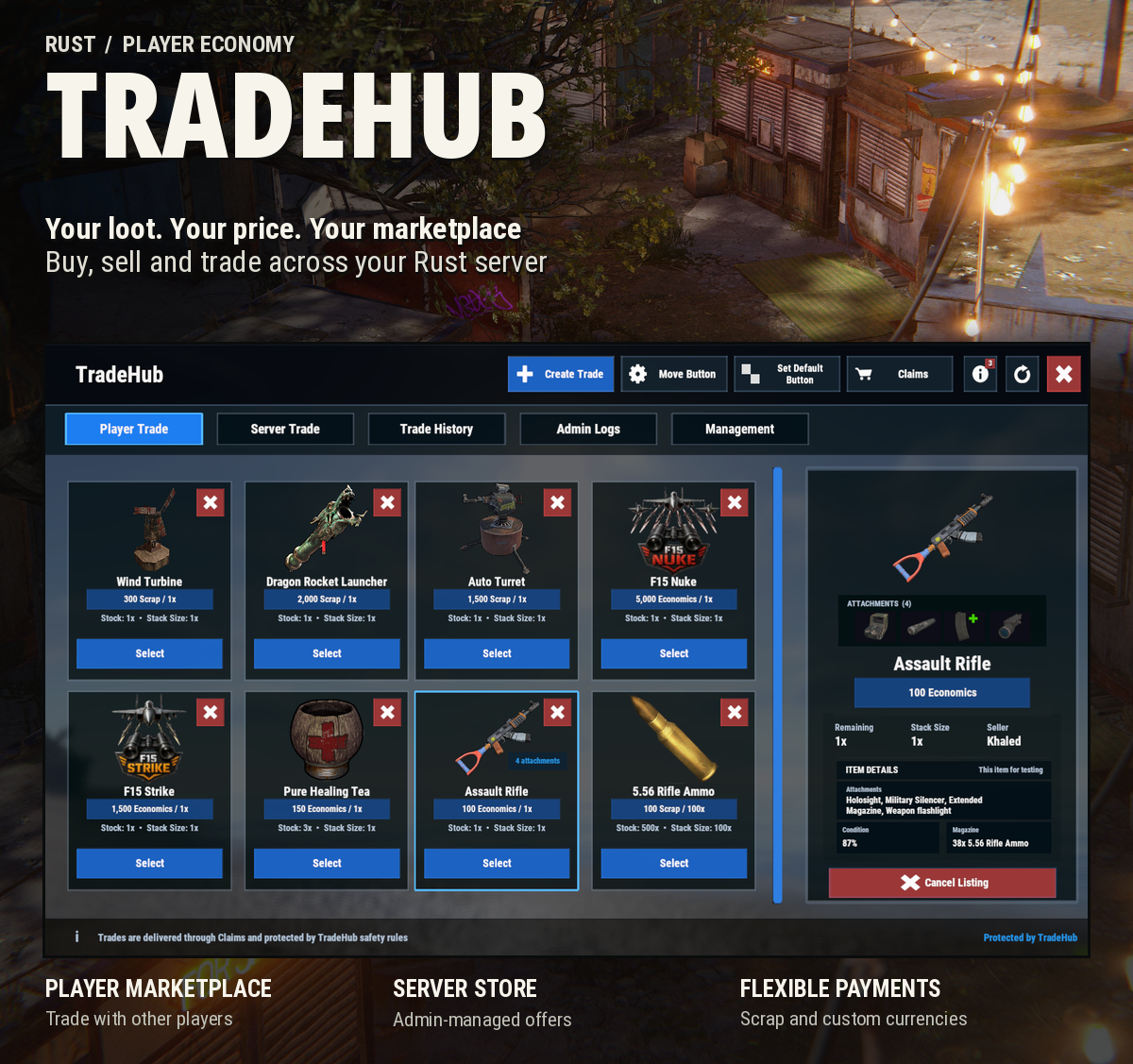
A complete marketplace built for Rust servers
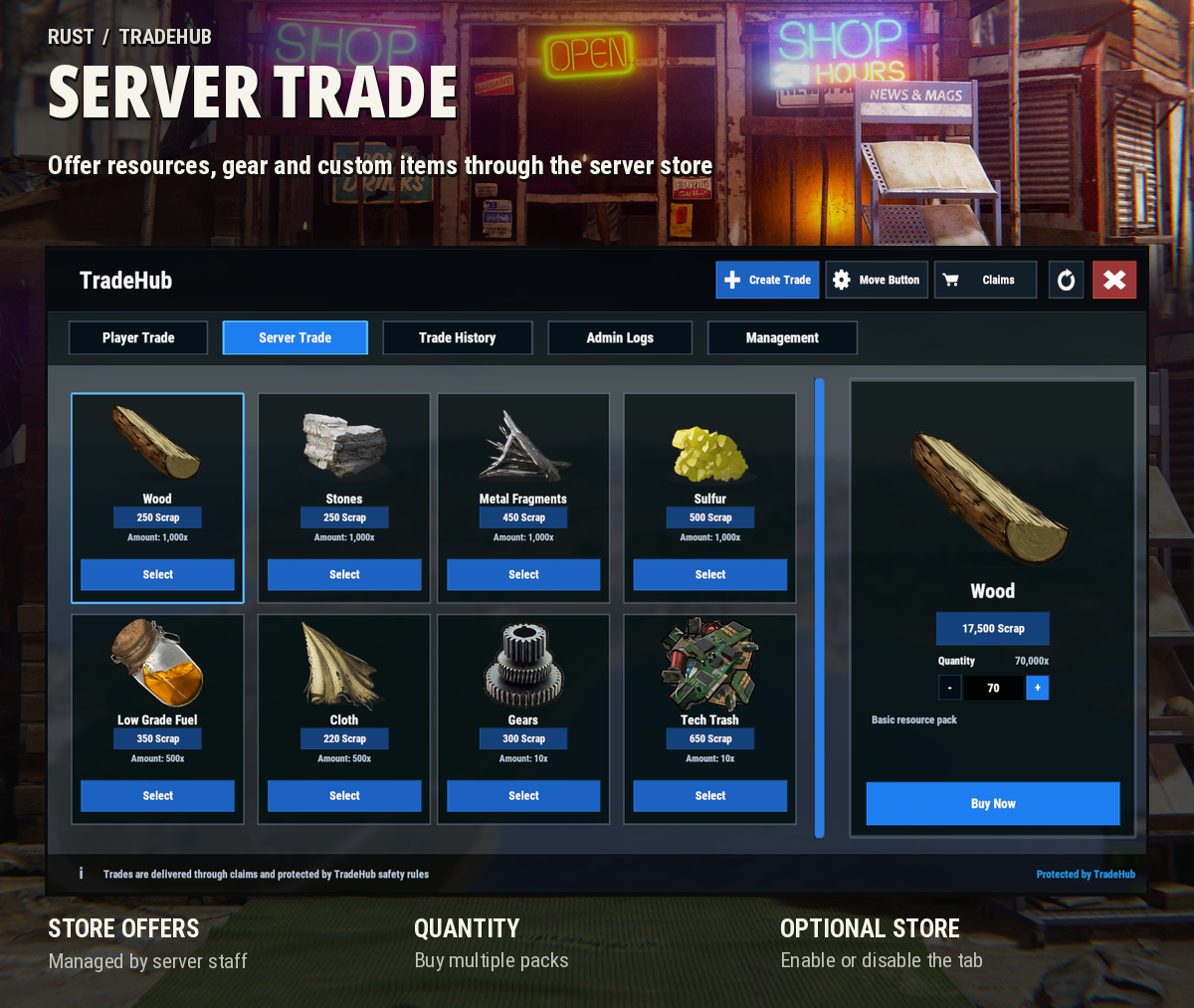
TradeHub brings player trading, buy orders and a server store together in one place
Buy and sell loot, gear, resources and custom items using Scrap or your server's own currency without having to meet up or set up vending machines
ADDITIONAL FEATURES
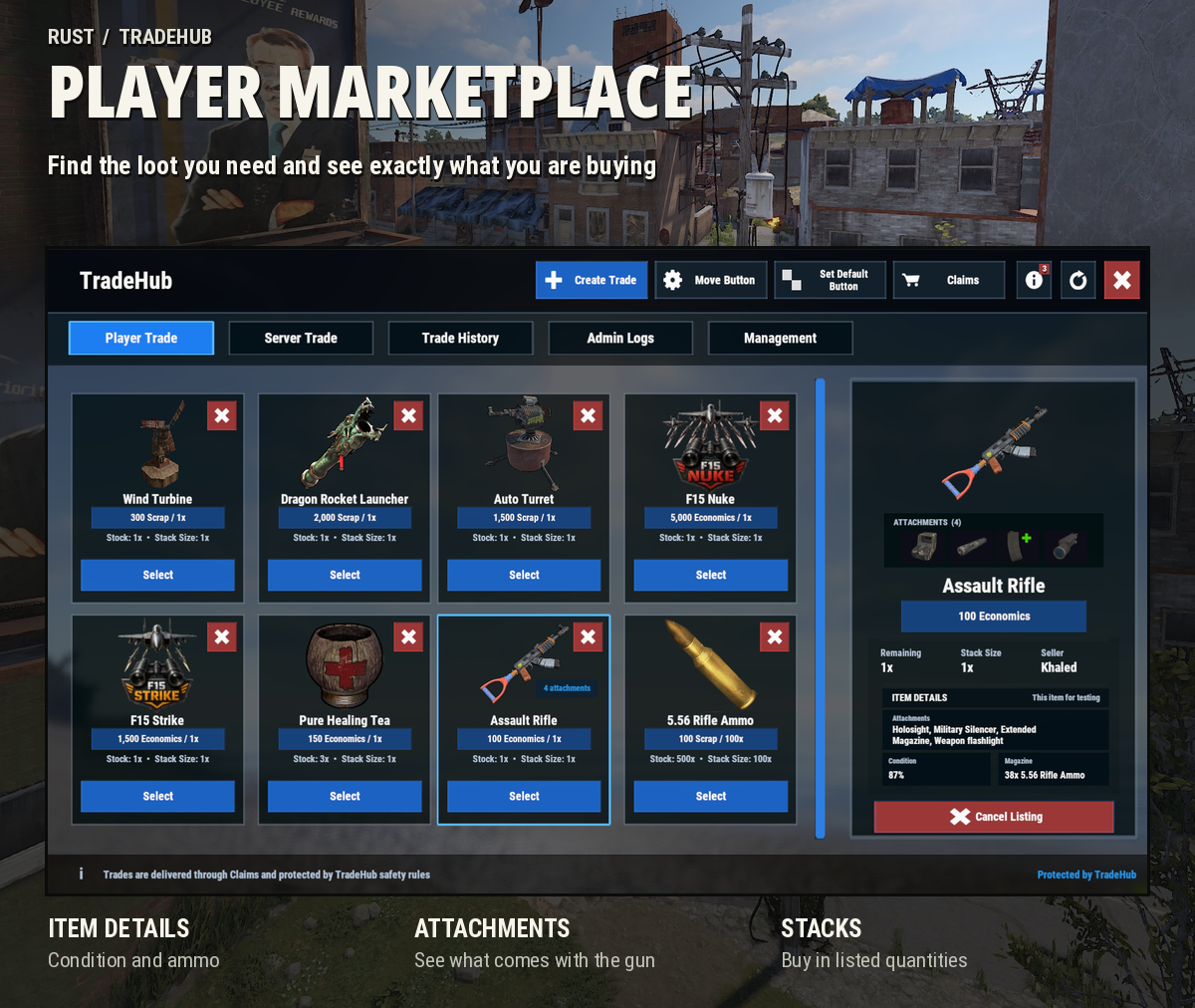
Player Marketplace
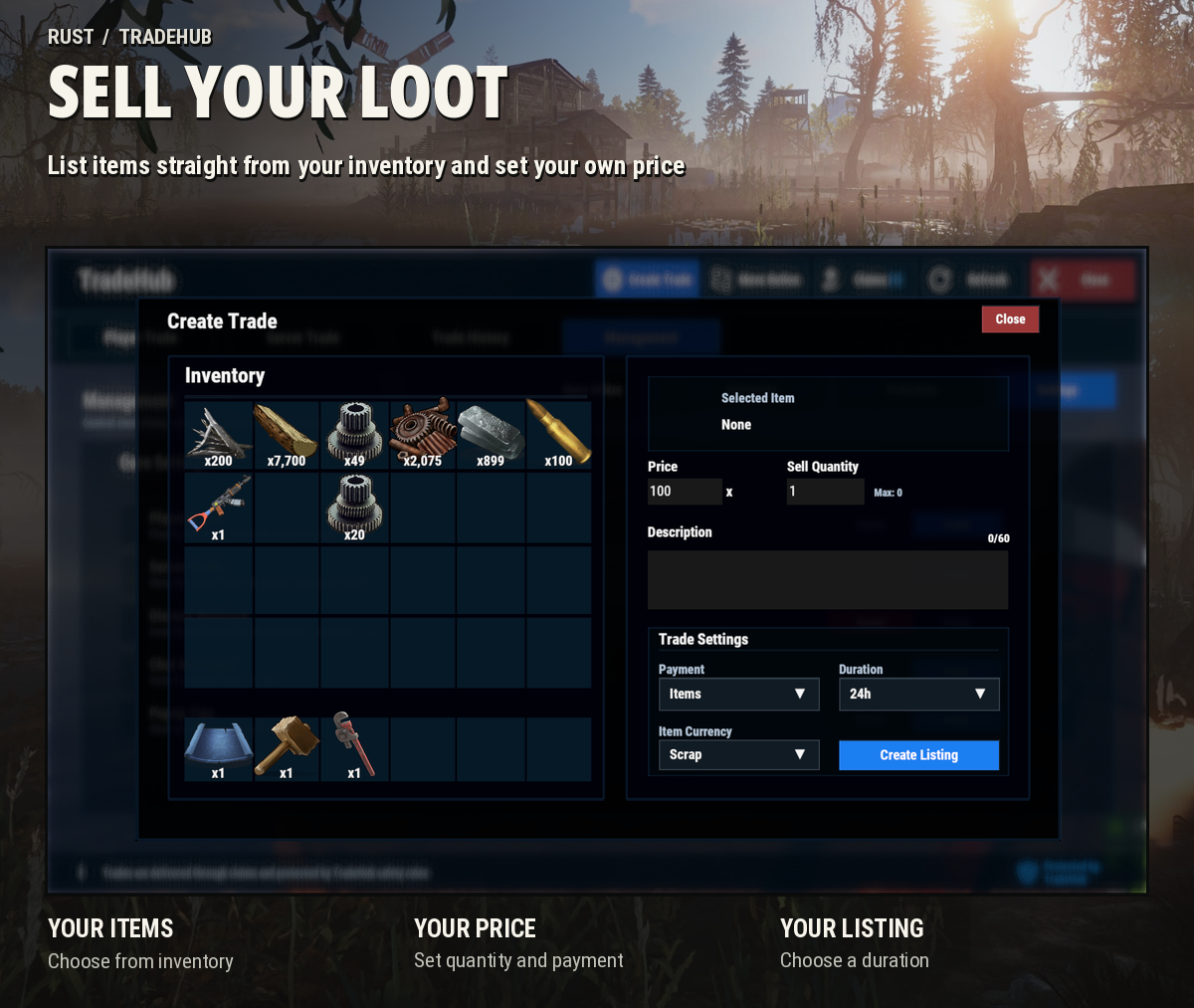
- Sell items directly from your inventory
- Split larger listings into smaller purchases
- View weapon attachments, loaded ammo and item condition before buying
- Set listing durations of 6 hours, 12 hours, 24 hours, 3 days or 7 days
- Support for custom items and skinned items
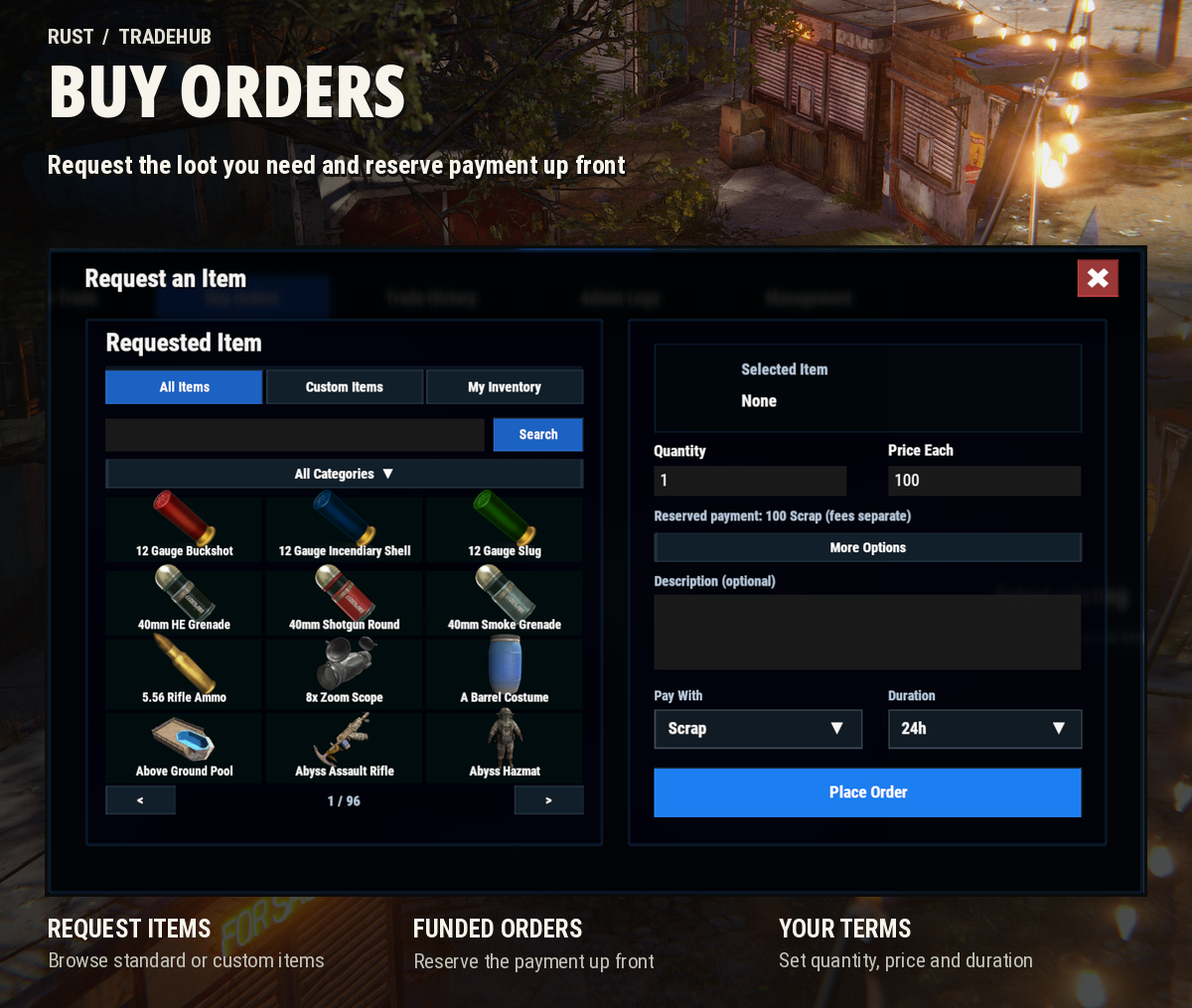
Buy Orders
- Request items from the item catalog, custom items or your own inventory
- Set the requested quantity and price per item
- Payment is reserved when the order is placed
- Add optional item requirements
- Other players can fulfill your orders directly through the marketplace
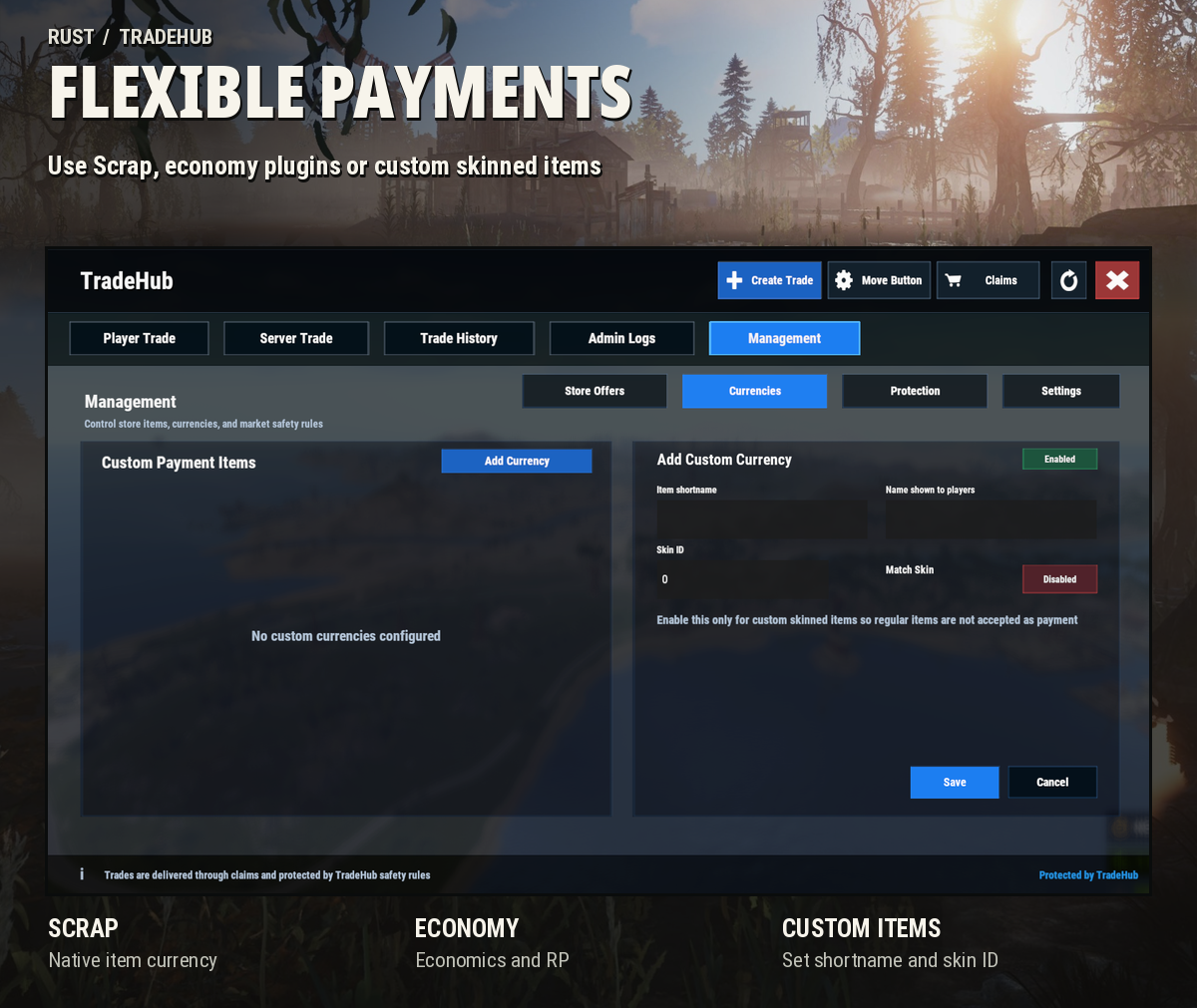
Payment Options
- Scrap
- Economics
- ServerRewards
- Custom item currencies with optional Skin ID matching
Claims & Marketplace Protection
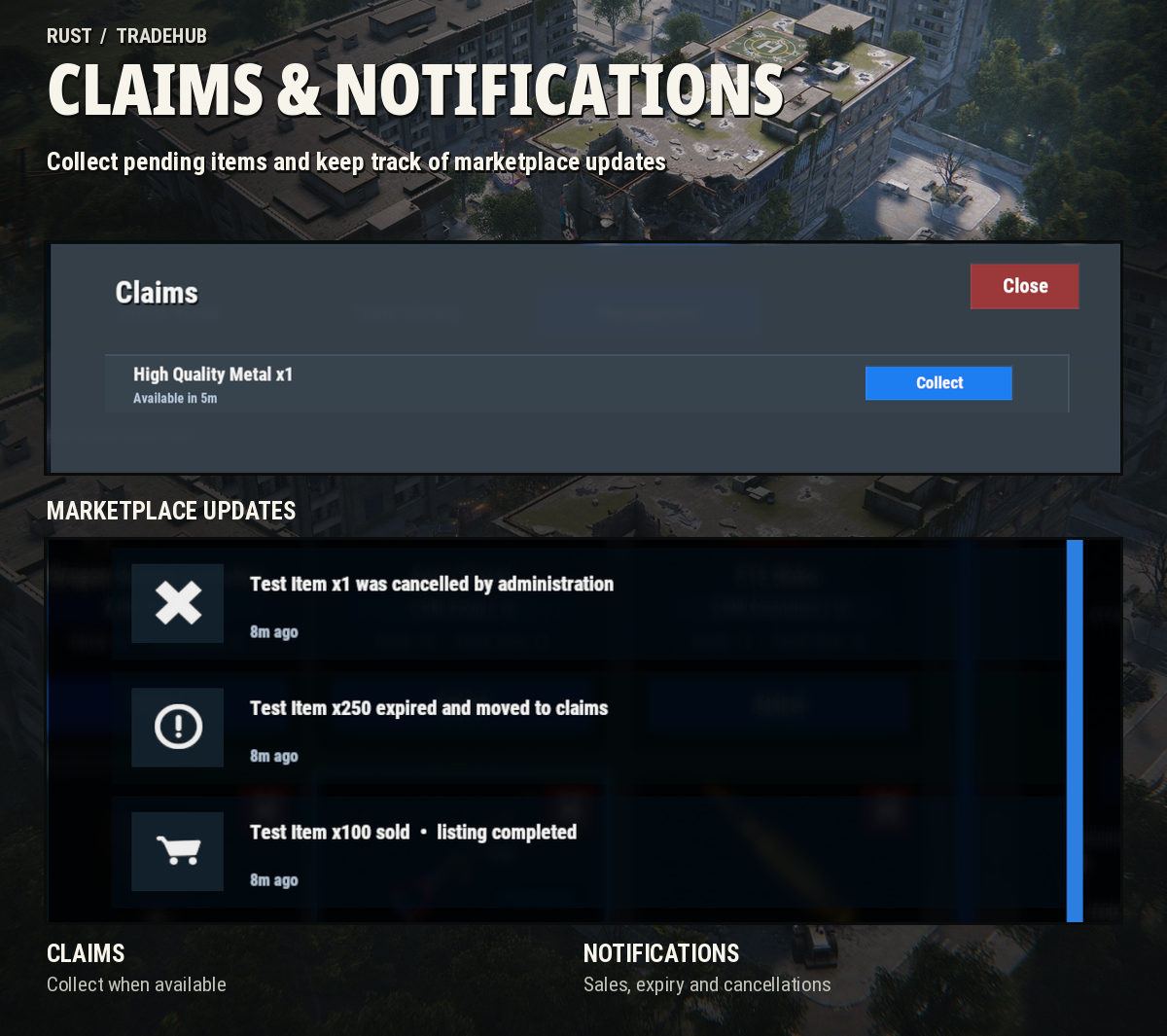
- Collect purchased items and eligible returns through Claims
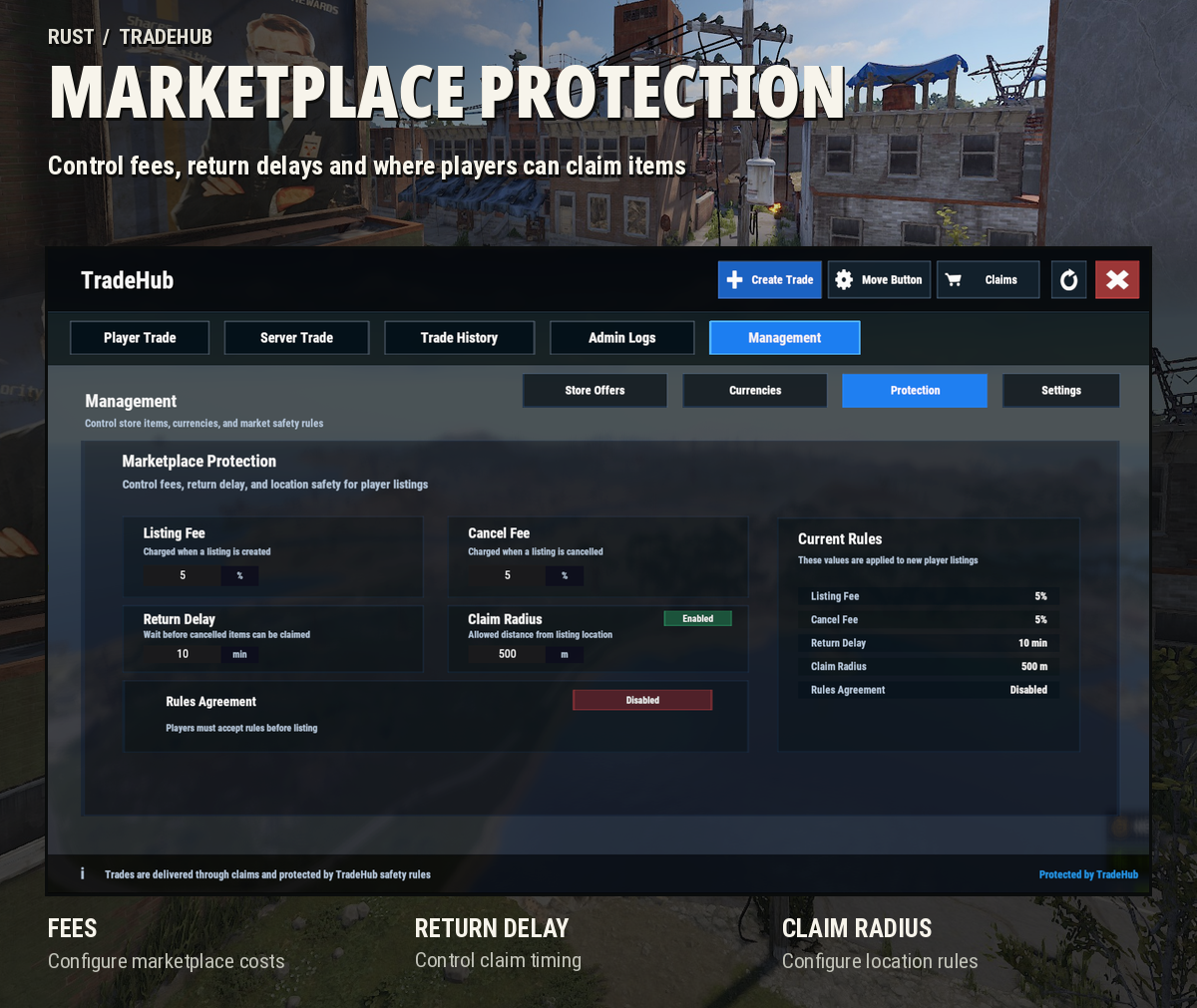
- Configurable listing and cancellation fees
- Fixed fees with a separate fee currency
- Optional percentage-based fees for Scrap
- Configurable return delays
- Optional claim radius restrictions
- Marketplace rules agreement
Server Management
- Enable or disable Player Trade and Server Trade separately
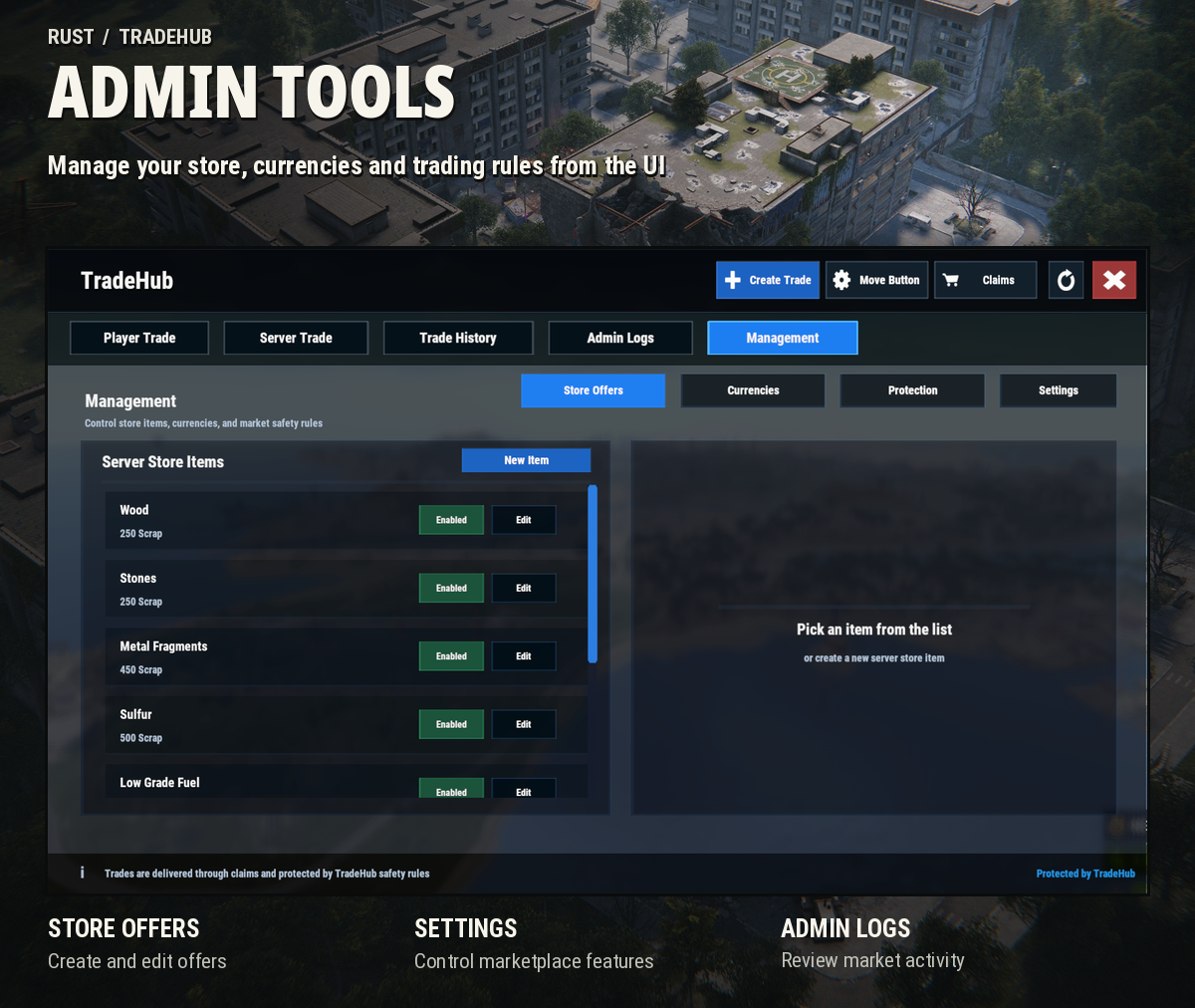
- Manage server offers and custom currencies from the admin UI
- Configure listing limits for different permission groups
- Blacklist items you do not want listed
- Customize the marketplace name
- Customize the position of the HUD button
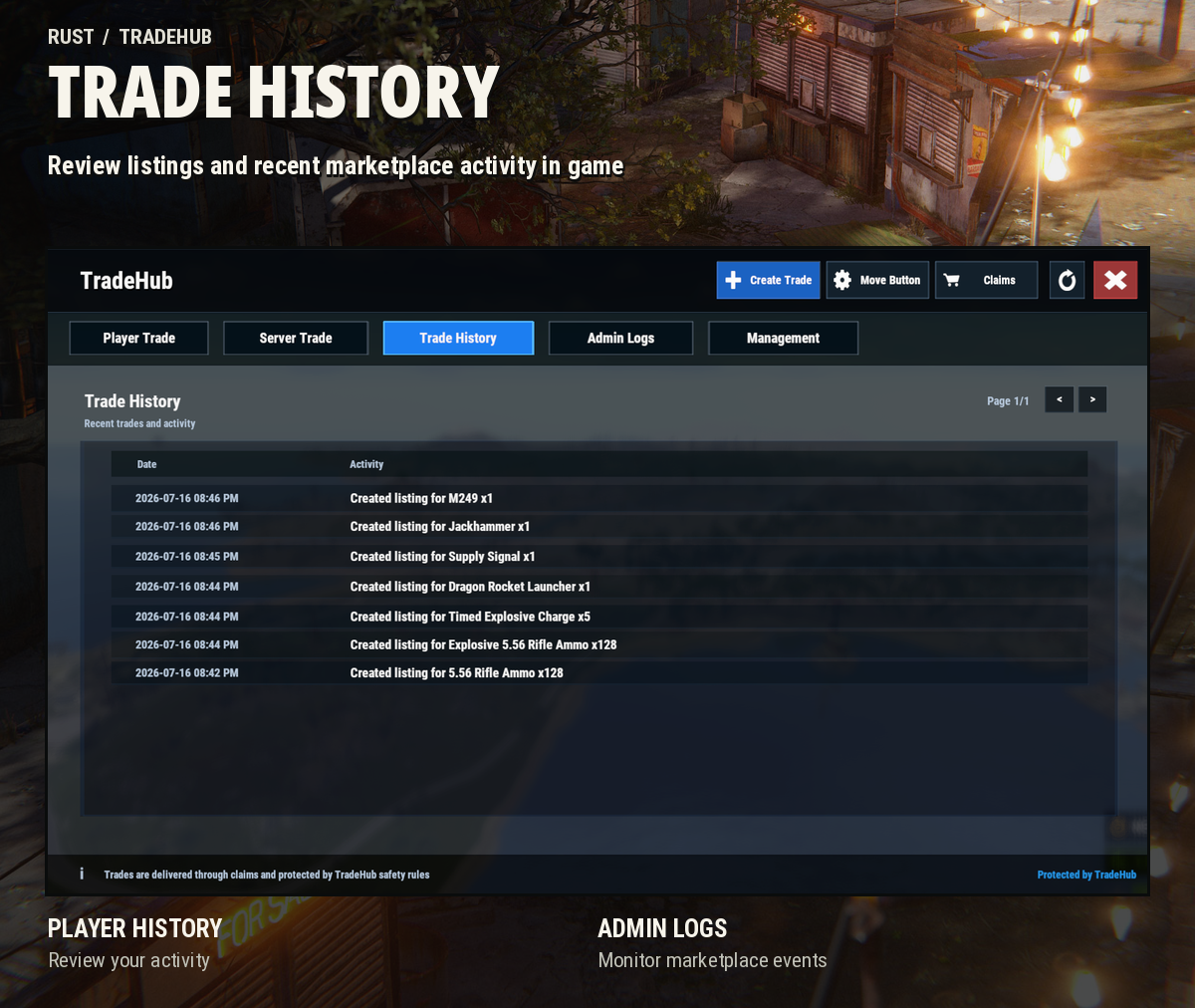
- Review marketplace activity through admin logs
- Separate wipe options for active listings and pending Claims
Notifications & Discord
- In-game notifications for sales, expired listings and cancellations
- Optional chat messages and popup tips
- Unread notifications on the TradeHub HUD icon
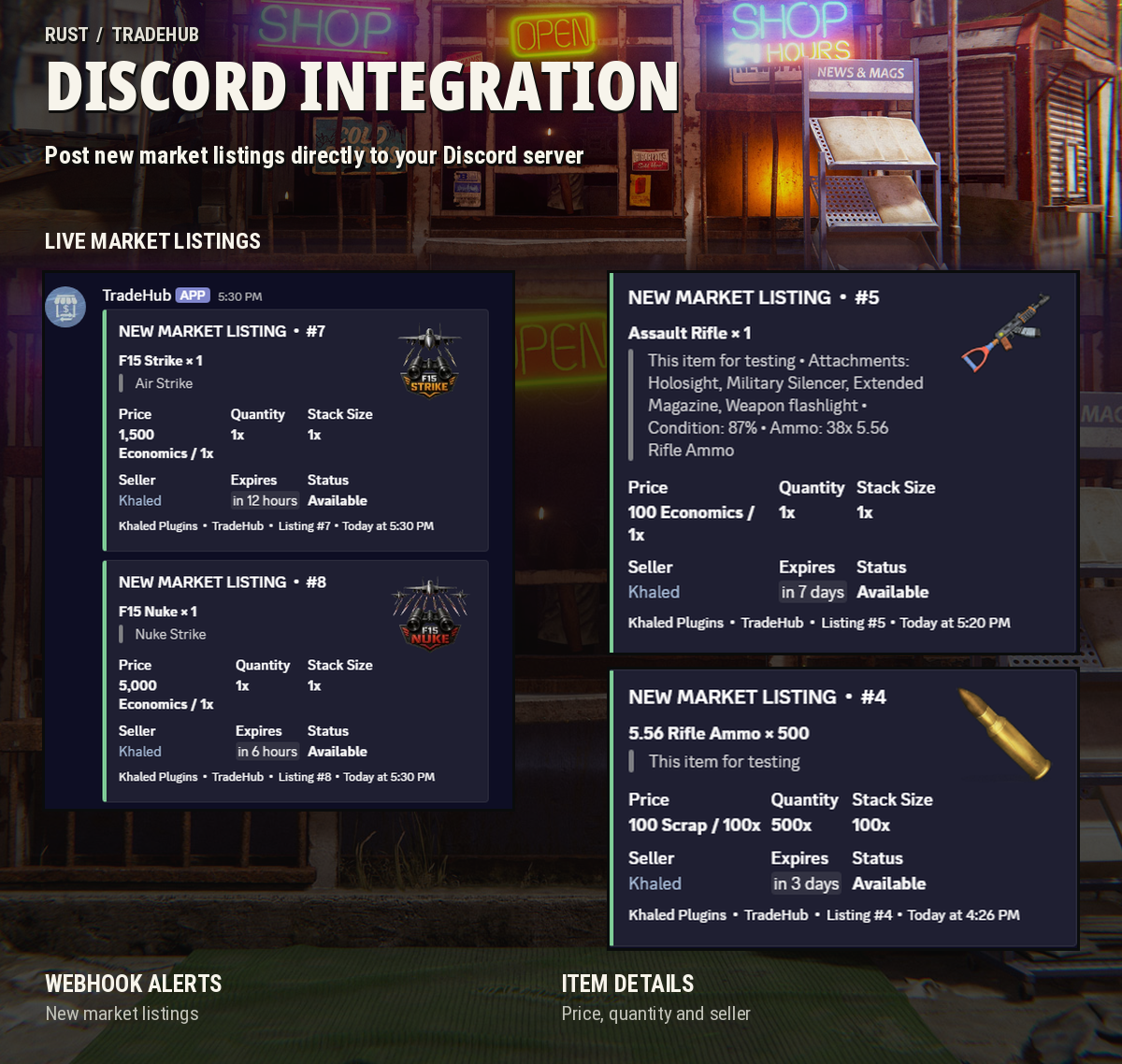
- Discord webhook integration for marketplace listing updates
- Listing messages with item details, price, quantity, seller and expiration time
COMMANDS & PERMISSIONS
Player Command
- /th - Opens the TradeHub menu
The command can be changed through the config
Permissions
- tradehub.use - Access the marketplace
- tradehub.admin - Access marketplace management and admin tools
- tradehub.vip1 - VIP tier 1 listing limit
- tradehub.vip2 - VIP tier 2 listing limit
- tradehub.vip3 - VIP tier 3 listing limit
VIP listing limits can be configured to give different player groups their own number of active listings
CONFIGURATION
TradeHub gives you control over how the marketplace works on your server
- Player marketplace and server store settings
- Listing limits and expiration durations
- Item blacklist
- Custom currencies and payment methods
- Listing fees and cancellation fees
- Claim return delays and location restrictions
- Discord webhook and notification settings
- Marketplace branding and HUD settings
- Separate wipe settings for listings and pending Claims
COMPATIBILITY & REQUIREMENTS
- Oxide / uMod
- Carbon
Required dependency
- Image Library
Optional integrations
- Economics
- ServerRewards
Take Your Rust Server to the Next Level
Premium performance, lightning-fast support, and an exclusive 30% OFF using code KHALED

SUPPORT
If you need help setting up TradeHub, run into any issues or have a feature suggestion, feel free to reach out through the Support section on Codefling
Check the Changelog for the latest updates and improvements