

Jump to content

Wipe Timer 1.3.5

$9.99
   (0 reviews)

5 Screenshots

  • 310
  • 8
  • 16.42 kB

About Wipe Timer

Main Purpose: This plugin tracks the next server wipe time in Rust and displays a continuously updated countdown message on a dedicated Discord channel. It also provides advanced features such as:

• Automatic countdown updates on Discord.

• Private admin alerts before the wipe time.

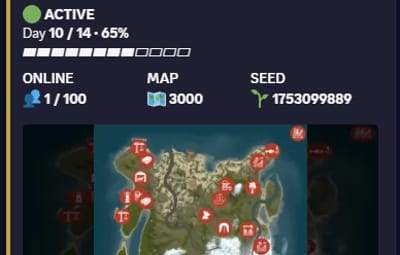
• Neatly formatted server information, including map image and news.

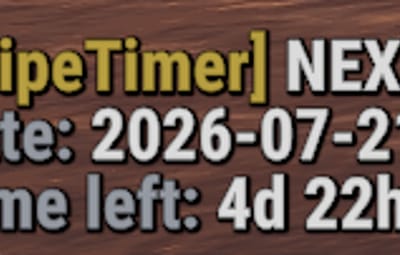
• Commands to set the next wipe and last wipe times from inside the game.

• Dynamic Embed color changes based on how close the wipe is.

-----------------------------------------------------------------------------------------

Core Components:

Data Storage:

• Stores the next wipe time (nextWipeTime) and last wipe time (lastWipeTime) persistently in data files.

Periodic Updates:,

1 • Runs a timer that updates the Discord Embed message every configurable interval (default every 60 seconds).

Discord Messaging:,

2 • Uses WebRequests to send or update an Embed message in a Discord channel via a Discord bot.

 (The message includes) :

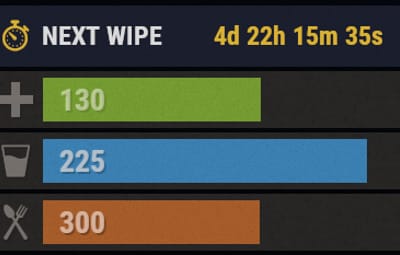
• Time remaining until the wipe.

• Wipe date (date & Time).

• Server name and IP address.

3 • Current online players count.

• Server news.

• Server website link.

• Map image and thumbnail.

Embed Color Coding:,

4 • Green if more than 24 hours remain.

• Yellow if between 1 hour and 24 hours remain.

• Red if less than 1 hour remains.

Admin Private Alerts:,

5 • Sends direct messages (DMs) on Discord to specified admin user IDs before the wipe by a configurable number of seconds (default 1 hour).

In-Game Commands:,

6 • /setwipe <yyyy-MM-dd 00:00> : Set the next wipe time in date and time from now.

• /setlastwipe <yyyy-MM-dd> : Set the date of the last wipe.

-----------------------------------------------------------------------------------------

How to Use:

Place the plugin file in your Oxide plugins folder.

Configure config.json:,

• Set your Discord bot token.

• Set the target Discord channel ID.

• Update server info like IP, website, news, etc.

• Add admin Discord IDs for private alerts if desired.

Reload the plugin or restart your server.,

Use /setwipe and /setlastwipe in-game commands to configure wipe dates.,

Watch the Discord channel for an up-to-date, nicely formatted wipe countdown message.

-----------------------------------------------------------------------------------------

configuration

{
  "AdminAlertBeforeSeconds": 3600,   // Time in seconds before wipe to send private alerts to admins
  "AdminDiscordIds": [],   // List of Discord user IDs to receive private admin alerts
  "BotToken": "YOUR_BOT_TOKEN_HERE",   // Discord bot token used for authentication
  "ChannelId": 0,   // Discord channel ID where the wipe countdown embed will be posted
  "ColorLongTime": 3066993,   // Embed color when wipe is more than 24 hours away (green)
  "ColorMediumTime": 16776960,    // Embed color when wipe is between 1 hour and 24 hours away (yellow)
  "ColorShortTime": 15158332,    // Embed color when wipe is less than 1 hour away (red)
  "DefaultWipeDaysFromNow": 3,   // Default number of days from now for the next wipe if no data exists
  "EmbedSettings": {
    "Color": 3447003,   // Default color of the embed (may be overridden by time-based colors)
    "Footer": {   
      "IconUrl": null,   // Footer icon URL (optional)
      "Text": "Rust Server"   // Footer text in the embed
    },
    "Title": "Wipe Countdown"    // Title of the embed message
  },
  "MapImageUrl": "",    // URL of the map image displayed in the embed
  "ServerCountry": "Unknown",  // The country the server is located in, displayed in the message.
  "ServerIP": "0.0.0.0",    // IP address of your Rust server displayed alongside the server name
  "ServerNews": "Stay tuned for upcoming events!",   // News or announcements displayed in the embed
  "ServerWebsiteUrl": "",   // URL to your Rust server's website
  "ThumbnailUrl": "",   // URL of the thumbnail image displayed in the embed
  "UpdateIntervalSeconds": 60,   // Interval in seconds to update the countdown message
  "UtcOffsetHours": 3,  // The UTC offset for the server, used to adjust the local time.
}

Khaled's Collection

User Feedback

2.1m

Downloads

Total number of downloads.

9.8k

Customers

Total customers served.

142.7k

Files Sold

Total number of files sold.

3m

Payments Processed

Total payments processed.

×
×
  • Create New...

Important Information

We have placed cookies on your device to help make this website better. You can adjust your cookie settings, otherwise we'll assume you're okay to continue.