About Upgrade Tree
Level up your gear, not just your character
UpgradeTree brings item-based progression to Rust, giving supported weapons, armor and clothing their own XP, levels and upgrade trees
Earn upgrade points through gameplay, customize your gear at a dedicated Upgrade Station and build a loadout that fits the way you play
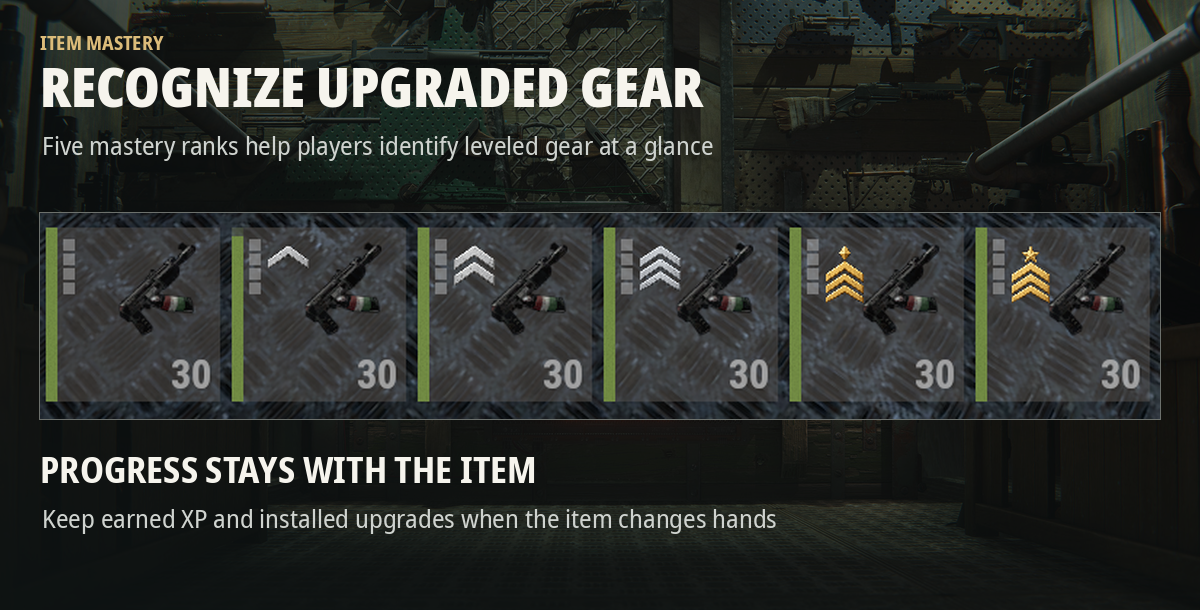
Progress stays with the item, so an upgraded AK keeps its level and installed upgrades even when another player gets their hands on it
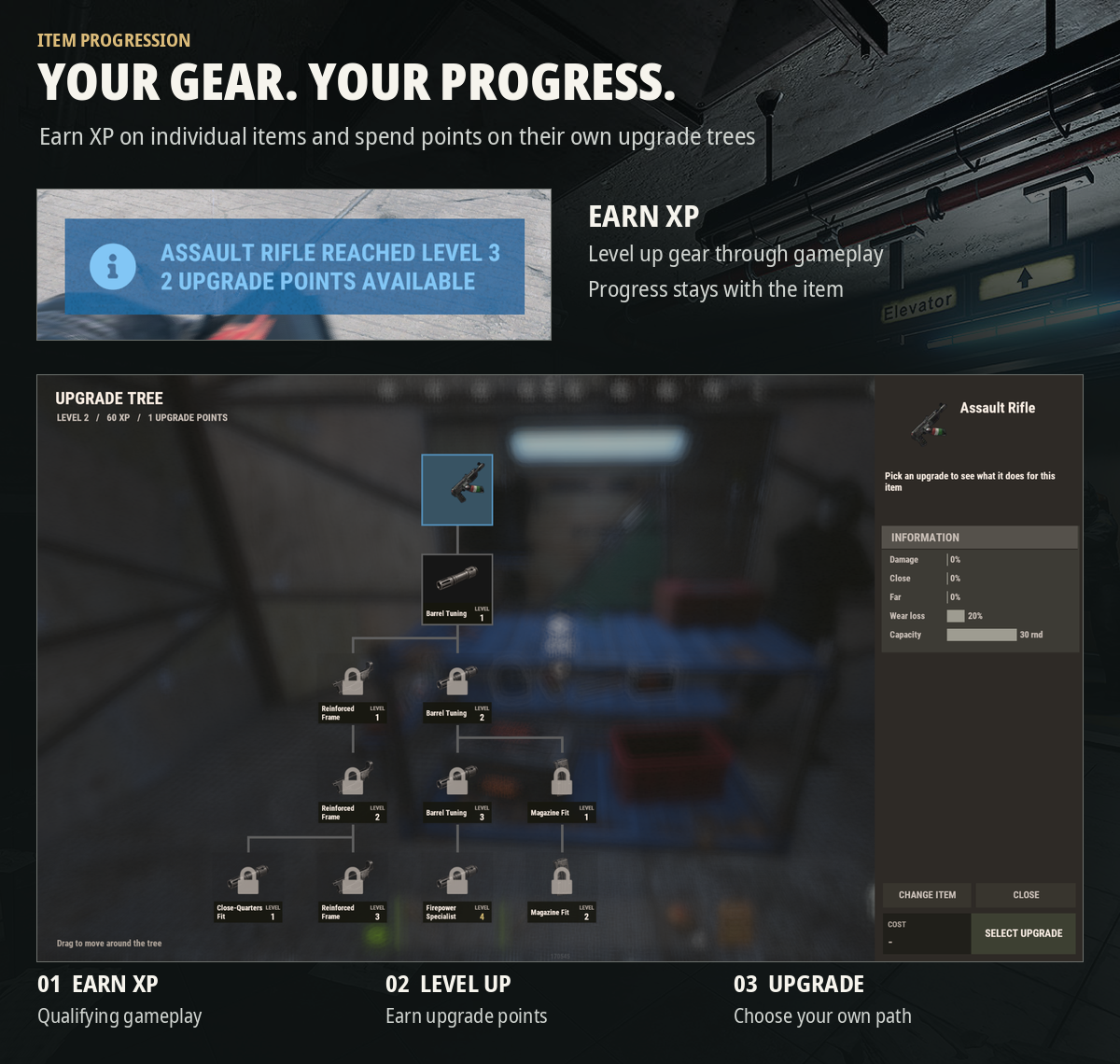
HOW IT WORKS
- Earn XP on your gear by playing Rust
- Level up individual items and earn upgrade points
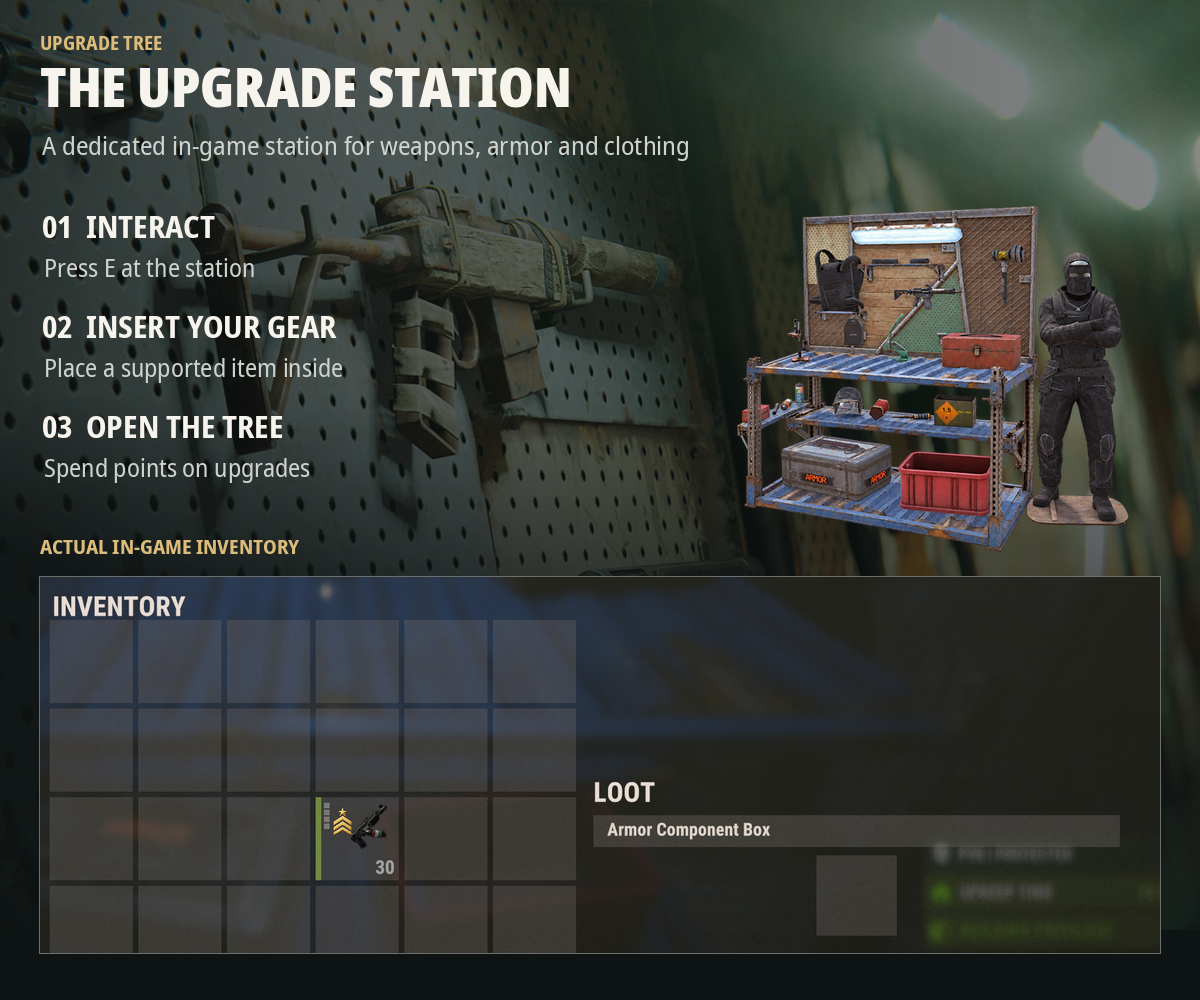
- Visit an Upgrade Station and press E
- Place a supported item inside and open its upgrade tree
- Choose your upgrades, check their requirements and spend your points
Firearms earn XP from qualifying player and NPC kills, while equipped armor and clothing earn XP from qualifying combat and environmental exposure
Each item has its own progression, even if you own several copies of the same weapon
KEY FEATURES
Weapon progression
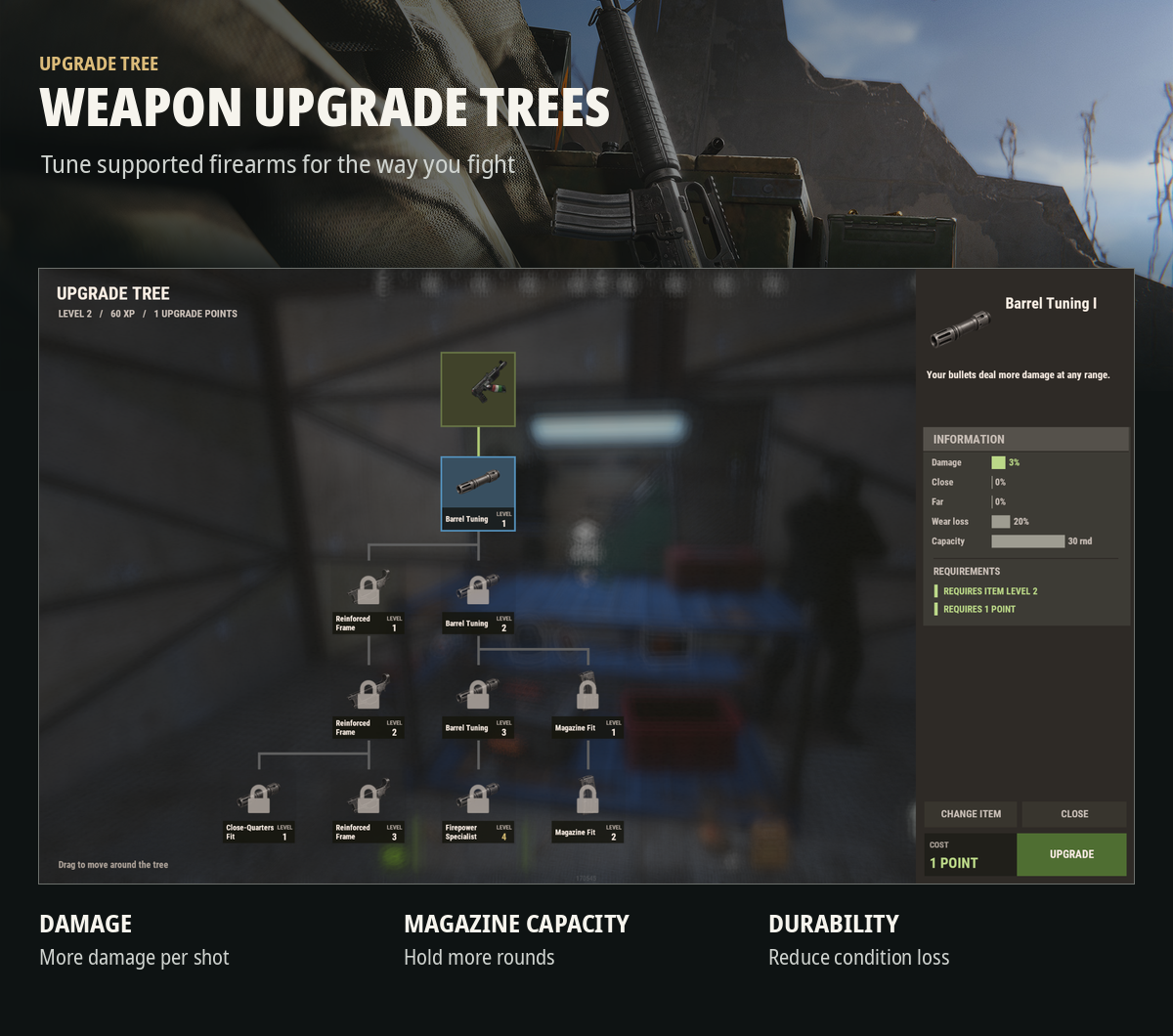
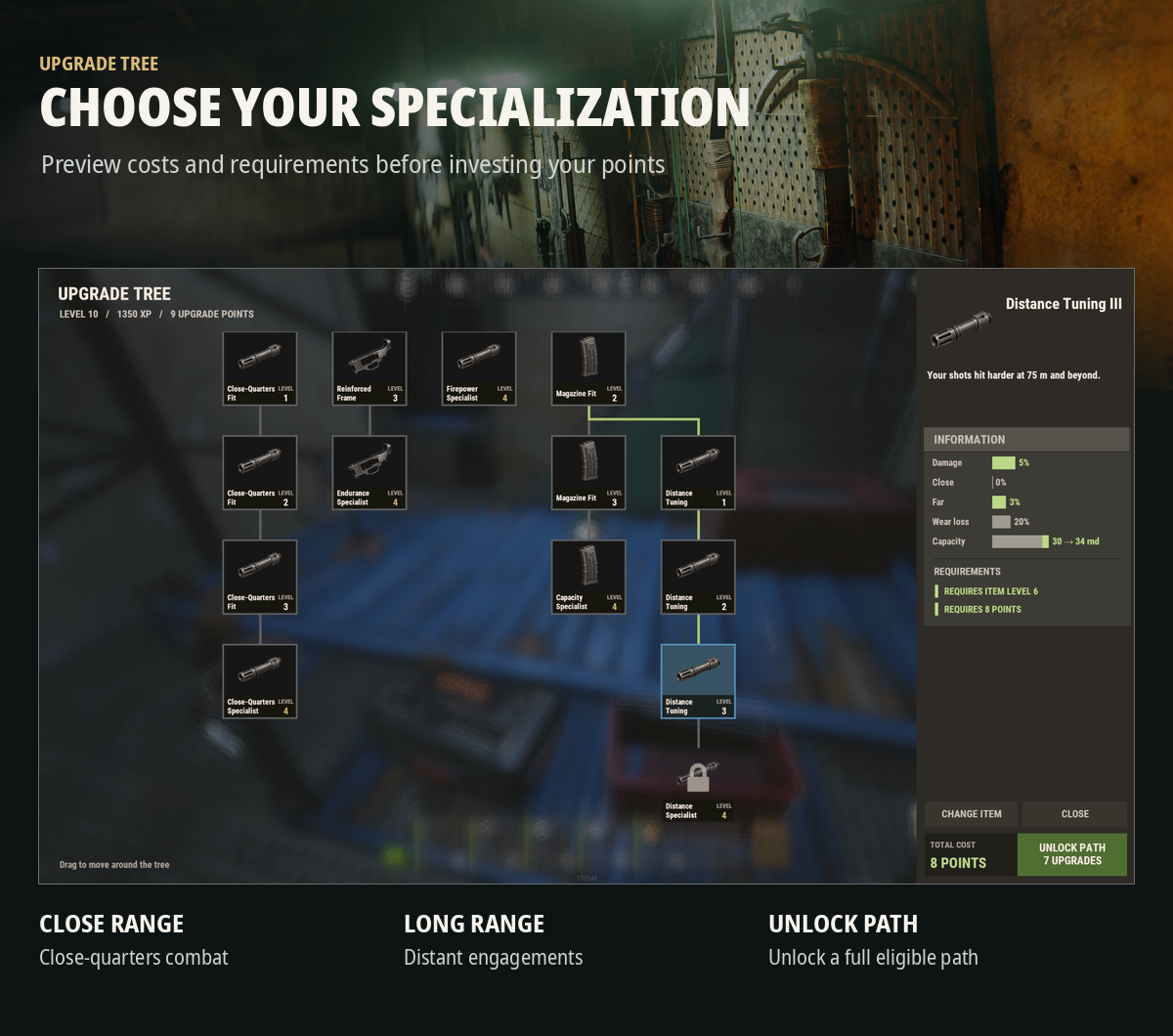
- Increase weapon damage and specialize in close-range or long-range combat
- Expand magazine capacity and reduce weapon condition loss
- Preview upgrade effects, level requirements and point costs
- Unlock individual nodes or an entire eligible upgrade path
Armor, clothing and full-body suits
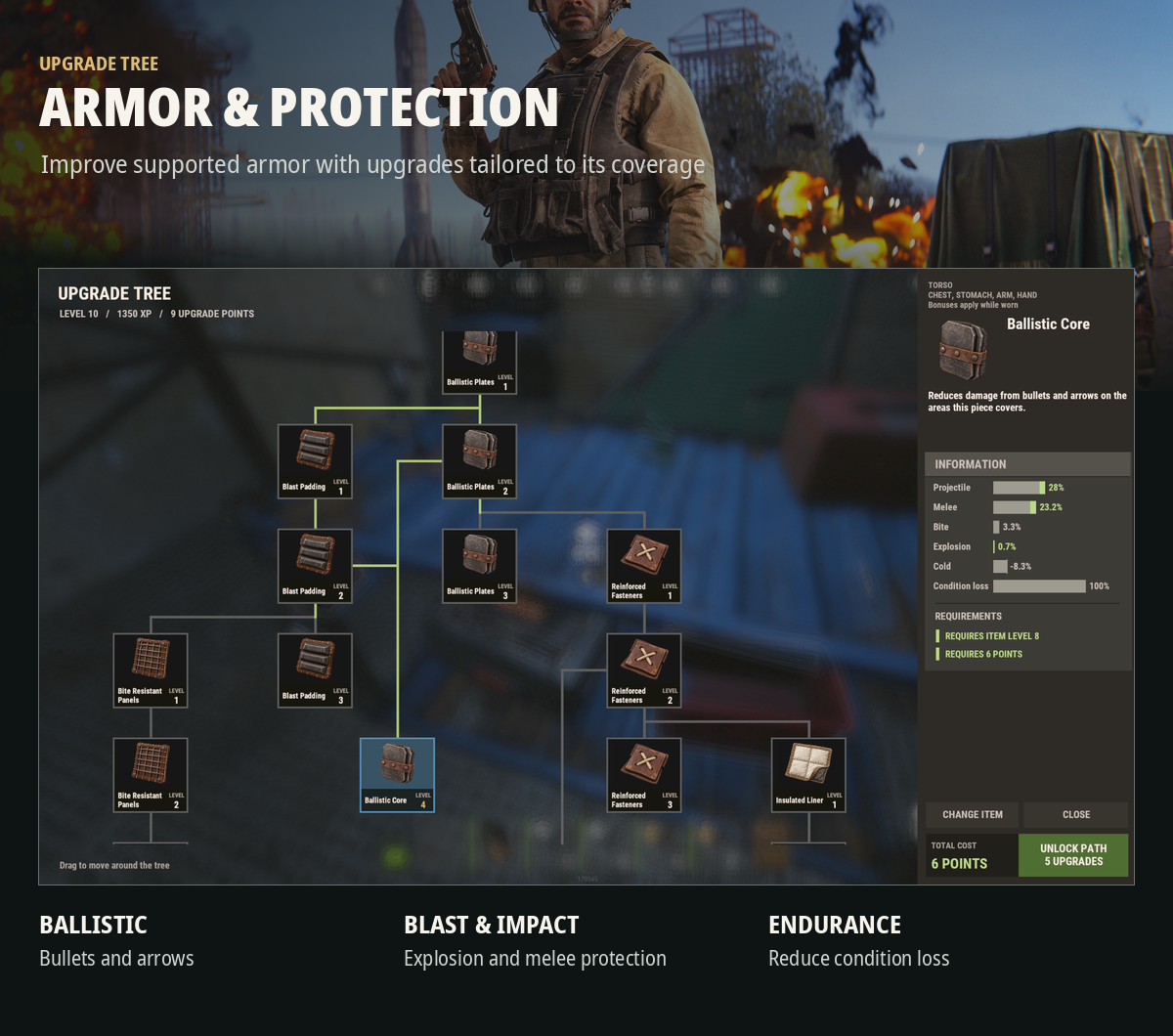
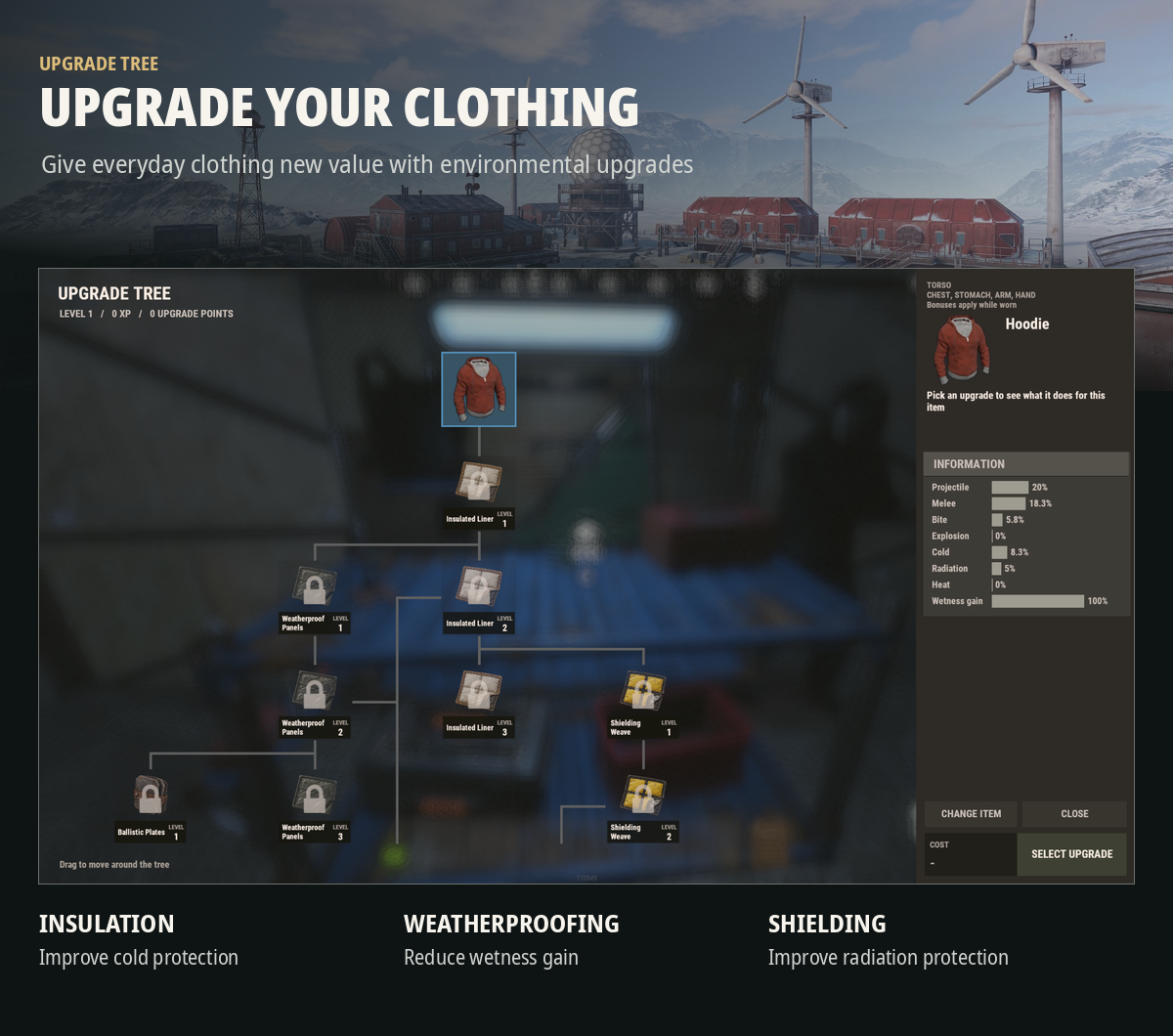
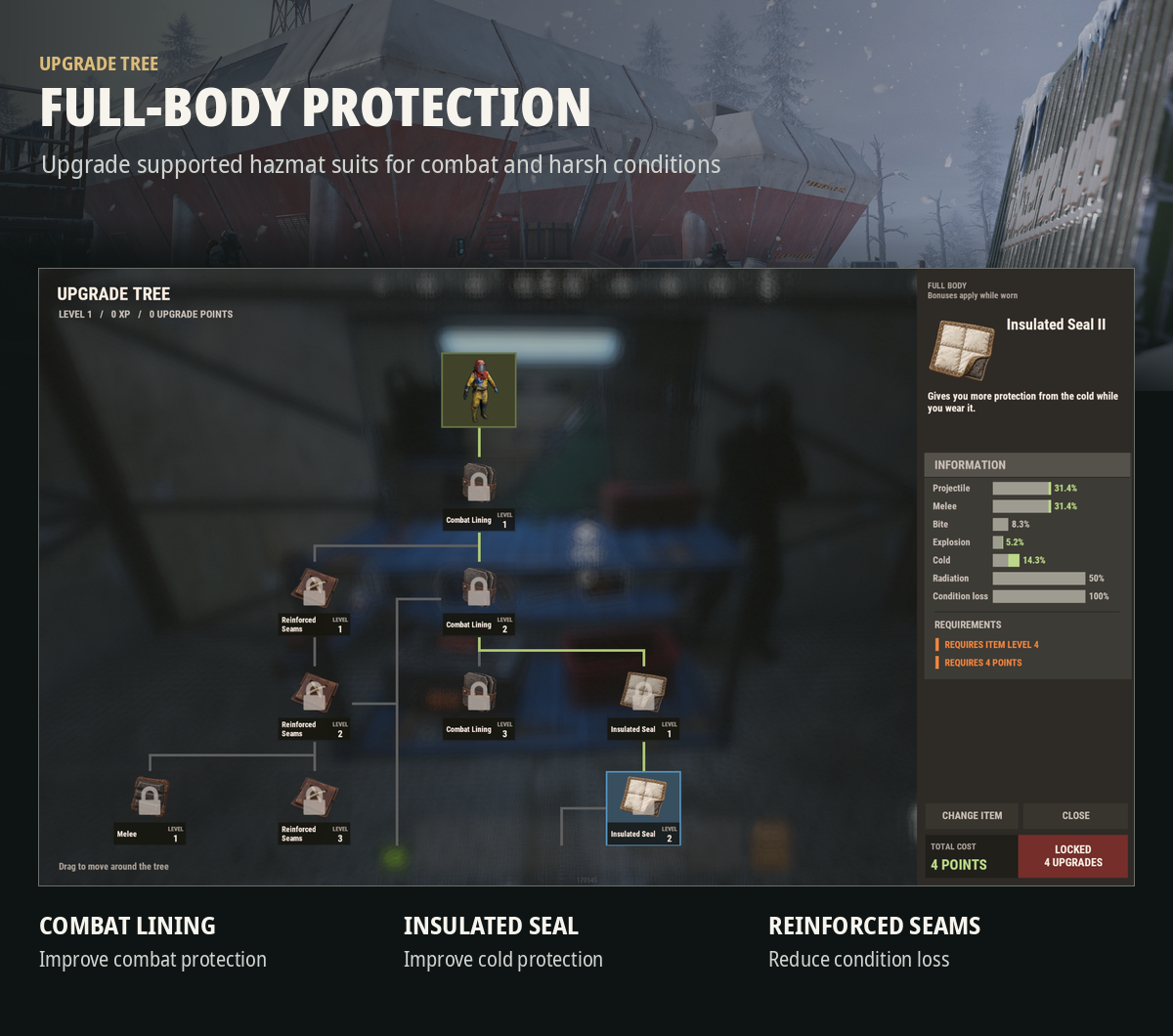
- Upgrade supported gear with trees adapted to its type and body coverage
- Improve protection against bullets, arrows, melee, bites and explosions where supported
- Improve cold, heat and radiation protection or reduce wetness gain on compatible items
- Reduce condition loss on supported armor and suits
- Protection bonuses apply while the relevant item is worn
Item mastery
- Five visual mastery ranks with default thresholds at levels 2, 4, 6, 8 and 10
- Identify leveled gear in the inventory, hotbar, equipped gear slots and supported loot containers
- XP and installed upgrades stay with the individual item when it changes hands
- Item progress is saved across server restarts, with configurable progression reset on a new map
UPGRADE STATIONS
Choose how players access upgrades on your server
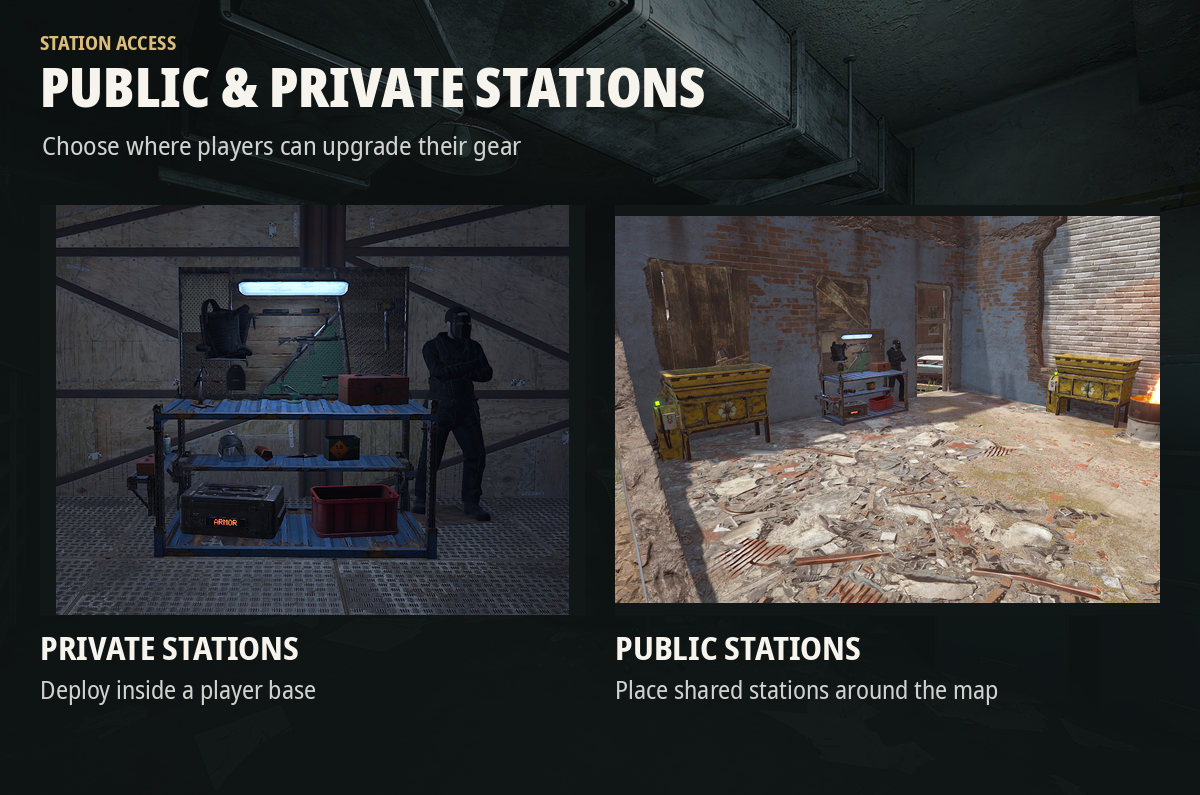
- Public stations can be placed by admins at monuments or other locations around the map
- Private stations can be deployed by players inside their bases
- Configure team access, station limits, damage protection and private station packing
- Grant station items through the server console or allow players to purchase them directly
- Sell station items through NPC vending using the optional Custom Vending Setup integration
Direct player purchases are disabled by default and can be enabled in the configuration
Payment options
Scrap, other item currencies, custom skinned items, Economics, ServerRewards, ServerCurrency or free stations
SERVER CONFIGURATION
Choose between the BalancedPvP and PvE balance presets to suit your server
BalancedPvP keeps weapon damage progression more restrained, while PvE provides higher damage and range bonuses for NPC-focused gameplay
The main configuration lets you control:
- XP rewards for player and NPC kills
- Upgrade points earned per level
- Armor and clothing progression, XP rewards and cooldowns
- Weapon condition loss
- Public and private station availability, protection and access
- Station purchase price, payment method and ownership limits
- Optional upgrade resets, including a configurable reset price
- Progression reset on a new map
- Mastery badges, sound effects and GameTip or chat notifications
Upgrade resets are disabled by default and, when enabled, are available through the upgrade tree interface
COMMANDS
Player commands
| Command | Description |
| /utree| Show available commands |
| /utree status| Check the held item or the item in your active station session |
| /utree status <slot>| Check equipped gear in wear slot 1–8 |
| /utree return| Retrieve your item from the station |
| /utree buy| Purchase a private Upgrade Station when enabled |
| /utree pack| Pack your empty private station when enabled |
| /utree orders| View station order receipts |
| /utree claim| Collect pending refunds |
Admin commands
| Command | Description |
| /utree place| Place a public Upgrade Station where you are looking |
| /utree remove| Remove the targeted Upgrade Station |
| /utree xp <amount> [slot]| Grant XP to held or equipped gear |
| /utree points <amount> [slot]| Grant extra upgrade points to held or equipped gear |
| /utree recover| Recover magazine capacity on an unloaded supported firearm |
The XP and points commands require Rust administrator status, not only the plugin's admin permission
Amounts must be between 1 and 1000 per command, with an optional wear slot from 1 to 8
Examples
- /utree xp 500 - Add XP to the held item
- /utree points 5 - Add bonus upgrade points to the held item
- /utree xp 250 1 - Add XP to the item in wear slot 1
Admin console command
| Command | Description |
| upgradetree.give <player ID> [amount] [receipt key]| Grant station items to an online player |
| upgradetree.receipt <receipt>| Inspect a station transaction receipt |
| upgradetree.receipt <receipt> <delivered\|refund\|cancel> <note>| Resolve a transaction that requires manual review |
PERMISSIONS
| Permission | Description |
| upgradetree.use| Use stations and participate in item progression |
| upgradetree.buy| Purchase private stations when direct purchases are enabled |
| upgradetree.place| Deploy private stations |
| upgradetree.admin| Manage stations and access administrative functionality |
INSTALLATION & OPTIONAL INTEGRATIONS
Requirements
- Rust server running Oxide / uMod
- Install the plugin's artwork files in the supplied data directory structure to display the custom tree icons and mastery badges
Optional integrations
- Economics, ServerRewards and ServerCurrency - station payments
- Custom Vending Setup - NPC vending of registered station items
- Image Library - optional custom upgrade node images
The bundled tree icons and mastery badges are loaded from local PNG files under oxide/data/UpgradeTree/image/tree and oxide/data/UpgradeTree/image/badge
No economy plugin is required when using item-based or free station distribution
SUPPORT
Need help setting up UpgradeTree or have a feature suggestion? Feel free to reach out through the Support section on Codefling