Jump to content
Message added by Iftebinjan,

CUSTOMER SUPPORT 
For support or to report any issues with the plugin ASAP pls create a ticket on our Discord server.


Please allow at least 48 hours for response on site tickets as we all live in different time zones.  Not available during weekends.

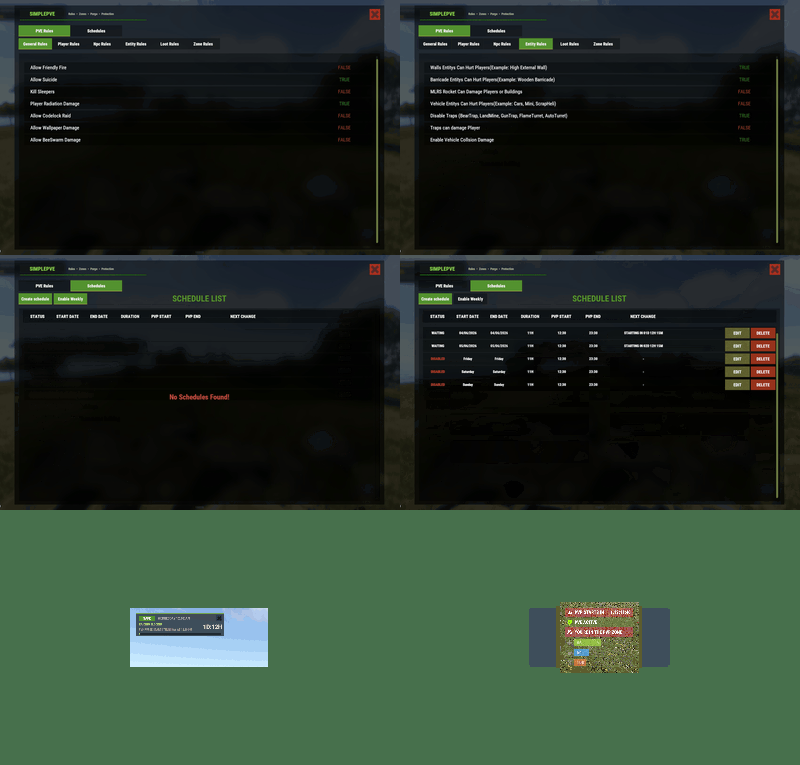
19 Screenshots

  • 118.8k
  • 4.1k
  • 348.78 kB
  • Update details
    v1.3.2
    Released
    Download size348.78 kB
    Total versions39
    Time between versions 25 days
    Typical update pace About every 28 days
    Freshness Updated today

This area is for discussion and questions. Please use the support area for reporting issues or getting help.

Recommended Comments


Iftebinjan

Posted

4 hours ago, Grumpy OldMan said:

yeah on server with purge i like to be there  i already change it, i want it to stay,  it vanish for n reason sometimes. see? now its gone, and later will be back 


 image.png.255c69627ccf64bfba467c4de5864a54.png

I will be checking the issue

  • Like 1
  • Love 1
Grumpy OldMan

Posted

8 hours ago, Iftebinjan said:

I will be checking the issue

thanks, seems its fix now and stay on, thank you 

Rush

Posted

@Iftebinjan 


Thanks for that GUI command. Works perfectly now. Appreciate your efforts. Respect!

  • Love 1
Iftebinjan

Posted

On 6/7/2026 at 8:18 PM, Grumpy OldMan said:

thanks, seems its fix now and stay on, thank you 

Im not entirely sure if its fixed. But let me know if this happens again. I couldnt find the issue why it might be removed if its not hidden by the command.

  • Like 1
FandangoChristmas

Posted

Good day all 🙂 Anyone use Zone excluding? I tried it with SimplePVE when it was a new plugin and it worked fine for me then. Today I tried it again, and I added my zone ID to the exclusion list in the config but I am getting no indication that I'm entering a PVP zone via SimplPVE. I still see the green status "PVE Enabled". My zone is going to be a PVP zone out in deepsea for a arena area. Server is set to pve.false. I just need SimplePVE to not apply its rules on my zone.

Ham Hinkleman

Posted

When "Player Sam Sites Ignore Players" is set to True, they still will shoot at a hit air balloon. Im guessing its to do with the player not being "mounted" in the balloon? Any thoughts/fixes?

miniMe_rust

Posted

Thank you! I just read the update news, and I'm truly happy to see that you're really thinking ahead, especially how PVE and the new Apartment Complex are supposed to be handled, and I think that @Iftebinjan really covered all the essentials with config options. Let's hope for little to no bugs 😄 Can't wait to set it up after wipe. 👍

  • Love 1
Iftebinjan

Posted

1 minute ago, miniMe_rust said:

Thank you! I just read the update news, and I'm truly happy to see that you're really thinking ahead, especially how PVE and the new Apartment Complex are supposed to be handled, and I think that @Iftebinjan really covered all the essentials with config options. Let's hope for little to no bugs 😄 Can't wait to set it up after wipe. 👍

Lets hope there is no issues 🫠

  • Like 1
Iftebinjan

Posted

On 6/27/2026 at 12:31 AM, Ham Hinkleman said:

When "Player Sam Sites Ignore Players" is set to True, they still will shoot at a hit air balloon. Im guessing its to do with the player not being "mounted" in the balloon? Any thoughts/fixes?

I saw this but i couldnt found a way to disable this on this update, but It will be added ASAP if I find a way to do this.

ZA_Machete

Posted (edited)

On 6/24/2026 at 12:54 PM, ZA_Machete said:

hisimple

is it possible to make it so when players enter the zones greated by revolving-pvp to also switch the simple pve to pvp settings?

https://roguedepot.com/listing/Wrecks/revolving-pvp

image.png

hi 

on this topic i chated to wreck he added this to his code not sure if you can use it to make the zones created by revolving pvp also switch pve setting off when you enter the zone,

bool isPvPZone =
    (bool)(RevolvingPvP?.Call("IsInRevolvingPvPZone", player.transform.position) ?? false);

Edited by ZA_Machete
Iftebinjan

Posted

9 minutes ago, ZA_Machete said:

hi 

on this topic i chated to wreck he added this to his code not sure if you can use it to make the zones created by revolving pvp also switch pve setting off when you enter the zone,

bool isPvPZone =
    (bool)(RevolvingPvP?.Call("IsInRevolvingPvPZone", player.transform.position) ?? false);

If this is entity is protected shows when attacking an entity or looting, tell him to make that entity owner id to 0 then SimplePVE will be bypassed

Im not sure how that plugin works there is no video to the website for me to check. 

I hope that fixes. If not let me know.

ZA_Machete

Posted

14 minutes ago, Iftebinjan said:

If this is entity is protected shows when attacking an entity or looting, tell him to make that entity owner id to 0 then SimplePVE will be bypassed

Im not sure how that plugin works there is no video to the website for me to check. 

I hope that fixes. If not let me know.

can i add you on discord and share the file with you, normaly with zone manager zones if you enter it switc, it switches to pvp disabling all pve settings but with revolving pvp zones when you enter it stays on pve settings


Iftebinjan

Posted

34 minutes ago, ZA_Machete said:

can i add you on discord and share the file with you, normaly with zone manager zones if you enter it switc, it switches to pvp disabling all pve settings but with revolving pvp zones when you enter it stays on pve settings


Sure
Discord: iftebinjan
Server : discord.gg/cCWadjcapr

BetterDeadThanZed

Posted

I want to move the UI to the bottom left of my screen. Right now other plugins can cover it up, like the Skill Tree XP Events plugin, as shown in the screenshot. Does anyone have a good set of coordinates to change it to?

20260702125046_1.jpg

Iftebinjan

Posted

49 minutes ago, BetterDeadThanZed said:

I want to move the UI to the bottom left of my screen. Right now other plugins can cover it up, like the Skill Tree XP Events plugin, as shown in the screenshot. Does anyone have a good set of coordinates to change it to?

20260702125046_1.jpg

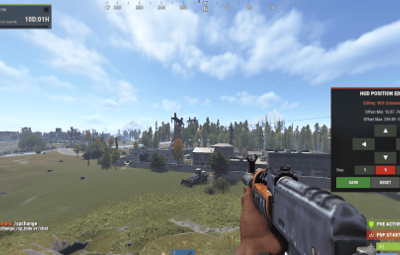
You can use ingame command to move the ui, you will have another ui to help you move the positions
/sp_change
image.png.1708a88fbb6698af48246ffdce609a59.png

BetterDeadThanZed

Posted

53 minutes ago, Iftebinjan said:

You can use ingame command to move the ui, you will have another ui to help you move the positions
/sp_change
image.png.1708a88fbb6698af48246ffdce609a59.png

Thank you! Will that move it for all players?

miniMe_rust

Posted

6 hours ago, Iftebinjan said:

Lets hope there is no issues 🫠

There only seems to be this minor issue - when the plugin loads or reloads, e.g. when you use /sprules and change something, it seems SimplePVE has something like a split personality. I'm running it on Carbon.

[SimplePVE] Cleaning up...

[SimplePVE] Initializing rules.....

Trying to register permission 'simplepve.admin' but already used by another plugin. (Requestee plugin 'SimplePVE')

Trying to register permission 'simplepve.adminloot' but already used by another plugin. (Requestee plugin 'SimplePVE')

Trying to register permission 'simplepve.admindamage' but already used by another plugin. (Requestee plugin 'SimplePVE')

[SimplePVE] New Rules data loaded successfully.

Loaded plugin SimplePVE v1.3.2 by Ifte [2779ms]

[SimplePVE] Images loaded......

Iftebinjan

Posted

1 hour ago, BetterDeadThanZed said:

/sp_change is an unknown command

Yes, it will change for everyone
for the /sp_change, can you double check pls, its working for me i just tested. Check if the plugin is loaded.

Iftebinjan

Posted

37 minutes ago, miniMe_rust said:

There only seems to be this minor issue - when the plugin loads or reloads, e.g. when you use /sprules and change something, it seems SimplePVE has something like a split personality. I'm running it on Carbon.

[SimplePVE] Cleaning up...

[SimplePVE] Initializing rules.....

Trying to register permission 'simplepve.admin' but already used by another plugin. (Requestee plugin 'SimplePVE')

Trying to register permission 'simplepve.adminloot' but already used by another plugin. (Requestee plugin 'SimplePVE')

Trying to register permission 'simplepve.admindamage' but already used by another plugin. (Requestee plugin 'SimplePVE')

[SimplePVE] New Rules data loaded successfully.

Loaded plugin SimplePVE v1.3.2 by Ifte [2779ms]

[SimplePVE] Images loaded......

Im aware of this carbon bug, 
It always comes in carbon IDK what do i need to fix this. 
But thats not an issue, its works on carbon despite these messages

Create an account or sign in to comment

You need to be a member in order to leave a comment

Create an account

Sign up for a new account in our community. It's easy!

Register a new account

Sign in

Already have an account? Sign in here.

Sign In Now
  • Like 9
  • Love 9

User Feedback

About Us

Codefling is the largest marketplace for plugins, maps, tools, and more, making it easy for customers to discover new content and for creators to monetize their work.

Downloads
2.7m
Total downloads
Customers
11.5k
Customers served
Files Sold
164.5k
Total sales
Payments
3.6m
Processed total
×
×
  • Create New...

Important Information

We have placed cookies on your device to help make this website better. You can adjust your cookie settings, otherwise we'll assume you're okay to continue.