

Depends on
Required for this file to work correctly.

Works with
Optional integrations and compatible files.

About Linking System
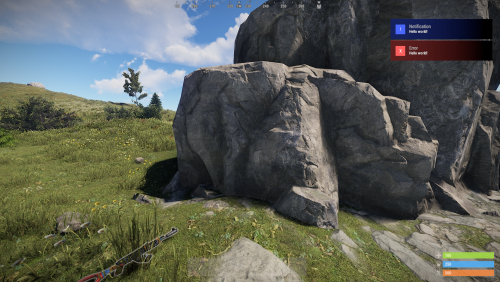
Linking System is a Discord integration plugin for your Rust server. It links your players' Rust accounts to their Discord profiles, assigns roles automatically and rewards linked players with exclusive perks. Linking System comes with a beautiful UI, a complete Discord bot and automation features, and helps keep your Discord server active.


 ️ Features of Linking System
- Discord integration with automatic role assignment for linked players.
- Beautiful, customizable UI with ServerPanel V1 and V2 templates, so it fits into your existing server interface.
- Secure code generation with a configurable cooldown to prevent abuse.
- Linked players are added to a permission group automatically. Customizable UI elements show the benefits and server perks they can get.
- A complete Python Discord bot is included, with installation guides for Windows, Linux and Pterodactyl.
- Multi-server support: one Discord bot handles linking for several Rust servers at once.
- Automatic group management with a configurable group for linked players, useful for permission and role-based systems.
- Discord and the Rust server stay in sync over RCON, so updates and status changes apply right away.
- Linking data is saved and loaded automatically, so player links survive server restarts.
- Works with the ImageLibrary, ServerPanel and Notify plugins.
- An API for custom integrations: other plugins can check linking status and trigger their own actions.
- Players get notifications about their linking status, with support for several notification plugins.
- Configurable UI settings: set "Use UI ?" to false to run in command-only mode without a graphical interface.
 Complete Discord bot solution
LinkingSystem includes a complete Python Discord bot with everything needed for the integration. Setup is simple: follow our step-by-step guides.
 Important: Python 3.12 is required. Python 3.13 is not compatible due to library issues.
 Windows Installation
 Linux Installation
 Pterodactyl Support
 Multi-Server
 Video Overview
 Commands
- /link - Opens the linking interface for players to connect their Discord account
- /link status - Shows your current linking status with Discord
- /link code - Generates a new linking code for Discord connection
- /link remove - Removes the existing link between Discord and Rust accounts
 Permissions
- linkingsystem.use - Permission to access the linking system and connect Discord account
 How It Works
Linking Discord and Rust accounts takes three steps, through the UI or with commands only:
- Generate Code: players use the /link command to open the UI, or /link code to generate a code by command only, with a built-in cooldown.
- Discord Verification: players post their code in the designated Discord channel, and the bot links the accounts automatically.
- Instant Benefits: once linked, players get their Discord role right away, along with exclusive in-game perks and rewards.
Discord and your Rust server stay in sync in real time, so role changes and new links are processed instantly.
 FAQ
Q: Do I need to create my own Discord bot?
A: Yes, but we provide complete step-by-step instructions for creating and configuring your Discord bot, including all necessary permissions and settings.
Q: Can LinkingSystem work with multiple Rust servers?
A: Yes. The Discord bot supports multiple servers at once. Add your server configurations to the bot's config file.
Q: How do I add LinkingSystem to the ServerPanel menu?
A: Follow these steps:
1. Open ServerPanel menu in-game and click "+ADD CATEGORY" button
2. Set these exact parameters:
- Type: Plugin
- Plugin Name: LinkingSystem
- Plugin Hook: API_OpenPlugin
3. Click "SAVE" button to create the category
Q: How do linked players receive their rewards?
A: Rewards are granted automatically when a player links their Discord account: the system assigns the configured permission group to linked players.
Q: Are the rewards shown in the UI actually given to players?
A: The reward items in the UI are for display only. What players actually get is automatic membership in a permission group (default: "discord"), which you can set up to give server perks through your permission system.
Q: Can I customize the rewards for linked players?
A: Yes. You choose which permission group linked players receive and what benefits that group gives through your server's permission system. The reward elements shown in the UI are customizable too.
Q: What happens if a player leaves the Discord server?
A: The bot automatically detects when linked players leave the Discord server and can remove their in-game benefits accordingly.
Q: Is the linking data saved if the server restarts?
A: Yes. All linking data is saved automatically and survives server restarts, so player links are not lost.
Q: Can I use LinkingSystem without the UI interface?
A: Yes. Set "Use UI ?" to false in the configuration to switch to command-only mode. Players then use /link code to generate linking codes, /link status to check their connection and /link remove to unlink their accounts, all through chat commands.
 Migrations
LinkingSystem includes migration tools for moving from other linking plugins. Currently supported:
- DiscordLink
Migration keeps all existing player links and Discord information, so no data is lost when you switch to LinkingSystem.
 Developer API
Linking System has an API for integration with other plugins:
-
CuiElementContainer API_OpenPlugin(BasePlayer player)- Opens the linking interface for ServerPanel integration
 TEST SERVER
Join our test server to try Linking System and all our features yourself.
Copy the IP address below to start playing.
connect 155.103.86.38:28015