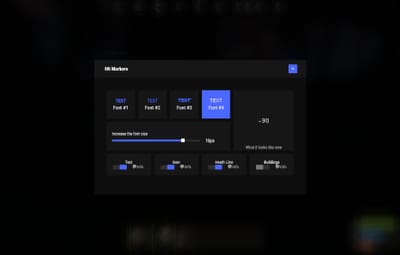
About Hit Markers
Each player picks the hit marker that suits them. 
Commands
- marker - open the UI
Permissions
You can set permission in config, for example:
"Permission (ex: hitmarkers.use)": "hitmarkers.use",
You can also set your own permission for each font and button.
Config
{
  "Commands": [
    "marker",
    "hits"
  ],
  "Permission (ex: hitmarkers.use)": "",
  "Work with Notify?": true,
  "Fonts": {
    "0": {
      "Font": "robotocondensed-bold.ttf",
      "Permission (ex: hitmarkers.font)": ""
    },
    "1": {
      "Font": "robotocondensed-regular.ttf",
      "Permission (ex: hitmarkers.font)": ""
    },
    "2": {
      "Font": "permanentmarker.ttf",
      "Permission (ex: hitmarkers.font)": ""
    },
    "3": {
      "Font": "droidsansmono.ttf",
      "Permission (ex: hitmarkers.font)": ""
    }
  },
  "Min Font Size": 8,
  "Max Font Size": 18,
  "Buttons": [
    {
      "Enabled": true,
      "Title": "Text",
      "Type": "Text",
      "Description": "<b>Damage numbers</b> will pop up in the center of the screen!",
      "Permission (ex: hitmarkers.text)": "hitmarkers.text"
    },
    {
      "Enabled": true,
      "Title": "Icon",
      "Type": "Icon",
      "Description": "The familiar hit icon changes color after a <b>headshot!</b>",
      "Permission (ex: hitmarkers.text)": "hitmarkers.icon"
    },
    {
      "Enabled": true,
      "Title": "Heath Line",
      "Type": "HealthLine",
      "Description": "A bar appears above the slots, showing the <b>remaining</b> health of the enemy",
      "Permission (ex: hitmarkers.text)": "hitmarkers.line"
    },
    {
      "Enabled": true,
      "Title": "Buildings",
      "Type": "Buildings",
      "Description": "Displaying damage by buildings",
      "Permission (ex: hitmarkers.text)": "hitmarkers.buildings"
    }
  ],
  "Info Icon": "https://i.imgur.com/YIRjnIT.png",
  "Show damage to NPC": true,
  "Show damage to animals": false,
  "Marker removal time": 0.25,
  "Default Values": {
    "Font ID": 0,
    "Font Size": 14,
    "Text": true,
    "Icon": false,
    "Health Line": false,
    "Buildings": false
  }
}
 Web Config Editor
Manage the HitMarkers settings in our web config editor. You change the config in a browser form instead of editing files on the server by hand.
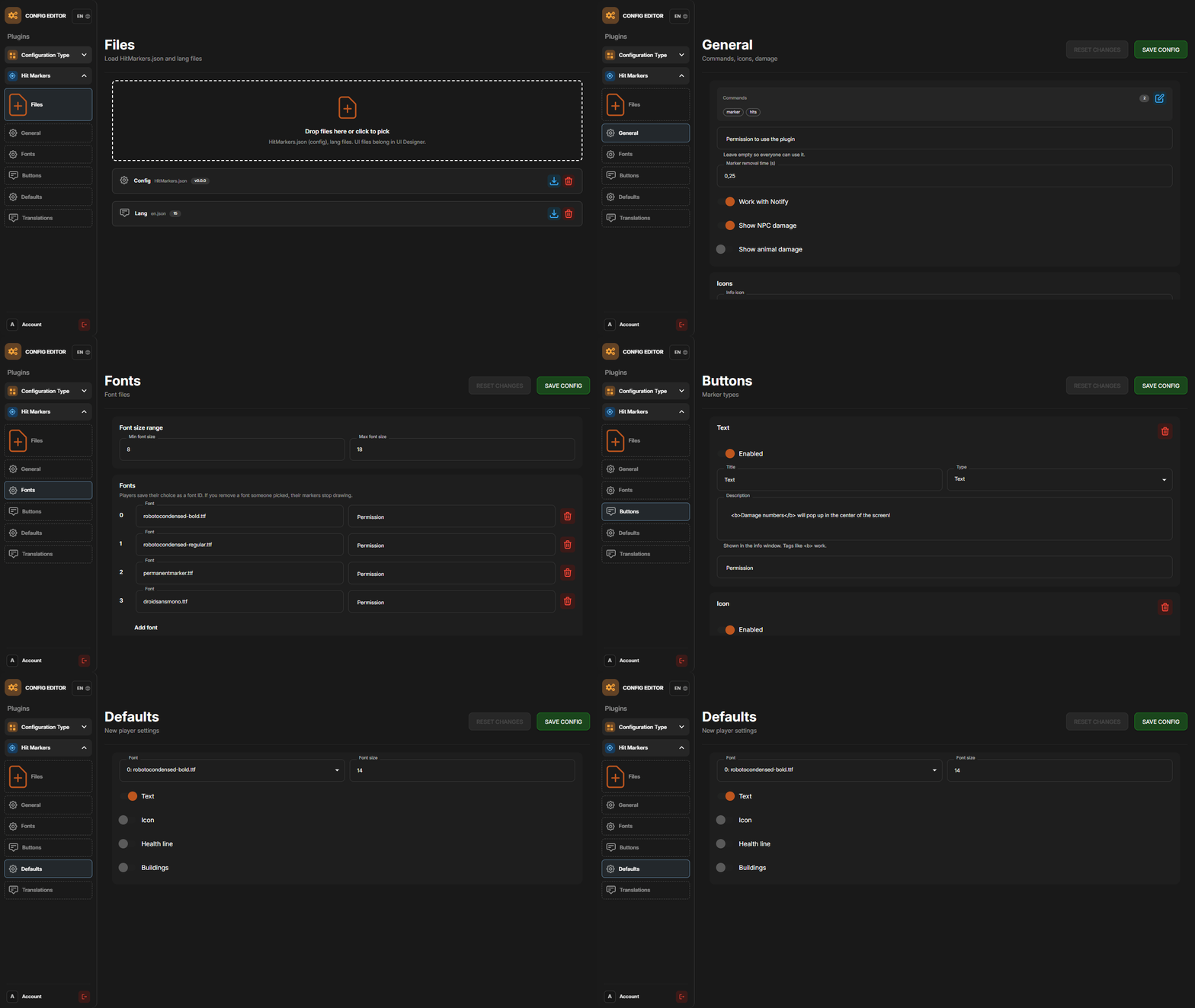
P.S. The web config editor is open to members of the "HitMarkers" group in our Discord server. Join at https://discord.gg/mevent and ask for the group.