


Depends on
Required for this file to work correctly.

About Genie
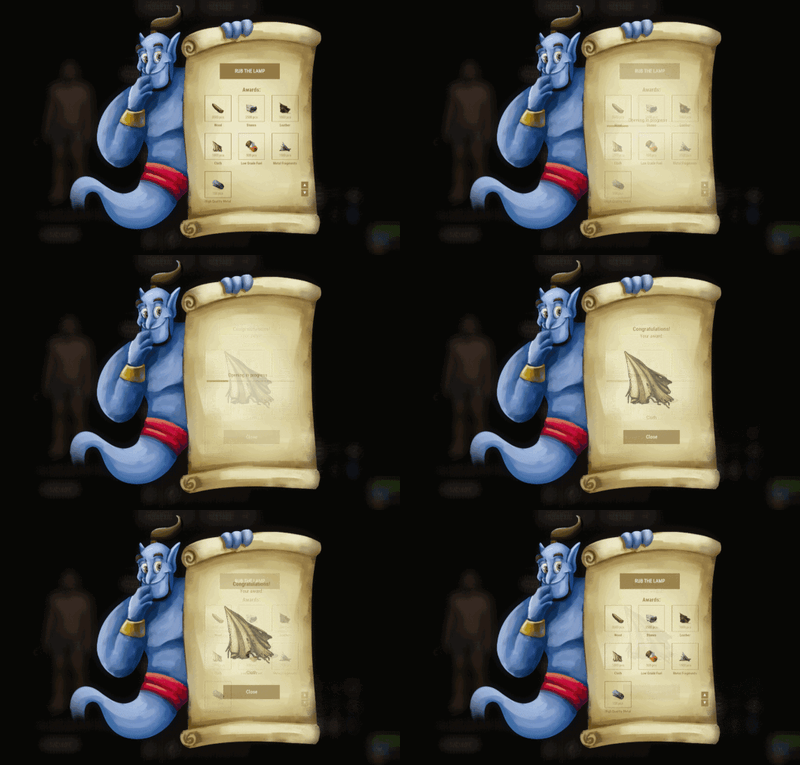
Adds a Genie Lamp to the game: you unwrap it and receive an award. My advice is to add the lamps to your underwater crates and use Dynamic Config to set up rewards over the course of the wipe.
Commands
- genie.give [targetId] (give a lamp)
Permissions
-
You can set permission in config, for example:
"Permission to rub the lamp": "genie.use",
Config
{
  "Genie Image": "https://i.imgur.com/aNIcQzk.png",
  "Enable opening progress?": true,
  "Work with Notify?": true,
  "Delay to receive": 5.0,
  "Update Frequency": 0.1,
  "Opening effect (empty - disable)": "assets/bundled/prefabs/fx/gestures/lick.prefab",
  "Progress effect (empty - disable)": "assets/bundled/prefabs/fx/notice/item.select.fx.prefab",
  "Finish effect (empty - disable)": "assets/prefabs/misc/xmas/presents/effects/wrap.prefab",
  "Permission to rub the lamp": "",
  "Genie lamp Settings": {
    "Display Name": "Lamp",
    "ShortName": "xmas.present.small",
    "Skin": 2540200362
  },
  "Awards": [
    {
      "Type": "Item",
      "Image": "",
      "Title": "",
      "Command (%steamid%)": "",
      "Plugin": {
        "Hook": null,
        "Plugin name": null,
        "Amount": 0
      },
      "Display Name (empty - default)": "",
      "ShortName": "wood",
      "Skin": 0,
      "Amount": 3500,
      "Chance": 70.0
    },
    {
      "Type": "Item",
      "Image": "",
      "Title": "",
      "Command (%steamid%)": "",
      "Plugin": {
        "Hook": null,
        "Plugin name": null,
        "Amount": 0
      },
      "Display Name (empty - default)": "",
      "ShortName": "stones",
      "Skin": 0,
      "Amount": 2500,
      "Chance": 70.0
    },
    {
      "Type": "Item",
      "Image": "",
      "Title": "",
      "Command (%steamid%)": "",
      "Plugin": {
        "Hook": null,
        "Plugin name": null,
        "Amount": 0
      },
      "Display Name (empty - default)": "",
      "ShortName": "leather",
      "Skin": 0,
      "Amount": 1000,
      "Chance": 55.0
    },
    {
      "Type": "Item",
      "Image": "",
      "Title": "",
      "Command (%steamid%)": "",
      "Plugin": {
        "Hook": null,
        "Plugin name": null,
        "Amount": 0
      },
      "Display Name (empty - default)": "",
      "ShortName": "cloth",
      "Skin": 0,
      "Amount": 1000,
      "Chance": 55.0
    },
    {
      "Type": "Item",
      "Image": "",
      "Title": "",
      "Command (%steamid%)": "",
      "Plugin": {
        "Hook": null,
        "Plugin name": null,
        "Amount": 0
      },
      "Display Name (empty - default)": "",
      "ShortName": "lowgradefuel",
      "Skin": 0,
      "Amount": 500,
      "Chance": 50.0
    },
    {
      "Type": "Item",
      "Image": "",
      "Title": "",
      "Command (%steamid%)": "",
      "Plugin": {
        "Hook": null,
        "Plugin name": null,
        "Amount": 0
      },
      "Display Name (empty - default)": "",
      "ShortName": "metal.fragments",
      "Skin": 0,
      "Amount": 1500,
      "Chance": 65.0
    },
    {
      "Type": "Item",
      "Image": "",
      "Title": "",
      "Command (%steamid%)": "",
      "Plugin": {
        "Hook": null,
        "Plugin name": null,
        "Amount": 0
      },
      "Display Name (empty - default)": "",
      "ShortName": "metal.refined",
      "Skin": 0,
      "Amount": 150,
      "Chance": 65.0
    }
  ],
  "Drop Settings": [
    {
      "Prefab": "assets/bundled/prefabs/radtown/crate_normal.prefab",
      "Chance": 50
    },
    {
      "Prefab": "assets/bundled/prefabs/radtown/loot_barrel_2.prefab",
      "Chance": 5
    },
    {
      "Prefab": "assets/bundled/prefabs/radtown/loot_barrel_1.prefab",
      "Chance": 5
    }
  ]
}
 Web Config Editor
Manage the Genie settings in our web config editor. You change the config in a browser form instead of editing files on the server by hand.
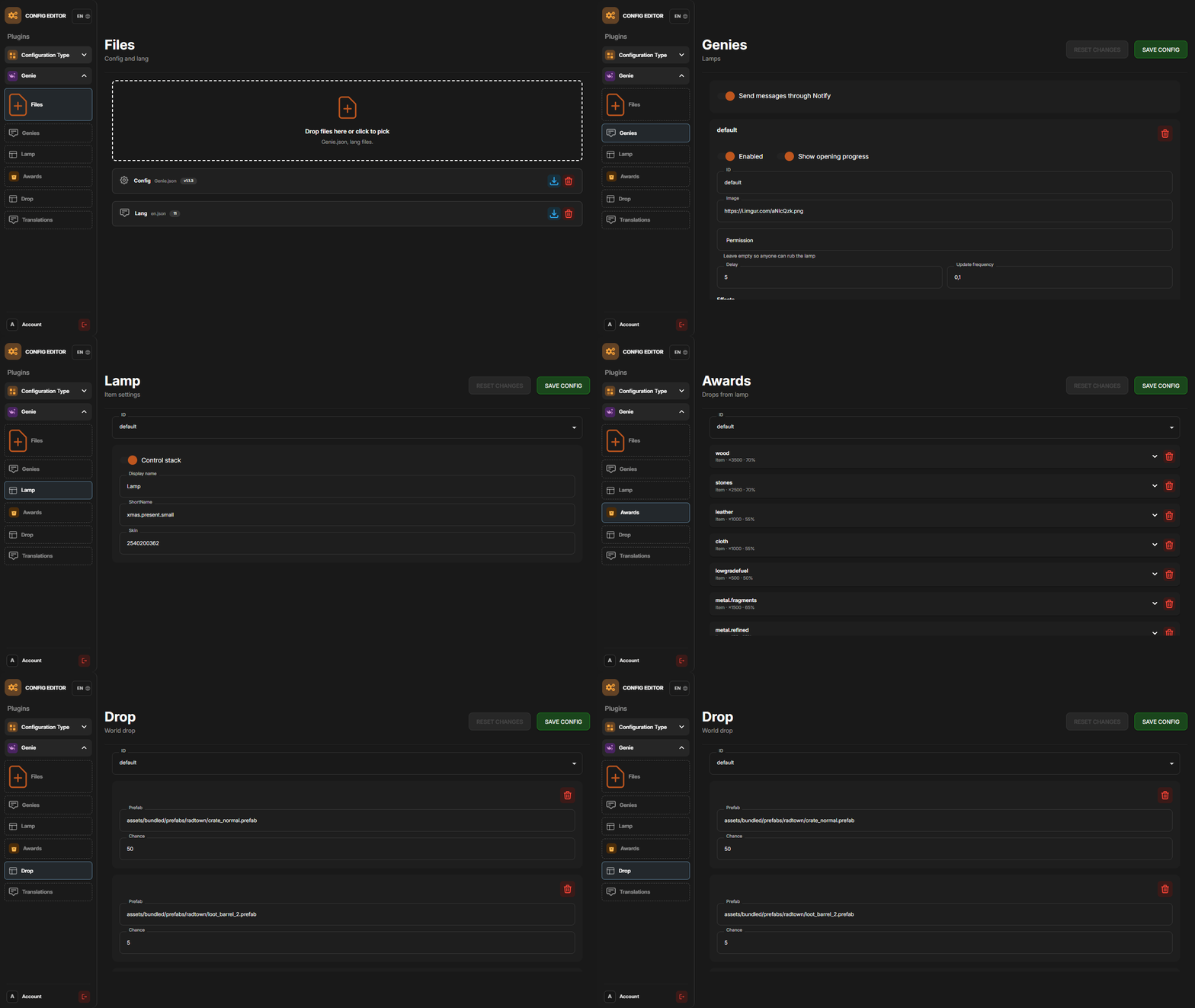
P.S. The web config editor is open to members of the "Genie" group in our Discord server. Join at https://discord.gg/mevent and ask for the group.