
Vinni_TV_'s Wishlist
-
$41.95$31.95Ultimate Cases
Welcome to UltimateCases - the most exciting case opening experience for Rust servers! Give your players the thrill of unboxing rare items with beautiful roulette animations, create unlimited custom cases with unique rewards, and build a thriving economy through our advanced key exchange system. Whether you want to reward active players with free cases or monetize your server with premium loot boxes, UltimateCases has everything you need to keep players engaged and coming back for more!
⭐️ Why Choose UltimateCases?
Beautiful Unboxing Experience - Watch your players' excitement as they spin the roulette and discover their rewards! Customizable animations, rarity backgrounds, and sound effects create an unforgettable opening experience. Easy Case Creation - No coding required! Use our in-game visual editor to create cases, add items, set prices, and configure everything you need. Edit cases on the fly without touching configuration files. Monetize Your Server - Turn your server into a profitable venture with our key exchange system. Players can buy keys using any currency (Economics, ServerRewards, scrap, etc.) and you control the economy. Reward Active Players - Keep players engaged with free cases! Set playtime requirements and cooldowns to reward your most dedicated community members. Protect Your Economy - Advanced limits and restrictions prevent abuse. Set daily limits, lifetime limits, minimum playtime requirements, and block case opening during combat or raids. Store Rewards Safely - Built-in inventory system stores all case rewards securely. Players can retrieve items when they're ready, with options to persist items across wipes. Share the Excitement - Announce rare wins in chat and Discord! Customizable logging and webhook integration lets your community celebrate big wins together. NPC Traders at Monuments - Spawn NPCs at monuments where players can exchange keys for currency. Perfect for creating trading hubs and encouraging exploration! VIP Benefits - Reward your supporters with exclusive discounts on case opening and key exchange. Multiple VIP tiers with customizable benefits. Works Everywhere - Seamlessly integrates with ServerPanel, supports all major economy plugins, and works with ImageLibrary for perfect image management.
💰 Key Exchange System
Turn any currency into case keys! Our flexible exchange system supports:
Multiple Currencies - Use Economics, ServerRewards, BankSystem, IQEconomic, or any item (scrap, sulfur, etc.) as currency for key exchange. Bulk Discounts - Reward players who exchange more keys! Automatic discounts: 5% off for 10+ keys, 10% off for 25+ keys, 15% off for 50+ keys, 20% off for 100+ keys. VIP Discounts - Give your supporters extra savings! Configure permission-based discounts (5%, 10%, 15%, 20%) with custom daily limits. Daily Limits - Prevent abuse by limiting how many keys players can exchange per day. Perfect for controlling your server economy. Monument NPCs - Spawn traders at monuments! Players can visit NPCs at lighthouse, outpost, or any monument to exchange keys. Fully customizable appearance and rates.
📦 Smart Inventory System
Never lose a reward again! Our inventory system stores all case rewards safely:
Secure Storage - All case rewards are automatically stored in your personal inventory, accessible anytime through the UI. Wipe Protection - Choose whether items persist across server wipes or are cleared automatically. Perfect for seasonal rewards! Safe Retrieval - Items can only be retrieved when it's safe - no retrieving during combat, raids, or building blocked situations. Post-Wipe Cooldown - Optional cooldown after wipe before items can be retrieved, helping maintain server balance.
📬 Video Overview
🖼️ Showcase
Templates
Fullscreen Template
ServerPanel V1 Template
ServerPanel V2 Template
ServerPanel V4 Template
In-Game Editor
Monument Trader
How to get Keys?
🎮 Commands
/opencases or /cases - Opens the cases interface for players /cases.trader - Chat command for managing Monument Traders (requires ultimatecases.edit permission) /cases.trader create [currencyID] [defaultKeys] [prefab] - Create a new trader bot /cases.trader start <botIndex> - Enter edit mode for a trader /cases.trader move - Update trader position (requires edit mode) /cases.trader rotate <angle> - Set trader rotation (requires edit mode) /cases.trader save - Save and reload trader (requires edit mode) /cases.trader cancel/stop - Cancel edit mode /cases.trader list - Show all configured trader bots /cases.trader teleport <botIndex> - Teleport to a trader bot location /cases.trader help - Show help for trader commands cases.give - Console/Rcon command for giving keys or cases to players (admin only) cases.give <player> keys <amount> - Give keys to a player cases.give <player> case <caseID> [amount] - Give case(s) to a player Examples: cases.give PlayerName keys 100 or cases.give 76561198000000000 case 0 5 cases.convert - Console command for converting cases from old Cases plugin (requires UltimateCasesConverter plugin, admin only) cases.convert - Convert all cases and add them to existing UltimateCases data cases.convert true - Clear existing UltimateCases data before converting (fresh start)
🛡️ Permissions
ultimatecases.edit - Permission to edit cases, items, and modals using the in-game editor. Required to access all editor functions and manage Monument Traders. ultimatecases.discount1 - 5% discount on case opening ultimatecases.discount2 - 10% discount on case opening ultimatecases.discount3 - 15% discount on case opening ultimatecases.vip1 - 5% discount on key exchange, with optional custom daily limit ultimatecases.vip2 - 10% discount on key exchange, with optional custom daily limit ultimatecases.vip3 - 15% discount on key exchange, with optional custom daily limit ultimatecases.vip4 - 20% discount on key exchange, with optional custom daily limit Note: Additional permissions can be configured in the config file for demo mode and quick unbox mode. These are optional and can be left empty to disable the features.
📚 FAQ
Q: How do I open the Case Editor?
A: To open the Case Editor:
Make sure you have the ultimatecases.edit permission Open the cases menu using /opencases or /cases Look for the "EDIT" button in the header of the interface (usually in the top-right area) Click the "EDIT" button to open the Case Editor From here you can create new cases, edit existing cases, add items, configure prices, permissions, and all case settings
Q: How do I open the Item Editor?
A: To open the Item Editor:
First, open the Case Editor (see instructions above) Select a case from the list or create a new case In the case editor, you'll see a section for items Click "ADD ITEM" or click on an existing item to edit it The Item Editor will open where you can configure item type, chance, image, title, description, permissions, and all item-specific settings (weapons, contents, genes, etc.)
Q: How do I open the Modal Editor?
A: To open the Modal Editor:
Make sure you have the ultimatecases.edit permission Open the cases menu and navigate to any modal window (like the keys exchange modal) Look for the "EDIT" button that appears on modal windows when you have edit permission Click the "EDIT" button to open the Modal Editor From here you can edit modal content, text elements, images, buttons, and all modal settings
Q: How do I create a case?
A: It's super easy! Open the cases menu in-game, click the "EDIT" button in the header, then click "ADD CASE" in the Case Editor. Configure the case title, image, price, permission, and add items. No file editing needed!
Q: Can players get free cases?
A: Yes! Enable Free Case Settings for any case. Set minimum playtime (e.g., 2 hours) and cooldown (e.g., 24 hours). Players meeting requirements can open the case for free once per cooldown period.
Q: How do I set up key exchange?
A: Go to Exchange Settings in the config. Add currencies (Economics, ServerRewards, scrap, etc.), set exchange rates, configure discounts, and you're done! Players can exchange currency for keys instantly.
Q: What can I put in cases?
A: Almost anything! Add items (weapons with attachments, containers with contents, blueprints, plant seeds with genes), or execute commands when cases are opened. Full customization for every reward type.
Q: How do Monument Traders work?
A: Configure NPCs in Exchange Settings to spawn at monuments. Players can visit these NPCs to exchange keys for currency. Set the monument (lighthouse, outpost, etc.), NPC appearance, position, and exchange rate.
Q: Can I limit how many cases players can open?
A: Absolutely! Set daily limits (e.g., 5 cases per day), total lifetime limits (e.g., 50 cases total), minimum playtime requirements, and block opening for a period after server wipe.
Q: How does the inventory system work?
A: When players open cases, rewards go to their inventory automatically. Players can access inventory through the UI and retrieve items when ready. Configure whether items persist across wipes.
Q: Can I announce rare wins?
A: Yes! Enable chat announcements and Discord webhooks. Set rarity threshold (e.g., only announce items with 5% or lower chance), customize message format, and share the excitement with your community!
Q: How do I add UltimateCases to ServerPanel?
A: In ServerPanel, create a new category with Type: "Plugin", Plugin Name: "UltimateCases", Plugin Hook: "API_OpenPlugin". The plugin integrates seamlessly!
Q: Can I give VIP players discounts?
A: Yes! Configure permission-based discounts in Case Opening Discounts and Exchange Privilege Settings. Set different discount percentages for different VIP tiers.
Q: How do I configure the plugin config file?
A: The config file is located at oxide/config/UltimateCases.json (or carbon/config/UltimateCases.json for Carbon). Here's how to configure key settings:
Template Selection: Set "Template" to "Fullscreen", "V1", "V2", or "V4" Commands: Modify "Open UI Commands" array to add custom command aliases Key Exchange: Configure "Exchange Settings" → "Currencies" to add currencies (Economics, ServerRewards, items, etc.) Roulette Duration: Set "Roulette Settings" → "Default Duration" (seconds) and "Quick Mode Duration" Sound Effects: Enable/disable sounds in "Sound Effects" section and set effect prefab paths Logging: Configure console, file, chat, and Discord logging in "Logging Settings" Restrictions: Enable/disable case opening restrictions in "Restrictions Settings" Inventory: Configure inventory settings in "Inventory settings" section After editing, reload the plugin: o.reload UltimateCases (Oxide) or c.reload UltimateCases (Carbon).
Q: How do I set up LangAPI for multi-language support?
A: To enable LangAPI support:
Make sure LangAPI plugin is installed and loaded on your server In UltimateCases config, set "Work with LangAPI?" to true Create language files in oxide/lang/UltimateCases/ (or carbon/lang/UltimateCases/ for Carbon) Create files like en.json, ru.json, etc. with translation keys Use LangAPI's translation system to translate all plugin messages Reload the plugin to apply changes Example translation key structure:
{ "UI_Header_Title": "Ultimate Cases", "UI_Content_ButtonOpen": "OPEN CASE", "UI_Content_ButtonOpenFREE": "FREE", ... }
Q: How do I set up Monument Traders using commands?
A: To create and configure Monument Traders:
Make sure you have ultimatecases.edit permission Go to the monument where you want to spawn a trader (e.g., lighthouse, outpost) In server console, use: cases.trader create [currencyID] [defaultKeys] [prefab] currencyID - ID of the currency from Exchange Settings (0, 1, 2, etc.) defaultKeys - Default number of keys per exchange (e.g., 1) prefab - NPC prefab path (e.g., "assets/prefabs/npc/bandit/missionproviders/missionprovider_outpost_b.prefab") Enter edit mode: cases.trader start <botIndex> (use cases.trader list to see bot indices) Position yourself where you want the NPC to spawn Update position: cases.trader move Set rotation: cases.trader rotate <angle> (0-360 degrees) Save: cases.trader save The NPC will spawn automatically at the configured monument
Q: How do I configure custom economy plugins?
A: To use a custom economy plugin:
In config, find "Custom Economy Settings" Set "Use Custom Economy" to true Set "Type" to "Plugin" Enter "Plugin Name" (exact name as it appears in plugins list) Configure hooks: "Plugin Hook Add" - Hook name for adding balance (e.g., "AddPoints", "Deposit") "Plugin Hook Remove" - Hook name for removing balance (e.g., "TakePoints", "Withdraw") "Plugin Hook Balance" - Hook name for checking balance (e.g., "CheckPoints", "Balance") Test the hooks work correctly by checking plugin documentation Reload the plugin
Q: How do I configure rarity backgrounds?
A: To set up rarity backgrounds:
In config, find "Rarity Settings" → "Rarity Backgrounds" Add entries with chance ranges and images: "Min" - Minimum chance percentage (e.g., 0) "Max" - Maximum chance percentage (e.g., 1) "Image" - Background image URL for case display "Roulette Item Background Image" - Background image URL for roulette item display Example: Legendary (0-1%), Epic (1-5%), Rare (5-15%), Uncommon (15-50%), Common (50-100%) Items with drop chances within each range will display the corresponding background
Q: How do I configure Discord webhook logging?
A: To set up Discord webhook logging:
Create a Discord webhook in your Discord server (Server Settings → Integrations → Webhooks → New Webhook) Copy the webhook URL In config, find "Logging Settings" → "Discord" Set "Enabled" to true Paste webhook URL in "Webhook URL" Configure options: "Rare Threshold" - Only log items with chance ≤ X% (0 = log all items) "Embed Color" - Decimal color code (e.g., 15844367 for gold) "Title" - Embed title "Show Player Avatar" - Display player avatar in embed "Show Item Icons" - Display item icons in embed "Group Items" - Group multiple items in single message "Include Statistics" - Add statistics to embed Reload the plugin
Q: How do I configure item rewards with weapons and attachments?
A: In the Item Editor:
Set "Type" to "Item" Enter the weapon "ShortName" (e.g., "rifle.ak") In "Weapon" section, set "Enabled" to true Set "Ammo Type" (e.g., "ammo.rifle.explosive") Set "Ammo Amount" (e.g., 128) In "Content" section, set "Enabled" to true Add attachments in "Contents" array: "ShortName" - Mod shortname (e.g., "weapon.mod.lasersight") "Condition" - Item condition (0-100) "Amount" - Usually 1 for mods "Position" - Slot index (-1 for auto-assignment) Save the item
Q: How do I configure command rewards in cases?
A: To add command rewards:
In Item Editor, set "Type" to "Command" In "Command (%steamid%)" field, enter your command Use placeholders: %steamid% - Player's Steam ID %username% - Player's display name %player.x% - Player's X coordinate %player.y% - Player's Y coordinate %player.z% - Player's Z coordinate Multiple commands can be separated by | or line breaks Example: "inventory.giveto %steamid% rifle.ak 1|oxide.usergroup add %steamid% vip"
Q: How do I enable Offline Image Mode?
A: To use local images instead of downloading from internet:
In config, set "Enable Offline Image Mode" to true Create folder "TheMevent" in oxide/data (or carbon/data for Carbon) Download PluginsStorage (click "CODE" → "Download ZIP") Extract the ZIP and copy all contents to the "TheMevent" folder Reload the plugin: o.reload UltimateCases (Oxide) or c.reload UltimateCases (Carbon) Note: For custom images, place them in the "TheMevent" folder and reference them with the "TheMevent/" prefix (e.g., "TheMevent/MyImage.png").
Q: How do I configure demo mode and quick unbox mode?
A: Demo mode allows testing cases without spending keys, and quick unbox mode speeds up animations:
In config, find "Roulette Settings" For demo mode: Set "Demo Mode Permission" to a permission name (e.g., "ultimatecases.demo") or leave empty to disable For quick unbox: Set "Quick Unbox Permission" to a permission name (e.g., "ultimatecases.quick") or leave empty to disable Set "Quick Mode Duration" (seconds) - how long the quick animation should last Grant the permissions to players who should have access Reload the plugin
Q: How do I configure case opening restrictions?
A: To prevent case opening in certain situations:
In config, find "Restrictions Settings" Set "Enabled" to true Enable/disable specific restrictions: "Block During Combat" - Requires NoEscape plugin "Block During Raid" - Requires NoEscape plugin "Block in Building Blocked" - Blocks when player can't build "Block While Swimming" - Blocks when player is swimming "Block When Player is Wounded" - Blocks when player is wounded "Block During Duel" - Requires Duel/Duelist plugin "Block During Helicopter Flight" - Blocks when in helicopter "Block When Player is Sleeping" - Blocks when player is sleeping Reload the plugin
🧪 TEST SERVER
Join our test server to experience UltimateCases yourself!
Copy the IP Address below to start playing!
connect 194.147.90.147:28015
Ready to create the ultimate case opening experience? UltimateCases gives you all the tools you need to build excitement, reward players, and monetize your server. Start creating your first case today!
-

$12.99
Wallpaper Valentines Booster Pack
By RobJ in Customizations
Upgrade your builds this valentines with this exclusive pack of custom skins!
Each design is handcrafted with care and fully maintained.
9 Wall wallpaper skins
7 Floor wallpaper skins
Perfect for Bases & Events
These skins drop straight into any plugin and are fully compatible with my Wallpaper Planner for easy in-game browsing and selection.
✔ Fully Compatible
Works with any plugin that supports custom skins, plus seamless integration with WallpaperPlanner.
✔ Ongoing Maintenance
When you buy this pack, you’re buying long-term access.
I personally maintain and update all skins for every buyer, so they stay fresh, polished, and ready to use.
✔ Each skin is built to high standards and includes four image maps:
Albedo (base color) Normal/Bump Ambient Occlusion (AO) Specular These maps work together to simulate real lighting and surface detail, giving your builds depth, warmth, and a realistic festive shine.
Bring style, atmosphere, and creativity to every build with this essential skin collection!
Note: Some base layers were enhanced using generative fill/expand for improved visual quality.
Auto-Install Plugin Included
No manual setup required. Drop the plugin into your Oxide/Carbon plugins folder. Let it run once. Delete the plugin after it completes. Your skins will automatically appear inside WallpaperPlanner.
-
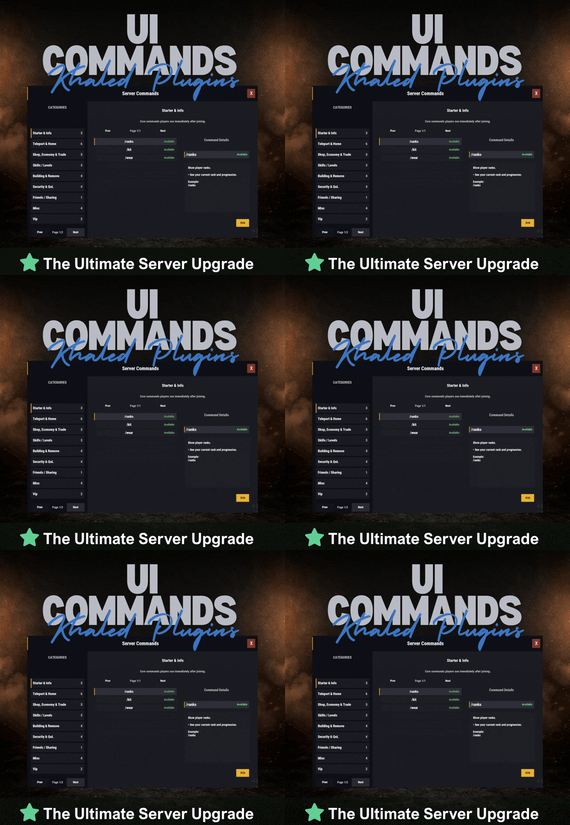
$13.99$11.19UICommands
UICommands – In-Game Command Browser for Rust Servers
UICommands makes it easy for players to find and use server commands without memorizing anything or spamming chat.
All commands are displayed in a clean, in-game interface, neatly organized into categories with clear explanations. Players can quickly see what each command does, whether it’s available to them, and how to use it — all in one place.
Take Your Rust Server to the Next Level
Premium performance, lightning-fast support, and an exclusive 30% OFF using code KHALED
⭐ Features
- Clean and modern in-game UI
- Commands neatly organized by category
- Shows whether commands are available or locked
- Detailed command info panel with usage examples
- RUN button for supported commands
- Simple, smooth, and easy to use
⭐ Why Players Like It
- No need to remember commands
- Quick access to everything the server offers
- Easy to understand, even for new players
- Less confusion, more gameplay
⭐ Why Server Owners Use It
- Fewer repeated questions in chat
- Better presentation of server features
- Helps new players get started faster
- Clean and professional look
🔐 Permissions
UICommands is a great fit for any Rust server that wants a simple, organized, and player-friendly way to show commands in-game.
Config:
{ "General": { "Open Commands": [ "cmds", "commands" ], "Rows Per Page": 6, "Close UI when prompting for input": true }, "Categories": [ { "Id": "starter", "Title": "Starter & Info", "Description": "Core commands players use immediately after joining.", "Sort Order": 0, "Required Permission (optional)": null, "Commands": [ { "Command": "/ranks", "Description": "Show player ranks.", "Benefit / Why Use It": "See your current rank and progression.", "Usage Example (optional)": "/ranks", "Required Permission (optional)": null, "Admin Only (optional)": false, "VIP Only (optional)": false, "Allow RUN (optional, override)": true, "Tags (optional)": [] }, { "Command": "/kit", "Description": "Starter kit.", "Benefit / Why Use It": "Get essential items to start playing.", "Usage Example (optional)": "/kit", "Required Permission (optional)": null, "Admin Only (optional)": false, "VIP Only (optional)": false, "Allow RUN (optional, override)": true, "Tags (optional)": [] }, { "Command": "/wear", "Description": "Change your underwear.", "Benefit / Why Use It": "Quickly change your character underwear.", "Usage Example (optional)": "/wear", "Required Permission (optional)": null, "Admin Only (optional)": false, "VIP Only (optional)": false, "Allow RUN (optional, override)": true, "Tags (optional)": [] } ] }, { "Id": "teleport", "Title": "Teleport & Home", "Description": "Teleport requests, homes, towns and utilities.", "Sort Order": 10, "Required Permission (optional)": null, "Commands": [ { "Command": "/sethome <name>", "Description": "Set home at your base.", "Benefit / Why Use It": "Save a home location for quick teleport.", "Usage Example (optional)": "/sethome main", "Required Permission (optional)": null, "Admin Only (optional)": false, "VIP Only (optional)": false, "Allow RUN (optional, override)": false, "Tags (optional)": [] }, { "Command": "tphelp", "Description": "Teleport help.", "Benefit / Why Use It": "View teleport commands and usage.", "Usage Example (optional)": "tphelp", "Required Permission (optional)": null, "Admin Only (optional)": false, "VIP Only (optional)": false, "Allow RUN (optional, override)": true, "Tags (optional)": [] }, { "Command": "/town", "Description": "Teleport to Bandit Town.", "Benefit / Why Use It": "Quick access to Bandit Town.", "Usage Example (optional)": "/town", "Required Permission (optional)": null, "Admin Only (optional)": false, "VIP Only (optional)": false, "Allow RUN (optional, override)": true, "Tags (optional)": [] }, { "Command": "/outpost", "Description": "Teleport to Outpost.", "Benefit / Why Use It": "Quick access to Outpost.", "Usage Example (optional)": "/outpost", "Required Permission (optional)": null, "Admin Only (optional)": false, "VIP Only (optional)": false, "Allow RUN (optional, override)": true, "Tags (optional)": [] }, { "Command": "/where", "Description": "Teleport to your death location.", "Benefit / Why Use It": "Return to your death spot quickly.", "Usage Example (optional)": "/where", "Required Permission (optional)": null, "Admin Only (optional)": false, "VIP Only (optional)": false, "Allow RUN (optional, override)": true, "Tags (optional)": [] }, { "Command": "/tpr <PlayerName>", "Description": "Request teleport to a player.", "Benefit / Why Use It": "Send a teleport request to another player.", "Usage Example (optional)": "/tpr Khaled", "Required Permission (optional)": null, "Admin Only (optional)": false, "VIP Only (optional)": false, "Allow RUN (optional, override)": false, "Tags (optional)": [] } ] }, { "Id": "shop", "Title": "Shop, Economy & Trade", "Description": "Server shop and purchases.", "Sort Order": 20, "Required Permission (optional)": null, "Commands": [ { "Command": "/s", "Description": "Shop.", "Benefit / Why Use It": "Open the server shop.", "Usage Example (optional)": "/s", "Required Permission (optional)": null, "Admin Only (optional)": false, "VIP Only (optional)": false, "Allow RUN (optional, override)": true, "Tags (optional)": [] }, { "Command": "/buy", "Description": "Transport license.", "Benefit / Why Use It": "Purchase transport license.", "Usage Example (optional)": "/buy", "Required Permission (optional)": null, "Admin Only (optional)": false, "VIP Only (optional)": false, "Allow RUN (optional, override)": true, "Tags (optional)": [] }, { "Command": "/buyraid", "Description": "Buy a Raidable Base.", "Benefit / Why Use It": "Purchase a raidable base event.", "Usage Example (optional)": "/buyraid", "Required Permission (optional)": null, "Admin Only (optional)": false, "VIP Only (optional)": false, "Allow RUN (optional, override)": true, "Tags (optional)": [] } ] }, { "Id": "skills", "Title": "Skills / Levels", "Description": "Leveling and skills commands (server dependent).", "Sort Order": 30, "Required Permission (optional)": null, "Commands": [ { "Command": "/st", "Description": "Open skill tree (shortcut).", "Benefit / Why Use It": "Quick access to the skill tree.", "Usage Example (optional)": "/st", "Required Permission (optional)": null, "Admin Only (optional)": false, "VIP Only (optional)": false, "Allow RUN (optional, override)": true, "Tags (optional)": [] }, { "Command": "/skills", "Description": "Open skills UI.", "Benefit / Why Use It": "View and manage your skills.", "Usage Example (optional)": "/skills", "Required Permission (optional)": null, "Admin Only (optional)": false, "VIP Only (optional)": false, "Allow RUN (optional, override)": true, "Tags (optional)": [] }, { "Command": "/skill", "Description": "Open crafting menu.", "Benefit / Why Use It": "Access crafting skill menu (if supported).", "Usage Example (optional)": "/skill", "Required Permission (optional)": null, "Admin Only (optional)": false, "VIP Only (optional)": false, "Allow RUN (optional, override)": true, "Tags (optional)": [] } ] }, { "Id": "building", "Title": "Building & Remove", "Description": "Upgrade, remove and building utilities.", "Sort Order": 40, "Required Permission (optional)": null, "Commands": [ { "Command": "/up <1-4>", "Description": "Upgrade building tier.", "Benefit / Why Use It": "Upgrade building parts quickly.", "Usage Example (optional)": "/up 4", "Required Permission (optional)": null, "Admin Only (optional)": false, "VIP Only (optional)": false, "Allow RUN (optional, override)": false, "Tags (optional)": [] }, { "Command": "/down <1-4>", "Description": "Downgrade building tier.", "Benefit / Why Use It": "Downgrade building parts quickly.", "Usage Example (optional)": "/down 2", "Required Permission (optional)": null, "Admin Only (optional)": false, "VIP Only (optional)": false, "Allow RUN (optional, override)": false, "Tags (optional)": [] }, { "Command": "/remove", "Description": "Remove buildings.", "Benefit / Why Use It": "Remove building parts if enabled.", "Usage Example (optional)": "/remove", "Required Permission (optional)": null, "Admin Only (optional)": false, "VIP Only (optional)": false, "Allow RUN (optional, override)": true, "Tags (optional)": [] }, { "Command": "/bskin", "Description": "Building skins.", "Benefit / Why Use It": "Change building skins (if enabled).", "Usage Example (optional)": "/bskin", "Required Permission (optional)": null, "Admin Only (optional)": false, "VIP Only (optional)": false, "Allow RUN (optional, override)": true, "Tags (optional)": [] } ] }, { "Id": "security", "Title": "Security & QoL", "Description": "Locking, turrets and helpful quality-of-life commands.", "Sort Order": 50, "Required Permission (optional)": null, "Commands": [ { "Command": "/autolock", "Description": "Auto lock boxes & doors.", "Benefit / Why Use It": "Automatically apply locks to your base items.", "Usage Example (optional)": "/autolock", "Required Permission (optional)": null, "Admin Only (optional)": false, "VIP Only (optional)": false, "Allow RUN (optional, override)": true, "Tags (optional)": [] }, { "Command": "/lockturret", "Description": "Lock turret (requires codelock).", "Benefit / Why Use It": "Protect your turret from unauthorized access.", "Usage Example (optional)": "/lockturret", "Required Permission (optional)": null, "Admin Only (optional)": false, "VIP Only (optional)": false, "Allow RUN (optional, override)": true, "Tags (optional)": [] }, { "Command": "/carturret", "Description": "Spawn your car.", "Benefit / Why Use It": "Quickly spawn your vehicle (server dependent).", "Usage Example (optional)": "/carturret", "Required Permission (optional)": null, "Admin Only (optional)": false, "VIP Only (optional)": false, "Allow RUN (optional, override)": true, "Tags (optional)": [] }, { "Command": "Quarry lock", "Description": "Locking a quarry engine.", "Benefit / Why Use It": "Protect the quarry engine with a code lock.", "Usage Example (optional)": "Craft a codelock, go to the quarry engine and press E.", "Required Permission (optional)": null, "Admin Only (optional)": false, "VIP Only (optional)": false, "Allow RUN (optional, override)": false, "Tags (optional)": [] } ] }, { "Id": "social", "Title": "Friends / Sharing", "Description": "Friends and access control.", "Sort Order": 60, "Required Permission (optional)": null, "Commands": [ { "Command": "/friend <add/remove playername>", "Description": "Add or remove a friend from your base.", "Benefit / Why Use It": "Control who can interact with your base features.", "Usage Example (optional)": "/friend add Khaled", "Required Permission (optional)": null, "Admin Only (optional)": false, "VIP Only (optional)": false, "Allow RUN (optional, override)": false, "Tags (optional)": [] } ] }, { "Id": "misc", "Title": "Misc", "Description": "Skins, signs and other utilities.", "Sort Order": 70, "Required Permission (optional)": null, "Commands": [ { "Command": "/skin", "Description": "Skins.", "Benefit / Why Use It": "Open skins menu (if enabled).", "Usage Example (optional)": "/skin", "Required Permission (optional)": null, "Admin Only (optional)": false, "VIP Only (optional)": false, "Allow RUN (optional, override)": true, "Tags (optional)": [] }, { "Command": "/sili", "Description": "Sign image URL.", "Benefit / Why Use It": "Paste an image URL into a sign (if enabled).", "Usage Example (optional)": "/sili <url>", "Required Permission (optional)": null, "Admin Only (optional)": false, "VIP Only (optional)": false, "Allow RUN (optional, override)": false, "Tags (optional)": [] }, { "Command": "/sil", "Description": "Sign image URL (shortcut).", "Benefit / Why Use It": "Paste an image URL into a sign (if enabled).", "Usage Example (optional)": "/sil <url>", "Required Permission (optional)": null, "Admin Only (optional)": false, "VIP Only (optional)": false, "Allow RUN (optional, override)": false, "Tags (optional)": [] }, { "Command": "/recycler.craft", "Description": "Craft your recycler.", "Benefit / Why Use It": "Craft and place a recycler (if enabled).", "Usage Example (optional)": "/recycler.craft", "Required Permission (optional)": null, "Admin Only (optional)": false, "VIP Only (optional)": false, "Allow RUN (optional, override)": true, "Tags (optional)": [] } ] } ], "Debug: Print Config Summary On Load": false }
-
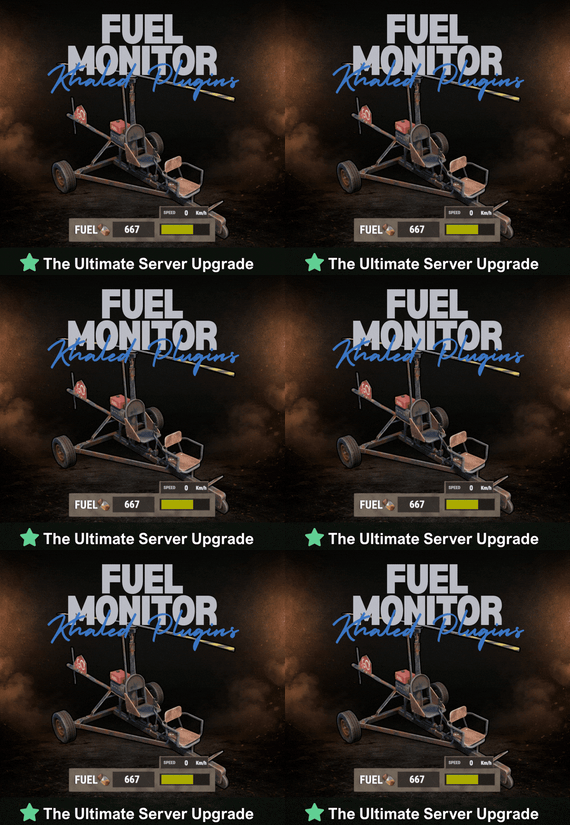
$8.99$7.19Fuel Monitor
FuelMonitor is a lightweight and fully customizable Rust plugin that displays a clean, modern fuel HUD while driving fuel-powered vehicles.
The plugin features a real-time updating fuel bar, low fuel popup notifications, sound alerts when fuel is running low, and a clear OUT OF FUEL warning when the tank is empty.
FuelMonitor now also includes a built-in speedometer, allowing players to view their current speed directly from the HUD, with support for both Km/h and MPH display modes.
Take Your Rust Server to the Next Level
Premium performance, lightning-fast support, and an exclusive 30% OFF using code KHALED
An in-game Admin Settings UI is included, allowing server owners to manage the plugin directly in-game through a clean and safe workflow. With the settings panel, admins can:
- Preview changes live before applying them - Adjust the Global Max Fuel value - Reposition the main Fuel UI using Move Mode - Reposition popup warning notifications using Warning Move Mode - Customize all UI colors - Enable or disable the speedometer - Switch speed units between Km/h and MPH FuelMonitor also includes a dedicated Vehicles tab inside the Admin Settings UI, allowing full per-vehicle customization. Server owners can create and manage vehicle-specific profiles for all supported vehicles, including:
- Enable or disable the HUD per vehicle - Enable or disable warning sounds per vehicle - Set a custom max fuel value per vehicle - Choose whether low fuel warnings use Amount or Percent mode - Configure custom low fuel warning thresholds - Configure custom fuel bar gradient thresholds - Preview each vehicle profile live before applying changes - Reset a single vehicle profile or apply one vehicle profile to all vehicles All changes are handled through a safe pending workflow with Apply / Cancel controls, ensuring nothing is pushed live until the admin confirms it. Once applied, changes affect all players server-wide.
#Admin Commands : /fui
FuelMonitor works automatically in the background, is performance-friendly, and requires no player commands.
- #fuel
- #minicopter
- (and 4 more)
-

Free
QR Logo
By NINJA WORKS in Plugins
QR Logo
QRLogo is a plugin that displays a custom QR code on player screens in Rust servers. Display your server's Discord invite link, website, social media accounts, and more as a QR code that players can easily scan with their smartphones.
A small QR code icon is always displayed in the top-left corner of the screen. When clicked, it expands to the center of the screen with a **smooth animation**. Click anywhere on the screen to collapse it back to its original size.
✅Features
- Automatically generates QR codes from configured URLs
- No external libraries or image files required
- Full URL encoding support
- Freely adjustable display position
- Configurable sizes for normal and expanded views
- All settings managed via config file
✅Technical Specifications
- QR Code Standard: QR Code Version 1-20 supported
- Error Correction Level: M (Medium) - ~15% data recovery capability
- Rendering Method: Pixel-by-pixel drawing using CUI panels
✅Recommended Use Cases
- Discord Server Invite Links
- Server Website / Wiki
- Voting Sites (Rust-Servers.net, etc.)
- Donation Pages
- Social Media Accounts (Twitter/X, YouTube, etc.)
- Server Rules Page
✅Configuration
{ "QrUrl": "https://codefling.com", "LogoAnchorX": 0.29, "LogoAnchorY": 0.98, "LogoSizePx": 80.0, "ExpandedSizePx": 500.0, "EnableAnimation": true, "QrModuleColor": "0 0 0 1", "QrBackgroundColor": "1 1 1 1" } ✅Important Notes
- If the URL is too long, it may be difficult to scan. You may need to resize it in the configuration. - We recommend using a URL shortening service. - If the URL is too long, the animation may be slow. Please set whether or not to animate depending on the length of the URL.
✅Contact
VOID / NINJA WORKS
DISCORD : https://discord.gg/U8uxePjSyA
MADE IN JAPAN