
Lady Mia's Wishlist
-
$35.00
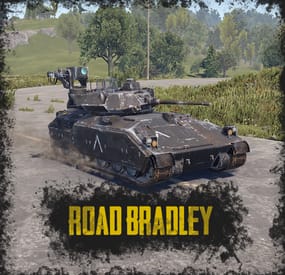
Road Bradley
By ThePitereq in Plugins
RUST Plugin Test Server
TEST MY PLUGINS THERE!
connect play.thepitereq.ovh:28050
Road Bradley plugin enhances APC fights by spawning Bradleys with custom AI on selected roads or allowing players to purchase their own Bradley for battles.
The plugin is highly configurable, letting you set almost every variable to your preference.
It includes various features to enhance your Bradley fights, such as RF Detonators, targeting missiles, and more.
Additionally, it fully supports custom map configurations.
Set Bradleys to spawn and patrol roads Gives players the option to purchase their own Bradley, with damage and loot locked to the owner or their friends, clan (with required plugins), or team. Custom Bradley AI with settings for target distance, clothing check, tool check, and view distance, which is superior to the vanilla AI in many aspects. Supports currency plugins. Custom markers on Bradleys. A RUST-themed UI. Tank unstuck system that is fully customizable, with console messages if the tank is stuck for more than 30 seconds. Custom routes for custom maps are supported. You can make tank routing through multiple roads or setting the route to the longest road on the map. Bradleys can spawn with different profiles at set intervals. Permission system controls purchase unlocks with cooldowns and daily limits. Health, damage, napalm, and debris can all be configured. Custom loot support with item naming and all required things. All Bradley routes can be displayed. Players can be rewarded based on the percentage of damage dealt to a Bradley. Random road timed events. Custom road editor to create and modify roads. Bradley fight bags enable players to respawn without losing loot and quickly return to the fight. Customize Bradley building damage. Restricting fights to owned buildings to prevent Bradley despawn. Customizable main cannon damage and building damage modifiers. Bradleys can call an MLRS airstrike on fighters when their health drops to a configured level. RF Explosives can be configured to automatically explode based on radius or frequency. Auto targetting rockets available to shoot down all flying vehicles.
The "Tank Routes - Spawns Per Maps" config part ins based on levelurl so if your map file is named CustomMapV1.3.3.map if you add CustomMap to config it will work.
It might depend also on map host. Checked on DropBox and Discord. Tank Road IDs can be checked through /tankroute command.
roadbradley.admin - Allows you to use /tankroute command. roadbradley.bypass - Bypass Bradley purchase cost.
/tankroute - Displays help about methods of route displays. /buytank - Opens the Bradley purchase UI. (Configurable) /spawnrbtank <profile> <userId> - Will spawn tank with profile for the userId player. (Chat and Console command) /spawnrbtank <profile> <route> - Will spawn tank with profile on configured route. (Chat and Console command) /tankcount - Shows active road bradley count. (Chat and Console command)
void OnRoadBradleySpawned(BasePlayer owner, BradleyAPC apc, string profile, string targetRoad) - Called when someone succesfully purchased an road bradley. void OnRoadBradleyKilled(BradleyAPC apc, ulong bradleyOwnerId, string profile) - Called when road bradley gets killed. bool CanRoadBradleyTarget(BradleyAPC apc, BasePlayer player) - Override custom target method. Needs to be enabled in config.
{ "Tank Purchase - Commands": [ "buytank", "bt" ], "Tank Route - Use Asphalt Roads Only": false, "Tank Route - Check for Map Obstacles (recommended for custom maps with prefabs on roads": false, "Tank Route - Remove Roads With Obstacles From Pool": false, "Tank Route - Teleport Bradley To Random Road Position after X Stuck Errors (0, to disable)": 0, "Tank Route - Broadcast Stuck To Fighters": true, "Tank Route - Obstacle Keyword Whitelist": [ "roadsign", "train_track", "road_tunnel", "doorcloser" ], "Tank Route - Remove first and last checkpoints from all routes": 1, "Tank Route - Minimal Route Checkpoints To Use": 5, "Tank Route - Remove Timed-Event Roads From Purchasable Pool": false, "Tank Route - Randomize Spawn On Road": true, "Tank Route Editor - Height Offset": 0.1, "Targeting - Target NPC": false, "Targeting - Target Sleepers": false, "Loot & Damage Share - Check For Caller Building Damage": true, "Loot & Damage Share - Allow Damage For Caller Team Buildings": true, "Loot & Damage Share - Unowned Damage Entity Reminder": 50, "Loot & Damage Share - Unowned Damage Entity Bradley Kill": 200, "Loot & Damage Share - Ignore Crate Ownership Checks": false, "Loot & Damage Share - Use Friends": false, "Loot & Damage Share - Use Clans": false, "Loot & Damage Share - Use RUST Teams": true, "Loot & Damage Share - Limit Server Spawned Bradleys Loot To Top Damage Player": false, "Loot & Damage Share - Disable Unowned Tank Damage To Buildings": false, "Loot & Damage Share - Disable Tank Damage To TC And Sleeping Bags": false, "Purchases - Used Purchase System (0 - None, 1 - Economics, 2 - ServerRewards, 3 - ShoppyStock)": 3, "Purchases - Used Currency (If ShoppyStock Is Used)": "myCurrencyKey", "Purchases - Currency Symbol (used in display)": "$", "Purchases - Max Purchased Bradleys (0, to disable)": 3, "Limits - Daily Limit Type (true - calls, false - won fights)": true, "Tank Info - Display Timed Bradley Info": true, "Tank Info - Timed Bradley Shop Name Format": "{0} BRADLEY\n[Health: {1}]", "Tank Info - Display Purchased Bradley Info": true, "Tank Info - Purchased Bradley Shop Name Format": "{1}'s {0} BRADLEY\n[Health: {2}]", "Tank Health UI - X Anchor (0-1)": 0.5, "Tank Health UI - Y Anchor (0-1)": 0.0, "Bag Respawns - Enabled": true, "Bag Respawns - Max Bags Per Player": 4, "Bag Respawns - Max Bed Distance From Player": 100.0, "PopUpAPI - PopUp Profile Name": "Legacy", "Tank Disarm Frequency": 1470, "Enable CanRoadBradleyTarget Hook": false, "Custom Tank Death Properties": { "Show Road Bradley Death Locations On Map": true, "Fireball Count (0, to disable)": 0, "Use Fireballs As Chest Lock (not recommended, high performance impact, if false, uses custom method)": false, "Hide Gib Flying Spheres (used for their scaling, will make gibs 'jump' once)": true }, "Tank Unstuck - Killed Entity Names": [ "servergibs_bradley", "scraptransporthelicopter", "magnetcrane.entity", "minicopter.entity", "supply_drop" ], "Tank Routes - Spawns Per Maps": { "default": [ "default" ], "Detroit": [ "default", "custom" ], "HapisIsland": [ "hapis" ], "ParadiseIsland": [ "custom" ] }, "Tank Routes - Purchasable Road ID Blacklist Per Map": { "default": [ "Edited_756", "Edited_33" ], "Detroit": [ "Edited_4" ] }, "Tank Routes - Custom Purchasable Roads Per Map": { "default": [ "CustomRoad1", "CustomRoad2" ], "Detroit": [ "DetroitRoad1", "DetroitRoad2", "DetroitRoad3" ], "HapisIsland": [ "HapisRoad2", "HapisRoad3", "HapisRoad4" ] }, "Tank Routes - Spawn Configuration": { "custom": { "Tank Route - Road IDs (Random, if more than one)": [ [ "0", "1" ], [ "2", "3" ] ], "Tank Route - Use all default roads": false, "Tank Route - Use longest path": false, "Tank Route - Remove first and last checkpoints": 3, "Spawns - Announce Spawn": true, "Spawns - Announce Kill": true, "Spawns - Respawn Time (in seconds)": 1200, "Spawns - Respawn Time Randomize Value (goes +value and -value from option above)": 120, "Spawns - Min. Online Players For Each Tank Amount (Amount Of Tanks: Amount Of Players)": { "1": 4, "2": 12, "3": 20 }, "Spawns - Chance": { "Extreme": 1, "Hard": 3 } }, "default": { "Tank Route - Road IDs (Random, if more than one)": [], "Tank Route - Use all default roads": false, "Tank Route - Use longest path": true, "Tank Route - Remove first and last checkpoints": 3, "Spawns - Announce Spawn": true, "Spawns - Announce Kill": true, "Spawns - Respawn Time (in seconds)": 900, "Spawns - Respawn Time Randomize Value (goes +value and -value from option above)": 120, "Spawns - Min. Online Players For Each Tank Amount (Amount Of Tanks: Amount Of Players)": { "1": 4, "2": 8 }, "Spawns - Chance": { "Hard": 2, "Normal": 5 } }, "hapis": { "Tank Route - Road IDs (Random, if more than one)": [ [ "HapisRoad1" ] ], "Tank Route - Use all default roads": false, "Tank Route - Use longest path": false, "Tank Route - Remove first and last checkpoints": 3, "Spawns - Announce Spawn": true, "Spawns - Announce Kill": true, "Spawns - Respawn Time (in seconds)": 900, "Spawns - Respawn Time Randomize Value (goes +value and -value from option above)": 120, "Spawns - Min. Online Players For Each Tank Amount (Amount Of Tanks: Amount Of Players)": { "1": 4, "2": 8 }, "Spawns - Chance": { "Hard": 2, "Normal": 5 } } }, "Tank Routes - Purchasable": { "Extreme": { "Purchases - Required Permission (leave blank, to disable)": "roadbradley.extreme", "Purchases - Cooldown (in seconds, 0 to disable)": 7200, "Purchases - Max Daily (in seconds, 0 to disable)": 1, "Purchases - Max Purchased Bradley Permissions (from best to worse)": { "roadbradley.limit.premium": 3, "roadbradley.limit.vip": 2 }, "Purchases - Time To Kill (in seconds, 0 to disable)": 600, "Purchases - Time To Come To Bradley (Kill Time + Coming Time)": 600, "Purchases - Limit Loot To Team": true, "Purchases - Limit Target To Team": true, "Purchases - Limit Damage To Team": true, "Purchases - Kill Announce Enabled": true, "Purchases - Required Items": [ { "Shortname": "scrap", "Amount": 1000, "Skin": 0, "Custom Icon URL": "" }, { "Shortname": "currency", "Amount": 5000, "Skin": 0, "Custom Icon URL": "" }, { "Shortname": "metal.fragments", "Amount": 10000, "Skin": 0, "Custom Icon URL": "" } ] }, "Hard": { "Purchases - Required Permission (leave blank, to disable)": "", "Purchases - Cooldown (in seconds, 0 to disable)": 7200, "Purchases - Max Daily (in seconds, 0 to disable)": 1, "Purchases - Max Purchased Bradley Permissions (from best to worse)": {}, "Purchases - Time To Kill (in seconds, 0 to disable)": 600, "Purchases - Time To Come To Bradley (Kill Time + Coming Time)": 600, "Purchases - Limit Loot To Team": true, "Purchases - Limit Target To Team": true, "Purchases - Limit Damage To Team": true, "Purchases - Kill Announce Enabled": true, "Purchases - Required Items": [ { "Shortname": "scrap", "Amount": 1000, "Skin": 0, "Custom Icon URL": "" }, { "Shortname": "currency", "Amount": 1500, "Skin": 0, "Custom Icon URL": "" } ] }, "Normal": { "Purchases - Required Permission (leave blank, to disable)": "", "Purchases - Cooldown (in seconds, 0 to disable)": 3600, "Purchases - Max Daily (in seconds, 0 to disable)": 3, "Purchases - Max Purchased Bradley Permissions (from best to worse)": {}, "Purchases - Time To Kill (in seconds, 0 to disable)": 600, "Purchases - Time To Come To Bradley (Kill Time + Coming Time)": 600, "Purchases - Limit Loot To Team": true, "Purchases - Limit Target To Team": true, "Purchases - Limit Damage To Team": true, "Purchases - Kill Announce Enabled": true, "Purchases - Required Items": [ { "Shortname": "scrap", "Amount": 100, "Skin": 0, "Custom Icon URL": "" }, { "Shortname": "metal.fragments", "Amount": 1500, "Skin": 0, "Custom Icon URL": "" } ] } }, "Tank Routes - Configuration": { "Extreme": { "Tank Target - Max distance to target": 10.0, "Tank Target - Targeted items": [ "rocket.launcher", "explosive.timed", "explosive.satchel" ], "Tank Target - Lose Target Intrest After X Seconds": 10, "Tank Options - Model Scale": 0.7, "Tank Options - Map Marker Type (None/Crate/Chinook/Cargoship)": "Crate", "Tank Options - Move Speed (0-1)": 1.0, "Tank Options - Move Force": 2000.0, "Tank Options - Health": 5000.0, "Tank Options - View Range": 75.0, "Turret Options - Fire Rate": 0.06, "Turret Options - Burst Length": 15, "Turret Options - Aim Cone": 3.0, "Turret Options - Bullet Damage": 25.0, "Cannon Options - Explosion Radius": 8.0, "Cannon Options - Blunt Damage": 40.0, "Cannon Options - Explosion Damage": 0.0, "Custom Attack - Do Custom Attacks": true, "Custom Attack - Try Interval (in seconds)": 15.0, "Custom Attack - Try Interval Randomization (in seconds)": 5.0, "MLRS Options - Enabled": true, "MLRS Options - Amount Per Fighter": 4, "MLRS Options - Height Spawn": 450.0, "MLRS Options - Sound Alert Prefab Name": "assets/prefabs/tools/pager/effects/beep.prefab", "MLRS Options - Chat Message Alert": true, "MLRS Options - Position Randomization": 25.0, "MLRS Options - Health Level Spawns": [ 4500.0, 3000.0, 1000.0, 100.0 ], "MLRS Options - Explosion Radius": 15.0, "MLRS Options - Blunt Damage": 75.0, "MLRS Options - Explosion Damage": 350.0, "Scientist Options - Disable Scientist Spawn": false, "Scientist Options - Amount Of Scientists To Spawn (might not spawn all of them)": 4, "Scientist Options - Scientist Spawn Radius": 3.0, "RF Disarm - Enabled": false, "RF Disarm - Type (false - Change Frequency, true - Explode)": true, "RF Disarm - Radius From Tank": 35.0, "Bradley Debris - Scale With Tank": true, "Bradley Debris - Health": 500.0, "Bradley Debris - Time To Cool Down": 60.0, "Loot - Crate Amount (If default loot preset)": 4, "Loot - Used Loot Preset (leave blank for default)": "custom", "Loot - Floor Rewards For Damage Dealt": true, "Loot - Rewards For Damage Dealt": [ { "Command (if not empty, item is ignored)": "", "Shortname": "currency", "Amount": 2000, "Skin": 0, "Display Name": "" }, { "Command (if not empty, item is ignored)": "", "Shortname": "scrap", "Amount": 500, "Skin": 0, "Display Name": "" } ], "Loot - Fire Lock Time (in seconds)": 60 }, "Hard": { "Tank Target - Max distance to target": 10.0, "Tank Target - Targeted items": [ "rocket.launcher", "explosive.timed", "explosive.satchel" ], "Tank Target - Lose Target Intrest After X Seconds": 10, "Tank Options - Model Scale": 0.6, "Tank Options - Map Marker Type (None/Crate/Chinook/Cargoship)": "Crate", "Tank Options - Move Speed (0-1)": 1.0, "Tank Options - Move Force": 2000.0, "Tank Options - Health": 2500.0, "Tank Options - View Range": 50.0, "Turret Options - Fire Rate": 0.06, "Turret Options - Burst Length": 15, "Turret Options - Aim Cone": 3.0, "Turret Options - Bullet Damage": 20.0, "Cannon Options - Explosion Radius": 8.0, "Cannon Options - Blunt Damage": 40.0, "Cannon Options - Explosion Damage": 0.0, "Custom Attack - Do Custom Attacks": true, "Custom Attack - Try Interval (in seconds)": 15.0, "Custom Attack - Try Interval Randomization (in seconds)": 5.0, "MLRS Options - Enabled": true, "MLRS Options - Amount Per Fighter": 2, "MLRS Options - Height Spawn": 450.0, "MLRS Options - Sound Alert Prefab Name": "assets/prefabs/tools/pager/effects/beep.prefab", "MLRS Options - Chat Message Alert": true, "MLRS Options - Position Randomization": 25.0, "MLRS Options - Health Level Spawns": [ 2300.0, 1100.0 ], "MLRS Options - Explosion Radius": 15.0, "MLRS Options - Blunt Damage": 75.0, "MLRS Options - Explosion Damage": 350.0, "Scientist Options - Disable Scientist Spawn": false, "Scientist Options - Amount Of Scientists To Spawn (might not spawn all of them)": 4, "Scientist Options - Scientist Spawn Radius": 3.0, "RF Disarm - Enabled": false, "RF Disarm - Type (false - Change Frequency, true - Explode)": true, "RF Disarm - Radius From Tank": 35.0, "Bradley Debris - Scale With Tank": true, "Bradley Debris - Health": 500.0, "Bradley Debris - Time To Cool Down": 60.0, "Loot - Crate Amount (If default loot preset)": 4, "Loot - Used Loot Preset (leave blank for default)": "", "Loot - Floor Rewards For Damage Dealt": true, "Loot - Rewards For Damage Dealt": [ { "Command (if not empty, item is ignored)": "", "Shortname": "currency", "Amount": 2000, "Skin": 0, "Display Name": "" } ], "Loot - Fire Lock Time (in seconds)": 60 }, "Normal": { "Tank Target - Max distance to target": 10.0, "Tank Target - Targeted items": [ "rocket.launcher", "explosive.timed", "explosive.satchel" ], "Tank Target - Lose Target Intrest After X Seconds": 10, "Tank Options - Model Scale": 0.6, "Tank Options - Map Marker Type (None/Crate/Chinook/Cargoship)": "Crate", "Tank Options - Move Speed (0-1)": 1.0, "Tank Options - Move Force": 2000.0, "Tank Options - Health": 1000.0, "Tank Options - View Range": 50.0, "Turret Options - Fire Rate": 0.06, "Turret Options - Burst Length": 10, "Turret Options - Aim Cone": 3.0, "Turret Options - Bullet Damage": 15.0, "Cannon Options - Explosion Radius": 8.0, "Cannon Options - Blunt Damage": 40.0, "Cannon Options - Explosion Damage": 0.0, "Custom Attack - Do Custom Attacks": true, "Custom Attack - Try Interval (in seconds)": 15.0, "Custom Attack - Try Interval Randomization (in seconds)": 5.0, "MLRS Options - Enabled": false, "MLRS Options - Amount Per Fighter": 2, "MLRS Options - Height Spawn": 450.0, "MLRS Options - Sound Alert Prefab Name": "assets/prefabs/tools/pager/effects/beep.prefab", "MLRS Options - Chat Message Alert": true, "MLRS Options - Position Randomization": 25.0, "MLRS Options - Health Level Spawns": [], "MLRS Options - Explosion Radius": 15.0, "MLRS Options - Blunt Damage": 75.0, "MLRS Options - Explosion Damage": 350.0, "Scientist Options - Disable Scientist Spawn": false, "Scientist Options - Amount Of Scientists To Spawn (might not spawn all of them)": 4, "Scientist Options - Scientist Spawn Radius": 3.0, "RF Disarm - Enabled": false, "RF Disarm - Type (false - Change Frequency, true - Explode)": true, "RF Disarm - Radius From Tank": 35.0, "Bradley Debris - Scale With Tank": true, "Bradley Debris - Health": 500.0, "Bradley Debris - Time To Cool Down": 60.0, "Loot - Crate Amount (If default loot preset)": 4, "Loot - Used Loot Preset (leave blank for default)": "", "Loot - Floor Rewards For Damage Dealt": true, "Loot - Rewards For Damage Dealt": [], "Loot - Fire Lock Time (in seconds)": 60 } }, "Loot - Presets": { "custom": { "Loot - Min. Crates": 2, "Loot - Max. Crates": 4, "Loot - Min. Items Per Crate": 4, "Loot - Max. Items Per Crate": 5, "Loot - Loot Table": [ { "Shortname": "explosive.timed", "Amount": 1, "Amount Randomizer Amount (+ and -)": 0, "Always Include Chance (0-100)": 0.0, "Max Always Includes Per Loot (0 to disable)": 0, "Skin": 0, "Display Name": "", "Chance": 1, "Additional Items": [] }, { "Shortname": "metal.refined", "Amount": 1000, "Amount Randomizer Amount (+ and -)": 0, "Always Include Chance (0-100)": 0.0, "Max Always Includes Per Loot (0 to disable)": 0, "Skin": 0, "Display Name": "", "Chance": 2, "Additional Items": [] }, { "Shortname": "rifle.ak", "Amount": 1, "Amount Randomizer Amount (+ and -)": 0, "Always Include Chance (0-100)": 0.0, "Max Always Includes Per Loot (0 to disable)": 0, "Skin": 0, "Display Name": "", "Chance": 1, "Additional Items": [ { "Shortname": "ammo.rifle", "Amount": 20, "Skin": 0, "Display Name": "" } ] } ] } } } -
$24.99
Heavy Military Tunnel Event
Heavy Military Tunnel Event is a configurable plugin that allows for a new type of random event. Randomly a message will appear letting players know that a heavy unit is now guarding Military Tunnel
The Military Tunnel will then be equipped with extra scientists both light and heavy, auto turrets, and Bradleys. Players must try to clear the military tunnel and find the scientist who drops the code to disable the auto turrets OR destroy all the turrets. If the code is found, it can be entered into the code lock hidden in a room to disable the turrets. Once the turrets and scientists are dealt with, players must defeat the Bradleys that guard the hackable crates. Finally, once the Bradleys are defeated, players can collect all the loot. That's if someone else doesn't get to it first!
This is a great event to add to your server to give it a little more variety. It can be a fun PVP zone or a PVE event for non PVP servers.
EASY OPTIONAL SETUP - NO SETUP REQUIRED
You can simply drop the plugin in as-is and it will start the random event every 1 to 2 hours OR you can modify the config to your specific needs.
Configuration
Example - en
Admin Only Commands
/HmtStart
/HmtStop
/HmtPos
Hooks
void HeavyMilitaryTunnelEventStarted()
void HeavyMilitaryTunnelEventStopped()
Customization
Spawn locations as well as the total number turrets, scientists, hackable crates, & APCbradleys can be modified. Simply go to the location in game you want to place the new item and use the command /HmtPos. It will message you the location. You can the add that location to the config in the appropriate section for want you want to modify. Reload the plugin and you're good to go!
Support
Create a support ticket here or message me on discord: cahnu
-
$15.00$10.50Quarry Computer
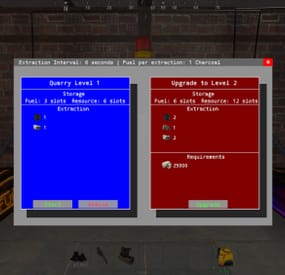
Quarries have evolved into personal computers that can be placed within player bases, providing full customization. Everything, from fuel types to unlimited upgrades, is configurable, including upgrade requirements, mined items, and fuel. Seamlessly integrating with the industrial system.
FEATURES
Intuitive UI: Simulates old DOS programs for easy use Full Customization: Item output, fuel, and upgrade requirements can be adjusted Unlimited Upgrades: Use items, Economics, and ServerRewards for upgrades Base Placement: Quarry Computers can be placed inside bases Industrial Automation-Ready: With permissions for seamless integration Screen Activation: Easily see if the computer is on, with percentage displays Multi-Language Support: Fully translatable Player Permissions: Control how many quarries a player can own and upgrade Persistent Data: Upgrades and item levels are saved across restarts
VIDEO SHOWCASE
Here’s how to add the recycler to your shop:
Use the Command:
gq %steamID%
PERMISSIONS
"quarrycomputer.give"
Grants the player the ability to use the customizable command (/gq <User>) to give themselves or other players a Quarry Computer.
"quarrycomputer.industrialinput" AND "quarrycomputer.industrialoutput"
Allows players to connect industrial storage adaptors to their quarries, enabling automated resource handling.
"quarrycomputer.vip"
Provides players with additional benefits or features, such as having a higher limit on the number of quarries they can deploy.
"quarrycomputer.norequirements"
Allows players to upgrade their quarries without needing to meet the usual item or resource requirements.
"quarrycomputer.admin"
Provides administrative control over players' quarries, such as the ability to manage or interact with any quarry regardless of ownership.
CONFIGURATION
You can have as many upgrade levels as you want. Use Economics and ServerRewards on the item shortnames to use currency. Any in-game item can be used. Requirements can utilize Economics and ServerRewards based on the item shortname. Item shortnames are validated when the plugin loads, with a warning issued if they need to be fixed.
-

$20.00
NpcRaiders
By Iftebinjan in Plugins
Call in a squad of raider NPCs to hit your own base — a safe, self‑contained "raid yourself" event for solo players, small groups, or anyone who wants that raid‑night adrenaline without waiting on a real offline raider.
NpcRaiders lets any player start a fully scripted raid event against their own authorized base. Once the event begins, a wave of armed NPC raiders spawns near the target and pushes toward the player's tool cupboard — fighting through walls, doors, and turrets — until they breach the TC, run out of time, or get wiped out.
The event is sandboxed: only players authorized on the targeted cupboard can damage the raider NPCs, and the NPCs will only ever attack the players inside that event. Nobody outside the event can interfere, and the raiders can't wander off and bother the rest of the server. It's PvE-safe raid content that plugs straight into your existing loot, economy, and reward plugins.
Everything about a raid — how many NPCs spawn, how many waves, how tough they are, what they drop, what it costs to call one in, and what you win for surviving — is configurable per raid "type," so you can sell multiple raid tiers (Easy / Hard / Nightmare, for example) through permissions or a shop plugin.
⭐Key Features
Self-raid events — players call NPCs in on their own authed base; nobody else can be targeted. Locked-down combat — only players authorized on the target TC can hurt the raiders, and the raiders can only hurt them back. No griefing, no stray damage to bystanders. Wave-based assault — configurable number of NPCs per wave, number of waves, and delay between waves, so events can scale from a quick skirmish to a full siege. Multiple raid types/tiers — build unlimited raid presets (difficulty, NPC count, health, kits, loot, rewards) and gate each one behind its own permission. Kits integration — equip raider NPCs with clothing and weapons using the Kits plugin, so their loadout matches the raid tier. Flexible loot — drop AlphaLoot profiles, custom loot-profile files (build one straight from your own inventory with /raidme loot add), or nothing at all. Pay-to-raid economy — charge players an item (default Scrap), Economics balance, or ServerRewards points to start an event; permission-based cost bypass for admins/VIPs. Win rewards — reward successful defenders with an item, Economics funds, ServerRewards points, or a kit. VIP cooldown tiers — give specific permission groups their own shorter cooldowns and TC-auth cooldowns instead of the server default. Queueing — if the server is already at the max concurrent raid limit, new events queue up and notify the player when it's their turn. SimplePVE/ TruePVE / LifeSupport aware — plays nicely with TruePVE exception mapping and LifeSupport's revive handling during an active event. 🎬Video Showcase
📜Permissions
npcraiders.use - Use the /raidme chat command to view and start raids. npcraiders.admin - Access admin commands (reload, clear, loot). npcraiders.nocooldown - Skip the standard raid and TC-auth cooldowns. npcraiders.nocost - Start raids without being charged. 📌Chat Command
/raidmeShows the raid help menu — available raid types, cost, and NPC/wave counts you have access to. /raidme buyShows raid cost/help for every raid type. /raidme buy <type>Starts a raid event of the given type at your currently authorized TC. /raidme statsOpens your personal stats UI (games played, wins, losses, kills, deaths). /raidme terrainAdmin/debug tool — lists the terrain colliders at your current position, for building the block list. /raidme loot add <profile>Creates (or adds to) a loot profile using every item currently in your inventory. /raidme loot clear <profile>Clears a loot profile's items. /raidme reload all (admin)Force-cancels every currently running raid event. /raidme reload player <name> (admin)Force-cancels one player's raid event. /raidme clear - (admin)Wipes stored cooldowns and player data. /raidme - Will show raid help menu. /raidme buy - Will show raid buy help menu and costs. /raidme buy <type> - To start raid of the type. /raidme reload player <playerName> - Will cancel there raid event. /raidme reload all - Will cancel all events. /raidme terrain - Get Terrain name your standing on. /raidme loot - Generate a loot profile with all the items in your inventory When you create a loot profile you will need to edit its datafile and set the min and max amount of items to give.. There you can change other min/max for item ammounts default is 1 to Amount when created
📌Console Command
npcraiders buy <type> <optional playerID> - Lets an external plugin or command (e.g. a shop or GUI) trigger a raid purchase for a player server-side. ⚙️Configuration
🗃️Language
⚠️FAQ
Do players raid other players, or only themselves?
Only their own base. A player can only start an event while authorized on the target TC, so this is entirely self-contained PvE-style content — not a way to raid other players. Can I sell different difficulty levels?
Yes — create as many raid types as you want in the config, each with its own permission, NPC count, waves, loot, cost, and reward. Sell access to each tier separately or bundle them into a rank. What plugins does this depend on?
None are required to run the plugin. Kits (for equipping/rewarding NPC loadouts and kit rewards), AlphaLoot (for NPC corpse loot profiles), ServerRewards and Economics (for buy costs/rewards), and TruePVE/SimplePVE/LifeSupport (for smoother PvE-server behavior) are all optional integrations — the plugin works without them, but connects automatically if they're installed. Can players avoid paying or waiting on cooldown?
Yes, through permissions — npcraiders.nocost skips the charge and npcraiders.nocooldown skips both cooldown timers. Useful for staff testing or as a VIP perk. Will this let people abuse re-authing on TCs to farm rewards?
There's a dedicated TC-auth cooldown separate from the normal raid cooldown, specifically to stop players from re-authorizing on a cupboard just to immediately farm another event.
-
.thumb.gif.30bb4fb1ad6b9cbba98fad72b9533086.gif)
$34.95$21.95Kits
Unique kit system with the highest possible functionality and beautiful design. This will please you (no need to sit in the config every time and try to fill in some incomprehensible values, etc.), and your players (convenient, clear and informative interface). You just start editing items directly in the game) and your players (comfortable, clear, informative interface)!
🌟 Features of Kits
Beautiful User Interface: Experience a visually appealing and user-friendly design. High Performance: Optimized for fast, reliable performance. Automatic Kit Conversion (uMod): Easily convert your existing kits. In-Game Kit and Item Setup: Configure kits directly in the game. Auto Kits & Wipes (Optional): Automate kit distribution and server wipes. Custom Items & Commands: Assign unique items and commands to kits. Advanced Item Settings: Fine-tune every aspect of your items. CopyPaste Integration: Seamlessly work with CopyPaste. Optional Features: Delays after wipes, set blocking in Building Block, logging, and item chances. Skills & ServerPanel Support: Enhance player experience with integrated support.
🎮 Commands
kit – open the kit interface kit help – get help with kits kit autokit – enable or disable automatic kit.
Requires the "kits.changeautokit" permission. You can set this permission up in the plugin configuration under "Permission to enable/disable autokit". kit list – display all available kits kit [name] – redeem a specific kit kits.resetkits – delete all kits kits.give [name/steamid] [kitname] – grant a kit to player kits.convert – convert from uMod Kits kits.wipe – clear players data kits.reset – resets the player data or kits in the kits system. kits.reset data [<targetID>/all] – resets the data of a player or all players.
Parameters:
<targetID>: The ID of the player whose data is to be reset. If you specify all, the data of all players will be reset. kits.reset kits – resets all kits in the data kits.template <interface_type> <interface_style> <template> [template_version] – allows the administrator to customize the appearance of the bundles interface by choosing between fullscreen and inmenu mode. Different styles and templates are available for each interface type. The old style (old) is only available for fullscreen mode, while the new Rust style (rust) is available for both interface types. When using the Rust style, you must specify a specific template such as normal, content, categories or content_categories. For inmenu rust templates, you can also specify the ServerPanel template version (1 or 2).
Parameters: <interface_type>: The type of interface template. Valid values: fullscreen: Fullscreen interface template. inmenu: Menu interface template. <interface_style>: The style of the interface. Valid values: old: The old interface style (fullscreen only). rust: New Rust interface style (for fullscreen and inmenu). <template>: The name of the target template. Valid values depend on the interface style: normal, content, categories, content_categories. [template_version]: (Optional, only for inmenu rust) ServerPanel template version. Valid values: 1 or 2. Specifies the template version to be used with the selected inmenu rust template. Examples: kits.template fullscreen old - Sets the fullscreen interface to the old style. kits.template fullscreen rust normal - Sets the fullscreen interface to the Rust style with the normal template. kits.template fullscreen rust content - Sets the fullscreen interface to the Rust style with the content template. kits.template fullscreen rust categories - Sets the fullscreen interface to the Rust style with the categories template. kits.template fullscreen rust content_categories - Sets the fullscreen interface to the Rust style with the content_categories template. kits.template inmenu rust normal 1 - Sets the menu interface to the Rust style with the normal template for ServerPanel version 1. kits.template inmenu rust content 2 - Sets the menu interface to the Rust style with the content template for ServerPanel version 2. kits.template inmenu rust categories 1 - Sets the menu interface to Rust style with the categories template for ServerPanel version 1. kits.template inmenu rust content_categories 1 - Sets the menu interface to the Rust style with the content_categories template for ServerPanel version 1.
🎥 Video
P.S. Video of the old version, video for the V2+ version is now in development
🖼️ Showcase
Full screen Templates
Template OLD STYLE
Template NEW RUST
Default:
Content:
Categories:
Content & Categories:
In-Menu Templates
Template V1 (V1.1)
Default:
Content:
Categories:
Content & Categories:
Template V2
Default:
Content:
Categories:
Content & Categories:
Template V4 Default:
Content:
Categories:
Content & Categories:
Editor
⚙️ Web Config Editor
Easily manage your Kits settings with our web-based configuration editor. This tool allows you to adjust plugin configurations through a user-friendly interface, eliminating the need to manually edit files on your server.
P.S. To access the web config editor, you must be part of the "Kits" group in our Discord server. Join us at https://discord.gg/mevent and request the group to get started.
🧪 TEST SERVER
Join our test server to view and experience all our unique features yourself!
Copy the IP Address below to start playing!
connect 155.103.86.38:28015
📚 FAQ
Q: Where can I see an example of a config?
A: Config
Q: Where can I see an example of a data?
A: Data
Q: How do I add Kits to ServerPanel?
A: To add Kits to your ServerPanel, create a new category in your ServerPanel configuration with these settings:
"Type": "Plugin", "Plugin Name": "Kits", "Plugin Hook": "API_OpenPlugin". Q: Does the Kits plugin support other plugins?
A: Yes, this Kits plugin has an API similar to other popular kits plugins. If the plugin works with Kits - it works with this plugin too.
Q: How do I enable the sale of kits?
A: You need to configure the plugin economy (which plugin, its hooks, etc.), enable "Enable sale" in the Kits data (oxide/data/Kits/Kits.json or carbon/data/Kits/Kits.json) and set the price to "Selling price"
"Enable sale": true, "Selling price": 100, Q: How do I use Economics to pay for kits?
A: Example configuration settings:
"Economy": { "Type (Plugin/Item)": "Plugin", "Plugin name": "Economics", "Balance add hook": "Deposit", "Balance remove hook": "Withdraw", "Balance show hook": "Balance", "ShortName": "", "Display Name (empty - default)": "", "Skin": 0 }, Q: How do I use ServerRewards to pay for kits?
A: Example configuration settings:
"Economy": { "Type (Plugin/Item)": "Plugin", "Plugin name": "ServerRewards", "Balance add hook": "AddPoints", "Balance remove hook": "TakePoints", "Balance show hook": "CheckPoints", "ShortName": "", "Display Name (empty - default)": "", "Skin": 0 }, Q: How do I use scrap to pay for kits?
A: Example configuration settings:
"Economy": { "Type (Plugin/Item)": "Item", "Plugin name": "", "Balance add hook": "", "Balance remove hook": "", "Balance show hook": "", "ShortName": "scrap", "Display Name (empty - default)": "", "Skin": 0 }, Q: How do I resize the kit image?
A: You can do this in the config, here's an example of the image setup (-32 and 32 are width, and -75 and -11 are height😞
"Kit Image": { "AnchorMin": "0.5 1", "AnchorMax": "0.5 1", "OffsetMin": "-32 -75", "OffsetMax": "32 -11" }, Q: How can I remove the numbers on the kits ("#1", "#2", etc.)?
A: You need to turn off "Show Number?" in the config:
"Show Number?": false, Q: How do I make it so that others can see kits with different permissions without being able to claim them?
A: You need to turn off "Show All Kits?" in the config:
"Show All Kits?": true, Q: Where can I edit the names in the plugin or add my own language?
A: You can edit lang files that are located (for example) at "oxide/lang/en/Kits.json" or "carbon/lang/en/Kits.json".
Q: Players get "The plugin does not work correctly, contact the administrator!" message. How to fix?
A: This error occurs when the ImageLibrary plugin is not working properly. Solutions:
Install the ImageLibrary plugin if it's not installed. Make sure ImageLibrary is loaded and running properly (check with o.plugins command). Restart the server after installing ImageLibrary. Check server console for ImageLibrary errors and fix them. Q: I see black images with Rust logo or get error 429 when loading images. What should I do?
A: These issues occur when there are problems downloading images from the internet. The Kits plugin sends images to ImageLibrary but is not responsible for the downloading process itself. Error 429 typically occurs due to rate limits imposed by image hosting services like Imgur (see HTTP 429 documentation for more details). To fix this, enable Offline Image Mode which will use local images instead:
Enable the mode in config: Open "oxide/config/Kits.json" (or "carbon/config/Kits.json" for Carbon) Set "Enable Offline Image Mode": true Set up the images: Create folder "TheMevent" in "oxide/data" (or "carbon/data" for Carbon) Download PluginsStorage (click "CODE" → "Download ZIP") Extract the ZIP and copy all contents to the "TheMevent" folder Reload the plugin: Type o.reload Kits (Oxide) or c.reload Kits (Carbon) Note: If you want to add your own custom images, place them in the "TheMevent" folder and reference them with the "TheMevent/" prefix. For example: "TheMevent/Icon1.png", "TheMevent/MyCustomIcon.jpg", etc.
Q: What placeholders are available for commands and what do they do?
A: You can use these placeholders in kit commands and they will be automatically replaced:
%steamid% - Replaced with the player's Steam ID (e.g., "76561198000000000") %username% - Replaced with the player's display name (e.g., "PlayerName") %player.x% - Replaced with the player's X coordinate position %player.y% - Replaced with the player's Y coordinate position %player.z% - Replaced with the player's Z coordinate position Example usage in kit commands:
"Commands on receiving (via '|')": "say Welcome %username%!|teleport %steamid% %player.x% %player.y% %player.z%" Note: Multiple commands can be separated by the "|" character, and they will be executed in sequence when the kit is redeemed.
🛠️ HOOKS
private string[] canRedeemKit(BasePlayer player) private void OnKitRedeemed(BasePlayer player, string kitName) private double OnKitCooldown(BasePlayer player, double cooldown)
🧩 API
private bool TryClaimKit(BasePlayer player, string name, bool usingUI) private string[] GetAllKits() private object GetKitInfo(string kitname) private string[] GetKitContents(string kitname) private double GetKitCooldown(string kitname) private double PlayerKitCooldown(ulong ID, string kitname) private int KitMax(string kitname) private double PlayerKitMax(ulong ID, string kitname) private string KitImage(string kitname) private bool IsKit(string kitname) private bool isKit(string kitname) private void GetKitNames(List<string> list) private double GetPlayerKitCooldown(ulong userId, string name) private double GetPlayerKitCooldown(string userId, string name) private void SetPlayerCooldown(ulong userId, string name, int amount) private int GetPlayerKitUses(ulong userId, string name) private int GetPlayerKitUses(string userId, string name) private void SetPlayerKitUses(ulong userId, string name, int amount) private JObject GetKitObject(string name) private int GetKitMaxUses(string name) private string GetKitDescription(string name) private string GetKitImage(string name) private bool GiveKit(BasePlayer player, string name, bool usingUI) private bool HasKitAccess(string userId, string name) private int GetPlayerKitAmount(string userId, string name)