
AshCrack's Wishlist
-

$20.00$12.00Heavy Rig
HeavyRig is a event plugin that adds PushButton's to the oilrigs and a special Card to activate a wave of heavy scientist to come to Oil Rig
Note : hacktimer is recommended at 10min or more to avoid timing issues
Normal Mode: ------------ Large Oilrig 4 extra Hack Crates 55 Heavy Scientists Small Oilrig 2 Extra Hack Crates 18 Heavy Scientists Hard Mode Wave Card in one of the extra crates ----------- Hard Mode: ----------- Normal mode Hack Cycle Adds 3 extra events on 50% , 25% and 10% left on main Crate timer Extreme Mode Wave Card in one of the extra crates ------------- Extreme Mode: ------------- Normal Mode Hack Cycle Adds 2 more Hack Crates to hack Cycle Adds 5 extra events on 50% , 37.5% , 25% , 17.5% and 10% left on main Crate timer ------------- Extra Events: ------------- 1. Extra Heavy Scientists comming in with CH47 2. Radiation attack with F15 3. Patrol Helicopter Attacking Oilrig top deck 4. 30 MLRS rocket attack on Oilrig top deck 5. Bradley APC spawn on Helipad
Card need to be in Inventory to use button or swipe red room with card to activate event Button Press for Wave event needs to happen before hacking main crate
NormalCard = 3431997187 HardCard = 3431996394 Both still the redcard prefab for the servers that uses a GUI Shop
Console Commands
givecard <Steamid> // gives player a Normal Wave Card givehardcard <Steamid> // gives player a Hard Wave Card giveextremecard <Steamid> // gives player a Extreme wave card
Chat Commands
/hrconfig --- alows player to access config with ingame and do changes without reloading plugin(Admin only)
Config
{ "Enable HardMode mode?": true, "Enable Patrol heli Hard Mode?": true, "Enable Card spawn?": true, "Drop Settings": [ { "Object Short prefab name": "crate_elite", "Minimum item to drop": 1, "Maximum item to drop": 1, "Item Drop Chance": 10.0 }, { "Object Short prefab name": "codelockedhackablecrate", "Minimum item to drop": 1, "Maximum item to drop": 1, "Item Drop Chance": 20.0 } ], "Card Name": "Normal Wave Card", "Hard Card Name": "Hard Wave Card", "Extreme Card Name": "Extreme Wave Card", "Remove Npc Corpses?": true, "Presentage chance to drop loot bag?": 40.0, "Remove Heavy Scientists after Oilrig reset?": false, "Use Extra Loot System?": true, // NOT compatible with loot table pluging like AlphaLoot "Spawn HardCard In Normal Mode only?": true, "Spawn Cards in ExtraLoot?": true, "Use Extra Loot only in HardMode?": true, "Set all crate to Extra Loot? (False will pick one)": false, "Only use Extra Loot On Large OilRig?": true, "Extra Events Config": { "Mlrsrocketamount": 30 }, "Hard Mode Extra Loot Table": [ { "Short Prefab Name": "scrap", "Minimum Amount": 500, "Maximum Amount": 1500, "Skin ID": 0, "Chance": 75 }, { "Short Prefab Name": "ammo.rocket.basic", "Minimum Amount": 2, "Maximum Amount": 4, "Skin ID": 0, "Chance": 20 } ], "Extreme Mode Extra Loot Table": [ { "Short Prefab Name": "explosive.timed", "Minimum Amount": 5, "Maximum Amount": 10, "Skin ID": 0, "Chance": 15 }, { "Short Prefab Name": "m249", "Minimum Amount": 1, "Maximum Amount": 1, "Skin ID": 0, "Chance": 10 }, { "Short Prefab Name": "l96", "Minimum Amount": 1, "Maximum Amount": 1, "Skin ID": 0, "Chance": 10 } ] } Lang file
{ "CrateNotReady": "Main Crate not Active or Hacked", "ActivateEvent": "A Player Activated the Wave Event at :", "ActivateEventPlayerMessage": "You have 5min's to hack main crate , or event will fail", "EventActiveMessage": "Event already running", "Rad": "WARNING !!!! Incoming Radiation!!", "Heavy": "WARNING !!!! Incoming Heavy Scientists!!", "Patrol": "WARNING !!!! Incoming Patrol Helicopter!!", "Mlrs": "WARNING !!!! Incoming MLRS Rockets!!", "Bradley": "WARNING !!!! Incoming Bradley spawn on PAD!!" }
Developer API
void HeavyOilRigWaveEventStarted(bool hardmode, bool extrememode,Vector3 monumentpos) void HeavyOilRigWaveEventStopped()
Credit
Thanks to @Chill Roleplay and Chill Roleplay Server for the Avatar
Quick show and tell
New hardmode addon . my server first attempt
-

$7.49
Play To Win (Earn Free VIP)
🎮 Play To Win
A complete, COMMUNTIY SERVER SAFE configurable playtime-based reward and VIP progression system for Rust.
⭐ Features
✔ Awards points automatically as players stay online
✔ Players redeem free VIP via a command
✔ Custom VIP duration
✔ /points to show stats, playtime & VIP
✔ Info & Settings GUI
✔ Force-expire free VIP (single or all)
DISCORD LOGGING TEMPORARILY REMOVED FOR IMPROVEMENTS, WILL BE FIXED SOON
Commands:
/freevip - claim freevip or check progress
/points - check stats / points amount
/awardpoints (name) (amount) - give points to a player
/expirevip (player) - expire a player's free VIP
admin permission: playtowin.admin
- #vip
- #community
- (and 3 more)
-
$15.00
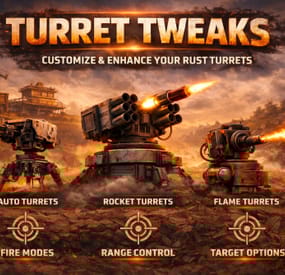
Turret Tweaks
By HoloxyRust in Plugins
Installation
Unzip the archive.
Drag TurretTweaks.cs under the oxide/plugins folder of your server.
Permissions
Default permission - turrettweaks.default
You can set permissions for VIP to give them custom values.
Example: turrettweaks.vip
Features:
Auto Turret Settings
Health Accuracy Range Bullet Speed Damage Scale Power Consumption Infinite Ammo Block ExploAmmo to be Infinite
Sam Site Settings
Health Infinite Ammo Damage Scale
Flame Turret Settings
Health Turret Arc Flame Range Flame Radius Flame Triggered Duration Infinite Low Grade Fuel Consumption Multiplier Damage Scale
Shotgun Trap Settings
Health Infinite Ammo Aim Cone Sensor Radius Damage Scale
Config example
{ "VERSION": "v1.1.0", "PermissionsList": [ { "Permission Name: (Copy/Paste this for more permissions)": "turrettweaks.default", "AutoTurret Settings:": [ { "Health (Default = 1000):": 1000.0, "Accuracy (Default = 5):": 5.0, "Range (Default = 30):": 30.0, "Bullet Speed (Default = 10):": 10.0, "Damage Scale (Default = 1.0):": 1.0, "Power Consumption (Default = 10):": 10, "Infinite Ammo (Default = false):": false, "Block ExploAmmo to be Infinite (Default = true):": true, "AutoTurrets per player (0 means infinite):": 0 } ], "SamSite Settings:": [ { "Health (Default = 1000):": 1000.0, "Infinite Ammo (Default = false):": false, "Damage Scale (Default = 1.0):": 1.0, "SamSite per player (0 means infinite)": 0 } ], "FlameTurret Settings:": [ { "Health (Default = 300):": 300.0, "Turret Arc (Default = 45 degrees):": 45.0, "Flame Range (Default = 8):": 8.0, "Flame Radius (Default = 2):": 2.0, "Flame Triggered Duration (in seconds) (Default = 5):": 5.0, "Infinite LowGrade (Default = false):": false, "Fuel Consumption Multiplier (Default = 1):": 1.0, "Damage Scale (Default = 1.0):": 1.0, "FlameTurrets per player (0 means infinite):": 0 } ], "ShotgunTrap Settings:": [ { "Health (Default = 300):": 300.0, "Infinite Ammo (Default = false):": false, "AimCone (Default = 40):": 40, "SensorRadius (Default = 1.25):": 1.25, "Damage Scale (Default = 1.0):": 1.0, "ShotGunTraps per player (0 means infinite):": 0 } ] }, { "Permission Name: (Copy/Paste this for more permissions)": "turrettweaks.vip", "AutoTurret Settings:": [ { "Health (Default = 1000):": 5000.0, "Accuracy (Default = 5):": 10.0, "Range (Default = 30):": 50.0, "Bullet Speed (Default = 10):": 15.0, "Damage Scale (Default = 1.0):": 1.2, "Power Consumption (Default = 10):": 5, "Infinite Ammo (Default = false):": true, "Block ExploAmmo to be Infinite (Default = true):": true, "AutoTurrets per player (0 means infinite):": 0 } ], "SamSite Settings:": [ { "Health (Default = 1000):": 5000.0, "Infinite Ammo (Default = false):": true, "Damage Scale (Default = 1.0):": 1.0, "SamSite per player (0 means infinite)": 0 } ], "FlameTurret Settings:": [ { "Health (Default = 300):": 2000.0, "Turret Arc (Default = 45 degrees):": 60.0, "Flame Range (Default = 8):": 10.0, "Flame Radius (Default = 2):": 4.0, "Flame Triggered Duration (in seconds) (Default = 5):": 8.0, "Infinite LowGrade (Default = false):": true, "Fuel Consumption Multiplier (Default = 1):": 1.0, "Damage Scale (Default = 1.0):": 1.0, "FlameTurrets per player (0 means infinite):": 0 } ], "ShotgunTrap Settings:": [ { "Health (Default = 300):": 2000.0, "Infinite Ammo (Default = false):": true, "AimCone (Default = 40):": 60, "SensorRadius (Default = 1.25):": 1.5, "Damage Scale (Default = 1.0):": 1.0, "ShotGunTraps per player (0 means infinite):": 0 } ] } ] }
- #custom rust plugin
- #turrettweaks
- (and 8 more)
-
$29.99
Weapon Enchantments Pack
By hionet.com in Plugins
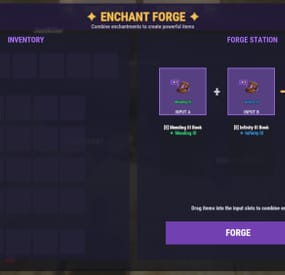
Introduction System Overview Installation (Oxide/uMod & Carbon) Configuration Guide Commands Reference Permissions System
1. Introduction
Welcome to Weapon Enchantments Pack, a professional-grade weapon enchantment system designed for Rust servers that require full control over progression, balance, and monetization.
What Is Weapon Enchantments Pack?
Weapon Enchantments Pack is a fully configurable enchantment framework that stores all enchantment data directly on weapon items. This architecture removes the need for world entities, background scanning, or wipe-sensitive databases, making it ideal for long-term wipes and high-population servers.
Key Features
Complete weapon coverage (all Rust weapon categories). Physical enchant books (store- and kit-friendly). Custom Forge UI for player progression. Permission-driven VIP and tiered access. Store-safe, performance-focused design (no entity scanning / polling loops). Fully configurable — no fixed balance values locked behind code.
Who Should Use This Pack?
Monetized servers with web stores or donation systems. VIP-based progression servers. Long-term wipe servers (monthly or longer). PvP-focused servers. Vanilla+ servers seeking controlled progression.
2. System Overview
Plugin Structure
Weapon Enchantments Pack consists of two plugins that work together:
EnchantCore.cs Core framework: registry, item storage, Forge UI, enchanting tables, and book handling. EnchantWeapons.cs Weapon-specific logic and default enchantments (requires EnchantCore)
Data Storage Model
All enchantment data is stored directly on the item instance. This ensures:
No wipe-sensitive external databases are required. Enchantments persist through plugin reloads. No performance impact from entity scanning or polling loops. Enchanted items can be traded without losing enchantments.
3. Installation (Oxide/uMod & Carbon)
Prerequisites
Rust server running Oxide/uMod or Carbon. Access to server file system (FTP or panel). Ability to reload plugins or restart the server. Install Steps
Upload both plugin files:
EnchantCore.cs EnchantWeapons.cs Oxide/uMod: oxide/plugins/EnchantCore.cs oxide/plugins/EnchantWeapons.cs Carbon: carbon/plugins/EnchantCore.cs carbon/plugins/EnchantWeapons.cs Loading / Reloading
Plugins compile automatically on upload. You can also load/reload manually:
Oxide/uMod console: o.reload EnchantCore o.reload EnchantWeapons Carbon console: c.reload EnchantCore c.reload EnchantWeapons Verify Installation
Check server console for successful load messages (version text may vary by build):
Loaded plugin EnchantCore v1.0.0 by hionet.com Loaded plugin EnchantWeapons v1.0.0 by hionet.com Quick Test Commands
Give yourself an Enchanting Table and a test book:
enchantcore.givetable YourName 1 enchantcore.givebook YourName sharpness 1 1 Then as server admin (ownerid <YourSteamID> ) run:
/forge
4. Configuration Guide
Weapon Enchantments Pack uses two configuration files. Both Oxide/uMod and Carbon use the same JSON structure, but the config paths differ.
Config File Paths
Oxide/uMod: oxide/configs/EnchantCore.json oxide/configs/EnchantWeapons.json Carbon: carbon/configs/EnchantCore.json carbon/configs/EnchantWeapons.json
EnchantCore.json config file explanation
General Settings
"Config Version": 1 - Internal version used for safe upgrades. Do not change this manually.
"Command Prefix": "enchant" - Controls the admin chat command prefix. Useful if another plugin already uses /enchant
Enchanting Table Settings
"Enchanting Table": { "Entity Shortname": "box.repair.bench", "Skin ID": 3653802947, "Open Forge By Default": true } Entity Shortname - Base Rust entity used as the table, default: box.repair.bench
Skin ID (IMPORTANT) - Required skin to identify the table. Prevents normal repair benches from becoming enchanting tables. Only benches with this skin will open the Forge.
Open Forge By Default:
true: Opening the table opens the Forge UI automatically (recommended) false: Players must manually use /forge while looting the table
UI Settings (Forge Appearance)
"UI Settings": { "Panel Background Color": "0.1 0.1 0.1 0.95", "Accent Color": "0.4 0.2 0.8 1.0", ... } These settings control visual appearance only.
Rarity Colors (Hex)
"Rarity Colors (Hex)": { "Common": "#B0B8C2", "Uncommon": "#2ECC71", "Rare": "#3498DB", "Epic": "#9B59B6", "Legendary": "#F39C12" } Used for:
Forge UI Book display Weapon tooltip text If an enchant rarity has no color, it uses:
"Default Rarity Color (Hex)": "#FFFFFF"
Display Settings (Item Text)
"Display Settings": { "Enchant Prefix": "[E]", "Enchant Suffix": "", "Separator": ", " } Controls how enchantments appear on weapons.
Example output:
[E] Sharpness III, Lifesteal II Prefix/Suffix are purely visual Separator controls spacing between enchants
Performance Settings (IMPORTANT)
"Performance Settings": { "Cache Permission Results": true, "Cache Item Applicability Results": true, "Max Enchantments Per Item (Default)": 3, "Purge Unknown Enchantments": true, "Purge Unknown Delay Seconds": 300 } These settings keep the plugin safe for high-pop servers.
Cache Permission Results
Caches permission checks per player Strongly recommended to keep true Cache Item Applicability Results
Caches which enchants apply to which items Prevents repeated weapon-category checks Max Enchantments Per Item (Default)
Base limit for players without VIP permissions Can be overridden by: VIP permissions Admin overrides Other plugins via hooks Purge Unknown Enchantments
Automatically removes enchants that no longer exist in config Prevents broken items after config updates Purge Unknown Delay Seconds
Delay before purge runs after server start Prevents race conditions during load
Loot Books System (Optional LootTable Books inject system)
"Loot Books": { "Enabled": false, ... } This system injects enchant books into loot containers.
Loot Injection Controls
"Max Container Capacity": 36, "Replace Random Item If Full": true Prevents loot overflow Allows replacement if container is full "Refresh Existing Containers On Load": true Refreshes already-spawned containers on server start Useful for long wipes Containers
"Containers": { "crate_normal": { "Chance": 0.05, "Min": 0, "Max": 1, "Pool": "default" } } Explanation:
Chance: Spawn probability (0.05 = 5%) Min / Max: Number of books spawned Pool: Which enchant pool to use Pools (Balance Control)
"Pools": { "default": { "Rarity Weights": { "Common": 60.0, "Uncommon": 30.0, "Rare": 9.0, "Epic": 1.0 }, "Min Level": 1, "Max Level (0 = enchant max)": 0 } } Pools control what kind of books drop.
Rarity Weights
Higher value = more common Percentages do not need to total 100 Min / Max Level
Controls enchant level range 0 = use the enchant’s configured max level 💡 This is your main anti-pay-to-win lever.
Recommended Defaults (Best Practice)
For monetized servers:
❌ Disable loot books ✅ Sell books via store ✅ Use Forge for progression For survival / grind servers:
✅ Enable loot books ✅ Low spawn chances (1–5%) ✅ Restrict high rarities to elite pools
EnchantWeapons.json config file explanation
This section explains the major sections of the EnchantWeapons configuration file and how it affects weapon balance, VIP tiers, book progression, and compatibility.
EnchantCore handles UI + storing enchants on items. EnchantWeapons defines what the enchants actually do and which weapons they apply to.
Global Settings
"Global Settings": { "Default Book Item": "documents", "Default Book Skin": 3653712312, "Max Enchants Per Item (Default)": 3, "VIP Max Enchants": { "enchantweapons.vip": 4, "enchantweapons.elite": 5 }, "Combine Success Rates": { "1": 100, "2": 85, "3": 65, "4": 40, "5": 25 }, "Electric Hit Effect": "...", "Electric Chain Effect": "...", "AOE Center Effect": "...", "AOE Target Effect": "" } Default Book Item
"Default Book Item": "documents" - The default Rust item used as enchant books. Most servers use documents because it’s common and visually “book-like”.
"Default Book Skin": 3653712312 - Skin ID applied to enchant books. This is important for consistency and presentation (store / kits).
"Max Enchants Per Item (Default)": 3 - Base maximum number of enchantments allowed on a weapon for players without VIP permissions.
"VIP Max Enchants": { "enchantweapons.vip": 4, "enchantweapons.elite": 5, "enchantweapons.customname": 10 } This is how you create VIP tiers safely.
If a player has enchantweapons.vip, they can have 4 enchants on a weapon If a player has enchantweapons.customname, they can have 10 enchants on a weapon
Combine Success Rates
"Combine Success Rates": { "1": 100, "2": 85, "3": 65, "4": 40, "5": 25 } Controls the success chance (%) when combining or upgrading books to produce the result level.
Example:
Level 3 result: 65% success chance Level 5 result: 25% success chance 💡 This is your main “progression speed” lever.
Lower rates = grind + scarcity. Higher rates = casual / fast progression.
Effect Prefabs (Visuals Only)
"Electric Hit Effect": "assets/...", "Electric Chain Effect": "assets/...", "AOE Center Effect": "assets/...", "AOE Target Effect": "" These define the visual effects used for specific enchant types.
Changing these does not change damage or mechanics — it only changes visuals. If AOE Target Effect is empty, no “target FX” will play.
Enchantments
"Enchantments": { "sharpness": { ... }, "lifesteal": { ... }, "critical": { ... } } This is the heart of the plugin.
Each enchantment is a dictionary entry:
Key = enchant ID (used in commands and internal logic) Example: sharpness Value = the enchant definition Enchantment Definition Fields
Example structure:
"sharpness": { "Name": "Sharpness", "Description": "Increases all damage dealt", "Max Level": 5, "Book Item": "documents", "Book Skin": 3653712312, "Permission": "", "Rarity": "Common", "Applies To": [ "all_weapons" ], "Conflicts With": [], "Target Types": [ "all" ], "Conditions": null, "Levels": [ ... ] } Name / Description
Display-only text shown in UI and info commands.
Max Level
Maximum level this enchantment can reach.
Also defines how far upgrades can go. Should match the number of entries you provide in Levels. ⚠️ Common mistake: setting Max Level to 5 but only defining 3 Levels.
Book Item / Book Skin
Overrides the global defaults for this enchant only.
Use this when you want:
Different book visuals by rarity Special store-only book appearances Permission (VIP/Store Lock)
If empty: anyone can use it. If set: players must have that permission to use/apply/upgrade that enchant. Example:
"Permission": "" "Permission": "enchantweapons.legendary" This is the cleanest way to create VIP-exclusive or store-tier enchantments without giving admin access.
Rarity
"Rarity": "Common" Used for:
UI rarity colors (from EnchantCore UI settings) Loot book weighting (if EnchantCore Loot Books is enabled) Rarity does not automatically balance anything — it’s a classification.
Applies To (Weapon Compatibility)
"Applies To": [ "ranged", "bows" ] Controls which weapons can receive the enchant.
Usually you reference categories from Weapon Categories:
melee ranged snipers shotguns bows launchers all_weapons
Conflicts With
"Conflicts With": [ "frost" ] Prevents incompatible enchants from being placed on the same weapon.
Example:
fire_aspect conflicts with frost This is critical for balance and prevents “stack abuse”.
Target Types
"Target Types": [ "living" ] Defines what the enchant can affect.
Common values:
all player animal scientist npc living building vehicle helicopter bradley deployable Example use:
Armor Piercing only targets player Looting only targets living entities
Conditions (Optional Extra Rules)
The Conditions block allows you to restrict when an enchant is allowed to activate.
All conditions are optional — if a condition is not set (or set to zero / empty), it is ignored.
Conditions are evaluated after TriggerChance succeeds. (check Levels for TriggerChance)
"Conditions": { "HeadshotOnly": false, "TargetHealthBelow": 0.30, "TargetHealthAbove": 0.0, "DistanceBelow": 0.0, "DistanceAbove": 0.0, "TimeOfDay": "" } You can use one, multiple, or none of these conditions together.
All enabled conditions must pass for the enchant to trigger.
Examples:
HeadshotOnly - The enchant will only trigger on headshots TargetHealthBelow - The enchant only triggers if the target’s current health percentage is below this value. (0.30 = target below 30% HP) TargetHealthAbove - The enchant only triggers if the target’s current health percentage is above this value. (0.50 = target above 50% HP) DistanceBelow - The enchant only triggers if the distance between attacker and target is below this value (in meters). DistanceAbove - The enchant only triggers if the attacker is farther than this distance from the target. TimeOfDay - Restricts the enchant to a specific time of day. ("day" , "night" ) Using TargetHealthBelow + TargetHealthAbove Together
You can combine both to define a health window.
"TargetHealthBelow": 0.60, "TargetHealthAbove": 0.30 Enchant only triggers when target is between 30% and 60% HP
DistanceBelow + DistanceAbove Together
You can define a distance band.
"DistanceAbove": 10.0, "DistanceBelow": 50.0 Enchant triggers only between 10m and 50m
Levels (How Enchant Power Is Defined)
The Levels section defines what an enchant does and how strong it is at each level.
"Levels": [ { "DamageMultiplier": 1.1 }, { "DamageMultiplier": 1.2 } ] How this works:
First entry = Level 1 Second entry = Level 2 And so on The number of entries must match Max Level ⚠️ IMPORTANT
If Max Level is 5, you must define 5 level entries.
How Level Effects Work
Each level is a list of effects Any effect you don’t define is ignored Any effect set to 0 is disabled Multiple effects can be combined in one level Effects only activate if: TriggerChance succeeds (if used) Conditions pass (if used)
Most Common Effects and Examples
Damage Bonus (Always On)
{ "DamageMultiplier": 1.20 } Increases all damage 1.20 = +20% damage Best for simple enchants Chance-Based Damage
{ "DamageMultiplier": 1.50, "TriggerChance": 0.25, "Cooldown": 2.0 } 25% chance to trigger Can’t trigger again for 2 seconds (per target) Prevents constant burst damage Critical Strike
{ "CritMultiplier": 1.75, "TriggerChance": 0.15, "Cooldown": 1.0 } Occasional high-damage hits Classic RPG “crit” behavior
Lifesteal
{ "Lifesteal": 0.10, "TriggerChance": 0.30, "Cooldown": 2.0 } Heals for 10% of damage Cooldown prevents infinite sustain Lifesteal With Cooldown and 2 Levels
"Levels": [ { "Lifesteal": 0.10, "TriggerChance": 0.30, "Cooldown": 2.0 // this is Level 1 }, { "Lifesteal": 0.15, "TriggerChance": 0.35, "Cooldown": 2.0 // this is Level 2 } ] DamageMultiplier
Increases all damage dealt. Example: 1.20 = +20% damage. FlatDamage
Adds a fixed amount of extra damage on hit. Useful for low-damage weapons. CritMultiplier
Deals extra damage when the enchant triggers. Usually used with TriggerChance. ArmorPierce
Deals extra damage that ignores armor. Example: 0.25 = 25% of damage bypasses armor. Lifesteal
Heals the attacker for a percentage of damage dealt. Example: 0.10 = heal for 10% of damage. FlatHeal
Heals a fixed amount on hit. Safer than lifesteal for PvP balance. RegenAmount
Applies slow healing over time. Good for sustain builds. HealFromDamageMultiplier
Turns damage into healing instead (no damage dealt). Example: 1.00 = heal for 100% of damage. BurnDamage
Sets the target on fire, dealing damage over time. Uses Duration if set. PoisonDamage
Applies poison damage instantly. Affects player metabolism or damage types. ColdDamage
Applies cold damage instantly. Useful for exposure-style effects. BleedDamage
Applies bleeding damage instantly. RadiationDamage
Applies radiation poisoning (players only). KnockbackForce
Pushes the target away from the attacker. Higher value = stronger push. NoSprintDuration
Prevents the target from sprinting for a short time. Strong control effect. Radius
Enables area-of-effect behavior. Applies effects to nearby targets. ElectricDamage
Deals electric shock damage on hit. ChainRadius
How far electric damage can jump to nearby targets. ChainMaxTargets
Total number of targets hit by chain lightning (including the first target). DurabilityBonus
Reduces weapon durability loss. Example: 2.0 = weapon loses durability twice as slowly. Mending
Repairs weapon condition on hit. AmmoSave
Chance to not consume ammo when firing. Any value above 0 enables it. LootBonus
Increases loot dropped from killed enemies. Stacks additively with other LootBonus effects. TriggerChance
Chance for the enchant to activate. Example: 0.25 = 25% chance. Cooldown
Minimum time (seconds) before the enchant can trigger again on the same target. Duration
How long time-based effects last (fire, some AOE effects). HydrationDrain
Drains water from the target player. CaloriesDrain
Drains food from the target player. WetnessAdd
Adds wetness to the target player. ComfortReduce
Reduces the target’s comfort level.
Weapon Categories
"Weapon Categories": { "melee": [ "salvaged.sword", "machete", ... ], "ranged": [ "rifle.ak", "pistol.python", ... ] } This section maps category names to Rust item shortnames.
Why it exists:
Makes configs clean and readable Lets you balance entire weapon groups easily Prevents copy/paste errors across enchants To add more weapons:
Add their shortname into the correct category Or create your own category and reference it from Applies To ⚠️ Common mistake: spelling shortnames wrong → enchant will never apply.
5. Commands Reference
Admin Chat Commands
Admin command prefix is configurable (default: /enchant). These commands are restricted to BasePlayer.IsAdmin (not permission-based).
/enchant (shows help) /enchant give /enchant apply /enchant remove /enchant list /enchant info /enchant inspect Console / RCON Commands
enchantcore.givebook <player> <enchant_id> <level> [amount] enchantcore.givetable <player> [amount] [skinId] 6. Permissions System
Core Permissions
enchantcore.forge — Allows players to use the Forge UI (must give this permission if you want to allow players to combine books or to place an enchantment to an item) VIP Enchant Limits
VIP enchant limits are configured in EnchantWeapons.json under "VIP Max Enchants". Example defaults:
No permission: 3 enchants per weapon enchantweapons.vip: 4 enchants per weapon enchantweapons.elite: 5 enchants per weapon Per-Enchant Permissions
Each enchant definition supports an optional Permission field.
If set, a player must have that permission to use/apply/combine/upgrade that enchant. This is the recommended method for VIP-exclusive or store-tier enchantments.
- #enchantment
- #enchantments
- (and 13 more)
-
$24.99$19.99Dungeon Bases
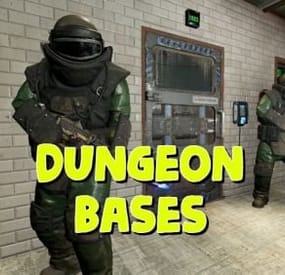
The plugin adds a dungeon event to your server. Dungeons are bases with puzzles, NPC defenders, turrets and more. You can create your own dungeons of varying difficulty. Procedurally generated dungeons are also now available (currently only in test mode)
You can build your own bases or modify existing ones:
There are moving NPC guardians in the dungeons:
There are puzzles with protective doors in the dungeons:
In the dungeons there are secret notes with codes in boxes or on NPCs:
Commands:
dungbase_start - force start event
dungbase_start <entrance name> <dungeon name> <X> <Y> <Z> - force an event to start using the specified entrance and dungeon at coordinates X Y Z (you can also specify the name of the entrance or dungeon <random>)
dungbase_start <X> <Y> <Z> - force an event to start using a random entrance and dungeon at X Y Z coordinates.
example:
dungbase_start #dung#entrance1 #dung#dungeon1 122.3 5.2 872 dungbase_start random #dung#dungeon3
dungbase_stop <id|all> - force stop event
dungbase_list - displays a list of current dungeons
dungbase_addblack <radius> - add a zone where dungeon spawning is not allowed
dungbase_start - force start event
Command to launch procedurally generated dungeons:
example:
dungbase_start #dung#entrance1 procedural_hard - an event starts where the entrance is #dung#entrance1, and the dungeon is procedurally generated with the name of the tier hard dungbase_start random procedural_normal - an event starts where the entrance is randomly selected from a list of entrance names, and the dungeon is procedurally generated with the tier name normal dungbase_start random procedural_easy 100 6 84 - an event starts where the entrance is randomly selected from a list of entrance names, and a procedurally generated dungeon named easy is created at coordinates (100, 6, 84)
Hooks:
void DungeonBasesEventStarted() - // called when event starts
void DungeonBasesEventEnded() - // called when event ends
Configuration:
{ "Allow only the event owner (the one who entered the dungeon first) into the dungeon": true, "Allow owner's teammates to enter the dungeon": true, "Time before ownership is lost after leaving the server(in seconds)": 300, "Event marker on the map": true, "Event marker name": "Dungeon Base", "Event marker transparency(0-1)": 0.55, "Event marker radius": 0.5, "Event marker color.R(0-1)": 1.0, "Event marker color.G(0-1)": 0.0, "Event marker color.B(0-1)": 0.0, "Display event owner name on marker": true, "Display the time remaining until the end of the event on the marker": true, "Autostart event(disable if you want to trigger the event only manually)": true, "Calculate the time until the next event only after the previous one has finished": false, "Minimum time to event start(in seconds)": 3600, "Maximum time to event start(in seconds)": 7200, "Minimum event duration(in seconds)": 2000, "Maximum event duration(in seconds)": 3000, "Minimum number of online players to trigger an event": 1, "List of NPC names": [ "Dungeon NPC", "Dungeon Keeper", "Dungeon guard" ], "Dungeons list": [ "#dung#base1", "#dung#base2", "#dung#base3", "#dung#base4" ], "Entrances list": [ "#dung#entrance1", "#dung#entrance2", "#dung#entrance3", "#dung#entrance4" ], "Random order of choosing a dungeon from the list (if false, will be selected in turn)": true, "Random order of choosing the entrance to the dungeon from the list (if false, will be selected in turn)": true, "Change the time of day when entering the dungeon(from 0 to 23, if -1 - do not change the time)": 0.0, "How long before the end of the event does radiation start to affect players inside the dungeon": 180, "How long before the event ends will a warning message be displayed to players": 300, "How long after the event ends should the entrance be destroyed": 60, "Close the entrance and exit to the dungeon when the event time is over": true, "Will autoturrets attack NPCs": false, "Save event data (If true, the event will be saved and will continue even if you restart the server or plugin. Disable this if you get lag when saving)": true, "SteamID for chat message icon": 0 } Note: The plugin is guaranteed to work correctly with bases enabled. NPCs will not behave as standard, as they use different algorithms. Only one dungeon can spawn on the map at a time.