
Qbis
-
Posts
241 -
Joined
-
Last visited
Content Type
Profiles
Warranty Claims
Downloads
Forums
Store
Services
Downloads Plus Support
DOWNLOADS EXTRA
Reels
Support Center
Everything posted by Qbis
-
 It different plugins, I don’t know about it
 -
It is impossible to release(
-
Snakes maybe, but what about sharks… I really can’t imagine it
-
Experience & Skills C# Programming Experience since 2016 Rust Plugin Development Experience since 2019 (more than 4000 hours coding) Server Administrator since 2019 Examples of Developed Plugins here Database Experience (MySQL, SQLite) since 2016 Experience Playing on PvP / PvE Servers Knowledge of Rust Mechanics Work Conditions Preferred Task Types (new plugins / modifications) Availability for Long-Term Collaboration Member of the Mevent Team Discounts available for long-term partnerships
-
Version 1.3.7
9,180 downloads
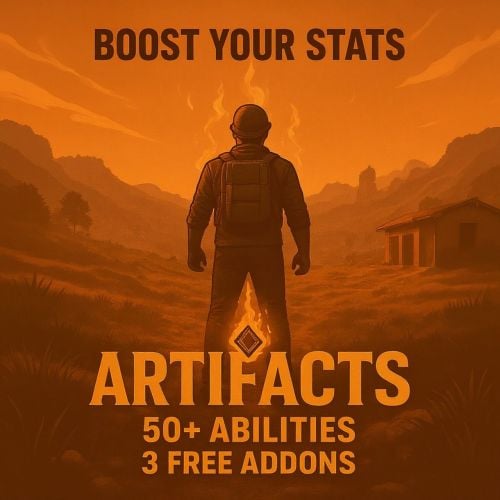
Plugin add artifacts with passive and active abilities PROMO FEATURES 50+ passive and active abilities (will added more) Groups and Permissons for artifacts Easy to create and edit admin menu Fully customizable screen button Translate to EN, RU, DE, FR lang Rust inventory for artifacts with fine look UI Drop artifacts on death Dynamic slots amount with perms Prohibition on the use of identical artifacts Prohibition of using artifacts with the same abilities Auto wipe players on WIPE Full customization for all kinds of abilities Artifacts have durability and can be broken Cooldown for active abilities Maximum stats for active and passive abilities Broadcasting for active and passive abilities Custom tags for lang Beautiful visual effects Patch default stack size with Harmony Artifacts Synthesis - Synthesis table, when you can combine artifacts (free addon) Meteor Event - Artifacts drop from sky (free addon) Gather Event - Artifacts drop from special ores, that spawn throughout entire map (free addon) ️ Informational and updates videos About plugins V1 Release 25 passives and 5 active abilities V1.1 Balls Update v1.2 11 new passives abilities Plugin Structure ├── Info.txt - Commands and permissions │ ├── lang/ │ ├── en - English │ ├── ru - Russian │ ├── de - German │ └── fr - French │ ├── plugins/ │ ├── Artifacts.cs - Main plugin │ ├── ArtifactsSynthesis.cs - Synthesis table │ ├── ArtifactsMeteorEvent.cs - Meteor event │ └── ArtifactsGatherEvent.cs - Gather event │ └── data/Artifacts/ ├── Artifacts/ - Artifacts configurations ├── Players/ - Player data storage └── Prefabs/ - Custom plugin prefabs PASSIVE ABILITIES "Miner" - Increases ore gathering efficiency Start amount + ability % (ex. 1k resources, 12% value = 1120 resources) "Woodcutter" - Boosts wood amount collected Start amount + ability % (ex. 1k resources, 12% value = 1120 resources) "Picker" - Increases all resources collected from the ground Start amount + ability % (ex. 1k resources, 12% value = 1120 resources) "Butcher" - Improves harvesting from animals Start amount + ability % (ex. 1k resources, 12% value = 1120 resources) "Angler" - Increases fish catch quantity Successful = value % (ex. 1.0 = 100%, 0.2 = 20%, 0.01 = 1%) Start amount X from config (ex. 2 start 2 from config = 4 finish ) "Scavenger" - Finds more scrap in loot containers Successful = value % (ex. 1.0 = 100%, 0.2 = 20%, 0.01 = 1%) Start amount X from config (ex. 2 start 2 from config = 4 finish ) "Farmer" - Improves crop yield Start amount + ability % (ex. 1k resources, 12% value = 1120 resources) "HeatBane" - Reduces damage from high temperatures 1.0f - ability % (ex. 10 damage, 30% value = 7 damage) "FrostBane" - Reduces damage from freezing conditions 1.0f - ability % (ex. 10 damage, 30% value = 7 damage) "RadBane" - Decreases radiation damage 1.0f - ability % (ex. 10 damage, 30% value = 7 damage) "Fatstack" - Increases calories and hydration when eating Start amount + ability % (ex. 10 c+h, 12% value = 11 c+h) "BleedResistance" - Reduces bleeding damage 1.0f - ability % (ex. 10 damage, 30% value = 7 damage) "BeastResistant" - Decreases damage taken from animals 1.0f - ability % (ex. 10 damage, 30% value = 7 damage) "BeastSlayer" - Increases damage dealt to animals 1.0f + ability % (ex. 10 damage, 30% value = 13 damage) "ScientistResistant" - Reduces damage from scientists 1.0f - ability % (ex. 10 damage, 30% value = 7 damage) "ScientistSlayer" - Boosts damage against scientists 1.0f + ability % (ex. 10 damage, 30% value = 13 damage) "BradleySlayer" - Increases damage dealt to Bradley 1.0f + ability % (ex. 10 damage, 30% value = 13 damage) "BradleyResistant" - Reduces damage from Bradley 1.0f - ability % (ex. 10 damage, 30% value = 7 damage) "HeliSlayer" - Increases damage dealt to helicopter 1.0f + ability % (ex. 10 damage, 30% value = 13 damage) "HeliResistant" - Reduces damage from helicopter 1.0f - ability % (ex. 10 damage, 30% value = 7 damage) "LuckyShot" - Chance for critical hit damage Successful = value % (ex. 1.0 = 100%, 0.2 = 20%, 0.01 = 1%) Damage X from config (ex. 20 damage 2.0 from config = 40 damage) "Feather" - Reduces damage from falling Start amount - ability % (ex. 10 damage, 30% value = 7 damage) "Vampire" - Gains health when dealing damage Damage ability % (ex. 20 damage 20% value = 20.0 0.2 = 4 heal) [Types] Scientist, Animal, Heli, Bradley "Medic" - Increases healing amount from medic tool (work with instant heal only) Start amount + (Start amount ability %) (ex. 10 heal, 50% value = 10 + (10 0.5) = 15 heal) "LuckyMiner" - Chance to get loot when finish mining ore Successful = value % (ex. 1.0 = 100%, 0.2 = 20%, 0.01 = 1%) Spawn random prefab from config on Ore position "Smelter" - Processes ore during mining Successful = value % (ex. 1.0 = 100%, 0.2 = 20%, 0.01 = 1%) "CoalMiner" - Сonverts wood into coal during mining Successful = value % (ex. 1.0 = 100%, 0.2 = 20%, 0.01 = 1%) "Gunsmith" - Chance to return bullet when firing Successful = value % (ex. 1.0 = 100%, 0.2 = 20%, 0.01 = 1%) "Archer" - Chance to return arrow when shooting Successful = value % (ex. 1.0 = 100%, 0.2 = 20%, 0.01 = 1%) "Researcher" - Chance to return scrap when researching Successful = value % (ex. 1.0 = 100%, 0.2 = 20%, 0.01 = 1%) "Builder" - Chance to return resources when upgrading structure Successful = value % (ex. 1.0 = 100%, 0.2 = 20%, 0.01 = 1%) "Chef" - Cooking meat while butchering animals Successful = value % (ex. 1.0 = 100%, 0.2 = 20%, 0.01 = 1%) "GoldenHands" - Items take longer to break Return to item % from loose condition (ex. loose 2.0, value 50% = return 1.0 ) "SuperMiner" - Faster ore extraction Gather speed = start speed + value % * 2 (ex. 1.5(start) * 200% * 2 = 5.5(speed)) "SuperWoodcutter" - Faster tree cutting Gather speed = start speed + value % * 2 (ex. 1.5(start) * 200% * 2 = 5.5(speed)) "FireResistance" - Increased fire resistance 1.0f - ability % (ex. 10 damage, 30% value = 7 damage) "ExplosiveResistance" - Increased explosion protection 1.0f - ability % (ex. 10 damage, 30% value = 7 damage) "SiegeMan" - Increases the damage to buildings from explosives 1.0f + ability % (ex. 10 damage, 30% value = 13 damage) "LuckyRaider" - The chance of a double explosion Successful = value % (ex. 1.0 = 100%, 0.2 = 20%, 0.01 = 1%) "ExperienceRaider" - Increases the chance of detonation for satchels and beancans Successful = value % (ex. 1.0 = 100%, 0.2 = 20%, 0.01 = 1%) ACTIVE ABILITIES "Collector" - Searching loot around you Work with radius around player "Pathfinder" - Searching animals around you Work with radius around player "Geologist" - Searching ores around you Work with radius around player "Ranger" - Searching scientists around you Work with radius around player "Raider" - Searching traps around you Work with radius around player "Flora" - Everything starts to grow around you Work with radius around player "Fire Ball" - Launches a fireball in front of you Damage depends on the value of the artifact Radius is taken from the config "Ore Ball" - Gather ores around you Work with radius around player "Tree Ball" - Gather tree around you Work with radius around player "Loot Ball" - Loot containers around you Work with radius around player "Killer Ball" - Launches a killerball to your target, when you attack The damage depends on the value of the artifact PERMISSIONS ABILITIES You can add permissions to artifact Permissions will be added when player move artifact to special container and remove when artifact will be removed from container Recommendations Use only unique perm for artifact Not use on different artifacts one perm Not use perm that use other plugin If you remove artifact with perm, then remove this perm GROUPS ABILITIES You can add groups to artifact Groups will be added when player move artifact to special container and remove where artifact will be removed from container Recommendations Use only unique perm for artifact Not use on different artifacts one group Not use group that use other plugin If you remove artifact with group, then remove this group If you need use one perm on different artifact, then create different groups and grant them with that perm PLUGIN COMMANDS Admin: artifact.admin - show admin menu (need be admin) artifact.give "skinId" "Player Name\SteamId" - give artifact to player (console or perm : artifacts.give) table.give "Player Name\SteamId" - give synthesis table to player (console or perm: artifactssynthesis.give) /agather.spawn "Optional: Ore Presset Name" - spawn custom ore front of you (need be admin) (if presset empty, spawn first from config) /ameteor.spawn "Optional: Artifact id" - spawn meteor on your position (need be admin) Player: artifact.use "config ability name" - try use active ability artifact.broadcast - on/off broadcast of ability's message and effect artifact.open - open main artifact menu PLUGIN PERMISSIONS artifacts.give - grant to use command artifact.give artifactssynthesis.give - grant to use command table.give artifacts.slots.default, artifacts.slots.vip, artifacts.slots.premium - set amount of slots for artifacts (may change in config) THREE FREE ADD-ONS Synthesis table - сombine artifacts to create stronger ones Gather event - сustom ores appear all over the map, mine them so that you can get an artifact at the end Meteor event - artifacts fall from the sky to the island as meteorite TEST SERVER Join our test server to view and experience all our unique features yourself! Copy the IP Address below to start playing! connect 194.147.90.147:28015 API JObject GetArtifact(ulong skinId) Get artifact info by skinId ["name"] string ["skinId"] ulong ["onlyOne"] bool ["condition"] float ["passives"] Dictionary<string, float> ["actives"] Dictionary<string, float> ["groups"] List<string> ["permissions"] List<string> Item CreateArtifact(ulong skinId) Create artifact by skinId Item GiveArtifact(BasePlayer player, ulong skinId) Create artifact by skinId and give to player Item GiveArtifact(ItemContainer container, ulong skinId) Create artifact by skinId and move to container BaseEntity DropArtifact(ulong skinId, Vector3 position) Create artifact by skinId and drop on position float GetPlayerAbilityValue(ulong userId, string ability) Return player ability value (not count max stat) bool IsItemArtifact(Item item) Return true if item is artifact, else false CONFIGS Main Synthesis table Gather event Meteor event$40.00 -
 You can disable logs, that you want, servers with 50-100 , that I know who use my plugin, haven’t problems with performance. My plugin caching live logs and unload offline logs to files. And you how admin read from files. Data base tested with 8000 players. And you can auto delete old logs in config
 -
 I added this to my todo list)
 -
You add items in config, no auto works with other plugins item perks has own info menu My plugin help give info about custom items how components for craft something or some usable custom items, that haven’t own description
-
Yes, already add task to my todo list
-
 The best statistic plugin, you can collect stat of all aspects of the game. You can use Mysql database and show stats for all your servers. Integration with Server Panel. Buy it if you want that your players will happy)
- 72 comments
-
- 1
-

-
- #ultimateleaderboard
- #leaderboard
- (and 22 more)
-
 Best way to make gameplay more interesting and players like it. Beautiful interface and integration with Server Panel !
- 21 comments
-
- 1
-
-
- #mutlievents
- #events
- (and 15 more)
-
 This is the info panel with flexible settings. There is also a very convenient visual editor. There is also an integration of a significant number of plugins from Mevent with ServerPanel that can be configured in 2 clicks
- 165 comments
-
- 1
-

-
- #serverpanel
- #info
- (and 32 more)
-
Changed Status from Pending to Work in Progress
-
Hmmm, this errors says, that you try open logs of incorrect player, can you send me short video, I can’t reproduce this error on my server
-
Solved?
-
If you want change spawns at compound set City to spawn compound change "Compound town copter spawns" if you want set custom spawns set City to spawn "custom" use admin command /cpos If after trying you can’t setup positions, then send me your config and I help you
-
Changed Status from Pending to Work in Progress
-
Hello, what you mean ? You want set custom spawn or change spawn position at Outpost ?
-
Thank you) Edited it
-
Bad idea release it how command, because need search info in all data, it is big search and for example you have 500 players in base and it can be how 1000 files, then 10k files or more, searching can be some minutes. Idea interesting, but need testing. Can’t say you that I will do it, but I add this idea to my "to do list”
-
Set skinid as key, if you want use skinable item and set false (DeutscherRitterPlatz helped you already ) if you want use non skinable item, then set to true and use item id as key if you have more questions or need help you can contact me in discord qbis