
Vergbergler
-
Posts
392 -
Joined
-
Last visited
-
Days Won
2
Content Type
Profiles
Warranty Claims
Downloads
Forums
Store
Services
Downloads Plus Support
DOWNLOADS EXTRA
Everything posted by Vergbergler
-
Let me know if you find any more quirky things. Enjoy!
-
Thank you for waiting. I've added non-authorized use of SuperCrafter to my testing. Please let me know if you find any more issues with non-authorized players. (I think I got everything, but Rust is a very complicated game)
-
Changed Status from Work in Progress to Fixed
-
Changed Status from Fixed to Work in Progress Changed Fixed In from 1.5.0 to Next Version
-
If this does not work. Enable SuperCrafter for all users until I can investigate.
-
@Scalbox I'm unable to reach my dev PC right this second. Go to the "bool CanCraft(...)" function on line 353. There are 4 "return false;" at the top of that funciton. Change only the top 4 "return false;" to "return true;" Let me know if this resolves your issue. I will add a full test of crafting WITHOUT SuperCrafter enabled to my testing list.
-
Changed Status from Work in Progress to Fixed Changed Fixed In from 1.4.7 to 1.5.0
-
Changed Status from Work in Progress to Fixed
-
About 1 minute ago.
-
@Scalbox Updating you so you aren't left in the dark. I've finished with a complete overhaul of SuperCrafter. I've handed it off to a couple testers to abuse it and report their findings. If all goes well I should have the update posted soon. It currently passes my 60+ test sheet. All passed with 0 warnings, 0 disconnects, 0 item loss, and 0 item duplication.
-
Changed Status from Pending to Work in Progress Changed Fixed In to Next Version
-
SuperCrafter is under maintenance. Please see SuperCrafter description page. I'll let you know when it's ready to be used again. Please be patient with me.
-
Changed Status from Closed to Work in Progress Changed Fixed In from 1.4.6 to Next Version
-
Changed Status from Work in Progress to Closed
-
 I would update the plugin just before the nightly server restart.
 -
 Yes, this is how the plugin works by default. Players can only access loot within the radius of their TC. However, if you change the configuration file you can make this range larger or smaller. You can message me on Discord @Vergbergler if you would like to chat and share your configuration settings.
 -
I like the idea, but I'm not sure if possible. Lemme look into it.
-
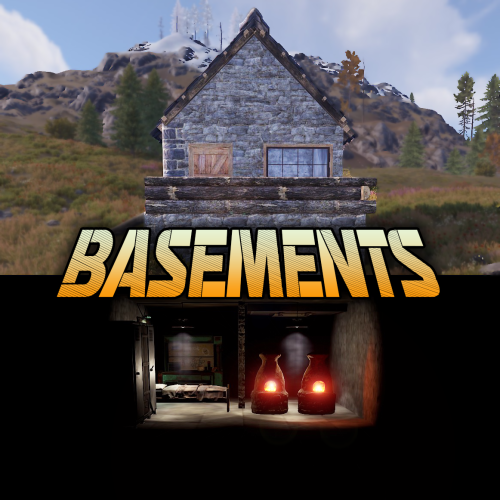 I can't believe nobody has ever thought of building down before! Players on my server have already found the value in making "sleeper bases" with their fat stacks stored in the basement of a 2x2. It was easy to configure and worked without any hassles. I don't know if I'm going to be able to live in a base without a basement now...
 -
@Mr01sam Could you connect with me on Discord? (SuperCrafter Developer) I need to discuss some of the code for boxes parented to the floor of your basement tiles. Discord name: Vergbergler
-
Super Crafter works with authorization on TCs. Most good CLAN plugins will automatically give authorization for TCs. However, if I remember correctly, vanilla Rust does not automatically give TEAM TC authorization. If you and your friend both have authorization, you'll both be able to use that TC's base resources for crafting. I hope this answers your question. -Cheers!
-
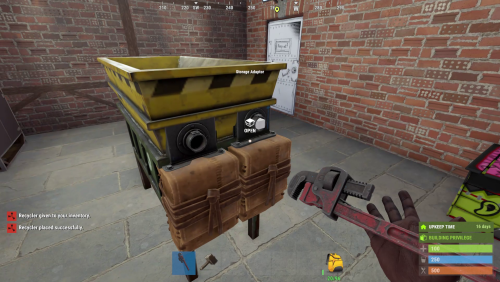 Best damn Recycler plugin. Easy for players to use. Recycles almost everything. Amazing job!
 -
 This plugin prevents items from going underground AND makes them easier to find. I hope this answers your question.
 -
 This is a lot of work. You should charge $$ for this.
 -
@HOUSE RUST The plugin will not work for players that do not have permission. Admin sometimes need to drop items under the map. These admin players can be added to the excluded permissions list. Automatically adding every player without permissions would be frustrating for admins. I hope this answered your question.