
-
Posts
1,686 -
Joined
-
Last visited
-
Days Won
14
Content Type
Profiles
Warranty Claims
Downloads
Forums
Store
Services
Downloads Plus Support
DOWNLOADS EXTRA
Everything posted by SlayersRust
-
Ferry terminal location not spawning npcs
SlayersRust replied to SlayersRust's Support Report in Support
-
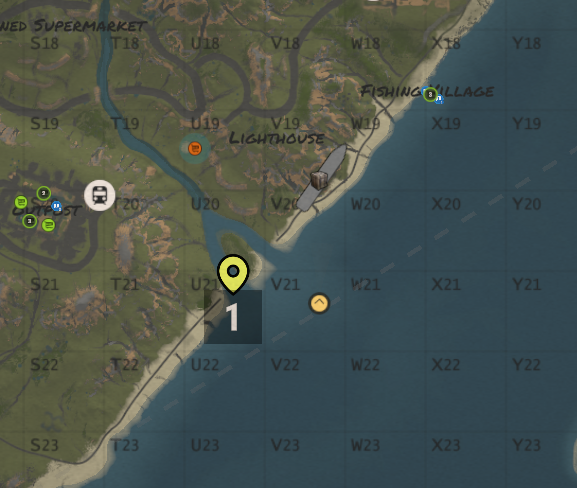
Scientists corpses also werent being killed and they were spawning with default loot even when I had them set up for no loot and to despawn npc corpses instantly but this did not work. I also had a issue with a few Bradley crates being sucked into the shipping containers
-
-
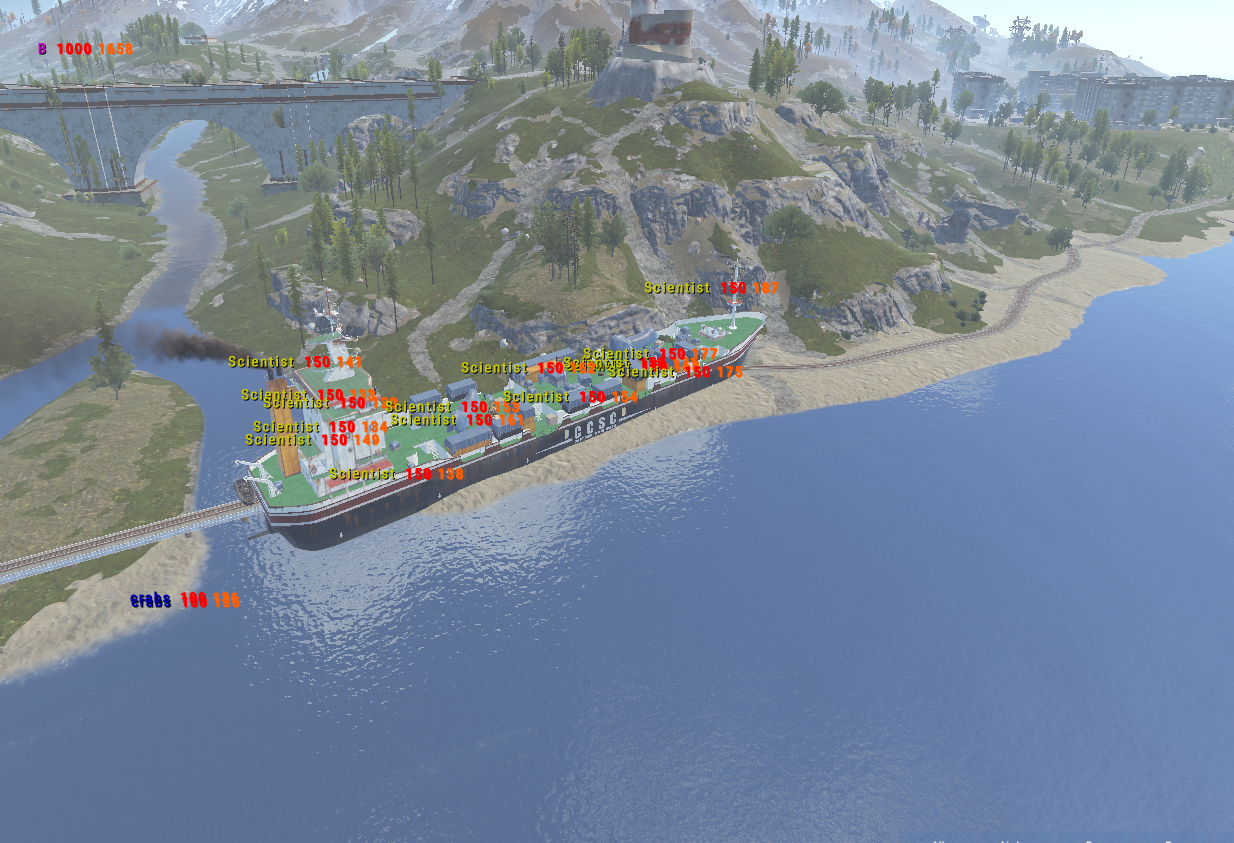
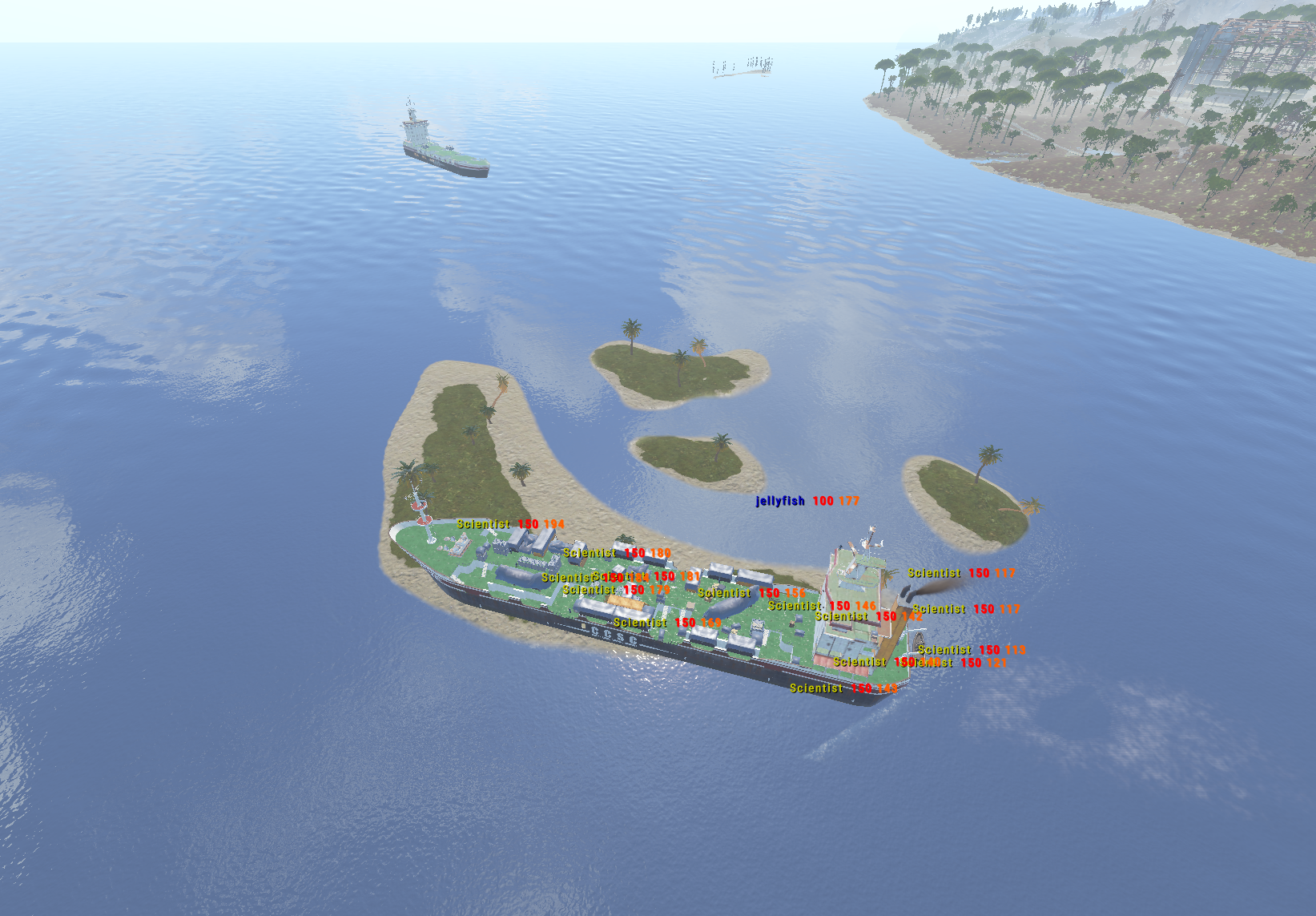
Cargo NPC Health is not correct even though I have my config set to have 350+HP the scientists still all show 150 HP on the cargo ship. I have also attached my config to show. Could we please get a fix for this? As currently it's way too easy with Scientists that only have 150HP for the amount of loot. I set the Captain to 1000HP and other Scientists to 350HP but I only see 150HP scientists all around as seen in the screenshot. DeepSeaCargo.json
-
- 51 comments
-
Ferry terminal location not spawning npcs
SlayersRust replied to SlayersRust's Support Report in Support
So I tested it manually and the scientists spawned correctly. I'll try to monitor for a automatic spawned one and see what happens. Okay so far several players are reporting No Scientist NPCs spawning at the Ferry Terminal or Harbor events so far for some reason. I'll report if they let me know about any others. -
Hello for some reason my ferry terminal event location is not spawning any of the npcs at all. I'll share my config for it here. Any idea why this might be? "Monument Name": "Ferry Terminal", "Enable Monument": true, "Monument ID": "ferry_terminal_1", "Timer": 1800, "Monument Reset Puzzle": false, "NPC Setting": { "Spawn Npc": true, "NPC Spawn Amount": 20, "NPCs to Use From Data": [ 101, 102, 103, 104, 201, 301, 401, 402 ], "NPCs Spawn Positions": [ "(-81.26, 5.25, -17.64)", "(-74.16, 5.25, -29.94)", "(-75.18, 5.19, -47.13)", "(-60.00, 5.21, -63.16)", "(-49.33, 5.25, -53.75)", "(-45.56, 5.33, -75.71)", "(-33.57, 5.33, -76.09)", "(-23.15, 6.38, -63.72)", "(-20.21, 5.14, -53.74)", "(-38.19, 5.11, -50.45)", "(-42.42, 5.09, -32.93)", "(-51.73, 4.97, -21.09)", "(-50.58, 3.04, -3.04)", "(-35.47, 5.09, -15.35)", "(-19.12, 5.23, -22.95)", "(-7.09, 5.12, -30.38)", "(7.85, 5.25, -21.94)", "(25.17, 5.25, -20.96)", "(26.93, 5.47, -27.14)", "(13.68, 5.42, -63.36)", "(40.96, 5.25, -9.57)", "(20.61, 5.25, -5.27)", "(1.09, 5.25, -10.80)", "(-11.53, 5.25, -7.97)", "(-1.44, 5.14, 8.95)", "(-4.63, 5.08, 21.91)", "(-42.73, 5.25, 32.04)", "(-46.50, 5.25, 46.12)", "(-26.87, 5.24, 39.58)", "(-2.95, 5.12, 35.98)", "(13.84, 5.07, 32.66)", "(34.53, 5.12, 25.99)", "(46.97, 5.14, 31.58)", "(50.81, 5.25, 4.83)", "(56.38, 5.25, 12.51)", "(64.39, 5.85, 32.68)", "(72.29, 6.03, 51.42)", "(-23.55, 5.25, 9.37)" ] }, "PatrolHeli Setting": { "Patrol Helicopters": false, "Patrol Helicopters Amount": 1, "Can Patrol heli use Naplam rocket": false }, "Crate Setting": { "Spawn Crates": true, "Spawn CodeLockedHackableCrate Amount": 1, "CodeLockedHackableCrate Timer": 300, "CodeLockedHackableCrate Location": [ "(14.91, 5.10, 17.47)", "(22.21, 5.08, 17.16)", "(16.93, 5.15, 12.55)" ] }, "Waves Setting": { "Enable Waves": true, "NPC Spawn Amount": 10, "NPCs to Use From Data": [ 101, 102, 103, 104, 201, 301, 401, 402 ], "NPCs drop location": [ "(41.50, 5.14, 14.70)", "(-46.36, 5.25, -64.58)", "(59.80, 5.65, -13.21)" ], "Patrol Helicopter Amount": 0 }, "Map Marker Setting": { "Marker Transparency": 0.6, "Marker Color": "#CD4632", "Marker Outline Color": "#CD4632", "Enable Marker": true, "Marker Radius": 0.5, "Marker Text": "[{MonumentName} Event] Time Remaining: {TIMER}", "Event Owner Text": " [Owner: {OwnerName}]" }, "Map Note Setting": { "Use Map Note": true, "Icon type (0 - Circle | 1 - Triangle)": 0, "Icon index": 4, "Icon color (0 - Yellow | 1 - Blue | 2 - Green | 3 - Red | 4 - Purple | 5 - Cyan)": 3, "Text": "Ferry Terminal Event" }, "Sphere Dome Setting": { "Enable Sphere Dome": true, "Sphere Dome Amount": 3, "Sphere Dome Radius": 300.0, "Sphere Colors[If random false, it will use the first color from the list]": [ "assets/bundled/prefabs/modding/events/twitch/br_sphere.prefab", "assets/bundled/prefabs/modding/events/twitch/br_sphere_green.prefab", "assets/bundled/prefabs/modding/events/twitch/br_sphere_purple.prefab", "assets/bundled/prefabs/modding/events/twitch/br_sphere_red.prefab" ], "Spehere get random from the list?": false }, "PVE Setting": { "Enable PVP On Event? It will automatically create a zone and enable PVP on the zone then remove the zone when event ends. (Require: ZoneManager & (SimplePVE or TruePVE))": false
-
- 10 comments
-
- #plugin
- #zonemanager
- (and 8 more)
-
- 10 comments
-
- #plugin
- #zonemanager
- (and 8 more)
-
- 10 comments
-
- #plugin
- #zonemanager
- (and 8 more)
-
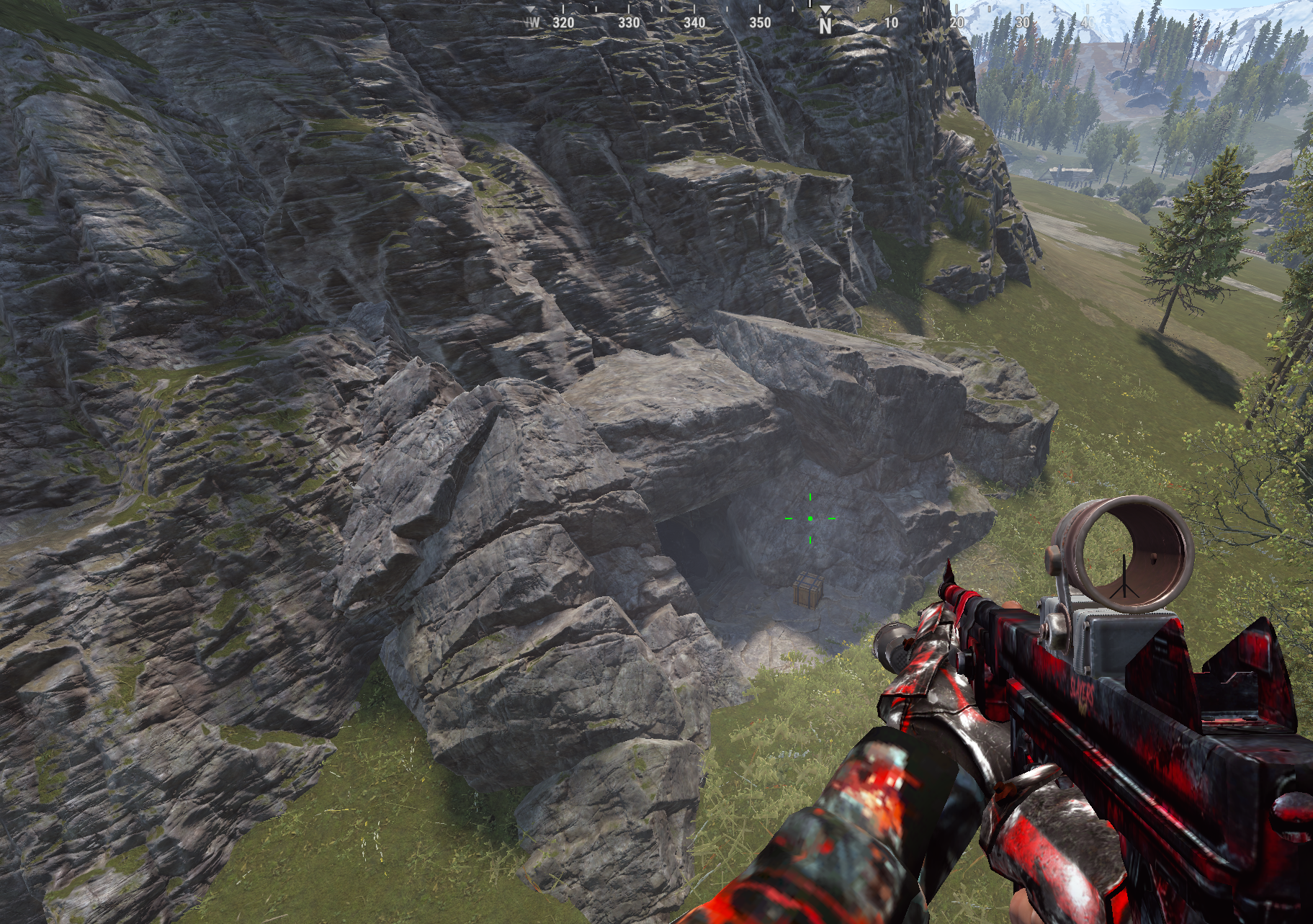
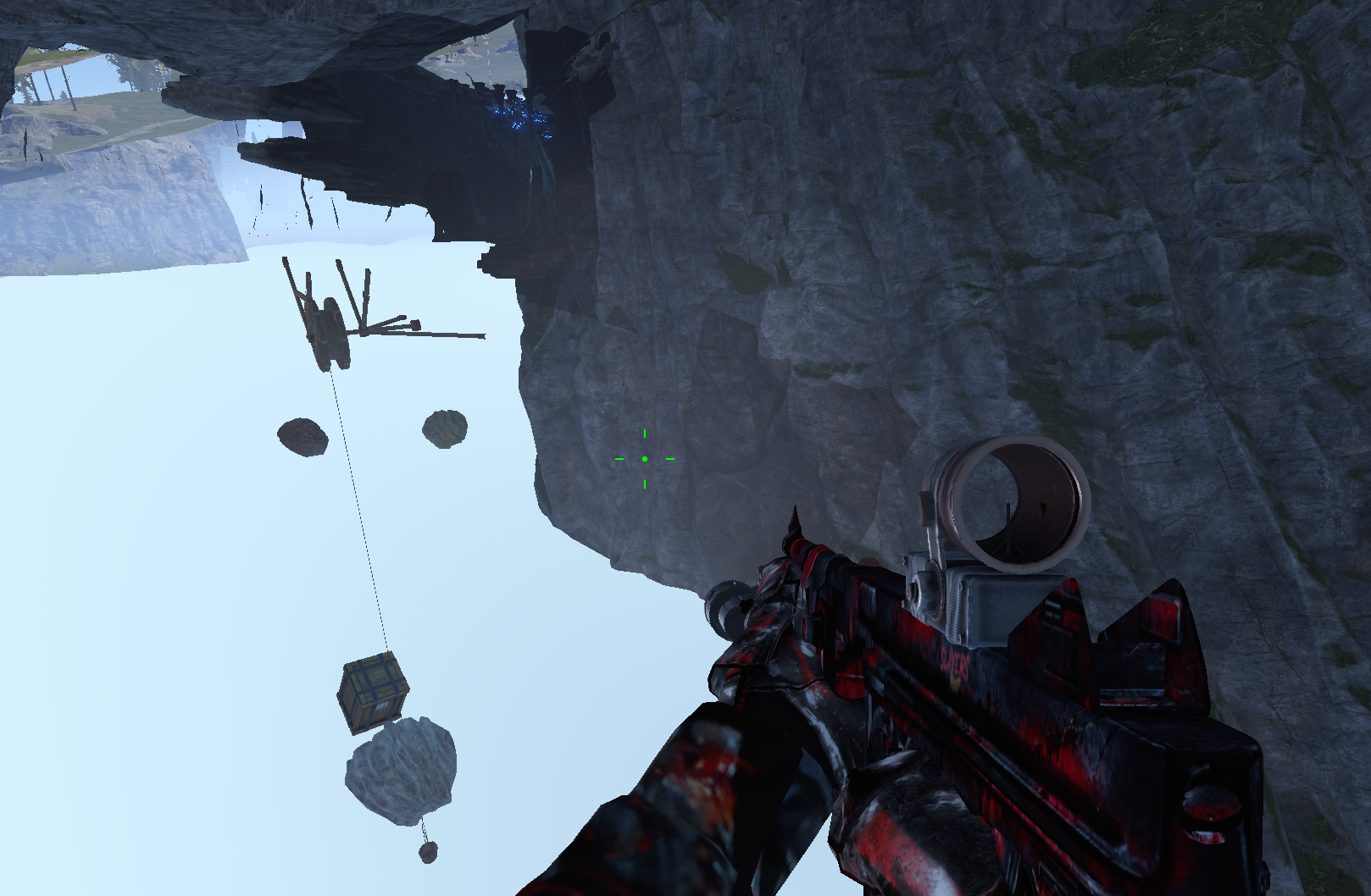
Players can get inside the rock at J5. This needs to be patched so players cannot get into the rock terrain.
-
- 1
-
-
I worked really hard creating 41 icons for 41 new items for DeployableNature. I think there are probably still lots of cool icons that can be made for items. train_signal_lights_a train_signal_lights_b excavatorsignalcomputer coaling_tower_fuel_storage.entity coaling_tower_ore_storage.entity door.hinged.bunker.door_nuclear_silo door.vault.static door.hinged.bunker_hatch door.hinged.cargo_ship door.hinged.zigg_security_gate harbor_dynamic_container harbor_container_block trainbarricadeheavy traincaboose.static door_barricade_dbl_b_large door_barricade_dbl_a_large door_barricade_dbl_a door_barricade_dbl_b door_barricade_a_large door_barricade_a door_barricade_b Roadsign1 Roadsign2 Roadsign3 Roadsign4 Roadsign5 Roadsign6 Roadsign7 Roadsign8 Roadsign9 vineswingingtreestump vineswingingtree02 vineswingingtree03 folding_chair_a_clean_white.mountable folding_chair_a_rusty_black.mountable folding_chair_a_rusty_green.mountable public_bench_chairs_300_mountable io.table.deployed mess_hall_table.mountable.static door.hinged.vent WOODEN_BENCH_A_MOUNTABLE
-
Can we get the BetterNPC Custom files updated?
SlayersRust replied to SlayersRust's Support Report in Support
Okay thats good to know! I just wanted to make sure before I spent my time editing them to my servers needs -
Leftover RailRoad Topology blocks building
SlayersRust replied to SlayersRust's Support Report in Support
There is a RailRoad Topology in this area that blocks a player from being able to build because it says "Placing too close to a road" when there is no road or path in this area. When I opened RustEdit I found leftover RailRoad topology from a railroad that is no longer in this area. -
You have some Leftover RailRoad Topology blocks building at H4 grid, I found it when I couldn't build in a custom monument I added
-
Can we get the BetterNPC Custom files updated? I know there a huge update to BetterNPC Custom files could you please include the most updated BetterNPC files of this map? I just purchased it and would like to run the map and wipe my servers soon
-
Version 1.0.0
7 downloads
The Ultimate Sleeper-Cleanup & Anti-Exploiting Solution for Your Rust Server Take full control of your server’s safezones and monuments with this powerful, plug-and-play ZoneManagerAutoZones Config. Designed for performance, fairness, and monument stability, this config automatically ejects all sleepers from protected areas, eliminating exploits and ensuring loot respawns correctly. What This Config Does: Ejects Sleepers From EVERY Safezone Outpost Bandit Camp Large Barn Ranch Fishing Villages Players can no longer: Hide with their loot inside safezones Log out safely in protected areas Abuse safezone terrain or hidden corners Your safezones stay clean, fair, and clutter-free. Monument Sleeper Removal (Fully Automated) All monuments are included! When a player logs out inside a monument or loot area, they are instantly ejected a correct distance away. 100s of hours spent getting the perfect distances to eject sleepers outside of all monuments. This config has been tested on 12+ of my own servers for a few years now so I know it works wonders! This prevents: Lootroom blockage Respawn delays Hidden sleeper stash spots Players “living” inside high-value locations Loot respawns fast, monuments stay active, and farming loops become fair for everyone. Custom Warning Messages (Entering + Leaving Zones) Players receive special safezone warnings: Entering Zone: Example Message - Message is better in the actual config when purchased: “You are entering a NO-SLEEPING ZONE. Logging out here will eject your body!” Leaving Zone: “You are leaving a protected area.” This ensures there is no confusion and players always know the rules. Why This Config Is a Must-Have Without sleeper ejection, Rust safezones and monuments fill up with: Dead bodies AFK sleepers Hidden loot hoarders Clutter that slows loot respawn With this config: Loot cycles stay active Monuments stay clean Safezones remain functional Players cannot hide or exploit “permanent safety spots” Your server becomes faster, cleaner, and more competitive. Completely Automated Just drop the config into your server and reload! Everything runs automatically using ZoneManager + AutoZones. We suggest unloading ZoneManager.cs and ZoneManagerAutoZones.cs then deleting the ZoneManager data file before loading up our config so you have a fresh install! No complicated setup. No manual editing. No zone-by-zone tweaking. Simply install and enjoy. Perfect For Servers Who Want Fair loot flow Active monuments Anti-AFK & anti-exploiting protection Clean safezones Preventing sleeper stash abuse A balanced PvP environment$4.99- 10 comments
-
- 2
-
-
-
- #plugin
- #zonemanager
- (and 8 more)
-
- 69 comments
-
- #wallpaper
- #wall
-
(and 8 more)
Tagged with:
-
- 418 comments
-
- #builder
- #automation
-
(and 9 more)
Tagged with:
-
I really wish the Racetracks had better barricades or invisible barriers around the edges of the course. Every complaint I get seems to be because Go Karts get stuck on the edges of the track almost constantly and also players go out of bounds like crazy. Would like to see better barriers before I get another arena
- 1 comment
-
- #racetrack
- #race
-
(and 7 more)
Tagged with:
-
Version 1.0.0
15 downloads
One Grid Launch Site – 1400K LAUNCH SITE MONUMENT FOCUSED SMALL ONE GRID RUST MAP! One Grid Launch Site is a compact, fast-paced 1400k fantasy Rust map. Even at its small size it was important to me to make the beach waters extremely shallow with endless space to build! The problem with most other One Grid Maps is there is never anywhere flat or interesting to build a base for players. I feature huge, open, perfectly flat build zones that let players design bases of any size for a Solo or a Zerg. I even utilized the ocean areas by placing "7" Total Underwater Buildable Bunker Bases for players to hide from the chaos. The terrain also has many other unique “X” build areas and I even have brought back the classic Bus Stops you could build in with my own style of Giant Bus Stop bases to build a base inside, arch-rock hideaway caves, scattered flat peninsulas, custom homes, military-inspired structures, and much more. The center of the island is rich with monuments and loot routes where players can battle it out, while the ocean sides are built for pure creativity with base builders in mind, offering nonstop base-building potential. One Grid Launch Site blends exploration, freedom, and intense Rust gameplay into one tightly crafted map. What Sets It Apart: • Creative selection of flat “X” building zones created for maximum freedom. • The Beach Ocean is extremely shallow and massively flat for endless base building! • Built for smooth performance with a very low entity count whether you’re solo, in a team, or running high-pop servers. • Includes a Custom Map Route for the Convoy Plugin Custom Build Zones: Low-prefab, FPS-friendly buildables: 7 Underwater Bunker Bases Arch Rock Caves to build Hidden structures Unique build pockets Custom Buildings Custom Bus Stops Many Facepunch Monuments Included • Launch Site • Dome Sphere Tank • Missile Silo • Large Oil Rig • Small Oil Rig • SuperMarket • RadTown • Warehouse • Gas Station • 2x Lighthouse • HQM Quarry • Sulfur Quarry • Stone Quarry • Jungle Ziggurat Ruins • Several Power SubStations • Several Waterwells • Fishing Village/Outpost/BanditCamp/Ranch Combined — and more. Map Info: Size: 1400K Prefabs: ~2204 Support: Discord: DarkoRust$19.99- 1 review
-
- 3
-
-
-
- #custom map
- #one grid
-
(and 29 more)
Tagged with:
- #custom map
- #one grid
- #launch site
- #launchsite
- #small map
- #fun
- #shallow beach
- #buildable monument
- #bus stop
- #missile silo
- #lighthouse
- #oil rig
- #dome
- #sphere tank
- #1400k
- #x spot
- #build spot
- #builder
- #building
- #custom monument
- #onegrid
- #build zone
- #rust map
- #facepunch
- #supermarket
- #gas station
- #cave
- #arch rock
- #rock fomation
- #epic
- #1400
-
Is it possible to make Engine Upgrading require both Materials and Server Rewards points? I like a good progression system on my server and would for it to require both "Upgrade Cost": { "Resource Costs (ItemShortName: Amount)": { "scrap": 10000, "lowgradefuel": 30000, "metal.fragments": 75000, "metal.refined": 10000 }, "ServerRewards Points": 150000, "Economics Money": 0.0
- 41 comments
-
- #boat
- #controller
- (and 8 more)