
-
Posts
1,047 -
Joined
-
Last visited
-
Days Won
14
Content Type
Profiles
Warranty Claims
Downloads
Forums
Store
Services
Downloads Plus Support
DOWNLOADS EXTRA
Everything posted by Amino
-
- 34 comments
-
- 1
-
-
- 34 comments
-
I cannot make other plugins work with it. That would be up to those developers to make it work with their plugin. I will be posting a public API soon for people to easily be able to see what they need to do. But any developer should easily be able to tell how to make welcome controller suck up their UI.
-
- 9 comments
-
- 1
-
-
- #stats
- #statistics
- (and 9 more)
-
Version 1.2.4
550 downloads
Very simple, extremely dynamic stats plugin with an amazing UI! Offers tons of customizability, change UI colors, and select between 2 pre-made UI options. Support's Welcome Controller UI so you can have your stats cleanly integrated into your info menu. Enable and disable stats from showing on whatever you want. Category filters that also show you what place you are within each category! FEATURES - Supports Welcome UI Controller by Amino - Includes new scrolling UI! - Select what stats you want to show on the main screen - Select what stats you want to show on the personal screen - Disable and enable whatever stats you want - Display user currency and playtime - Kills - Deaths - KDR - Suicides - Headshots - Bullets hit - Animals killed - PVE Stats - Raid Stats - ETC* CONFIG SNIPPET FOR STAT OPTIONS "PlayerKills": { "Enabled": true, "DisplayOnMainUI": true, "DisplayOnPersonalUI": true, "IsMainPersonalStat": true, "PointsChange": 1.0, "ItemID for stat image": 0, "IMG Link for stat image (takes priority over ItemID)": "", "Category (PVP, PVE, RAID)": "PVP" }, Need support or want updates about what is coming to the plugin? Join the support discord here https://discord.gg/RVePam7pd7$19.99- 9 comments
- 2 reviews
-
- #stats
- #statistics
- (and 9 more)
-
- 34 comments
-
Version 1.0.5
1,021 downloads
Welcome Controller Additions is exactly what it sounds like. Some QOL addons for Welcome Controller! MORE FEATURES COMING VERY SOON! FEATURES - Q&A Dropdowns - VIP Rank display - Social links How to add into Welcome Controller... To add in one of the add-ons you need to do the following Firstly, if you want to use the social links, there is a toggle for it in Welcome Controllers config, enable that and fill out the info in the additions plugin and that's good to go. Second, vip ranks. Go to the addons section in the Welcome Controller config, where it says "Plugin Addon Name" You'll need to add "WUIAttachments_VipRanks" Third, Q&A's. Go to the addons section in the Welcome Controller config, where it says "Plugin Addon Name" You'll need to add "WUIAttachments_IdentiferYouSetForTheQ&A" of course replacing "IdentiferYouSetForTheQ&A" with the actual identifier you set in the additions plugin. Need support or want updates about what is coming to the plugin? Join the support discord here https://discord.gg/RVePam7pd7$9.99- 17 comments
- 1 review
-
- 4
-
-
-
-
- #welcome
- #controller
-
(and 9 more)
Tagged with:
-
- 64 comments
-
- #loadout
- #controller
-
(and 5 more)
Tagged with:
-
- 64 comments
-
- #loadout
- #controller
-
(and 5 more)
Tagged with:
-
Version 2.1.5
2,282 downloads
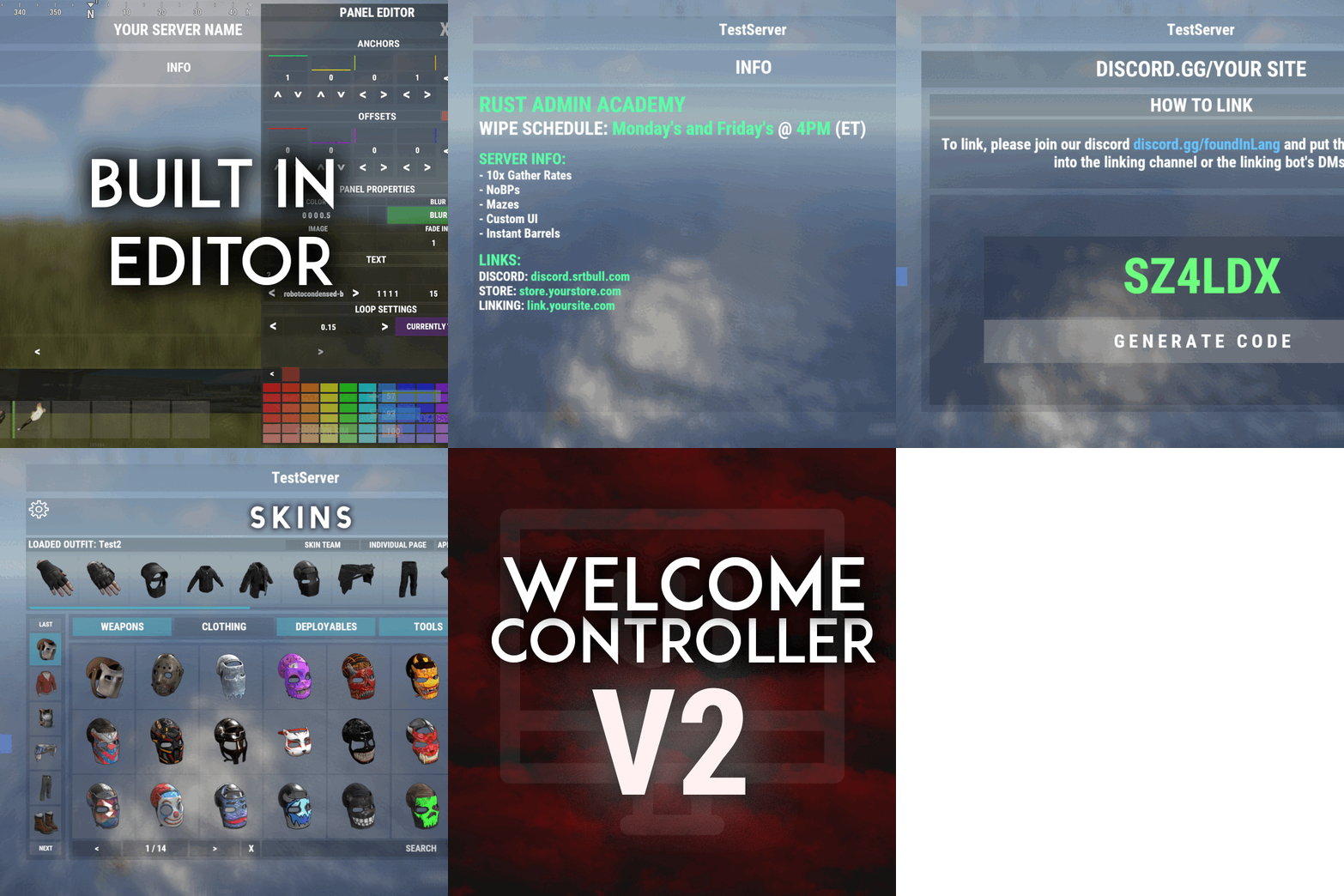
Welcome "UI" controller is a multi-function info panel! - Supports multiple plugins to be directly integrated. Linked in the optional dependencies! - Add permissions to access different pages - Optionally, you can set a page that has a permission to not show on the button list at all or you can set it to show a no permission page (You can make it say whatever you want) - Change the layout of the buttons - Add images to each button - Add multiple commands to access each page - Edit, add, and delete your info panels and or integrated plugins directly from the editor UI. - Apply a color theme INSTANTLY to ALL your integrated plugins with one simple click! - Running a command auto loads you into the correct page on the info panel, even if it's an addon. - Create infinite tabs for different pages. - You can do really anything you can think of! - In game editor for all your UI needs. - Add new panels - Clone panels - Change load orders of panels - Change the look in every way of a panel - Add an image and or text to ANY panel you want to - Easily move the UI with buttons or input numbers within the UI - When you're reading this, there might be even more themes available! - Images are pictures of the "Original" theme and show some of the optional addons and built in editor. ADMIN PERMISSION: welcomecontroller.admin Editor page: /welcomeedit Theme Selector: /welcomethemes Support? Questions? Comments? Concerns? Message me in my Discord! https://discord.gg/ZsRgCUNv2x DEVELOPER API's AND HOOKS API -> bool IsUsingPlugin(string pluginName) HOOKS -> void OnWCRequestedUIPanel(BasePlayer player, string panelName, string neededPlugin) - This is called when an addon is trying to be accessed for WelcomeController. - Make sure you do a simple check that the needed plugin is the plugin you're working in. - I recommend making the plugin name that you check for, the name of the CS file. - If neededPlugin == yourPlugin, open your UI, attach it to "panelName".$29.99 -
- 34 comments
-
Version 1.1.0
1,281 downloads
Shop Controller is an advanced shop UI system. Offers selling of items and commands as well as an in-game item editor. FEATURES • UI Cart system (Optional) • In-game item editor • In-game command editor • Item cooldowns • Command cooldowns • Custom item skins • Sell back to shop (Optional) • Easy color editing of the UI • Multi currency support (RP, Economics, any item) • Custom shop commands PERMISSIONS shopcontroller.use shopcontroller.admin SETUP The setup is very easy! - Set the commands you want the shop to be opened with - Set your currency. It supports RP, Economics, or any item (use the shortname)! - Set if you want to use the cart system or not - Plugin images, change if you want to use images other than the default ones. - UI Elements, all of these are color, "Rust Format" > https://tools.rustplugins.io/colors Support? Questions? Comments? Concerns? Message me in my Discord! https://discord.gg/ZsRgCUNv2x$29.99- 34 comments
- 4 reviews
-
- 3
-
-
-
Version 1.0.2
185 downloads
I currently disabled the file until I get a chance to make a patch for the previous update. Allows players to enable and disable the showing of skins through a chat command. That's all This is client-sided showing of skins! So each player can determine if they want to see skins or not. No more players blending in with the snow and trees! PERMISSION: showskins.use Customizable commands and chat replies$0.60 -
Hey there! Are you on the hunt for someone to create a top-notch plugin, Discord bot, or maybe even both that can work together??, all delivered within your timeframe? If so, I'm the person you're looking for! I've developed everything from Advanced Skin Plugins, Linking Systems (that sidestep the need for a website or the Discord DLL), to specialized event servers. Not to mention, my Discord bots that take RCON logging to the next level! So, why should I be your go-to guy? Well, for starters, I'm all about communication – expect regular updates complete with demos as your project comes to life. Plus, I pride myself on offering fair pricing that won't have you emptying your wallet, all while ensuring the final product is of the highest quality. Curious to see my work? Take a look at my CF profile! https://codefling.com/amino Check out some of the images on the images tab!