

-
Posts
906 -
Joined
-
Last visited
-
Days Won
12
Content Type
Profiles
Warranty Claims
Downloads
Forums
Store
Services
Downloads Plus Support
DOWNLOADS EXTRA
Reels
Everything posted by Martian
-
-
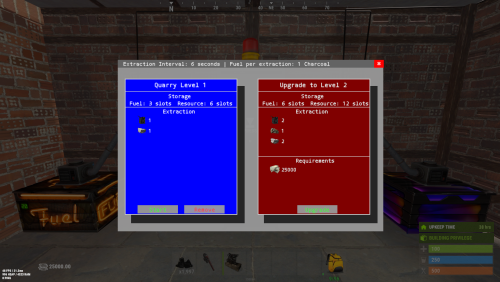
You can change a lot on the UI now.
-
New version is out! 1.3.0 - What's New Advanced UI Configuration: Added detailed configuration options for customizing UI elements, including colors and font settings. This enhancement allows server owners to tailor the UI appearance to more closely align with their server's theme. Bug Fixes: Fixed an issue where items would always retain their level regardless of the configuration setting to not maintain the level upon removal.
-
I’ll adjust that for you!
-
1.2.0 - What's New Access Control Options: Introduced configuration options for controlling access. Allow Team Access Allow Friends Access
-
Changed Status from Can't Reproduce to Closed
-
Hmm, strange! I tested it with skinned boxes, and it's working fine for me too.
-
Changed Status from Pending to Can't Reproduce
-
I just tested it, and it's working!
-
Oops
-
It works like a regular box with an adapter, but it only accepts the configured fuel type. On the output side, it will extract everything. Just connect it to the conveyors, power it on, and it should work fine!
-
I will update it either today or tomorrow and add this new option!
-
You can set the command onthe config file for whathever you want, you can use multiple commands , like is in the default theres 3 commands "getrecycler", "irecycler", "giverecycler" Update the skinID in you config file for this one "Recycler Item SkinId": 3357927081, The skinID is in the config file too { "Recycler Commands": [ "getrecycler", "irecycler", "giverecycler" ], "Standard Recycler Commands": [ "getstandardrecycler" ], "Max Recyclers Per Player": 1, "Max Recyclers Vip (industrialrecycler.vip)": 2, "Recycler Item SkinId": 3357927081, "Standard Recycler SkinId": 3363257468, "AnchorMin": "0.5 0", "AnchorMax": "0.5 0", "Alternative Adapter Configuration": false, "Hide Storage Containers": false, "Only owner can access recycler": true, "Allow team members to access recycler": true, "Allow friends to access recycler": true, "Version": { "Major": 1, "Minor": 5, "Patch": 3 } }
-
Update is out! Here’s how to add the recycler to your shop: Use the Command: For an industrial recycler, use giverecycler {SteamID64 or Name}. For a standard recycler, use getstandardrecycler {SteamID64 or Name}. or Set the Item Name: In the shop, set the item as "box.wooden.large". Use Skin ID 3357927081 for industrial recyclers or 3363257468 for standard ones to display the correct appearance. Here is the new config: { "Recycler Commands": [ "getrecycler", "irecycler", "giverecycler" ], "Standard Recycler Commands": [ "getstandardrecycler" ], "Max Recyclers Per Player": 1, "Max Recyclers Vip (industrialrecycler.vip)": 2, "Recycler Item SkinId": 3357927081, "Standard Recycler SkinId": 3363257468, "AnchorMin": "0.5 0", "AnchorMax": "0.5 0", "Alternative Adapter Configuration": false, "Hide Storage Containers": false, "Only owner can access recycler": true, "Allow team members to access recycler": true, "Allow friends to access recycler": true, "Version": { "Major": 1, "Minor": 5, "Patch": 0 } }
-
Version 1.6.8
882 downloads
Quarries have evolved into personal computers that can be placed within player bases, providing full customization. Everything, from fuel types to unlimited upgrades, is configurable, including upgrade requirements, mined items, and fuel. Seamlessly integrating with the industrial system. FEATURES Intuitive UI: Simulates old DOS programs for easy use Full Customization: Item output, fuel, and upgrade requirements can be adjusted Unlimited Upgrades: Use items, Economics, and ServerRewards for upgrades Base Placement: Quarry Computers can be placed inside bases Industrial Automation-Ready: With permissions for seamless integration Screen Activation: Easily see if the computer is on, with percentage displays Multi-Language Support: Fully translatable Player Permissions: Control how many quarries a player can own and upgrade Persistent Data: Upgrades and item levels are saved across restarts VIDEO SHOWCASE Here’s how to add the recycler to your shop: Use the Command: gq %steamID% PERMISSIONS "quarrycomputer.give" Grants the player the ability to use the customizable command (/gq <User>) to give themselves or other players a Quarry Computer. "quarrycomputer.industrialinput" AND "quarrycomputer.industrialoutput" Allows players to connect industrial storage adaptors to their quarries, enabling automated resource handling. "quarrycomputer.vip" Provides players with additional benefits or features, such as having a higher limit on the number of quarries they can deploy. "quarrycomputer.norequirements" Allows players to upgrade their quarries without needing to meet the usual item or resource requirements. "quarrycomputer.admin" Provides administrative control over players' quarries, such as the ability to manage or interact with any quarry regardless of ownership. CONFIGURATION You can have as many upgrade levels as you want. Use Economics and ServerRewards on the item shortnames to use currency. Any in-game item can be used. Requirements can utilize Economics and ServerRewards based on the item shortname. Item shortnames are validated when the plugin loads, with a warning issued if they need to be fixed.$15.00 -
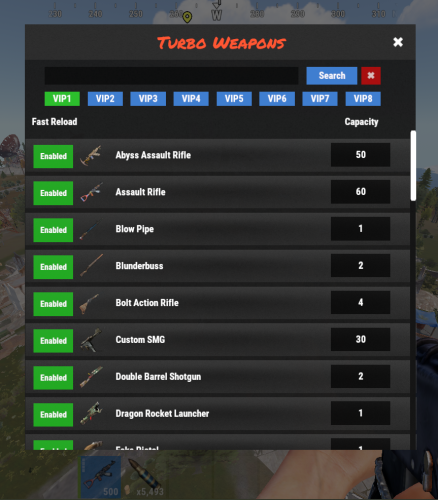 I’ll try to add an additional profile for configurations in a future update!
 -
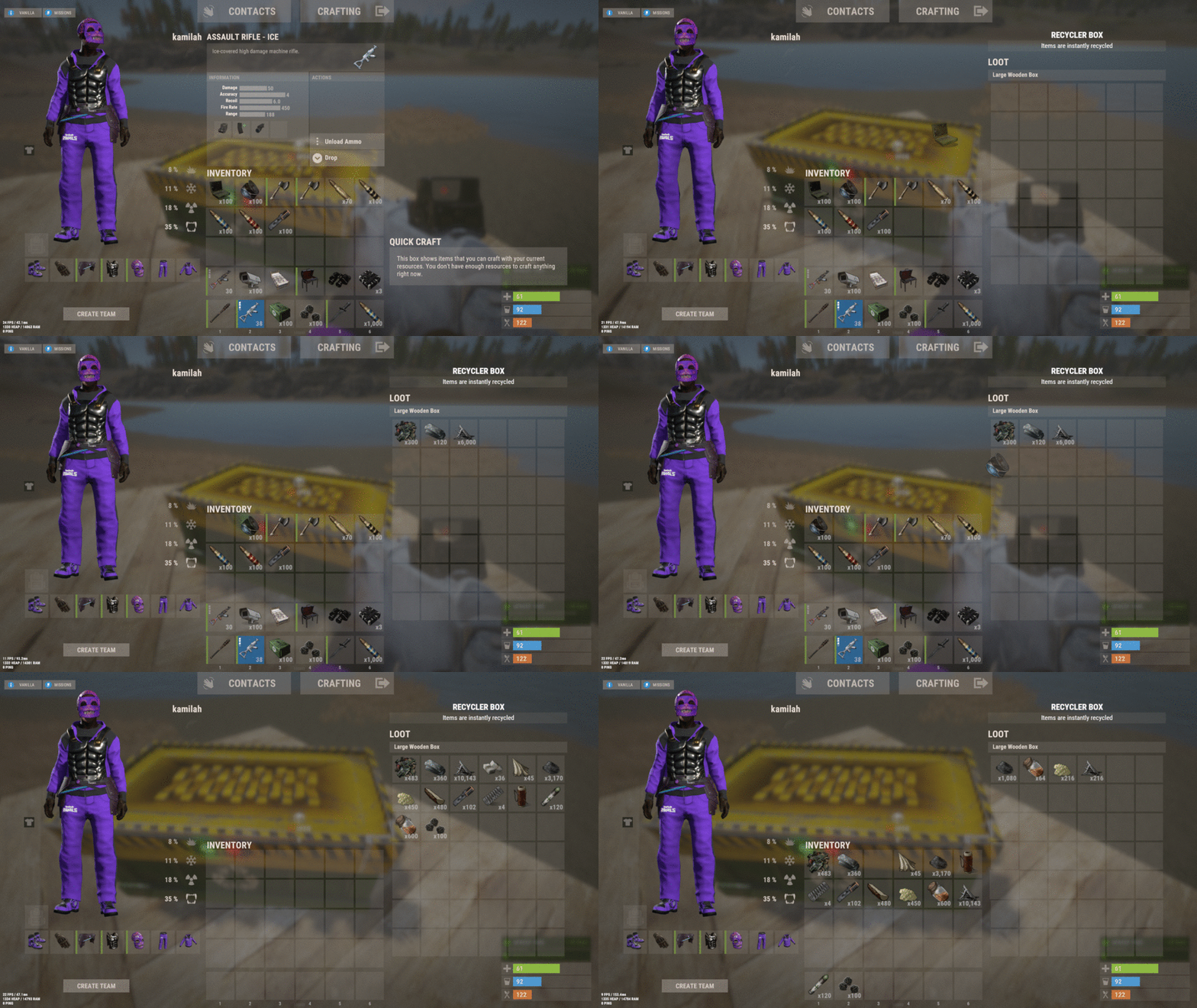 I’ll take a look at this and try out some solutions soon!
 -
Changed Status from Work in Progress to Not a Bug