
-
Posts
163 -
Joined
-
Last visited
-
Days Won
1
Content Type
Profiles
Warranty Claims
Downloads
Forums
Store
Services
Downloads Plus Support
DOWNLOADS EXTRA
Reels
Everything posted by ALiEN JiM
-
Hi, just a quick update. I figured out why the Combat Stimulant wasn’t working, it turned out the LootDefender plugin was overriding the XP being given. Thought this might be helpful in case anyone else runs into NPC buffs not working. Also noticed there is no time remining on Combat Stimulant when viewing current active buffs. Is there a way to have Combat Stimulant apply to all NPCs, or at least allow multiple types to be added instead of just: "source": "ScientistHeavy"? I also noticed that in SkillTree you only receive XP from yellow barrels. However, when using Salvager Soda, you then gain XP from all barrels. Not sure yet if this is something on my end or a potential SkillTree issue. Again, thanks for the quick update on the previous issue — really appreciated.
-
They all seem to be working fine except Combat Stimulant, i have ran around killing all types of NPC and even change from ScientistNormal to Scientist2, ScientistHeavy and even ScientistHeavy2 but no bonus.
-
I'v not tested every tonic yet but off the bat it is work now at lest for the bonus all, thank you for your time on this issue.
-
Hi, yes that was a fresh install. The following video was recorded with no other plugins installed not even admin plugins, only SkillTree 1.7.8 and SkillTreeItemsPro 1.0.2. All related configs and data files were removed beforehand to generate completely fresh files. As mentioned, no other plugins were installed to rule out any conflicts. The server is also running the latest version of Oxide at the time (v2.0.7253). ran with fresh configs.mp4
-
clip_1,775,619,723,263.mp4
-
Right ok i will do as you ask but will take a while as i don't have anything setup to record, i believe steam can do it but again need to set it up.
-
Hi, I have even done a fresh install of SkillTree v1.7.8 with fresh install of SkillTreeItemsPro v1.0.2 and still no xp boost given, i can share the configs but they are fresh from default install
-
 I I’ve tried everything, and so have my players. I tested this on both my public server and my private clone server, but none of the XP boosts are giving any bonus. I even reset my level back to zero to make sure, and all XP gained is still just the base amount with no increase at all. For testing, I check XP gain before consuming any tonics, then test again after using each one individually. For example, I get 50 XP for a node final hit before using Geologist’s Flask. After consuming it, the final hit is still only 50 XP, even though Geologist’s Flask should give a +90% boost to NodeHitFinal. The XP shown on screen remains 50 XP, and my XP bar only increases by 50 XP. This happens with all XP boost types.
 -
All XP and SP Injection work but all XPBoost types don't give any bonus, is there anything i might be over looking in setting that could cause this issue?
-
I’ve noticed that none of the XP Boost tonics seem to be working, they don’t provide any bonus XP.
-
I’ve found the issue! it was caused by v1.13.3. Simply unloading and removing it wasn’t enough before installing v1.14.1. Something from the old version was still lingering on the server. To resolve it, I had to fully remove v1.13.3 before starting the server, and then add v1.14.1 afterwards. Apologies for not trying this sooner, and thanks for your help.
-
Okay, I guess I’ll need to check if it’s a conflict. If I start the server with the plugin already installed, it can take up to five minutes before the spam begins. However, if I start the server first and then add the plugin, the spamming starts instantly.
-
Hi, thanks for the quick update. Unfortunately, the same issue is still happening in v1.14.1. Even unloading the plugin doesn’t stop the spam! I have to restart the server to fix it. Version 1.13.3 works perfectly. I’m running Oxide, and while I do have Raidable Boats, it isn’t currently installed. It also did seem to work fine with v1.13.3 from what I could tell when i was testing the plugin. Loaded plugin EasySailing v1.14.1 by Corvus Server Exception: Mountable Cycle NullReferenceException: Object reference not set to an instance of an object at Oxide.Plugins.EasySailing+EntityFuelSystem_TryUseFuel_Patch.Prefix (EntityFuelSystem __instance, System.Single seconds, System.Single fuelUsedPerSecond, System.Int32& __result) [0x00005] in <772ad713965d44ea8f70760a35dcb202>:0 at (wrapper dynamic-method) MonoMod.Utils.DynamicMethodDefinition.EntityFuelSystem.TryUseFuel_Patch1(EntityFuelSystem,single,single) at MotorRowboat.VehicleFixedUpdate () [0x00156] in <90302d684a574380a840c59dfd53d4e0>:0 at RHIB.VehicleFixedUpdate () [0x0002e] in <90302d684a574380a840c59dfd53d4e0>:0 at BaseMountable.FixedUpdateCycle () [0x00039] in <90302d684a574380a840c59dfd53d4e0>:0 at ServerMgr.FixedUpdate () [0x00018] in <90302d684a574380a840c59dfd53d4e0>:0 UnityEngine.DebugLogHandler:Internal_LogException(Exception, Object) UnityEngine.DebugLogHandler:LogException(Exception, Object) UnityEngine.Logger:LogException(Exception, Object) UnityEngine.Debug:LogException(Exception, Object) ServerMgr:FixedUpdate()
-
Hi EasySailing Team, I ran into an issue after updating to v1.14.0. My server starts spamming the console with a NullReferenceException related to EntityFuelSystem_TryUseFuel_Patch, and eventually requires a restart. It seems to happen when certain mountable vehicles (like MotorRowboat or RHIB) are active. Based on the console messages, my guess is that it might be related to the fuel system not being present or initialized. I wanted to bring this to your attention in case it helps. I’m happy to provide any additional logs or details if needed. Thanks for your work on EasySailing! The console message: Server Exception: Mountable Cycle NullReferenceException: Object reference not set to an instance of an object at Oxide.Plugins.EasySailing+EntityFuelSystem_TryUseFuel_Patch.Prefix (EntityFuelSystem __instance, System.Single seconds, System.Single fuelUsedPerSecond, System.Int32& __result) [0x00005] in <ecd4acaa55804e63af5fed85fd812775>:0 at (wrapper dynamic-method) MonoMod.Utils.DynamicMethodDefinition.EntityFuelSystem.TryUseFuel_Patch2(EntityFuelSystem,single,single) at MotorRowboat.VehicleFixedUpdate () [0x00156] in <9330175985ef4e7bb03abe503b9a9264>:0 at RHIB.VehicleFixedUpdate () [0x0002e] in <9330175985ef4e7bb03abe503b9a9264>:0 at BaseMountable.FixedUpdateCycle () [0x00039] in <9330175985ef4e7bb03abe503b9a9264>:0 at ServerMgr.FixedUpdate () [0x00018] in <9330175985ef4e7bb03abe503b9a9264>:0 UnityEngine.DebugLogHandler:Internal_LogException(Exception, Object) UnityEngine.DebugLogHandler:LogException(Exception, Object) UnityEngine.Logger:LogException(Exception, Object) UnityEngine.Debug:LogException(Exception, Object) ServerMgr:FixedUpdate()
-
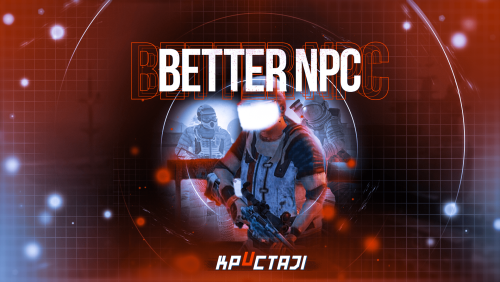 All my NPC's have always been about half a foot above ground, i put it down to NavMesh being baked a bit above the terrain for safety, is there a way to adjust this?
 -
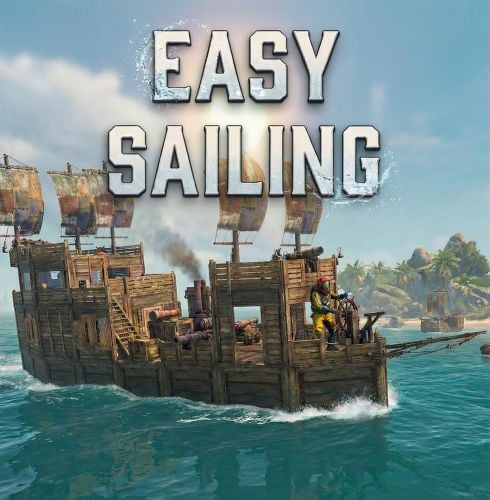 EasySailing has made boating far more enjoyable and fun, especially for a PvE server. It really opens up the experience of heading out into the deep sea, making exploration feel much more free and rewarding. The controls are intuitive, which makes navigating and maneuvering boats much easier compared to vanilla. It’s a simple change, but it has a big impact on overall gameplay. On top of that, the author was incredibly helpful when I ran into an issue, quick to respond and genuinely supportive, which always makes a big difference. Highly recommended for anyone looking to improve their sailing experience.
 -
 Hi aimacak, Thanks for the reply, I appreciate you letting me know that scarecrow.prefab won’t work. The main reason I was hoping to use it is because I need a clear way to separate different NPC types for my stats and quests. Most NPCs are already being tracked individually (what type was killed and how many), so reusing them for something like “zombie” kills would overlap with existing categories. I understand there may be other NPC types I could use, but realistically most are already in use, and even if I found a suitable one, I don’t currently have the programming knowledge to group multiple NPC types together and count them as a single category. I was mainly trying to keep things simple and clean on the backend, using one dedicated prefab for one purpose. But it’s not a big issue just one of those limitations you run into when trying to build something a bit more custom Thanks again for your time and the info!
 -
Hi KpucTaJl, Is it possible to use scarecrow.prefab instead of scientistnpc_heavy.prefab in the NpcSpawn presets? If so, are there any special settings or limitations I should be aware of? The reason I’m asking is because I need a way to clearly differentiate between NPC types for my plugins. While I can configure scientistnpc_heavy.prefab to look and behave like a zombie, my quest system and leaderboard only register kills for scarecrow.prefab. Other NPC types (like scientists) are already used for separate quests (e.g., general NPC kills), so they can’t be reused for zombie tracking without causing conflicts. Using scarecrow.prefab is currently the only reliable way for me to track zombie-specific kills independently. Thank you for your time and any info on this.
-
My guess was harmony patching too but for me it was only a logical guess lol I have tested with v1.11.3 / 1.11.5 / 1.12.4 same issue as in v1.13.1 not sure why but one of the old versions did work fine, i can only guess that with one of the FB updates maybe why it all change and now has issues Is there a way to send you files to help you replicate the issue like discord?
-
That is the wired thing they do not have Vitals, I'll test later on tonight with version 1.12.4 and or 1.11.5 Cupboard Accepts Anything v1.1.0 by VisEntities is a free plugin i can send you the link if you like
-
Hi Corvus, I’ve been testing this pretty thoroughly by loading plugins one at a time, starting with only EasySailing v1.13.1 installed. From this, I’ve found two plugins that EasySailing seems to conflict with: Cupboard Accepts Anything v1.1.0 by VisEntities Balloon Heist Event v1.4.0 by Sassy I don’t mind removing the cupboard plugin, but Balloon Heist is quite popular on my server, so I’d prefer to keep that if possible. I’m not exactly sure what the root issue is, but when these plugins are installed at server startup, the EasySailing controls start acting up. However, after some more testing, I noticed something interesting: If I start the server without EasySailing, let everything load normally, and then add EasySailing afterwards, it works perfectly with no issues. So it seems like the problem only happens when EasySailing is present during server startup.
-
Hi, let me know what you like me to do, I will try later without any other plugins installed to see if it is conflicting with another plugin that is making the forward and backward controls mess up, sorry that i have not tried this yet but it is my next step if it is not a know issue with you.
-
Hi Corvus, I seem to be having some issues with the forward and reverse controls. When pressing W to go forward, the sails open immediately and the engines go straight to full speed. Pressing S once does the same in reverse, instantly putting the engines at full speed backward. Myself and other players are finding it very difficult to get the boat into sailing mode or even just idle. Quite often we also see the engines running full speed forward while the sails have opened in reverse. Sometimes dropping the anchor and raising it again will correct the sails and engines so they point the same direction, but it’s still very difficult to switch from full engine speed back to sailing mode. This is happening on both my public and private servers, and it’s extremely rare for the controls to work as intended. Any information or advice would be greatly appreciated. Regards, Jim
-
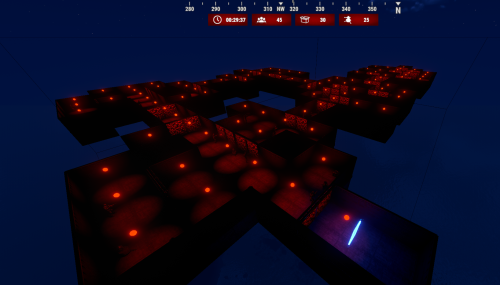 Hi Martian, is it possible to have an option to disable the NPC Radio?
 -
.thumb.png.bcb832e22f0a48b6833fee517e444bff.png) Hi MeventSupport, Would it be possible to add a pause feature to EventsManager that stops all events from triggering? This would be very useful after a server wipe. I like to allow 24 hours with no events, so players can progress in a more vanilla way first. It also gives me time to check and update any plugins that may have broken after the wipe before events start running again. It would also be really helpful to have a pause or skip option for individual events in the daily schedule. This way, if a specific event has a problem, I could temporarily skip it without needing to remove it completely from the schedule and then re-add it later with all the configured times again. So ideally something like: A global pause button to stop all events from triggering. A pause or skip option per event to temporarily disable a specific event. This would make managing events much easier if something needs fixing. Thanks for considering it.
Hi MeventSupport, Would it be possible to add a pause feature to EventsManager that stops all events from triggering? This would be very useful after a server wipe. I like to allow 24 hours with no events, so players can progress in a more vanilla way first. It also gives me time to check and update any plugins that may have broken after the wipe before events start running again. It would also be really helpful to have a pause or skip option for individual events in the daily schedule. This way, if a specific event has a problem, I could temporarily skip it without needing to remove it completely from the schedule and then re-add it later with all the configured times again. So ideally something like: A global pause button to stop all events from triggering. A pause or skip option per event to temporarily disable a specific event. This would make managing events much easier if something needs fixing. Thanks for considering it.