


Yac Vaguer
-
Posts
412 -
Joined
-
Last visited
-
Days Won
2
Content Type
Profiles
Warranty Claims
Downloads
Forums
Store
Services
Downloads Plus Support
DOWNLOADS EXTRA
Reels
Everything posted by Yac Vaguer
-
Hi @Devil-Steph I've never seen that behaviour before, it might be related with the plugin you are sharing the config that is overrating how they behave. Is it Zombie Horde plugin from chaos?
-
It seems a fair request, I will add it for the next version
-
There is a flag in the config that says verbose, or developer mode, please keep it false this one to avoid extra messages, it is false by default
-
 Hi Dana, yes but I’m traveling right now, I will be back in 10 days I will fix it asap then sorry for the troubles
 -
 Changed Status from Pending to Closed
 -
 The only way that it doesn't work is when you change the skin id, is that what happen when you stack it?
 -
Changed Status from No Response to Pending
-
Oh wow I hope everything is fine with you and your family there take your time to reply or just send me a dm on discord
-
Changed Status from Pending to No Response Changed Fixed In to 1.2.0
-
 You can only call once active Patrol, otherwise they can crash your server throwing severals. Once the patrol is destroy you can call again, you get the messages in the chat log and also you get the signal back to your inventory
 -
Do you get any console error when this hapen?
-
 If you share the github repo I can do it and send the PR
 -
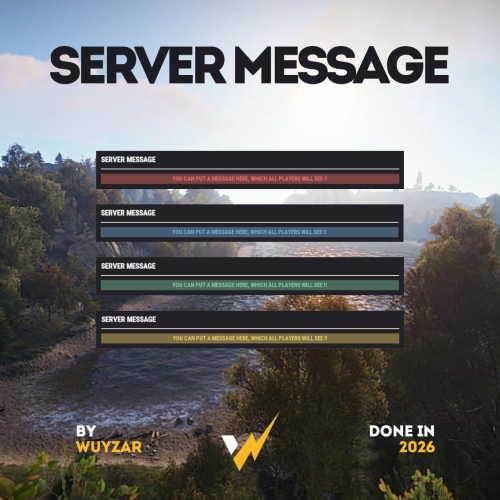
Hey, nice job with the notifications, can you make a API for devs so we can call it through ServerMessage.Call?() ?
-
Hi @TwoShoes This seems related with a wrong parameter in the configuration file, most likely in the rewards section, make sure that the values are correct, otherwise you can try re generating the config file
-
Version 2.2.2
1,777 downloads
Overview SimplePatrolSignal turns the vanilla supply signal into a button that calls a real Patrol Helicopter to your location. The heli arrives, fights you for the configured duration, drops crates when you kill it, and cleans up after itself. Multiple players can have their own active patrols at the same time. Tiers, custom skins, loot integration, PvE protection, NPC reinforcements, leaderboards, Discord notifications, the whole package. Features Summon patrol helicopters by throwing or dropping a special supply signal Up to 3 concurrent patrols by default, fully configurable Tier system: each signal skin maps to its own helicopter profile (health, rotor health, crate count, rocket timing, bullet damage, gun range, duration, loot table) 3 ready-to-use tiers shipped on Steam Workshop: Silver Elite, Arctic Frost, Inferno Boss Optional signal drops in vanilla world crates (per-tier drop chances, disabled by default) Tier selection by short alias on /helisignal and /givehelisignal Full integration with AlphaLoot, CustomLoot, Loottable PvE protection via PveMode, SimplePVE, or SimplePVESphere Optional PvP zone via ZoneManager NPC reinforcements via NpcSpawn or BetterNpc Persistent leaderboard with /patroltop and /patrolstats Discord webhook notifications (called, killed, expired) with embeds and grid coordinates VIP perks: cooldown bypass and optional tier override Debug log line per spawn so admins can verify a tier's overrides are applied Tier system Each entry in Patrol Helicopter Settings → Patrol Tiers maps a supply-signal skin ID to a helicopter profile. Any field set to null inherits the base value from Patrol Helicopter Settings. Set only what you want to override. Each tier also accepts a short Code alias used by the commands. Workshop tiers shipped with the plugin Tier Code Skin ID Workshop Silver Elite silver 3708182660 Subscribe Arctic Frost arctic 3708182822 Subscribe Inferno Boss inferno 3708182743 Subscribe To activate a tier, add its skin ID to Supply Signal Settings → Skin IDs so the plugin recognizes it when thrown. The matching tier entry under Patrol Tiers is already populated with sensible defaults on fresh installs (existing v2.1.0 installs get them auto-migrated on next plugin load). Example: enable all three tiers + base "Supply Signal Settings": { "Skin ID (used when Skin IDs list is empty)": 3702876293, "Skin IDs (random pick - overrides Skin ID when non-empty)": [ 3702876293, 3708182660, 3708182822, 3708182743 ] }, "Patrol Helicopter Settings": { "Patrol Tiers (skin id -> per-tier overrides)": { "3708182660": { "Display Name": "Silver Elite", "Code (short alias for commands, empty = not selectable by code)": "silver", "Helicopter Health (null = inherit)": 15000.0, "Number of Crates (null = inherit)": 5, "Time Before Rockets (null = inherit)": 4.0, "Bullet Damage (null = inherit)": 15.0 }, "3708182822": { "Display Name": "Arctic Frost", "Code (short alias for commands, empty = not selectable by code)": "arctic", "Helicopter Health (null = inherit)": 25000.0, "Main Rotor Health (null = inherit)": 900.0, "Tail Rotor Health (null = inherit)": 450.0, "Number of Crates (null = inherit)": 8, "Time Before Rockets (null = inherit)": 3.0, "Bullet Damage (null = inherit)": 20.0, "Gun Max Target Range (null = inherit)": 250.0 }, "3708182743": { "Display Name": "Inferno Boss", "Code (short alias for commands, empty = not selectable by code)": "inferno", "Patrol Duration (seconds, null = inherit)": 900.0, "Helicopter Health (null = inherit)": 40000.0, "Main Rotor Health (null = inherit)": 1200.0, "Tail Rotor Health (null = inherit)": 600.0, "Number of Crates (null = inherit)": 12, "Time Before Rockets (null = inherit)": 2.0, "Bullet Damage (null = inherit)": 28.0, "Gun Max Target Range (null = inherit)": 300.0 } } } Calling a specific tier /helisignal silver /helisignal arctic /helisignal inferno /helisignal // base signal (no tier specified) /givehelisignal Bob 1 inferno /givehelisignal Bob 5 // 5 base signals (no tier = base) Direct skin IDs work too: /helisignal 3708182660. Signals as crate loot Disabled by default. When enabled, each spawn of an allowlisted vanilla world crate rolls each tier's drop chance independently and inserts up to Max Signals Per Crate signals on top of the existing loot. Patrol-owned crates are skipped, so this only seeds world loot, not the heli's own drops. Default config "Crate Loot Drops": { "Enabled": false, "Crate Prefabs To Seed": [ "crate_elite", "crate_normal", "crate_normal_2", "heli_crate", "bradley_crate" ], "Max Signals Per Crate": 1, "Tier Drop Chances (skin id -> percent 0-100)": { "3702876293": 5.0, "3708182660": 2.0, "3708182822": 1.0, "3708182743": 0.25 } } The drop only succeeds if the skin is recognized as a patrol signal, so it must be the base Skin ID or appear in Skin IDs. If you add a new tier here but forget to allowlist its skin, the drop will silently no-op. Chat commands Command Permission Description /helisignal [tier] simplepatrolsignal.give Get a heli signal. No tier = base. With a tier code (silver, arctic, inferno) you get that specific tier. /helisignal despawn simplepatrolsignal.despawn Remove your own active patrol. /helisignal despawn <steamid> simplepatrolsignal.admin Remove another player's active patrol. /givehelisignal <player> [amount] [tier] simplepatrolsignal.give Give signals to another player. Optional amount (default 1) and tier code. /patroltop [kills|damage|crates] none Show the server leaderboard. /patrolstats [player] none Show patrol stats for yourself or another player. Console commands Command Permission Description helisignal [tier] simplepatrolsignal.give F1 console, gives yourself a signal of the requested tier (or base). helisignal despawn [steamid] simplepatrolsignal.despawn / .admin Despawn your own patrol, or another player's with the steamid arg. givehelisignal <player> [amount] [tier] simplepatrolsignal.give RCON-friendly version of the chat command. patrol.leaderboard.reset simplepatrolsignal.admin Wipe persistent leaderboard data (season reset). Permissions Permission Grants simplepatrolsignal.give Use /helisignal and /givehelisignal (any tier). simplepatrolsignal.despawn Despawn your own active patrol. simplepatrolsignal.admin Despawn other players' patrols, reset the leaderboard. simplepatrolsignal.vip Bypass cooldown plus optional tier override (configured under VIP Settings). simplepatrolsignal.nocooldown Bypass cooldown only. Throwing a signal has no permission check. Anyone holding a signal item (looted, traded, gifted, gambled, dropped from a crate) can throw it. The gate is on acquisition, not on use. Configuration overview Top-level config sections, with the most useful settings highlighted: Supply Signal Settings, the base skin ID, the interception allowlist (Skin IDs), warmup duration, drop marker, approach effect. Patrol Helicopter Settings, base health (10000), patrol duration (600s), bullet damage (20), interest zone radius (250m), max concurrent patrols (3), per-player cooldown, NPC reinforcements, aggressive mode targeting, debug mode, and the Patrol Tiers dictionary. Crate Loot Drops, optional signal drops in vanilla world crates (disabled by default). Loot Settings, container drop chances and quantities for each crate prefab the heli spawns. Loot Override Settings, AlphaLoot / CustomLoot / Loottable preset names, plus the prefab list those overrides apply to. VIP Settings, cooldown bypass and optional tier override for VIPs. PvE Mode Settings, register the patrol with PveMode, SimplePVE, or SimplePVESphere. PvP Zone Settings, optional ZoneManager integration so the patrol's interest zone is a PvP zone. Leaderboard Settings, persistent stats with configurable top-N display. Discord Settings, webhook URL, embed colors, thumbnails, role mention on call. Crate Scatter Settings, clamp dropped crates inside the patrol zone. Debug mode Set Patrol Helicopter Settings → Debug Mode to true and every patrol spawn logs a [spawn-tier] line showing the resolved health, rotor health, crate count, time-before-rocket, bullet damage, gun max range, duration, and loot profile names actually being used. Useful to confirm a tier's overrides are being applied without grepping the code path. Workshop signal skins Default base skin: 3702876293 Tier skins: Silver Elite, 3708182660 Arctic Frost, 3708182822 Inferno Boss, 3708182743 Compatibility Oxide and Carbon NoEscape (optional, blocks signal use during raid/combat block) AlphaLoot / CustomLoot / Loottable (optional, for crate loot) PveMode / SimplePVE / SimplePVESphere (optional, for PvE protection) ZoneManager (optional, for PvP zone) NpcSpawn / BetterNpc (optional, for ground reinforcements) None are required. The plugin no-ops gracefully when an integration is missing.Free- 15 comments
- 3 reviews
-
- 4
-

-
- #patrol
- #helicopter
- (and 3 more)
-
 Yes, are the first lines in the config file
 -
Hello, I'm requesting a simple modification to optimize how the plugin create files There are two things that are not good practices and a bit annoying 1. Move the logs files from data/logs to logs, oxide and carbon have already a folder for logs and it would be great to have them there instead of data. I do not backup logs but I do it for data folders and having one log for each player that ever connect to the server in any point of time it is annoying 2. Remove data files that have no credit, again it is keeping a file for every player that ever played in the server with empty information making it annoying to deal with it. I'm doing economy wipe every month so I have a lot of this. I'm ok with a console command, but it would be better to just remove the file if the balance is 0, or having a configuration option to remove files. ``` { "Display Name": "UnTalIvan", "Balance": 0, "Card Number": "4266839266164616", "Card Date": "2024-07-14T19:21:27.03931-03:00", "Last Wipe": "0001-01-01T00:00:00" } ``` I understand that proposal are in discussion, but at this point of time these issues looks more like a bug than a potential suggestion Thank you
-
Changed Status from Pending to No Response Changed Fixed In to 1.6.3
-
I don't know if it is a type but it is `wtestart` you are missing the `r` Can you give me what console error you are getting? About the hook It seems working for me with the Server Hud for example is working just fine, maybe you are missspeling it ?
-
Changed Status from Pending to Not a Bug
-
In the config file you have a section for pve just set pve mode: true in the config and restart
-
Changed Status from Pending to Not a Bug
-
Hi, It seems that you have an issue in your config file, try to regenerate it
-
After discussing with Cash, he managed to make a workaround to avoid conflicts between the two plugins
-
Changed Status from Pending to Not a Bug