.png.cedaa93371778b1b77fd5c6500ed96e7.png)
0xF
-
Posts
878 -
Joined
-
Last visited
-
Days Won
8
Content Type
Profiles
Warranty Claims
Downloads
Forums
Store
Services
Downloads Plus Support
DOWNLOADS EXTRA
Reels
Everything posted by 0xF
-
Fixed in the corresponding plugin under the same version; thanks for reporting it.
-
 I think this is feasible if you do a ballista bolt entity for Entity Shooter
 -
Changed Status from Pending to Closed
-
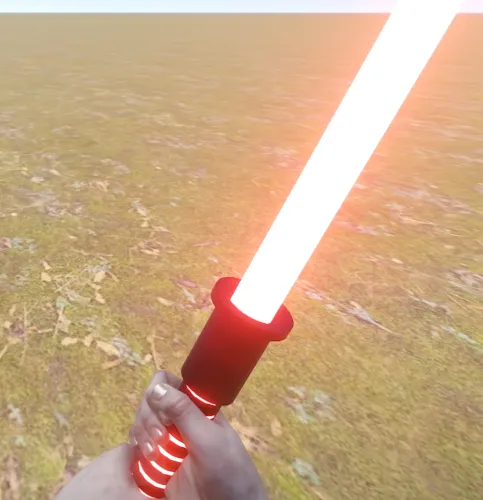 I checked the trading in the vending machine and everything is fine; I bought a custom item for 1 scrap (it was originally 100).
 -
As for ShoppyStocks, the author added support for it, but did a poor job of it. Everything needed to get a skin for a custom item is already in the library, and it wouldn't be hard to add it to his CUI serializer, but alas
-
The skin doesn't matter in this case, since the library handles it on its own. The only thing required of an external plugin is to pass the item ID (which is unique for custom items) to `sellOrders`. As a last resort, there is a handler that will select a custom item based on the base item and skin in the `AddSellOrder` method, although its main task is to process requests from the client, since these custom items do not exist on the client side.
-
Thank you for letting me know; I'll look into it shortly.
-
Changed Status from Work in Progress to Fixed Changed Fixed In to 1.0.2
-
It'll take me a little while to fix this. I think this anti-cheat check was introduced with the latest Rust update. In the meantime, if you want to try out the plugin as soon as possible, you can use the command: antihack.melee_protection 4
-
Changed Status from Fixed to Work in Progress
-
Can you shoot a video?
-
It is also an important detail that resources are collected only upon the final blow.
-
That is likely because you are using a regular hammer, whereas you need to use a metal one. This is stated in the description and is very important, as it is a different item. Its short name is: hammer.metal
-
I apologize for the initial bad experience; it should compile for you now. My mistake was that I didn't test the compilation on Oxide. I apologize again. Please download CustomItemDefinitions and AnvilUpgrade again.
-
I updated it under the same version; please give it a try.
-
Please also download Custom Item Definitions version 2.5.0; I just released the update.
-
Changed Status from Pending to Fixed Changed Fixed In to 1.0.1
-
Hello, thank you for letting us know; this has been fixed in update 1.0.1.
-
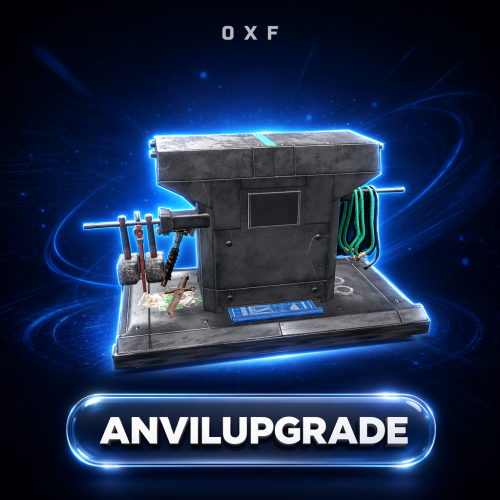 This is just a simple example to help you try out the plugin for the first time. You can easily remove it once you get the hang of the plugin.
 -
Version 1.0.5
42 downloads
Add a working Anvil and a Metal Hammer to your server and let players reforge their gear. Drop an item onto the anvil, strike it with the hammer, and it transforms into an upgraded or reskinned version — with resource costs and chance-based outcomes you fully control. Key Features Adds a custom Anvil deployable and a Metal Hammer tool as real in-game items Reforge system — place an item in the anvil and strike it with the hammer to convert it Chance-based results: one input can roll into several possible outputs (the default recipe turns an AK into ice, jungle, medical, diver, or a skinned variant) Fully configurable recipes — define the input item (shortname, skin, name, amount), its resource cost, the number of hammer strokes required, and the weighted result table Optional Metal Hammer durability, measured in strikes, with a found-condition range and repair support (can be turned off entirely) Tunable anvil entity: health, per-damage-type protection, optional invulnerability, and a lootable toggle Anvil decay with delay, duration, indoor decay, heal rate, and tick controls Anvil repair and pickup rules — require the hammer, require building privilege, and carry condition over on pickup Per-item world-model transform overrides so each item sits correctly on the anvil In-world UI that shows the resources needed for the current upgrade Localized into 31 languages out of the box Permissions & Commands None — AnvilUpgrade has no permissions or chat/console commands. Everything happens in the world: whoever holds the Anvil and Metal Hammer items can use them. Control access by choosing who receives those items. Configuration A full config is generated on first load at oxide/config/AnvilUpgrade.json. Excerpt of the key sections (the per-damage-type protection table is generated automatically with sensible defaults): { "Config Version": 1, "Metal Hammer Item": { "Enable Condition": true, "Max Condition (durability / strikes)": 500.0, "Found Condition Fraction Min (0-1)": 0.1, "Found Condition Fraction Max (0-1)": 0.4, "Repairable": true, "Maintain Max Condition": true }, "Anvil Entity": { "Health": 1000.0, "Lootable": true, "Invulnerable": false, "Base Protection (per damage type, 0-1)": { "Generic": 0.98, "Bullet": 0.9999, "Explosion": 0.4998, "...": "remaining damage types generated automatically" }, "Decay": { "Enabled": true, "Decay Delay (hours)": 8.0, "Decay Duration (hours)": 8.0, "Decay Indoors": false, "Override Heal Rate": false, "Heal Rate": 1.0, "Decay Tick Override (seconds, 0 = default)": 0.0 }, "Repair": { "Enabled": true, "Resources": [ { "Short Name": "metal.refined", "Skin ID": 0, "Amount": 25 } ] } }, "Anvil Pickup": { "Enabled": true, "Require Hammer": true, "Require Building Privilege": true, "Item Count": 1, "Set Condition From Health": true, "Subtract Condition (0-1)": 0.25 }, "Configs": [ { "Requirements": { "Short Name": "rifle.ak", "Skin ID": 0, "Text": null, "Amount": 1, "Number of strokes (Min 1)": 10, "Resources": [ { "Short Name": "metal.refined", "Skin ID": 0, "Amount": 30 } ] }, "Collect resources on success only": false, "Result Items": [ { "Short Name": "rifle.ak.ice", "Skin ID": 0, "Chance (0-100)": 20.0 }, { "Short Name": "rifle.ak.jungle", "Skin ID": 0, "Chance (0-100)": 20.0 }, { "Short Name": "rifle.ak.med", "Skin ID": 0, "Chance (0-100)": 20.0 }, { "Short Name": "rifle.ak.diver", "Skin ID": 0, "Chance (0-100)": 20.0 }, { "Short Name": "rifle.ak", "Skin ID": 2436647042, "Chance (0-100)": 20.0 } ] } ], "World Item Transform Override": {} } Each result item also supports amount ranges and a condition range; add as many recipes to "Configs" as you like. Localization Ships with 31 languages, including English, Russian, German, French, Spanish, Portuguese, Italian, Polish, Turkish, Ukrainian, Chinese (Simplified & Traditional), Japanese, Korean, and more. Every message is editable under oxide/lang. Dependencies CustomItemDefinitions (required) — library that provides the custom Anvil and Metal Hammer items ServerPrefabs (required) — library that provides the custom anvil entity and hammer prefab Installation Install the required libraries CustomItemDefinitions and ServerPrefabs. Drop AnvilUpgrade.cs into your oxide/plugins/ folder. Edit the generated config to define your recipes, then reload the plugin. Distribute the custom items to players — the Anvil (anvil) and Metal Hammer (hammer.metal) — through your kits, shop, or give system. Credits Prefab created by m1t1ngg. Support Questions, ideas, or issues? Leave a comment or send me a DM here on Codefling.$15.00 -
Changed Status from Pending to Fixed Changed Fixed In to 1.1.13
- 1 reply
-
- 1
-

-
Hello, thanks for letting me know, I fixed it in version 1.4.9
-
Changed Status from Pending to Closed Changed Fixed In to 1.4.9
-
Changed Status from Pending to Not a Bug
.thumb.png.ccf8a947948c9eb1445ad21a7931247b.png)