
0xF
-
Posts
912 -
Joined
-
Last visited
-
Days Won
9
Content Type
Profiles
Warranty Claims
Downloads
Forums
Store
Services
Downloads Plus Support
DOWNLOADS EXTRA
Reels
Everything posted by 0xF
-
The StackOverflow issue is related to ItemReceiver. Try unloading it for a while. Also, for investigation purposes, I need the full server logs; I can make the ticket private if necessary.
-
Please send the server log and specify which plugins the errors are associated with.
-
 Hello, please send me the full error message so that I can look into it.
-
Hello, please make sure to keep the CID library updated as a priority. The issue is likely due to you not having updated the library.
-
Hello, Where/how do I get the backpack? The plugin doesn't give backpacks from any default source. It registers custom wearable items defined in the server config — backpack.small, backpack.large, backpack.wood, backpack.ore, backpack.liquid, etc. The server owner hands them out via a give command, kit, shop or loot plugin; there's no craft recipe and no natural loot spawn built in. To use one, wear it in your clothing slot. Where is the button? Three ways to open, depending on how the server is configured: Chat command /backpack (requires the betterbackpacks.commands.open.allow permission granted by the admin). A HUD icon button next to your quick slots that appears when you're wearing a backpack — this is off by default (Icon Position = 0), so the server owner has to enable it in the config. The "open from belt quick slot" option — also off by default. If you don't see an icon or /backpack says you lack permission, ask your server admin to enable the icon in config and/or grant the permission.
-
 You're welcome! It can be used for many purposes — it's definitely a great buy.
-
Yes, that's right—I'll use the API in my paid plugins, since the library is a paid product and sound playback is optional. Either approach works, but if you're developing a product specifically for a server rather than for sale, this is the better option.
-
Unfortunately, there isn't one, since this requires decoding and encoding OGG files, which is difficult to do without third-party libraries. So you can adjust the volume within the file itself and create, for example, several versions. Be sure to do this in mono; otherwise, you'll run into the problem where the audio lasts only half as long.
-
Yes, the farther away the source is, the quieter the sound—this is demonstrated in the video with the sound of a shield breaking in Apex. You can also direct the sound toward specific players; for example, you can attach it to a head model to create the best possible sound for a player, or position it at a short distance to help with sound localization (in case the sound doesn't reach far enough). I also recommend using a static approach to libraries with Carbon. It's very convenient.
-

Version 1.0.2
11 downloads
Halloween Mounts Set your server apart this spooky season with a bundle of two fully custom rideable mounts: the Broomstick, a real witch's broom you drop into the world and fly, and the Pumpkin Jumper, a living jack-o'-lantern that populates your roads on its own and refuses to stand still. Both are true BaseVehicle physics rides — mountable, damageable, pushable, audible — built as real entities, not reskinned horses, and both ship with player-facing text in 31 languages. Features Both mounts Real custom vehicles — bespoke prefabs with their own colliders, physics, mount pose and dismount logic; interact through a native pie menu (Mount / Push / Mute), not a chat command. Squash-and-stretch feedback everywhere — both bodies deform on takeoff, landing and impact, driven by springs, so every hop and slam reads in one frame. Damageable mounts — 300 HP default each (configurable), with hurt and death cues; they also take physics pushes from players by hand or pie menu. Water isn't a wall — buoyancy, drag and splash physics; both mounts bob back up and can be ridden through or out of water. Smart ambient audio zones — a parked mount "beckons" or hums inside a radius (15 m pumpkin, 12 m broom), the zone goes silent once somebody rides, and every player can mute it for themselves alone. Custom soundtracks to every action — 48 named sound events across the bundle (32 broom, 16 pumpkin) routed through SoundLibrary, with automatic fallback to vanilla effect prefabs when a file or the plugin is missing. 31 languages — control tips, pie menus and every message come pre-translated; everything is editable in your lang folder. Mounts that fit tight spaces — dismount logic probes above obstacles and falls back to a velocity-aware release, so you can get on and off inside containers, bases and moving trains without clipping out of the world. The Broomstick Drop-to-summon item — a custom broomstick item: drop it and a real witch's broom appears; pick it back up with [R] (or pie menu) and the item remembers its current health. Full flight model — throttle flight at 11 m/s cruise, hold [SHIFT] for a 2.5× afterburner, release W to glide, dive to gain speed, [S] airbrake (full cruise stops in under a second), [CTRL] tuck-dive, tap [SHIFT] for a wingbeat hop. Overspeed bleeds off smoothly instead of snapping. Aerial tricks — barrel roll (RMB), backflip (MMB), or open the in-game tricks menu with [+use]; tricks refuse politely with a toast when the broom lacks air clearance. Hyper drive — toggle your light to order a burn: charge-up with a live % readout, then 55 m/s along a locked rail, launch lift, a coast-out that bleeds back to cruise like a heli-flare, and a 6 s cooldown. It refuses (with reasons) when wet, damaged, too low, mid-trick, or when the rail ahead isn't clear — and it cuts itself short the instant terrain rises onto the rail. Antihack-proof by design — a levitation floor samples the terrain under the hull's entire footprint one physics tick ahead, keeping the mount clear of antihack's InsideTerrain kill even at full burn; dismount mid-air is impossible by design, so space only releases a rider at walking pace over solid ground. Personality — parked brooms levitate and sway, the rider parks into a nose-up hover pose, a broom skimming water sprays at speed — and a broom passing a watching player at 25+ m/s plays a passby sound only that player hears. The Pumpkin Jumper Spawns itself on your roads — pumpkins populate the map through the game's own minicopter road spawner: roadside topology only (cliffs, summits, beaches and oceans excluded), aligned to the road slope, refilled on the vanilla population tick, and saved across restarts. No commands, no map edits — join and drive. Hop gallop — the pumpkin moves by hopping: chain hops within the combo window and each one speeds up (cadence tightens per combo step, up to 10 steps), with a separate sprint hop. Super somersault — hold [+use] for a 9 m/s super-hop with a full 360° spin, the candle tucked away mid-revolution. Idle ritual — leave a pumpkin parked and it breathes softly, coils like a cat before a jump, then pops a little hop on its own; until ridden, it croons inside a 15 m beckoning radius to draw players in. Wall boing — hit a wall fast enough and the pumpkin boings away with a kick upward, squash maxed. Precise steering — proportional yaw control with a dead zone (no micro-spin), airborne steering toward your look direction, and ground friction to settle the bounce. Works with SoundLibrary (optional, strongly recommended) — all custom audio; without it, vanilla placeholder effects play and missing .ogg files are reported in console. CustomItemDefinitions (required for the broom item) — registers the broomstick item with its own icon and description. ServerPrefabs / ServerInteraction — the custom-entity and pie-menu frameworks the plugins are built on. Vanilla road spawning — the pumpkin population plugs into SpawnHandler directly and honours the server's Spawn.max_density and population tick. The two plugins are independent: each runs fine without the other. Configuration carbon/config/Broomstick.json — 61 tunable values across Flight, Maneuvers, HyperDrive, Water, Impacts and Meme, plus root keys for starter health, summon radius and ambience radius. carbon/config/PumpkinJumper.json — 55 settings across Physics, Hop, SuperHop, IdleRitual, Visual, Steering, Water, WallBounce, Interaction, Spawn and the full sound-name mapping. carbon/data/SoundLibrary/ — the .ogg files both mounts play (a startup audit lists anything missing). carbon/data/Broomstick/Icons/ — PNG icons for the broom's pie menu. Defaults are chosen, not placeholders: the broom's summon radius of 15 m exists so two brooms can't spawn stacked on each other, and its glide settles in about 20 s of lazy wing drag rather than flying forever — gliding stays honest. Pumpkin Spawn.MaxCount defaults to 6 and behaves like a dial, not a switch: setting it to 0 stops new spawns but keeps the pumpkins already on your map, so you can retire the event without deleting players' rides. By deliberate design, safety-critical flight values (the levitation floor, the pre-hit lookahead, the hyper rail re-checks and the terrain mask) are not configurable: those stand between a bad config value and an antihack InsideTerrain kill. Everything gameplay-facing stays tunable, and a hand-broken config (null groups, NaN values) silently resets those entries to defaults instead of killing the server tick. Commands & Permissions /broomstick (chat) — gives you the broom item. Permission: broomstick.give. broomstick.use — allows dropping, summoning, riding and picking up a broom. The Pumpkin Jumper needs neither: pumpkins spawn with the world and are ridden straight from the road. FAQ How hard is this to set up? Load the plugins and you're riding: defaults are a complete, tuned experience, and pumpkins appear on the roads by themselves. For the full audio, point SoundLibrary at the bundle's .ogg files — the plugin tells you exactly which are missing. Do pumpkins really spawn without me configuring anything? Yes. They use the same road-density system as the minicopter; Spawn.MaxCount is the only knob you need, and existing pumpkins survive restarts and config changes. What happens without SoundLibrary? Nothing breaks. Every custom sound falls back to a hardcoded vanilla effect, so the mounts still feel alive out of the box. Can my players get banned by antihack while flying? No. The broom's terrain guard keeps the hull above the terrain at every physics step — including during hyper burns — and it physically cannot dismount you at speed in the air. Do they survive real Rust physics? Both are rigidbody vehicles with continuous collision detection, buoyancy, wall bounces and damage — pushed, thrown and mounted like real entities, because they are. Quick Start Install SoundLibrary and drop the bundle's .ogg files into carbon/data/SoundLibrary/ (optional but recommended). Load CustomItemDefinitions, then PumpkinJumper and Broomstick. Pumpkins are already waiting on the roads. Give yourself a broom with /broomstick, drop it, and fly. Tune flight feel, hop physics and pumpkin population in the two config files — every value is live on reload. Compatibility notes The broom item requires CustomItemDefinitions; without it the plugin loads and the broom vehicle still spawns, but the player item isn't registered. Road pumpkins need the vanilla SpawnHandler, which only exists once the world is up — the plugin retries wiring for up to five minutes after load and disables spawning with a clear console warning if it never appears. Riding both mounts forces third-person view; [attack] toggles first/third person. The hyper drive deliberately cannot be fired: underwater, too low, mid-trick, below 25% health, or without ~1 s of clear sky along the rail. Support Discord: https://discord.gg/8nztXhvgDe Author: 0xF — .0xf Every player-facing string is editable in carbon/lang/<lang>/Broomstick.json and PumpkinJumper.json — English and 30 more languages are included.$25.00 -
Version 0.1.0
50 downloads
A server-side interaction framework for Rust plugin developers. It traces the player's look target, splits USE into quick / long presses, serves the game's native radial pie menus with per-plugin lifecycle, and adds server-authoritative attack input — everything another plugin needs to build console-quality interactions without touching UI libraries or hooking input itself. It is a foundation, not a feature: install it, and your plugins gain a ready-made interaction layer — look-target detection, crosshair feedback, pie menus with automatic cleanup, and a safe dispatch pipeline that never lets a misbehaving callback take down the server. Features Quick / long USE dispatch — server-side detection from OnPlayerInput: a press under 0.2s fires the quick interaction, a held press opens the pie menu. Mirrors vanilla quick/long-press behavior with no client-side input hooks. Look-target tracing — 2m reach across 14 physics layers (deployables, ragdolls, vehicles, constructions, terrain, bushes and more) with proper line-of-sight validation, nearest-valid-entity selection, and full ray pooling for zero garbage. Native pie menus — options render through the game's own radial menu system (CustomPie network message): name, description, sprite or skin image ID, color with built-in color modes, disabled/selected states. No CUI, no image libraries. Nested sub-menus — options can drill into sub-menus and walk back, built lazily per level through callbacks. Per-plugin ownership — menus opened via ServerInteraction.For(this) hang off the owning plugin's context and are unregistered as a unit when that plugin unloads, when the player disconnects, when a new menu replaces them, or on click. Orphaned console commands are impossible. Interaction crosshair — a HUD crosshair indicator appears when the looked-at entity is interactable, prewarmed per connection with cached, change-only CUI payloads so toggling costs nothing. Server-authoritative attacks — held entities implementing IServerAttack get FIRE_PRIMARY read by the server itself, not from a client-sent launch RPC: press / hold / release callbacks, configurable hold-to-fire time, one shot per hold. Item-side interactions — an abstract ItemModInteraction lets active-slot items define quick-use behavior and their own pie menus, with automatic fallback from the look target to the held item. Loot entity ID override — any entity can substitute the entity ID the loot window opens on, letting you proxy or virtualize containers without breaking the client's loot UI. Safe callbacks — consumer plugin exceptions in menu callbacks and option populators are caught and logged; the menu still closes and the console executor survives. Zero configuration — no config, no data files, no permissions to grant. Drop it in and load. Integrations Carbon — built for Carbon, with a Harmony patch into Carbon's ModLoader.UninitializePlugin so consumer plugins get automatic cleanup on unload. Native Rust UI — pie menus and the crosshair use the game's built-in systems (CustomPie, CUI), no UI dependency plugins. Consumer plugins — anything you build against IInteractionEntity, IServerAttack, ItemModInteraction, or ILootEntityIdOverride. API for developers Implement opt-in interfaces on your entities — the framework registers them automatically during its input pass: IInteractionEntity — quick USE (CanQuickUse → OnUse) and long USE (CanLongUse → GetMenuOptions) on any entity the player looks at. IServerAttack — hold-based attacks on the held entity: AttackHoldTime (0 = instant), OnServerAttackPress for charge-up cues, OnServerAttack to fire, OnServerAttackRelease with held duration. ItemModInteraction — the item-mod counterpart for items in the active slot. ILootEntityIdOverride — GetLootEntityId(player) returns the NetworkableId the client's loot window should open on. PieMenuOption — one menu entry: text, description, sprite/image, color and color mode, disabled/selected flags, a leaf Function, or NextMenuOptions/PrevMenuOptions for sub-menus. Open menus through your plugin's context, CID-style: this.ServerInteraction().PieMenus.Open(player, options) — owned menu, auto-cleanup on your plugin's unload. ServerInteraction.OpenPieMenu(player, options) — ownerless, cleaned up by the standard replace/disconnect/click rules. ServerInteraction.IsPieMenuOpen(player) / PieMenus.IsOpen(player) / PieMenus.Close(player) — state checks and explicit close. FAQ What does the plugin do on its own? Nothing visible beyond crosshair hints — it's a framework. Every interaction, menu and attack comes from consumer plugins you install or write against its API. Can plugins use it without Carbon's pie-menu features? The pie menus go straight through the game's native CustomPie message, so they render exactly like vanilla radial menus. What happens if my callback throws? The exception is logged, the menu closes cleanly, and the server's console executor keeps running. A buggy consumer plugin cannot brick input handling. How do you keep console commands secure? Menu options bind to hidden server commands with unique random GUID names, registered only while the menu is open and removed the moment it's clicked, replaced, or the player leaves. Players can't invoke stale commands. Compatibility notes The loot entity ID override uses a compiled IL pattern match on PlayerLoot.SendUpdate; if the game build reshuffles that method, the patch fails safe with a logged error and vanilla behavior continues. Support Discord: https://discord.gg/8nztXhvgDe — bug reports and API questions welcome.Free-
- 1
-

-
- #framework
- #api
- (and 3 more)
-
Version 1.0.2
22 downloads
Give your server any sound you want. SoundLibrary is a server-side sound library for Rust: drop .ogg files into a folder and every sound becomes instantly playable — positioned in the world, attached to players or entities, looped, streamed through vanilla networking with zero client mod or workshop upload required. No client downloads, no upload to a workshop, no restart to pick up a new file. The plugin watches its sound folder live, caches everything in server FileStorage and streams it to clients through the game's own file-request pipeline — the exact pipeline official custom content rides on. Whether you want a raid alarm that shakes the whole map, a private voice line only one player hears, or ambient sound zones that ride along a moving object, you wire it up in one API call. A complete playback API (19 methods) turns audio into a building block for other plugins: events, NPCs, minigames, raid notifications, proximity ambience. SoundLibrary does the hard networking part; your plugins do the fun part. Features No client mod, no workshop — sounds are cached in server FileStorage and streamed to clients on demand through the game's own file-request pipeline (vanilla sv_requestfile), exactly like official custom content. Everything your players hear comes from vanilla systems. Zero-install for players — a client missing the sound simply requests it; the server answers through the same channel as official files, with the same caching, so the transfer happens exactly once per player per sound. Drop-in sound loading — the plugin watches its data folder live: add, replace, rename or delete a .ogg and it loads or unloads within seconds. No restart, no plugin reload, no console commands to teach the server about new files. Single sounds & multi-part audio — a root .ogg file is one sound; a first-level subfolder of numbered files (1.ogg, 2.ogg, 3.ogg…) is one long sound whose segments chain seamlessly in numeric order. Watcher events arriving out of order are re-sorted, so a growing folder always plays as one continuous track. Positioned playback — play any sound at a world position for every connected player. One call, whole-server audio. Attached playback — parent a sound to a player, an entity, or a specific bone, so it follows its host wherever it goes. Entity playback is heard by that entity's network subscribers and not by the rest of the map — you get proximity-correct audio for free. Private playback — target a single player or connection: only they hear it. Ideal for personal voice lines, UI-style chimes or per-player cues without leaking to everyone else. Looping — any playback can loop endlessly, positioned or attached, private or worldwide. Perfect for ambience and background music. Sound zones — spawn an invisible trigger sphere at any position and radius; every player standing inside hears its sound, players leaving stop hearing it. Parent the zone to a moving object and its audio rides along frame-by-frame — roaming ambience, event perimeters, hazard areas, moving machines. A sourceOffset places the audio point anywhere inside the zone. Built for reuse — re-entering a zone reuses the same playback instead of stacking a second one; re-saving a file with identical content does not restart audio that is already playing. Idle emitters pool back per player, so repeated plays spawn no entity churn. Surgical stop control — stop by playback id (kills exactly one play invocation), by sound name (every instance, worldwide), by name-for-one-player, or wipe everything a player is currently hearing. Stopping by name works even after the file behind the sound was replaced or deleted. Playback ids — every Play returns an id; IsSoundPlaying queries whether it still produces sound, StopSound takes it down, and 0 means the play was rejected — so your plugin always knows what is on air. Hot-reload safe — a plugin reload re-reads the folder, unregistering every sound that vanished from disk so nothing ghosts on. Reloaded versions of the same file swap into the registry cleanly. Robust by design — locked file mid-write? The watcher debounces writes and retries against transient IO locks. Watcher event buffer overflow? A full rescan re-converges the registry with the folder automatically. Corrupt or non-ogg bytes? Rejected with a logged reason before they can reach memory. Long sounds handled — segments longer than ~36 s are clamped by rewriting the ogg granule position, so the client reports and ends the sound exactly on schedule. Longer audio simply lives in segment folders. Invisible by nature — playback rides a vanilla client entity scaled down to nothing; players never see the machinery, they just hear the sound. Built-in admin tooling — a live sound table (names, CRCs, per-segment durations), instant in-game test playback, and multi-form stop commands. Dev visualization — with the client's debug.sounds flag on, a developer standing in a sound zone sees its sphere and labels drawn in world space. Tune placement without guessing. How it works SoundLibrary is fully server-side, and nothing it does touches the game's server entity list: A cassette holds every loaded sound's .ogg bytes in server FileStorage under a fixed network id, so client-side caches stay warm across plugin reloads. On play, an invisible speaker is streamed to the target client as pure packets — it never enters the server entity list, so the game cannot save it, cull it or destroy it behind the plugin's back. The speaker plays the audio through vanilla phone-network RPCs (the answering-machine path), the exact wire format the game itself uses. Clients missing the bytes request them via sv_requestfile; the cassette answers with token-bucket rate limiting that mirrors vanilla's request queue and honors your server's filerequestbytespersecond, filerequestbytesburst and filerequestqueuelength settings. The result: custom audio that behaves like official content, on stock clients, with no mods, no downloads and no compatibility patches. API for developers SoundLibrary is built ecosystem-first. Call it from any other plugin through Plugin.Call, or reference it directly for the full typed surface: Playback — PlaySoundAt(name, position, loop = false) — world-positioned playback for every connected player PlaySoundFor(name, player, boneId = 0, loop = false) — attached to a player, heard only by that player PlaySoundFor(name, entity, boneId = 0, loop = false) — attached to an entity, heard by its network subscribers PlaySoundForSubscribers(name, entity, boneId, loop) — explicit subscriber playback for Plugin.Call callers PlaySoundFor(name, connection, loop = false) — targeted at one network connection Stop — StopSound(playbackId) — kill one exact play invocation and all of its emitters StopSound(name) — stop every playing instance of the sound, worldwide StopSound(name, player) / StopSound(name, connection) — stop that sound for one listener only StopSound(player) / StopSound(connection) — stop everything that listener currently hears Inspect — IsSoundLoaded(name), GetLoadedSoundNames(), GetSoundDuration(name) (total across segments), GetSoundPath(name) (disk path of the first segment) Sound zones — CreateSphere(position, radius = 5, soundName = null, loop = false, sourceOffset = default) spawns a trigger sphere and returns its GameObject for whatever your plugin does next: parent it to a moving entity, attach it to a base room, park it at an event spawn. Pass a null sound name to create a silent zone you fill in later; null parent leaves the zone standalone. Runtime loading — LoadSound(filePath) and UnloadSound(name) load or retire sounds without touching the folder. Paths outside the sound folder or beyond the first nesting level are rejected rather than half-loaded; unloading also stops any live playback of that sound. Playback ids: every play method returns a nonzero id on success and 0 on rejection (unknown sound, dead parent, no connection). Keep the id to IsSoundPlaying(id) a specific invocation or StopSound(id) it down surgically — even while the same sound plays several times for several players. For in-process plugins the typed surface goes deeper: SoundManager.CreateSound() opens a builder — WithPosition / WithParent(entity, bone) / WithLoop / For / ForPlayer / ForAllPlayers / ForSubscribersOf — finished with Play. Every internal detail is handled for you: dead parents abort cleanly instead of spawning orphaned audio, emitters pool per connection across plays, disconnected players free everything their playback held, and SoundData exposes name, path, CRC, byte count and duration of every segment for plugins that want to reason about audio, not just play it. Performance Throttled loading — the watcher loads at most 5 files per tick and hands off work from its background threads through a single main-thread drain, so a bulk drop of 400 fresh .ogg files cannot hitch the server frame. Vanilla-shaped transfers — per-connection request budgets refill exactly like the game's own file-request queue, a full queue drops requests like vanilla does, and one connection's backlog can never starve another player's transfers. Memory that cleans up after itself — FileStorage entries are removed when the last sound using them unloads; identical files deliberately share one entry; disconnecting players detach their emitters and free their queues immediately. Pooled emitters — each player keeps a slot of idle emitters reused across playbacks, so repeated SFX never pile up network entities on their client. Configuration — there is none Say goodbye to config files. The folder is the configuration: data/SoundLibrary/YourSound.ogg → a sound named YourSound data/SoundLibrary/YourSong/1.ogg, 2.ogg, 3.ogg, … → a sound named YourSong, played as one ordered multi-part track. Segment files must be plain numbers; any other name is skipped with a logged reason. That's the whole setup. No config JSON, no data file, no in-game editor to break, and nothing to migrate between versions. The folder lives in your server's data directory (carbon/data/SoundLibrary on Carbon). Commands snd.print — print a table of every loaded sound: name, CRCs, per-segment durations snd.play <sound> [player] — test-play a sound, attached to the given player (or the caller), and report the playback id snd.stop — stop everything the calling player hears snd.stop <name> — stop every instance of the named sound snd.stop <name> <player> — stop that sound for one player snd.stop <id> — stop playback #id (the number returned earlier by the play API) The id form disambiguates itself: a live sound whose name happens to look numeric always wins over a playback id, so admin stops never misfire on oddly named audio. Permissions soundlibrary.admin — access to all snd.* console commands. Grant to admins only; regular players have no sound visibility or control. FAQ How hard is setup? Put a .ogg in the folder and it is playable the same second. One permission covers the admin commands. If you can copy a file, you have deployed audio. Do my players need to install anything? No. Sounds transfer over vanilla networking on demand; the client caches them like any official custom content. Players who already have the sound cached skip the transfer entirely. How long can a sound be? Any. Can sounds move with objects? Yes, twice over: parent playback to any entity (down to a bone) through the API, or parent a sound zone to a moving object and the zone carries its audio with it frame-by-frame. The zone does not care whether its parent is an entity or a plain GameObject. Will it lag my server? Loading is bounded per tick, playback rides pooled per-player emitters, transfers honor your existing vanilla request-rate settings, and nothing enters the server entity list. One huge folder loads at server pace, not at once. What happens on a plugin reload? The registry is rebuilt from the folder: sounds still on disk reload, sounds removed from disk vanish instead of playing as ghosts, clients with cached audio are not re-transferred, and live playback is stopped rather than left running on replaced audio. Can several plugins play the same sound at once? Yes — every play is an independent playback with its own id, its own target list and its own lifecycle. One plugin stopping its playback never touches another's. Quick Start Make sure ServerPrefabs is loaded (SoundLibrary requires it). Drop a .ogg file into data/SoundLibrary — it is loaded and playable this second. Grant yourself soundlibrary.admin and run snd.play YourSound to hear it, then snd.print to confirm the registry. Wire it into your plugins: PlaySoundAt("YourSound", position) — that's the whole integration. Update audio any time by replacing files in the folder; the watcher picks up the change while the server keeps running. What servers build with it Event and raid drama — a map-wide klaxon the moment a raid event opens, with looping ambient score until it closes. Private cues — a chime only the rewarded player hears; voice lines only the quest owner hears. Living map ambience — looping shore, cave or machine sound zones parented to terrain features or moving objects. Minigame and event soundtracks — multi-part tracks long enough for real music, chained from segment folders. Plugin ecosystems — a sound layer your other plugins share, instead of every plugin reinventing audio. Compatibility notes Requires the ServerPrefabs library plugin. Input format is .ogg (Vorbis) only — other formats and corrupt files are rejected with a logged reason. Sounds are heard on stock clients; nothing in this plugin asks a player to install mods, files or packs. Sound zones react to human players; NPCs are deliberately ignored, so NPC crowds never trigger zone audio. Support Discord: https://discord.gg/8nztXhvgDe — bug reports and API questions welcome. Author: 0xF.$20.00 -
That's strange — my archive looks intact.

-
Changed Status from Pending to Fixed Changed Fixed In from Not set to 0.1.1
-
Changed Status from Pending to Fixed Changed Fixed In from Not set to 0.1.1
-
Hello, Check the plugins folder for the phrase .PatchAll(. If you find anything, these plugins may be re-patching the game, but you'll need to look at the specific code for each plugin. Patching all plugins multiple times can lead to some pretty bad consequences, so I recommend looking into this.
-
Got it! Thanks for letting me know.
-
Hello, that is possible, please message me on Discord. .0xf.
-
Version 1.0.1
31 downloads
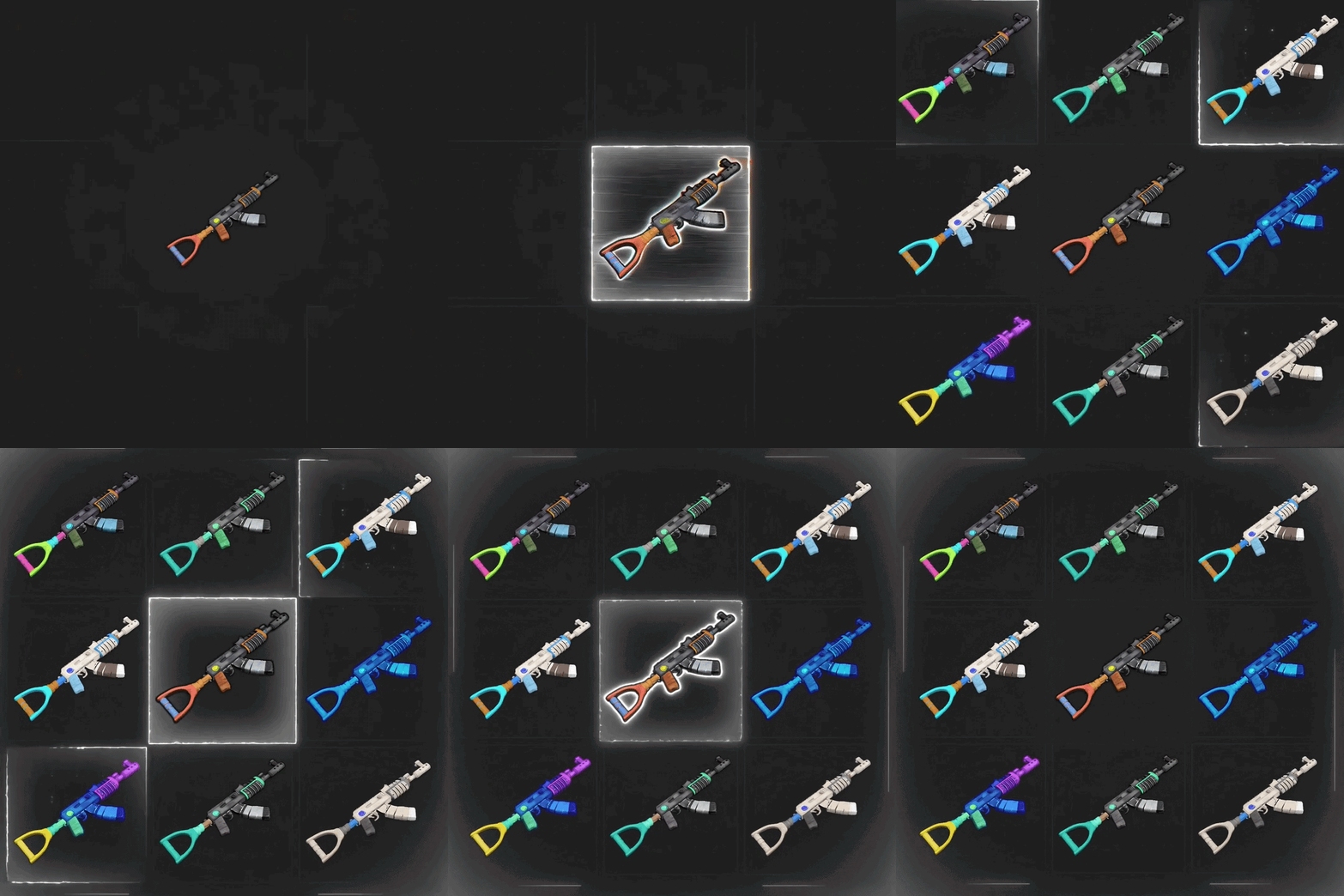
Custom & animated item icons, rendered server-side Give any item on your server a custom or animated icon — rendered server-side, streamed to players, no client mods needed. DynamicItemIcon repaints the icons of any item — vanilla items pulled from the CDN, Workshop skins fetched straight from Steam, or your own PNG files — and animates them right on the server. Effects, presets, keyframe clips and per-frame rendering all run off-thread, so your TPS won't feel it. 22 effects 11 presets 30+ API methods 25 commands zero config Features Any icon, any source Vanilla items · Workshop skins by ID · your own PNG files Every icon streams to players as a server-side sprite — nothing to install on the client. Effect chain language Chain effects with commas, tune each with named args: fx=glitch:3,neon:0x00ffcc From invert to pixelsort — 22 built-in effects, stacks compose freely. 11 ready presets corrupted · cursed · retro · golden · frozen · cartoon · vhs · cyber · void · holo · inferno One name — a tuned stack of effects. Mix presets into chains as building blocks. Keyframe clips Author animations as keyframe timelines: Per-key effect clips · frame indices · 5 easing types · loop / once / ping-pong Persistent bindings A bound animation rests on its frame 0 — players see the animated icon immediately on relog, dedup per session. Warm cache Frame-0 icons regenerate instantly at wipe/recompile — no cold stutter. Cache invalidation tracks code edits via IL-signature + MVID. Compositing Stack layers from item, skin or crc sources. 5 blend modes — over · add · multiply · screen · subtract — plus per-layer fx and opacity. CustomItemDefinitions support Overrides sprites for custom items out of the box. Batch export di.batchfx <png> runs any PNG through all 22 effects and 11 presets in one shot. 34 PNG files written to disk — preview every look before you bind. Targeted export & hue recolors di.exportfx rifle.ak hueshift:60 hueshift:120 — each fx argument lands as its own PNG file. one command → many variants for icon packs and skin shops. Wipe-safe OnNewSave clears state, icons restore at next boot. Atomic writes · debounced saves · data files stay clean. Installation Drop DynamicItemIcon.cs into your plugins/ folder. Get a GSLT token (required for Workshop skin sources): log in at steamcommunity.com/dev/managegameservers, create a token for App ID 252490 (Rust). Add it to your launch script: +server.login_token <YOUR_TOKEN> Restart the server. The token is read once at Steam login — a hot reload will not pick up a newly added launch argument. Start adding icons: di.skin <workshopId> to preview a Workshop skin, di.fx rifle.ak invert to test an effect. Steam auth fallback: token missing or invalid → the plugin still boots with a warning, server stays on anonymous login; Workshop fetching degrades gracefully to the vanilla icon. Vanilla icons and your own PNGs work without any token. For developers 30+ API methods, all callable from other plugins: Fetch & process: API_GetSkinIcon, API_GetItemIcon, API_ProcessSkinIcon, API_ProcessItemIcon, API_ProcessItem Composite: API_CompositeIcon, API_CompositeItem Animate: API_AnimateItem, API_PlayClip, API_BindClip, API_BindAnimation, API_UnbindAnimation, API_StopAnimation, API_StopAllAnimations Author clips: API_RecordClip (×2 variants), API_DeleteClip Register effects/presets: API_RegisterEffect (×2, owned), API_RegisterPreset (×2) Query: API_GetCRC, API_GetStoredIcons, API_ListEffects, API_ListPresets, API_ListClips, API_ListAnimations Admin commands 25 console commands under di.*: Items & skins: di.item, di.skin, di.fx, di.skinfx, di.processitem, di.compose Registry: di.effects, di.icons Animations: di.animate, di.animbind*, di.animstop, di.animlist, di.warmbind Clips: di.cliprecord, di.cliprecordkeys, di.clipplay, di.clipbind, di.cliplist, di.clipshow, di.clipdelete Exports: di.batchfx <png> — every effect, di.exportfx <png> <fx...> — targeted variants Permissions dynamicitemicon.admin — grants the full di.* command set. Configuration Deliberately minimal: one config option. Zero-config by design — everything interesting is done over the API and commands. Data lives under data/DynamicItemIcon/: processed/, vanilla/, skinned/, batch/ and export/. Compatibility & limits Source fetches time out and fall back to the vanilla icon — a failed download never bricks your items. Effect owners pause/resume cleanly: owner plugin unloads → its bound animations keep playing from cache. Max 1024 animation frames per clip; client preload throttled (≈40 PNG/s) so relogs don't spike players. FAQ Do players need to install anything? No — icons are server-rendered PNGs streamed through Rust's native icon pipeline. Will it break my server without the Steam token? No — falls back to anonymous login with a warning; only Workshop fetching degrades. What happens after a wipe? Bindings clear on the new save, cached icons restore automatically at boot. Does it lag the server? Frame generation and PNG encoding run on the thread pool; the main thread only decodes the source once. Can other plugins add effects? Yes — API_RegisterEffect accepts their own delegates; ownership tracking handles their reloads. Support & credits Written by 0xF. Join https://discord.gg/8nztXhvgDe for support and updates.$10.00-
- 3
-
-
- #custom icons
- #animated icons
- (and 10 more)
-

Version 0.1.2
107 downloads
Stop writing plugin code in a single file. Alloy is a folder-plugin compiler for Oxide/uMod and Carbon. It turns a folder of C# source files into a single living plugin — compiled in-memory with Roslyn, loaded without a restart, and hot-reloaded in under a second every time you save. Write code in your IDE. Hit save. The plugin is already running the new version. What Is Alloy? Alloy is a developer toolchain — it does nothing for players on its own. Everything it does is for you: faster iteration, real project structure, and debuggable code on a live server. A regular Rust plugin is one .cs file. That works until it doesn't — 5,000 lines in, navigating the file becomes the slowest part of development. Alloy adds the folder plugin format: multiple files, nested folders (Core/, UI/, …), conditional compilation, dependencies and assembly references — all described in a single alloy.json manifest. Edit any .cs file in the folder and Alloy recompiles and hot-reloads the plugin automatically. Classic single-file plugins keep working untouched. Alloy only manages folders that contain an alloy.json. Core Features Folder Plugins A plugin is a folder, not a file. Split code across as many .cs files and subfolders as you want — Alloy compiles them into one plugin. Hot Reload on File Change A file watcher rebuilds the plugin ~300–500 ms after you save. No restart, no console commands, no waiting. Atomic Reload with Rollback A broken edit never kills the running version — the last good build keeps working until you fix the errors. In-Memory Roslyn Compilation The real Roslyn compiler, in-process: full C# language features, #if directives, glob-based file selection. Real Stack Traces PDBs are generated for every build, so exceptions show the actual File.cs(42,17) — no more guessing from a merged blob. Manifest-Driven Configuration alloy.json controls included/excluded files (globstar patterns), plugin dependencies (requires), assembly references and conditional-compilation symbols (define). Dependency-Aware Lifecycle requires plugins load in dependency order. A plugin whose dependency is missing waits instead of failing — and loads itself the moment the dependency appears. Unloading a dependency unloads everything that depends on it. Conditional Compilation Alloy always defines ALLOY plus OXIDE or CARBON depending on the framework — one codebase targets both. One Core, Both Frameworks A shared Alloy.Core (netstandard2.0) with thin adapters per framework — identical behavior and manifest format on Oxide and Carbon. Console Commands alloy.list, alloy.load, alloy.unload, alloy.reload, alloy.build, alloy.verbose — full lifecycle control without leaving the console. The Folder Format oxide/plugins/MyPlugin/ ├── alloy.json ← manifest (required) ├── MyPlugin.cs ← entry class ├── Core/ │ └── Storage.cs └── UI/ └── Panels.cs { "name": "MyPlugin", "files": ["**/*.cs"], "exclude": ["Tests/**"], "requires": ["ServerPrefabs"], "references": ["0Harmony", "Facepunch.Steamworks"], "define": ["DEBUG"], "reload": { "watch": true, "debounceMs": 500 } } Dependencies and assembly references are declared only in the manifest — Alloy does not parse // Requires: / // Reference: directives in sources. [Info]/[Description] attributes remain the source of plugin metadata — the manifest never duplicates them. Debugging Compiler Diagnostics Real folder-relative paths: MyPlugin/UI/Panels.cs(42,17): error CS1002: ; expected — in the console and in the log. Runtime Exceptions Exceptions point to real files and lines thanks to generated PDBs. Log File logs/Alloy.log — Carbon FileLogger format: [yyyy.MM.dd HH:mm:ss] message. Verbose Mode alloy.verbose on — detailed pipeline logging: scan, globs, compilation, registration, watcher events. Installation Download Alloy.zip from this page and extract it. Inside are two folders — Oxide/ and Carbon/ — that mirror your server's directory layout. Pick the one for your framework and copy its contents into your server's root folder, then restart the server. The two folders never conflict. Oxide Copy the contents of Oxide/RustDedicated_Data/Managed/ into RustDedicated_Data/Managed/: Oxide.Ext.Alloy.dll, Alloy.Core.dll and the bundled Roslyn assemblies (Microsoft.CodeAnalysis.dll, Microsoft.CodeAnalysis.CSharp.dll, System.Collections.Immutable.dll, System.Reflection.Metadata.dll, …). Restart the server — the log will show Alloy initialized. Carbon Copy the contents of Carbon/carbon/extensions/ into carbon/extensions/: Alloy.dll and Alloy.Core.dll. Roslyn is already loaded by Carbon — no extra DLLs needed. Restart the server. Alloy plugins are registered in their own Alloy ModLoader package — one group in Carbon's plugin lists, never mixed with single-file plugins. Console Commands Command Action alloy.list Folder plugins: state, folder name, file count, build time alloy.load <name> Build and register the plugin alloy.unload <name> Disable and unload alloy.reload <name> Rebuild with atomic rollback alloy.build <name> Compile only — verify errors without loading alloy.verbose on|off Toggle detailed pipeline logging Perfect For Plugins that have outgrown a single .cs file Iterating on a live server without restarts Sharing one codebase between Oxide and Carbon builds of the same plugin Structured plugin projects with internal modules (Core, UI, Data…) Debugging with real file/line stack traces Framework and library plugins with complex internals Good to Know Alloy is a development tool — run it on your dev/staging server, not as a player-facing feature. Only folders with an alloy.json are managed; everything else behaves exactly as before. No // Requires: / // Reference: comment parsing — the manifest is the single source of truth by design. Alloy is a core developer tool for Rust plugin authors who want real project structure and instant feedback on a live server. Folder plugins. One-second iteration. Real stack traces. Development the way it should have been.Free -
The update may have installed incorrectly.
-
Hello. Are there any compilation errors when loading the plugin? Also, check if your user account has the necessary permissions. When did the plugin stop working?
-
 Unfortunately, I cannot link what you described to a specific part of the code; could you please record a video and submit it in a new ticket?
-
Hello, I fixed the error you mentioned; please give it a try.