

-
Posts
2,611 -
Joined
-
Last visited
-
Days Won
37
Content Type
Profiles
Warranty Claims
Downloads
Forums
Store
Services
Downloads Plus Support
DOWNLOADS EXTRA
Reels
Everything posted by David
-
Hey, it happens because you didnt properly close formatting tag at the end of the line. I recommend you adding lines one by one and then reloading plugin to see when it breaks, that way you'll find where the mistake was made.
-
Changed Status from Pending to Not a Bug
-
Hey, there is option in config file "Open on tab number." you can change to number 2 in order to open different tab by default.
-
Changed Status from Pending to Not a Bug
-
It can be two things, you didnt setup your template or you made some mistake in config file. Cant help you more without seeing those two files.
-
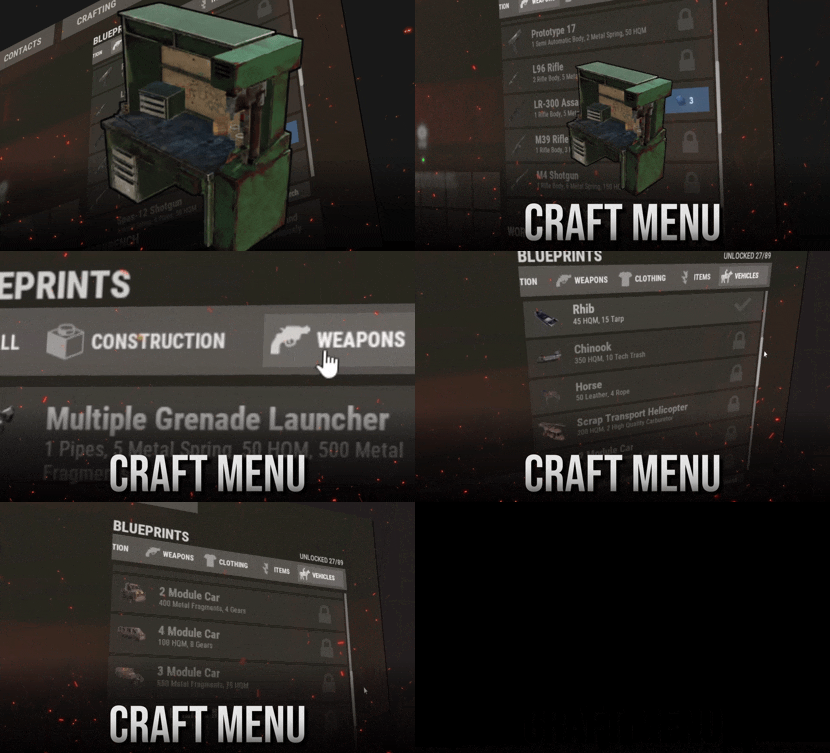 Will do partially, you can change item names and resource names but thats it
 -
 CustomMixingTable does not modify loot tables, you have to do that yourself.
 -
I recently made same plugin just wasn't happy with design but functionality is there. Let me know if you have any particular design in mind and I will send you testing version
-
Please use this for plugin support https://codefling.com/plugins/shop-ui?tab=support
-
 yes, you can apply Max Health Tea buff and modify value/duration
 -
As long as those helicopters are in form of items which goes into your inventory then yea. Chinook can be done with PortableVehicles for example.
-
Currently there is no option to craft commands.
-
Changed Status from Pending to Not a Bug
-
Hey, sorry but I'm not able to verify if you also purchased welcome panel, could you please DM me proof of purchase? I will send you instructions right away.,
-
What I mean is that I don't have spare time to scrap whole plugin and try to come up with something new which has very uncertain outcome since we don't have option to manipulate with those progress bars at all. Sometimes facepunch releases update which makes some plugins obsolete or unusable.
-
Changed Status from Pending to Not a Bug
-
To my knowledge there is nothing broken with the plugin.
-
Version 1.8.0
531 downloads
Create custom consumable effects. Instant metabolism, over-time effects, movement speed, tea boosts, and more. Feature Overview Instant + Timed Effects Apply calories, hydration, health, regen, bleeding, poison, radiation, and dirty on consume. Add effect-over-time ticks for oxygen, comfort, temperature, and more. In-Game Admin Editor Create, edit, test, give, and delete effects from a full UI. No JSON editing required for day-to-day setup. Overdose settings live in the same menu. Tea Boosts & Feedback Stack Rust modifiers like Move Speed, Scrap Yield, and Clotting. Pair them with screen overlays, consume FX, hold tooltips, and custom vital timers on the HUD. Optional Overdose Effects can raise Rust's dirty metabolism. Past the dirty threshold, the player still gets the positive effect, plus a separate overdose effect you configure. Leave dirty at 0 and it never triggers. How it works Each effect is keyed by a custom item name. When a player consumes (or uses as a medical tool) an item whose name matches that key, ConsumableEffects applies your configured result instead of the vanilla consume behavior. Set a base shortname and skin in the editor so you can Give the item from the admin UI. For loot, kits, or shops, spawn the same shortname/skin and set the item name to the effect key (for example Combat Tea). https://www.youtube.com/watch?v=IafSWFMSKxs Commands Note Admin menu requires auth level admin or the permission consumableeffects.admin. Command Description /consumableeffects CHAT ONLY Opens the admin UI to list, create, edit, test, give, and delete consumable effects, plus overdose settings. Frequently Asked Questions Can players see what an item does? The default item description cannot be changed. That is a game limitation, since descriptions are client-side. Set a tooltip on the effect instead. When the player holds the custom item, a tooltip pops up on their screen explaining what it does. Timed effects also appear as custom vitals on the HUD for their remaining duration. How does the plugin know which item to affect? By custom item name. The effect dictionary key must match item.name. Shortname and skin are only used as references for giving and identifying the item visually. Does it work with syringes and medical tools? Yes. Named medical items are handled on use the same way food and drink consumables are handled on consume. What are tea boosts? Native Rust modifiers (Move Speed, Scrap Yield, Clotting, Max Health, radiation resistances, and others). Enable Tea Boost on an effect, pick one or more types, then set value and duration. How does overdose work? Optional. If enabled, effects that add dirty raise the player's dirtyness. Crossing the dirty limit still applies the positive effect and also applies the configured overdose effect. While overdose is active, the player cannot start another consumable effect. Leave dirty at 0 on your effects if you do not want this system. Where are effects stored? In the plugin config under Effects. Older installs that used a separate data file are migrated into the config automatically on load. Help Have more questions? Reach out to us on Discord if you need support or have a custom request.$12.99 -
Guy "wp_edit" is basically position editor, you not suppose to click on anything and character moving in background it's not a problem. Usage is explained HERE, you are suppose to select one side of the panel which you want to move and then by clicking left/right button adjust value of it.
-
Changed Status from Pending to Not a Bug
-
Changed Status from Pending to Closed
-
Hey, sure it is something I can do in future version
-
Changed Status from Pending to Not a Bug
-
New version is complete rewrite, not only I had to change config file but also data files so before installing both files needs to be deleted.
-
good one