

-
Posts
2,623 -
Joined
-
Last visited
-
Days Won
37
Content Type
Profiles
Warranty Claims
Downloads
Forums
Store
Services
Downloads Plus Support
DOWNLOADS EXTRA
Reels
Everything posted by David
-

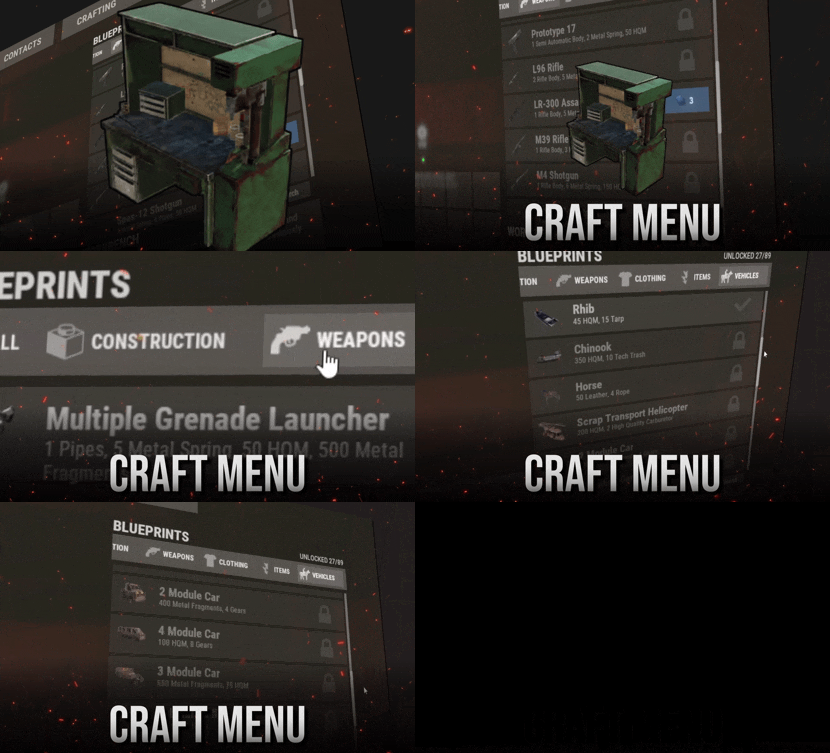
Some players can't see the craft menu
David replied to BetterDeadThanZed's Support Report in Support
You clearly dont understand the issue and how interaction with workbench works. You can't inject code on top of something which is client side. The workaround is that you open workbench upgrades, and CraftMenu is there. If there's any other way you would want to access CraftMenu, let me know and I'll add that in, but workbench interaction (pressing E) is not possible. I won't be refunding you for a plugin you bought almost a year ago just because of a client-side bug caused by a recent update. Every month, there's a chance that Facepunch will make some plugins obsolete through changes they introduce to the game. That doesn't mean creators should be held responsible for those changes and expected to go backwards, refunding hundreds of dollars to customers simply because Facepunch changed something in the game. -
Some players can't see the craft menu
David replied to BetterDeadThanZed's Support Report in Support
only Craftmenu is now accessible when you open workbench upgrades. I tried to hook into tech tree opening event but it's fully client side, I can't do anything with it. If you have any other ideas how players could access it feel free to let me know and I'll implement it. -
Some players can't see the craft menu
David replied to BetterDeadThanZed's Support Report in Support
Sadly, there's nothing I can do about that. Unless facepunch fixes the legacy interaction system, some players will have to access the crafting menu through workbench upgrades. If you can, please join the official Rust Discord and let the developers know about this issue. The more people who report it, the better. -> https://discord.com/channels/560127830160048128/565241301877129236 -
Some players can't see the craft menu
David replied to BetterDeadThanZed's Support Report in Support
CraftMenu UI is not showing up because they getting sent straight to tech tree after interacting with workbench or they getting the legacy interaction but ui is missing? -
Some players can't see the craft menu
David replied to BetterDeadThanZed's Support Report in Support
I'm afraid that this is client side issue which Facepunch will have to fix themself. I can only force server to send server variable to player but if client has bug which causes it to not accept it then there's nothing I can do. Ask one of the affected players to open their F1 console, type this command and send you the result (it will say True or False): server.uselegacyworkbenchinteraction -
It's visible only to admins. Can make config option to hide if it bothers you.
-
Changed Status from Pending to Fixed Changed Fixed In from Not set to 4.4.1
-
Changed Status from Pending to Work in Progress
-
Working on new version right now and I was wondering if sales on items is even necessary feature,. I've seen very few servers actually using it but if you need it I'll try to include in next version.
-
Changed Status from Pending to Fixed Changed Fixed In from Not set to 1.3.0
-
Yes, turning RRP off fixes that but it's enabled by default for everyone now so I'll have to change the layout little bit. I'll be working on it today.
-
Changed Status from Pending to Fixed Changed Fixed In to 2.0.4
- 1 reply
-
- 1
-

-
Hey, I added lang file but when it comes to resources displayed under item name, you'll have to use RustTranslationAPI or you will have to create custom name in data file yourself.
-
Changed Status from Pending to Fixed Changed Fixed In to 2.0.3
-
Changed Status from Not a Bug to Fixed Changed Fixed In to 2.0.2
-
 If you can't use support it means you don't own the file.
-
Use support section please
-
can you tell me how to replicate that?
-
Changed Status from Pending to Fixed
-
Changed Status from Pending to Fixed
-
Changed Status from Pending to Fixed
-
Changed Status from Pending to Fixed
-
Changed Status from Pending to Fixed Changed Fixed In to 1.3.2
-
it was always like that as far as I can remember, adding extra collider solved the issue with hammer hit not registering Terminals have to be placed first, once wheel is spawned it checks 30yard radius, that's default game behavior. Use tooltip option to inform players about this. Added it back.
-
Changed Status from Pending to Not a Bug

