

Mevent
-
Posts
3,532 -
Joined
-
Last visited
-
Days Won
53
Content Type
Profiles
Warranty Claims
Downloads
Forums
Store
Services
Downloads Plus Support
DOWNLOADS EXTRA
Reels
Everything posted by Mevent
-
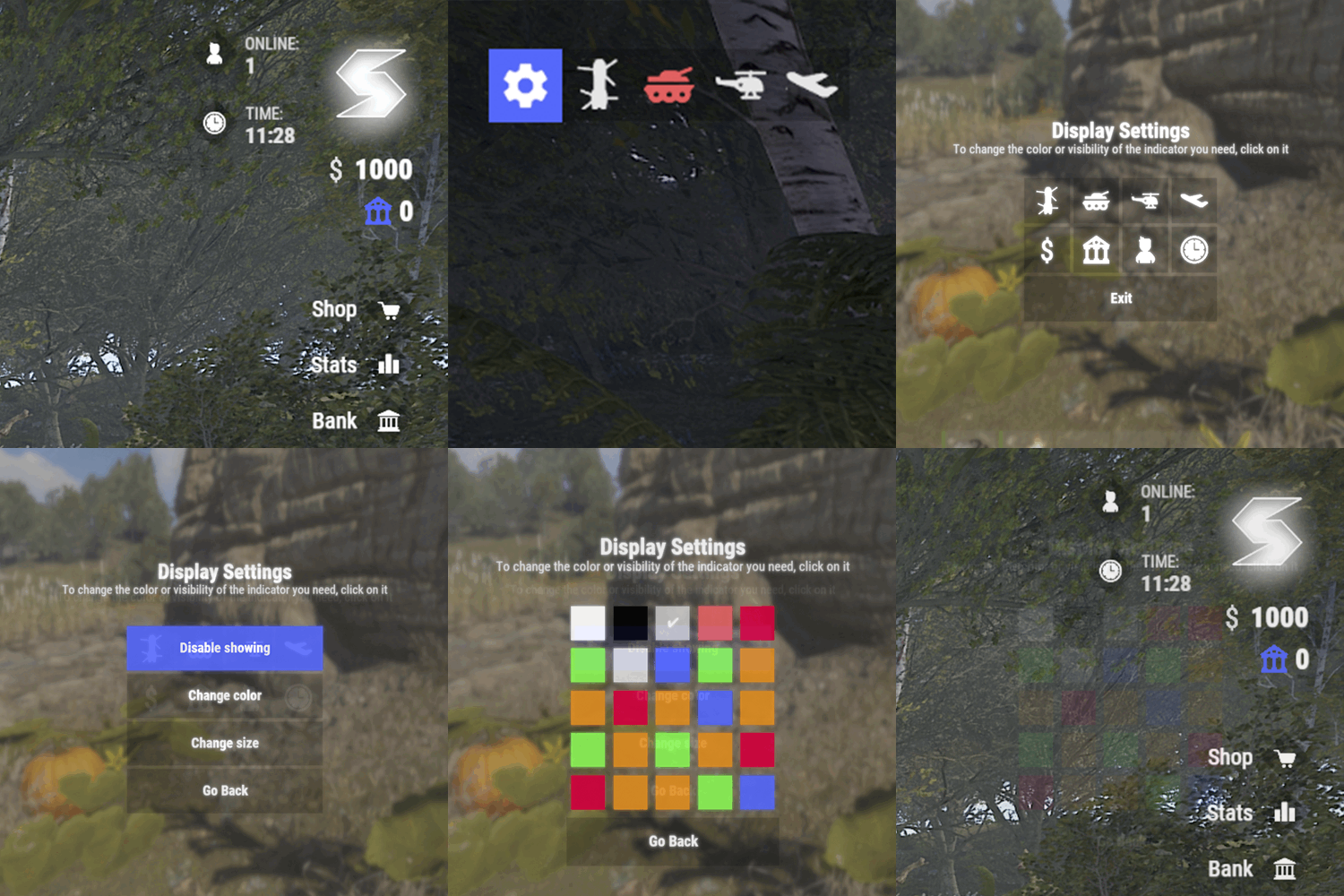 If you want the panel to appear in the upper right corner, set "Panel Anchor” to "UpperRight”. If you want it to be in the upper-left corner, set it to "UpperLeft”.
-
Hello! Thank you for reaching out about this issue. It sounds like you're experiencing some problems with your configuration file becoming invalid after manual edits, specifically with non-default items/commands and skinned items. To help prevent these issues, we recommend using a JSON validator such as https://jsonlint.com/ before saving your config file. This will ensure that the syntax is correct and can help avoid errors during the reload process. Additionally, make sure to double-check any custom permissions or commands you've added to confirm they are properly formatted. If the problem persists even after validating the JSON, please let us know so we can investigate further. We appreciate your patience and understanding while we work on resolving this.
-
However, during this time, you were always answered and tried to figure out what the problem was.
-
Hi. Yes, at some points, due to some personal issues, I don't have enough time to work. So I asked my partners to get back to you. I don't see anything wrong with that
-
you need to install a template adapted to this ServerPanel template: kits.template inmenu new_rust 1 - Sets the inmenu UI to the rust template, for ServerPanel template version 1. kits.template inmenu new_rust 2 - Sets the inmenu UI to the rust template, for ServerPanel template version 2.
-
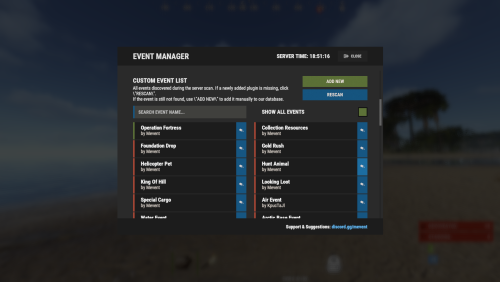 Very strange... I will check and fix it shortly
- 343 comments
-
- 1
-

-
- #eventmanager
- #manager
- (and 5 more)
-
Hi. Can you describe the problem you are having in more detail?
-
@Nazzer PM me in discord, I'll send you a fixed version so you can test this. P.S. My discord: mevent
-
 hello! everything works fine for me... please check if you have the sounds turned off in the game
-
I'm not quite sure what you mean Can you show me? A screenshot or a video
-
Can you send me your configs from Shop & BankSystem?
-
Changed Status from Work in Progress to Closed
-
we sent you a new version
-
Changed Fixed In from 1.0.17 to 1.1.0
-
Changed Status from Pending to Work in Progress
-
 Yes ofc
-
Version 2.0.33
2,634 downloads
A plugin for RUST server owners that schedules server events. You build your own schedules to fit your server. Features of Wipe Schedule Built-in editor: Manage events in-game through the plugin interface. Customizable calendar commands: Set your own commands for players to open the calendar and see upcoming events. Multi-language support: Translate all interface text into any language. Custom events: Add events with their own descriptions, dates and times, for wipes, tournaments or special server events. Easy integration: Quick to install with Server Panels. Flexible week display: Choose between two calendar week formats: Monday-first (ISO standard) or Sunday-first (American style). Recurring events: Create events that repeat on a set schedule instead of scheduling them by hand every week: Weekly events. Repeats every X days. Monthly and annual events. Complex combinations: Combine different repeat types to build your own schedules. Commands /wipe: Open the calendar interface (for players) wipeschedule.time (console): Displays current plugin time with configured timezone offset. Useful for verifying timezone settings. (RCON/Server console only) Permissions wipeschedule.admin: Grants full access to create, edit, and delete scheduled events through the in-game interface. Video overview Web Config Editor Manage the WipeSchedule settings in our web config editor. You change the config in a browser form instead of editing files on the server by hand. P.S. The web config editor is open to members of the "WipeSchedule" group in our Discord server. Join at https://discord.gg/mevent and ask for the group. Test Server Join our test server and try the features yourself. Copy the IP address below to connect. connect 155.103.86.38:28015 FAQ Q: Where can I see an example of a config? A: Config Q: How do I add WipeSchedule to the ServerPanel menu? A: Follow these steps: 1. Open the ServerPanel menu in-game and click the "+ADD CATEGORY" button 2. Set these exact parameters: Type: Plugin Plugin Name: WipeSchedule Plugin Hook: API_OpenPlugin 3. Click the "SAVE" button to create the category Q: How can I hide the bottom panel with "/info" command and event color markers? A: To hide the bottom information panel, edit the UI configuration file located at oxide/data/WipeSchedule/SetupUI and set "Show panel with /info command and event color markers?": false in the Schedule section. The file name depends on your template: UIFullScreen.json for full screen mode, UIMenuV1.json for ServerPanel template V1, or UIMenuV2.json for ServerPanel template V2. Q: How do I set the calendar to start the week on Monday? A: By default, the calendar week starts on Monday (ISO standard). If you need to change it, edit the plugin configuration file and set "Start calendar week on Sunday": false to keep Monday as the first day, or set it to true to use Sunday-first format (American style).$29.95- 12 comments
- 6 reviews
-
- 9
-

-

-
- #wipe schedule
- #wipe
- (and 4 more)
-

Offline players gets kicked out of the clan
Mevent replied to Superman45's Support Report in Support
Changed Status from Pending to Closed -
Offline players gets kicked out of the clan
Mevent replied to Superman45's Support Report in Support
As a result, it turns out that the problem is in the https://umod.org/plugins/clan-team -
Changed Status from Pending to Closed
-
Nice!
-
At this point, only statically set up events will be on the calendar for now. And in EventManager I plan to add a command like /events, which will show the 5 nearest events.
-
I am preparing to publish a calendar plugin that has EventManager support. That is, the wipes calendar will automatically display events from EventManager!
- 343 comments
-
- 1
-
-
- #eventmanager
- #manager
- (and 5 more)
-
not at the moment... but in theory I could do it.
- 343 comments
-
- 1
-
-
- #eventmanager
- #manager
- (and 5 more)
-
Hi, I'm currently figuring out how to solve your problem. The original developer of this plugin is M&B, and he has not yet provided information about such features. I am waiting for a reply from him. I also don't have the plugins from Karuza and boats from Adem, so I'm also waiting for help from them to better understand the situation and find a solution. Thank you for your patience!