
-
Posts
69 -
Joined
-
Last visited
-
Days Won
3
Content Type
Profiles
Warranty Claims
Downloads
Forums
Store
Services
Downloads Plus Support
DOWNLOADS EXTRA
Reels
Everything posted by DesignCrew
-
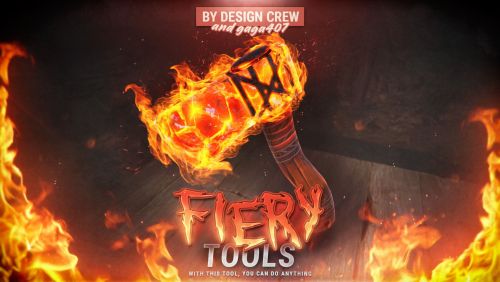
Version 1.0.1
4 downloads
$12.99-
- 1
-

-
- #firetools
- #fire
- (and 7 more)
-
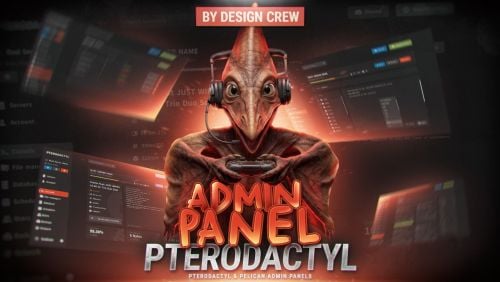
Version 1.0.0
3 downloads
$19.99-
- 3
-

-
- #pterodactyl
- #pterodactyl panel
- (and 5 more)
-
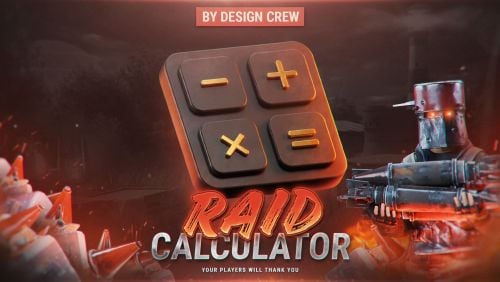
Version 1.0.0
1 download
$14.99-
- 1
-
-
- #calculator
- #plugin
- (and 8 more)
-
Changed Status from Pending to Closed
-
Version 1.0.0
1 download
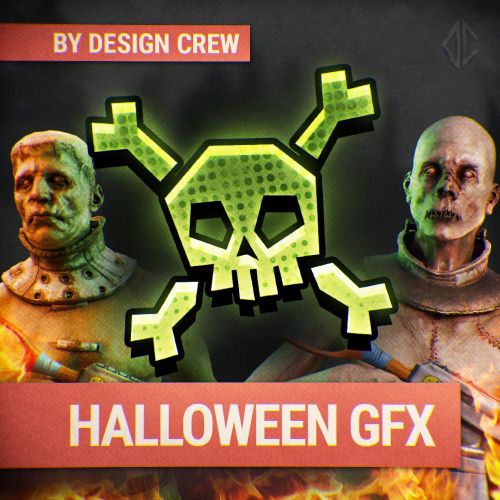
▌ Design studio · Est. 2015 · Halloween pack About the product A full Halloween design kit for your Rust project: header banner, Discord and server list banner, invite wallpaper, post banners in two formats, logos and four one-click text templates. Table of contents Jump to any section of this page 01 Overview 02 Features 03 How to use 04 Gallery 05 What's included 06 Changelog ▌ Halloween pack Overview We made this pack for the Halloween event, and Rust celebrates it with us. Inside is a full design kit for every format and every resolution, so you can use it anywhere you like. PSD 2560×1440 1920×1080 1080×1080 4 text templates What you need ▸ Adobe Photoshop and about 20 minutes What is included ▸ 6 PSD files ▸ 4 text templates ▸ 4 fonts ▸ All finished works as images Highlights ▸ One-click text effects ▸ Every format for socials and Discord ▸ Ready for the Halloween event ▌ Why it stands out Built to look great FEATURE 01 Every format Header banner in 2560×1440, banner for Discord and the server list, invite wallpaper, and posts in 1920×1080 and 1080×1080. FEATURE 02 Four text templates Fully automatic: no need to look for a font, pick colours or play with effects. Type your text and it is done, faster than any AI. FEATURE 03 Logos and pfp Three logo and profile picture options: pumpkin, Rust logo and skull. ▌ Instructions How to use it 01 Download the PSD files Unpack the archive and open the README file. All PSD files are downloaded by the link inside it. ▸ Link in README 02 Install the fonts Install the 4 fonts from the archive (double-click a font file, then Install). Do it before opening the PSD files, or the text will look wrong. 03 Use the ready images All finished works are in the archive as images. If the text on them suits you, post them right away: header, Discord banner, invite wallpaper, posts and logos. 04 Pick a text template There are 4 text templates. The font, colours and effects are already set up in each of them, you only change the words. ▸ 4 styles ▸ Automatic effects 05 Write your own text Open the PSD in Adobe Photoshop, pick the Type tool (T) and type anything: your server name, wipe date or event. The effects follow the new text by themselves. 06 Save and post Go to File, Export, Export As and save as PNG or JPG. About 20 minutes and your project is ready for the Halloween event. ▌ Full gallery Every design in one place ▸ Main banner Big banner in 2560×1440 for headers and page covers. Happy Halloween · 2560×1440 ▸ Wide posts Two post designs in 1920×1080. Wipe Map · 1920×1080 Event Halloween · 1920×1080 ▸ Square posts The same two designs in 1080×1080 for networks where a square fits better. Wipe Map · 1080×1080 Event Halloween · 1080×1080 ▸ Discord background Wallpaper for Discord invites in 1920×1080. Discord background · 1920×1080 ▸ Text templates Four automatic styles: type any text and the effects are applied by themselves. 4 text styles Your own text ▸ Avatars Three logo and profile picture options. Pumpkin · 1500×1500 Rust logo · 1500×1500 Skull · 1500×1500 ▌ Contents What's included Item Details Header banner 2560×1440, for headers and page covers Server banner 1920×1080, for Discord and the Rust server list Invite wallpaper 1920×1080, for Discord invites Post banners 2 designs, each in 1920×1080 and 1080×1080 Logos and pfp 3 options Text templates 4, fully automatic Files 6 PSD (download link in README), 4 fonts, all works as images Archive size 12.77 MB Price $18.99 ▌ Updates Changelog 1.0.0 October 23, 2026 — Initial release. ▌ Stay in touch Questions, custom work, new releases Discord · DesignCrew ↗ Discord · MadMappers ↗ VK · DesignCrew ↗ Telegram · DesignCrew ↗ DESIGN CREW · DESIGN STUDIO SINCE 2015 · THANK YOU FOR YOUR SUPPORT$18.99 -
Version 1.0.0
4 downloads
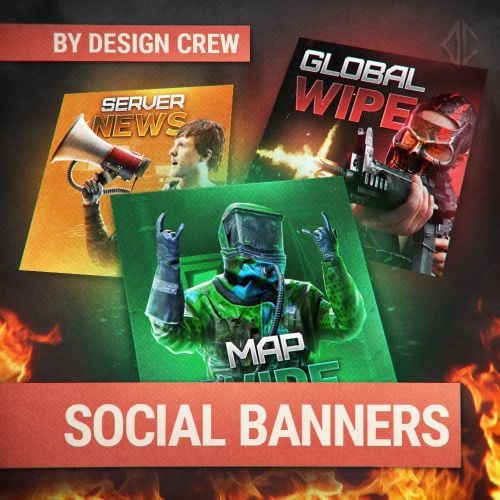
▌ Design studio · Est. 2015 · Social banners About the product A banner template set for social media posts. These banners cover every occasion. Made with 3D modeling and hand-finished. 1080×1080 format. Table of contents Jump to any section of this page 01 Overview 02 Features 03 Gallery 04 What's included 05 Changelog ▌ Banner pack Overview Everything you need to post banners for your server: a layered Photoshop template, ready-made banners and fonts. Change the text in seconds, the effects adapt to any text. PSD 1080×1080 Editable text Adaptive effects What you need ▸ Adobe Photoshop (any version) What is included ▸ Editable PSD template ▸ 10 ready-made banners + Halloween event ▸ Fonts ▸ Free updates Highlights ▸ Text is easy to edit ▸ Effects are adaptive ▸ 3D art, hand-finished ▌ Why it stands out Built to look great FEATURE 01 Easy text editing Replace the text, the template adapts to the new length. FEATURE 02 Adaptive effects Glow and effects adjust automatically when the text changes. FEATURE 03 3D, hand-finished Every image was made in 3D and processed by hand. ▌ Full gallery Every banner in one place ▌ Contents What's included Item Details Template Editable Photoshop PSD Banners 10 ready-made + Halloween event Size 1080×1080 Fonts Included ▌ Updates Changelog 1.0.0 October 5 — Initial release. ▌ Stay in touch Questions, custom work, new releases Discord · DesignCrew ↗ Discord · MadMappers ↗ VK · DesignCrew ↗ Telegram · DesignCrew ↗ DESIGN CREW · DESIGN STUDIO SINCE 2015 · THANK YOU FOR YOUR SUPPORT$11.49 -
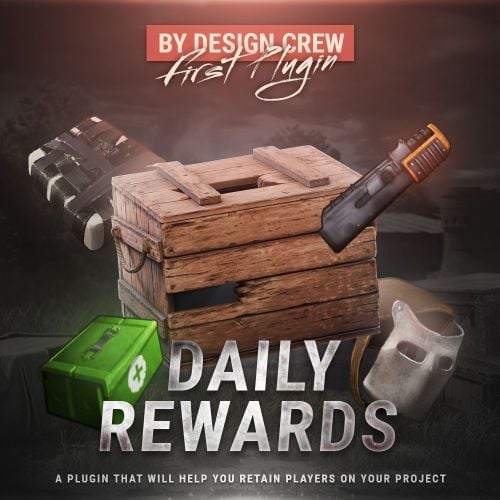
Version 1.0.1
42 downloads
$8.00- 6 comments
- 1 review
-
- 5
-
-
-
- #daily
- #daily rewards
- (and 4 more)
-
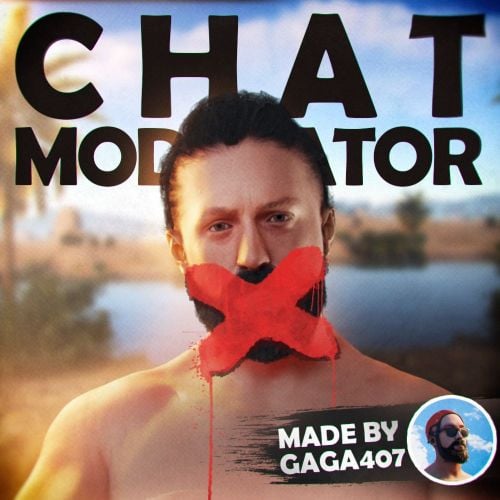 Great plugin with good optimization. Previously used other more well-known plugins with similar functionality, compared to them ChatModeration pleases with a higher level of optimization.
- 4 comments
-
- 3
-
-
-
- #chat
- #moderator
- (and 6 more)
-
Version 1.0.0
11 downloads
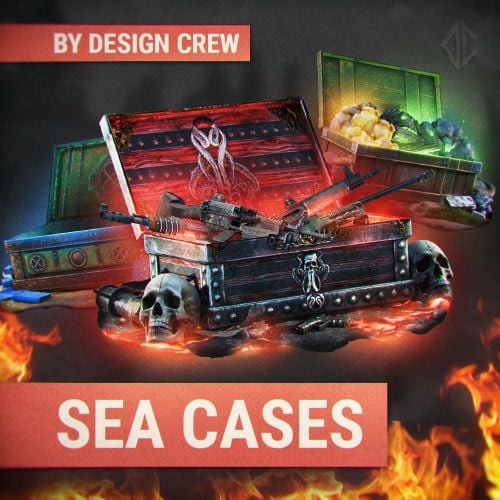
▌ Design studio · Est. 2015 · Sea cases About the product Sea-themed cases for your Rust store in gold, green, red, dark, fire and crystal looks. The template contains cases without effects, so you place the items yourself. Table of contents Jump to any section of this page 01 Overview 02 Features 03 How to use 04 Gallery 05 What's included 06 Changelog ▌ Sea cases Overview With this template you can make your own unique cases. Bright and high-quality effects will highlight your products among other projects. The sea cases style refreshes the design. PSD 5 ready icons Editable items Auto effects What you need ▸ Adobe Photoshop (new version) What is included ▸ Editable PSD template ▸ Five ready-made case icons ▸ Cases in gold, green, red, dark, fire and crystal looks Highlights ▸ Gold, green, red, dark, fire, crystal ▸ Place the items you want ▸ Effects set up automatically ▌ Why it stands out Built to look great FEATURE 01 Sea case styles Gold, green, red and dark chests, plus fire and crystal looks. FEATURE 02 Your own items The template contains cases without effects, so you place the items you want. FEATURE 03 Ready for the store Bright, high-quality effects highlight your products. ▌ Instructions How to make your own case 01 Open the template Open the PSD in Adobe Photoshop (any new version). The template has the sea cases without items and without effects, so you can fill them yourself. 02 Pick a case In the Layers panel turn on the eye next to the case you need: gold, green, red, dark, fire or crystal. Hide the rest. 03 Put your items inside Drag your item pictures into the document and place their layers above the case so they sit inside the open chest. 04 Save the case Go to File → Export → Export As and save the case as PNG. The ready examples in the archive show how the cases look with items inside. ▌ Full gallery Every case in one place ▸ With effects Ready cases with items and effects. Gold Green Fire Crystal Red ▸ Without effects Empty cases from the template: put any items you want inside. Green open Orange Green dark Dark Dark wood ▌ Contents What's included Item Details Template Editable Photoshop PSD Cases 5 ready-made icons Styles Gold, green, red, dark, fire, crystal Archive size 32.93 MB Price $7.00 ▌ Updates Changelog 1.0.0 March 27, 2026 — Initial release. ▌ Stay in touch Questions, custom work, new releases Discord · DesignCrew ↗ Discord · MadMappers ↗ VK · DesignCrew ↗ Telegram · DesignCrew ↗ DESIGN CREW · DESIGN STUDIO SINCE 2015 · THANK YOU FOR YOUR SUPPORT$8.49 -
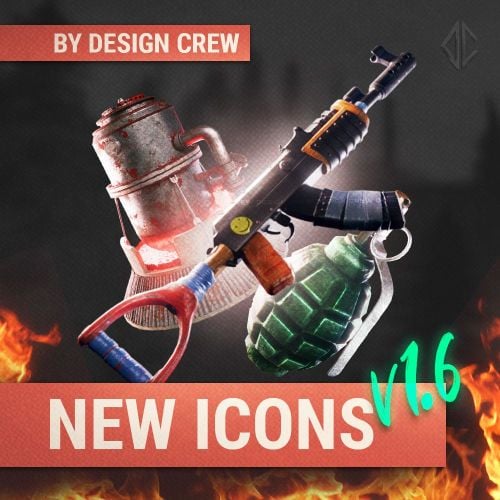 You can use them on your website to sell donations, on social media, or on the server in the interface.
-
Yes, we can add them.
-
Hi! We're currently updating this pack. If you have any ideas for icons that should be added, please let me know.
-
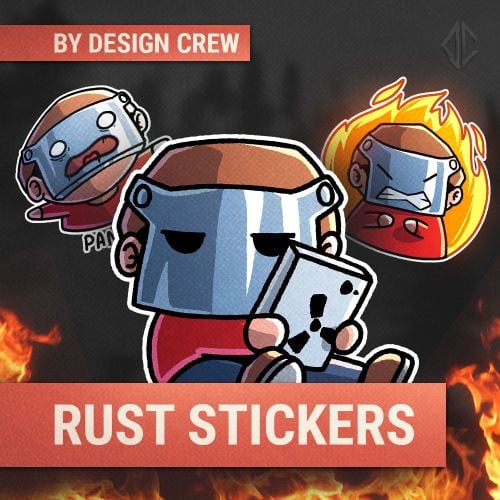 Yes, you can use them on your server as emoji. I've added an installation guide.
-
Damn! I thought no one would notice
- 5 comments
-
- 1
-
-
- #rust sticker
- #sticker
- (and 7 more)
-
Version 1.1.0
14 downloads
▌ Design studio · Est. 2015 · Rust stickers About the product Eight cute Rust stickers with the Design Crew knight: thanks, panic, questions, a heart with a gun and more. Use them on social media, Discord, Telegram or on your server. Table of contents Jump to any section of this page 01 Overview 02 Features 03 How to use 04 Gallery 05 What's included 06 Changelog ▌ Stickers Overview We decided to create stickers. You can use them on social media, Discord, Telegram or on the server. It is all up to you! PNG 8 stickers Social media Server emoji What you need ▸ No special software needed What is included ▸ 8 stickers ▸ Install guide for server emoji Highlights ▸ Thanks, panic, question, heart ▸ Use on social media and Discord ▸ Install as server emoji ▌ Why it stands out Built to look great FEATURE 01 Eight stickers Thanks with gold, panic, questions, a heart with a gun, a thumbs sitter and more. FEATURE 02 Use anywhere Post them on social media, Discord, Telegram or on your server. FEATURE 03 Server emoji Install them as emoji on your Rust server with the guide below. ▌ Instructions How to add them as server emoji 01 Make the folder Open the folder of your Rust server, the one with the cfg folder and the player data files. Create a new folder next to cfg and name it serveremoji. ▸ Folder name: serveremoji 02 Copy the stickers Copy the PNG files from the archive into serveremoji. The file name becomes the emoji name in game, so rename the files the way you want: thanks.png turns into :thanks:. 03 Reload the emoji In the server console run server.resetserveremoji. It rescans the serveremoji folder without a restart, but players have to reconnect to get the new emoji. 04 Use them in chat Type the emoji name between colons in the game chat, for example :thanks:. You can also post the stickers on Discord, Telegram or social media. ▌ Full gallery Every sticker in one place ▌ Contents What's included Item Details Stickers 8 Format PNG Install Server emoji folder Archive size 3.59 MB Price $5.00 ▌ Updates Changelog 1.1.0 March 22, 2026 — Latest update. ▌ Stay in touch Questions, custom work, new releases Discord · DesignCrew ↗ Discord · MadMappers ↗ VK · DesignCrew ↗ Telegram · DesignCrew ↗ DESIGN CREW · DESIGN STUDIO SINCE 2015 · THANK YOU FOR YOUR SUPPORT$5.00- 5 comments
-
- 2
-
-
- #rust sticker
- #sticker
- (and 7 more)
-
Changed Status from Pending to Closed
-
Hi! Could you clarify? Does the download not start at all, or does it stop with an error?
-
Version 1.0.1
3 downloads
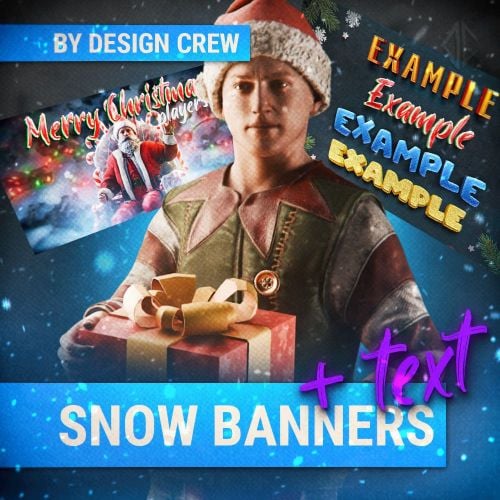
▌ Design studio · Est. 2015 · Winter banners About the product Christmas and winter banners for your server: snowy village scenes, festive titles and an editable text template. Ready-made pictures and a PSD to write your own text. Table of contents Jump to any section of this page 01 Overview 02 Features 03 How to use 04 Gallery 05 What's included 06 Changelog ▌ Winter banners Overview Hello everyone! Thank you for purchasing our product. These Christmas and winter banners are perfect for your project. PSD Ready pictures Editable text Winter and Christmas What you need ▸ Adobe Photoshop (new version) What is included ▸ Ready-made banner pictures in the PICTURES folder ▸ Editable PSD text template ▸ Fonts in the FONTS folder Highlights ▸ Christmas and winter banners ▸ Ready pictures to use as they are ▸ Text template for your own text ▌ Why it stands out Built to look great FEATURE 01 Ready pictures In the PICTURES folder you will find ready-made banners you can use right away. FEATURE 02 Your own text Follow the link, download the PSD and write your own text in the template. FEATURE 03 Fonts included Install the fonts from the FONTS folder to edit the text. ▌ Instructions How to use them 01 Ready banners Unpack the archive and open the PICTURES folder. The banners there are ready to post as they are: Merry Christmas, Wipe Map, Global Wipe, Update, plus clean winter backgrounds without text. 02 Install the fonts Open the FONTS folder and install every font in it (double-click a font file → Install). Without them the text in the PSD will not look right. 03 Write your own text Download the PSD by the link in the archive and open it in Adobe Photoshop. Pick the text style you like, choose the Type tool (T) and type your words. The effects stay on the new text. 04 Save and use Put the text on one of the backgrounds and go to File → Export → Export As to save it as PNG or JPG. You can use the text templates in any of your projects. ▌ Full gallery Every banner in one place ▌ Contents What's included Item Details Format Editable Photoshop PSD Pictures Ready banners in PICTURES folder Fonts FONTS folder Archive size 16.05 MB Price $10.00 ▌ Updates Changelog 1.0.1 March 28, 2026 — Latest update. ▌ Stay in touch Questions, custom work, new releases Discord · DesignCrew ↗ Discord · MadMappers ↗ VK · DesignCrew ↗ Telegram · DesignCrew ↗ DESIGN CREW · DESIGN STUDIO SINCE 2015 · THANK YOU FOR YOUR SUPPORT$9.99-
- 2
-
-
-
- #design
- #rust design
- (and 5 more)
-
Hi! These icons are suitable for use in the project's donation store and on social media. You cannot install them on the server.
-
 Thank you very much! Yes, these pre-made icons are available in a separate PSD file in the archive.
- 2 comments
-
- 2
-
-
- #design crew
- #designcrew
- (and 14 more)
-
Version 1.0.0
4 downloads
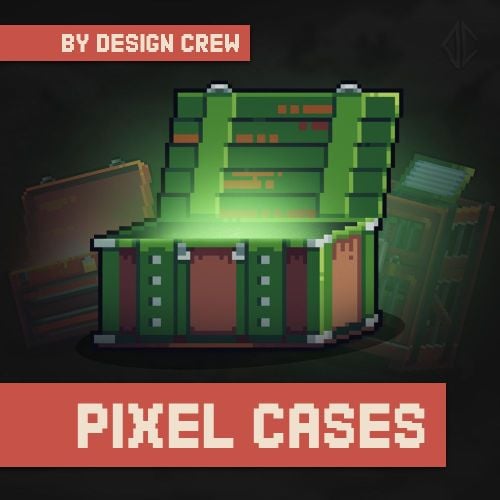
▌ Design studio · Est. 2015 · Pixel cases About the product A new product: minimalist pixel cases for your server store. Use the template to create any case and place any item you want inside. Table of contents Jump to any section of this page 01 Overview 02 Features 03 How to use 04 Gallery 05 What's included 06 Changelog ▌ Pixel cases Overview Hello everyone! Today we'd like to introduce you to our new product: minimalist, simple pixel cases. Using this template, you can create any case and place any item you want inside. PSD 5 pixel icons Editable items Any case you want What you need ▸ Adobe Photoshop (new version) What is included ▸ 5 pixel-art case icons ▸ PSD template Highlights ▸ Minimalist pixel-art cases ▸ Place any item inside ▸ Create any case from the template ▌ Why it stands out Built to look great FEATURE 01 Five pixel cases Home, bonus, raider, green and red pixel-art cases. FEATURE 02 PSD template Create any case and place any item you want inside. FEATURE 03 Minimalist style Simple pixel-art look that suits any server. ▌ Instructions How to make your own case 01 Open the template Open the PSD in Adobe Photoshop (any new version). Inside you will find the pixel cases in three versions: empty, with text and with example items. 02 Pick a case In the Layers panel turn on the eye next to the case you need (Home, Red, Bonus, Raider, Green, Grey) and hide the rest. 03 Put your item inside Drag any item picture into the document and place its layer right above the case. Move it into the open lid. You can put anything inside: weapons, resources, kits. 04 Add text and save Use the text version to add a name like BONUS or RAIDER with the Type tool (T). Then go to File → Export → Export As and save the case as PNG. ▌ Full gallery Every case in one place ▸ Ready cases Cases with text and items inside. Home Raider Bonus Sample ▸ Without effects Clean cases from the template: add your own glow, text and items. Red Green Wooden Grey ▌ Contents What's included Item Details Format Editable Photoshop PSD Cases 5 pixel-art icons Style Minimalist pixel Archive size 35.34 MB Price $8.00 ▌ Updates Changelog 1.0.0 November 28, 2025 — Initial release. ▌ Stay in touch Questions, custom work, new releases Discord · DesignCrew ↗ Discord · MadMappers ↗ VK · DesignCrew ↗ Telegram · DesignCrew ↗ DESIGN CREW · DESIGN STUDIO SINCE 2015 · THANK YOU FOR YOUR SUPPORT$6.99- 2 comments
-
- 1
-
-
- #design crew
- #designcrew
- (and 14 more)
-
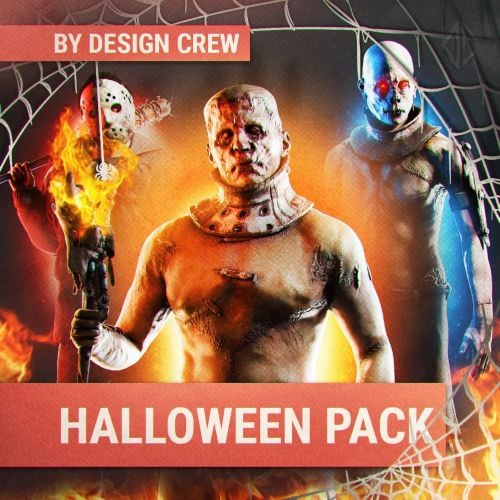
Version 1.0.0
5 downloads
▌ Design studio · Est. 2015 · Halloween icons About the product A Halloween pack of 7 unique characters that capture the spirit of the holiday: vampire, zombie, mummy, maniac, pumpkin head, Frank and Jason. Icons with and without text in a PSD template with fonts. Table of contents Jump to any section of this page 01 Overview 02 Features 03 Gallery 04 What's included 05 Changelog ▌ Halloween icons Overview Trick or treat! In honour of Halloween we have prepared a pack with 7 unique characters that capture the spirit of this holiday. They can be used in the store or on the server. Always choose quality! PSD 7 characters With and without text Fonts included What you need ▸ Adobe Photoshop (new version) What is included ▸ 7 icons with text ▸ 7 icons without text ▸ PSD template ▸ Fonts Highlights ▸ Seven Halloween characters ▸ Icons with and without text ▸ PSD template and fonts ▌ Why it stands out Built to look great FEATURE 01 Seven characters Vampire, zombie, mummy, maniac, pumpkin head, Frank and Jason. FEATURE 02 With and without text Icons with text and without text, ready for your store. FEATURE 03 PSD and fonts Editable PSD template with the fonts included. ▌ Full gallery Every character in one place ▌ Contents What's included Item Details Format Editable Photoshop PSD Icons 7 with text, 7 without text Fonts Included Archive size 93.99 MB Price $10.00 ▌ Updates Changelog 1.0.0 October 23, 2025 — Initial release. ▌ Stay in touch Questions, custom work, new releases Discord · DesignCrew ↗ Discord · MadMappers ↗ VK · DesignCrew ↗ Telegram · DesignCrew ↗ DESIGN CREW · DESIGN STUDIO SINCE 2015 · THANK YOU FOR YOUR SUPPORT$8.00-
- 2
-
-
- #halloween
- #design
- (and 10 more)
-
Okay, we'll add this in the next update, which will be released very soon!
-
 Hi! Technically yes, but you need help from a coder.
-
Version 1.0.1
7 downloads
▌ Design studio · Est. 2015 · Banners About the product A pack of five 3D banners for your server social media, in 1920×1080. Made in 3D and finished by hand, with the text in an editable Photoshop template. Table of contents Jump to any section of this page 01 Overview 02 Features 03 How to use 04 Gallery 05 What's included 06 Changelog ▌ Banners Overview This pack is made in 3D and finished by hand. You will find all the banners you need for social networks, in 1920×1080 format. PSD 5 ready banners 1920×1080 Editable text What you need ▸ Adobe Photoshop (new version) What is included ▸ 5 ready-use banners in 1920×1080 ▸ Editable PSD template ▸ Fonts Highlights ▸ Five 3D banners ▸ 1920×1080 for social networks ▸ Editable text and fonts ▌ Why it stands out Built to look great FEATURE 01 Five 3D banners Made in 3D and processed by hand, ready for social networks. FEATURE 02 1920×1080 Banners in the format you need for social networks. FEATURE 03 Editable template Change the text in the PSD template, fonts included. ▌ Instructions How to use the template 01 Install the fonts Unpack the archive and open the fonts folder. Install every font in it (double-click a font file, then Install). Do this before opening the PSD, or the text will look wrong. 02 Pick a colour version Open the PSD in Adobe Photoshop (any new version). In the Layers panel there are groups: DEFAULT ORANGE, DEFAULT without effects, CUSTOM RED, CUSTOM GREEN and CUSTOM BLUE. Turn on the eye next to the one you need and turn off the others. 03 Choose the banner Open the colour group. Every numbered folder inside is one banner: Tarzan, Archer, Hunter, Beach, Server, Global Wipe and About Server. Show the one you need and hide the rest. 04 Set your own colour In a CUSTOM group, open the text layer and double-click the Color Overlay effect under it. Pick any colour, the glow changes with it. To change the words, pick the Type tool (T) and type your own text. ▸ Effects, then Color Overlay 05 Save the banner Go to File, Export, Export As and save it as PNG or JPG in 1920x1080. It is ready for Discord, VK, Telegram and other social networks. ▌ Full gallery Every banner in one place ▸ Banners with text Ready banners for your server news. Global Wipe About Server ▸ Backgrounds Clean art in 1920×1080 for your own text. Tarzan Archer Beach Server ▌ Contents What's included Item Details Format Editable Photoshop PSD Size 1920×1080 Banners 5 ready-use Archive size 67.54 MB Price $11.00 ▌ Updates Changelog 1.0.1 September 11, 2025 — Latest update. ▌ Stay in touch Questions, custom work, new releases Discord · DesignCrew ↗ Discord · MadMappers ↗ VK · DesignCrew ↗ Telegram · DesignCrew ↗ DESIGN CREW · DESIGN STUDIO SINCE 2015 · THANK YOU FOR YOUR SUPPORT$9.99