

-
Posts
4 -
Joined
-
Last visited
Content Type
Profiles
Warranty Claims
Downloads
Forums
Store
Services
Downloads Plus Support
DOWNLOADS EXTRA
Reels
Everything posted by RustNIte
-
.thumb.png.9044ce3f654eaeb9ed17a0e1eb3ebc46.png)
Version 2.0.0
17 downloads
Advanced BattleMetrics Ticket System Table of Contents Overview Key Features BattleMetrics Features Snippet System Database Requirements Installation Windows Linux / Pterodactyl Setting Up the Bot FAQ Terms and Conditions ──────────────────────────────────────── Overview The Advanced BattleMetrics Ticket System is a powerful, fully supported Discord ticket bot built with Rust server communities in mind, it integrates directly with BattleMetrics, Steam and Echo to give your staff everything they need right inside the ticket without switching between tools or tabs during high volume situations. Built on a stable MySQL base and fully compatible with both Simple Link and standard MySQL based Discord and Steam linking systems, it is designed to work with your existing setup with minimal friction and a short setup time. All configuration is done through clean YAML files with inline comments explaining every field, no more guessing what a setting does or hunting through JSON for the right key. Full 24/7 support is available via our Discord server at discord.gg/reecepage, which also includes video tutorials and text based guides in a dedicated tutorials section. ──────────────────────────────────────── Key Features Modal Ticket Questions — Passive ticket creation through custom modal forms, collecting the right information before a ticket is even opened. Up to 10 Ticket Types — Each with its own custom styles, permissions, questions, channel name template and options for a wide variety of support categories. Custom Channel Names — Per ticket type channel name templates using tokens like {username}, {id}, {type} and {emoji}, sanitised and length enforced automatically. Allow Multiple Tickets — Configure per ticket type whether a user can have multiple open tickets simultaneously, useful for player reports and general inquiries. MySQL Database — Fully MySQL based infrastructure, supports Simple Link and standard MySQL Discord and Steam linking systems. Pending Channel — Tickets do not open automatically, staff can accept or deny incoming tickets to prevent spam and keep things organised. Pending Ticket Timeout — Automatically denies pending tickets left unreviewed for too long, configurable timer, notifies the user and logs the denial. Inactivity Auto-Close — Tickets with no activity for a configurable number of hours are automatically closed with a transcript generated before deletion. Ticket Cooldown — Prevents users from immediately resubmitting after a denial, configurable cooldown timer in minutes. Ticket Rate Alerts — If too many tickets are submitted within a short window the logs channel receives an alert, configurable threshold and time window. Ticket Claiming — Staff can claim and unclaim tickets using /claim or the buttons on the pinned embed, the pinned info embed updates in real time to show who is handling the ticket. Ticket Transfer — /transfer @staffmember hands a ticket off to another staff member, updates the claimed state and pings them in the channel. Ticket Reopen — /reopen @user recreates a ticket channel from closed history, posts the original form answers and context, notifies the user. Ticket Priority — /priority sets none, low, medium, high or urgent priority, the pinned embed color changes to reflect the level immediately. Close Reason Templates — /closetemplate lets staff save common close reasons, they appear as autocomplete suggestions in /close for faster, more consistent closings. Ticket History — /history @user shows the last ten closed tickets for any user including type, close reason, who closed it and the original form answers. DM Fallback Channel — If a user has their DMs closed the bot does not error, it creates a private channel visible only to them and the bot which acts as their inbox, all messages that would normally go to DMs appear there instead. Echo Integration — Full API integration with Echo, one of the leading cheater detection tools for Rust. Staff Statistics — /statistics get and /statistics leaderboard give a detailed view of staff performance with role-colored embeds. Snippet System — Staff with the right permissions can create, delete and use custom snippets for faster responses. HTML Transcripts — Generated on every ticket close, sent to a dedicated transcripts channel with opening and closing info and user mentions. Customisable Permissions — Different ticket types can be restricted to specific staff roles, per type accept, deny and Echo scan permissions. Ban and Blacklist System — /ban add and /ban remove to block specific users from creating tickets entirely. Application Commands — /m for custom message replies, /sm for hidden messages, /attachment for sending files without needing external links. Security Measures — Non-image file attachments are sent as links rather than files to prevent accidental malware execution. Activity Logs Channel — A dedicated logs channel receives clean activity events covering accepts, denials, closes, claims, transfers, priority changes and snippet management. Errors stay in console and file logs only. YAML Configuration — All config files are YAML with inline comments throughout, no JSON knowledge required. Rate-Limit Protection — Constant rate-limit tracking with RPM logging so you can monitor request volume at a glance. ──────────────────────────────────────── BattleMetrics Features Full Combat Log pulled directly into the ticket from the BattleMetrics activity API — no RCON triggers or commandID configuration required. Clan and team activity extracted from the activity stream covering join, leave, create and kick events — no RCON setup needed. BattleMetrics bans paginated across multiple embeds for players with large ban histories, flagged bans highlighted with a warning icon and a red embed color. Org server history shown in its own paginated embeds, up to six servers per page, with online status, playtime and last seen for each. Player notes pulled directly from BattleMetrics and uploaded as a text file for easy reference inside the ticket. K/D ratio, F7 reports and hour breakdowns all sourced from the activity feed, broken down by today and all time. See what server the user is currently on and how long they have spent on your organisation's servers for quicker and more relevant support. ──────────────────────────────────────── Snippet System Use /snippets get {identifier} to retrieve and preview any snippet. Use /snippets create {identifier} {output} to create a new snippet and improve response speed. Use /snippets delete {identifier} to remove unwanted snippets. Default snippets seeded from snippets.yaml use the updatable flag to control whether they can be deleted via Discord. Default snippets can be configured and customised directly from snippets.yaml, many free configurations are included out of the box. ──────────────────────────────────────── Database The system uses MySQL as its base database, it is reliable, fast and easy to manage, it fully supports both Simple Link and standard MySQL based Discord and Steam linking systems so it should work with your existing setup with very little configuration needed. Run setup.sql once to create the base tables, then run setup_additions.sql to add the feature tables for history, claims, cooldowns, close reason templates and priority tracking. ──────────────────────────────────────── Requirements Node.js 18.18+ — Required Discord Bot Token — Required MySQL Database — Required YAML config editing (comments provided) — Required BattleMetrics API Token — Optional Steam API Token — Optional Simple Link or MySQL Linking System — Optional Full support is available for Pterodactyl Panels running on OVHcloud VPS and similar setups. ──────────────────────────────────────── Installation Make sure to follow each step carefully, if you run into issues specific to your OS version or environment please reach out on our Discord server at discord.gg/reecepage. Windows 1. Download the zip and unpack it to your desired location. 2. Edit the YAML config files to your specifications — config.yaml, tickets.yaml, snippets.yaml. 3. Copy .env.example to .env and fill in your Discord token, database credentials and any API keys. 4. Run the start.bat file to automatically install all npm modules and start the bot. Built-in error restart handling is included. Linux / Pterodactyl (UNIX/Mac — No ARM CPU Support) 1. Download the zip and unpack it to your desired location. 2. Copy .env.example to .env and fill in your values. 3. Run npm install to install all npm modules. 4. Install PM2 by running npm install -g pm2, start the bot with pm2 start index.js --name abmts and monitor logs with pm2 logs. ──────────────────────────────────────── Setting Up the Bot After creating your bot application on the Discord Developer Portal at discord.com/developers/applications, make sure you have enabled all Privileged Gateway Intents under the Bot section in the sidebar. Use the link below to invite the bot to your server with the correct permissions, replace {APPLICATION_ID} with your Bot Application ID found under General Information in the Developer Portal. https://discord.com/api/oauth2/authorize?client_id={APPLICATION_ID}&permissions=2147871824&scope=bot applications.commands ──────────────────────────────────────── FAQ Where do I get support? Join our Discord server at discord.gg/reecepage, we offer 24/7 support including video tutorials, text guides and direct ticket support. Is there developer support? Yes, free developer support is available 24/7 on our Discord server. How do I customise bot messages and responses? All user facing messages are in locale.yaml, every string has an inline comment explaining what it is for and where it appears. How do I customise the create a ticket embed? Edit the createTicketDescription and createATicketTitle values in locale.yaml, or set createTicketEmbed to false in config.yaml to manage the channel yourself. Can I use a dropdown instead of buttons for ticket creation? Yes, set createTicketStyle to dropdown in config.yaml. Add a description field to each ticket type in tickets.yaml for the select menu subtitle. Can users have multiple tickets open at the same time? Yes, set allowMultiple: true on the relevant ticket type in tickets.yaml.$60.00 -
as soon as I upload the dll and restart the server, it no longer boots.
-
 Very good plugin and easy to setup! support also fast if you need help
 -
hey I can recommend Tempest Hosting Here is a link - one hand washes the other is my affiliate link, just to know The service is very good have had no problems for 2 years https://portal.tempest.net/aff.php?aff=263
-
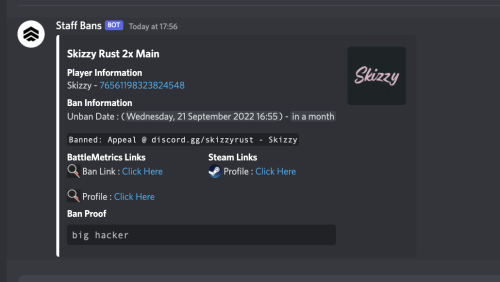 I can agree with rose I feel the same way
 -
 This bot is amazing! Very efficient and runs over Battle Metrics, so no performance loss. Thank you for the good work! I recommend this bot to everyone.