
flutes
-
Posts
150 -
Joined
-
Last visited
Content Type
Profiles
Warranty Claims
Downloads
Forums
Store
Services
Downloads Plus Support
DOWNLOADS EXTRA
Reels
Everything posted by flutes
-

Version 0.1.3
21 downloads
Let players pick their Rust chat announcements Players open /pevent and pick a message for when they join, leave, kill another player, or die. When that happens, the server posts their chosen message in chat. Oxide and Carbon. The player menu is included. Version 0.1.3 does not currently support PimpMyCUI. Open the PimpMyRust configurator → Cards menu · join announcements Choose what appears in chat Alex opens /pevent, picks the free “<owner_name> joined the server” message, and activates it. The next time Alex joins, online players see “Alex joined the server.” Players can activate one message per event, switch it, or turn it off. Kill announcements can also include the other player’s name. Free, VIP and paid announcements A fresh install includes 36 announcements in English and French. You choose which ones players can use, who gets access, and what they cost. Free. Players with access can activate these without spending anything. VIP. Reserve free announcements for players who have the VIP permission. Paid. Players confirm the purchase with server currency, then choose when to activate the announcement. Purchases use Economics, ServerRewards, or a compatible currency plugin configured by the admin. Set a minimum delay between a player’s announcements to prevent spam. You can also set a different delay for each event. Three layouts for the player menu Choose a compact list, two-column cards, or a terminal. In Appearance, adjust the colors, transparency, size, position, and text size. Compact on the left, Terminal on the right Set up your announcements in PimpMyRust Choose an event, write the English and French text, then set a price or reserve it for VIPs. Preview the message with a sample player name. Download the settings and language files together or edit the JSON files directly. Manual installation Extract the ZIP and merge its folders into oxide/ or carbon/. Load plugins/PlayerEventChatMessages.cs to create the defaults. Edit config/PlayerEventChatMessages.json and the language files if needed, then reload. Grant PlayerEventChatMessages.Default to the groups that can choose announcements and test /pevent. You can edit the JSON directly or use the optional PimpMyRust configurator. Upgrading from 0.1.2? Back up your files and replace the plugin. Keep your existing settings, language files and data. Codefling support →$5.99 -
Changed Status from Pending to No Response
-
Version 1.0.1
61 downloads
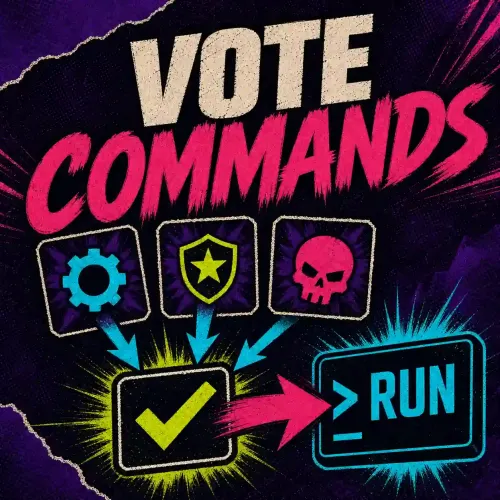
Let players vote in Rust Should blueprints reset next wipe? Which event should run next? Give players a ballot they can open with /vote. Use the result to make a decision, or have the winning choice run a server command. Oxide & Carbon · PimpMyCUI included Example poll · Should we reset blueprints at the next wipe? Run a poll or let the winner trigger an action For a community decision, leave the actions empty and check the result. For a vote to skip the night, assign the server command env.time 8 to the daylight choice. If it wins, the server switches to morning. You can also call a hook that takes no arguments in another installed plugin. Start a vote yourself or run it on a schedule. Set who can vote, the time limit, the minimum vote count and what happens in a tie. Choose whether players see the totals before the vote closes. Six layouts for the ballot Choose a layout for each vote. Civic Ballot, Relay Grid and Arctic Council are shown below. Operations Console, Field Terminal and Broadcast Panel are also included. Set up a vote in PimpMyRust Write the question, add choices and preview the menu in your browser. Download the JSON or send it to a connected server. You can also edit the JSON directly. Each vote has its own file. Open the Vote Commands configurator → Manual installation The paths below are relative to your server’s oxide/ or carbon/ folder. Install the included PimpMyCUI.cs in your server’s plugins/ folder, or keep your compatible version. Copy the supplied lang/en/VoteCommands.json and install plugins/VoteCommands.cs. If you already customized the language file, merge the missing keys. On a fresh install, run /vote_start as an admin, then open /vote. Grant VoteCommands.Example.Vote to players who should take part in the example. The example lives in config/VoteCommands/Example.json and starts with winner actions disabled. Edit that file or add another vote in the same folder. Codefling support$6.99 -
Changed Status from Pending to Not a Bug
-
Hello, The instructions for wiping are no longer present in the documentation, that was my mistake. When using CustomReward and VoteSystem, here is the procedure for wiping: - Make sure the plugins are not loaded - Delete the folder Data/CustomRewards_VoteReward_players - Delete the folder VoteSystem - Type the command (in the console): votesystem_wipe Feel free to contact me on Discord: d.0ne_
-
Hi, I've noticed several issues: - You want to use CustomRewards with VoteSystem, but it seems you haven't placed the "VoteReward.json" file in 'Oxide/Data/CustomRewards_rewards' (the file is included in the archive you downloaded at: '/New (CustomRewards + VoteSystem)/VoteSystem/CustomRewards Extension/Data/CustomRewards_rewards'). - Looking at your screenshot, I see that all your logs are duplicated, which appears abnormal (and is likely due to Oxide). While this might not cause issues with the plugin, it's not very reassuring (you might want to disable the PluginWatcher in your Oxide configuration). - I'm not sure which admin menu you're using, but if you're dont view the permissions, you might want to use Oxide commands instead to list the permissions and assign them to the correct groups. We can continue this discussion on Discord if you prefer (d.0ne_).
-
Changed Status from Pending to Closed
-
Hello, Did you follow the documentation? (https://flutes.gitbook.io/custom-rewards-documentation/setup-configuration/installation and https://flutes.gitbook.io/vote-system/). It seems the plugin is misconfigured. What steps did you take? Are you sure the CustomRewards plugin is properly loaded?
-
Hey, Can u contact me on discord ?
-
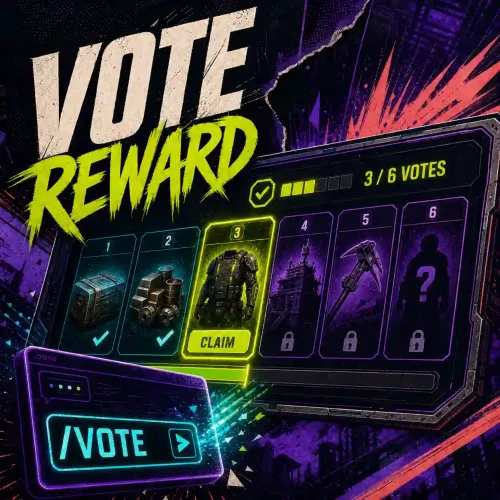 Hello, at the moment the plugin does not offer Discord integration, however, it seems to me that most voting sites do offer Discord integration
-
I think I've found the problem. The plugin relies on the current time you have. So, if you only delete the CustomReward data, upon the next installation, the plugin will retrieve the time stored by PlayTime Tracker. For now, the only solution is to delete the data related to PlayTime Tracker. If you'd like, I can add an option to prevent this.
-
Mhhh, your configuration seems correct. I'll run some tests on my end to understand where the issue might be coming from. Did you delete the data related to the number of points? If so, which files did you delete? You can add me on Discord: d.0ne_
-
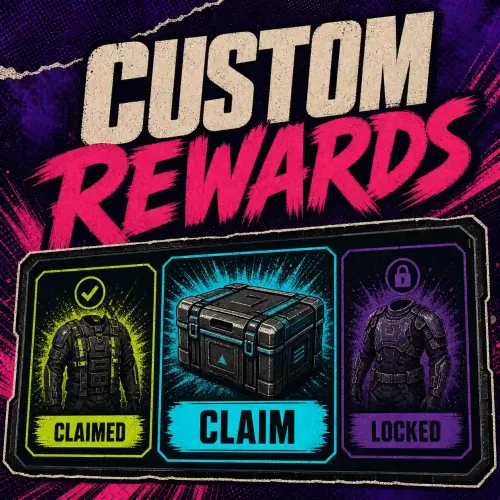 - The numbers between 1 and 5 (shown on the example screens) indicate the tier of the reward above, allowing you to track your progress - Yes, you can add an oxide group or permissions with rewards
-
Changed Status from Pending to Closed
-
Hello, I haven't found a solution yet to translate the page into English and therefore read the documentation (for the moment)
-
As I mentioned in one of our previous conversations, the original plugin (Vote Reward) has been split into two parts. Since this page was initially where I listed Vote-Reward for sale, it logically becomes a bundle now, given the plugin's division. This bundle also includes the original version of the plugin, meaning both plugins in one.
-
Changed Status from Pending to No Response
-
Hey, pack of 2 plugins - Vote System - Plugins - Codefling - Custom Rewards - Plugins - Codefling
-
 his plugin does not replace Playtime Tracker; it only use it. This plugin is an extension to CustomRewards and will be useless on its own
-
Version 2.2.1
194 downloads
Give players rewards they can unlock Choose the rewards and how many points each one takes to unlock. Players earn points, for example by playing, then claim unlocked rewards in Rust. They keep their points after claiming a reward. Oxide and Carbon · Multiple reward catalogues on one server Open the PimpMyRust configurator → How it works in Rust The configurator’s Survival example awards 1 point for every 15 minutes of active play. At 1 point, the player unlocks 100 wood. At 2 points, after 30 minutes, the player also unlocks 50 cloth. They type /starter to open the menu and claim the rewards. After claiming both, they still have 2 points. They need one more to unlock 750 stones at the next milestone. The Survival catalogue at 2 points How players earn points Custom Rewards has three automatic ways to award points. Choose one per catalogue. Active playtime. Players earn the number of points you set for each interval of active play. Daily bonus. Players earn points once a day after reaching the amount of active playtime you set. Welcome bonus. Players earn points once, on their first connection with access to the catalogue. Manual awards. An admin can give points in Rust chat with /customrewards_give <catalogue> <player or SteamID> <points>. This command uses the customrewards.admin permission. Integrate other plugins. Use External mode to let another plugin handle automatic progression. A compatible or custom-built plugin can use the Custom Rewards API to award a player points in a catalogue of your choice. For example, an event plugin can award points after a challenge. Reward votes with Vote Reward The Vote Reward bundle includes Vote System and Custom Rewards. Vote System collects votes, Vote Reward opens the menu with /votes, and Custom Rewards delivers the rewards. The included catalogue unlocks rewards based on how many times the player votes. Create a catalogue in PimpMyRust Start with an example or create a catalogue. Choose how players progress and which command opens the menu. Add rewards and set their milestones. A reward can give out Rust items, grant access to a group, or run a command. Download the catalogue or send it to a connected server. You can also edit its JSON file directly. Five included menu layouts Pick a layout in the PimpMyRust configurator. Change titles, colors and illustrations to suit your server. Manual installation Extract the ZIP and merge its folders into oxide/ or carbon/. Load the included PimpMyCUI 1.4.0, then CustomRewards. Keep the manifest and five layouts together in data/PimpMyCUI/plugin-pages/customrewards/. On first load, CustomRewards creates data/CustomRewards_rewards/main.json. Review the sample reward, set Enabled to true and reload. Grant customrewards.main.use and test /rewards_main. PimpMyCUI and the included layout files are required for the reward menu. The installation guide covers migration from the separate Playtime Reward extension. You can edit the JSON directly or use the optional PimpMyRust configurator. Installation guide → · Codefling support →$5.99 -
Hey, CustomRewards is in the process of being validated, but it is already available through this pack: (I've decided to split the plugin into several parts)
-
Version 1.0.0
637 downloads
/!\ THIS PLUGIN RECQUIRES CUSTOM REWARDS PLUGIN /!\ Playtime Reward is an extension of the CustomRewards plugin. This plugin allows your players to earn points at certain time intervals. The points earned can be used to claim rewards (see CustomRewards plugin). Configuration: CustomRewardsType: The type of rewards (the name that identifies the reward template, more information in the CustomRewards documentation) Count Afk Time: Count the time when the player is AFK Added points: Number of points to add Add point every (in seconds): Interval in seconds when points are added /!\ THIS PLUGIN RECQUIRES CUSTOM REWARDS PLUGIN /!\Free -
Version 2.1.6
74 downloads
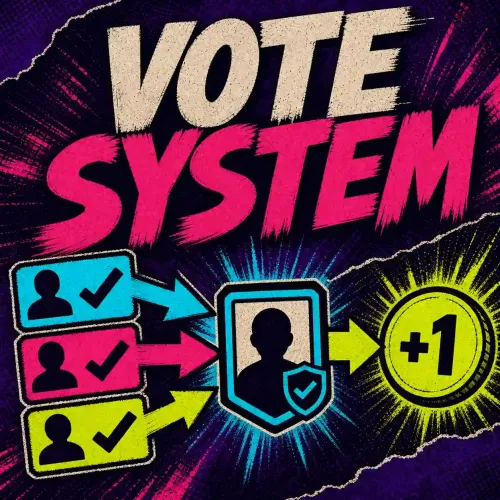
Bring your Rust server votes together On its own, Vote System tracks votes and points per player. To let players claim rewards in-game, use the Vote Reward bundle. Building your own reward system? Your plugin can read vote counts and points through the Vote System API. Oxide and Carbon · Enable the voting sites you use Open the PimpMyRust configurator → Supported voting sites Top-Serveurs.net Top-Games.net Rust-Servers.net On Top-Serveurs.net and Top-Games.net, players enter their SteamID64 in the nickname field. You can also enable nickname voting for either service. Anyone can enter that nickname. Rust-Servers.net uses Steam voting. Connect votes to your rewards Rewards through Custom Rewards. Unlock rewards by vote count or award a different number of points per voting site. Currency through Economics. Pay players who are online when their votes are recorded. Your own plugin. Use GetVoteSnapshot_API to read a player’s votes and points from their SteamID64. Configure voting sites in your browser Install VoteSystem.cs, then enable the voting sites you use and enter their API tokens. Edit VoteSystem.json directly or use the PimpMyRust configurator to download your settings or send them to a connected server. Manual installation Extract the ZIP and merge its folders into oxide/ or carbon/. Load plugins/VoteSystem.cs to create config/VoteSystem.json. Enable at least one site under Vote Servers Settings and enter its API token. Reload VoteSystem and check that a test vote is recorded. You can edit the JSON directly or use the optional PimpMyRust configurator. Installation and upgrade guide → · Codefling support →$4.99