-
Posts
87 -
Joined
-
Last visited
Content Type
Profiles
Warranty Claims
Downloads
Forums
Store
Services
Downloads Plus Support
DOWNLOADS EXTRA
Everything posted by flutes
-
Mhhh, your configuration seems correct. I'll run some tests on my end to understand where the issue might be coming from. Did you delete the data related to the number of points? If so, which files did you delete? You can add me on Discord: d.0ne_
-
Changed Status from Pending to Closed
-

Hello, I haven't found a solution yet to translate the page into English and therefore read the documentation (for the moment)
-
As I mentioned in one of our previous conversations, the original plugin (Vote Reward) has been split into two parts. Since this page was initially where I listed Vote-Reward for sale, it logically becomes a bundle now, given the plugin's division. This bundle also includes the original version of the plugin, meaning both plugins in one.
-
Changed Status from Pending to No Response
-
- 7 comments
-
Version 2.0.4
167 downloads
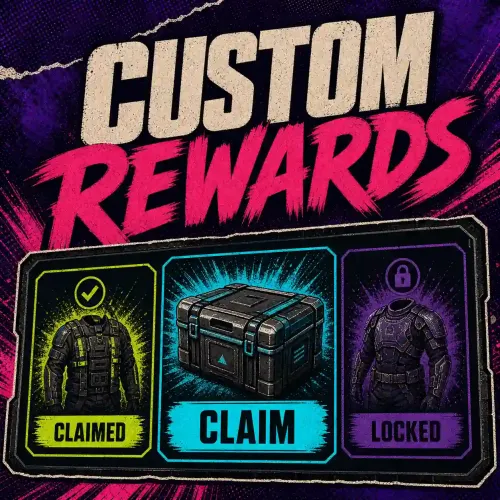
Turn player engagement into a clear, visual reward journey with configurable catalogues, secure claims, and administrator-controlled delivery. At a glance Create independent reward types with their own points, catalogue, commands, permission, language, and visual theme. Let players browse paginated rewards, see locked or claimed states, and claim eligible rewards from an in-game UI. Deliver items, server commands, permission grants, and group grants through one reviewed reward definition. Keep point ownership compatible with integrations such as Vote System while retaining administrator control. Recover safely from reloads and partial delivery without replaying completed actions. How it helps Custom Rewards gives server owners one reusable reward layer instead of a separate UI and claim implementation for every event. Each reward type can represent voting, playtime, seasonal progress, VIP benefits, or another server-owned points source. Key features Multiple reward catalogues, each stored in its own JSON file. Configurable show commands and dynamic customrewards.<type>.use access. Common, Rare, Epic, and Legendary presentation with configurable colours. Per-page browsing with visible available, locked, and claimed states. Server-side eligibility checks repeated when a reward is claimed. Item, command, permission, and group actions. Owner-scoped point APIs for integrations. Durable claim progress and administrator-visible reconciliation when an external action has an uncertain result. Safe migration of supported legacy player data. Player workflow An administrator enables a reviewed reward type and grants its use permission. The player runs one of that type's configured chat commands. The UI displays the current catalogue and the player's claim state. The player changes page if needed and selects an eligible reward. The server validates points, prerequisites, and claim state again before delivery. The visible screen distinguishes rewards that are available, already claimed, or unavailable. Administrators decide which commands display each catalogue and which groups can access it. How it works Each file in oxide/data/CustomRewards_rewards/ defines one reward type. Its filename is the exact type used by permissions and integrations. Player balances and claim progress are stored separately so an interrupted delivery can resume without repeating confirmed actions. customrewards_give VoteSystem 76561198000000000 5 The example grants five owner points to the VoteSystem reward type. Run administrator commands from the server console or with the administrative permission. Requirements and compatibility Rust server using Oxide or Carbon. The standalone CustomRewards.cs file from this product. No required plugin dependency. Optional integrations must use the documented compatibility APIs and the same reward-type name. Setup Back up existing oxide/data/CustomRewards_* files. Install CustomRewards.cs in the framework plugin directory. Let the plugin create oxide/data/CustomRewards_rewards/. Copy and rename the supplied example configuration for each reward type you need. Review every item name, server command, permission change, group change, image URL, and eligibility rule. Set Enabled to true only after that review. Grant customrewards.<type>.use and test the configured show command with a non-administrator account. Commands and permissions CommandPurposeAuthorization Reward-type show commandsOpen the configured catalogue UIAdministrator or customrewards.<type>.use customrewards_give <type> <player> <quantity>Add points to one playercustomrewards.admin customrewards_wipe_owner <type> <owner>Remove one owner's contribution from a balancecustomrewards.admin customrewards_wipe_all <type>Clear all balances for one reward typecustomrewards.admin customrewards_changepageInternal player paging actionPublic, arguments validated by the server customrewards_claimInternal player claim actionPublic, eligibility rechecked by the server The historical CustomRewards.Admin and CustomRewards.<Type>.Use forms remain accepted for existing installations. Configuration highlights New reward types are disabled by default. Start with a small catalogue and a test-only permission: { "Enabled": false, "Commands for show UI": ["vote_rewards"], "UI Settings": { "Max Reward By Page": 5, "Show Description": true }, "Rewards Settings": { "Rewards List": [ { "Rarity (Common - Rare - Epic - Legendary)": "Common", "Quantity": 100, "Item Shortname (optional)": "wood", "Server command (optional)": [], "Grant Permissions :": [], "Grant Groups :": {}, "Needed Permissions :": {}, "Needed Groups :": {} } ] } } Only %steamid% is accepted as a command placeholder. Keep reward configuration restricted to trusted administrators because configured commands and access changes are privileged actions. Practical tutorials Example: create a voting catalogue Create VoteSystem.json in oxide/data/CustomRewards_rewards/. Set a safe show command such as vote_rewards. Add one low-value test reward and leave the type disabled. Reload Custom Rewards and resolve every validation error. Grant customrewards.votesystem.use to a test group. Enable the type, add test points, open the UI, and claim the reward. Add the remaining catalogue only after the complete test succeeds. Example: integrate another points source Use the owner-points API with a stable owner name. Keep the reward type identical in both plugins, check that it is enabled, and open the UI through the structured UI method so a failure can be reported without exposing an incomplete screen. Troubleshooting The show command is unknown: confirm the reward type is enabled and its command is unique. The UI says access is denied: grant customrewards.<type>.use or test with an administrator. A catalogue does not load: review the first validation error for invalid actions, empty rewards, unsafe placeholders, or contradictory access rules. A claim is pending review: inspect the administrator diagnostic before retrying; do not edit player data to bypass an uncertain external action. Images do not appear: verify direct HTTPS image URLs and keep custom URLs under administrator control. FAQ Can two reward types use different themes? Yes. Each reward-type file owns its catalogue, UI settings, colours, commands, and access permission. Can a reward combine actions? Yes. One reward can contain an item plus reviewed commands, permission grants, or group grants. Each action is tracked separately during delivery. Does Custom Rewards require Vote System? No. Vote System is an optional points source. Custom Rewards can run with administrator grants or another compatible integration. Support Use the Codefling support section with the plugin version, framework, reward-type name, the first relevant error, and a redacted configuration excerpt. Never include API tokens or private player data.$5.99 -
- 7 comments
-
Version 1.0.0
599 downloads
/!\ THIS PLUGIN RECQUIRES CUSTOM REWARDS PLUGIN /!\ Playtime Reward is an extension of the CustomRewards plugin. This plugin allows your players to earn points at certain time intervals. The points earned can be used to claim rewards (see CustomRewards plugin). Configuration: CustomRewardsType: The type of rewards (the name that identifies the reward template, more information in the CustomRewards documentation) Count Afk Time: Count the time when the player is AFK Added points: Number of points to add Add point every (in seconds): Interval in seconds when points are added /!\ THIS PLUGIN RECQUIRES CUSTOM REWARDS PLUGIN /!\Free- 7 comments
-
Version 2.1.3
54 downloads
Collect votes from supported server-list providers, keep provider identities correctly separated, and turn verified vote totals into points or optional server rewards. At a glance Poll Top-Serveurs, Top-Games, and Rust-Servers.net from one configurable service. Keep Top-Serveurs and Top-Games nickname ledgers separate until an administrator binds each nickname to a Steam ID. Use the authenticated Steam ID returned by Rust-Servers.net when its Steam ranking feed supplies one. Expose a stable points API for player-facing integrations. Optionally mirror accepted points into Custom Rewards or Economics. Preserve accepted vote data before invoking an optional external reward effect. How it helps Vote System centralizes provider polling and attribution so server owners can build voting rewards without treating an untrusted display name as a Steam owner. Each provider has separate configuration, points, interval, and storage boundaries. Key features Three independently enabled provider configurations. Empty tokens and disabled providers by default. Minimum polling interval enforcement and bounded point multipliers. Provider-specific nickname-to-Steam bindings for Top-Serveurs and Top-Games. Authenticated Steam ledger for Rust-Servers.net. Checked point arithmetic and durable wipe generations. Optional Custom Rewards and Economics effects. Clear warnings for unbound votes and post-save effects that require administrator review. How it works Top-Serveurs and Top-Games historical feeds return a provider nickname but do not authenticate its Steam owner in the vote list. Vote System records that nickname's vote, then applies owner-scoped points only when the administrator has configured a binding for that provider. Rust-Servers.net is different: the configured request asks for Steam ranking, and only a valid steamid returned by the provider enters the authenticated Steam ledger. A nickname-only row is rejected. votesystem.wipe The administrator console command begins a durable wipe generation, captures a fresh Rust-Servers.net baseline when that provider is enabled, and resumes polling only after the new state is stored. Requirements and compatibility Rust server using Oxide or Carbon. Provider account and token for every feed you choose to enable. Optional Custom Rewards for owner-point mirroring and reward UI integrations. Optional Economics for deposits. Vote Reward is an optional separate product that supplies the familiar player chat commands and opens the Custom Rewards UI. Provider accounts, availability, rules, and pricing are owned by their respective provider. They are not included with Vote System. Review the current provider terms and any free access or charges before enabling a feed. Setup Install VoteSystem.cs in the framework plugin directory. Keep all providers disabled while reviewing the generated configuration. Obtain each API token directly from the provider and store it only in the server configuration. For Top-Serveurs or Top-Games, add reviewed nickname-to-Steam bindings before expecting owner-scoped points. Decide whether Custom Rewards and Economics should be enabled; disable any integration you do not use. Back up the oxide/data/VoteSystem directory. Enable one provider at a time and watch the server log for validation or attribution warnings. Commands and permissions CommandPurposeAuthorization votesystem.wipeStart a durable vote-baseline resetRust administrator or votesystem.admin votesystem_wipeHistorical compatibility alias for the same operationRust administrator or votesystem.admin Vote System has no player chat command. Install Vote Reward only if you want the historical /vote-style command layer. Configuration highlights The following example keeps all providers disabled until tokens, bindings, and integrations have been reviewed: { "Data Version": 2, "Plugin Extensions": { "CustomRewards": { "Enabled": true, "Custom Rewards Template Name": "VoteSystem" }, "Economics": { "Enabled": false, "Multiplicator": 100 } }, "Vote Servers Settings": { "TopServer": { "Enabled": false, "API Token": "", "Points by vote": 1, "Nickname to Steam ID bindings": { "provider nickname": "76561198000000000" }, "Routine Settings": { "Check Interval (seconds)": 30 } } } } Bindings are provider-specific. Multiple nicknames may map to one Steam ID, but changing a binding later reallocates that nickname ledger's existing balance. Review ownership before enabling the provider and avoid later reassignment. Practical tutorials Tutorial: enable Top-Serveurs safely Back up oxide/data/VoteSystem. Add the Top-Serveurs token and keep the provider disabled. Add every known provider nickname to Nickname to Steam ID bindings. Confirm each value is the intended 17-digit Steam ID. Set a positive points value and an interval of at least 15 seconds. Enable Top-Serveurs and monitor the first responses. Treat an unbound-vote warning as an attribution task; the vote is stored but creates no owner-scoped reward. Tutorial: enable Rust-Servers.net Configure the provider token and keep the shipped Steam-ranking URL. Verify that Steam OpenID voting is enabled on the provider side. Leave nickname bindings empty; Rust-Servers.net attribution uses the returned authenticated Steam ID. Enable the provider and confirm that invalid or nickname-only rows are rejected. Run the administrator wipe command only when you intend to capture a new baseline. Recovery tutorial Stop polling before recovery. Restore the last known-good oxide/data/VoteSystem backup, including the wipe epoch and player vote files, then reload the plugin. Do not merge nickname and Steam ledgers or rename files to force ownership. Provider data and privacy Vote System sends the configured provider URL, server token, and request parameters to the selected provider. It receives vote identities and counts defined by that provider's response. It does not send Custom Rewards catalogues, Economics balances, server chat, or unrelated player data. Tokens remain in local configuration and should be redacted from logs and support messages. Vote ledgers remain on the server. The plugin does not provide a provider account or change a provider's privacy policy. Limits and failure behavior Providers are disabled when configuration is invalid. Unsafe identities, malformed JSON, stale periods, negative values, and arithmetic overflow are rejected. An unbound Top-Serveurs or Top-Games vote is stored but has no owner-scoped effect. Accepted state is stored before optional hooks or Economics deposits. A failed optional effect is not retried automatically because retrying could duplicate a deposit; the log supplies a reconciliation key. Provider caching, rate limits, outages, and response changes remain external to the plugin. Troubleshooting A provider stays disabled: verify its token, URL, interval, and positive points value. Top votes are stored but points remain zero: add the missing provider-specific nickname binding. Rust-Servers.net rows are rejected: confirm the feed returns a valid authenticated steamid and uses Steam ranking. Economics did not deposit: check the reconciliation warning before making a manual adjustment. Polling does not resume after a wipe: restore or repair the wipe state and obtain a valid Rust-Servers.net baseline. FAQ Are display names matched automatically? No. Top-Serveurs and Top-Games require administrator bindings. Numeric-looking nicknames are not treated as Steam IDs. Does every accepted vote grant an Economics deposit? Only when the provider identity is owner-scoped, Economics is enabled, and the deposit call succeeds after the vote is stored. Was every real provider validated live? No. A real provider request was not executed for every supported provider during the final historical validation. Support Use the Codefling support section with the plugin version, framework, provider name, redacted error, and whether the identity was a provider nickname or authenticated Steam ID. Never include provider tokens or full player ledgers.$4.99 -
I'm really sorry, I didn't see the message. You can set the desired "raid protection" hours (in the configuration file) after a wipe. For a week, you can set it to 168 hours. If you have any questions, don't hesitate to send me another message PS : Also, don't hesitate to send me a message to confirm that you've successfully set up the configuration
-
Hey, For now, the only method is to edit the data files, which I admit can become tedious over time. You'll need to follow these steps: 1 - Unload the plugin. 2 - Modify the file named playervote_<player id or player name>.json and add the desired number of points. 3 - Next, edit the file user_<player id>.json: - Set your desired value for VotePoints. Ensure this matches the total points in the file you edited previously. - Update the "UnclaimedRewards" array: Add the rewards (by index) that are to be received. For instance, if you've added 3 extra points, you should include 3 new indexes, like so: "UnClaimedRewards": [0,1,2,3]. After completing these steps, you can reload the plugin. Alternatively, you might consider only adding the desired indexes to "UnClaimedRewards", though I'm not certain this will work. I recognize the need for a more straightforward command and understand this process might seem cumbersome. Rest assured, I'm working on an update that will incorporate this feature.
-
Version 2.1.4
155 downloads
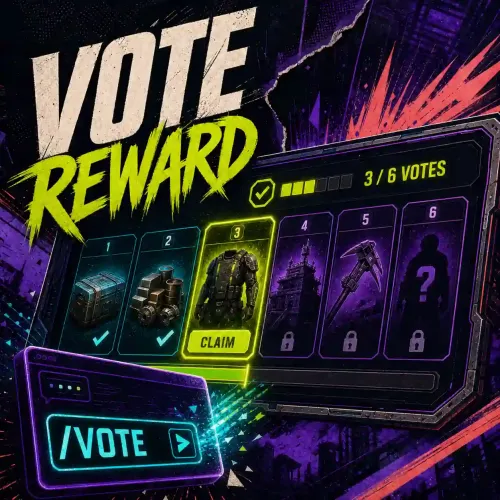
Connect Vote System points to a Custom Rewards catalogue while preserving the familiar player vote-reward chat commands. At a glance Lightweight bridge between Vote System and Custom Rewards. Preserves /vote, /votes, and historical reward-command aliases. Verifies both dependency contracts and the exact shared reward type before opening the UI. Reads the player's vote points from Vote System. Delegates reward eligibility, persistence, delivery, and UI rendering to Custom Rewards. Stores no separate player balance and performs no reward delivery itself. How it helps Vote Reward keeps the player experience simple while each required product retains one clear responsibility. Vote System collects and attributes votes. Custom Rewards owns the catalogue, claim state, and delivery. Vote Reward checks that the two sides agree before exposing the combined flow. Key features Configurable player chat aliases. Configurable Custom Rewards type and CUI parent. Contract and capability checks on load and dependency reload. Exact reward-type agreement with Vote System. Safe handling of missing, malformed, thrown, or mismatched dependency results. Structured UI-open result with clear failure diagnostics. No duplicated player storage. How it works When a player runs a configured command, Vote Reward: verifies Vote System and Custom Rewards are loaded; confirms Vote System contract V1 and its vote-points capability; confirms Custom Rewards contract V2 and its owner-points and UI-open capabilities; confirms both products use the configured reward type; reads the player's points from Vote System; asks Custom Rewards to open the enabled catalogue for that player. { "CustomRewards reward type": "VoteSystem", "Commands for show UI": [ "vote", "votes", "vote_rewards" ], "UI parent": "Overlay" } Requirements and compatibility Included required components The download contains the complete matching stack: Custom Rewards 2.0.4 — the catalogue, UI, claim state, and delivery service. Vote System 2.1.3 — provider polling, identity attribution, and points. Vote Reward 2.1.4 — the player command bridge. A preconfigured enabled VoteSystem catalogue, English catalogue text, and matching plugin configurations. Custom Rewards and Vote System remain required at runtime, but the exact matching deployables are included in this Vote Reward bundle. Optional dependencies Vote Reward has no optional dependency. Economics is optional for Vote System, not for this bridge. Without either required dependency, with an unavailable capability, or with different reward-type names, Vote Reward fails closed and does not open a partial UI. Setup Back up existing configuration and data files. Copy the included oxide directory into the server root. Review oxide/data/CustomRewards_rewards/VoteSystem.json; it is enabled but contains only a safe example reward. Grant customrewards.votesystem.use to eligible players. Add provider tokens and required identity bindings in oxide/config/VoteSystem.json, then enable only the configured providers. If reloading manually, load Custom Rewards, Vote System, then Vote Reward. Test with a non-administrator account. Commands and permissions The shipped chat aliases are /vote, /votes, /vote_rewards, /vote_reward, /votes_reward, and /votes_rewards. They all open the same configured Custom Rewards type. Vote Reward declares no separate permission. Access is controlled by the Custom Rewards dynamic permission for the selected type. With the default configuration, grant: customrewards.votesystem.use The historical mixed-case permission remains accepted by Custom Rewards for existing installations. Configuration highlights CustomRewards reward type must exactly match Vote System and an enabled Custom Rewards type. Commands for show UI accepts one or more safe chat command names. UI parent defaults to Overlay and must be an accepted always-present Rust CUI parent. Changing the reward type on an existing installation is an administrator migration. Update all three products together and verify the new catalogue before granting access. Practical tutorials Integration example: first /vote flow Give a test account a small number of Vote System points. Grant customrewards.votesystem.use. Join with that account and run /vote. Confirm the VoteSystem catalogue opens and displays the expected points and claim states. Claim one low-value item. Reopen the UI and confirm the claimed state remains visible. Integration example: dependency reload Reload Custom Rewards, then Vote System, then Vote Reward. Wait for the compatibility success message before testing /vote. If a dependency is absent during reload, the bridge remains unavailable until both checks succeed again. Troubleshooting Vote System is not loaded: restore or reload the bundled Vote System before Vote Reward. Custom Rewards is not loaded: restore or reload the bundled Custom Rewards and verify the VoteSystem type. Reward type mismatch: use the exact same case-sensitive type in Vote System, Vote Reward, and the Custom Rewards filename. Reward type is disabled: review the catalogue, enable it, and reload Custom Rewards. The command opens nothing: grant customrewards.votesystem.use and check for duplicate chat command registration. Points are zero: diagnose provider attribution and bindings in Vote System; Vote Reward does not collect votes. FAQ Does Vote Reward replace Vote System? No. Vote System is required and remains responsible for provider polling, identity attribution, and points. Does Vote Reward deliver items? No. Custom Rewards performs validation, persistence, delivery, and UI rendering. Can I use a different reward-type name? Yes, but the name must match in all three configurations and the Custom Rewards type must be enabled. Support Veuillez utiliser la section d'assistance Codefling en précisant les trois versions du produit, le framework, le type de récompense configuré, la commande exécutée et le premier diagnostic de compatibilité. N'incluez pas les jetons du fournisseur ni les fichiers de données du joueur.$10.99 -
- 6 comments
-
- #raid
- #protection
-
(and 4 more)
Tagged with:
-
Version 2.0.0
93 downloads
Give players a predictable weekly raid schedule with configurable post-wipe protection, practical exclusions, and a public next-transition command. At a glance Define one raid-allowed window for every day of the week. Support windows that cross midnight. Evaluate the schedule with a fixed UTC offset. Keep protection active for a configurable period after a wipe. Allow TC-authorized players to damage their own protected building. Exclude reviewed prefabs or optional Zone Manager zones. Show localized state-change alerts and /raid_date status. Preserve safety when configuration or an optional integration is invalid. How it helps Raid Time Protection turns an informal raid-hours rule into a consistent server policy. Players can see whether protection is active and when the next change occurs, while administrators retain explicit scheduling and exclusion controls. Key features Seven-day schedule with hour, minute, and duration. Half-open windows: the start is included and the end is excluded. Fixed offset in minutes for servers that do not operate on UTC. Fractional post-wipe duration in hours. Built-in localized chat alerts without a required notification plugin. Cached prefab and Zone Manager exclusions. Recoverable migration of readable legacy configuration. Fail-closed behavior for eligible protected hits when policy evaluation is unhealthy. How it works When global protection is enabled, post-wipe protection takes priority. After that period, raiding is allowed inside the current weekly window and protected outside it. A window can continue into the next day. /raid_date The public read-only command reports the current protection state and the next scheduled transition in UTC. It does not change server state and requires no permission. Requirements and compatibility Rust server using Oxide or Carbon. Framework-provided JSON support. Zone Manager is optional. If it is absent, fails, or returns an unsupported result, no zone exclusion is applied. The current policy covers the documented owned-building path where the target is an owned DecayEntity with building privilege and the hit is attributed to a player. Do not interpret it as blanket coverage for every current Rust damage or entity path. Setup Back up the existing RaidTimeProtection.json. Install RaidTimeProtection.cs in the framework plugin directory. Reload the plugin and review the generated configuration. Set the fixed UTC Offset Minutes for your chosen schedule. Configure each daily start time and duration. Review wipe duration, prefab exclusions, and optional Zone Manager zone IDs. Test protected and allowed states with /raid_date. Keep the .v1.bak file if a legacy configuration is migrated. Commands and permissions Command | Purpose | Authorization /raid_date | Show whether protection is active and the next transition | Public, read-only Version 2.0.0 has no permission and no state-changing command. Configuration highlights This example uses UTC+2, keeps 48 hours of post-wipe protection, and allows Friday raiding from 22:00 until Saturday 04:00: { "Schema Version": 2, "UTC Offset Minutes": 120, "Wipe Protection Time (in hours)": 48.0, "Global Protection": { "Enabled": true, "Show Alert (recquires Notify plugin)": true, "(ZoneManager) Disabled protection zones": [], "Disable protection prefabs (optional)": [], "Friday": { "Stop Protection Hours": 22, "Stop Protection Minutes": 0, "Stop Protection Duration (in minutes)": 360 } } } The UTC offset is fixed and does not adjust automatically for daylight saving time. Update it manually when your local policy changes. Practical tutorials Tutorial: create an evening raid schedule Choose the schedule's fixed offset. For every day, set the local raid start hour and minute. Set the allowed duration in minutes. Use a duration that crosses midnight when needed; for example, 22:00 plus 360 minutes ends at 04:00 the next day. Reload and use /raid_date before, during, and after the window. Repeat the check after the next daylight-saving change if you use a non-zero offset. Tutorial: add a Zone Manager exclusion Install and verify Zone Manager separately. Add the exact zone ID to (ZoneManager) Disabled protection zones. Reload Raid Time Protection. Test an eligible owned-building hit inside and outside the zone. Remove the dependency and confirm the same target remains protected outside a healthy exclusion result. Authorization and exclusions For the documented eligible path: TC-authorized players may damage the target. Configured prefabs may bypass protection. A matching optional Zone Manager zone may bypass protection. Decay, electric, NPC player, Bradley APC, and CH47 damage are excluded from this policy. An otherwise eligible player-attributed hit is reduced to zero while protection is active. Indirect damage without an attributable player is not claimed as protected. Troubleshooting The schedule is shifted: verify UTC Offset Minutes; it is not a timezone name and does not follow daylight saving automatically. A cross-midnight window ends early: set one start plus the complete duration on the starting day. Protection remains active after wipe: verify the configured wipe duration and wipe timestamp. A Zone Manager exclusion is ignored: verify the exact zone ID and the integration response; failure preserves protection. A legacy configuration will not load: restore the backup, correct unreadable values, and keep the .v1.bak produced by a successful migration. FAQ What happens when global protection is disabled? A healthy configuration allows damage regardless of the weekly and post-wipe schedule. Invalid or unreadable configuration cannot disable protection. Is /raid_date restricted? No. The command is intentionally public so the raid schedule can be communicated to players. Does the plugin require Notify? No. State-change alerts use built-in server chat. The historical configuration label is retained for compatibility. Support Use the Codefling support section with the plugin version, framework, fixed offset, relevant daily window, protection state, target type, and a redacted configuration excerpt.$4.99- 6 comments
-
- #raid
- #protection
-
(and 4 more)
Tagged with:
-
Version 1.0.1
5 downloads
Dialogs is an innovative plugin designed to introduce dynamic interactions within Rust. These interactions, in the form of dialogues, can guide players, provide information, trigger specific events, or even interact with other plugins. One of Dialogs' standout features is its ability to respond based on players' previous actions or choices, offering a rich and tailored user experience. While integrating with NPCs is an appealing feature, Dialogs can operate independently, providing server administrators with significant flexibility. Key Features: Dynamic Interactions: Craft step-by-step dialogues, with questions and answers that can guide players or initiate specific interactions. Responsiveness to Player Actions: Dialogs can tailor interactions based on players' previous actions or choices, making each dialogue unique and dynamic. NPC Independence: While integration with NPCs is possible, Dialogs can function without them, offering versatility in how interactions are presented to players. Powerful API: Dialogs' API allows developers to initiate dialogues programmatically, offering deeper integration with other plugins or custom gameplay scenarios. Advanced UI Customization: Dialogs provides comprehensive user interface customization, allowing users to create the exact appearance they desire. However, this customization, while powerful, may require careful attention to detail. Configuration & Customization: Dialogue Files: Dialogues are stored in individual files within the oxide/plugins/data/Dialogs directory. Each file represents a distinct dialogue. API for Developers: Utilize the provided API to programmatically trigger dialogues, offering flexibility in how dialogues are employed. UI Configuration: With the capability to customize every aspect of the user interface, users can craft dialogues that perfectly match their server's aesthetic. However, this customization can be intricate and requires some familiarity with UI configuration. Dialogs is an essential tool for enriching the gaming experience by introducing dynamic and responsive interactions. Its adaptability to player actions and advanced UI customization make it an ideal choice for server administrators looking to add an extra dimension to their gaming world. Example Configuration Examples are available on this page (in the attached files) or in the downloaded archive. Commands /dialog_show <dialog_id> : (For admin), show dialog with specified id Documentation Creating Dialogues : Defining Dialogues: - Dialogues are defined in individual files located in the oxide/plugins/data/Dialogs folder. - Each file represents a distinct dialogue and is named following the format DialogData_DialogueName.json. Dialogue Structure: - A dialogue consists of questions and answers. - Each dialogue starts with one or more initial questions/answers ("Start Question/Answers"). - It can then have a set of questions/answers ("All Question/Answers") that can be triggered based on the answers chosen by the player. Understanding the Fields : "Start Question/Answers" & "All Question/Answers": - These fields contain a list of questions and answers. - Each question has content ("Question content"), required event states ("Recquired Event States"), and possible answers ("Responses"). Answers ("Responses"): Each answer has content ("Response Content"). It can trigger another question/answer ("Trigger Question/Answer Id"). It can also end the dialogue ("Trigger Exit Dialog"). Event states might be required to display this answer ("Recquired Event States"). Event states can be updated when this answer is chosen ("Event States Updated"). Hooks from other plugins can be called ("Plugins Hooks"). Console commands can be executed ("Console Commands"). FAQ How do I create an NPC and link it to a dialogue using Human NPC? To create an NPC, use the command npc_add in the console. Once the NPC is spawned, it will have a unique ID displayed (if not, check the human npc json file). To link this NPC to a dialogue: - Note down the NPC's unique ID. - Navigate to the oxide/plugins/data/Dialogs directory. - Open the DialogsNpcsData.json file and add a new entry with the NPC's unique id as the key and the dialogue ID as the value. - Save the file and reload the plugin. - Now, when players interact with this NPC, the linked dialogue will be triggered. - For more advanced settings like changing the NPC's appearance, name, etc., refer to the Human NPC plugin's documentation on the mod page. Tutorial: Creating Interactive Dialogues with Two NPCs using the Dialogs Plugin Introduction: This tutorial will guide you through creating interconnected dialogues for two NPCs in Rust using the Dialogs plugin. By the end, the dialogue of one NPC will influence the dialogue of the other. Step 1: Preparation Ensure the Dialogs plugin is installed on your server. Navigate to the plugin's data directory, typically located at oxide/plugins/data/Dialogs. Step 2: Setting up Bob's Dialogue In the oxide/plugins/data/Dialogs directory, create a new file named DialogData_Bob.json. Open this file with a text or JSON editor. Define the root of the dialogue: { "Dialog": { "Start Question/Answers": { "Intro": { "Question content": "Have you seen Alice?", "Responses": { "1": { "Response Content": "yes I saw it !", "Trigger Question/Answer Id": "AliceLocation" }, "2": { "Response Content": "No, never seen!", "Trigger Exit Dialog": true } } } }, "All Question/Answers": { "AliceLocation": { "Question content": "Was she near the river or the mountain?", "Responses": { "1": { "Response Content": "I saw him by the river", "Event States Updated": { "AliceRiver": true } }, "2": { "Response Content": "I saw him at the bottom of the mountain", "Event States Updated": { "AliceMountain": true } } } } } } } Step 3: Setting up Alice's Dialogue Create a new file named DialogData_Alice.json. Open this file and set up Alice's dialogue: { "Dialog": { "Start Question/Answers": { "Intro": { "Question content": "Hello! How can I assist you today?", "Responses": { "1": { "Response Content": "I saw Bob and I told him you were at the river", "Recquired Event States": { "AliceRiver": true } }, "2": { "Response Content": "I saw Bob and I told him you were near the mountain.", "Recquired Event States": { "AliceMountain": true } }, "3": { "Response Content": "Just enjoying the view. Take care!", "Trigger Exit Dialog": true } } } } } } Step 4: Associating the Dialogue with the NPCs Open the file oxide/plugins/data/Dialogs/DialogsNpcsData.json. Add a new entry for each NPC: { "id_of_bob": { "Dialog Id": "Bob" }, "id_of_alice": { "Dialog Id": "Alice" } } Step 5: Testing Your Dialogues Launch your Rust server. or realod Dialogs plugin Approach Bob and initiate a conversation (or use /dialog_show <dialog_id>) Depending on your responses to Bob, approach Alice and see how her dialogue changes based on the event states set during your conversation with Bob. You've successfully set up interconnected dialogues for two NPCs in Rust! This dynamic interaction showcases the power of the Dialogs plugin. You can expand upon this foundation to create even more intricate and engaging dialogues for your players. Support : You can also contact me via discord : https://discord.gg/JJnxFgP27G DialogData_Alice.json DialogData_Bob.json$23.99 -
Version 1.0.0
385 downloads
The NpcOverlay plugin provides functionality to display overlays (text) above NPCs in the Rust game. This can be particularly useful for developers or server administrators who wish to provide additional context or information about an NPC, such as their name, role, or any other relevant details. Features Dynamic Overlays: Allows server administrators to set custom text overlays for NPCs. Event-Driven: The plugin responds to events when a player enters or exits the proximity of an NPC. Customizable Text: The text displayed can be customized for each NPC. Data Persistence: The plugin ensures that overlay settings for each NPC are saved and can be loaded across server restarts. Adding Overlays to NPCs 1. Installation Ensure the NpcOverlay plugin is installed on your server. 2. Setting Up Overlays: Navigate to the data file associated with the plugin, located in oxide/data/NpcOverlay.json. The structure of the JSON file is as follows: { "Overlays": { "MyNpcId": { "LangKey": "MyLangKey", "Color" : { "r":202, "g":49, "b":0, "a":1 }, "LocalOffset" : { "x":0, "y":1, "z":0 } } } } Replace MyNpcId with the NPC's ID and MyLangKey with the key you will use in the language file to represent the text you want to display. 3. Configuring Overlay Text Navigate to the language file, oxide/data/lang/yourlang/NpcOverlay.json. If it doesn't exist, create it. Add a new key-value pair where the key is the MyLangKey you used in the NpcOverlay.json file and the value is the text you want to display. Example: { "MyLangKey": "Hello, I'm Bob the Builder!" } 4. Spawning NPCs Use the appropriate command or method to spawn an NPC in your Rust server. Note down the NPC's ID. 5. Linking NPC to Overlay Add the NPC's ID and desired overlay text key to the NpcOverlay.json file. Save the file. 6. Testing Approach the NPC in-game. As you get close, you should see the overlay text appear above the NPC.Move away from the NPC, and the overlay should disappear. Usage Examples Quest Givers: Use overlays to identify NPCs that give out quests. E.g., "Quest Giver: Find the lost treasure!" Shopkeepers: Identify NPCs that sell items. E.g., "Shopkeeper: Buy rare items here!" Lore: Provide background information or lore about specific NPCs to enrich the game's story. Conclusion The NpcOverlay plugin is a simple yet powerful tool for server administrators and developers looking to enhance the player's experience in Rust.By providing contextual overlays above NPCs, players can have a clearer understanding of the role and significance of each NPC they encounter.Whether you're looking to guide players on their journey, provide lore, or simply add a touch of personality to your NPCs, NpcOverlay is a valuable addition to your server. Support : You can also contact me via discord : https://discord.gg/JJnxFgP27GFree -
Version 1.0.0
329 downloads
The PlayerEventStates plugin provides a system to manage and track event states for individual players and globally across the server. This system can be particularly useful for developers who wish to create conditional gameplay mechanics based on specific events or states. Features Player-Specific Event States: Allows tracking of individual player event states. Global Event States: Provides a mechanism to track global events that apply server-wide. API Access: Exposes several API methods for developers to interact with the system, making it versatile for integration with other plugins or custom scripts. Data Persistence: Ensures that both player-specific and global event states are saved and can be loaded across server restarts. API Methods (For Developers) GetEventStatePlayer_API(ulong playerId, string eventName); // Fetches the event state for a specific player. GetEventStateGlobal_API(string eventName); // Retrieves the global event state. SetEventStatePlayer_API(ulong playerId, string eventName, bool value); // Sets the event state for a specific player. SetEventStateGlobal_API(string eventName, bool value); // Modifies the global event state. PlayerHasRecquiredStates_API(ulong playerId, Dictionary<string,bool> states); //Checks if a player meets specific event state conditions. Usage Examples Quest Systems: If you're developing a quest system, you can use event states to track a player's progress. For instance, if a player completes a task, you can set an event state to true. This can then influence future interactions or dialogues with NPCs. Dynamic World Events: Global event states can be used to track server-wide events. For example, if a server-wide event like a festival is active, you can set a global event state. This could change interactions or available quests for all players. Conditional Dialogues: As mentioned, integration with the Dialogs plugin can lead to dynamic dialogues. An NPC might have different dialogues for players who have or haven't completed specific tasks. Setup & Configuration Ensure the PlayerEventStates plugin is installed on your server. The plugin will automatically create necessary data files in the oxide/data/PlayerEventStates directory. Developers can directly interact with the plugin using the provided API methods. Note for Developers: When developing with this plugin, pay special attention to the variables ending with _API. These are the methods you'll primarily interact with to get or set event states. Conclusion The PlayerEventStates plugin is a powerful tool for developers looking to add depth and dynamism to their Rust servers. By tracking both player-specific and global event states, it opens up a plethora of gameplay possibilities, especially when combined with plugins like Dialogs. Whether you're crafting a complex quest system or just want NPCs to recognize player achievements, PlayerEventStates is a valuable addition to your plugin arsenal. Support : You can also contact me via discord : https://discord.gg/JJnxFgP27GFree- 1 comment
-
- 2
-
-
- #development
- #developer api
-
(and 5 more)
Tagged with: