-
Posts
450 -
Joined
-
Last visited
-
Days Won
26
Content Type
Profiles
Warranty Claims
Downloads
Forums
Store
Services
Downloads Plus Support
DOWNLOADS EXTRA
Everything posted by UserLeftRust
-
 Yeah i think i might make it like phone core where you can change things yourself as the cars are wrong at the moment too
- 60 comments
-
- 1
-

-
- #vehicle licence
- #ui
- (and 7 more)
-
 Flammable says it works in the reviews so I hope so hahaha.
 -
Dunno... try as html style tag <color=#ff0000> I haven’t tested
-
Version 1.0.1
1,298 downloads
Bottom adds a simple line of text to the bottom of the hotbar. Text changes from entries in the config. Time between changes setable from the config. Configuration { "Bottom Text List": [ "Welcome to our server", "Join our discord", "Do you like the music of showaddywaddy?" ], "Change timer in seconds": 60.0 } Text supports color and font size (within limitation) if done in the html format e.g <color=#FF0000> </color>Free -
cant you just use admin hammer for that task (viewing the code)
-
is this a map you have made? because you will need to create a bradley spawn point and apc route in rustedit, otherwise the creator should of done it
-
no thats fine. Just means that the map has no Bradley, Different Loot or vehicles... dont panic
-
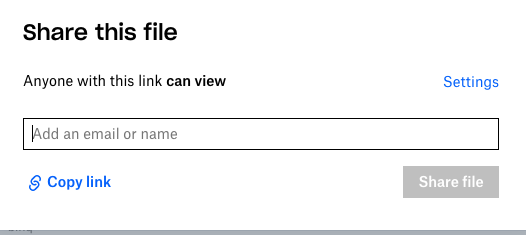
click on the 3 dots next to your map file and click share, on the window that pops up, it should say create share link. copy the link and paste it in to scala, then change the 0 on the end to a 1 so it says ?dl=1 Dont forget you will need the Rust edit dll in your managed folder to link into custom loot and io scratch that, share is outside of the 3 dots now

-
May be worth having a look at https://darkplugins.ru/resources/77/ too.. just food for thought
-
include the ch47?
-
easy enough
-
 No slashes commands like /kit would become "kit"... the plugin sends the / even complicated commands E.G. /STFU Mike 1d Balls, would boil down to "STFU Mike 1d Balls" Heres how we call it in the plugin arg.Player().SendConsoleCommand("chat.say", "/" + configData.OneCommand); ^ Slash is called for you
 -
No slashes commands like /kit would become "kit"... the plugin sends the / even complicated commands E.G. /STFU Mike 1d Balls, would boil down to "STFU Mike 1d Balls"
-
ufff... what a douche.. I WAS HERE FIRST.. hahaha
-
Remove the slash you don’t put the slash in the config
-
 It's sent as a server level command.. same as you typing a command into console... What are you looking to do?
 -
Was something I was going to do myself before the phone system came out and to be honest I haven't looked since throwing my toys out of the pram haha.. maybe I'll look again
-
Version 1.0.2
655 downloads
The Dropbox Extension creates a backup of your Rust files and uploads them to your Dropbox account. Video Below Explaining Usage and setup Requires a Dropbox developer app to be made at http://dropbox.com/developer to get an OAuth2 Token and a directory in your Dropbox folder. File is contained in a zip. unzip the folder to find Oxide.Ext.DropBox.dll Power off your server, place the .dll in your RustDedicated_data/managed folder Please note some providers do not grant access to this folder you may need to open a support ticket with your host Powering on the server will create a file in the oxide/config folder. Configuration { "OAuth2Token": "Token here", "DropBoxDir": "DropBox_Directory", "BackupInterval": 3600, "BackupOxideConfig": true, "BackupOxideData": true, "BackupOxideLang": true, "BackupOxideLogs": true, "BackupOxidePlugins": true, "BackUpServer": true, "FileList": [] } V1.0.1 > BackUpServer value will save any files in your rust instance/server folder (maps, saves, etc) By default the extension will back up all of the oxide folder.. however if you only wish to backup specific files in the directory or say HurtWorld files set the values in FileList. E.g. "FileList": ["autosave_DiemensLand.plr", "autosave_DiemensLand.wld"] Once you have changed the settings a reboot will be required. VideoFree- 2 reviews
-
- 5
-
-
- #rust
- #hurtworld
- (and 5 more)
-
 durp... my bad... remove the s /pveturret tur/trap
 -
if these /PVETurrets tur << toggles Turret PVE on or off /PVETurrets trap << toggles Gun Trap PVE on or off don't work then the plugin hasn't compiled. Run "plugins" in rcon to list your plugs... if theres an error it will be listed at the bottom
-
https://pastebin.com/VBH8HjZz
- 60 comments
-
- 1
-
-
- #vehicle licence
- #ui
- (and 7 more)
-
No after the most recent update.. cars and chassis need to be manually added to the config.. I can add my current working config to the plug page tomorrow if it helps
-
true... change the chat command on one of the others and use that would be the easiest way
-
 Can change it for you... message me on discord..
 -
https://api.top-serveurs.net/'s api does not have a valid claim method. People voting on that site can use a nickname(default) instead of steamid which wont work for the game.. and there is no method to confirm that the vote has been claimed... meaning that a player can claim rewards over and over again within 24 hours without limitation... I can right you a fresh plugin but not adapt as i have told you before on umod in regards to EasyVote